
Complete Operational Systems
Open a purchase order and see its line items, receipts, supplier details, and approval history together.
When your Notion databases track the work but approvals, supplier updates, and documents happen elsewhere, move that workflow to AnyDB. Run purchasing, inventory, and project delivery from connected records with built-in approvals, free portals, and AI Teammates.
Open a purchase order and see its line items, receipts, supplier details, and approval history together.
Let a supplier view a purchase order and submit a delivery update through a portal.
Assign an AI Teammate to review open orders and draft follow-ups using records it has permission to access.
Generate a purchase order or invoice from record data and keep the related conversation with the work.
Start with purchasing. Connect suppliers, orders, and receipts so purchasing and inventory teams can follow the same transaction from approval to delivery.
Keep receipts and order lines as related records so your team can trace what was ordered, approved, and received.
Give sales, purchasing, inventory, and fulfillment a shared view of what was ordered, what is available, and what needs to ship.
Add business objects, relationships, views, and workflows as your operations grow.
Give customers, suppliers, contractors, and partners access to the records, forms, files, and updates they need through AnyDB portals.
Invite customers and suppliers without adding paid team seats. Set who can view or edit a shared record and choose which files and forms each guest can access.
Share order status and documents, and collect customer requests through forms.
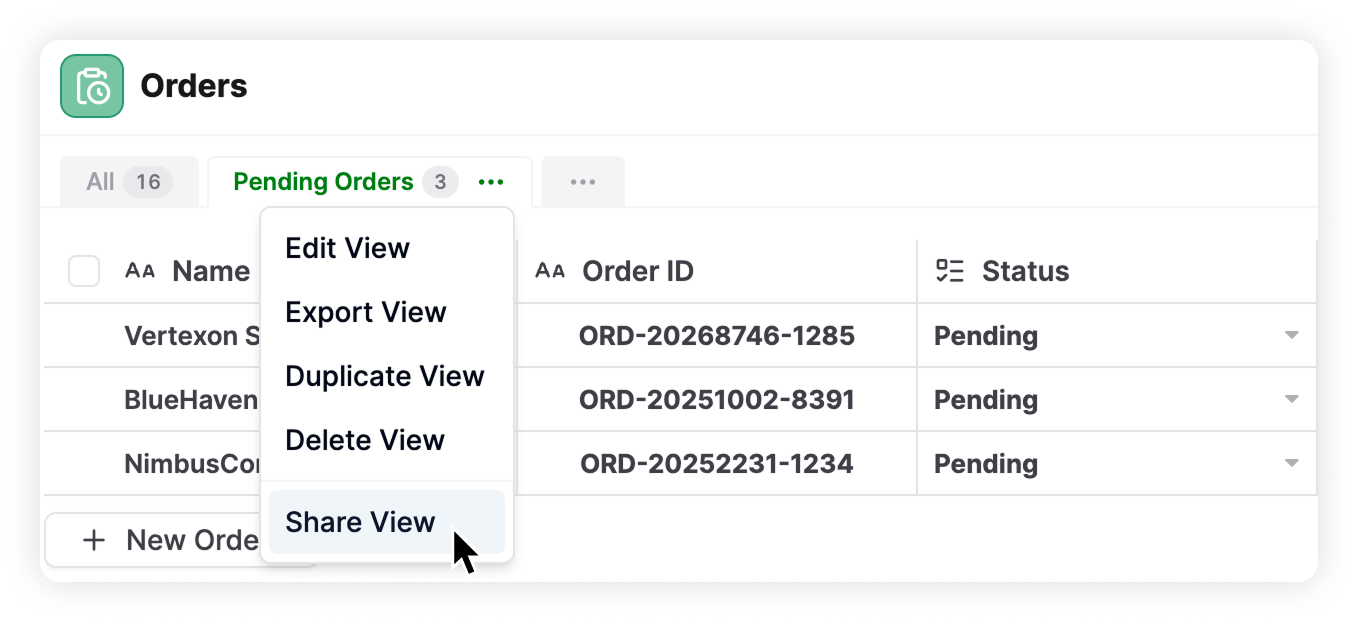
Share purchase orders and collect delivery updates within the purchasing workflow.
Give partners access to the projects, requests, and opportunities they help manage.
Describe the system you need, refine it as your requirements evolve, and let AI handle authorized work while your team retains control over important decisions.
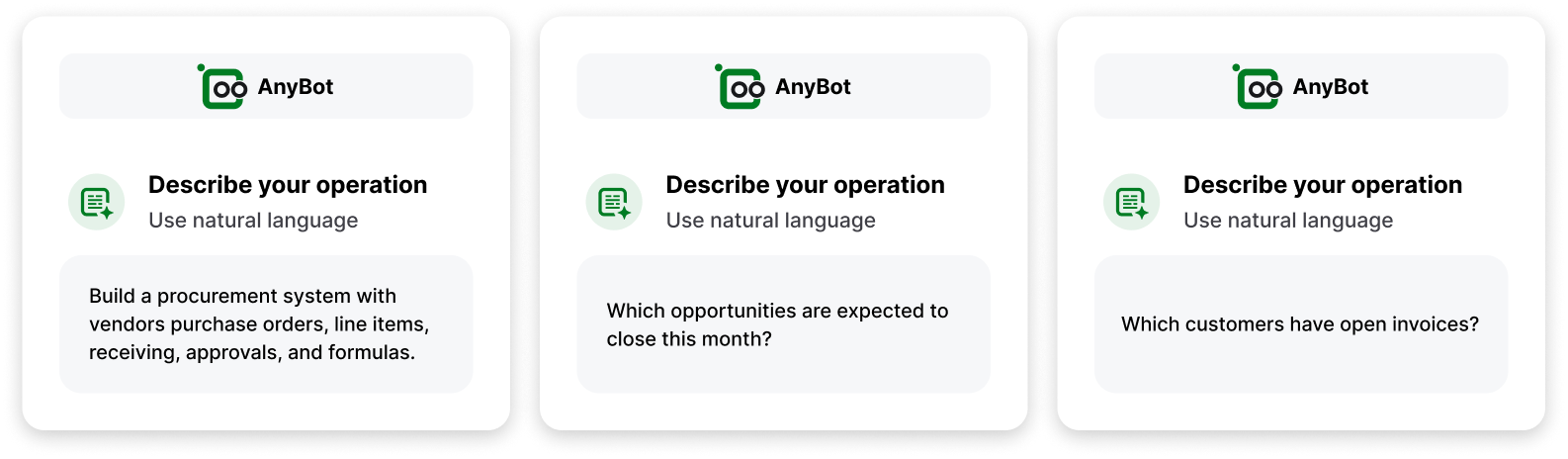
Ask AnyBot to create a procurement system with suppliers, purchase orders, line items, receiving, and approvals. Review the structure and refine it as you go.
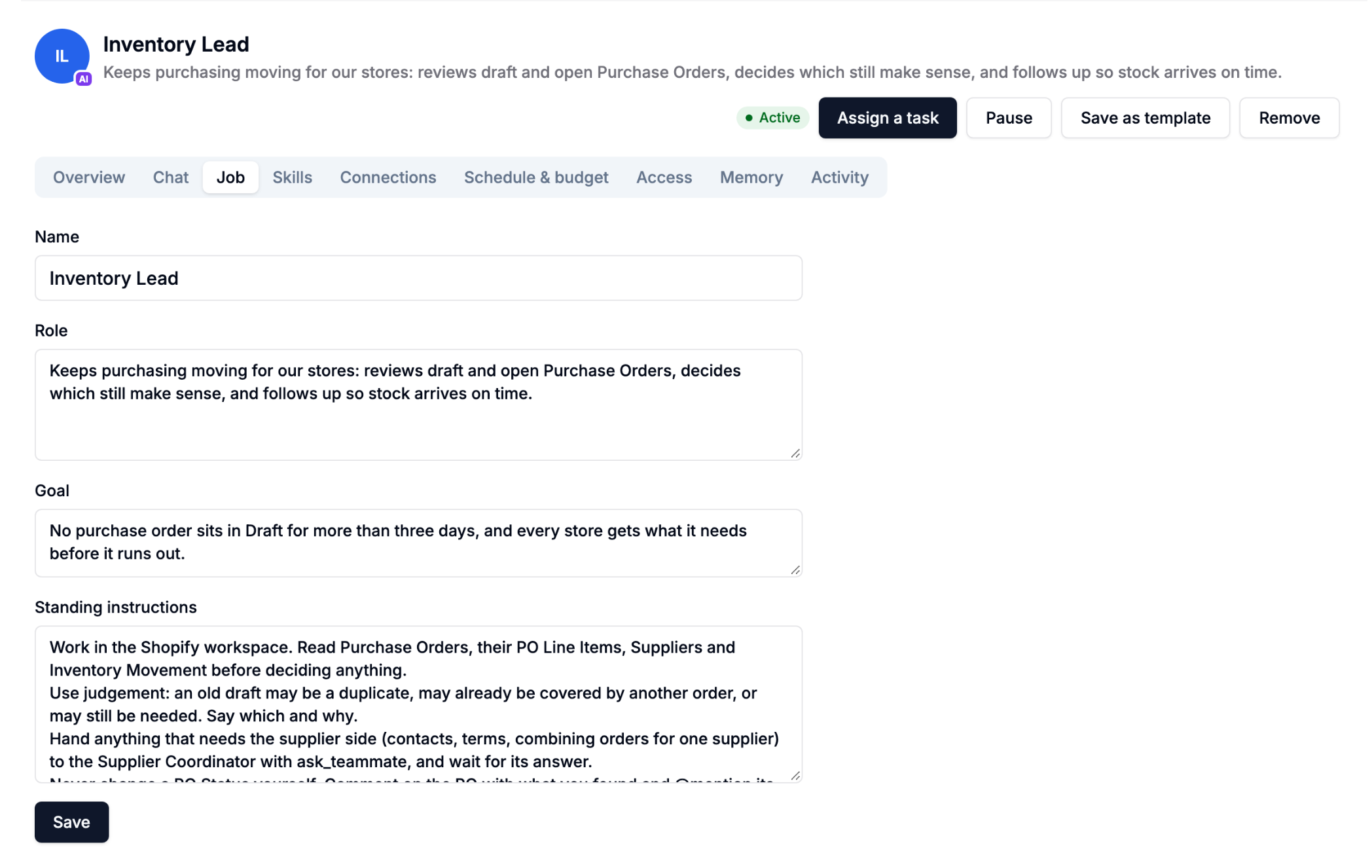
Configure a procurement teammate to review open purchase orders, flag delays, and draft supplier follow-ups using the records it can access. Explore AI Teammates.
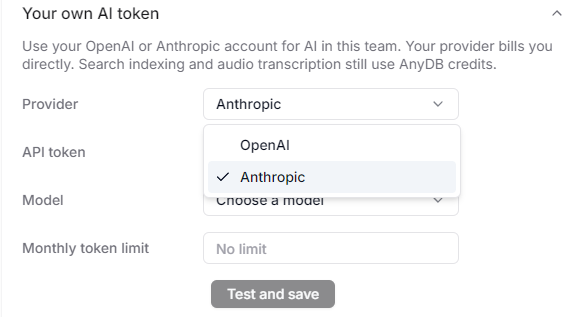
Connect ChatGPT, Claude, or another compatible assistant through the Model Context Protocol (MCP). For AI Teammates, use AnyDB AI or connect a supported provider such as OpenAI or Anthropic. Set a budget for each teammate and review its activity. Compatible agents can also connect through Agent-to-Agent (A2A).
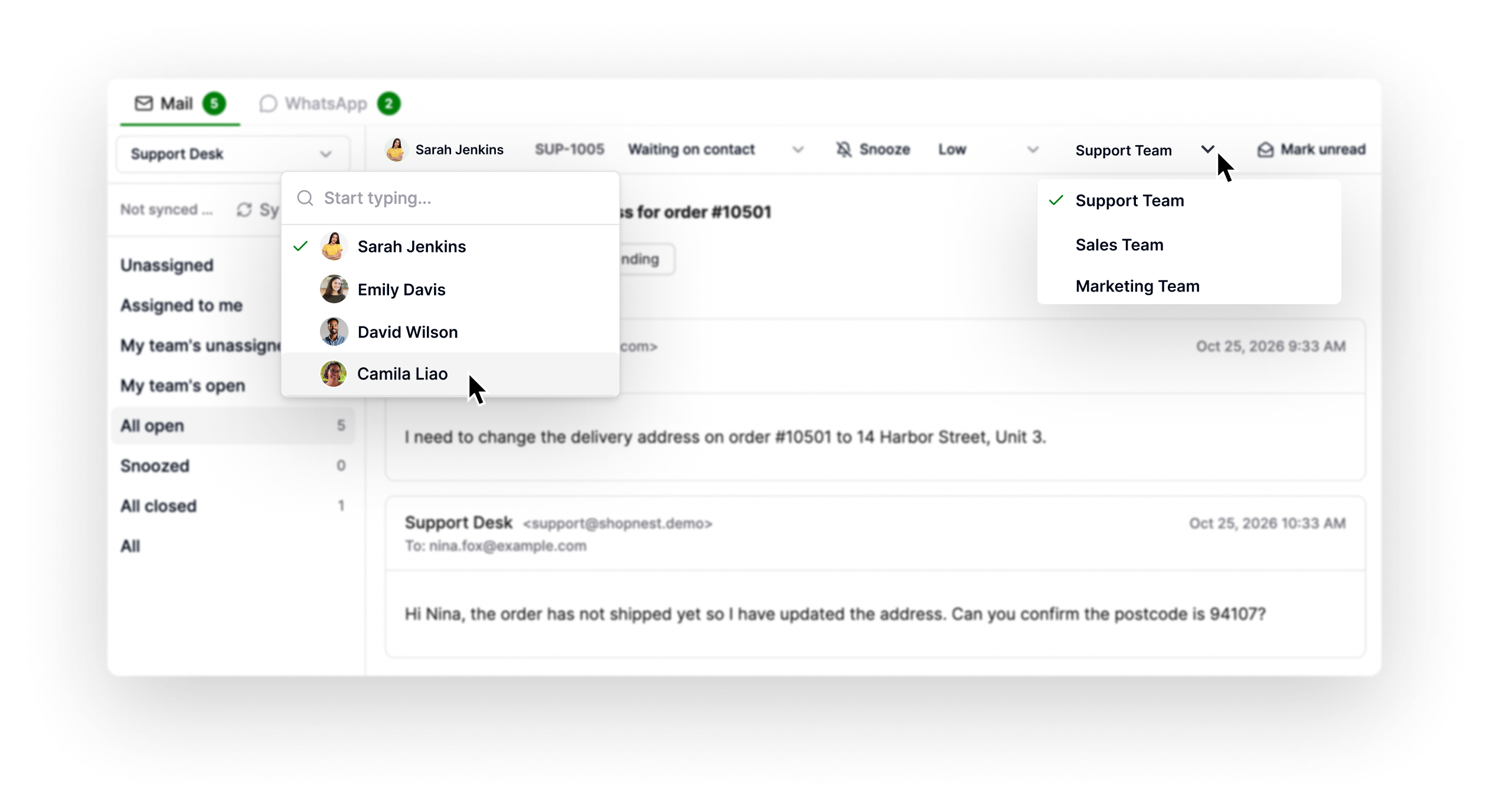
Use connected helpdesks to manage customer and supplier conversations alongside the orders, projects, and other business records they relate to. When a supplier asks about a purchase order, your team can see the order details and conversation history together before replying.
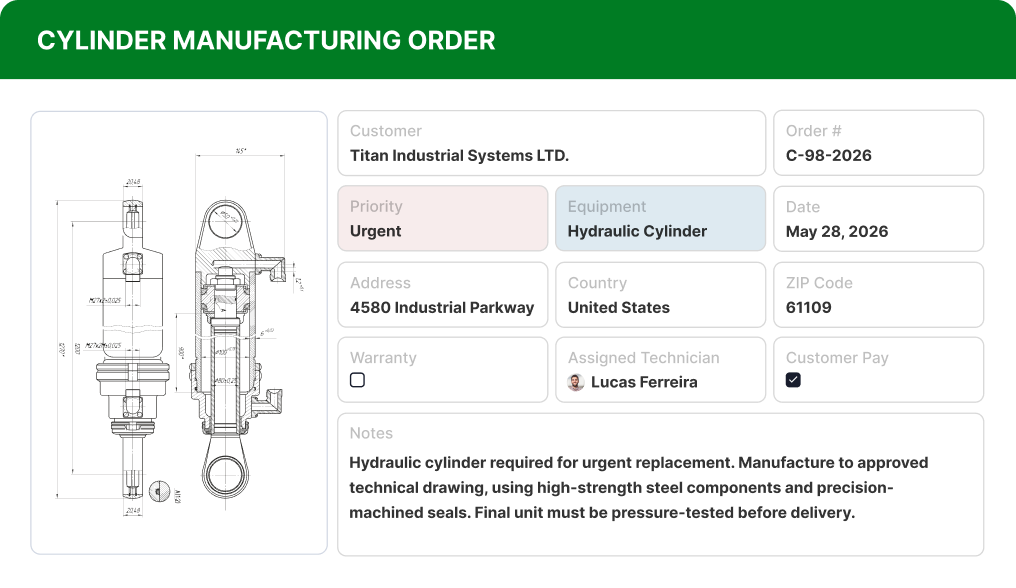
Use the data on a record to generate a Word, Excel, or PDF file from a reusable template. For example, prepare a purchase order to send to a supplier or an invoice to send to a customer.
Notion works well for team documentation, wikis, and project planning. Choose AnyDB when a workflow needs to connect multiple departments, route approvals, give customers and suppliers controlled access, or generate documents from records.
| Capability | Notion | AnyDB |
|---|---|---|
| Business records | Database pages with properties, relations, and rollups | Business objects with related and child records, files, and activity history |
| Operational workflows | Database automations, buttons, and forms, with availability varying by plan | Record-based workflows, assignments, approvals, and business actions |
| External portals | Invite guests to specific pages or publish pages through Notion Sites. Guest limits depend on the plan. | Free portals with unlimited guests and configurable access to shared items |
| Business documents | Write and share pages, with PDF, HTML, and Markdown or CSV export options depending on the content | Template-driven Word, Excel, and PDF generation |
| AI system creation | Create and edit pages and databases with Notion Agent | AnyBot for creating and evolving connected business systems |
| AI operations | Notion Agent, Custom Agents, and Notion MCP | AI Teammates, MCP, and supported model providers |
| Access control | Workspace, teamspace, and page permissions, with granular database access on eligible plans | Scoped access to records, views, portals, and AI operations |
| Communications | Page and inline comments, mentions, and integrations | Conversations connected to operational records through helpdesks |
For a team that regularly brings customers or suppliers into its workflow, AnyDB offers unlimited guest users on every plan, including Free. Notion guest limits vary by plan. Compare internal seats and AI usage alongside the access your guests need.
Switch between table, list, Kanban, and calendar views.
Keep files, comments, and activity associated with business records.
Collect requests and share the relevant records and views with participants.
Control who can access business information, workflows, and shared resources.
Connect existing apps through APIs, SDKs, webhooks, and integrations.
Use views, formulas, rollups, and reports to understand business activity.
Explore how teams use AnyDB for project delivery, manufacturing, and warehouse logistics.
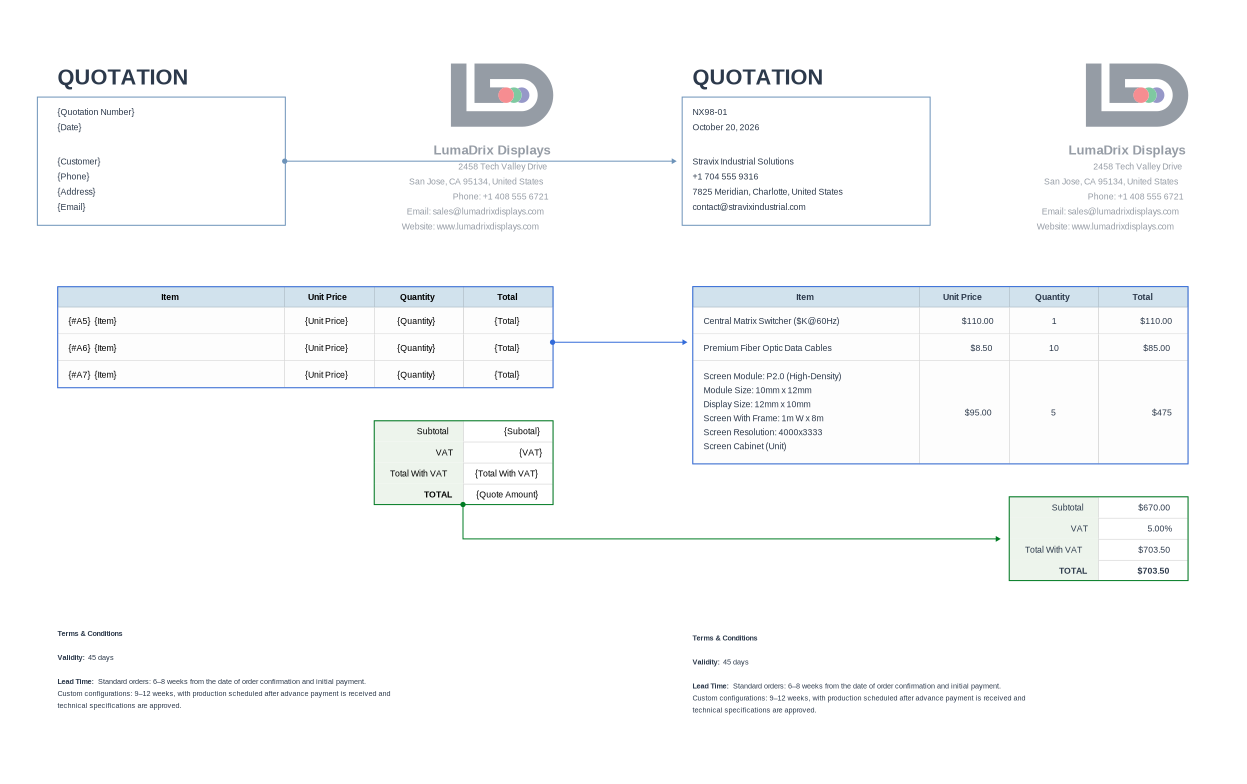
See how an LED display installer connects quotations, purchasing, and project delivery.
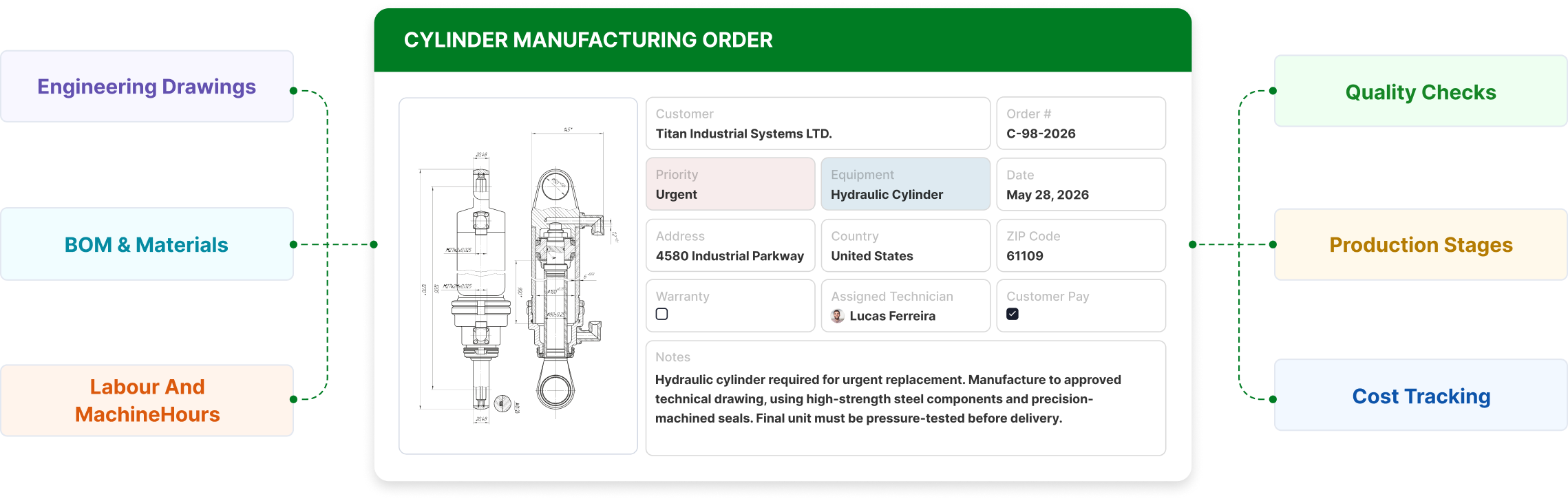
See how a manufacturer tracks production and repairs, manages approvals and costs, and coordinates work across departments.
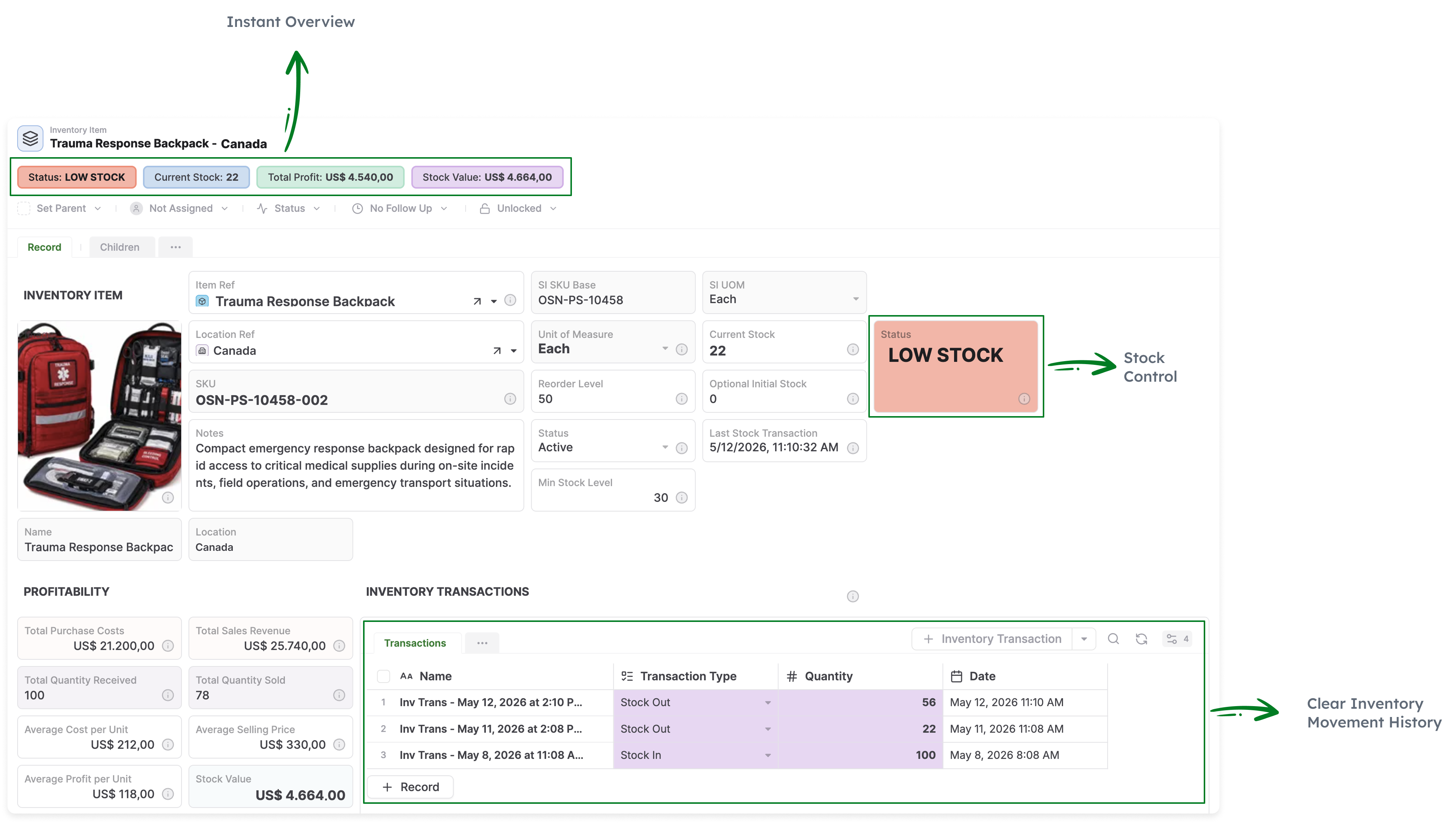
See how a training provider tracks stock, receipts, transfers, and kit preparation across warehouses.
Move one workflow first, such as purchase requests or project handoffs. Keep your Notion wiki available while your team tests the workflow in AnyDB.
Identify the Notion databases, pages, forms, and automations that support the workflow.
Map Notion databases to AnyDB business objects. Decide how to recreate relations, rollups, and formulas.
Export your databases with Notion’s Markdown & CSV option and import the CSV data into AnyDB. Review page content and attachments separately, then configure automations and permissions.
Test a real request from intake through approval and completion. Check the links, calculations, and guest access before moving another workflow.
Bring one Notion database to a demo. We’ll walk through how to map its records, approvals, and guest access in AnyDB. Find an AnyDB implementation partner.
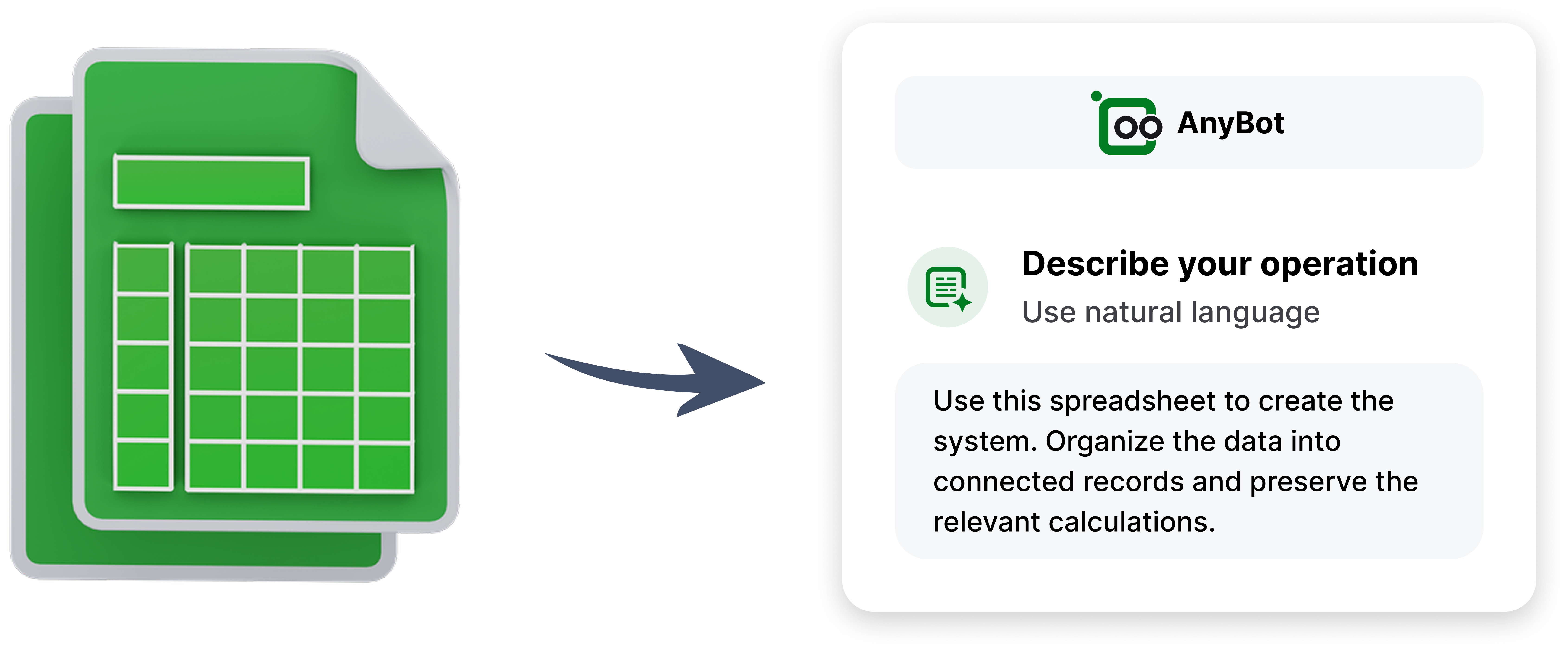
See Your Notion Workflow in AnyDBUse a database export from Notion as your starting point. Open the CSV in a spreadsheet, save it as an Excel workbook, and upload it to AnyBot. Describe the workflow you want it to build.
AnyBot can draft the records and views. Review the result and configure the relationships and rules your workflow needs.
AnyDB is a better fit when your team needs to run an operational process across departments or give customers and suppliers access through portals. Purchasing, inventory, and project delivery are good workflows to start with.
Yes. Keep your notes and documentation in Notion while you move a specific process, such as purchasing or project handoffs, to AnyDB.
Yes. Import CSV files exported from your Notion databases. Use the migration steps above to plan how to handle page content, relations, and automations separately.
Yes. Free portals and unlimited guests are included on all plans, including the free plan, subject to applicable plan limits and access permissions.
Yes. Describe your requirements to AnyBot to create an initial structure, then review and refine it.
Yes. AnyDB supports AI Teammates and MCP access for compatible assistants such as ChatGPT and Claude. Access follows the permissions of the connected account.
Yes. AI Teammates support compatible provider accounts, including OpenAI and Anthropic. Available models and controls depend on the integration.
Yes. AnyDB can generate Word, Excel, and PDF documents from structured records and reusable templates.
Pick one workflow you want to improve. Book a demo to map it with us, or start free and build a first version with your own data.


