
Every Conversation. Connected to the Work.

Set up multiple Email and WhatsApp helpdesks in each AnyDB workspace. Give teams a shared support inbox without separating conversations from customers, orders, projects, and operational records.
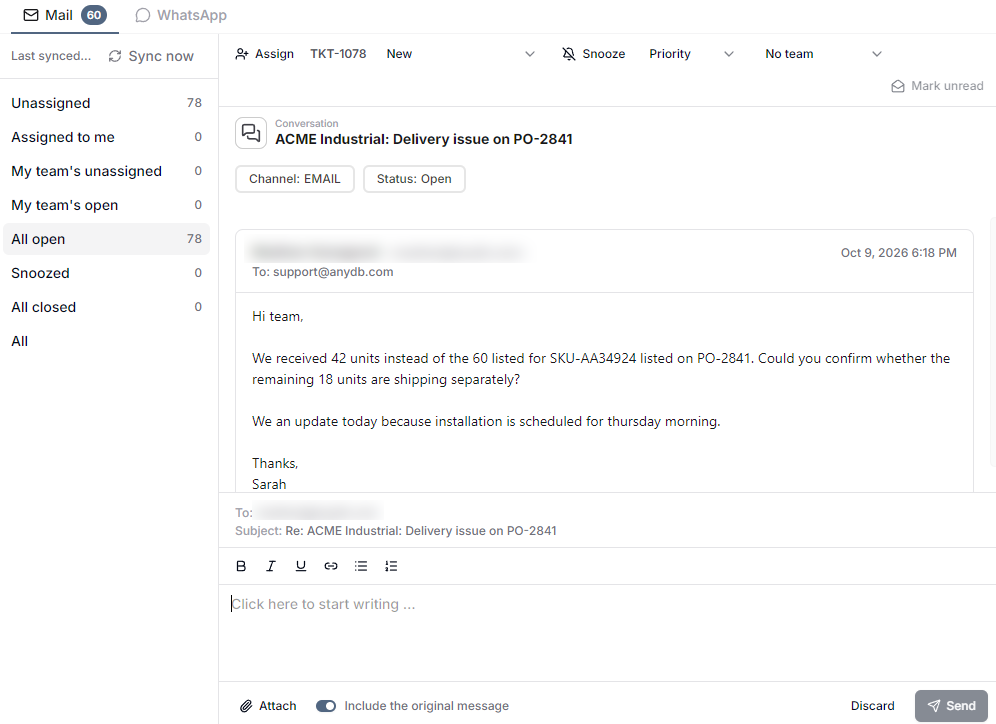
AnyDB shared inbox showing a support conversation, assignment, status, priority, and team controls

Bring Email and WhatsApp Into AnyDB

Create the channels your operation needs inside each workspace. Teams can manage different addresses, conversations, and responsibilities from one shared environment.
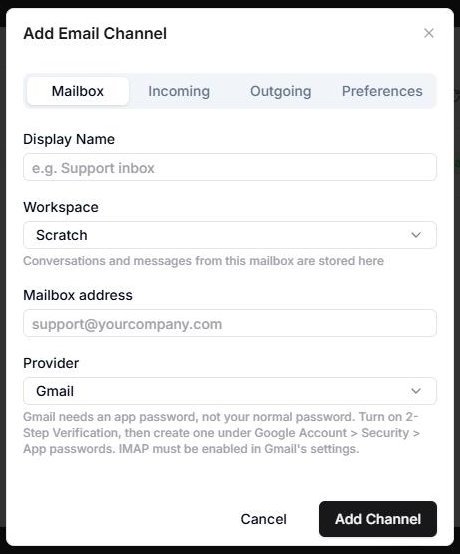
Adding an Email or WhatsApp channel in AnyDB
Email ChannelsConnect business email channels and manage incoming and outgoing conversations through a shared inbox.
WhatsApp ChannelsBring WhatsApp conversations into the same workspace so messages can be handled alongside operational work.
Multiple ChannelsSet up multiple channels per workspace for support, sales, vendors, projects, locations, or other teams.

Turn Conversations Into Organized Work

Use familiar inbox controls to route and manage conversations. The team can see what is open, who owns it, and what needs attention without relying on individual inboxes.
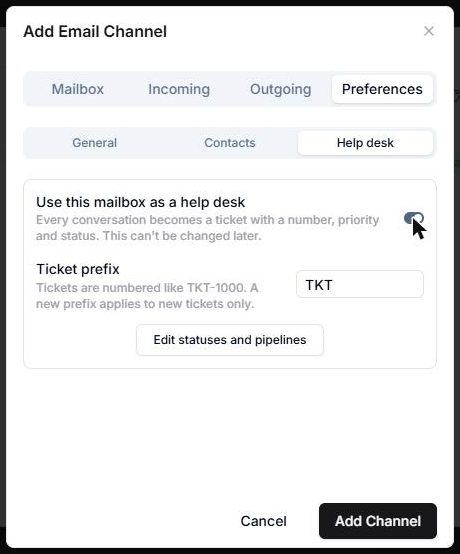
Email and WhatsApp helpdesk channels configured in AnyDB
1ReceiveBring incoming Email or WhatsApp conversations into the appropriate workspace channel.
2Assign and PrioritizeAssign ownership, select a team, set priority, and keep the conversation status visible.
3Respond and Follow UpReply from the shared inbox, snooze work when needed, and keep open conversations from being lost.
4Keep the ContextManage communication in the same platform as the business information and processes behind it.

Conversations With Business Context

Communication becomes more useful when it lives beside the records that explain the request. Teams can work from shared operational context instead of rebuilding it across disconnected tools.

Customers & PartnersKnow who the conversation is withKeep communication close to the customer, vendor, partner, or other business relationship it supports.
Orders & ProjectsUnderstand what the message is aboutUse connected business records to give teams the operational background behind each request.
OwnershipMake responsibility visibleUse assignments, teams, status, and priority to coordinate who should handle the next action.
One WorkspaceKeep communication with the processRun conversations alongside the structured data, files, workflows, and permissions already in AnyDB.

Use Channels the Way Your Teams Work

A workspace does not have to be limited to one general inbox. Create separate channels where different conversations, teams, or operating areas need their own flow.

Customer supportHandle service requests in a shared helpdesk.
Sales and accountsKeep customer conversations visible to the team.
Vendors and procurementCoordinate supplier communication with purchasing work.
Projects and field serviceManage project, installation, and field-service updates.
Locations and departmentsGive each operating area its own focused channel.

Bring Your Business Conversations Into Context

Set up Email and WhatsApp channels in AnyDB and manage communication alongside the records and processes that move the work forward.