Enterprise Level Agentic & People Operations

Give the right people the right access with roles, permissions, and single sign-on. Protect sensitive data, track every action with audit logs, and maintain full control across teams, clients, and vendors.
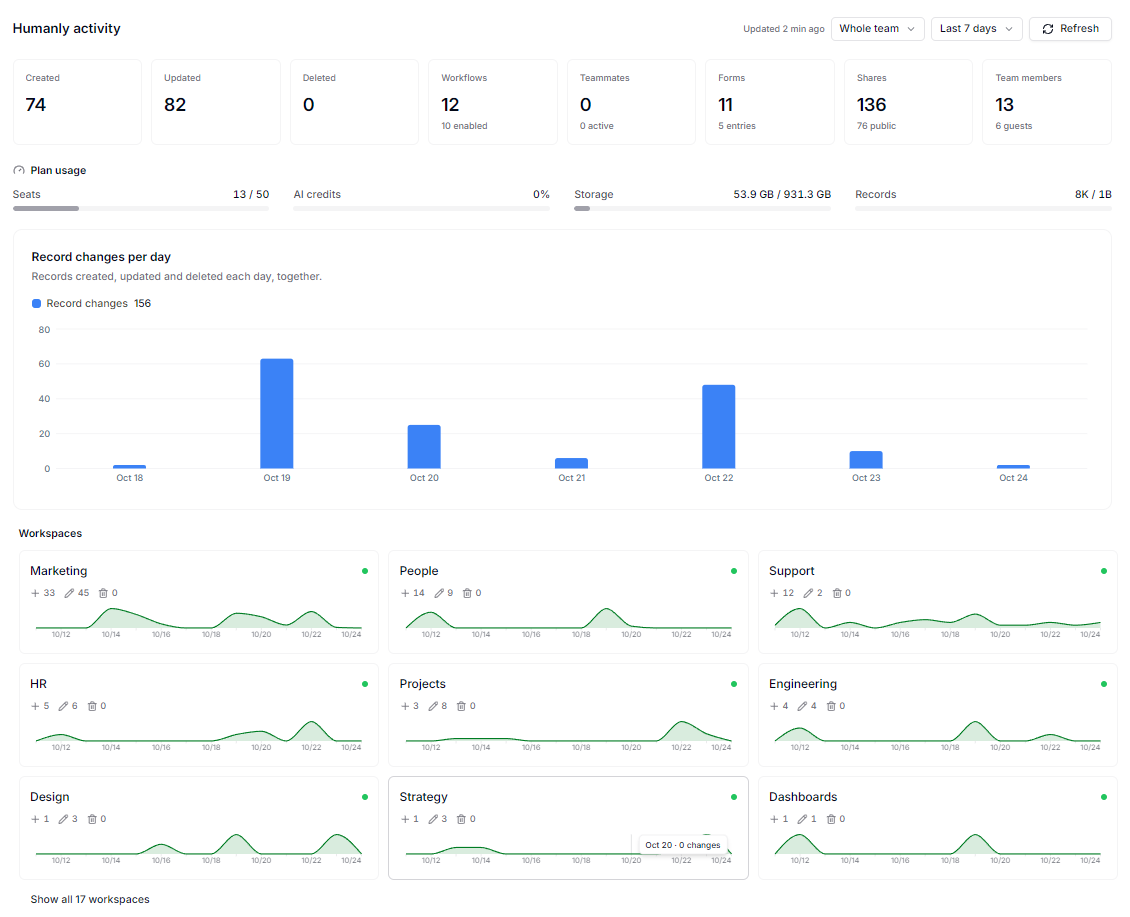
AnyDB admin dashboard for managing users, roles, and security settings
Signing in to AnyDB with single sign-on

Single Sign-On With Your Identity Provider

Let your people sign in with the accounts they already use. AnyDB supports Okta and Microsoft Entra ID through OIDC.

Okta and Microsoft Entra IDConnect your identity provider using OIDC.
Domain verificationAnyDB verifies ownership of your email domains before SSO is enabled.
Control new usersChoose whether new sign-ins join as members, join as guests, or need an owner's approval.
Custom sign-in URLUse an optional custom team URL, or share the team's Sign-in link.

SSO is available on Business and Enterprise plans.

Manage Roles And Access

Set clear roles for team members so everyone has the right level of control.
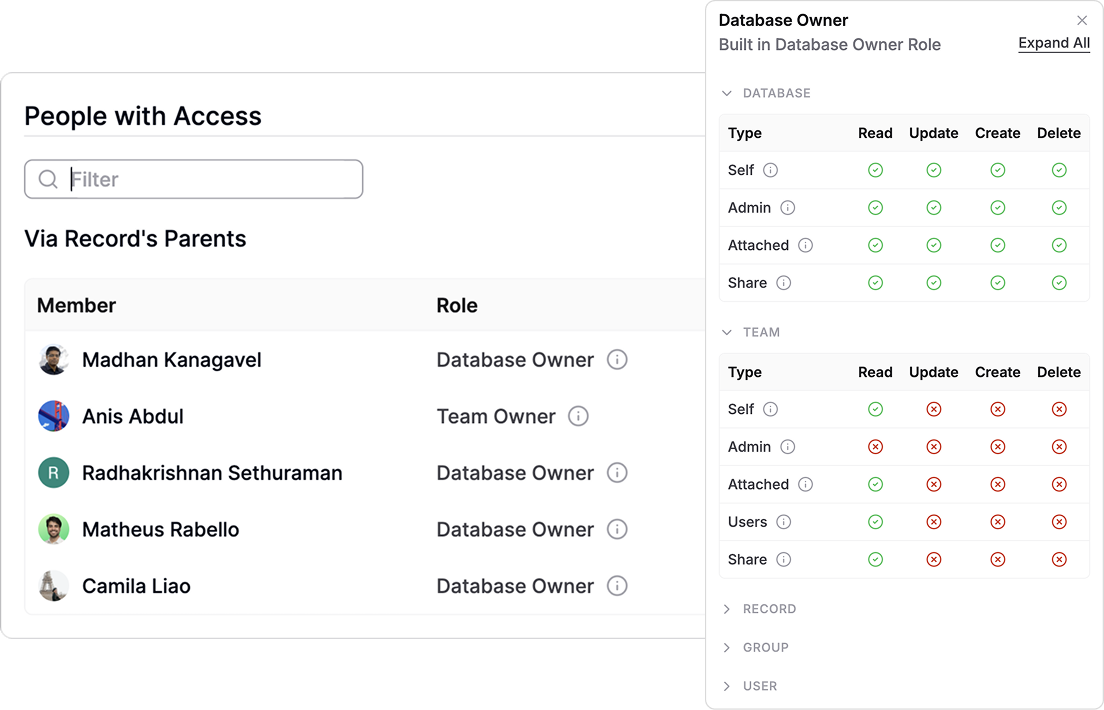
Owners and AdminsTeam Owners and Admins manage all settings.
MembersMembers get controlled access to selected databases.
GroupsGroups simplify managing permissions for departments or functions.
Team roles and access settings in AnyDB
Record level permissions in AnyDB

Record Level Permissions

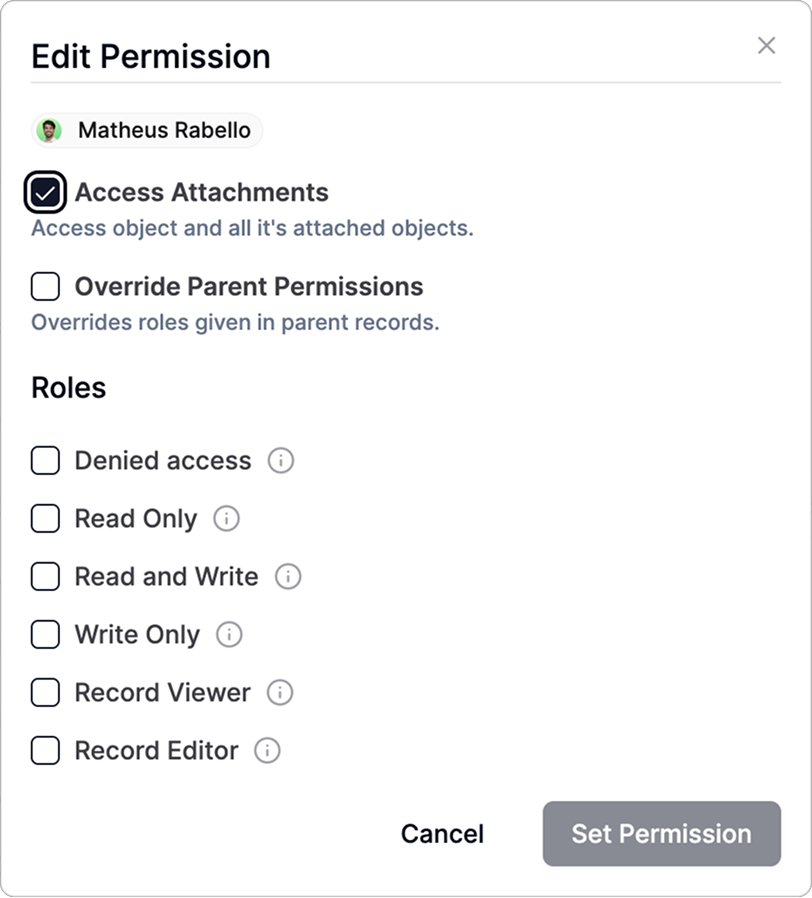
Decide exactly who can view or edit each database or record.

Users, roles, and groupsGrant access by user, role, or group.
View or edit rightsAssign view or edit rights on specific records.
Sensitive dataIdeal for HR files, finance data, or confidential jobs.

Cell-Level Visibility And Locking

Hide or lock sensitive fields before sharing a record or form with teammates or external guests.

Show only what is neededShow only the fields each person needs to see.
Lock fieldsLock fields to prevent edits.
Internal and externalWorks for internal and external collaboration through portals and forms.

Coming soon: Charts, graphs, and visual widgets for deeper insights and analytics, built right into your dashboards.
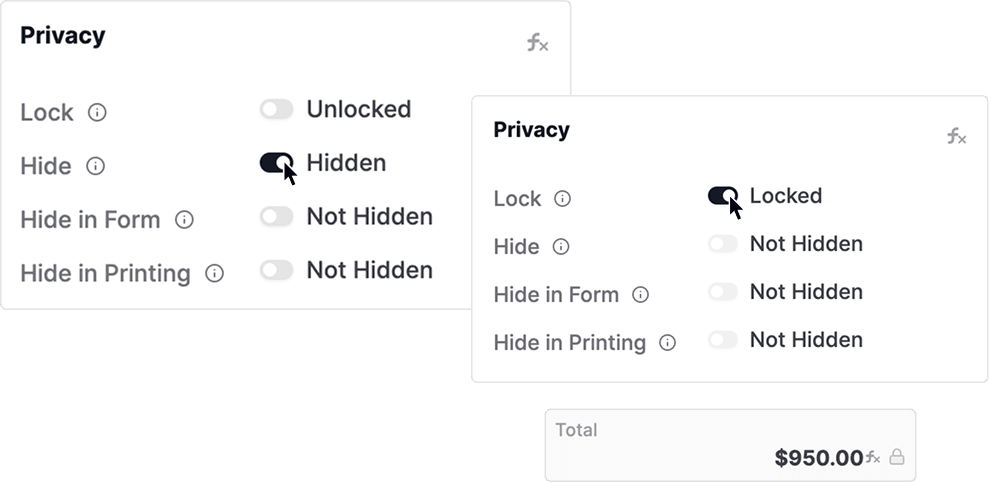
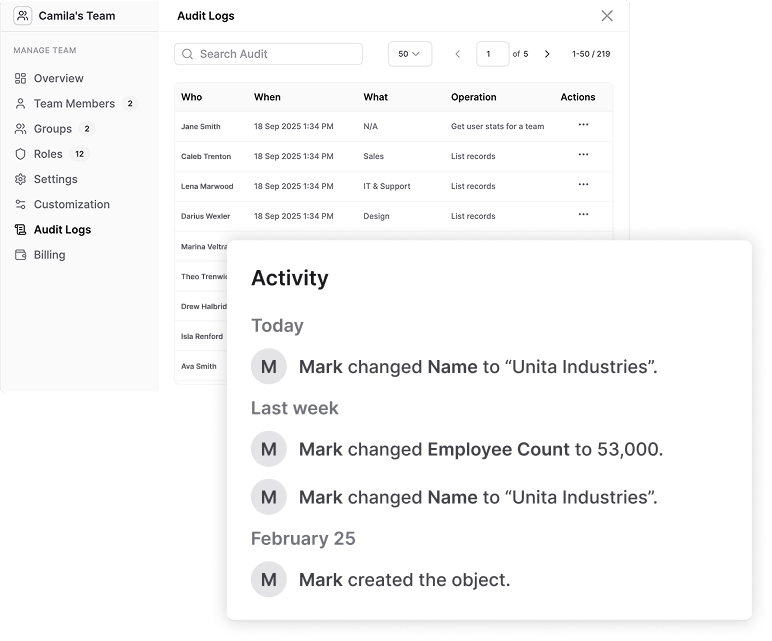
Hiding and locking individual fields in an AnyDB record
Record version history in AnyDB

Record Version History

Maintain accountability and traceability for every record, and roll back when you need to.

Use for:

Version historyView record-level version history.
Change trackingTrack every change, who made it, and when.
RollbackRoll back to previous versions if needed.

Audit Logs

See the key actions performed in your team, so admins can monitor usage, track activity, and support compliance.

Who, when, and whatEach entry records the user or system account, the time, the affected resource, and the operation.
Entry detailsOpen any entry to see the user, team, object, database, client IP address, and user agent.
Search the logSearch audit entries and choose how many results to show per page.
Request payloadReview raw request metadata such as the API endpoint, parameters, and response codes.

Use for security and compliance checks, troubleshooting, and usage monitoring. Audit logs are available on Business and Enterprise plans.
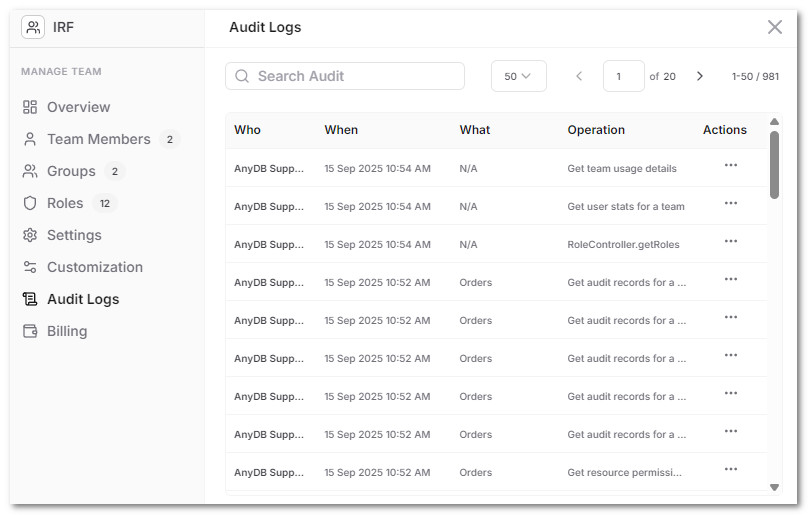
The AnyDB audit log showing who did what and when
Protected backups supporting recovery for enterprise teams

90-Day Backup and Disaster Recovery

Retain protected backups for 90 days to support recovery following data loss or a service disruption.

Available on Business and Enterprise plans.

Deploy AnyDB the Way Your Security Policies Require

Enterprise security starts with controlling where your data lives and who has access to it.

AnyDB gives you full architectural flexibility so your security, compliance, and governance standards are always met.

Deployment options include:

CloudSpeed, simplicity, zero maintenance.
Region-SpecificMeet residency or jurisdiction requirements.
GovCloudPublic-sector or restricted-data environments.
Private or HybridFor strict internal IT policies or secure integrations.

Across every deployment model, you stay in control of data flow, access, and how AnyDB fits into your security landscape.
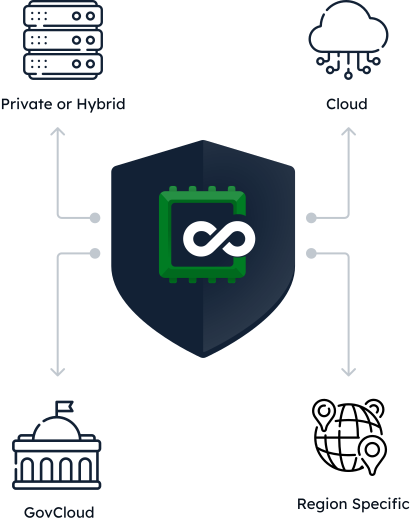
Deployment options for AnyDB security policies

Start With One Department
Scale Across Your Entire Operation
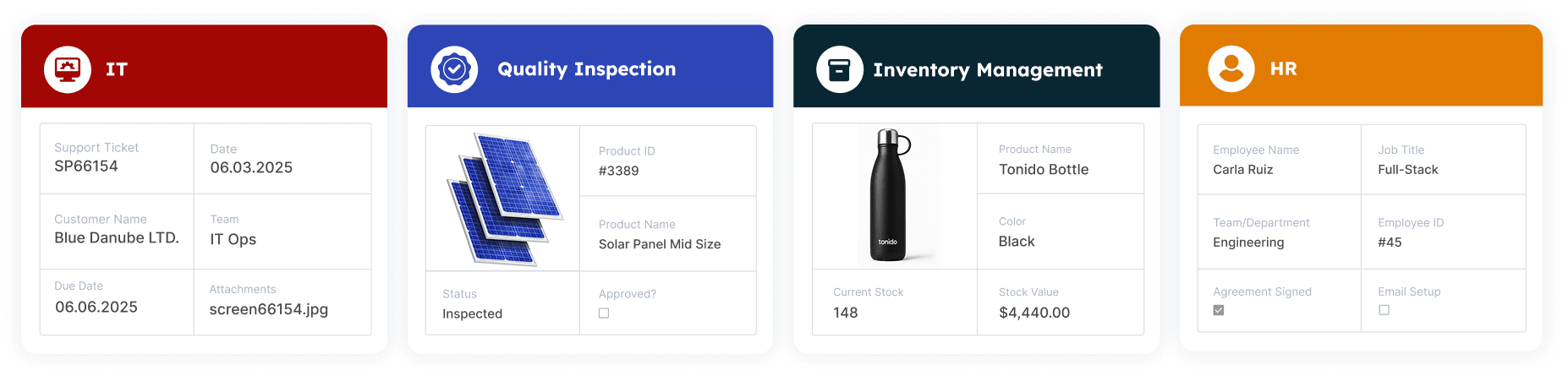
Departments connected in one AnyDB workspace

Most tools work for a single team but break when departments need to collaborate.

IT, Finance, and Procurement struggle to manage vendor contracts.

Manufacturing, Inventory, and Logistics lose alignment during production and delivery.

AnyDB is built for that moment.

It expands naturally across teams while keeping permissions clean, databases connected, and access tightly controlled.

AnyDB brings departments together without compromising security:

Team workspacesEach team gets its own databases, portals, and user groups.
Isolated visibilityVisibility rules stay isolated and precise.
Secure sharingShared records remain secure, even across departments.
Connected workflowsCross-functional workflows stay connected without data leakage.

Start with one workflow. Add the next. Grow department by department under one unified security model.

A system flexible enough for every team, structured enough for enterprise control.

Scale to 100,000s of Records
Without Performance Degradation

Enterprises operate at volume. AnyDB is architected for high-scale operations where performance and reliability cannot fail.

Built for scale:

Large record volumesTens or hundreds of thousands of active records.
Deep relationshipsMulti-level relationships across heavy operational workflows.
Reliable formulasFormulas that stay reliable across different databases.
Portals in syncRecords shared in portals with external users sync with internal databases.
Stable performanceStable performance from field teams to managers working simultaneously.
AnyDB performance at scale across thousands of records

Enterprise Ready

Talk to us on how AnyDB can modernize your operations