AnyDB For Inventory Management
  • Retail
  • Manufacturing
  • Construction
  • Custom Services (HVAC, Solar Energy, etc)

From Inventory Spreadsheet Chaos to a Fully Connected and Custom System That Fits Reality

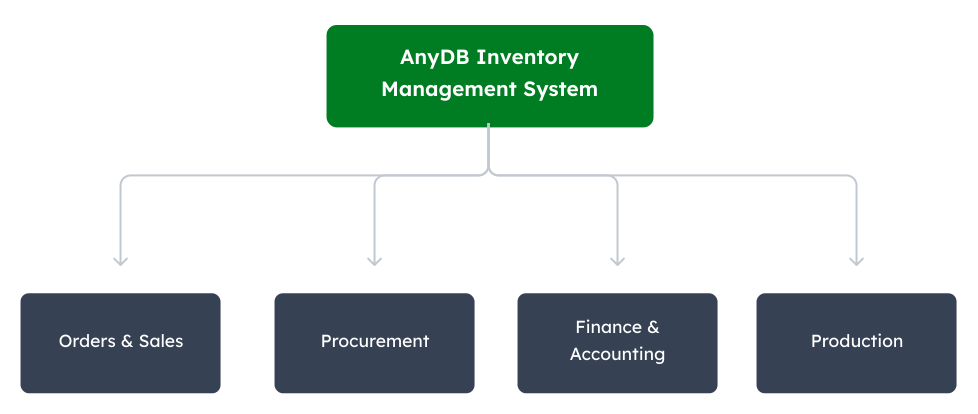
Move beyond spreadsheet confusion with a custom system that tracks warehouses, items, movements, reorders, and documents while connecting sales, finance, procurement, accounting, and production into one source of truth. AnyDB models operations as linked systems, where every record connects and stays in sync.
Free Demo / Setup
Book a demo and let us set up AnyDB for you. Free of charge!

Why Inventory Management Why Vendor Management Breaks Down?

Inventory works when it is small. A few items, a few locations, one file.
It breaks when operations grow.

Inventory is tied to purchasing, sales, production, and shipping. When it sits in a separate system, it falls out of sync with everything else.
Stock levels drift from reality. Orders are placed using outdated numbers. Teams stop trusting what they see and start double-checking everything.
As data spreads across versions and teams, updates fall behind. What should be a live system becomes a lagging snapshot.
Work slows down. Errors increase. Shipments get delayed. Revenue takes the hit.

  • Manual entry for stock-in, stock-out, and adjustments

  • No real-time view of stock levels by location

  • Limited visibility into usage and poor tracking of high-value or controlled items

  • Duplicate or outdated data across versions

  • Inventory data disconnected from sales, procurement, finance, and other departments

  • Stockouts caused by delayed or inaccurate updates

Inventory Management as an Operational System

Inventory operates as part of the broader workflow, where items connect to suppliers, purchase orders, sales, production, and financial records, so every movement reflects what is happening across the business.

Reliability comes from mirroring how items move through daily operations.

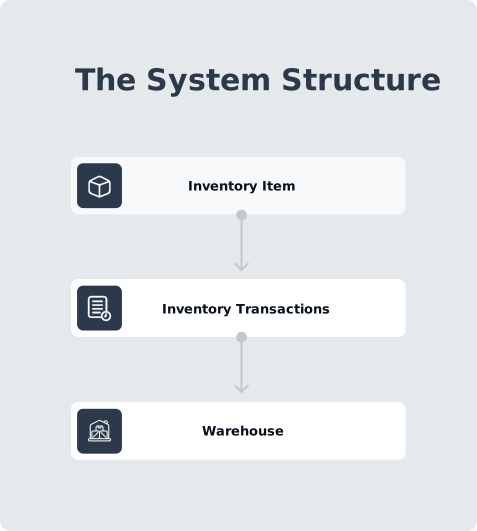
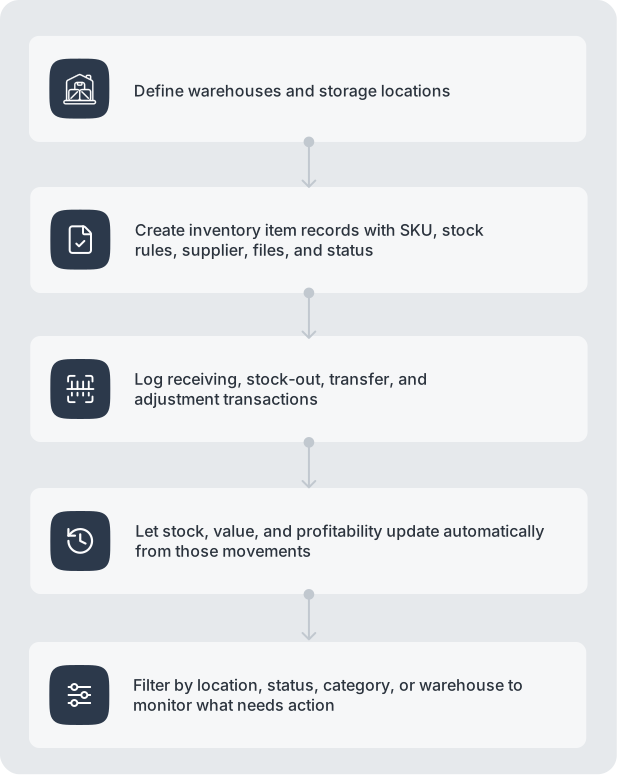
Every stock-in, stock-out, transfer, or adjustment is captured as a transaction linked to its source, keeping stock levels accurate from receiving and storage to fulfillment and replenishment without manual updates or separate files.

What this structure enables:

  • Items as structured records with unique IDs and attributes
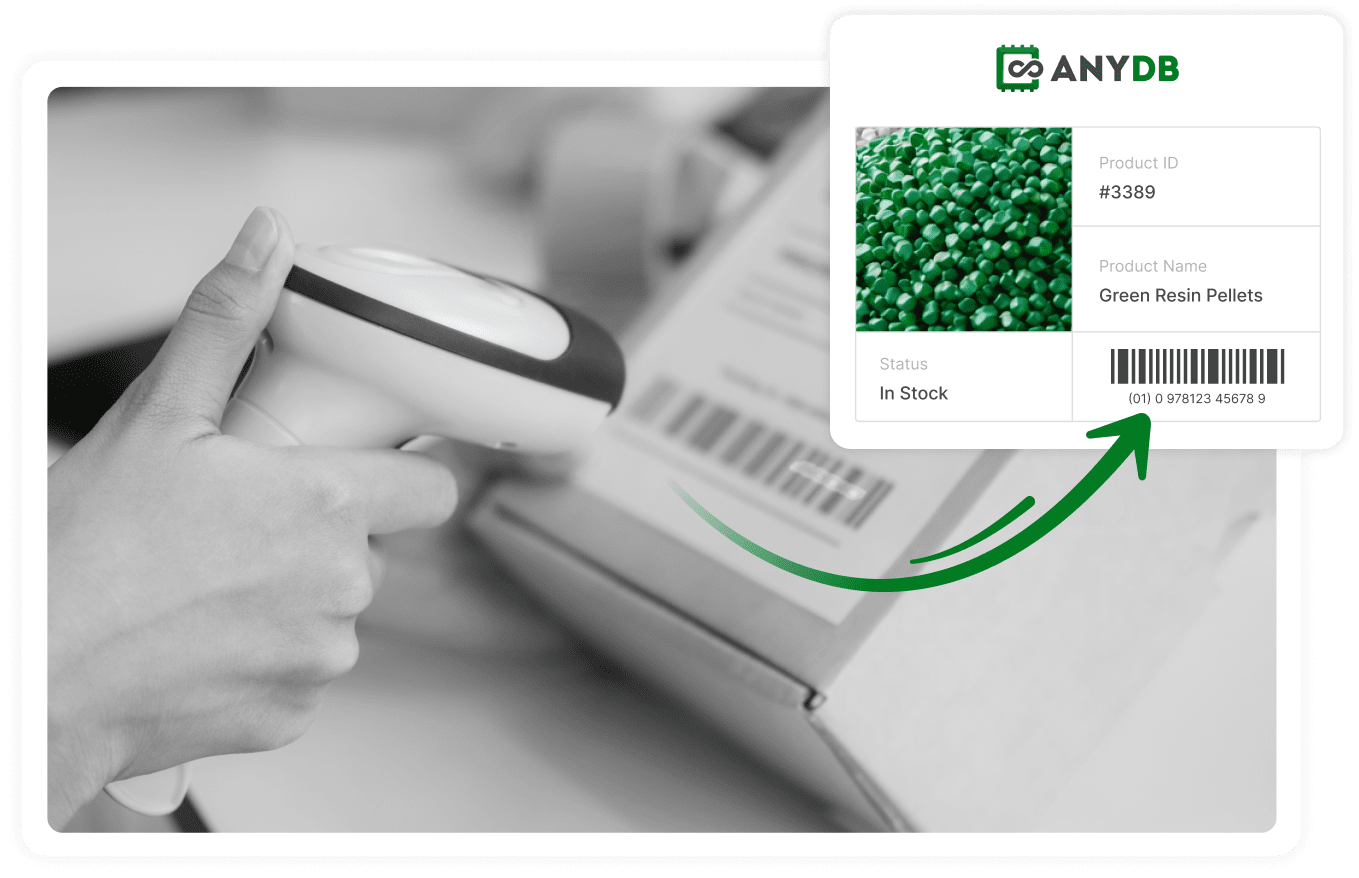
  • Barcode and QR scanning for fast, accurate tracking
  • Every movement logged with time, location, and owner
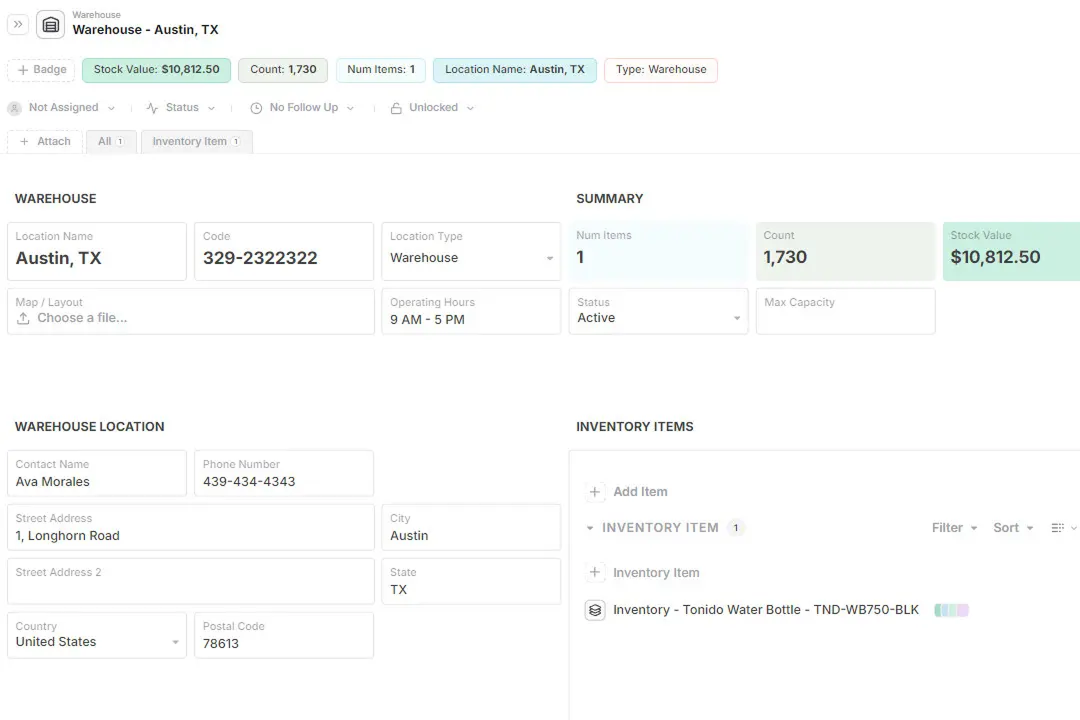
  • Stock tied to locations for clear, traceable availability
  • Supplier and purchasing data linked to each item
  • Usage captured automatically through daily operations
  • Full history available for audits and decisions
  • Connect with other departments across the company

AnyDB brings all your systems together


Operational Key Objects

How It Works in Practice

Instead of forcing every process into one spreadsheet view, AnyDB lets you model the real structure of the operation.

A receiving team can work from transaction records, procurement can review supplier-linked items, finance can analyze value and margin, and operations can monitor stock by warehouse, all on top of the same connected data model.

Operational Benefits

  • Warehouse logs receiving and movements directly in the record
  • Managers check stock by location or status without manual updates
  • Procurement sees reorder needs from usage and thresholds
  • Finance reviews stock value, costs, and margins in one system
  • Auditors trace history, documents, and transactions in one place
  • Teams stop reconciling duplicate spreadsheets
  • Barcode and QR scanning record movements instantly with accuracy

Barcode and QR Scanning in AnyDB

Manual entry is usually one of most common inventory management erros. Typing codes slows teams down, creates mistakes, and disconnects physical movements from system records.
AnyDB removes this friction by supporting both barcode scanner devices and QR/barcode scanning through the mobile app.

Common Problems

  • Manual entry leads to errors and wrong items

  • Time lost searching or updating later

  • Weak link between physical items and records

  • Delayed or outdated stock data

  • Limited traceability

How AnyDB Solves This

  • Scan items instantly using barcode scanner devices

  • Use the mobile app to scan barcodes or QR codes

  • Update stock, status, and location in real time

  • Link every scan to the correct record and history

  • Remove manual typing and duplicate entry

Resources

Support Page

Search Barcodes & QR Codes

AnyDB Barcode Cell

Get a working system built around your workflow

Run your inventory in a connected & custom system built around how your operations actually work.

We build it with you so you can start managing stock, locations, and movements with clarity and control.
Start exploring it today or talk to us about your workflow