
Disconnected Customer Orders
Keep customer requirements, approvals, downstream work, and status in one flow.
Replace disconnected quotes, approvals, procurement, fulfillment, invoicing, and financial tracking with one connected operational system from inquiry through payment.
Start with customer orders, then customize records, workflows, approvals, documents, permissions, automations, and dashboards around your process.
Need help getting started? We can set up your Order-to-Cash system at no cost.





Replace disconnected customer orders, supply planning, outdated fulfillment information, manual invoicing, and spreadsheet-based financial reporting.
Keep customer requirements, approvals, downstream work, and status in one flow.
Tie purchasing and supplier activity directly to live order requirements.
Give operations and delivery teams current quantities, dates, instructions, and status.
Generate invoices from operational records and keep them connected to delivery.
Track balances, receipts, collections, and reporting from live order activity.
Explore AnyDB for free, build your own O2C system, or have our team build and manage it with you.
Explore a connected Order-to-Cash workflow.
Start Free PlanCustomize and run your own O2C system.
View PlansHave your system built and managed for you.
Schedule DemoUse the included O2C structure or customize it around your sales, approval, supply, fulfillment, billing, and collection workflows.
Keep customer requirements, pricing, versions, and approvals connected.
2Turn approved scope into owned operational work without duplicate entry.
3Coordinate suppliers, purchasing, stock, shortages, and allocations.
4Track delivery, invoices, receipts, balances, and collection status.
5Adapt records, stages, workflows, permissions, documents, and dashboards.
Keep the complete customer order lifecycle connected from the first inquiry through final payment.
Track requirements, items, pricing, terms, versions, and approvals.
Turn approved scope into operational work without duplicate entry.
Connect suppliers, purchasing, availability, allocation, and receipts.
Manage preparation, shipment, delivery evidence, and customer confirmation.
Generate invoices and monitor balances, collections, receipts, and status.
Capture inquiries, contacts, requirements, products, services, quantities, pricing, terms, quote versions, documents, comments, and approvals.
Capture contacts, needs, specifications, quantities, dates, files, and commercial context.
Manage items, prices, discounts, taxes, terms, alternatives, changes, and complete history.
Record decision conditions, reviewers, comments, timestamps, exceptions, and approval status.
Create the order from approved quotation data and connect customer, items, responsibilities, dates, documents, tasks, dependencies, costs, and status.
Carry customer, scope, items, quantities, pricing, terms, files, and commitments forward.
Assign teams, tasks, dates, prerequisites, approvals, and status across execution.
Preserve decisions, changes, comments, documents, activity, and downstream relationships.
Connect required items, inventory availability, reservations, shortages, suppliers, purchase requests, purchase orders, approvals, lead times, receipts, and costs.
See stock, reservations, locations, shortages, alternatives, and order allocations.
Tie sourcing, approvals, purchase orders, costs, lead times, and changes to customer demand.
Track expected receipts, received quantities, inspections, transfers, and release to fulfillment.
Manage picking, packing, shipment, delivery, confirmation, invoice generation, payment terms, balances, collections, receipts, reconciliation, and after-sales context.
Track preparation, shipment, carrier, destination, evidence, exceptions, and customer confirmation.
Create professional invoices from current customer, order, line-item, delivery, tax, and payment data.
Monitor due dates, outstanding balances, follow-ups, receipts, methods, references, and reconciliation.
Customize inquiries, quotes, approvals, orders, supply planning, fulfillment, invoices, payments, service records, permissions, documents, automations, and dashboards.
Add new order types, approval paths, delivery stages, billing rules, integrations, or reporting as requirements evolve.
Model customers, inquiries, quotes, orders, products, deliveries, invoices, payments, and terminology.
Trigger approvals, assignments, purchasing, reminders, document generation, and notifications.
Give sales, operations, procurement, fulfillment, finance, and customers the right context.
The customer order becomes the operational foundation for downstream supply, fulfillment, invoicing, payment, and after-sales activity.
Carry approved customer requirements, items, pricing, terms, and documents into orders.
Tie inventory, shortages, suppliers, purchase orders, receipts, and costs to live needs.
Give operational teams current quantities, dates, instructions, status, and evidence.
Keep invoices, balances, collections, receipts, and reconciliation tied to order execution.
Add stages, records, approvals, automations, views, and dashboards without rebuilding.
Use connected records across the complete inquiry-to-payment lifecycle.
Customer request, contacts, requirements, dates, files, owner, status, and history.
Versions, items, pricing, terms, approvals, documents, and accepted scope.
Customer, scope, items, owners, dates, supply, fulfillment, financials, and status.
Requirement, supplier, purchase order, approvals, costs, delivery, receipt, and status.
Product, location, availability, reservation, movement, cost, and order allocation.
Order, items, quantities, carrier, destination, dates, evidence, and confirmation.
Customer, order, line items, taxes, terms, due date, balance, document, and status.
Invoice, amount, date, method, reference, balance, reconciliation, and history.
Turn AnyDB records into professional PDFs, DOCX files, and XLSX exports with fields, linked data, tables, terms, and other relevant information included automatically.
Record customer requirements, products, services, dates, files, and commercial context.
Manage versions, items, pricing, terms, reviews, decisions, and accepted scope.
Create operational work and coordinate owners, supply, tasks, dates, and status.
Prepare items, ship, record evidence, manage exceptions, and confirm receipt.
Generate billing documents, track balances, follow up, record payments, and reconcile.
Connect quote-to-order execution, align procurement and fulfillment, tie financial activity to operations, and give every team shared visibility.
Keep approved customer requirements connected to downstream operational work.
Coordinate suppliers, purchasing, stock, shortages, and receipts around live orders.
Give teams current items, quantities, dates, instructions, evidence, and status.
Tie billing, balances, collections, receipts, and reconciliation to order execution.
Adapt records, stages, approvals, rules, documents, and dashboards over time.

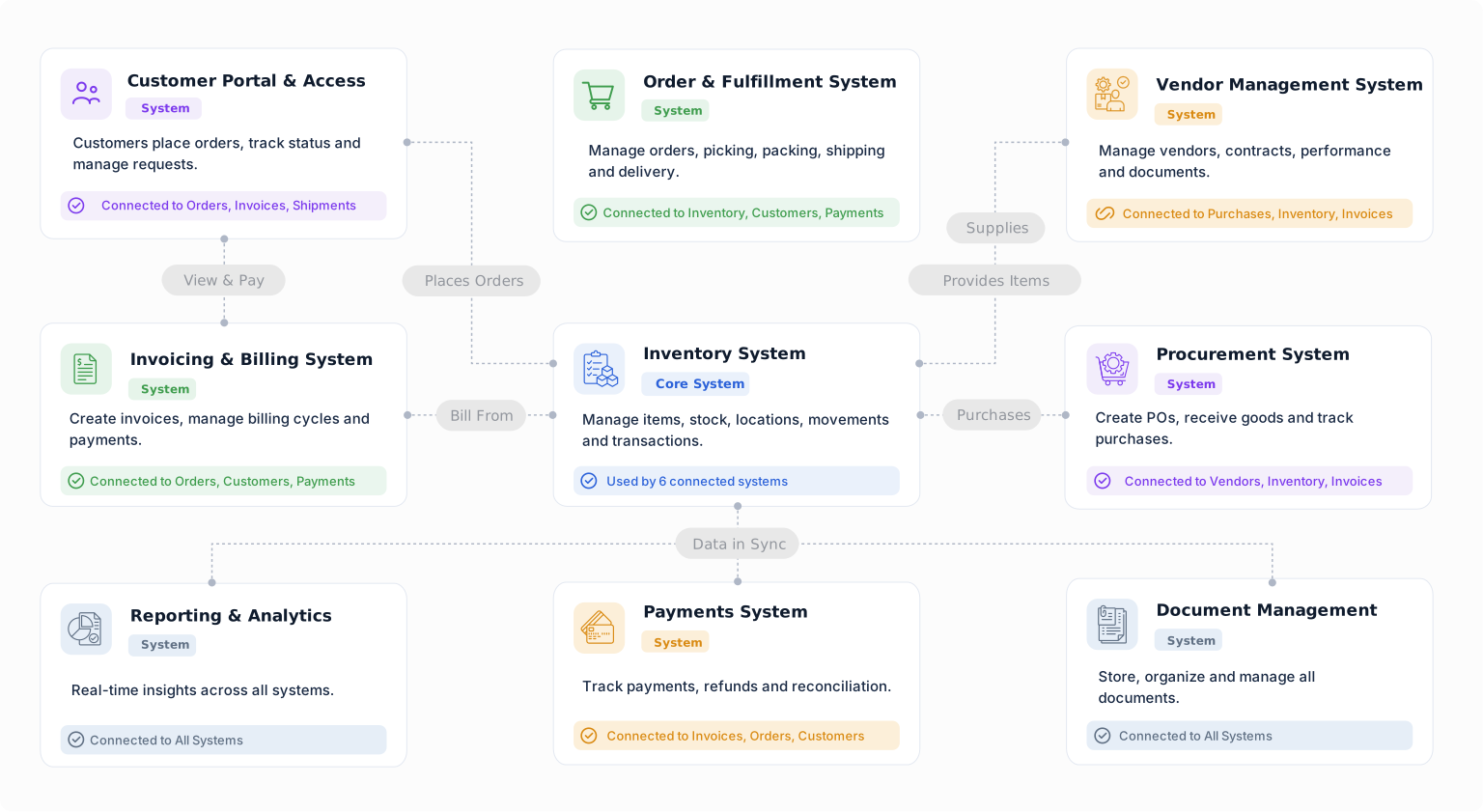
Build a starting point for order-to-cash operations with objects from the Business Object Library. Customize their fields, relationships, forms, views, and workflows around the way your team works.
Connect customer details with requests, orders, documents, and billing.
Prepare customer quotations and connect them to the proposed work or order.
Keep accepted customer orders connected to fulfillment and billing.
Record goods leaving inventory and connect them to the work or order they support.
Connect customer billing to the orders, projects, or services being delivered.
Record received payments and connect them to customer billing.
Run quotations, approvals, procurement, fulfillment, invoicing, and payment tracking from one connected operational foundation.


