Dropbox Alternative
Built for Business Operations

Organize team files and folders alongside the customers, vendors, projects, assets, orders, and workflows they support.

Unlimited guest accounts, unlimited records, built-in portals, and document generation.

Free Demo / Setup
Book a demo and let us set up AnyDB for you. Free of charge!

Explore how AnyDB organizes business records, operations, files, and portals

Main Benefits

Team Files and Folders

Create shared file and folder structures for departments, projects, customers, vendors, and other operational areas.

Connect Files to Business Records

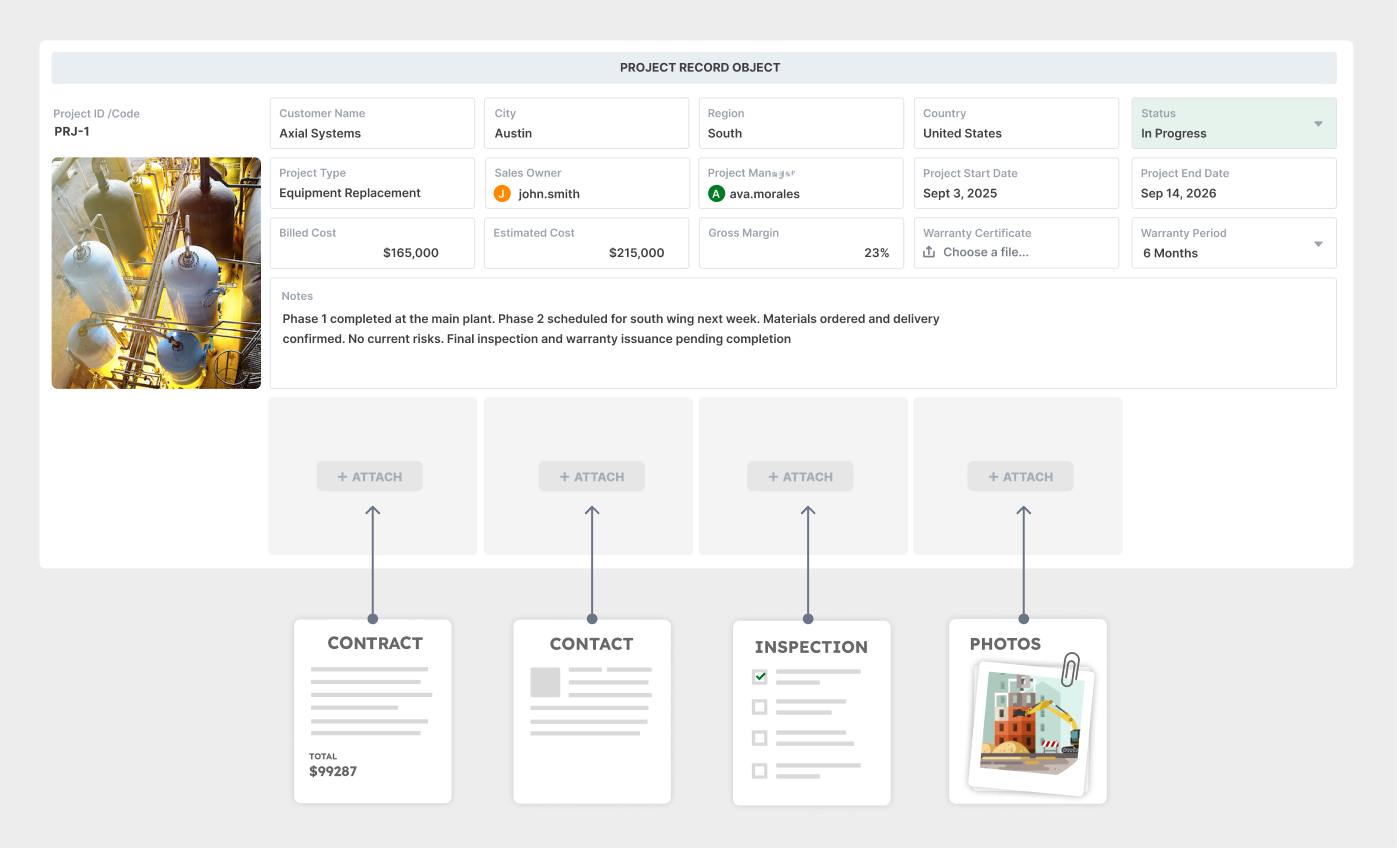
Attach contracts, photos, certificates, invoices, reports, and other documents directly to the customers, projects, assets, orders, and vendors they support.

Complete Operational Context

Keep files alongside structured data, status, ownership, assignments, comments, approvals, history, and related records.

Organize Around the Work

Find information through the business record and workflow, not only through a folder path or filename.

Control Access Precisely

Manage access by workspace, role, record, and field so employees and external users see only the information relevant to them.

Secure External Portals

Give customers, vendors, contractors, and partners controlled access to records, forms, files, and actions through built-in portals.

Files and Workflows Stay Together

Add assignments, reminders, approvals, status changes, notifications, and automation around the files and records involved in the process.

Generate Documents From Live Data

Create PDFs, Word documents, spreadsheets, reports, purchase orders, certificates, and operational forms directly from current records.

Connected Systems Across Teams

Link files and records across inventory, purchasing, projects, assets, vendors, customers, compliance, and other operational systems.

Where File and Folder Systems Become Harder for Operations

  • Files are organized primarily by folders rather than by complete business records
  • Teams must know the correct folder structure, naming convention, and document location
  • Operational data often remains in separate spreadsheets, databases, task tools, or business applications
  • Status, ownership, approvals, deadlines, and activity must be tracked outside the file system
  • A shared document may not show which customer, vendor, order, project, asset, or process it belongs to
  • Teams may duplicate folder structures and files across departments or workflows
  • Finding a file does not always explain what action is required or what happened previously

AnyDB Connects Files to Business Operations

  • Create team-level file and folder structures inside each workspace
  • Attach files directly to customers, vendors, projects, assets, orders, requests, and other records
  • Keep files alongside structured data, ownership, status, comments, approvals, and history
  • Control access by workspace, role, record, and field
  • Give external users controlled access through secure portals
  • Automate assignments, reminders, approvals, and notifications around operational records
  • Generate PDFs, Word documents, and spreadsheets directly from live data

Dropbox helps teams store, sync, and share files.
AnyDB helps teams connect files to business operations.

Manage files alongside the customers, vendors, projects, assets, orders, records, and workflows they support.

Shared folders are effective for storing and distributing documents. Operational teams also need to track relationships, ownership, status, approvals, deadlines, history, and external access. That context often ends up spread across spreadsheets, email, task tools, and business applications.

AnyDB brings the file and the business record together.

Create team file structures, attach documents to structured records, control access, automate workflows, generate documents, and provide secure portal access from one connected operational system.

AnyDB is web-based and does not currently provide a desktop file-sync client or mounted drive application. Teams that require automatic synchronization between local folders and the cloud should continue using a dedicated file-sync product alongside AnyDB.

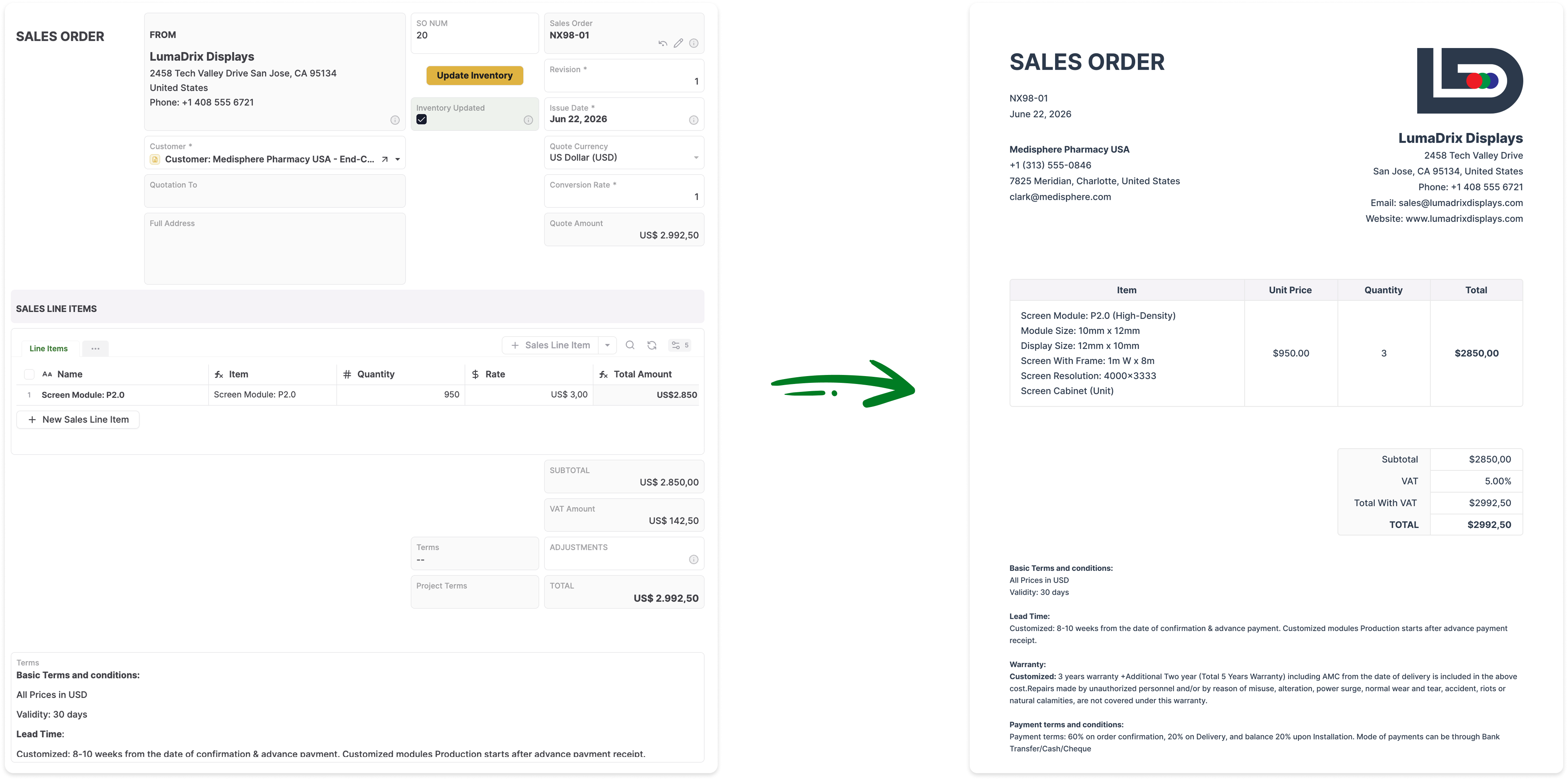
Generate Documents Directly From Your Live Records

Turn AnyDB records into professional, ready-to-share PDFs / Docx / XLSX with fields, linked data, tables, terms, and other relevant information automatically included.

How it Works?

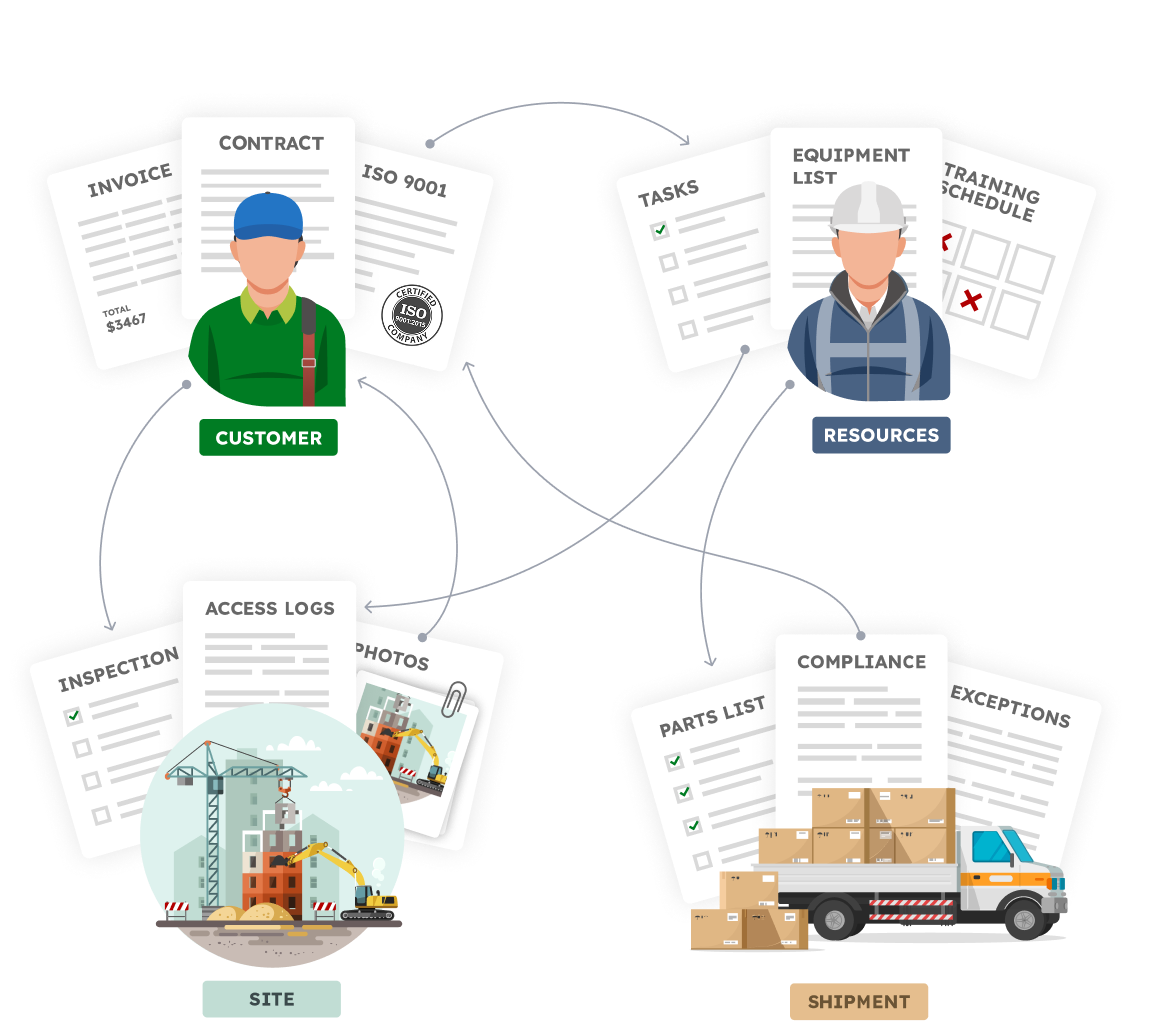
Your Business is made of Real Things

  • A vendor with certifications, contracts, invoices
  • A site with inspections, photos, access logs
  • An employee with tasks, training, equipment
  • A shipment with parts, compliance documents, exceptions

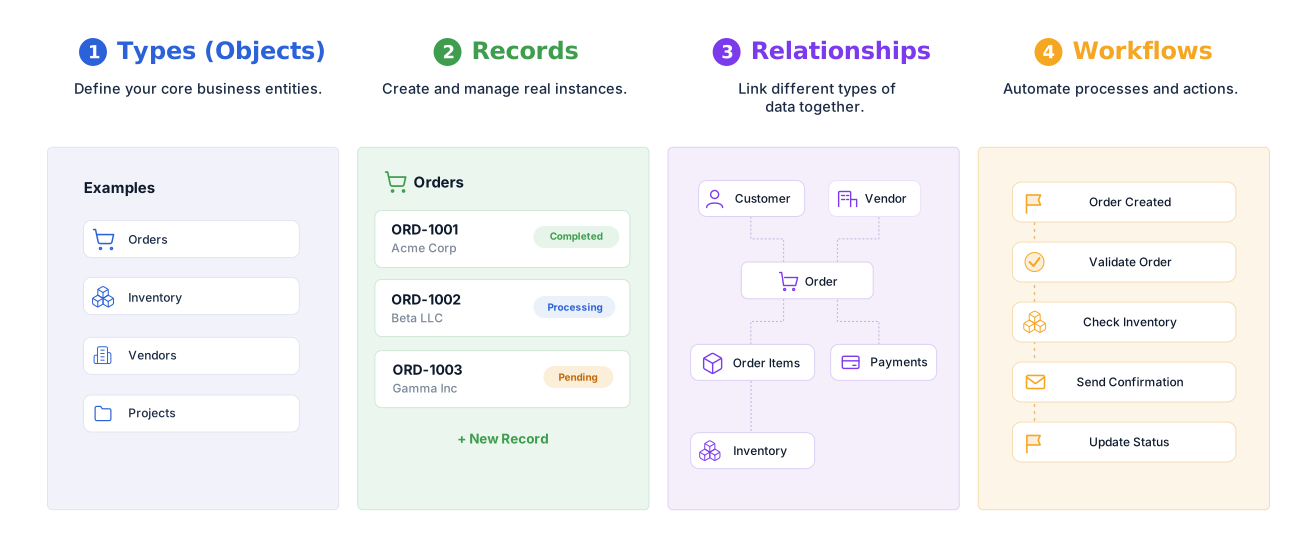
Define your structure, connect your data,
and automate how work flows.


Familiar to use.Built for real operations.


Keep files, records, and workflows together.
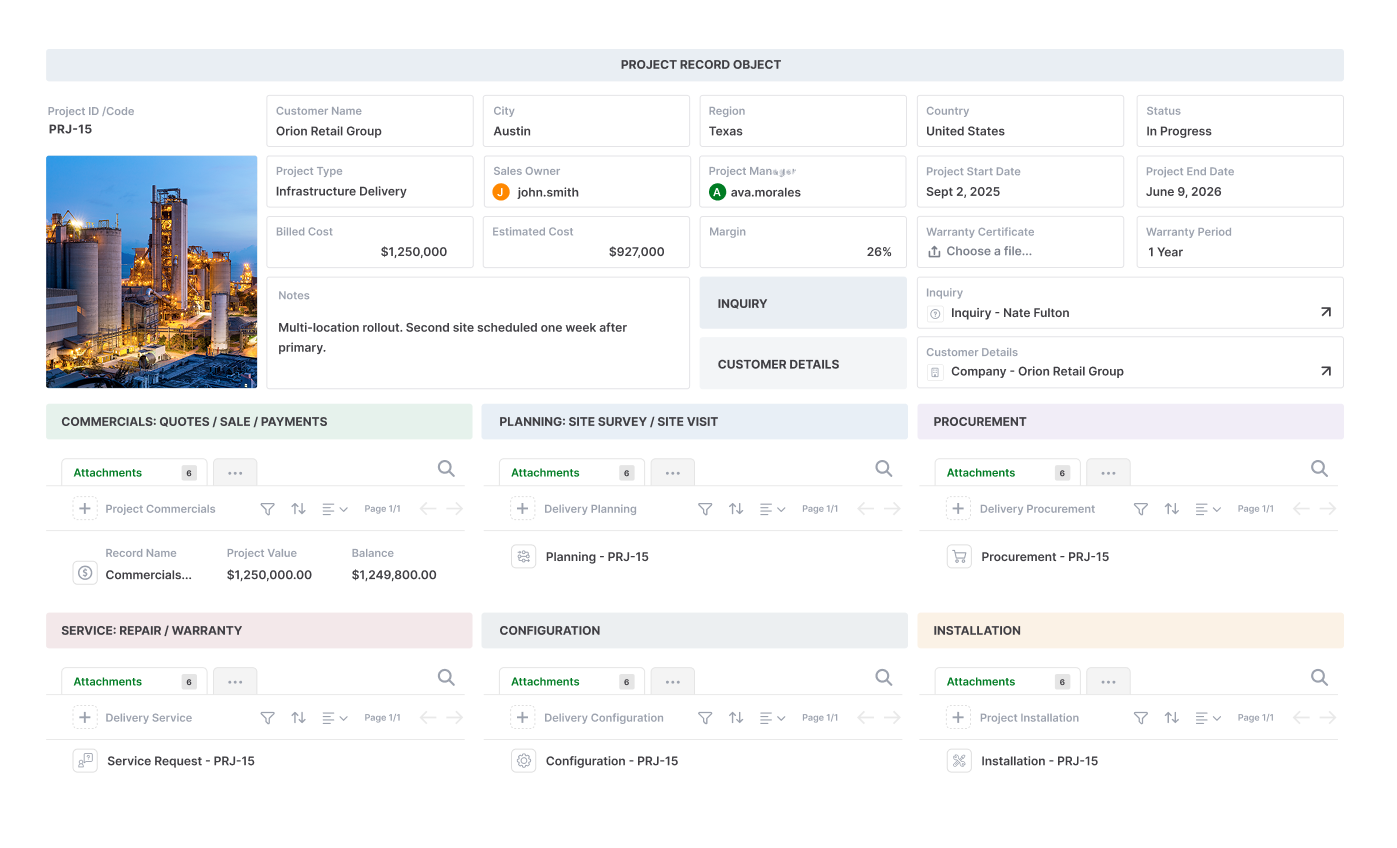
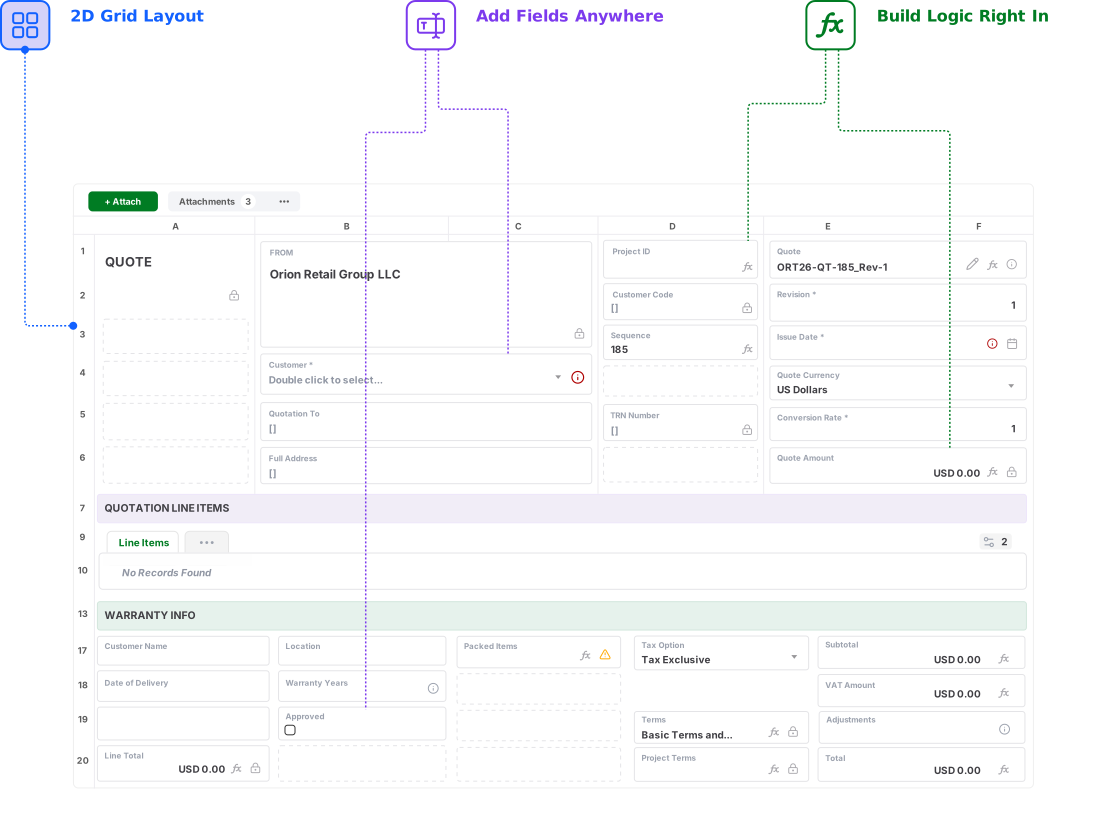
Design complete operational layouts in a familiar 2D grid

See how AnyDB powers your business operations

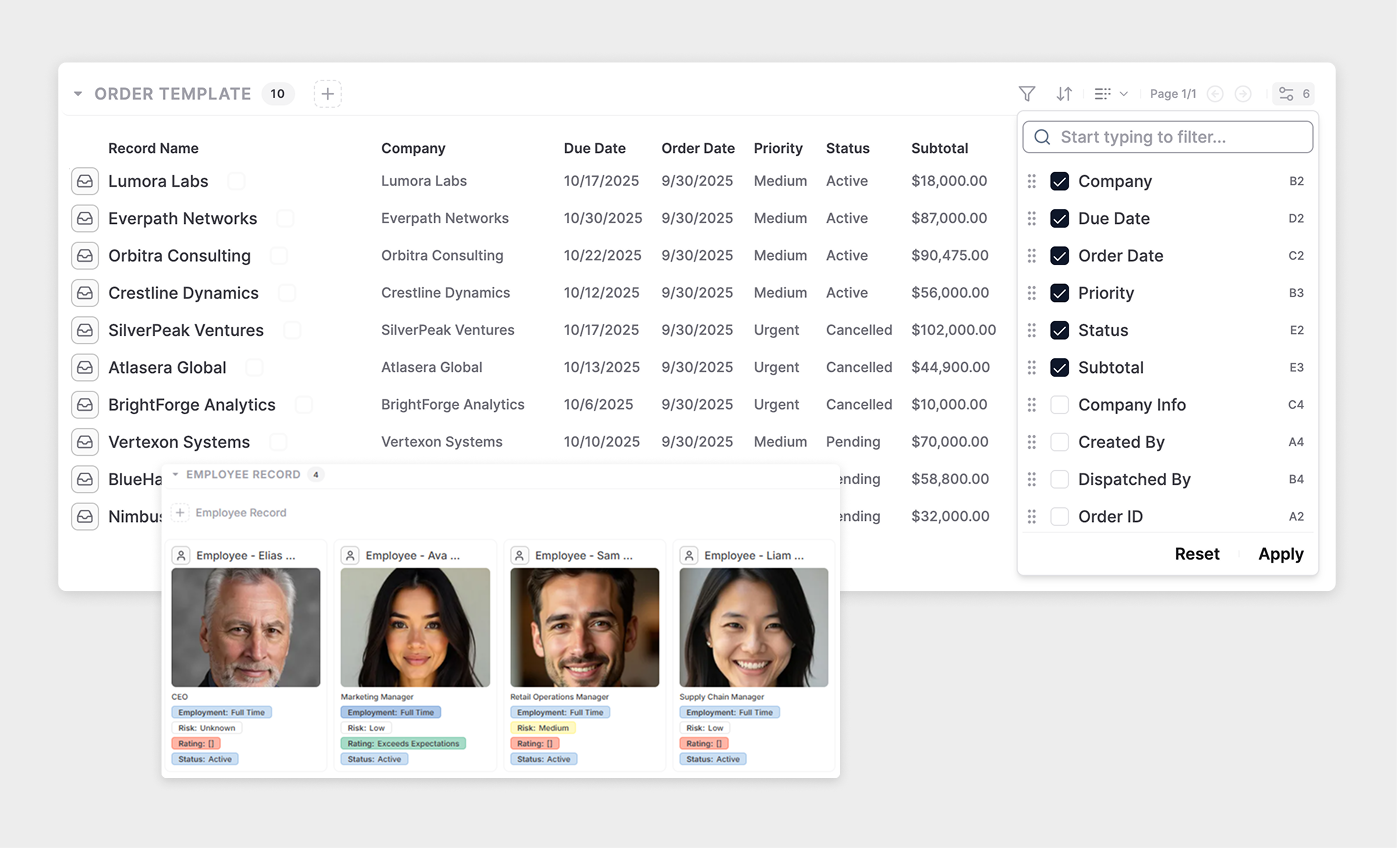
  • Flexible Views
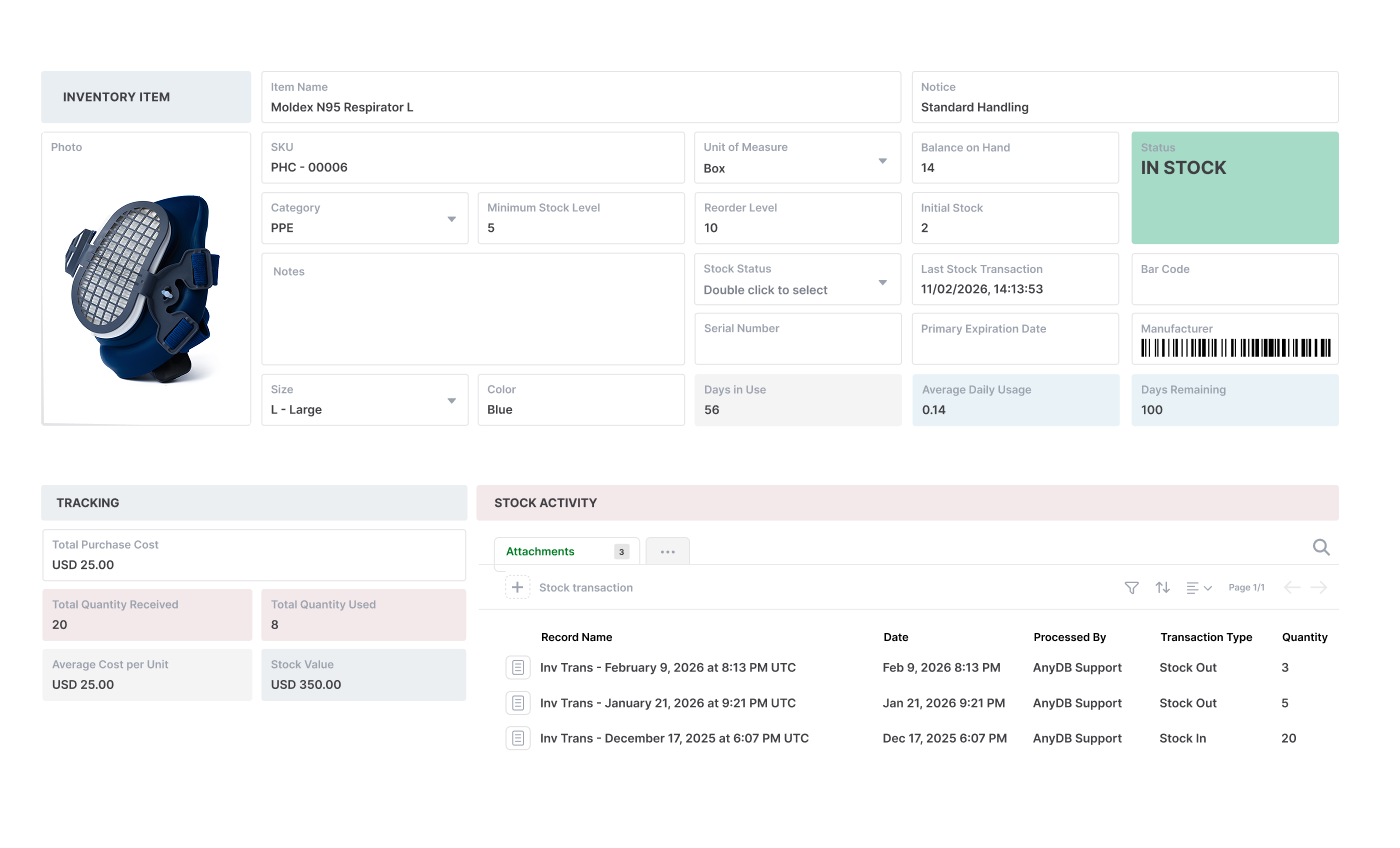
  • A Natural Record Layout
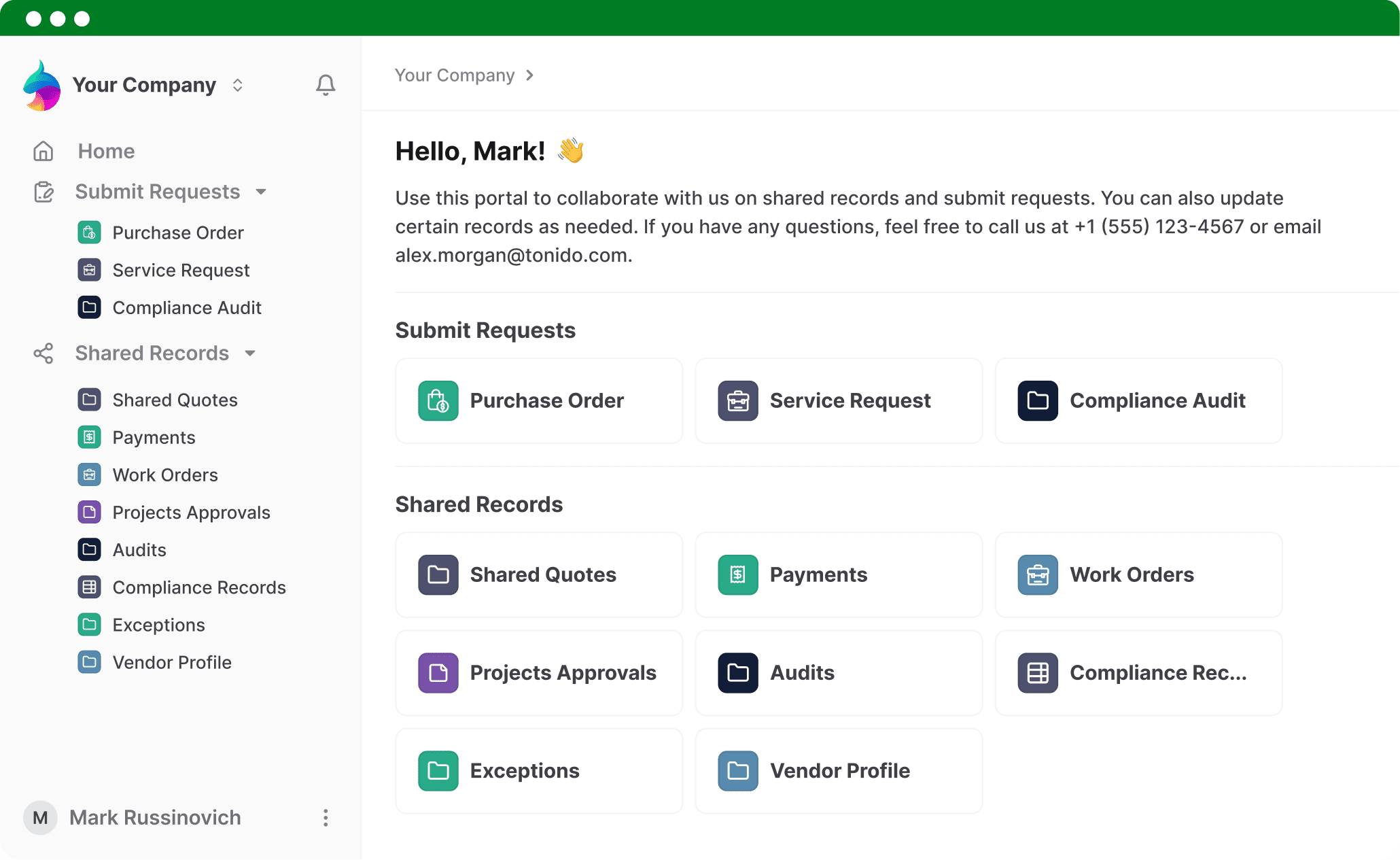
  • Portals
  • Combine Objects

Flexible Views

A Natural Record Layout

Portals

Combine Objects

Connect Your Files to the Work They Support

Organize team files and folders alongside structured records, workflows, portals, permissions, and reporting.

Get for Free
No credit card needed!

Frequently Asked Questions

How is AnyDB different from Dropbox?

Dropbox is designed primarily for cloud storage, desktop synchronization, sharing, backup, and file collaboration. AnyDB is designed for connected business operations. It combines team files and folders with structured records, relationships, workflows, permissions, portals, document generation, and operational history.

Can AnyDB completely replace Dropbox?

AnyDB can replace Dropbox for teams that primarily need browser-based file and folder sharing connected to operational records and workflows. It is not currently a replacement for Dropbox’s desktop synchronization, mounted folder experience, automatic local backup, or drive application.

Does AnyDB have a desktop sync client or drive application?

No. AnyDB is currently web-based and does not automatically synchronize cloud files with local folders on a computer. Files are uploaded, accessed, organized, and shared through AnyDB workspaces, records, forms, and portals.

Can AnyDB manage team files and folders?

Yes. Teams can create shared file and folder structures within workspaces. Files can also be attached directly to customers, vendors, projects, assets, orders, requests, and other operational records.

Why connect files to business records?

Connecting a file to its business record preserves context. A contract can remain with its vendor, an inspection photo with its asset, a drawing with its project, and a certificate with the employee or item it covers. Teams can see the document together with status, ownership, approvals, history, and related work.

Can external users access files in AnyDB?

Yes. AnyDB includes secure portals for customers, vendors, partners, contractors, and other external users. You control which records, files, fields, forms, and actions each user can access.

Can AnyDB automate workflows around files?

Yes. Files can be part of assignments, approvals, reviews, reminders, status changes, notifications, and other automated processes connected to the operational record.

Can AnyDB generate files and documents?

Yes. AnyDB can generate PDFs, Word documents, spreadsheets, reports, purchase orders, certificates, work documents, and other outputs directly from live record data.

Can we use AnyDB together with Dropbox?

Yes. A team can continue using Dropbox for desktop synchronization, local access, backup, or large shared file libraries while using AnyDB to manage the operational records, workflows, permissions, portals, and structured context around the work.

Can AnyDB help organize our current file-based process?

Yes. Share your current folder structure, spreadsheets, forms, and workflow, and the AnyDB team can help identify the record types, relationships, permissions, portals, and automation needed for the first working operational system.