
Equipment Goes Missing
Track who has each item, where it is, when it moved, and when it should return.
Manage equipment records, availability, assignments, reservations, locations, check-outs, inspections, maintenance, costs, and documents in one connected system.
Need help getting started? We can help you build an Equipment Management system around your operation.





Replace equipment spreadsheets, sign-out sheets, shared calendars, and follow-up messages with connected records.
Track who has each item, where it is, when it moved, and when it should return.
See whether equipment is available, reserved, assigned, in transit, under inspection, or being repaired.
Record expected return dates and notify the right people when equipment is overdue.
Capture condition, photos, issues, and inspection results during check-out and return.
Connect assignments, movements, inspections, maintenance, costs, and documents to each item.
Start free, build the system yourself, or have our team build and manage it for you.
Connect equipment with the people, locations, projects, inspections, and maintenance work around it.
Maintain specifications, serial numbers, ownership, condition, documents, and lifecycle details.
2Track where equipment is stored, who is responsible, and how it moves.
3Manage planned use, approvals, handovers, returns, and overdue equipment.
4Record inspections, damage, service schedules, repairs, downtime, and costs.
5Change fields, forms, views, permissions, reports, workflows, and automations.
Give teams the tools to control availability, responsibility, condition, movement, and use.
See which items are available, reserved, checked out, in transit, under inspection, or unavailable.
Record recipients, handovers, expected returns, accessories, and condition.
Use the AnyDB mobile app or a compatible scanner to open the correct equipment record.
Connect condition checks, damage, repairs, service dates, costs, photos, and documents.
Monitor utilization, overdue returns, downtime, costs, location, and status.
1. Equipment Records
Store asset numbers, serial numbers, models, manufacturers, specifications, purchase dates, ownership, condition, manuals, warranties, certifications, and service reports.
2. Location and Responsibility
Track equipment by warehouse, room, vehicle, department, job site, project, or customer location.
3. Reservations, Check-Outs, and Returns
Collect requests, confirm availability, route approvals, reserve equipment, record condition, and follow up on expected returns.
Collect items, dates, purpose, project, location, and requester details through a form.
Reserve equipment for a person, team, job, project, event, or customer.
Route high-value, restricted, or limited equipment requests to the right approver.
Record the recipient, date, expected return, condition, accessories, and photos.
Confirm the return location, condition, accessories, damage, and follow-up work.
4. Condition and Maintenance
Connect inspections, damage reports, preventive work, repairs, certifications, costs, and downtime to the equipment record.
Use structured checklists for condition, safety, meter readings, photos, and findings.
Connect damage with the item, assignment, return, responsible party, and repair.
Plan servicing, calibration, testing, or certification by date, usage, or meter reading.
Track problems, work, parts, labor, suppliers, costs, and completion status.
Remove unavailable equipment from operational views during inspection or repair.
5. Customizable Equipment Management
Add the specifications, risk levels, warranties, certifications, meter readings, statuses, forms, permissions, and approval rules your operation requires.
Use customizable objects from the AnyDB Business Object Library as building blocks.
Keep equipment information connected throughout its operational lifecycle.
Capture specifications, ownership, value, documents, and the starting location.
Connect equipment with the person, team, project, event, or customer using it.
Record handovers, expected returns, accessories, condition, and transfers.
Document returns, damage, inspections, repairs, calibration, and service.
Record disposal, sale, loss, replacement, and other end-of-life actions.
Keep equipment visible as it moves between facilities, teams, vehicles, job sites, and customer locations.
See equipment by warehouse, branch, room, vehicle, department, project, or customer site.
Record the origin, destination, responsible person, transfer date, and receipt confirmation.
Assign equipment managers and approval rules for each location or department.
Use consistent records, condition categories, inspection checklists, and handover requirements.
Compare quantities, availability, utilization, condition, and costs across locations.
Use the AnyDB mobile app where equipment is stored, moved, inspected, and used.
Use barcode or QR scanning to open the correct equipment record.
Confirm the recipient and update the location, status, and return date.
Attach condition, damage, handover, repair, and return photos.
Submit inspections, damage reports, requests, and return information.
Stay informed about approvals, returns, overdue equipment, and maintenance.
Use workflow rules to route action and notify the right person.
Route requests by category, value, location, purpose, or risk.
Notify users before equipment is due back and when it becomes overdue.
Alert responsible users before service, calibration, certification, or inspection.
Create an inspection, repair, or work request when damage is reported.
Keep requesters and managers informed when responsibility or status changes.
Use reports and dashboards to understand availability, utilization, condition, costs, and demand.
Review equipment by status, category, location, team, and condition.
Compare how often equipment is reserved, assigned, or checked out.
See items past their expected return date and who is responsible.
Track how long equipment remains unavailable and why.
Review purchase, maintenance, repair, contractor, and replacement costs.
Filter, group, summarize, chart, and export reports as CSV or XLSX.
Create consistent documents using equipment, assignment, inspection, and movement information already stored in AnyDB.
Include the equipment, recipient, condition, accessories, and return date.
Create condition, safety, calibration, or damage reports.
Present specifications, ownership, location, condition, and service details.
Document movement between locations, teams, projects, or customers.
Generate Word or Excel files, export PDFs, and send them by automated email.
Show connected equipment information based on each user’s role and responsibility.
Request equipment and review reservations, assignments, and returns.
Review availability, approve requests, process handovers, and follow up.
See equipment requiring inspection, maintenance, calibration, or repair.
Review equipment assigned to each job, event, project, or location.
Monitor value, utilization, maintenance costs, replacement, and lifecycle status.
Connect a compatible AI assistant to AnyDB through MCP and work with permitted equipment records and files using natural-language instructions.
Find available, reserved, checked-out, overdue, or unavailable equipment.
Find who is responsible for equipment and where each item is currently located.
Review damage, failed inspections, downtime, and related service history.
Create or update records while following permissions defined in AnyDB.
Find, upload, download, and use permitted documents connected to equipment.
Replace separate lists, calendars, folders, and follow-up messages with one connected operational record.

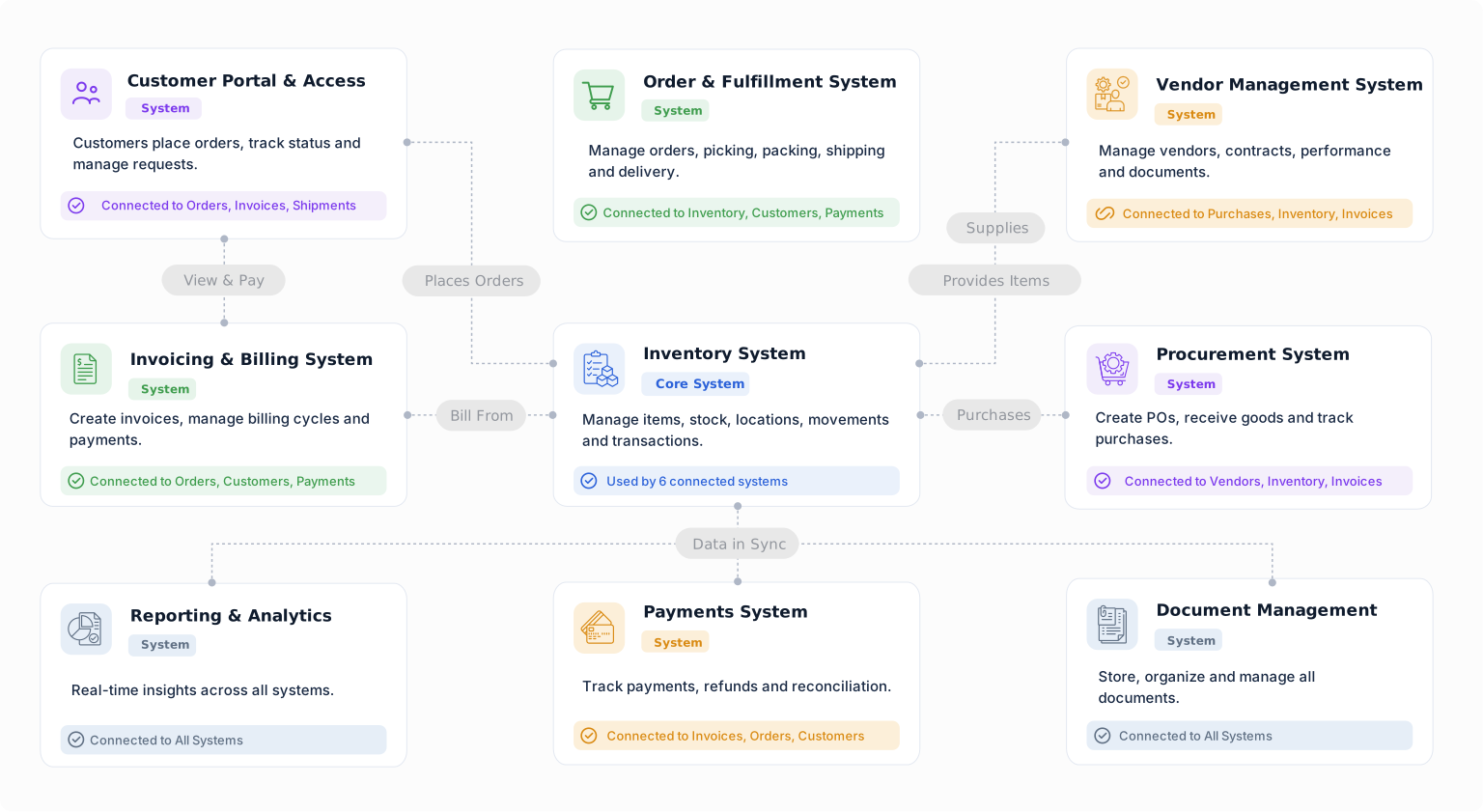
Build a starting point for equipment operations with objects from the Business Object Library. Customize their fields, relationships, forms, views, and workflows around the way your team works.
Keep owned or managed assets connected to locations, documents, and service history.
Organize sites, warehouses, rooms, and storage areas in one connected structure.
Record inspection findings and connect them to assets, items, or work.
Coordinate maintenance, repair, installation, or service work with clear ownership.
Connect employees to their responsibilities, tasks, and operational records.
Keep supplier details connected to sourcing, purchases, and deliveries.
Track what equipment you have, where it is, who is using it, when it should return, and what condition it is in using a system you can change as your operation grows.


