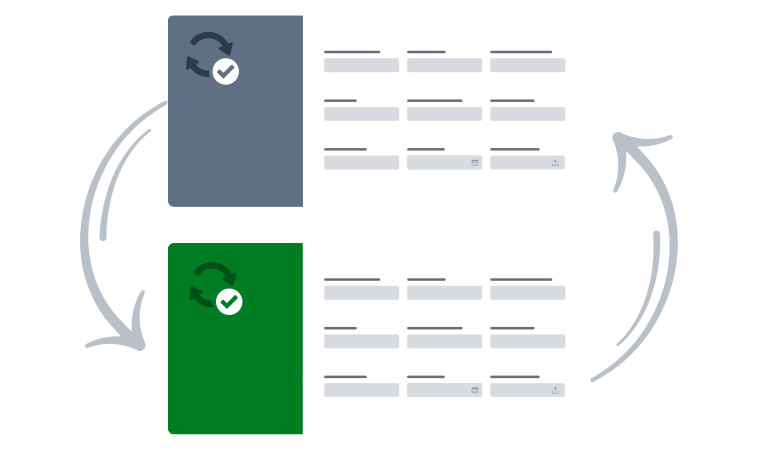
One Operational System. Every View Your Work Needs.

Turn connected business records into editable tables, visual grids, Kanban boards, and calendars. Give every team the right way to operate while your data, files, relationships, and business context stay connected.
Free Demo / Setup
Book a demo and let us set up AnyDB for you. Free of charge!
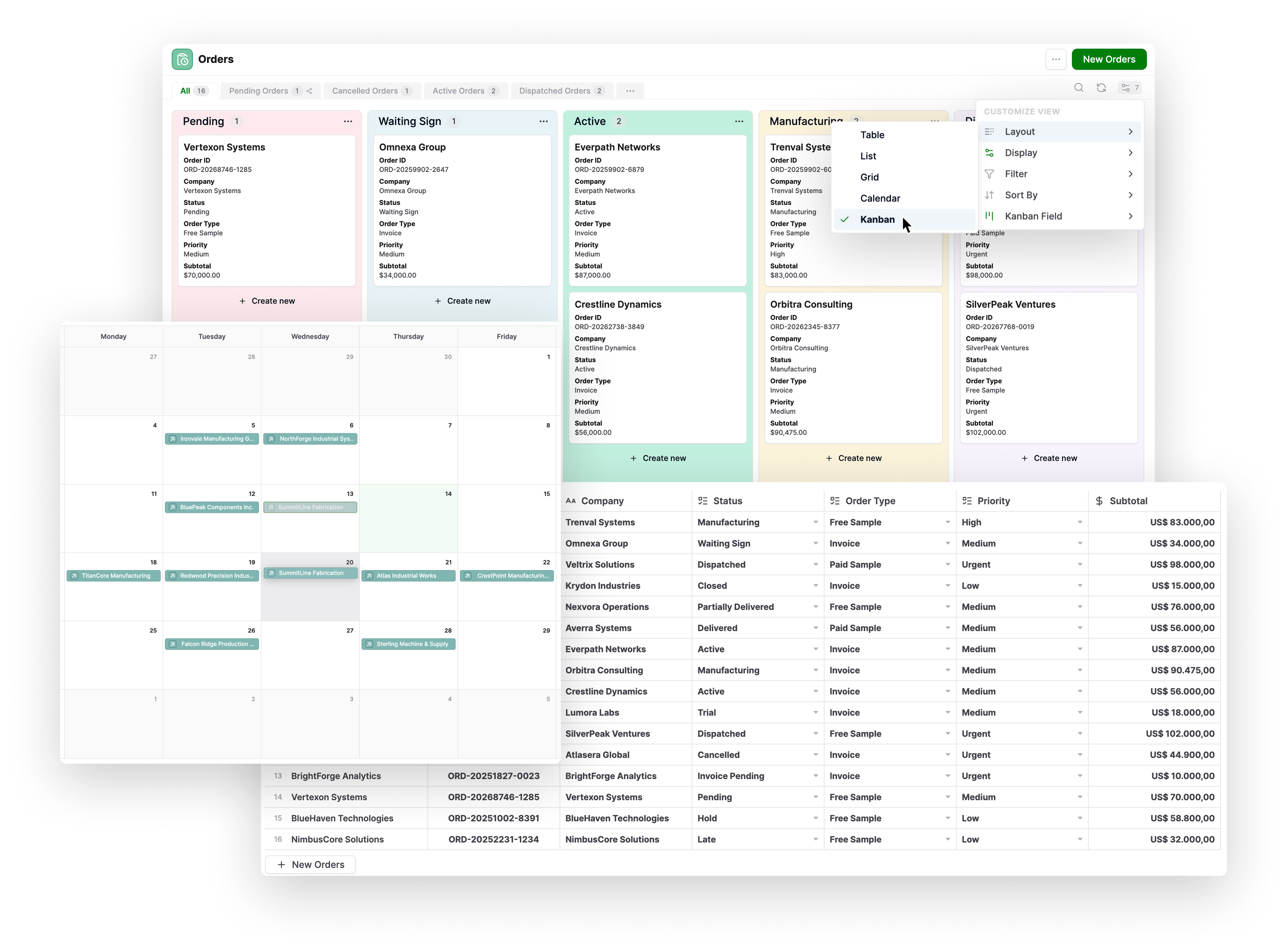
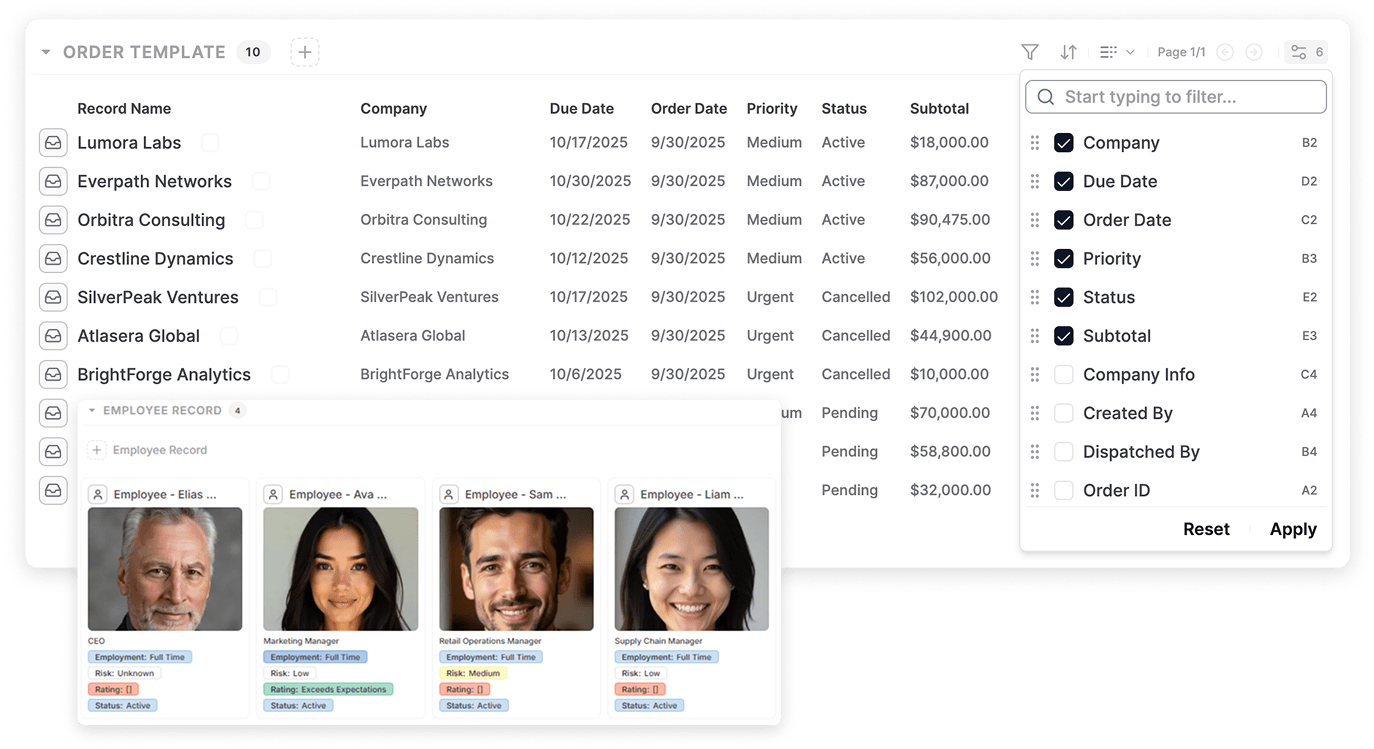
AnyDB orders displayed in Kanban, calendar, and table views

Turn Operational Data Into Views Built for the Work

Create a focused workspace for each process while every view stays connected to the same business records.

Choose the fields each team needs, control their order, and combine filters and sorting criteria. Save the result as a reusable operational view instead of rebuilding spreadsheet tabs, reports, or filtered copies.

  • Show, hide, and reorder fields around each workflow
  • Combine multiple filters and sorting criteria
  • Save views for the team or keep temporary filters private
  • Duplicate a useful view, adjust it, or export its results

Choose the Right View for Every Operational Workflow

  • Table View: Scan and edit many records inline, resize columns, preview files, and run bulk actions.
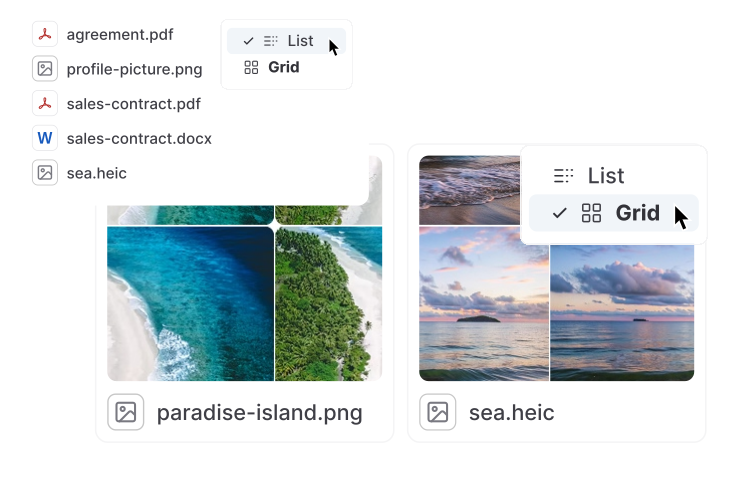
  • Grid View: Present products, assets, people, or projects as visual cards with the fields you choose.
  • List View: Review compact, read-only child records such as order items, invoice entries, and checklists.
  • Kanban View: Organize records by stage and move work across a visual process from start to finish.
  • Dynamic Views: Automatically show each signed-in user the records assigned to them.
  • Shared Views: Give teams or guests a focused set of records without exposing the full database.

Manage Every Stage with a Live Kanban View

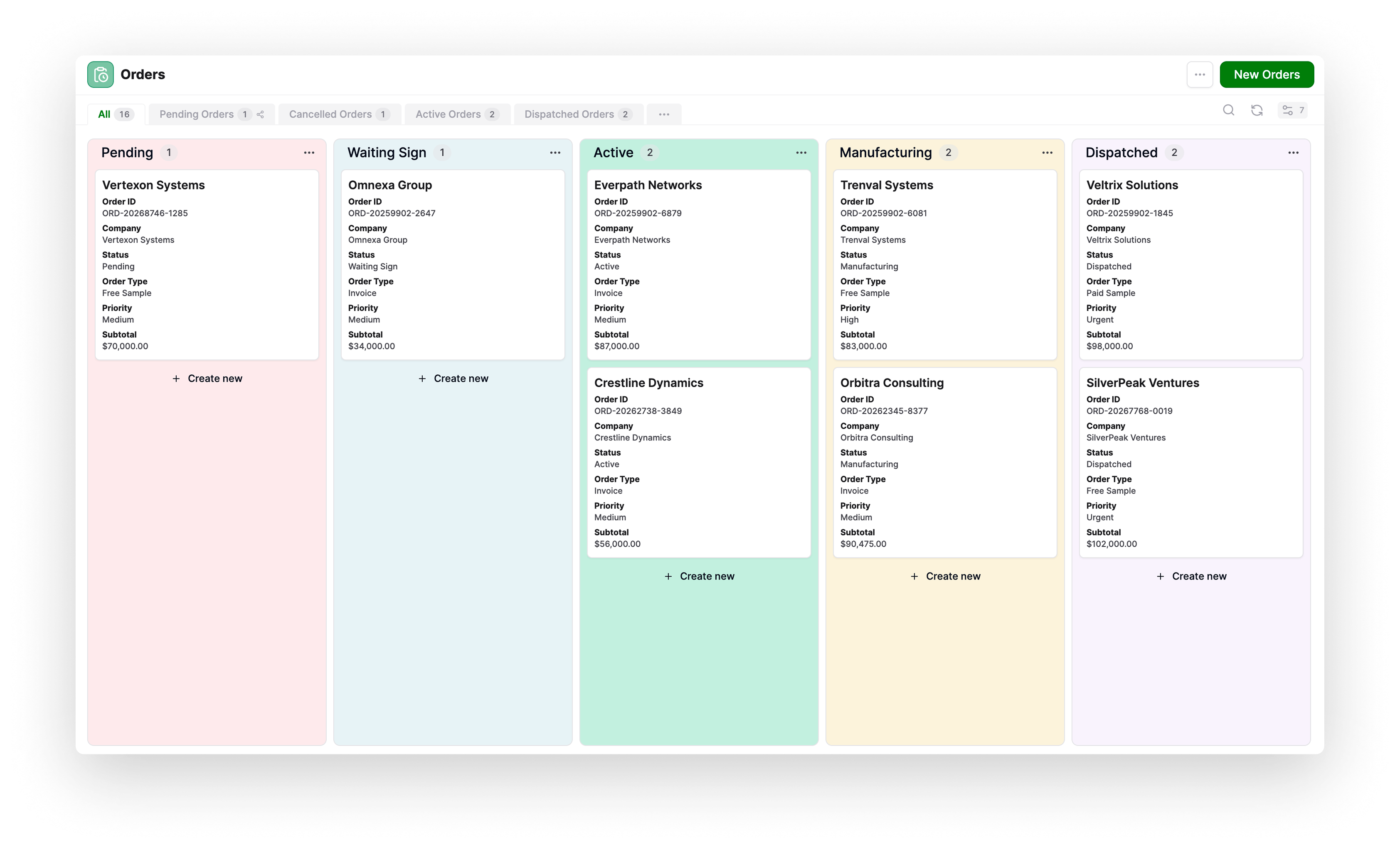
AnyDB orders displayed in a Kanban board grouped by status

Turn connected records into a visual workflow organized by status, stage, owner, or another field that drives the process.

Track orders, projects, requests, and approvals from one stage to the next. Teams can spot bottlenecks and move work forward without maintaining a separate board or losing the complete record behind each card.

  • Group records into clear workflow stages
  • Move work between columns as its status changes
  • Open any card to view its complete record and context
  • Use the same live records across Kanban and every other view

Schedule and Reschedule Work in a Live Calendar

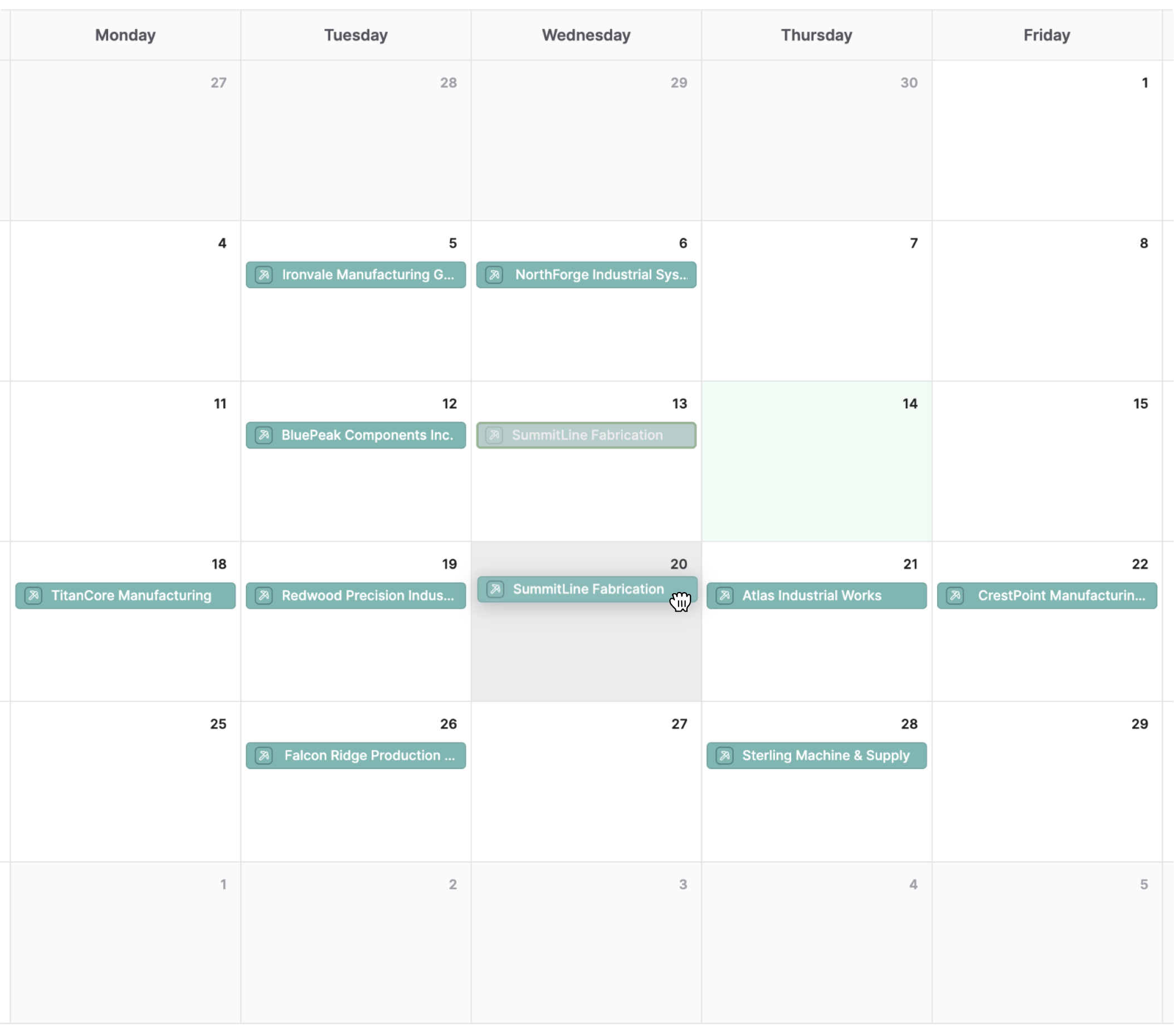
AnyDB calendar view showing manufacturing records scheduled across the month

Schedule live records by a Date or Timeline field, then update the plan directly from the calendar.

Plan deliveries, production work, appointments, renewals, and deadlines without maintaining a separate calendar. Drag a record to another day to update its date, or create a record from a date and have that field filled in automatically.

  • Place records on one day with Date fields or across several days with Timeline fields
  • Drag and drop records to reschedule them and update their underlying dates
  • Create a record on a selected day with its date already filled in
  • Move between months, return to today, or navigate to a specific date
  • Open any calendar item to work with its complete connected record

Every View Stays Connected to the Source of Truth

A view changes how records are presented, not where the data lives. Update a cell, card, status, or calendar date and the underlying record changes with it.

Teams can work through different layouts without creating competing copies. Open any item when you need its full fields, files, relationships, and operational context.

  • One source: Every layout works from the same records
  • Direct updates: Table edits and calendar moves change the record itself
  • Focused access: Saved, shared, and dynamic views show the right operational slice

Different teams. Different views. One operational source of truth.

Give Every Team a Faster Way to Operate

Build operational views around the way your business works, keep every team connected to the same records, and turn scattered information into action.