“`

Unqork Alternative
Built for Business Operations

Build connected operational systems without starting with a large enterprise application development program.

Connected records, workflows, portals, documents, permissions, automation, and history in one system.

Free Demo / Setup
Book a demo and let us set up AnyDB for you. Free of charge!
AnyDB business operations system
“`
“`

See how AnyDB turns connected business records into operational systems

Unqork is built for enterprise application development.
AnyDB is built to run connected business operations.

Unqork provides an enterprise application development platform for organizations building and governing sophisticated custom applications. AnyDB takes a different starting point: the real things your business already manages, such as customers, orders, inventory, projects, assets, vendors, inspections, and work orders.

With AnyDB, records, relationships, files, workflows, permissions, portals, documents, history, and automation live together in the same operational system. Start with one process, then connect additional parts of the business as your needs grow.

Why Teams Choose AnyDB

Build Around Real Business Objects

Model customers, orders, inventory, projects, assets, vendors, inspections, work orders, and other operational records around the way your business actually works.

Run Connected Operations

Connect records across teams so assets, projects, purchasing, inventory, vendors, files, and workflows stay part of one operational system instead of separate applications.

Start Small and Expand

Begin with one workflow or department and add new record types, processes, views, automations, and related operations as your requirements evolve.

Manage Complex Record Hierarchies

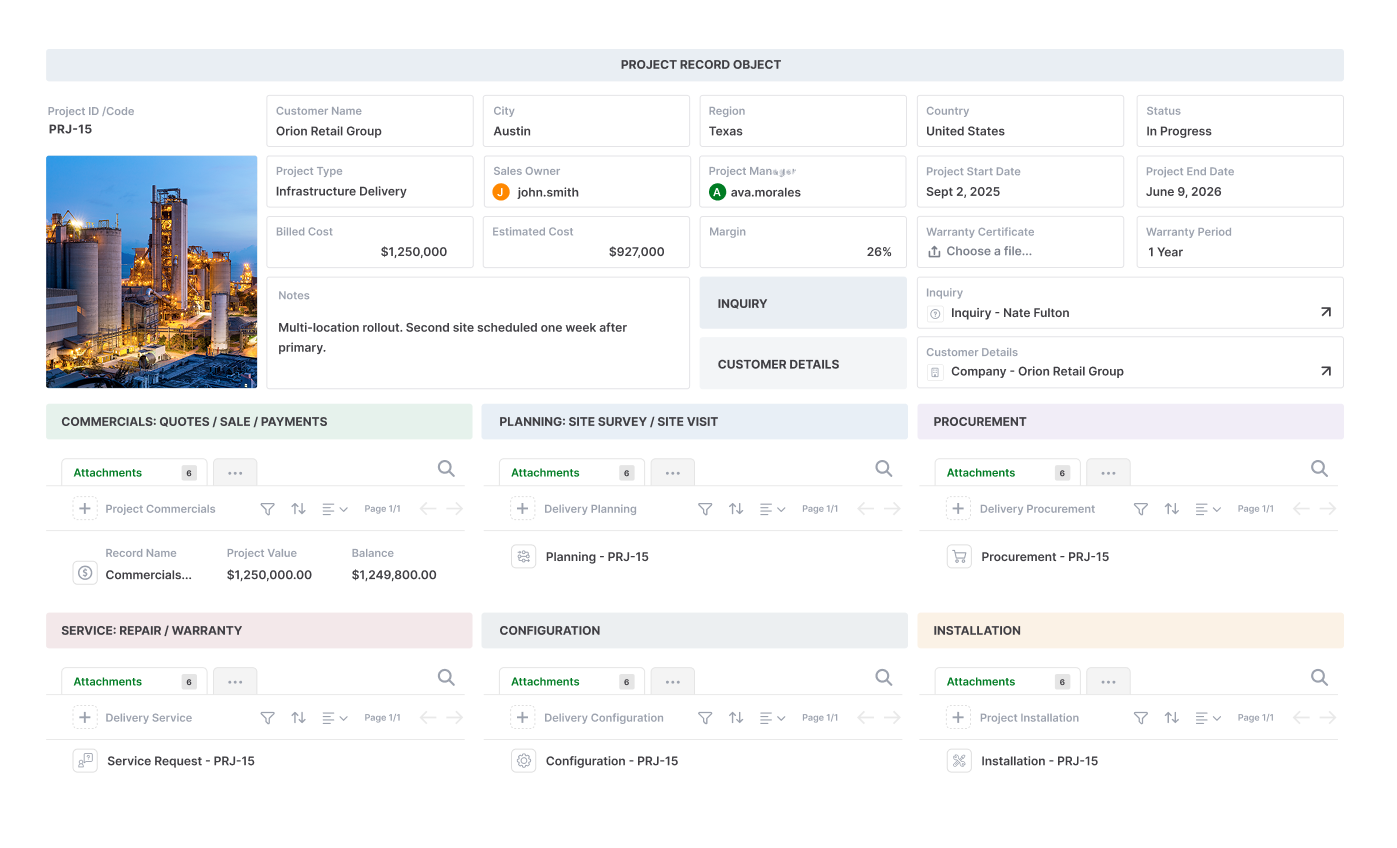
Use child records for line items, tasks, components, inspections, maintenance history, and other structured details without forcing everything into a flat table.

The Record Is the Working Interface

Bring fields, child records, linked records, files, actions, pages, and related information together in one layout designed around the work being done.

Files, Workflows, and Data Stay Together

Keep documents, attachments, approvals, assignments, reminders, and automation connected to the records they belong to.

Extend Operations Through Portals

Give customers, vendors, partners, and other external users controlled access to records, forms, files, and updates through built-in portals.

Generate Documents From Live Data

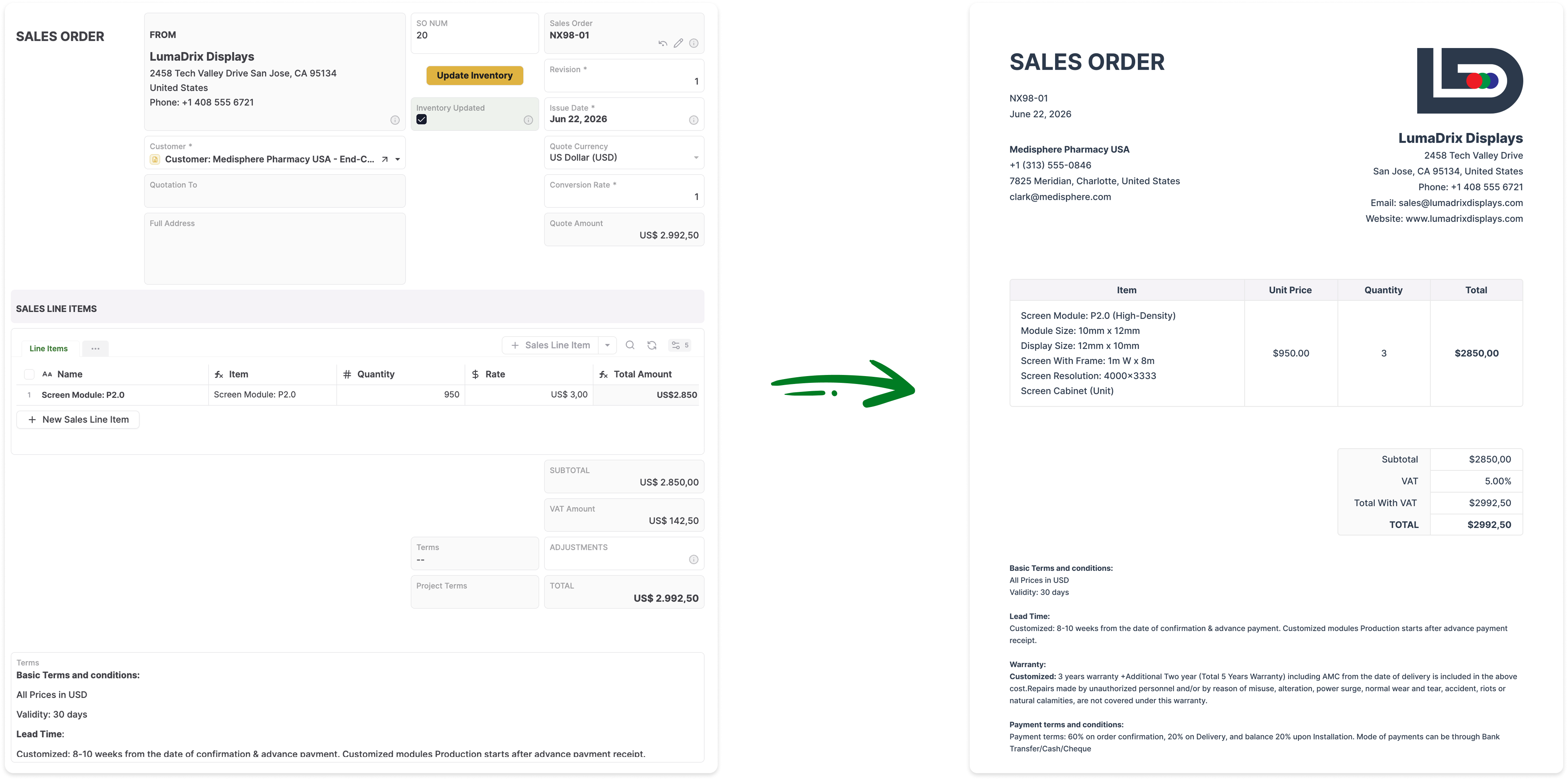
Create PDFs, Word documents, spreadsheets, reports, and operational forms directly from current records.

Built-In Record History and Versioning

Track changes to operational records over time and preserve a clear history of how information has evolved.

When Unqork May Be the Better Fit

  • You are running a large enterprise application development or modernization program
  • You require advanced application lifecycle governance, structured promotion, branching, merging, and release management
  • Your application is being designed and maintained primarily by enterprise IT, architecture, and development teams
  • You need a platform designed for highly governed, complex enterprise application development at scale
  • You have specialist platform teams or implementation partners supporting the application lifecycle

When AnyDB May Be the Better Fit

  • You need an operational system rather than a large application development program
  • Your workflows revolve around connected business records such as assets, orders, vendors, inventory, projects, and inspections
  • You want operations or business systems teams to configure and evolve the system more directly
  • You want records, files, workflows, portals, documents, and history together in one operational environment
  • You want to start with one process and expand into connected operations over time
  • You need cloud, private cloud, or self-hosted deployment options

Two Different Starting Points

Both platforms can support sophisticated business systems. Unqork starts with enterprise application development. AnyDB starts with the records, relationships, and workflows that make up day-to-day business operations.

Best Fit Unqork AnyDB
Primary category Enterprise application development platform Business operations platform
Core buyer Enterprise IT, architecture, development, and transformation teams Operations leaders, business systems teams, and department owners
Starting point Design and build an enterprise application Model the real things and workflows already running the business
System model Applications, components, workflows, data models, APIs, and governed development environments Connected business objects, records, relationships, views, forms, pages, workflows, and automations
Typical ownership Enterprise technology teams and trained platform specialists Operations and business systems teams, with IT involvement as needed
Typical use cases Enterprise application modernization, case management, onboarding, claims, underwriting, and regulated workflows Inventory, purchasing, assets, maintenance, inspections, projects, work orders, approvals, vendors, and connected operations
Application lifecycle Advanced enterprise SDLC, governance, promotion, branching, merging, and release controls Simpler configuration model focused on evolving operational systems and records
External experiences Enterprise application experiences configured as part of the application Built-in portals for customers, vendors, partners, and other external users
Pricing model Custom enterprise pricing Accessible SaaS pricing with incremental adoption
Deployment Enterprise cloud platform Cloud, private cloud, or self-hosted deployment

Capability Comparison

The platforms overlap in areas such as workflows, data, integrations, permissions, and external experiences. The biggest difference is how the system is modeled, who is expected to manage it, and how much application-development infrastructure is required.

Capability Unqork AnyDB
Visual system configuration Enterprise application development environment Business operations system configuration
Data models and relationships
Workflow and automation Enterprise workflow and application logic capabilities Built-in workflows, triggers, conditions, actions, approvals, assignments, and automations
Reusable structures Reusable application components and governed building blocks Reusable business objects, templates, linked records, and workflows
Connected operational records Configured through enterprise applications and data models Native child and linked records organized around business objects
Record hierarchy Application-defined data structures Native parent, child, and linked record structures
Files around business records Configured as part of the application experience Files and attachments stay directly connected to operational records
External portals Enterprise external experiences configured within applications Built-in portals with unlimited guest users
Document generation Implemented through platform capabilities, services, or integrations Native PDF, Word, and spreadsheet generation from live records
Assignments and notifications Configured through application and workflow logic Built directly around operational records and workflows
Application lifecycle management Advanced enterprise lifecycle management, governance, promotion, branching, merging, and release controls Focused on simpler configuration and evolution of operational systems
Record version history Application and data history capabilities depend on implementation Built-in version history for operational records
API integrations Enterprise APIs, integrations, and services APIs, webhooks, automations, and custom scripting
AI approach AI-first enterprise application development and governed AI capabilities AI working within connected operational records, files, relationships, and workflows
Private deployment options Enterprise cloud deployment options Private cloud or self-hosted deployment available
Operational team ownership Often supported by trained platform and technology teams Designed for more direct configuration by operational and business systems teams

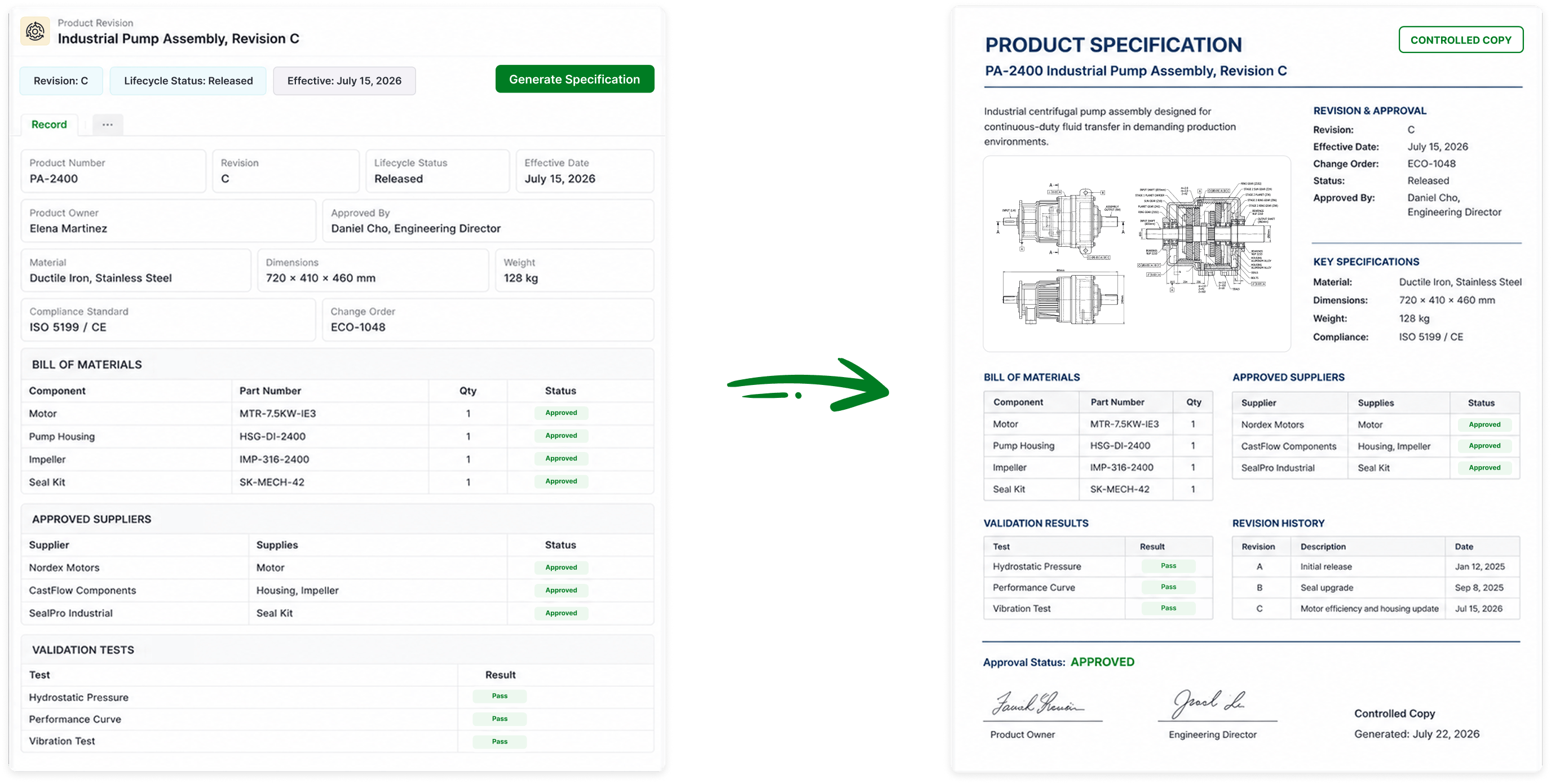
Generate Documents Directly From Your Live Records

Turn AnyDB records into professional PDFs, Word documents, and spreadsheets with fields, linked data, tables, terms, and other relevant information automatically included.

AnyDB document generation

Start With the Real Things in Your Business

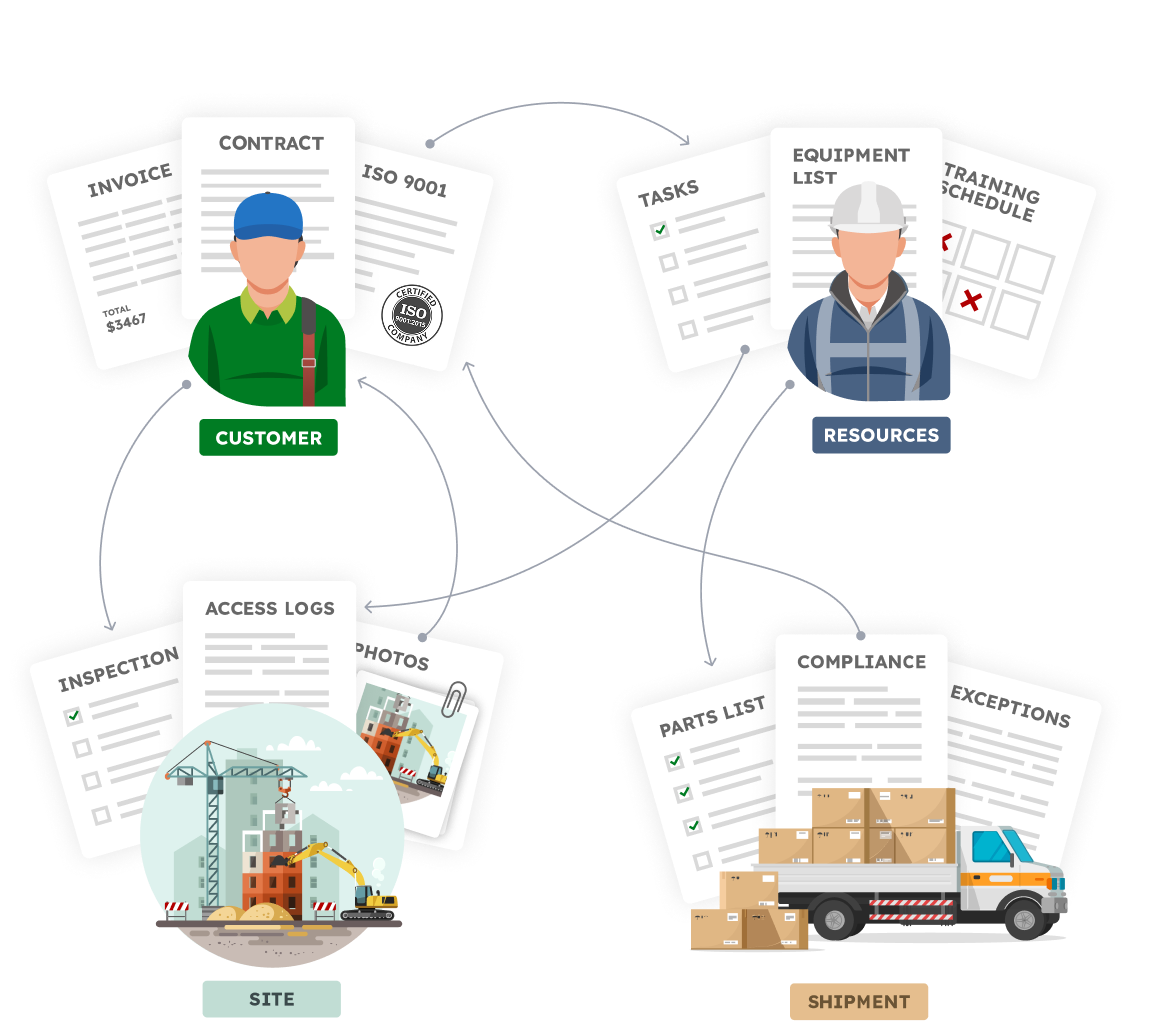
Your operations are already organized around real business concepts.

  • A vendor with certifications, contracts, invoices, and purchase orders
  • An asset with a location, inspections, maintenance, files, and ownership history
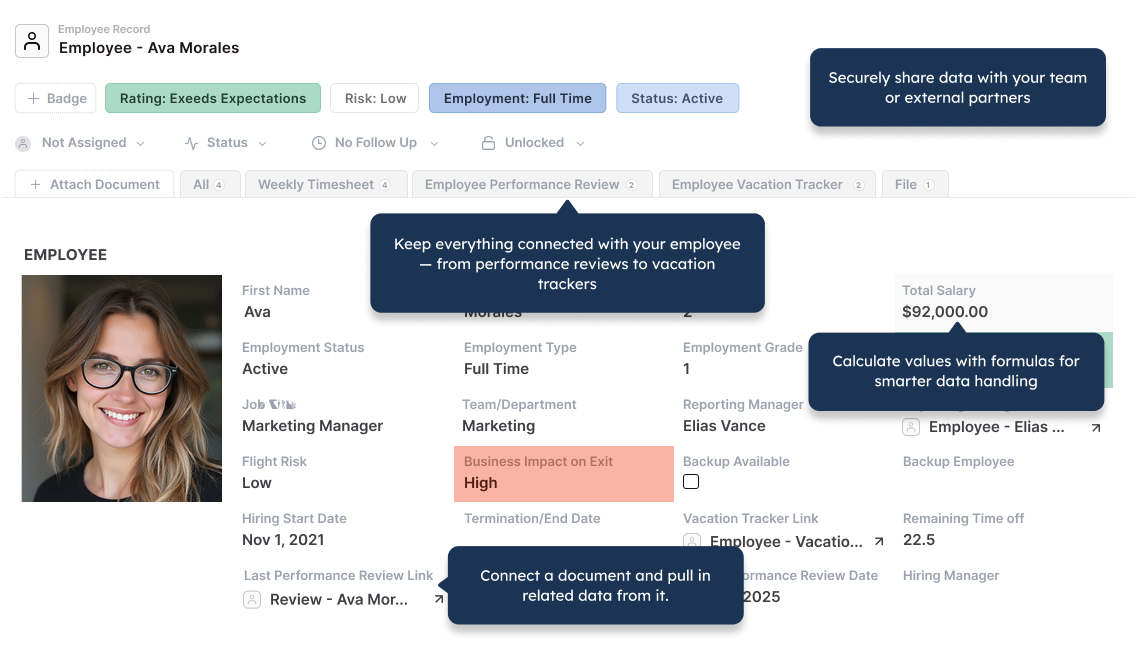
  • An employee with tasks, training, equipment, and approvals
  • A shipment with items, compliance documents, status changes, and exceptions
Business objects connected in AnyDB
Connected business objects

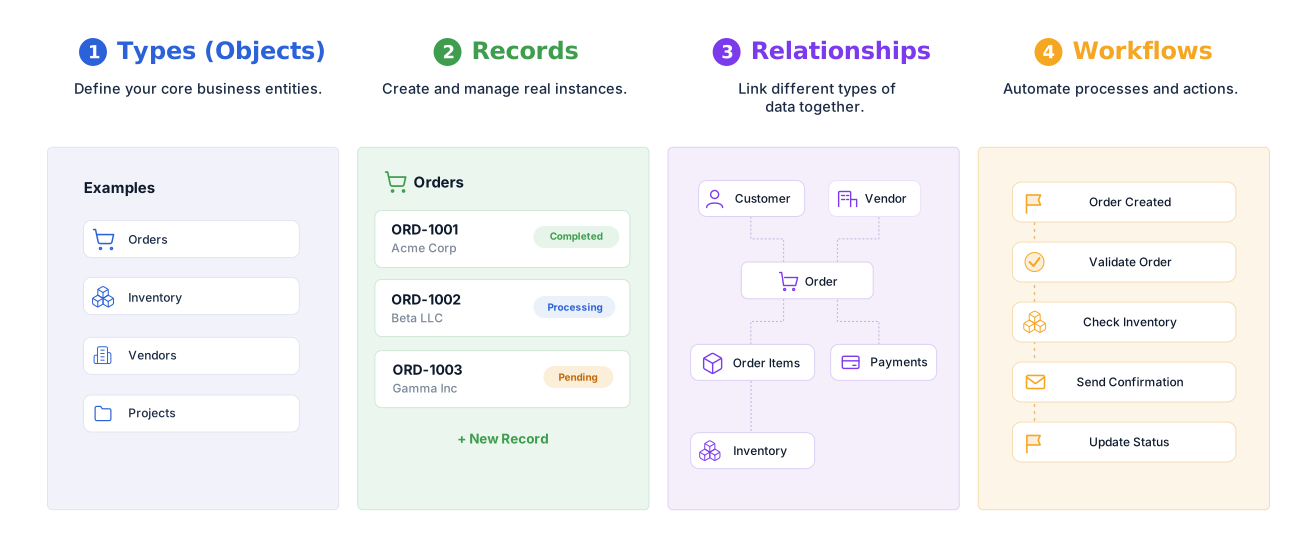
Define your structure, connect your data,
and automate how work flows.


AnyDB types records relationships and workflows

Familiar to use. Built for real operations.


AnyDB familiar spreadsheet-like layout

Reuse your spreadsheet skills.
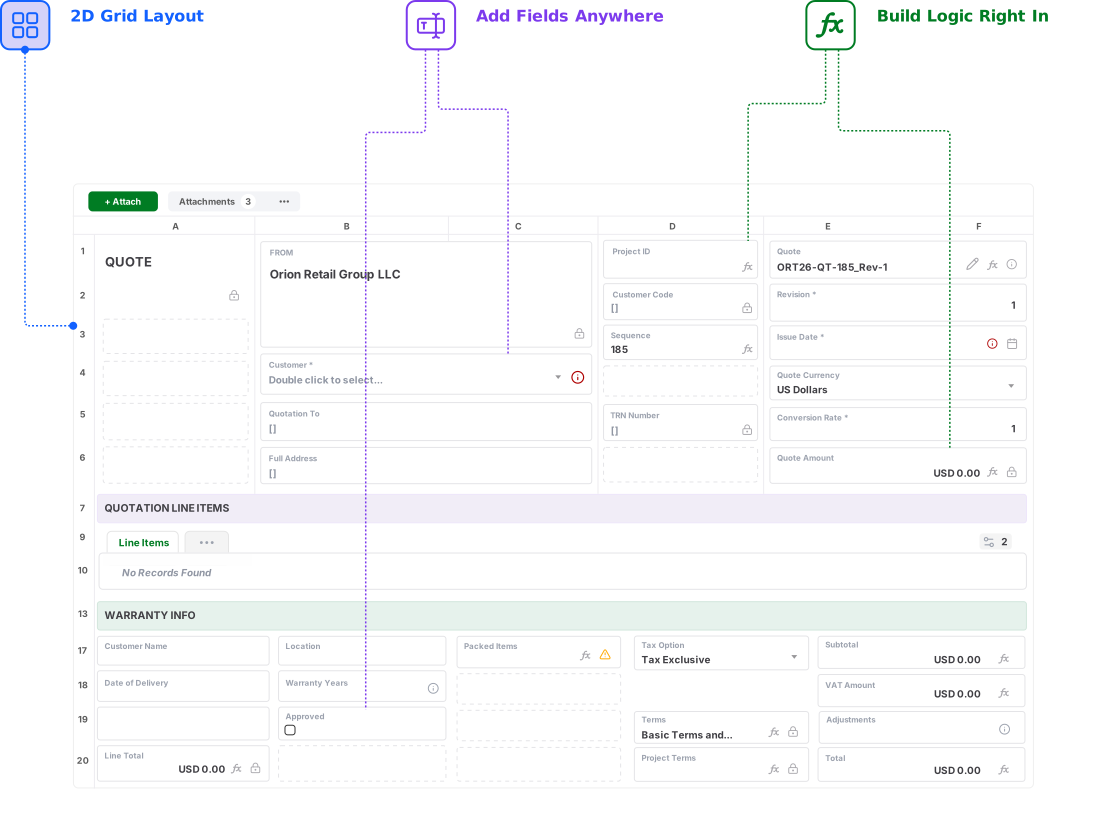
Design record and form layouts in a flexible two-dimensional grid.

Explore AnyDB Systems in Action

  • Asset Management
  • Projects
  • Inventory
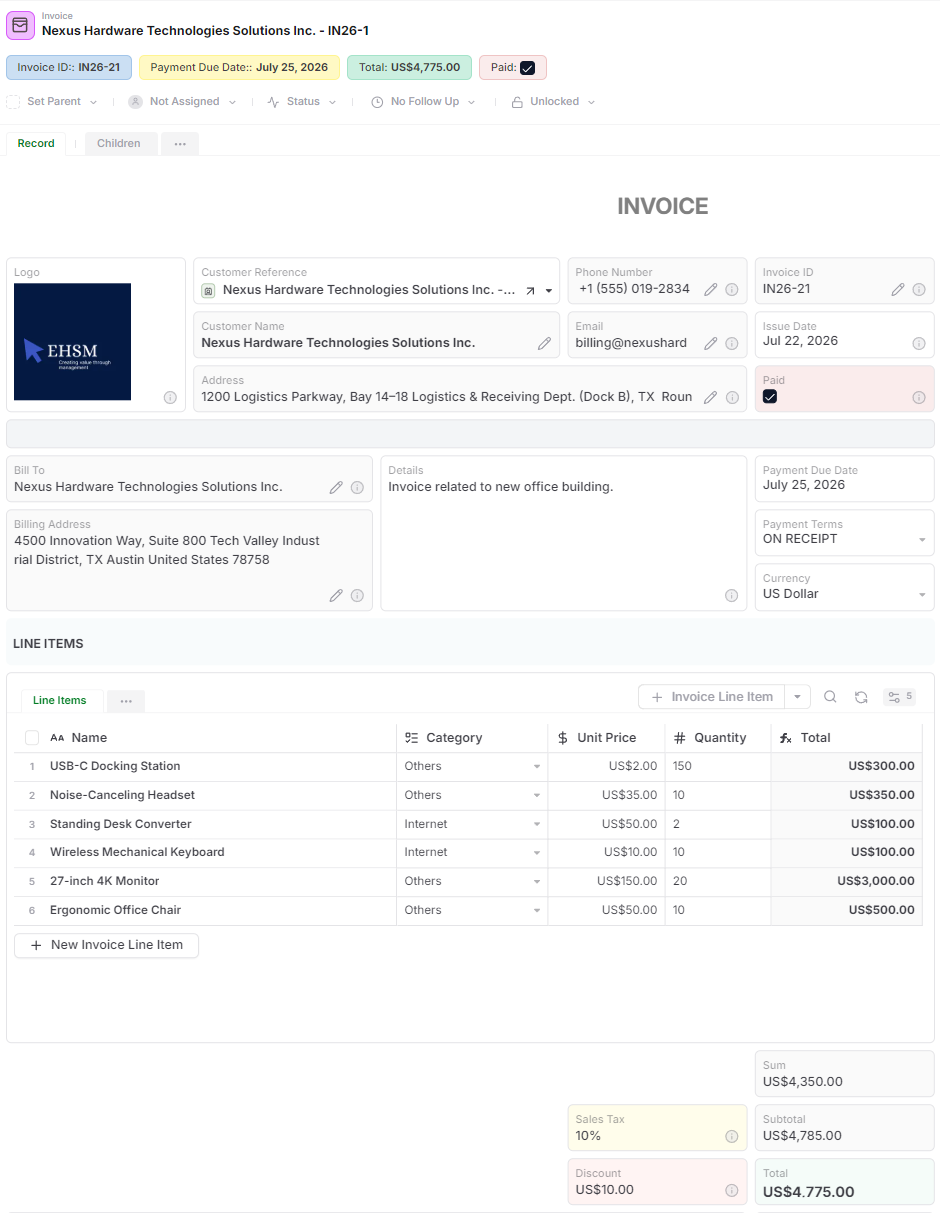
  • Invoices
  • HR
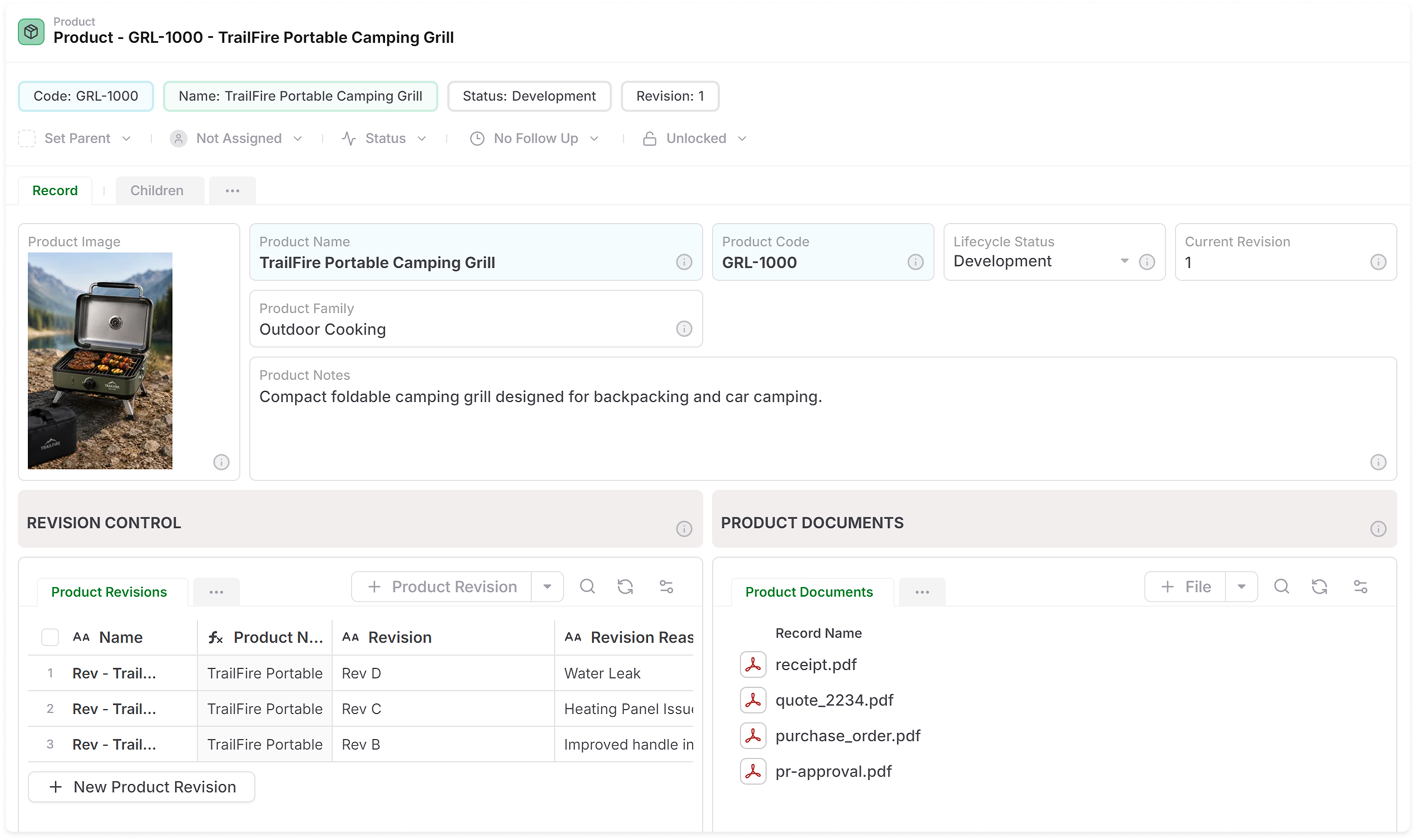
  • Product Lifecycle (PLM)
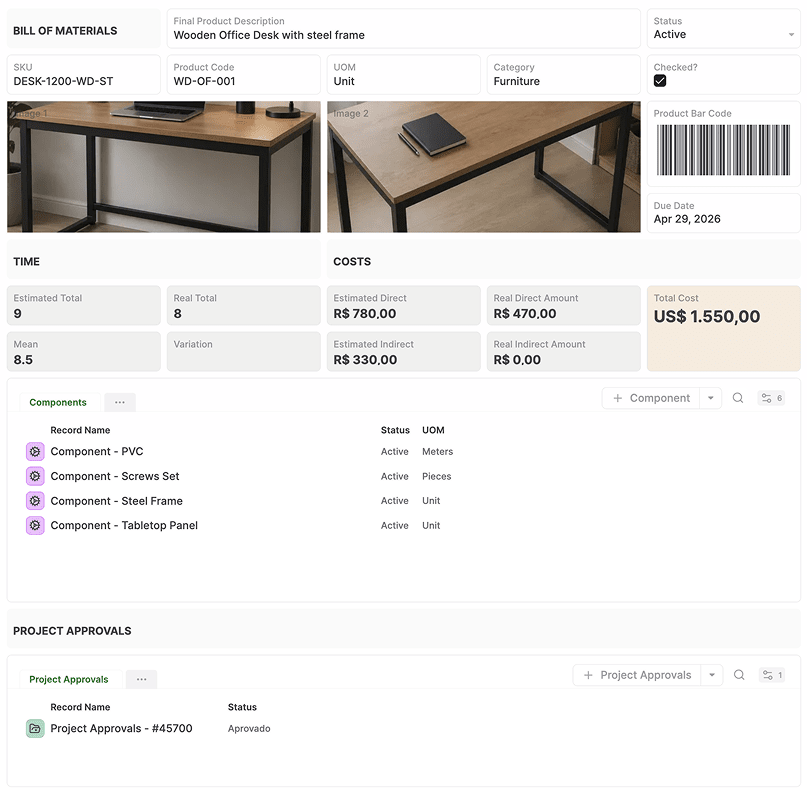
  • Bill of Materials
  • Dashboard
  • Purchase Orders
  • Timesheets
  • SOPs
  • Approvals
  • Surveys
  • Records to Documents
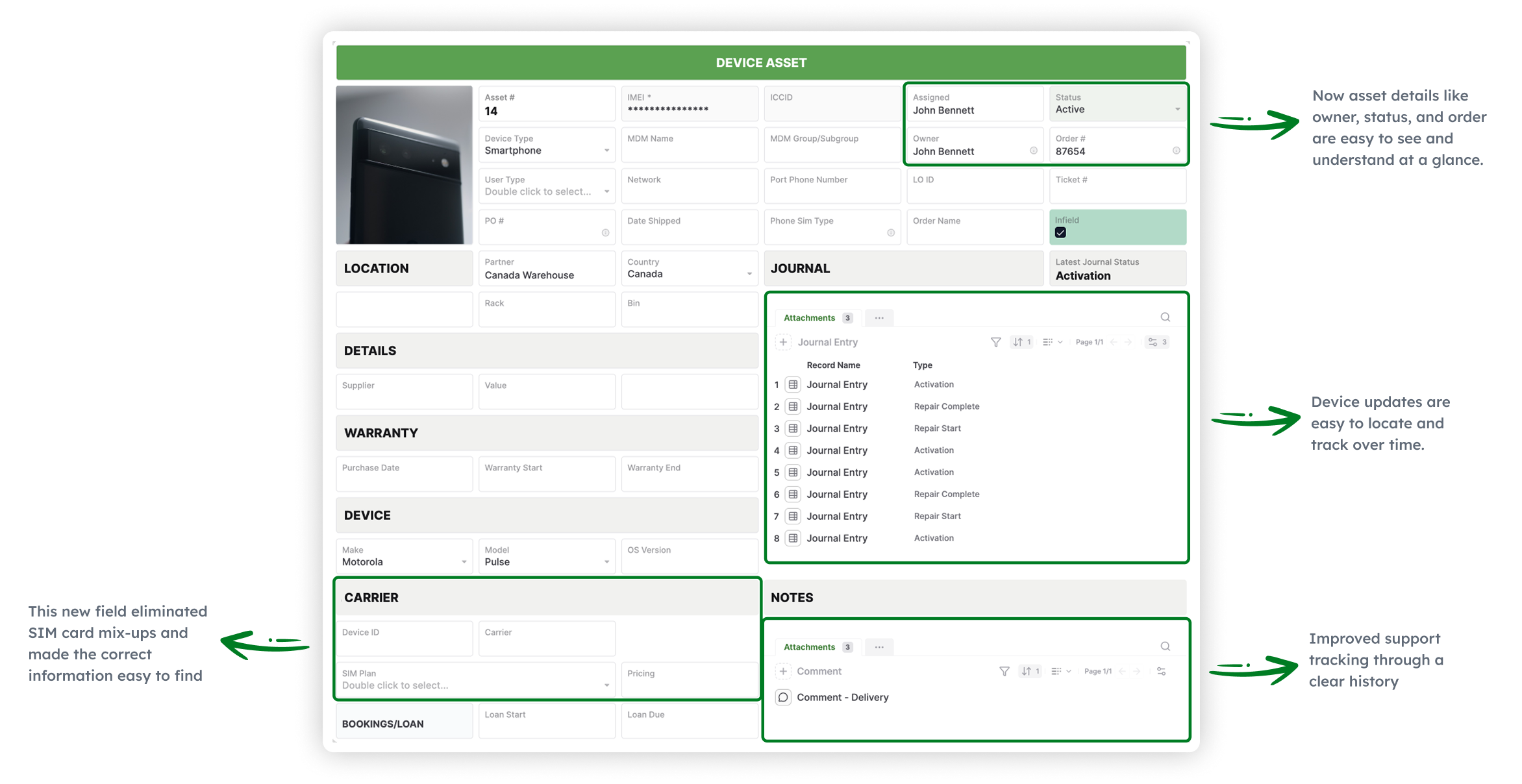
Asset Management
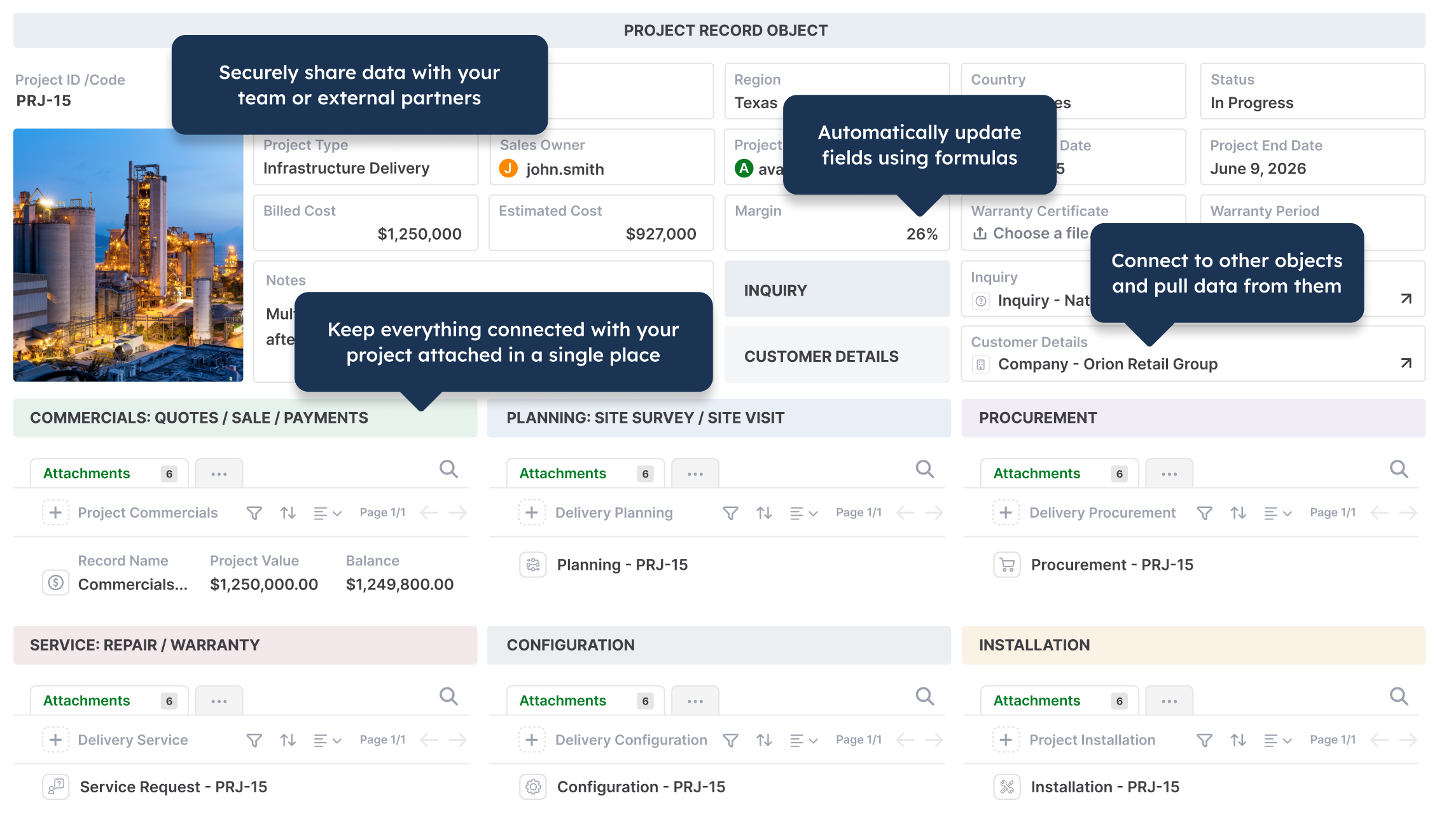
Operations project management in AnyDB
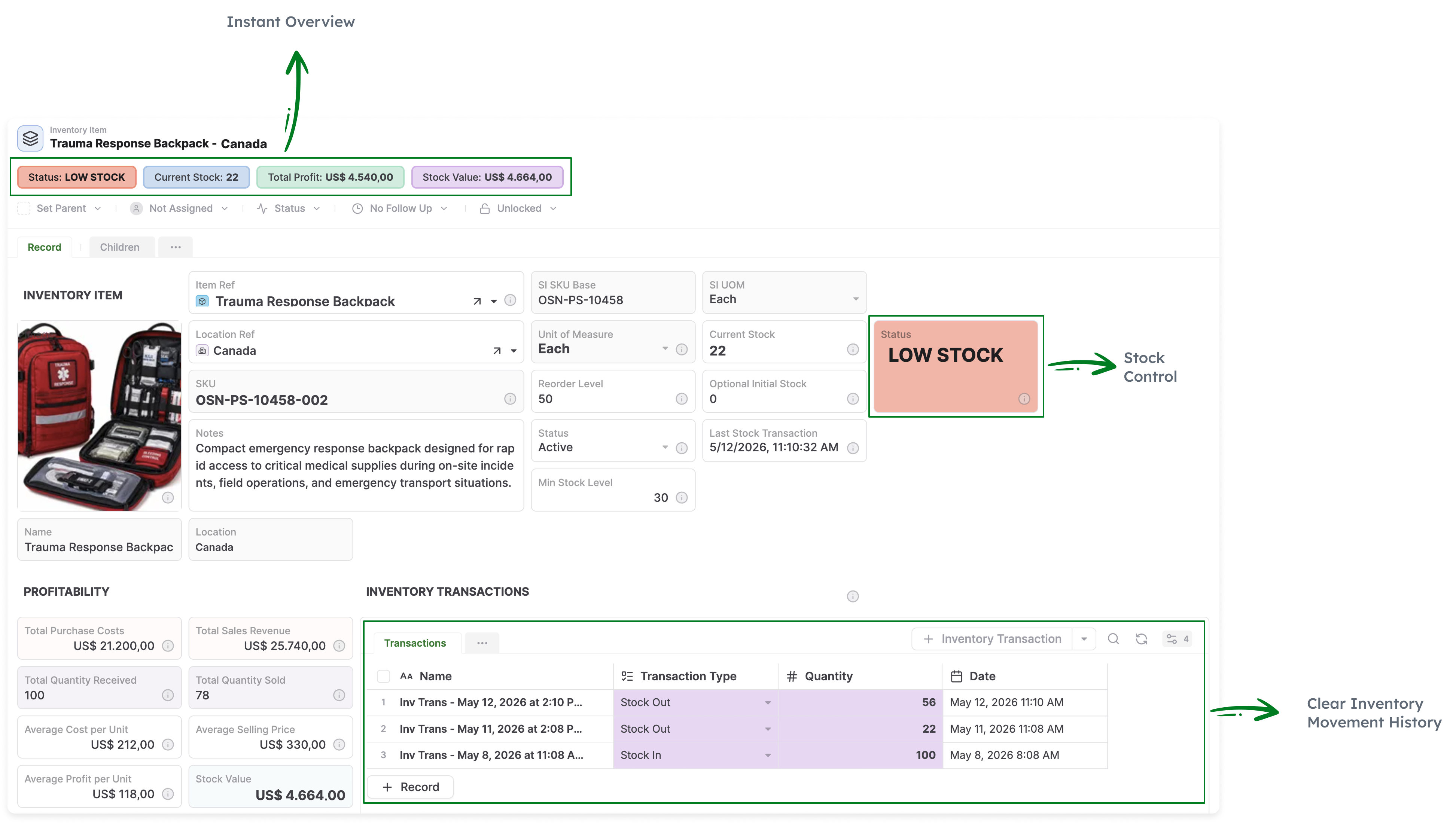
Inventory
Invoices
Employee records in AnyDB
Product LifeCycle Management PLM
Bill of materials in AnyDB
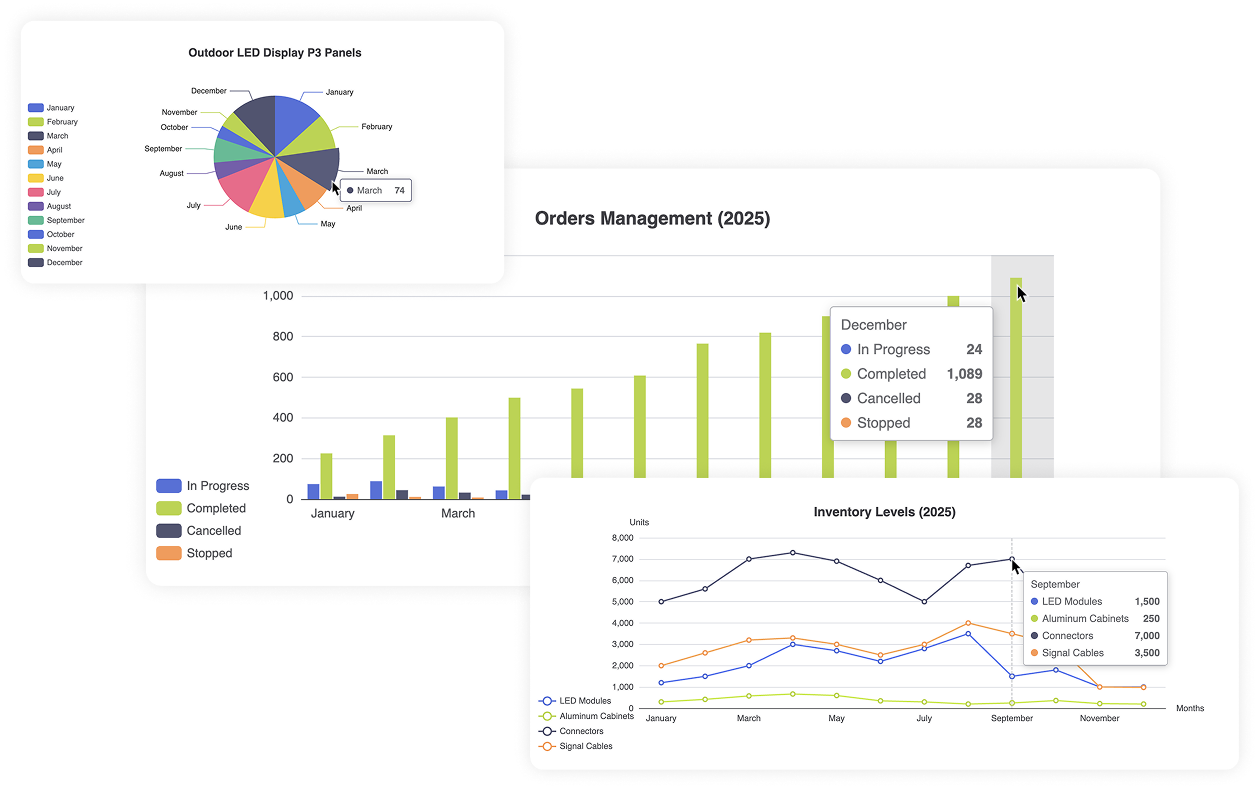
Reporting & Charts in AnyDB
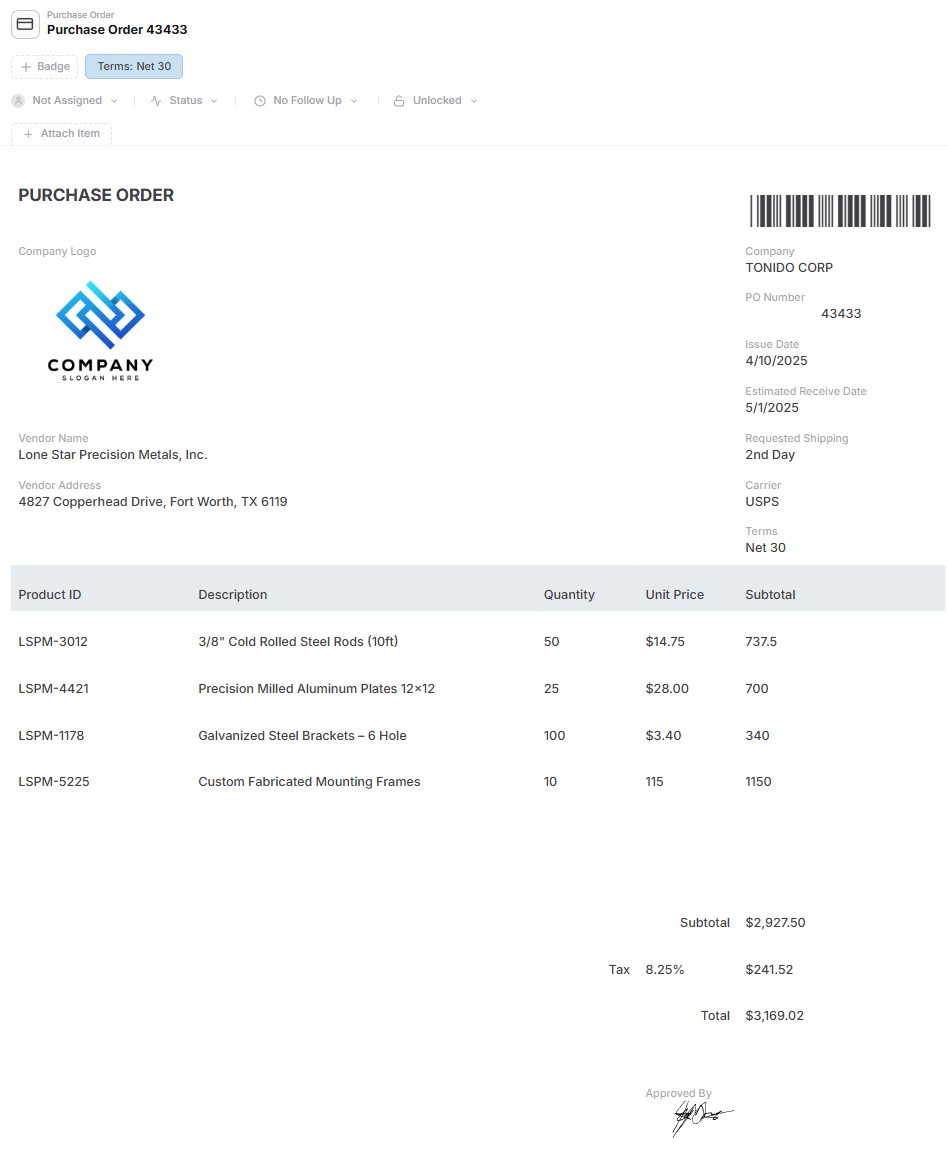
Purchase order management in AnyDB
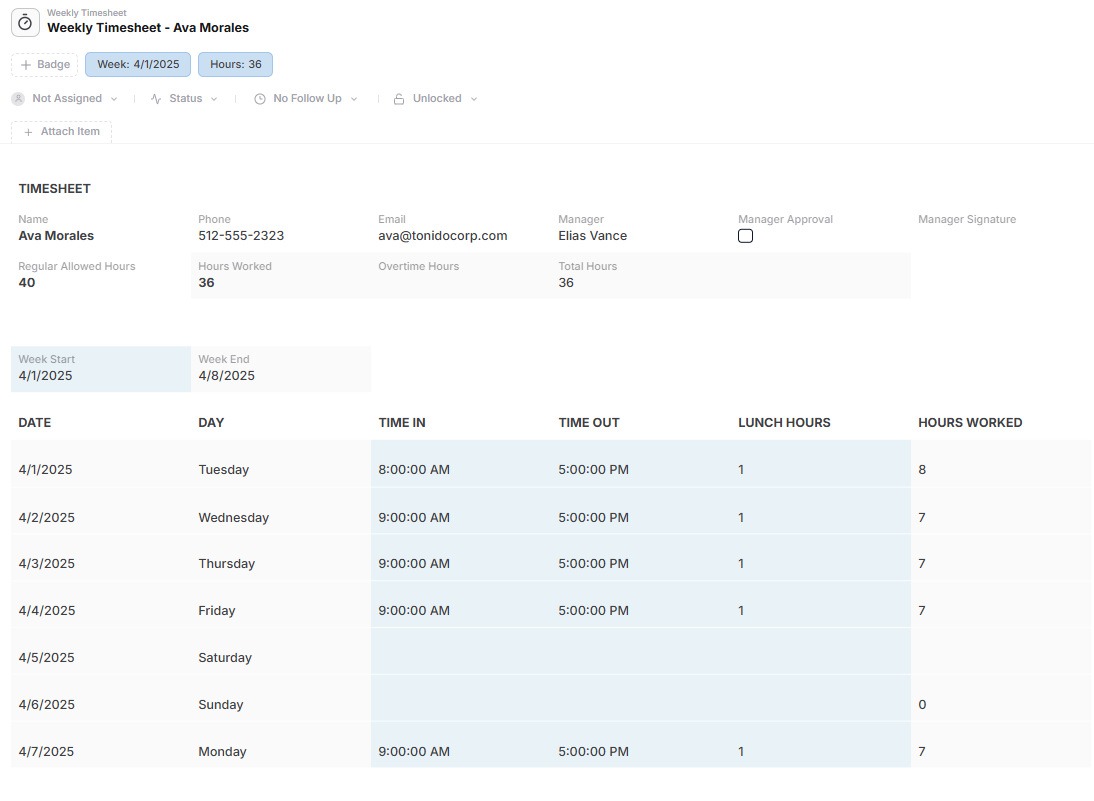
Timesheet management in AnyDB
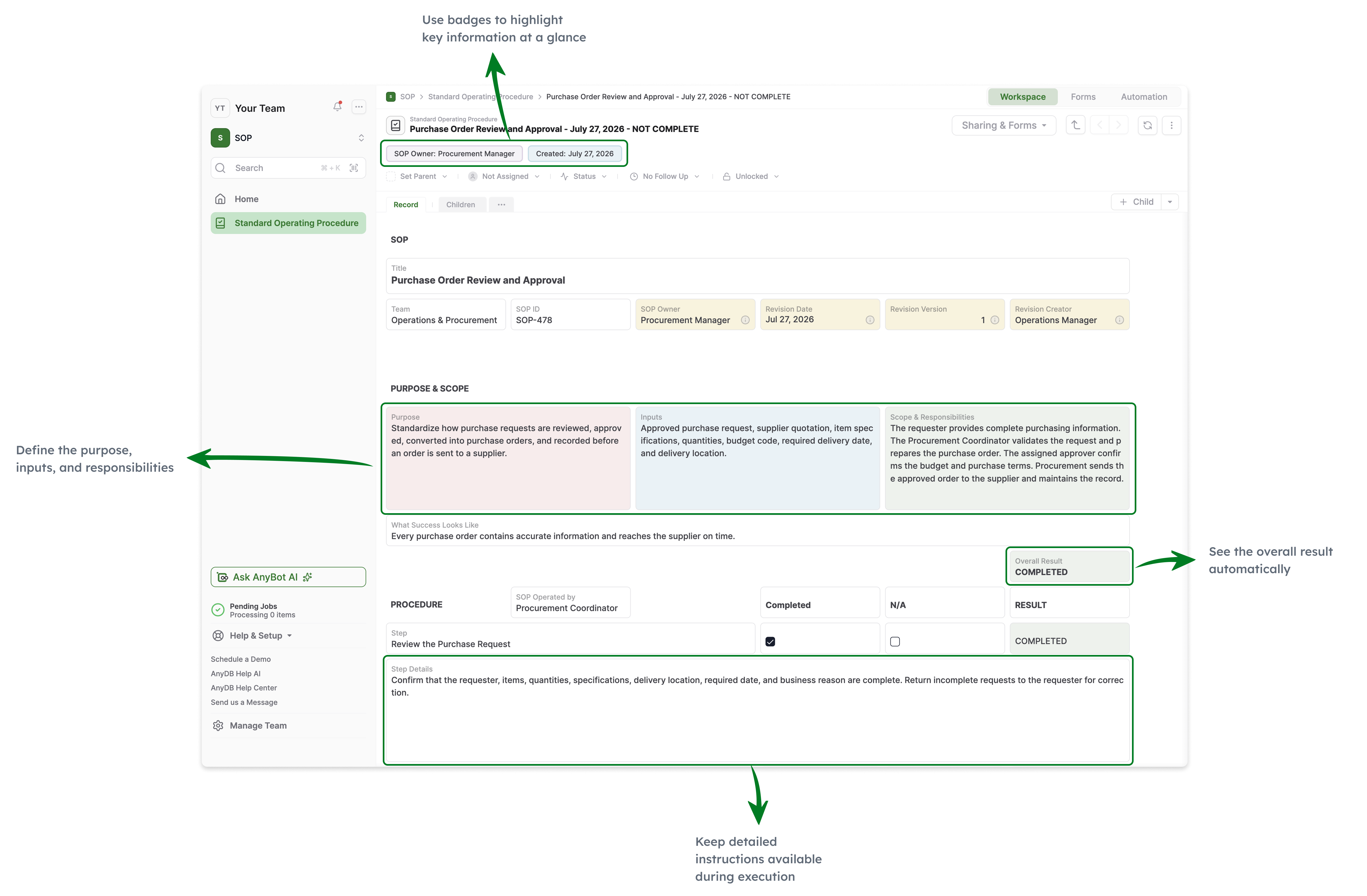
Standard Operating Procedures
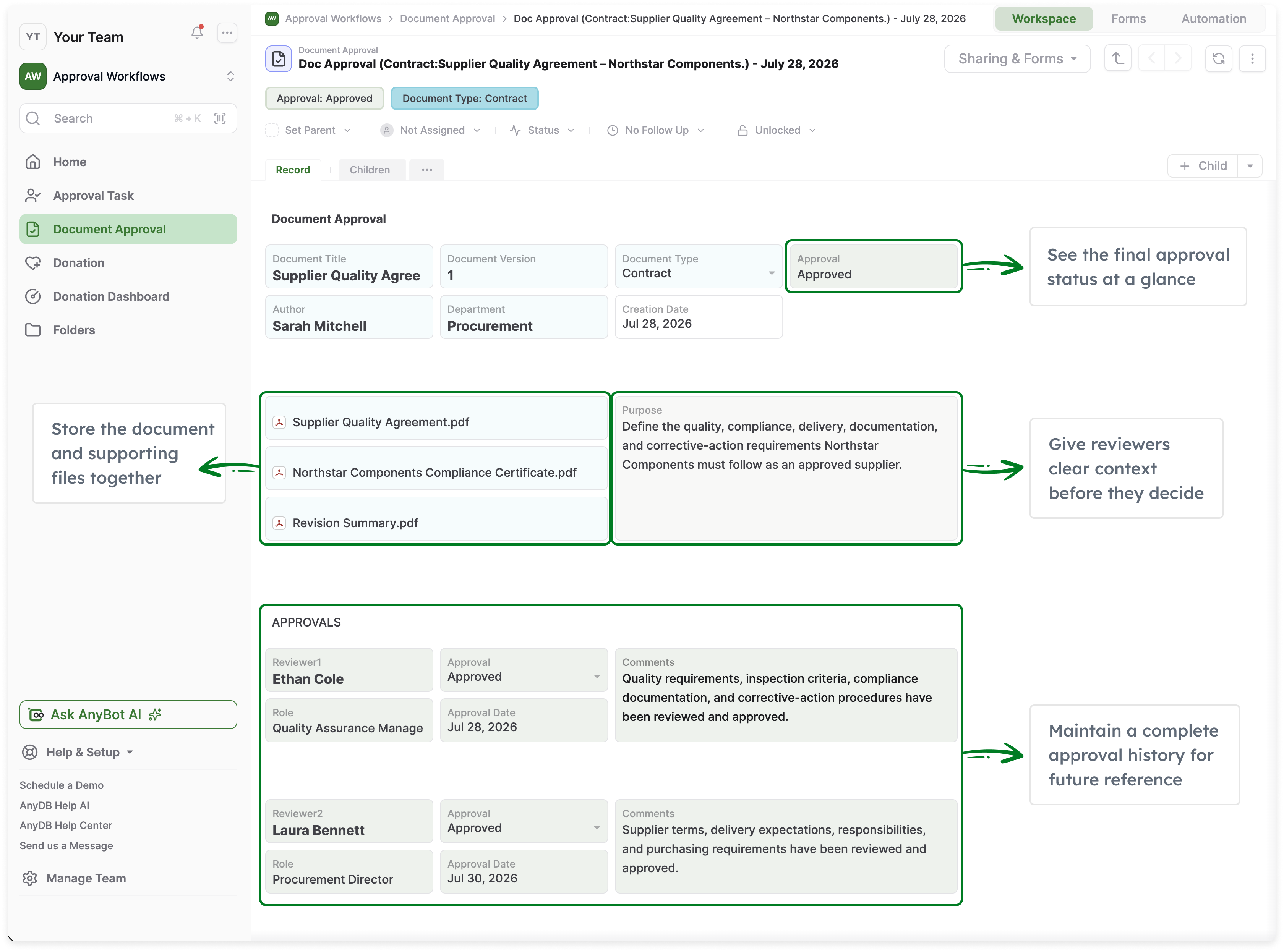
Approval workflows in AnyDB
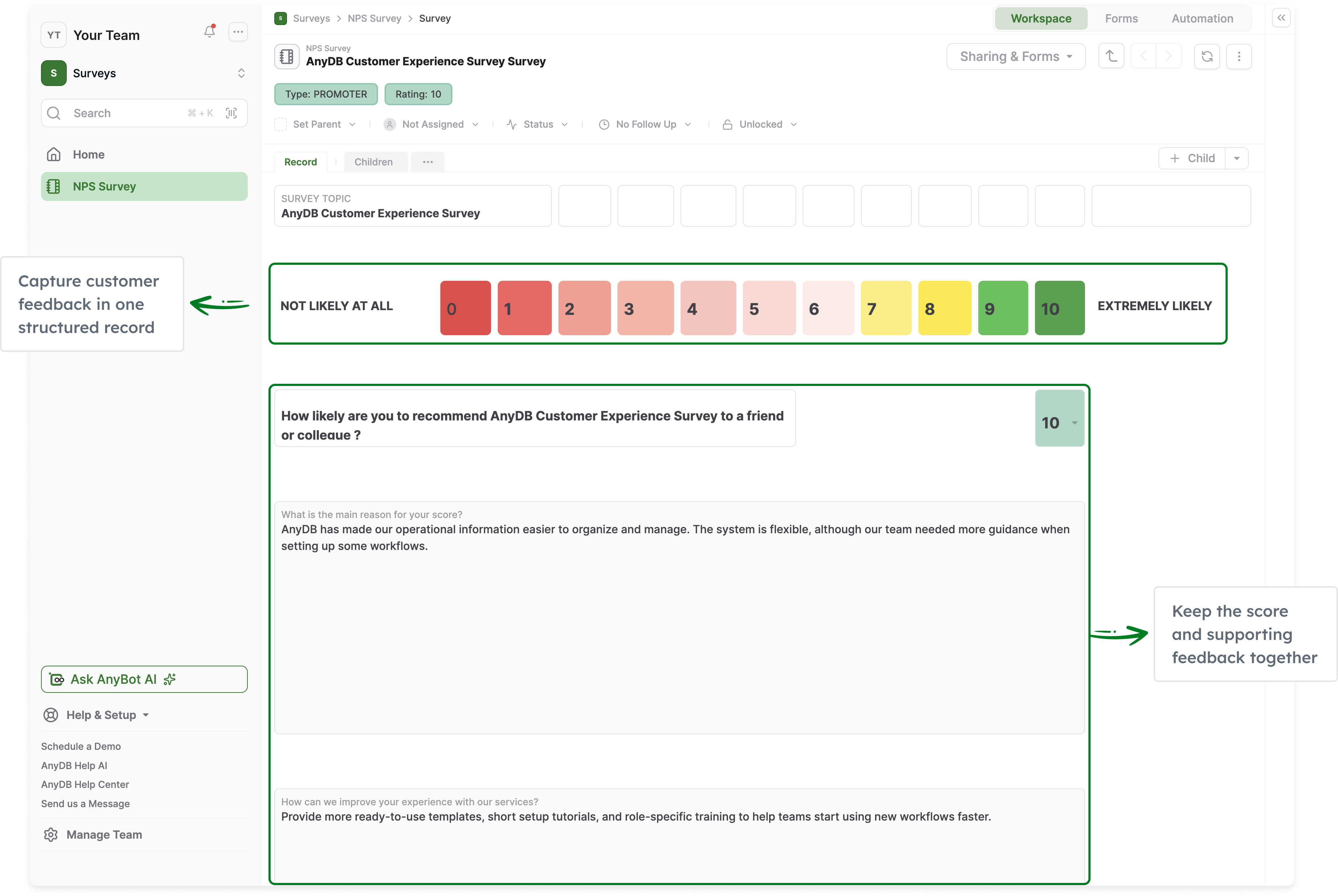
NPS survey management in AnyDB
AnyDB Records to Documents

Build Connected Operations Without a Large Enterprise Development Program

Start with one operational problem and expand into a connected system as your business grows.

Get for Free
No credit card needed!

Frequently Asked Questions

How is AnyDB different from Unqork?

Unqork is an enterprise application development platform designed for organizations building and governing sophisticated applications. AnyDB starts with connected business operations. Customers model the real things they manage, such as assets, vendors, inventory, projects, orders, inspections, and work orders, then connect those records with workflows, files, permissions, portals, documents, automation, and history.

Is AnyDB a direct replacement for every Unqork application?

No. The platforms overlap, but they are designed around different starting points. AnyDB can be a strong fit for applications centered on operational records, approvals, portals, documents, inventory, purchasing, assets, projects, inspections, compliance, and related workflows. Highly specialized enterprise applications should be evaluated individually based on their data models, integrations, security requirements, application logic, lifecycle controls, and migration needs.

Who is Unqork best suited for?

Unqork is designed for enterprises building and governing complex applications, particularly where application modernization, enterprise development, security, compliance, and structured lifecycle management are major requirements.

Who is AnyDB best suited for?

AnyDB is designed for operations leaders, business systems teams, departments, and organizations that need connected systems for inventory, purchasing, assets, maintenance, projects, work orders, approvals, vendors, compliance, documents, portals, and other operational processes.

Can we start with one process and expand later?

Yes. AnyDB is designed so organizations can start with one operational system, such as equipment management, inventory, inspections, procurement, or vendor management, and connect additional business objects and workflows over time.

Does AnyDB support complex workflows and integrations?

Yes. AnyDB supports workflows, conditions, approvals, automations, assignments, notifications, APIs, webhooks, and custom scripts. These capabilities operate around the same connected operational records.

Can external users access AnyDB?

Yes. AnyDB includes secure portals for customers, vendors, partners, contractors, and other external users. Access can be controlled around the records, files, forms, and actions relevant to each user. Guest portal users are unlimited.

Can AnyDB generate documents from records?

Yes. AnyDB can generate PDFs, Word documents, spreadsheets, reports, invoices, purchase orders, certificates, and other business documents directly from live record data.

Does AnyDB support permissions and version history?

Yes. AnyDB supports permissions across teams, workspaces, records, and fields. Record version history preserves changes over time and provides a traceable history of operational information.

Does AnyDB provide the same application lifecycle management as Unqork?

AnyDB and Unqork approach lifecycle management differently. Unqork provides advanced enterprise application development and SDLC capabilities designed for governed application releases. AnyDB is focused on making operational systems easier to configure and evolve while maintaining record history, permissions, and operational governance. Organizations requiring sophisticated development promotion, branching, merging, and release-management processes should evaluate those requirements carefully.

Can AnyDB run in our own environment?

Yes. AnyDB is available through cloud, private cloud, and self-hosted deployment options. The appropriate model depends on your security, infrastructure, integration, and administration requirements.

Can AnyDB help us migrate an existing operational application?

Yes. Share your existing application structure, data exports, documentation, integrations, and workflows. The AnyDB team can help map the records, relationships, permissions, automations, documents, and migration stages needed to create the first working system in AnyDB.

“`