
Stockouts & Excess Stock
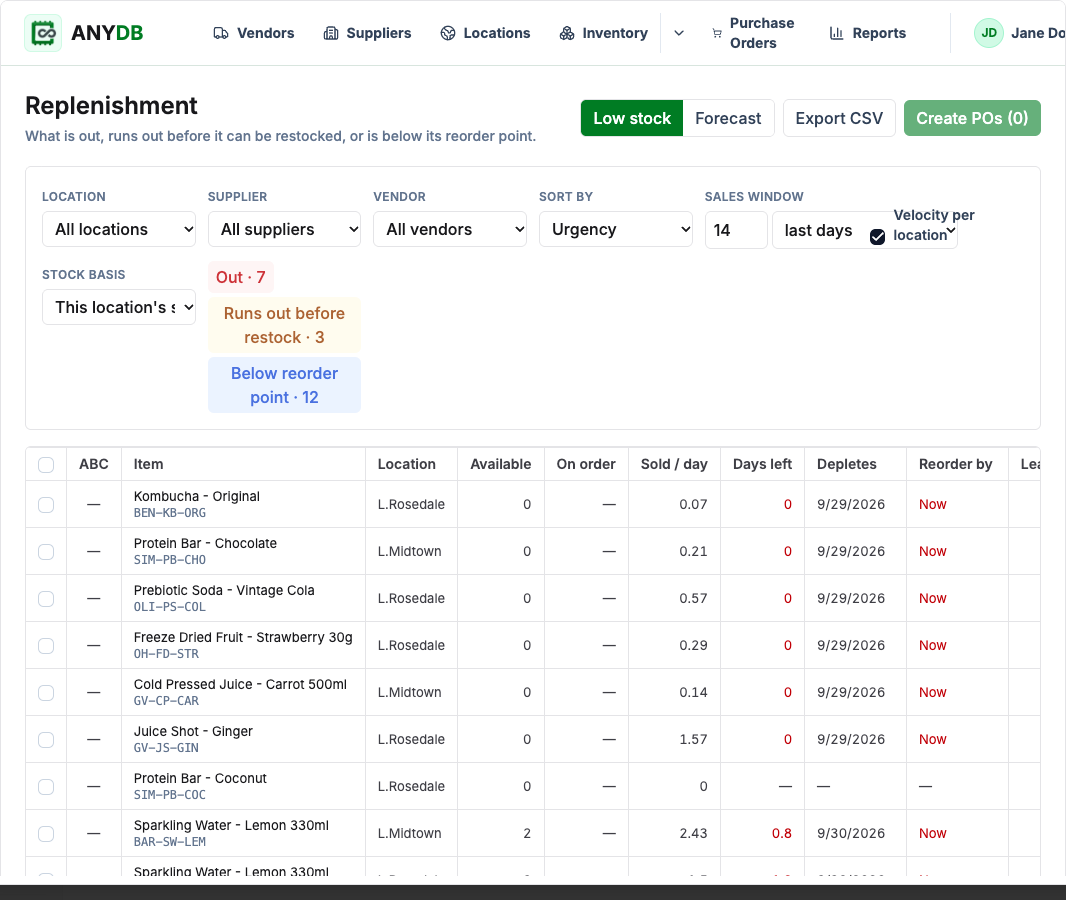
Spot items that are out, below their reorder point, or likely to run out before a supplier can deliver.
Keep purchasing and inventory work connected to your Shopify store. The AnyDB Inventory app uses products, variants, orders, inventory levels, and locations brought in by the AnyDB Sync App for Shopify.
Manage supplier costs, purchase orders, SKU scanning at receiving, transfers, stocktakes, replenishment suggestions, and reports in one workspace. Import Stocky CSV exports to bring key history with you.
Need help? We’ll help you set up your inventory system at no cost.
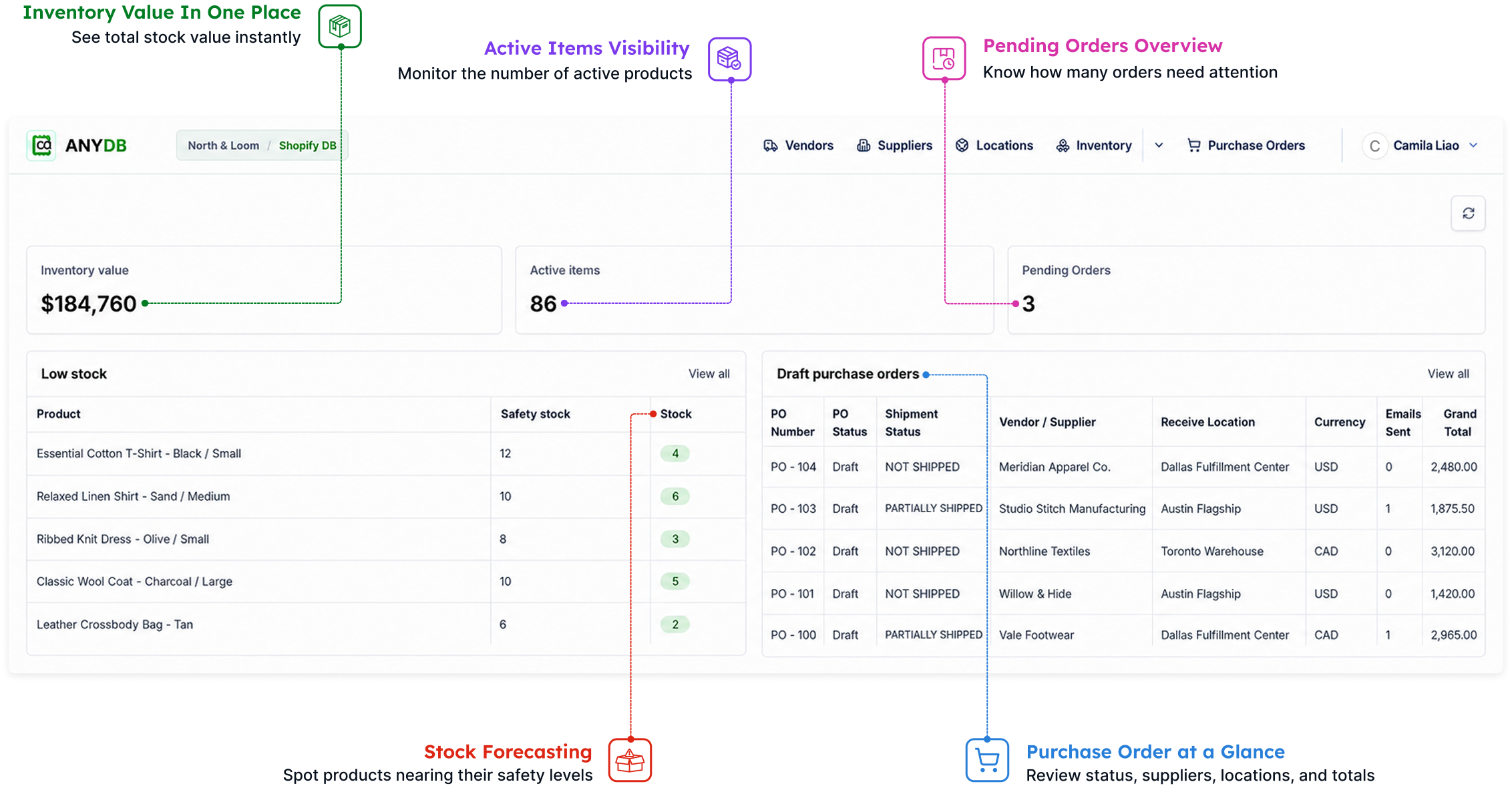
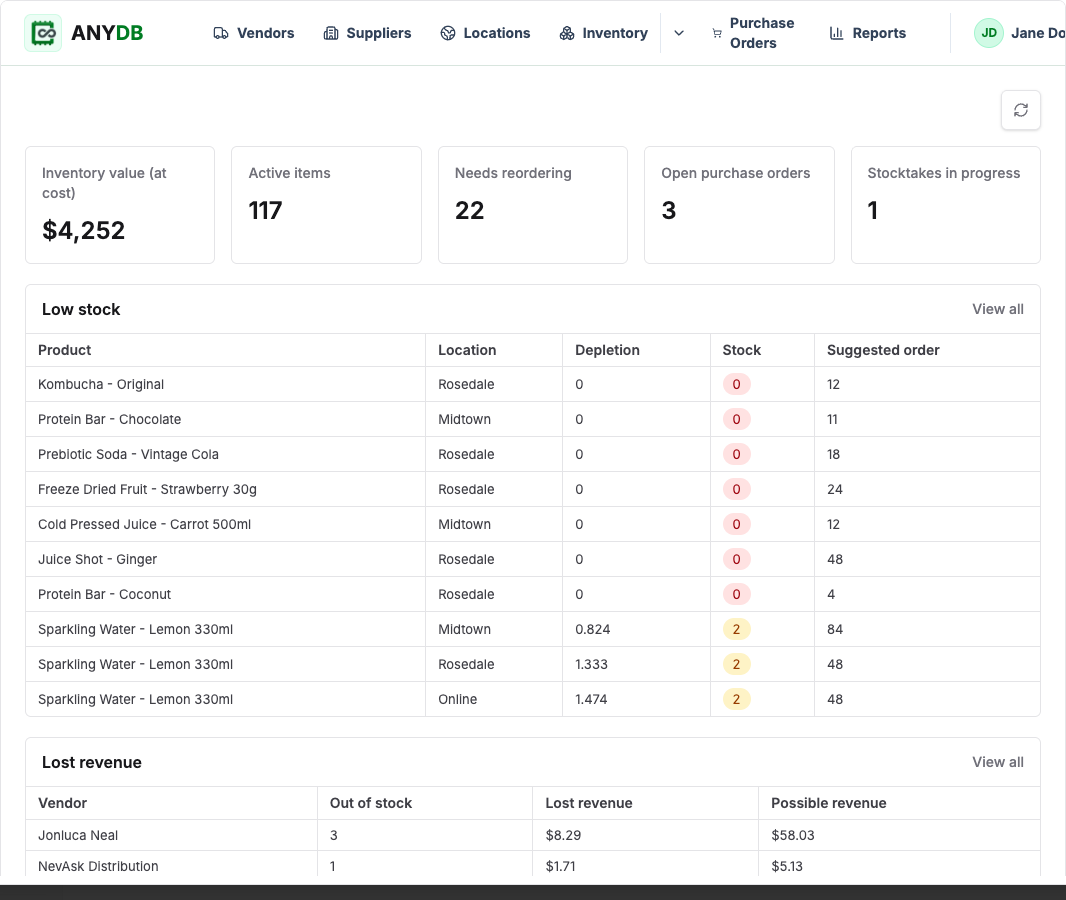
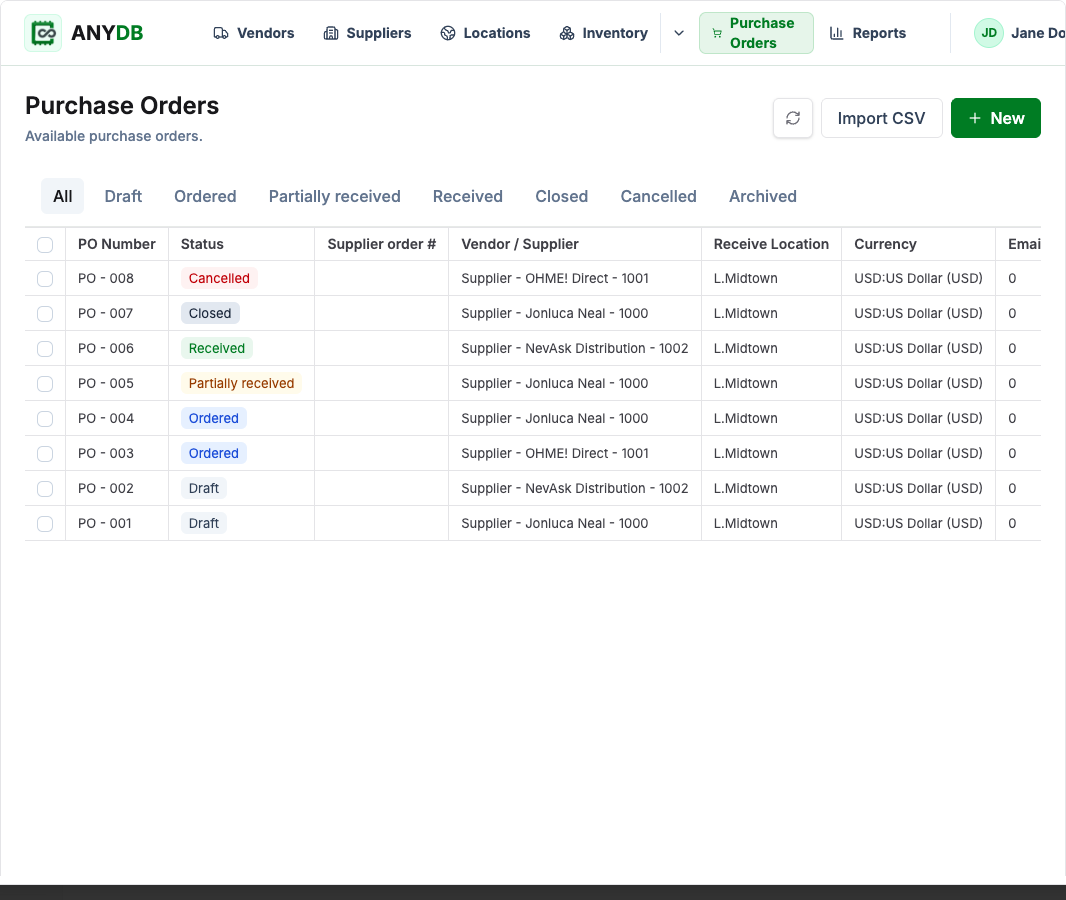
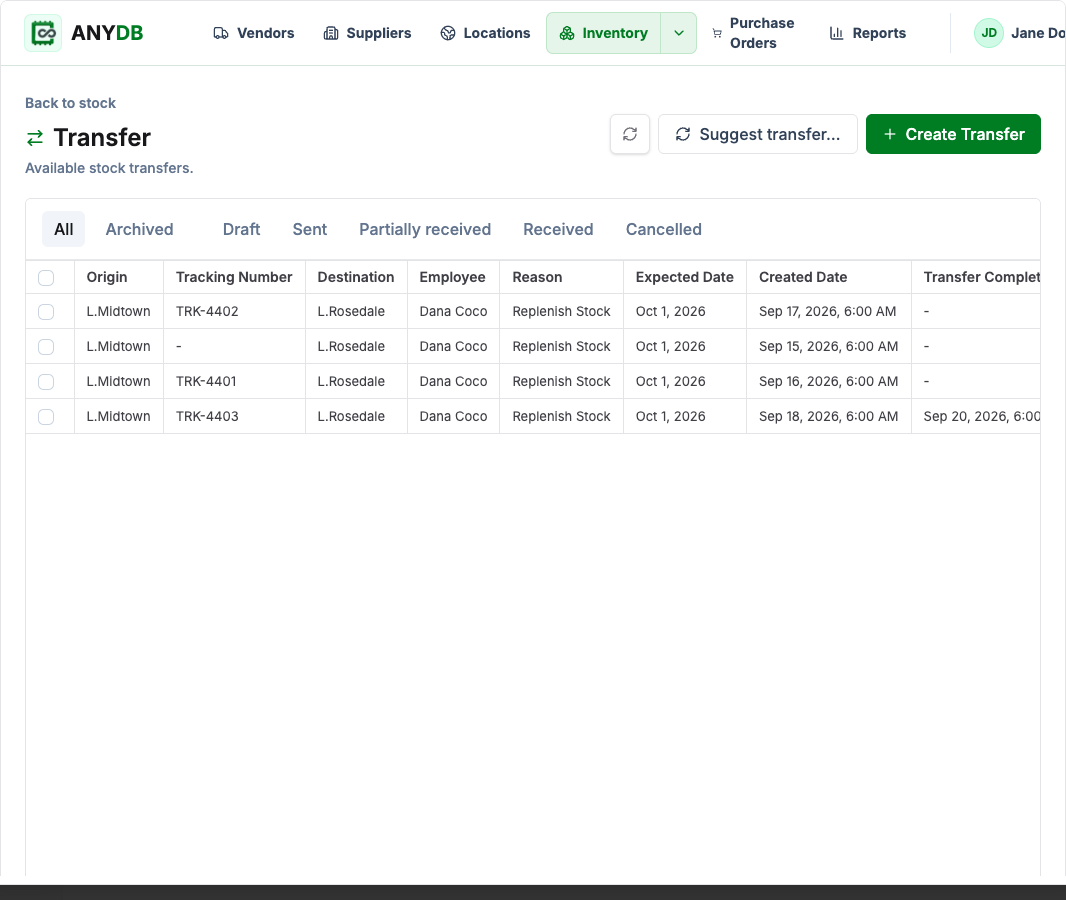
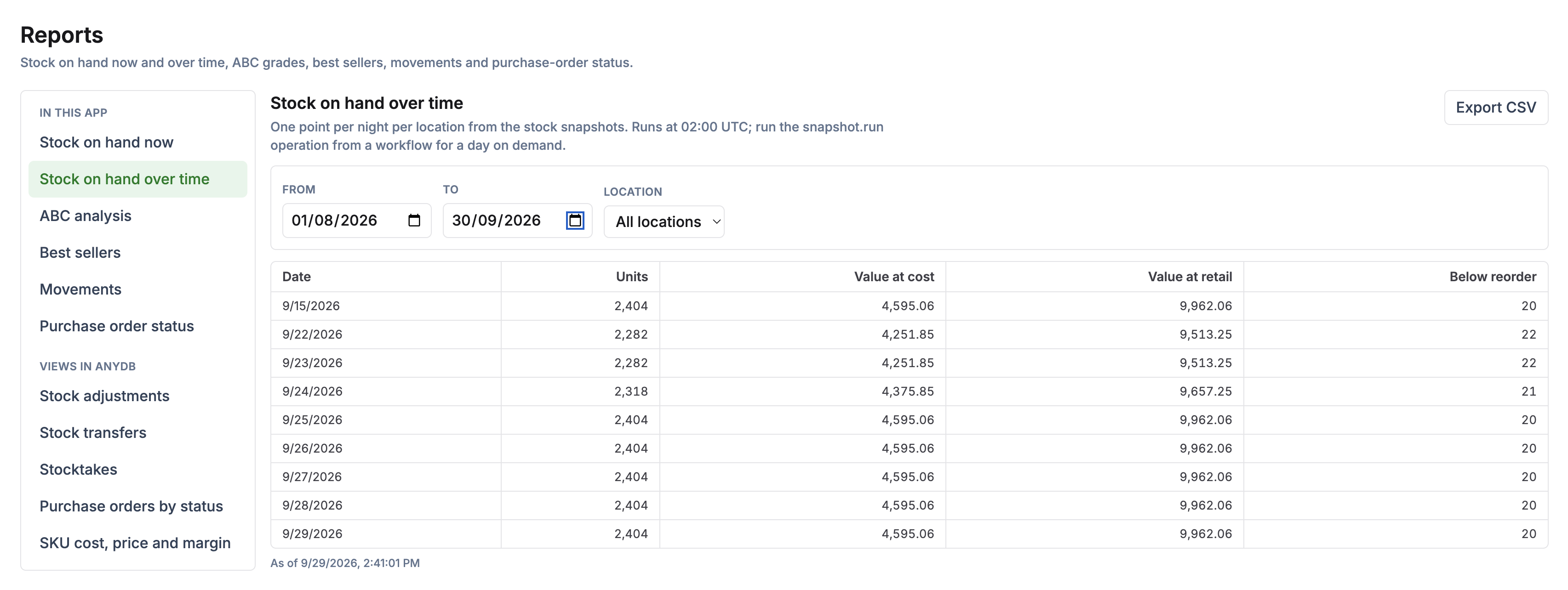
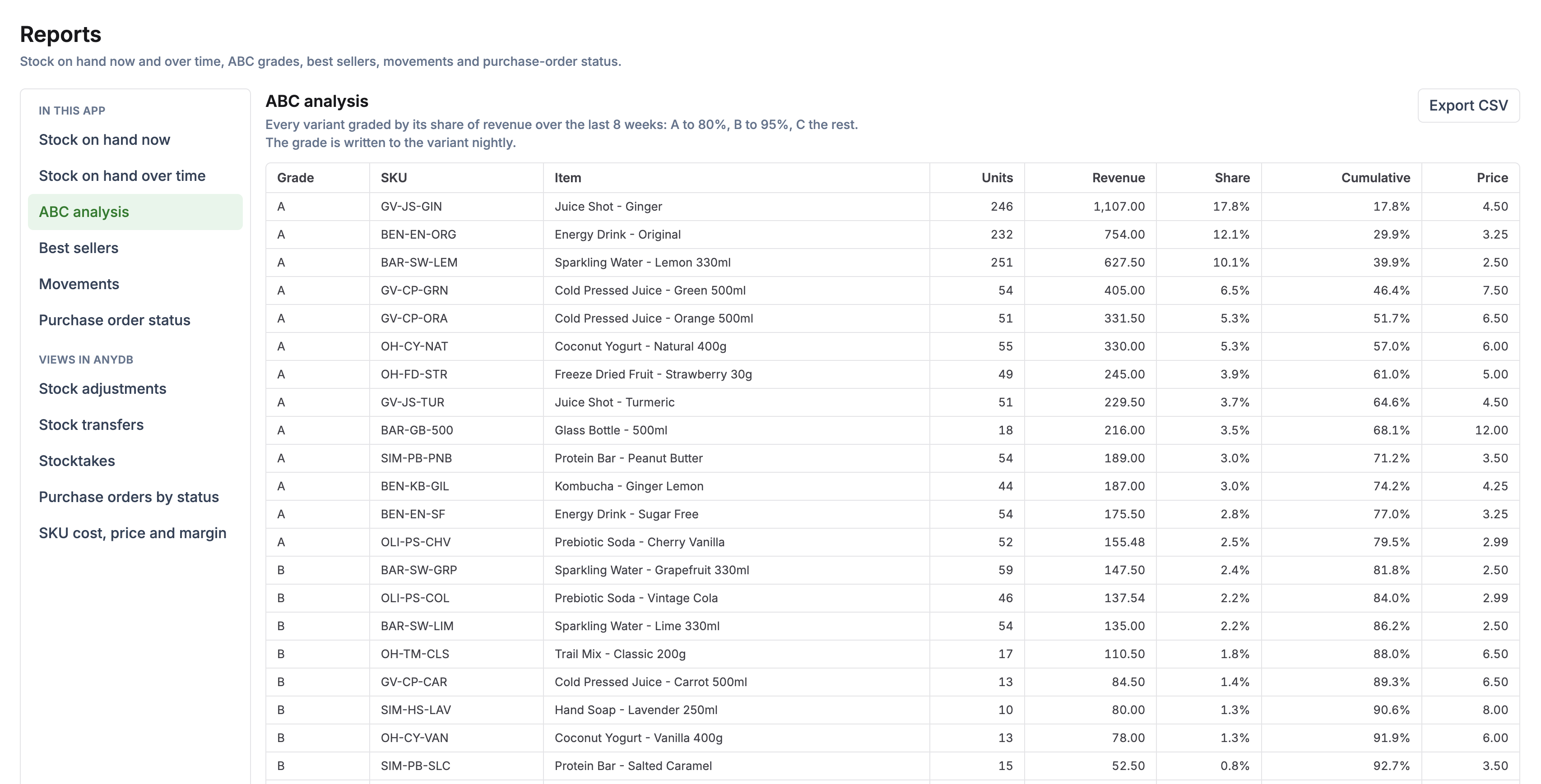
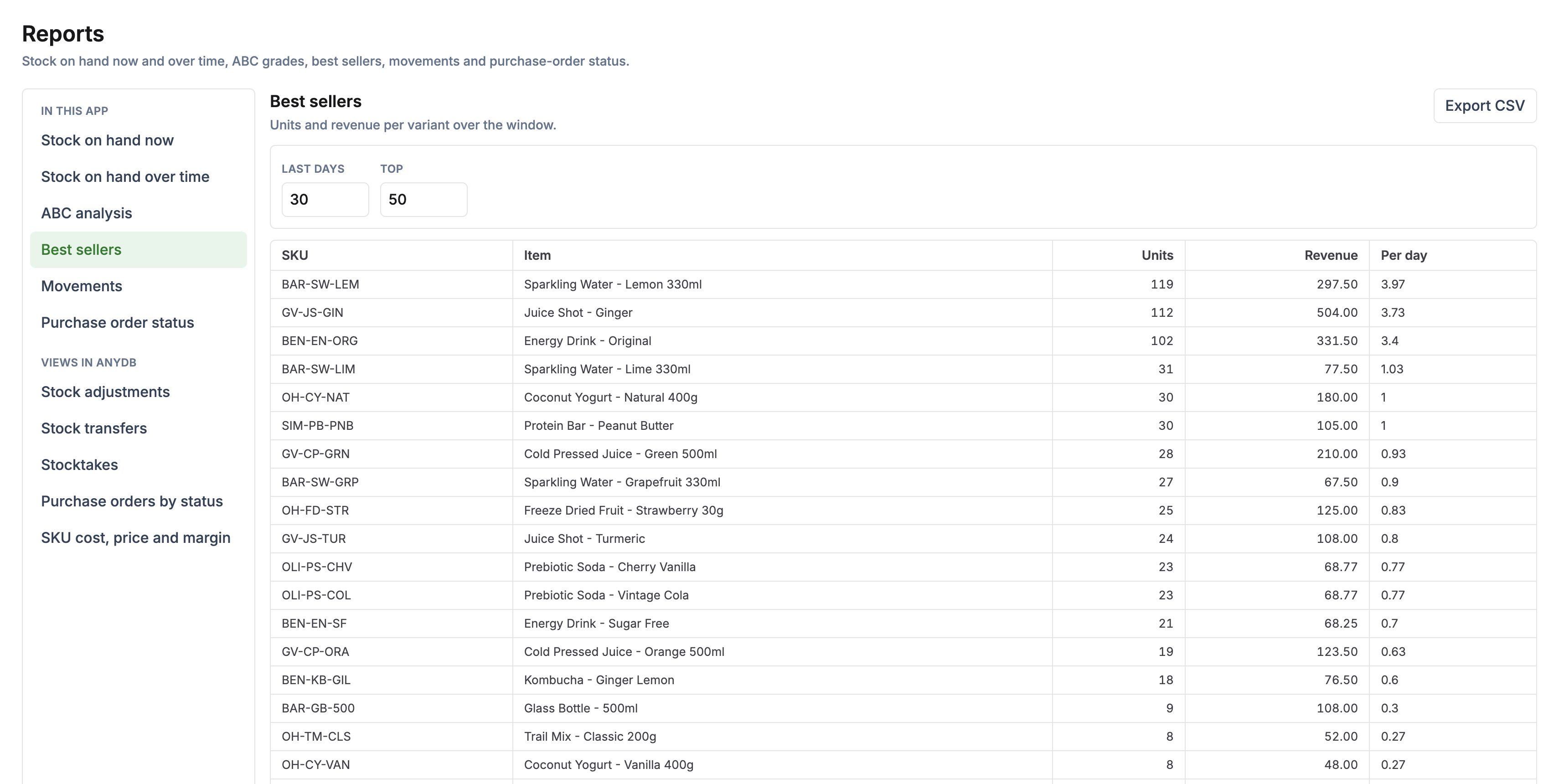
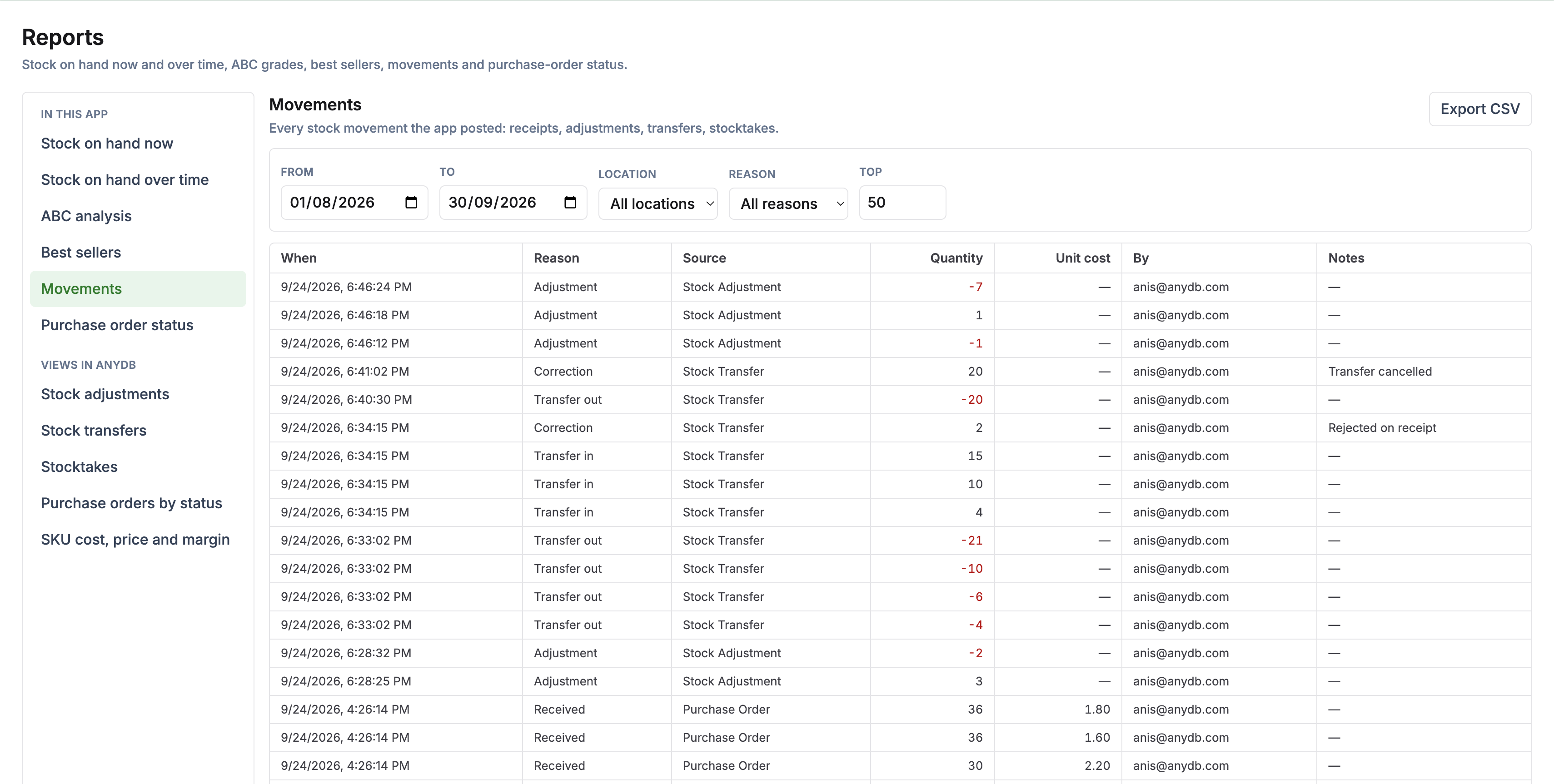
See what needs ordering, what is on its way, and where stock actually sits across your locations.
Spot items that are out, below their reorder point, or likely to run out before a supplier can deliver.
Keep supplier item lists, unit costs, lead times, minimum orders, and payment terms together.
Record partial deliveries, rejected units, and extra units as stock arrives.
Track what has left one location and what has actually been received at another.
See each app-made stock change with its reason, time, and responsible person.
Start free, build the system yourself, or have our team build and manage it for you.
The Shopify Sync App brings store data into the workspace. The Inventory app uses those records for purchasing, receiving, replenishment, transfers, counts, and reporting.
Connect a Shopify store and let the sync populate the workspace with the product, variant, location, inventory-level, and order types.
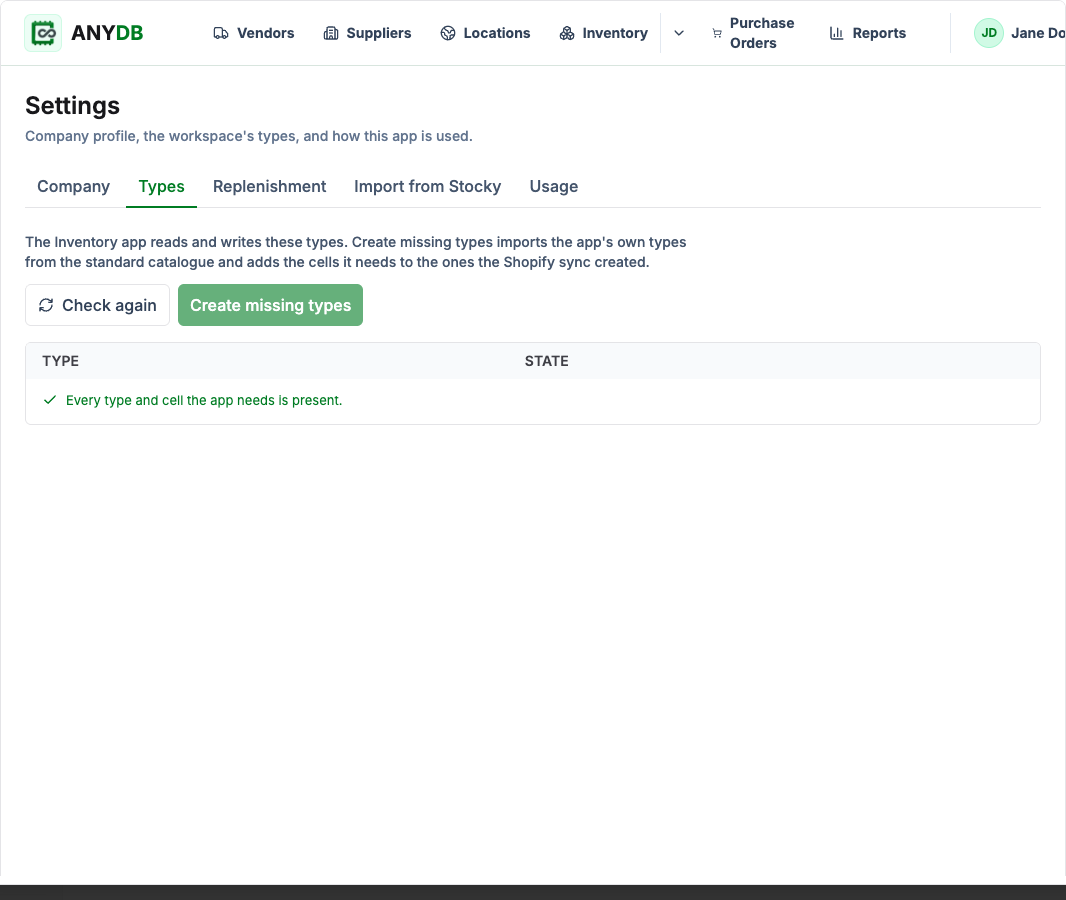
A team owner installs the Inventory app, binds the workspace, and creates any missing Inventory types and fields in Settings.
Inventory stores its work as ordinary AnyDB records, available in views, reports, and automations.
Start with the Inventory app’s core workflows, then customize the underlying AnyDB records as your operation evolves.
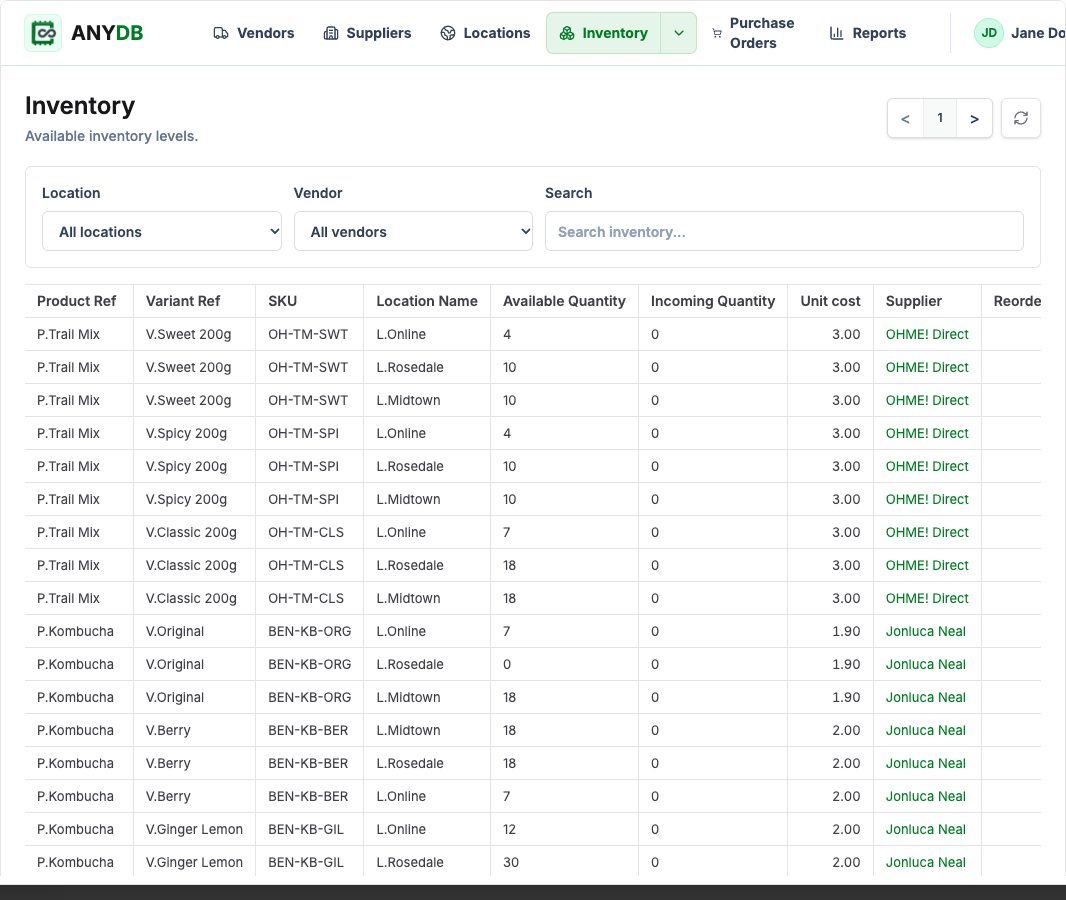
See quantities, supplier, unit cost, and reorder settings for every variant at every location.
2Build supplier POs from replenishment suggestions and receive stock by SKU.
3Forecast demand and create draft POs per supplier and location.
4Correct, transfer, count, and trace stock changes.
5Review inventory performance and import Stocky CSV history.
Run daily inventory work in a dedicated interface while keeping its records available across AnyDB.
Use Shopify-synced products, variants, locations, inventory levels, and orders as the starting point.
Consider sales rate, supplier lead time and minimum order, pack sizes, and stock thresholds.
Draft POs by supplier and location, send a PDF or email, and receive full or partial deliveries by SKU.
Track dispatched and received stock between locations, then count and post discrepancies.
Review stock value, ABC analysis, best sellers, and movements; import Stocky cost lists, POs, and stocktakes.
The Inventory screen lists available and incoming quantities, unit cost, and supplier for each variant at each location. Open a row for its history and stock thresholds.
Filter by location or vendor and inspect stock for a specific variant.
Set reorder points, minimum stock, and maximum stock for replenishment.
See what changed, when, why, and by whom for app-made stock changes.
Manage brands as vendors and purchasing partners as suppliers. Supplier records hold item costs, lead times, minimum order values, and payment terms.
Keep each supplier’s products and costs alongside purchasing terms.
Track Draft, Ordered, Partially received, Received, Closed, Cancelled, and Archived orders.
Add accepted units to the destination location, even when a delivery arrives in parts.
See items already out of stock, below the reorder point, or projected to run out before an order can arrive. Forecast demand using a chosen sales window.
Find urgent needs based on on-hand stock and expected demand.
Use sales rate, reorder point, minimum stock, supplier lead time, minimum order, and pack size.
Turn selected suggestions into purchase orders or export the list as CSV.
Correct stock with a reason, transfer it between locations, or count part or all of a location. Inventory Movement records give each app-made change a history.
Correct a location’s stock with a recorded reason.
Stock leaves the origin when sent and reaches the destination when received; suggested transfers can use spare stock elsewhere.
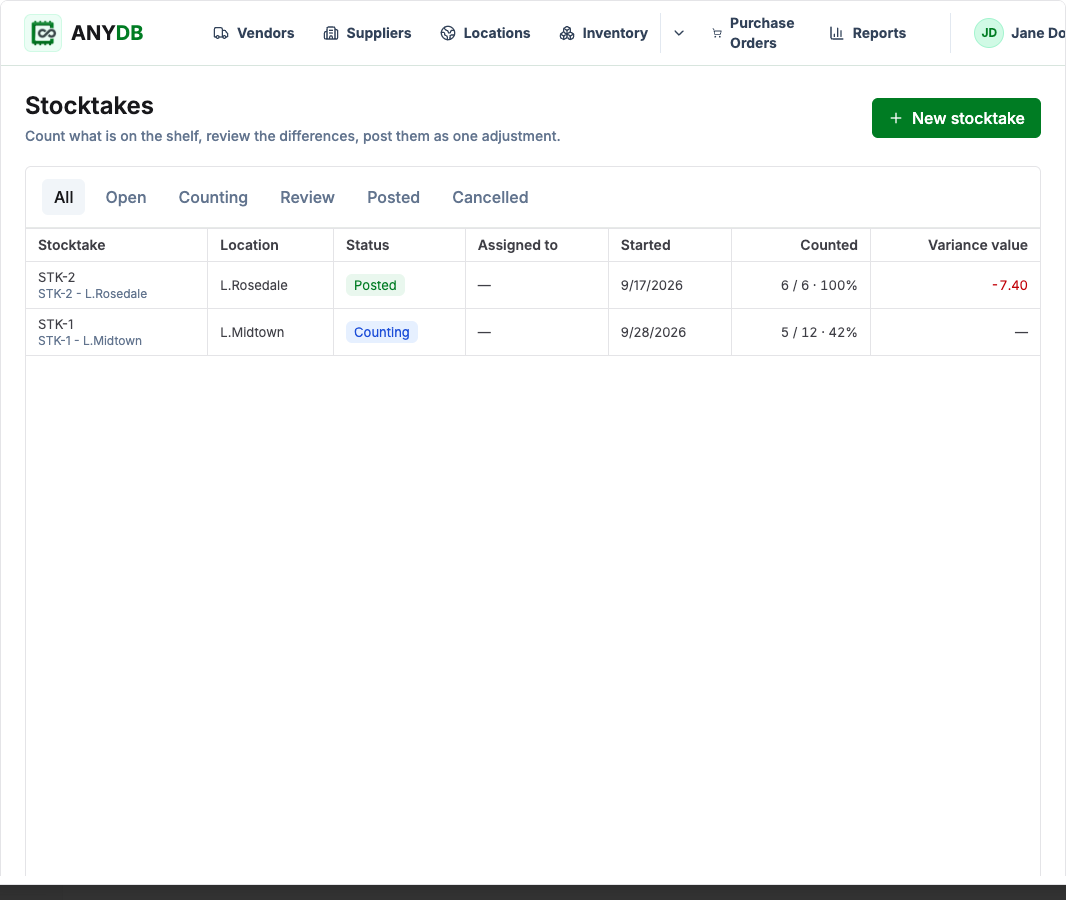
Count selected items or a whole location and post all reviewed differences as one adjustment.
Import key Stocky exports, then use Inventory reports and AnyDB views to follow quantities, costs, sales, movements, and purchasing.
Re-importing a file updates matched data instead of creating duplicates.
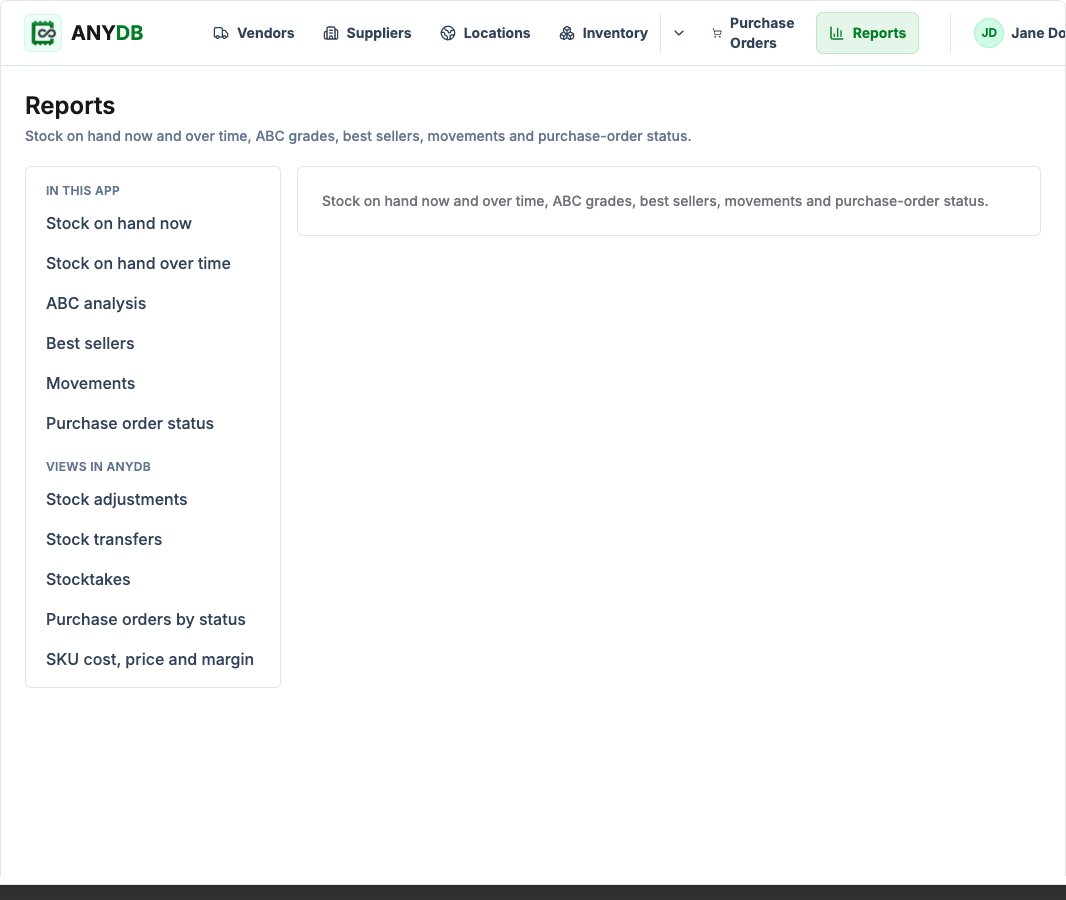
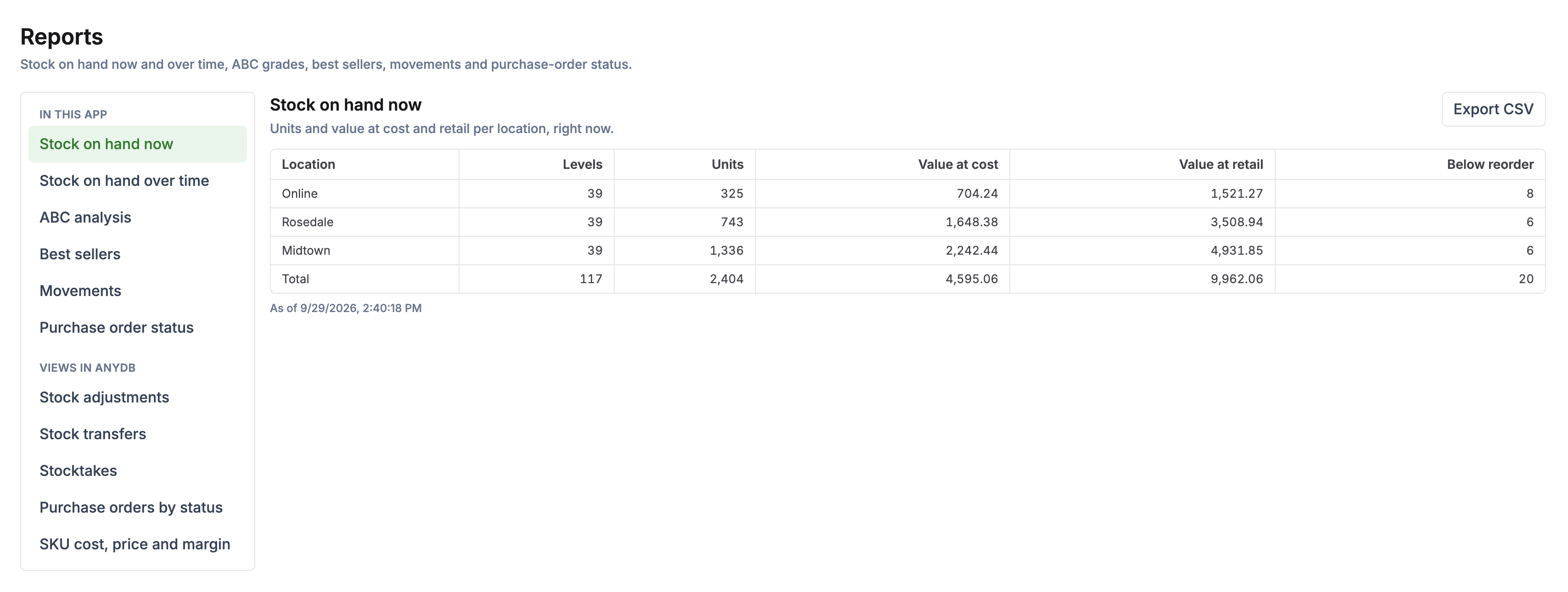
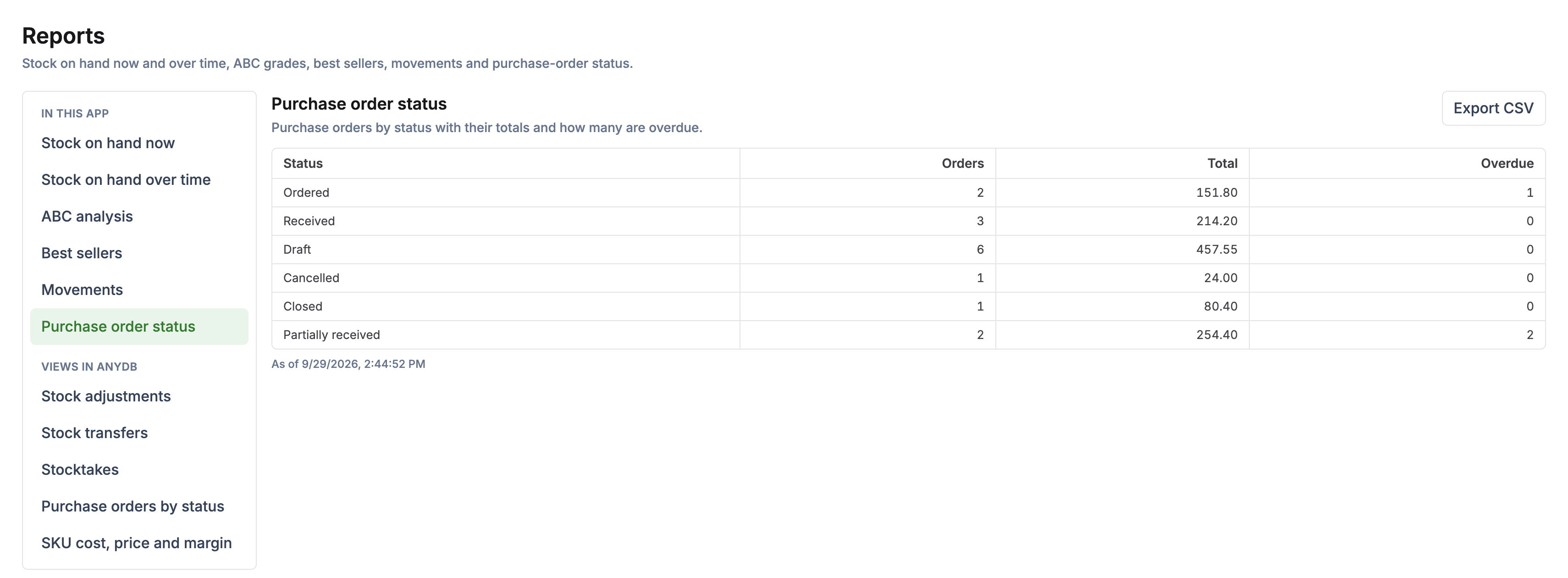
See current stock, stock over time, ABC grades, best sellers, movements, and PO status; filter and export CSV.
Open adjustments, transfers, stocktakes, and SKU cost, price, and margin in workspace views.
The app’s inventory information is stored as ordinary workspace records that can support other workflows.
The Shopify sync provides the store data. Inventory adds purchasing, movement, counting, and reporting records around it.
The SKU and item you stock, sell, receive, and count.
A variant at a location, with available and incoming quantities and stock thresholds.
A supplier’s item and cost, used with lead time and purchasing terms.
Supplier, location, lines, statuses, and received quantities.
A record of an app-made stock change, with the time, reason, and person.
Download a purchase order as PDF, email it when Inventory email is configured, and export filtered Inventory reports as CSV.
Set up the Shopify sync first, install Inventory in the connected workspace, and run purchasing and stock workflows on the synced records.
Keep the stock decisions and day-to-day work visible across purchasing and locations.
See available and incoming stock for each variant and location.
Use sales and supplier lead times to identify what needs ordering.
Follow an order from draft through partial delivery and final receipt.
Review adjustments, transfers, stocktakes, and Inventory Movement records.
Bring supplier costs, POs, and stocktake history in from CSV exports.
Connect Shopify, learn how Inventory works, and see how a retailer manages multi-location operations.

Install the Sync App for Shopify and bring your store records into an AnyDB workspace.
Download It Now
See setup, replenishment, purchase orders, transfers, stocktakes, reports, and Stocky import.
Read It
See how a multi-location retailer connected forecasting, purchasing, transfers, expiry tracking, and reporting.
Check It Out
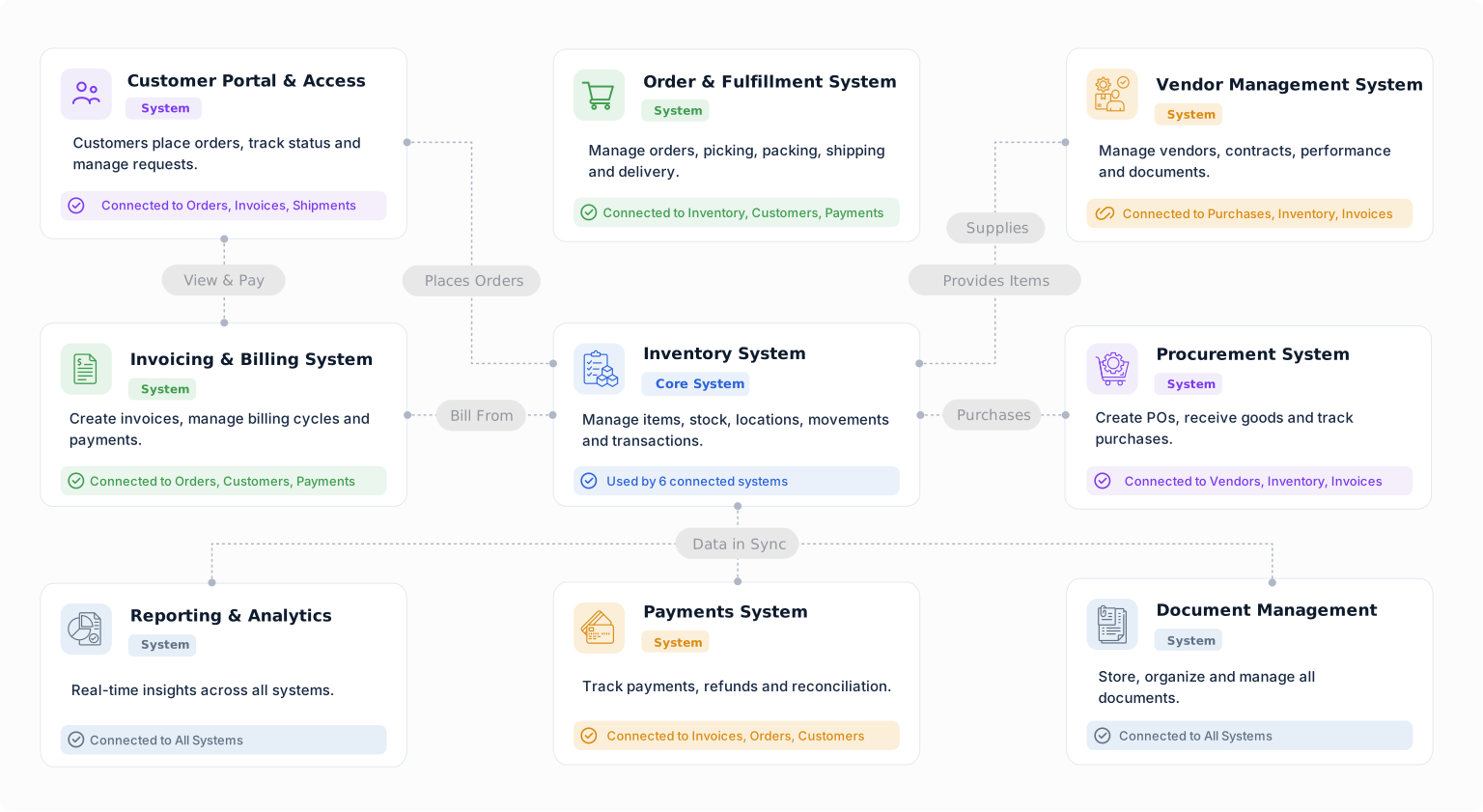
Build a starting point for Shopify inventory operations with objects from the Business Object Library. Customize their fields, relationships, forms, views, and workflows around the way your team works.
Track an item at a location, warehouse, bin, or condition.
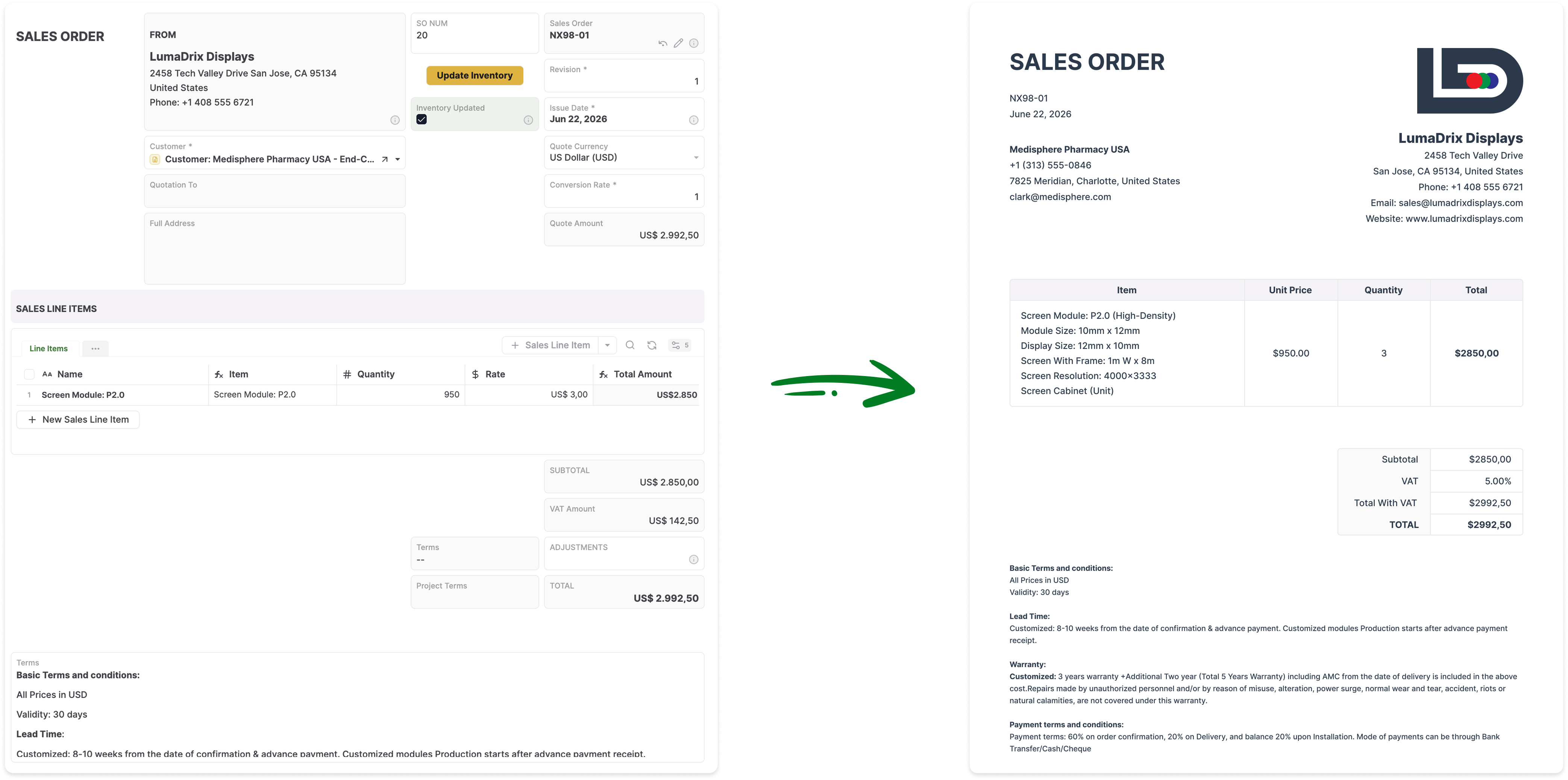
Connect supplier orders with line items, delivery details, and receipts.
Record incoming goods and connect deliveries to vendors and purchase orders.
Track inventory moving between locations.
Organize physical inventory counts and review recorded quantities.
Keep supplier details connected to sourcing, purchases, and deliveries.
Manage replenishment, purchasing, receiving, transfers, counts, and reporting in a system connected to your Shopify store.


