NocoDB Alternative
Built for Business Operations

Build a custom operational system around your business processes, records, files, approvals, documents, portals, and execution history.

Unlimited guest accounts, unlimited records, built-in portals, and document generation.

Build My First Workflow
Book a demo and let us set up AnyDB for you. Free of charge!

What can you build with AnyDB?

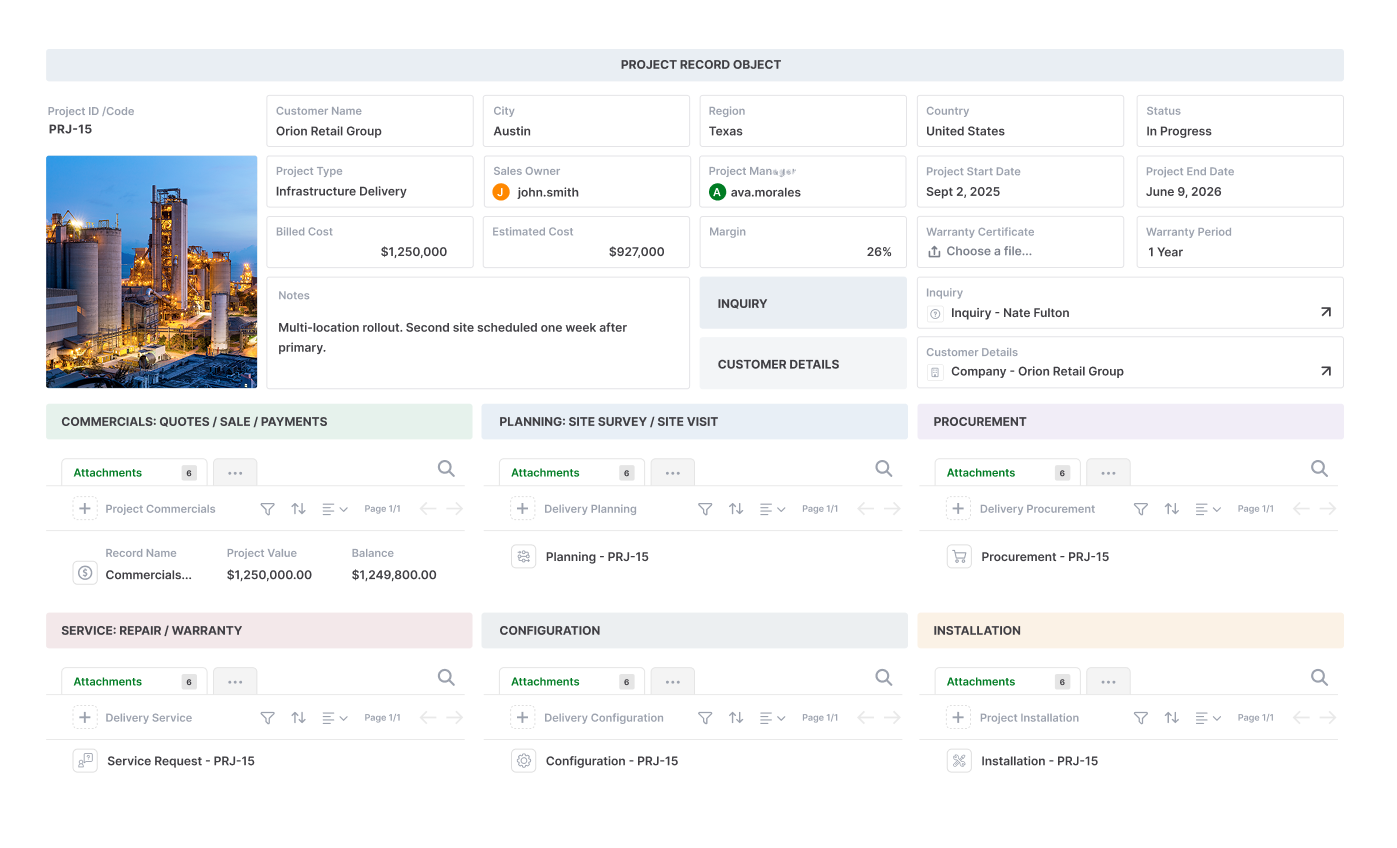
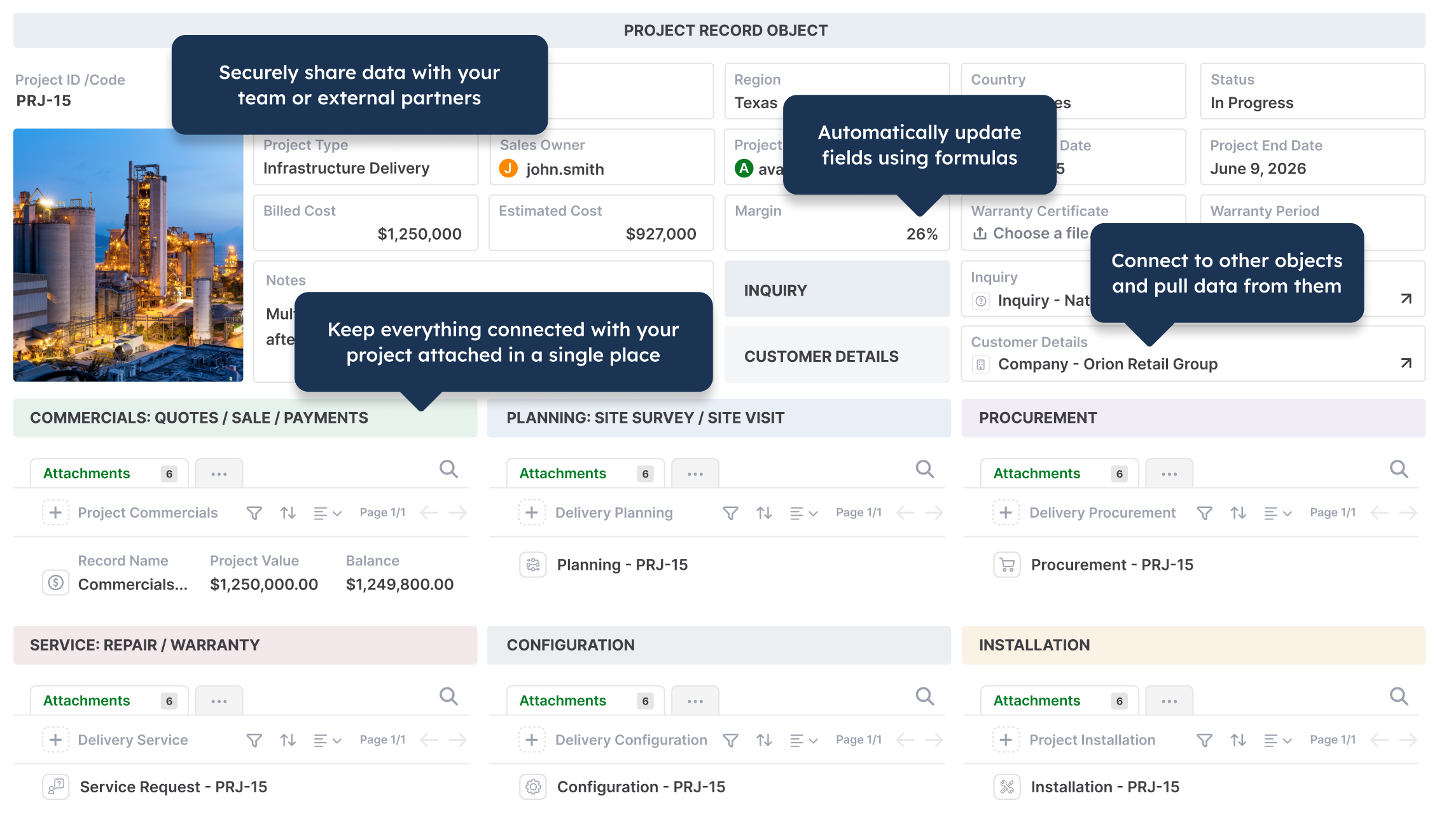
  • Operations Projects
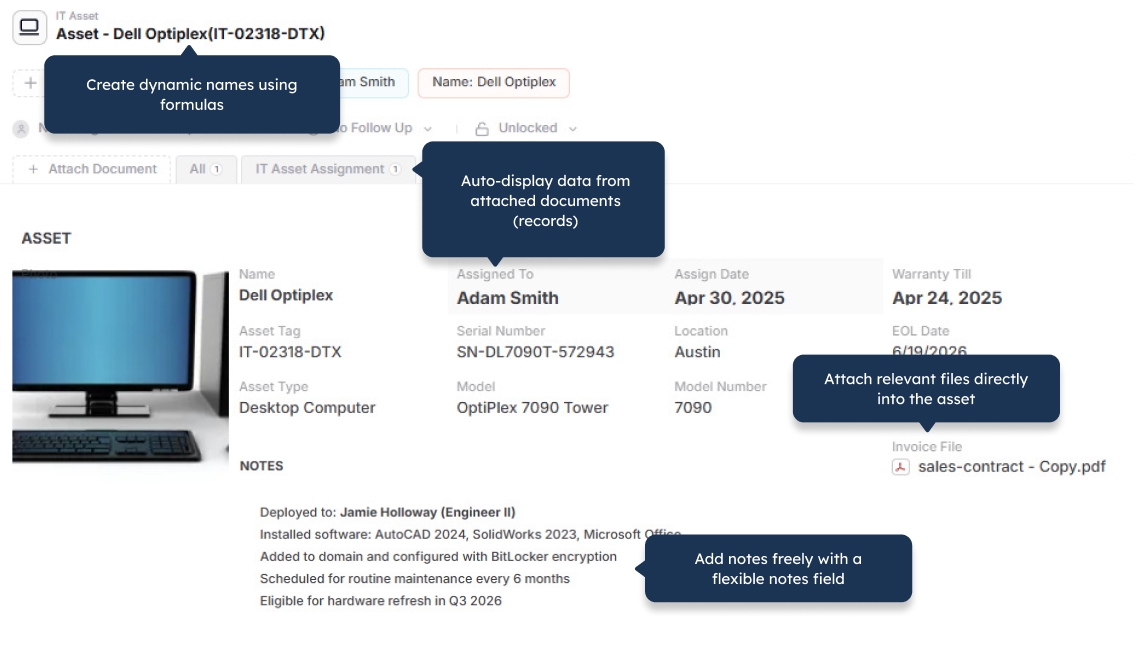
  • IT Asset Management
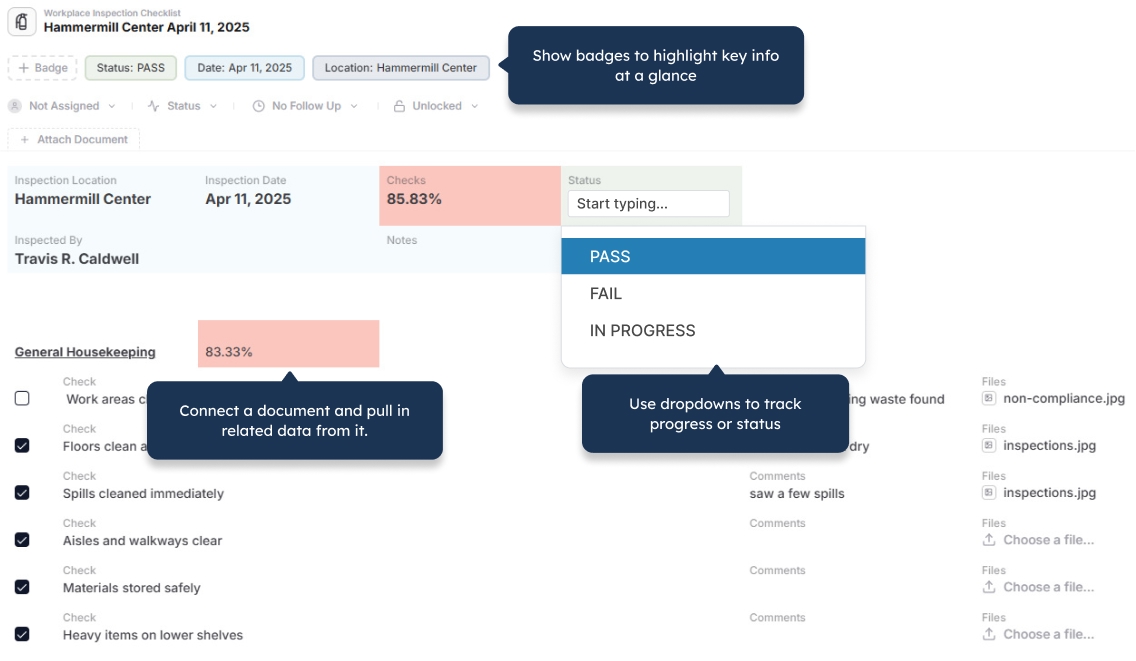
  • Workplace Inspections
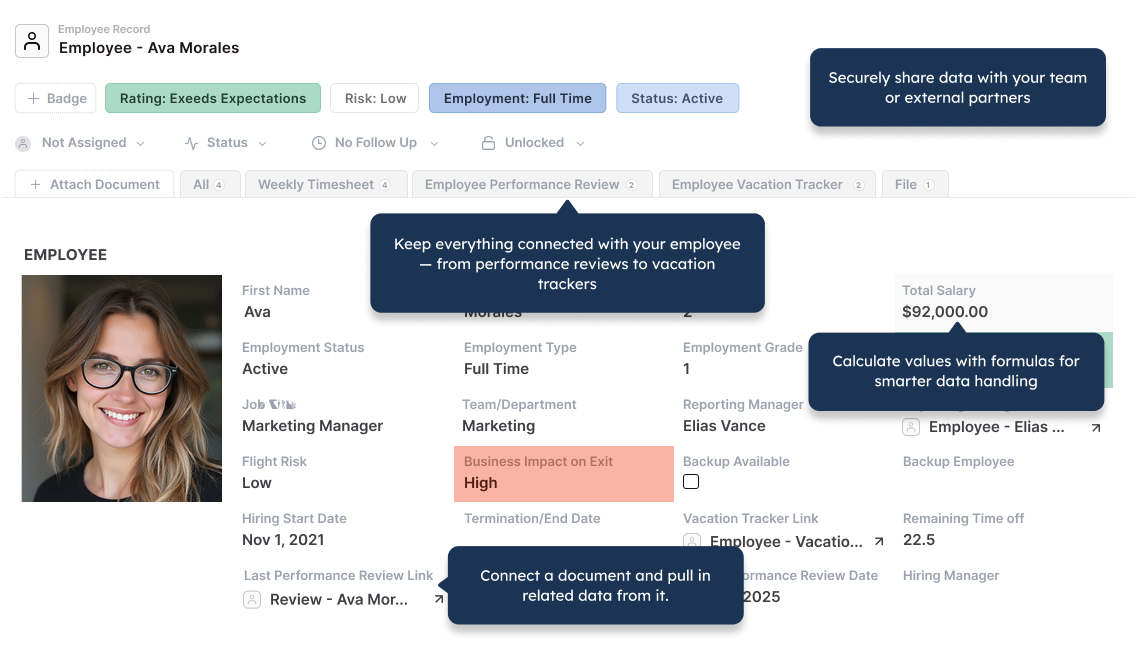
  • Employee Records
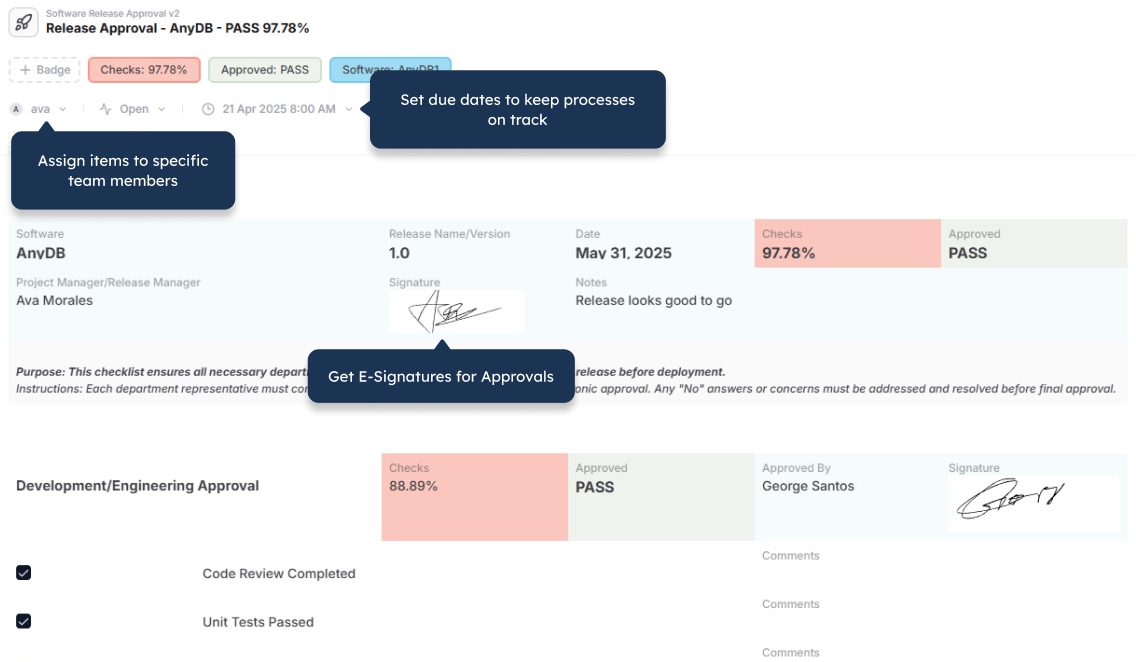
  • Approval Workflows
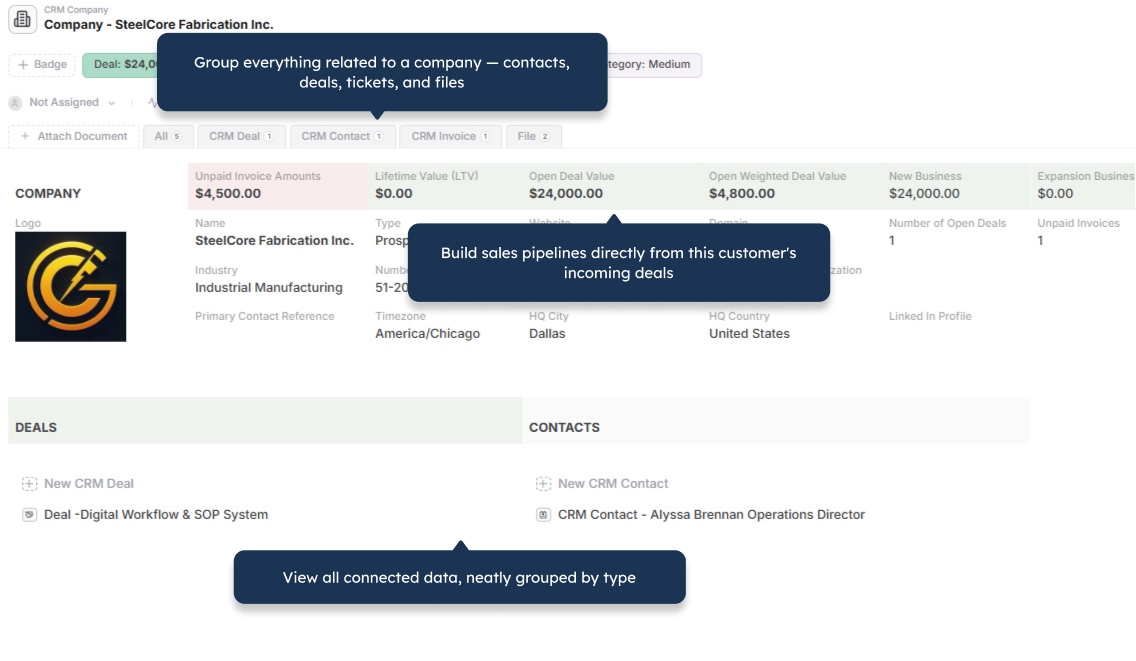
  • CRM and Companies
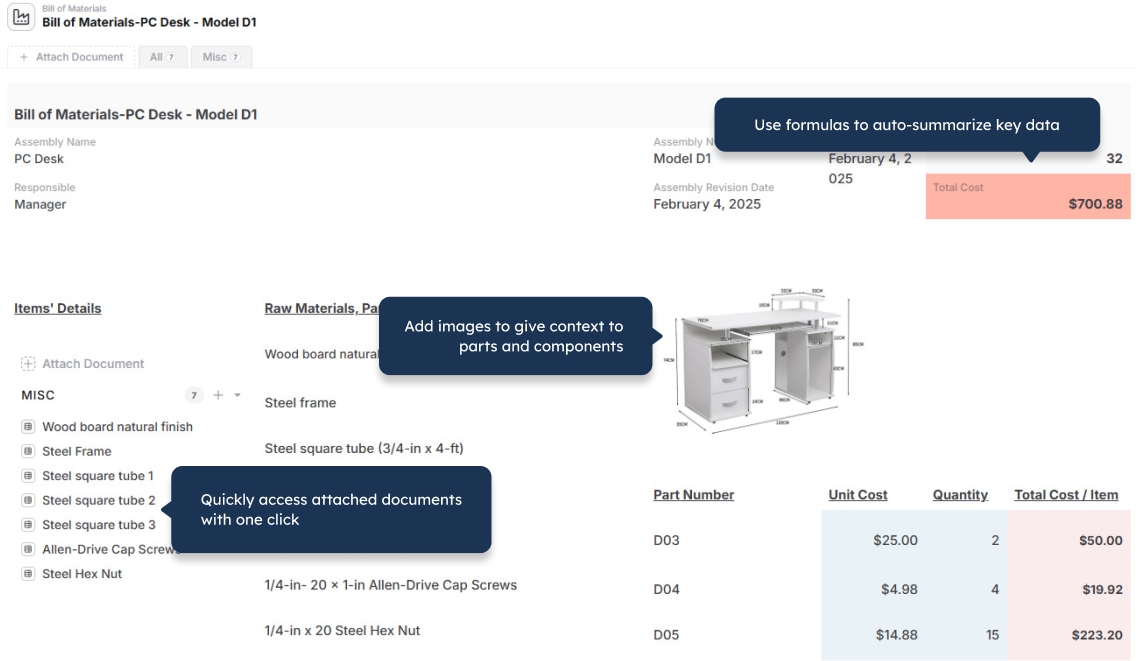
  • Bill of Materials
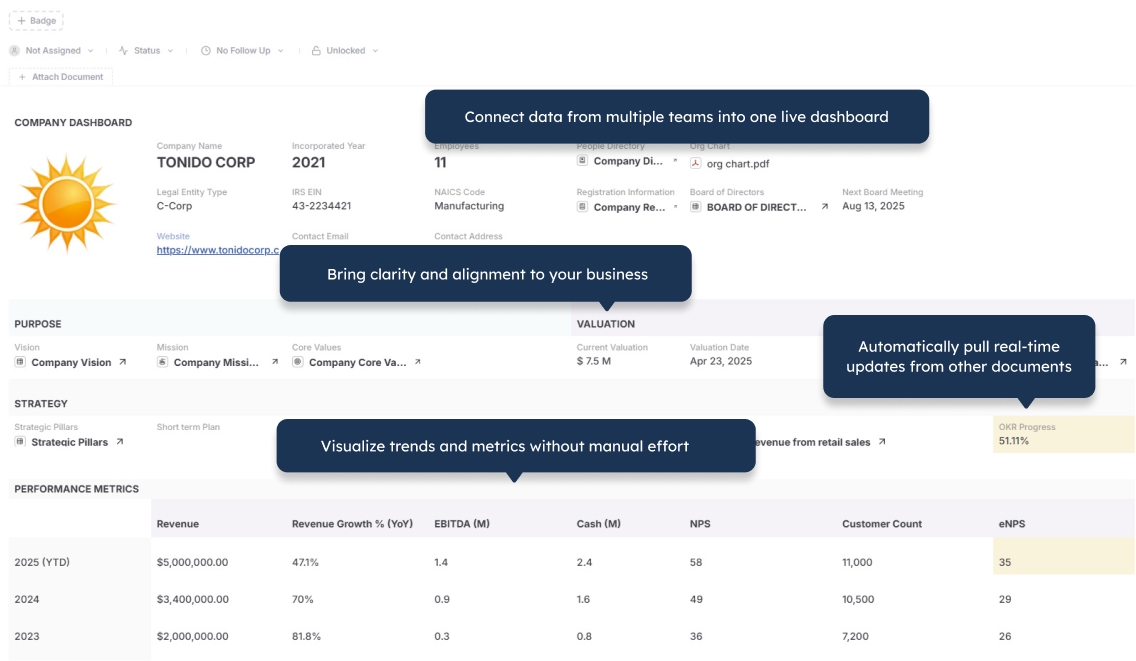
  • Company Dashboard
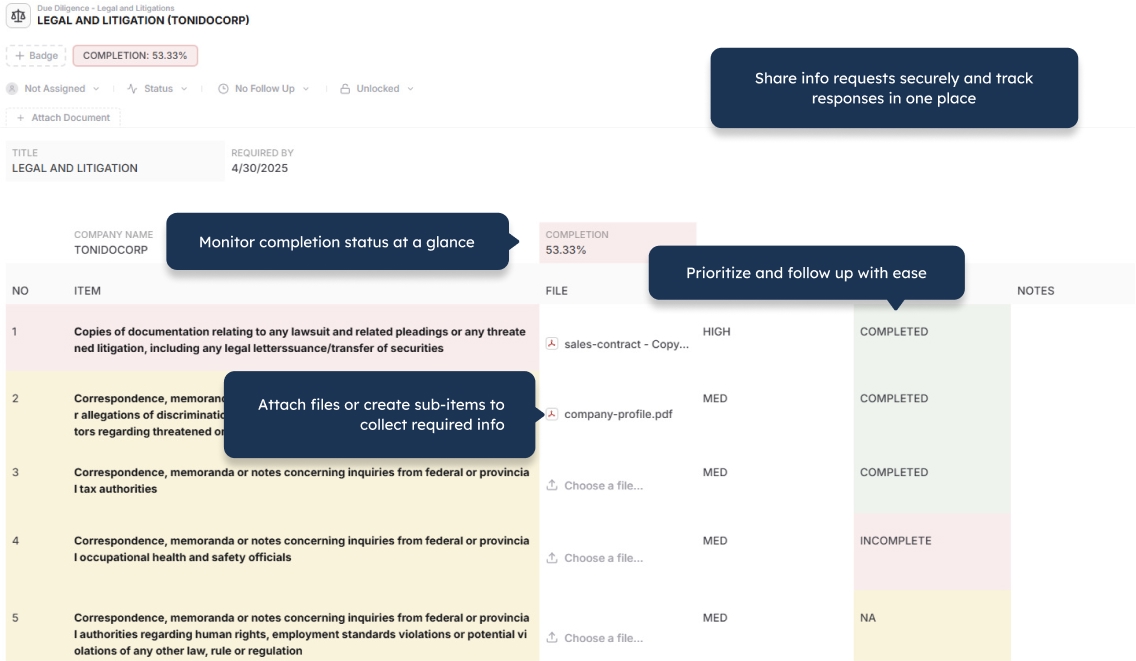
  • Due Diligence
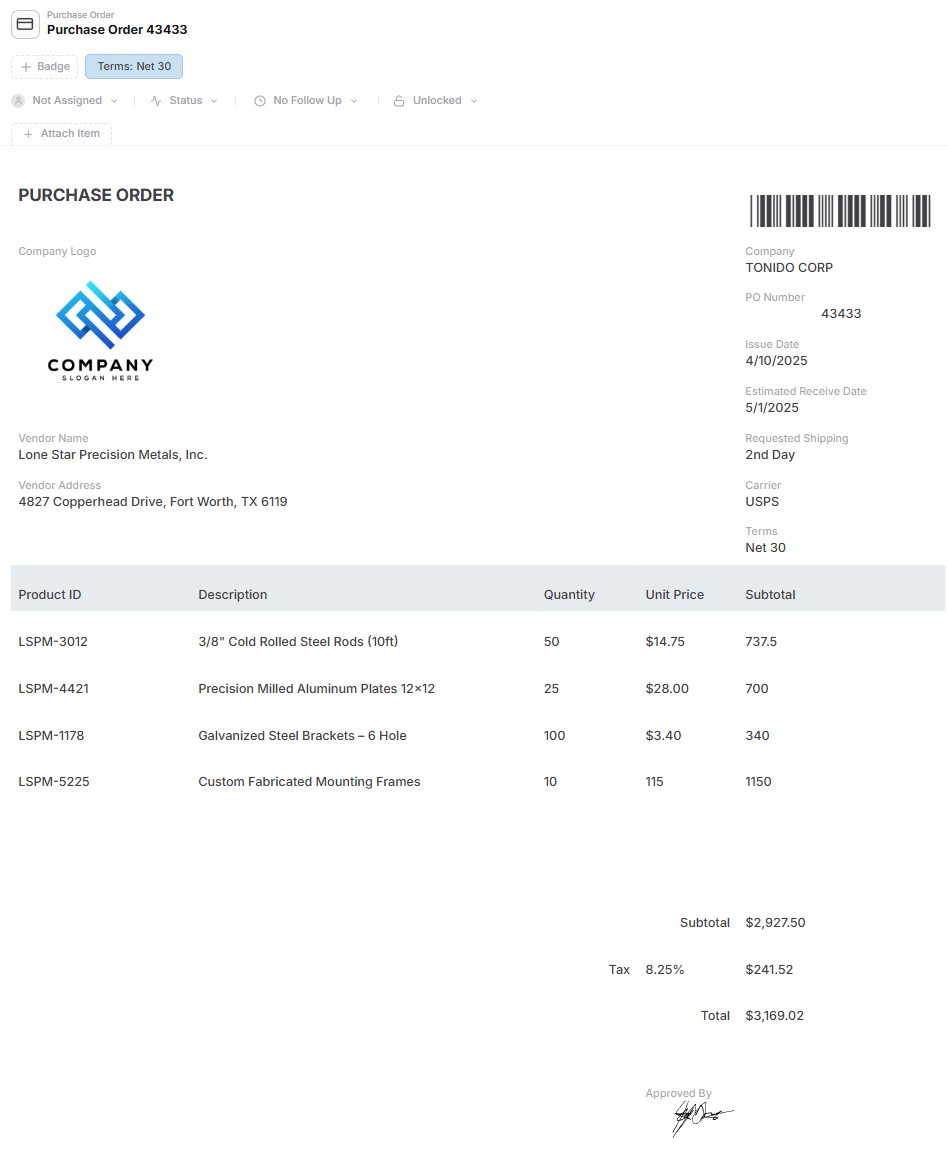
  • Purchase Orders
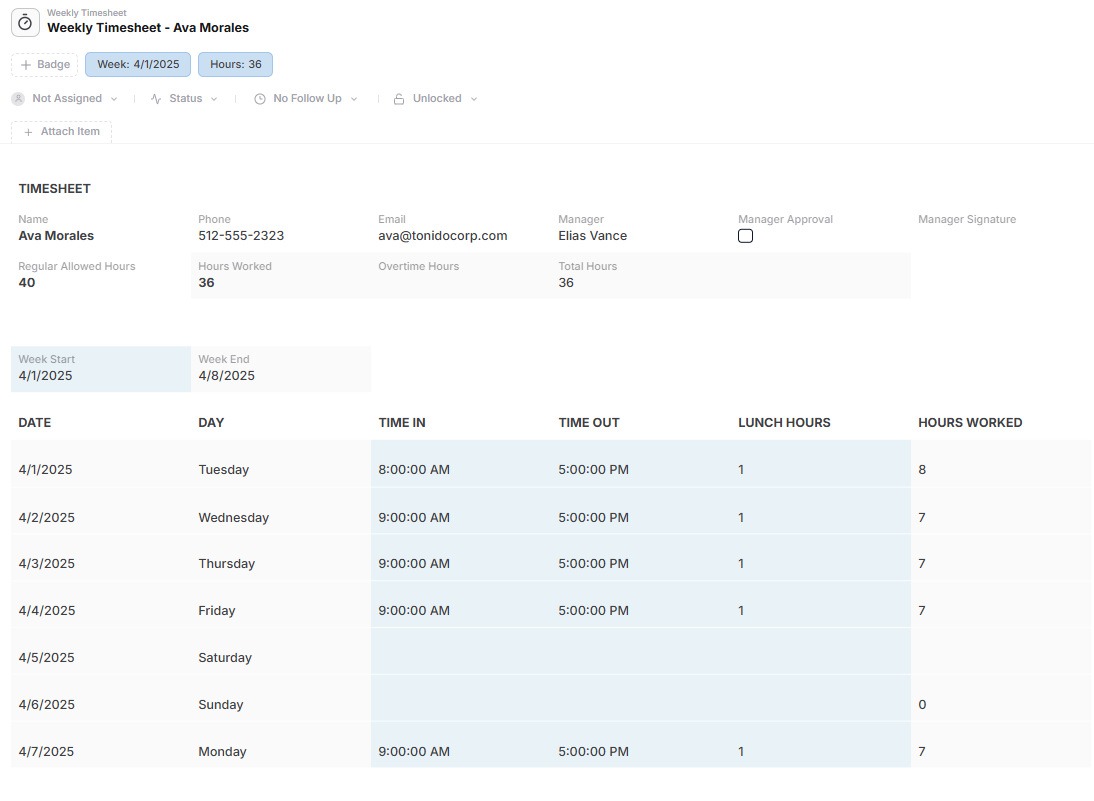
  • Timesheets
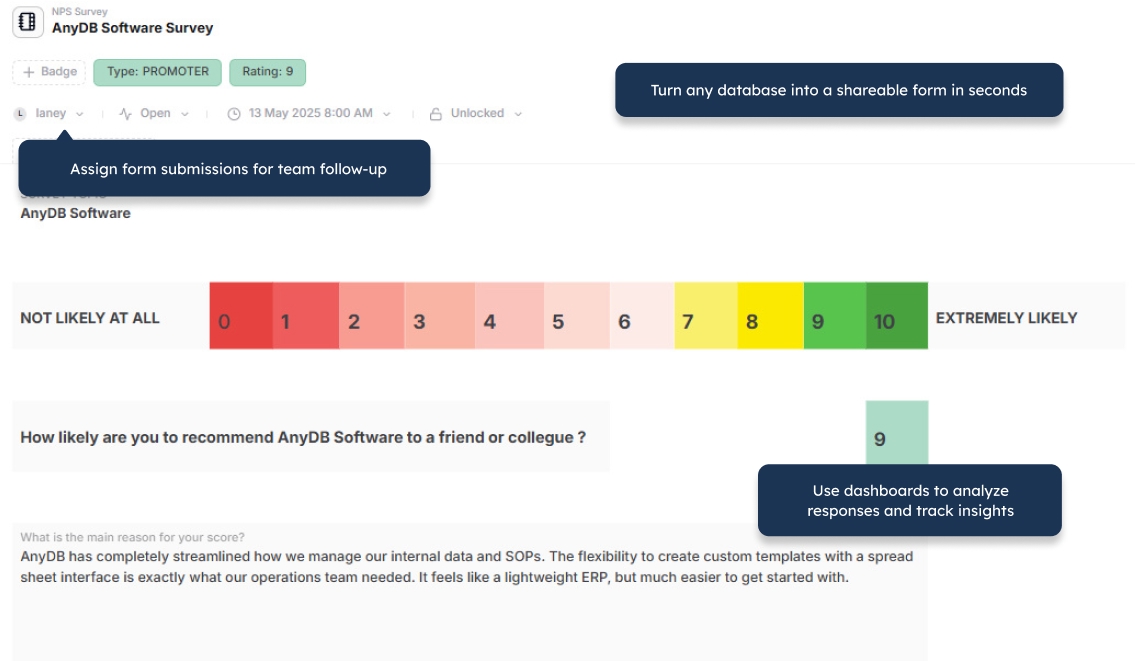
  • NPS Surveys
Operations project management in AnyDB
IT asset management in AnyDB
Workplace inspection checklist in AnyDB
Employee records in AnyDB
Approval workflows in AnyDB
CRM and company records in AnyDB
Bill of materials in AnyDB
Company operations dashboard in AnyDB
Due diligence management in AnyDB
Purchase order management in AnyDB
Timesheet management in AnyDB
NPS survey management in AnyDB

Main Benefits

Build Around the Operation

Model customers, purchase requests, orders, inventory, projects, assets, vendors, claims, inspections, and other operational records around how the work actually runs.

Complete Operational Records

Bring structured fields, child records, linked objects, files, pages, comments, history, assignments, reminders, and actions into one working record.

Native Parent-Child Structures

Manage purchase orders with line items, projects with tasks, products with components, inspections with findings, and assets with maintenance history.

Files Stay With the Work

Keep quotes, contracts, invoices, photos, certificates, reports, and other documents connected to the records and workflows they support.

Operational Workflows Built In

Add assignments, reminders, due dates, approvals, status changes, notifications, action buttons, and automation directly to business records.

Portals for External Users

Give customers, vendors, contractors, inspectors, and partners controlled access to forms, files, records, updates, and actions.

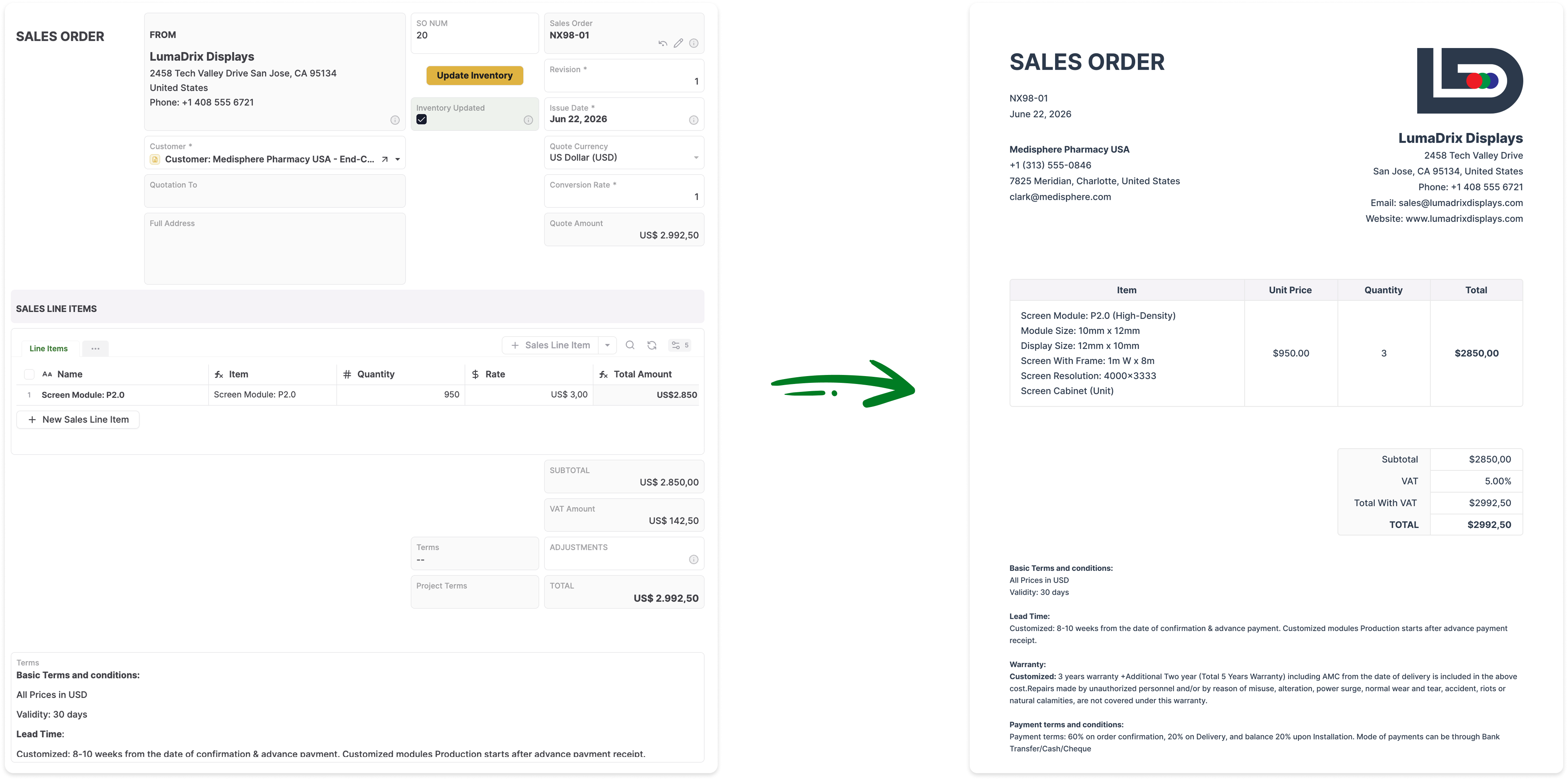
Generate Business Documents

Create Word, PDF, and Excel documents from live records, including child records, tables, images, barcodes, and QR codes.

Built With You

Share your spreadsheet, database, or process notes and let the AnyDB team help design and launch the first working operational system.

Start With One Workflow

Launch one real process first, prove it with your data, and connect additional systems as your operational needs expand.

Explore how AnyDB organizes business records, operations, files, and portals

NocoDB Starts With the Database

  • Organize data through bases, tables, fields, records, views, and links
  • Create or connect database-backed workspaces with spreadsheet-style interfaces
  • Configure forms, permissions, automations, APIs, webhooks, and integrations
  • Model multi-step processes through tables, relationships, views, and custom setup
  • External access requires decisions around permissions, sharing, interfaces, security, and hosting
  • Operational documents may depend on scripts, integrations, extensions, or additional tools
  • Teams need ownership of the data model, technical setup, integrations, and ongoing maintenance

AnyDB Starts With the Operation

  • Model complete business objects such as orders, assets, projects, vendors, customers, claims, and inventory
  • Use native child records for line items, tasks, components, inspections, approvals, and activity
  • Keep fields, files, pages, actions, comments, history, assignments, and reminders in one record
  • Build multi-step operational workflows around the people and records involved
  • Give external users controlled access through built-in secure portals
  • Generate Word, PDF, and Excel documents directly from live operational data
  • Get direct implementation help from AnyDB instead of designing every technical layer alone

NocoDB helps teams manage structured data.
AnyDB helps teams run the full operation around that data.

Your business is more than tables and rows.

A claim is more than a support ticket. A purchase request is more than a row in a database. A project is more than a list of tasks. An inspection is more than a submitted form. An asset is more than a tracked item.

Real operations involve people, documents, status changes, approvals, vendors, customers, payments, deadlines, updates, and a complete history of what happened.

AnyDB builds around the workflow itself.

A purchase order can contain supplier information, item lines, approval status, uploaded quotes, receiving details, reminders, comments, invoice status, generated documents, and purchase history. Each record becomes the operational workspace for the process, not just a row in the database underneath it.

One Operational Record Can Hold the Entire Process

A database row stores information. An operational record also needs to guide the work, preserve context, involve the right people, and show what happened.

Purchase Request Approval Purchase Order Line Items Goods Receipt Invoice Payment Status
Structured Fields
Parent-Child Records
Linked Business Objects
Files and Attachments
Rich Pages
Embedded Sheets
Comments and History
Assignees and Reminders
Due Dates
Approval Steps
Automation
Generated Documents
Portal Access
Reports and Views
Permissions
Execution History

NocoDB Is Strong for Database Control. AnyDB Is Built for Operational Execution.

Both platforms can organize structured data. The better fit depends on whether your primary goal is controlling the database layer or running a complete day-to-day business process.

Comparison Area NocoDB AnyDB
Core model Database-first workspace Custom operational system
Best for Teams managing structured data and database-backed tools Operations-heavy teams running business workflows
Starting point Tables, records, CSV files, or connected databases An existing workflow, spreadsheet, process note, or operational problem
Setup model Cloud or self-managed database workspace Built with you directly by AnyDB
Data structure Bases, tables, fields, records, and links Connected business objects with nested records
Record model Records displayed through configurable views Operational workspaces with context, actions, files, and history
Process depth Strong for table-based processes Built for multi-step operational execution
External users Requires access, permissions, sharing, and interface design Unlimited guest portal users included
Documents Depends on scripts, integrations, extensions, or connected tools Native Word, PDF, and Excel generation
Maintenance Requires ownership of setup, permissions, data structure, integrations, and hosting decisions Managed as part of the AnyDB platform
Best long-term fit Teams that want database flexibility and technical control Teams that want operational clarity and daily execution

Do Not Make Every Process a Database Design Project

Database-first platforms are powerful, but someone still needs to define tables, field types, relationships, views, forms, permissions, automations, integrations, and ongoing changes.

For teams with technical resources, that level of control can be useful. For operations teams, it can also slow down the work they are trying to improve.

AnyDB is built for teams that want a custom system tailored to their process without having to design and maintain every technical layer themselves.

You bring the workflow. AnyDB helps turn it into a usable operational system with the right objects, relationships, forms, portals, files, approvals, reminders, documents, reports, and views.

External Users Should Not Become Another Database Access Problem

Customers submit requests. Vendors upload documents. Contractors update assigned work. Inspectors complete reviews. Partners check progress. Clients approve files and decisions.

Scenario Database-First Setup AnyDB
Internal employees Users configured in the workspace or instance Paid internal users
Customers, vendors, contractors, and partners Requires access planning, permissions, sharing setup, and interface design Unlimited guest portal users included
Submit requests Forms or shared interfaces Forms and portals
Upload documents Depends on configuration Included through portals
View status Depends on the access setup Included through portals
Update assigned records Requires permission and interface setup Included through portals

For businesses with many external participants, AnyDB keeps the model simple: pay for the team running the operation, not every person connected to the workflow.

Feature Comparison

Both products provide flexible data tools. The distinction is whether those tools are primarily assembled around a database or delivered as part of a cohesive operational system.

Capability NocoDB AnyDB
Flexible data modelIncludedIncluded
Spreadsheet-style tablesIncludedIncluded
Views and formsIncludedIncluded
Automation and webhooksIncludedIncluded
APIsIncludedIncluded
Files and attachmentsIncludedBuilt around the operational record
PermissionsRole and field controls available depending on setup and editionWorkspace, role, record, and field-level access
External database connectionCore strengthAvailable through integrations and custom setup
Parent-child relationshipsModeled through related tables and linksNative operational object model
Connected business objectsData-model drivenBuilt around nested and linked operational records
Operational workflowsConfigurablePurpose-built
External portalsRequires setup and access designIncluded
Unlimited guest usersDepends on setup and planIncluded
Rich record pagesConfigurableIncluded
Object-owned sheetsDepends on configurationIncluded
Native document generationDepends on configuration, scripts, or integrationsWord, PDF, and Excel generation included
Assignees, reminders, and due datesRequires setupBuilt into records
Activity and version historyDepends on setup and editionBuilt into operational workflows and records
Implementation supportDocumentation, community, and commercial supportBuilt with you directly by AnyDB
Best fitTeams seeking database control and technical flexibilityOperations teams needing a working system of record

Generate Documents Directly From Your Live Records

Turn AnyDB records into professional, ready-to-share PDFs / Docx / XLSX with fields, linked data, tables, terms, and other relevant information automatically included.

How it Works?

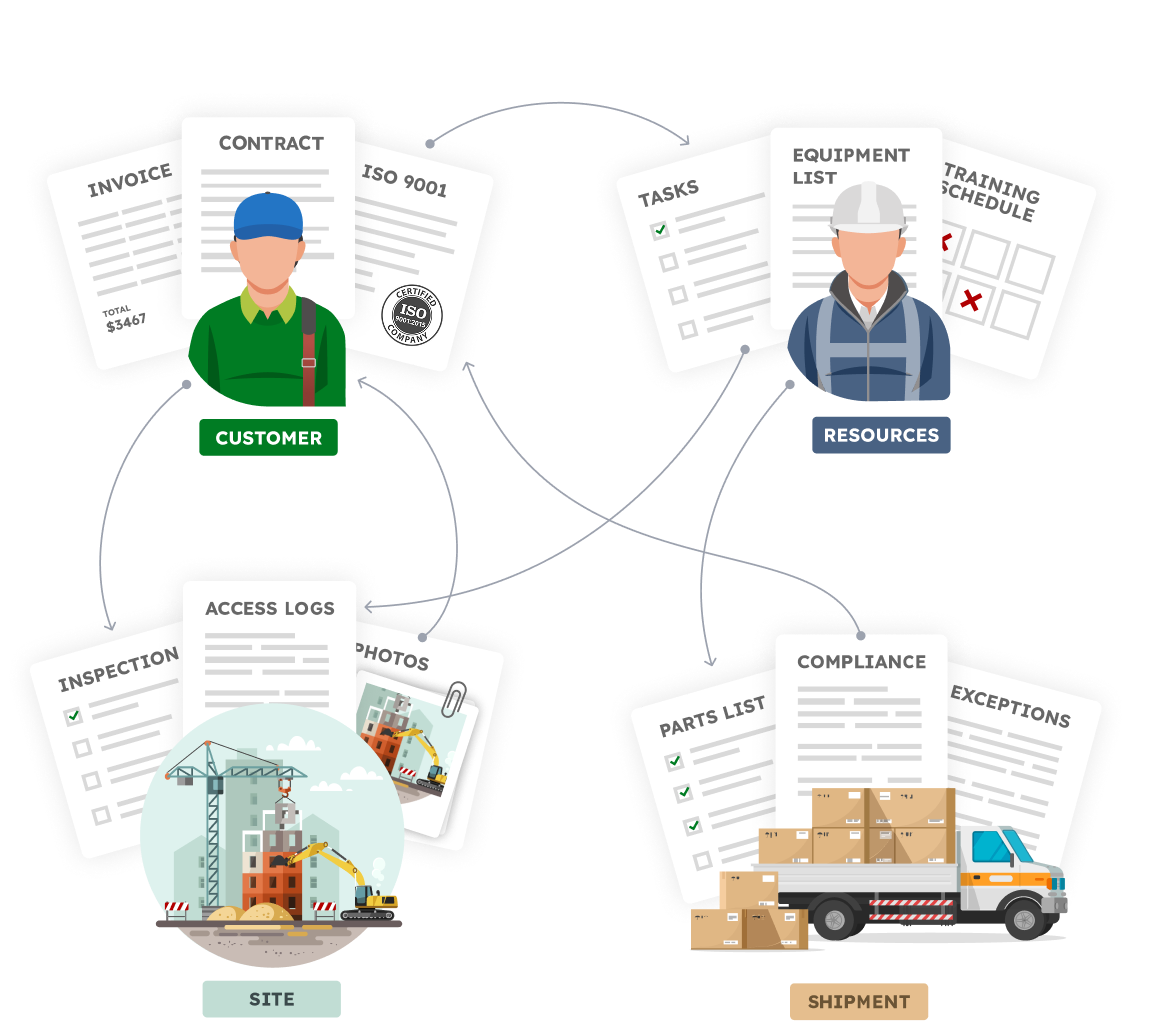
Your Business is made of Real Things

  • A vendor with certifications, contracts, invoices
  • A site with inspections, photos, access logs
  • An employee with tasks, training, equipment
  • A shipment with parts, compliance documents, exceptions

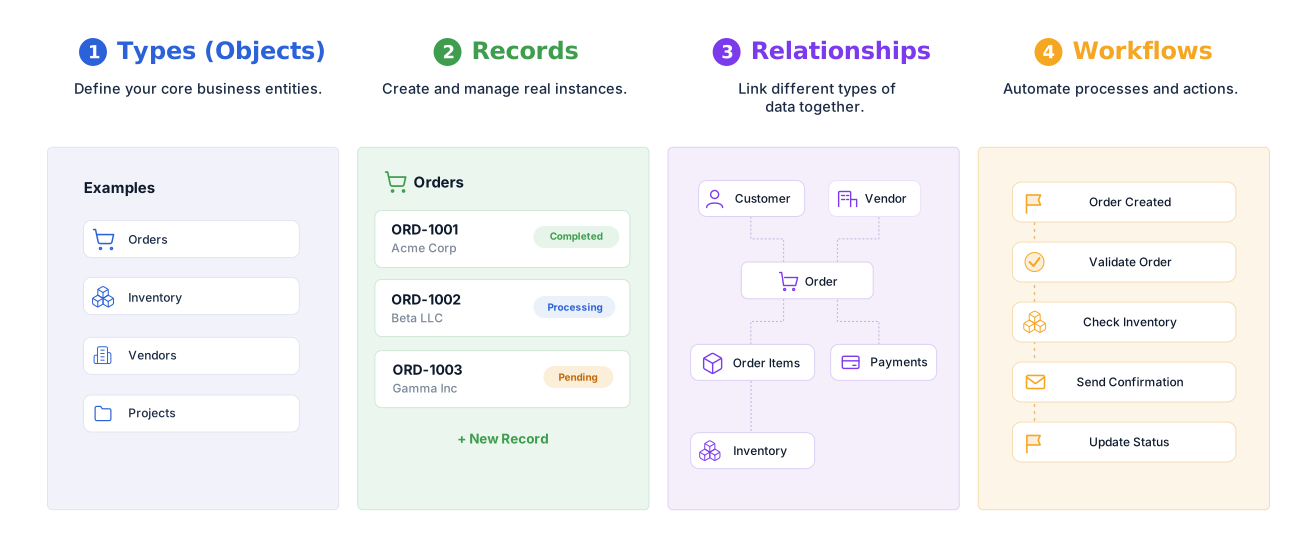
Define your structure, connect your data,
and automate how work flows.


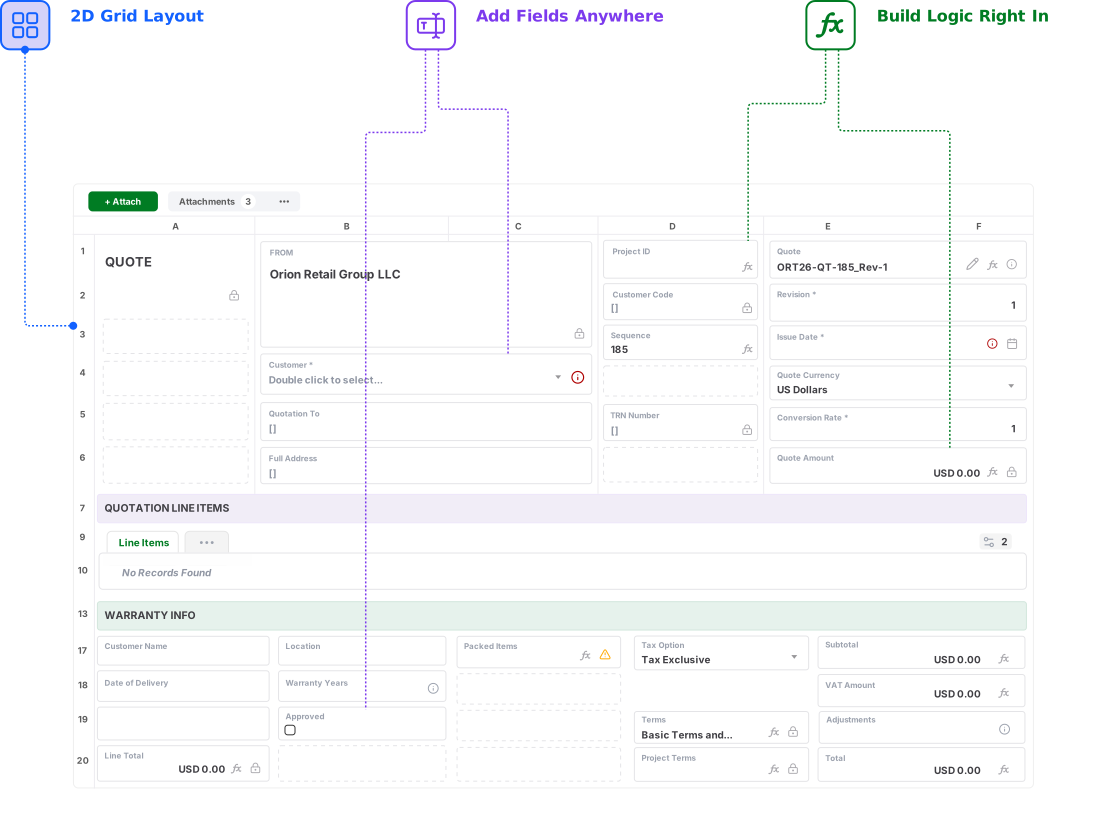
Familiar to use.Built for real operations.


Build familiar record and form layouts in a 2D grid.
Keep data, files, actions, and workflows together

See What Your Workflow Would Look Like in AnyDB

Send us your NocoDB setup, spreadsheet, database, or workflow. We will show you how it can become a complete operational system.

Start Free
No credit card needed!

Frequently Asked Questions

How is AnyDB different from NocoDB?

NocoDB is a database-first platform centered on tables, records, views, forms, APIs, automations, and connected data sources. AnyDB is an operational systems platform centered on complete business objects, workflows, files, approvals, assignments, portals, generated documents, and execution history.

Is NocoDB a good product?

Yes. NocoDB can be a strong fit for technical teams that want database flexibility, spreadsheet-style interfaces, APIs, and control over the underlying setup. AnyDB is a better fit when the primary goal is to run a complete operational process rather than manage the database layer itself.

Can AnyDB replace an existing NocoDB setup?

Yes. You can begin by rebuilding one NocoDB workflow or base, importing the related records, and expanding from there. The AnyDB team can help map tables, relationships, files, permissions, forms, views, and automation into an object-based operational system.

Can I import data from NocoDB?

Yes. Data exported from NocoDB can be imported into AnyDB. We can also help restructure related tables into business objects, child records, linked records, workspaces, forms, portals, and operational views.

Does AnyDB support tables, forms, views, APIs, and automation?

Yes. AnyDB includes table and list views, cards, calendars, forms, pages, charts, reports, APIs, webhooks, assignments, reminders, workflows, and automation. These capabilities operate on the same connected operational records.

What makes AnyDB object-based?

AnyDB organizes the system around real business records. An order can contain line items and fulfillment activity, a project can contain tasks and approvals, a product can contain components, and an asset can contain inspections and maintenance history. These objects can also connect to customers, vendors, files, documents, and workflows.

Can external users access AnyDB?

Yes. AnyDB includes secure portals for customers, vendors, contractors, partners, inspectors, and other external users. You control which records, files, fields, forms, and actions each user can access.

Can AnyDB generate documents from records?

Yes. AnyDB can generate Word documents, PDFs, Excel files, reports, purchase orders, invoices, certificates, claim packages, inspection reports, and other outputs directly from live record data.

Does AnyDB require technical resources to maintain?

Most systems can be configured and maintained without coding. AnyDB also provides direct implementation help, so operations teams do not need to design every table, relationship, permission, integration, and interface alone. Advanced scripting remains available when a workflow requires custom logic.

Can AnyDB help migrate and redesign our workflow?

Yes. Share your current NocoDB setup, spreadsheet, database, or process notes, and the AnyDB team can help design the records, relationships, permissions, portals, workflows, documents, and reports for the first working system.