
Demand Is Disconnected From Supply
Connect customer orders, forecasts, stock targets, and production plans.
AnyDB for Material Requirements Planning
Calculate what materials you need, how much you need, and when they must be available by connecting demand, bills of materials, inventory, purchasing, lead times, and production orders.
Start with ready-to-use manufacturing objects from the AnyDB Business Object Library, then customize the MRP system around the way your company plans and produces.
Need help getting started? We can set up your Material Requirements Planning system at no cost.





Replace disconnected demand, BOM, inventory, purchasing, and production data with one current plan.
Connect customer orders, forecasts, stock targets, and production plans.
Keep multi-level BOMs, recipes, components, quantities, units, and revisions structured.
Calculate net requirements against on-hand, allocated, and incoming inventory.
Plan orders using shortages, supplier lead times, reorder points, and required dates.
Give planners and production teams a shared schedule with current material readiness.
Start free, configure it yourself, or have our team build and manage it for you.
Use ready-to-use manufacturing objects or customize the system around your products, BOMs, locations, lead times, production modes, and planning process.
Bring orders, forecasts, stock targets, and production priorities into one plan.
2Explode BOMs and calculate gross and net requirements across every level.
3Turn shortages and required dates into purchasing and replenishment work.
4Coordinate production orders, material readiness, consumption, WIP, and output.
5Adapt records, calculations, workflows, permissions, and views to your operation.
Connect demand, BOMs, inventory, purchasing, and production in a planning system that fits your operation.
Plan from customer orders, forecasts, stock targets, and make-to-order or make-to-stock requirements.
Structure components, subassemblies, quantities, units, yields, revisions, and instructions.
Compare gross demand with on-hand, allocated, expected, and safety stock to identify what is missing.
Connect shortages with suppliers, reorder points, purchase orders, required dates, and partial receipts.
Coordinate production orders, material readiness, priorities, consumption, WIP, output, and status.
Connect confirmed orders, forecasts, internal demand, and stock targets. Plan make-to-order or make-to-stock production and keep priorities visible as demand changes.
Connect sales orders, forecasts, internal requests, and minimum stock targets.
Plan what to produce, in what quantity, and by which date.
Support make-to-order, make-to-stock, recurring, or mixed production models.
Explode multi-level BOMs and recipes, calculate gross requirements, then subtract usable and incoming supply to identify net requirements and shortage dates.
Connect finished products with components, subassemblies, packaging, quantities, units, revisions, and yields.
Evaluate on-hand, reserved, allocated, expected, safety stock, and location-specific availability.
Calculate what must be purchased, transferred, or produced, including the date it is needed.
Translate net requirements into purchase, transfer, or production recommendations using suppliers, lead times, reorder points, order quantities, and required dates.
Group requirements by supplier, due date, item, or production need.
Track requested quantities, supplier confirmations, expected dates, costs, and status.
Record complete or partial receipts, inspections, lot details, and inventory availability.
Create production orders with planned quantities, BOM revisions, operations, dates, priorities, owners, and locations. Track issues, consumption, WIP, and completed output.
Plan products, quantities, due dates, priorities, locations, and responsible teams.
Reserve components and show whether each order can start with current and expected stock.
Record consumption, scrap, substitutions, labor or operations, WIP, and finished quantities.
Adapt demand, BOMs, planning logic, inventory states, supplier rules, production workflows, documents, permissions, and reporting to your terminology and process.
Define fields, formulas, lead-time rules, safety stock, yields, lot sizes, and planning horizons.
Create shortage alerts, approvals, assignments, purchase actions, and production updates.
Connect planning with purchasing, warehouse, production, quality, fulfillment, and accounting preparation.
Each production or repair job becomes the central record for specifications, materials, stages, time, resources, quality, costs, decisions, and history.
Keep jobs, stages, owners, dependencies, progress, deadlines, and delays visible.
Review planned and actual time, completion dates, material use, and cost.
Connect labor, machine time, material consumption, services, and scrap to each job.
Give engineering, purchasing, production, quality, and service shared records.
Add routes, records, fields, rules, portals, views, and dashboards as requirements change.
Use connected records across production, repair, quality, resource, and cost workflows.
Product, quantity, specifications, stages, deadlines, owners, materials, costs, and status.
Sequence, dependency, team, target, actual completion, progress, evidence, and history.
Job, stage, person, machine, planned hours, actual hours, date, notes, and cost.
Item, required quantity, availability, allocation, consumption, scrap, source, and cost.
Requirement, measurement, result, evidence, reviewer, decision, approval, and release.
Asset, issue, diagnosis, repair steps, parts, labor, testing, outcome, and history.
Turn AnyDB records into professional PDFs, DOCX files, and XLSX exports with fields, linked data, tables, terms, and other relevant information included automatically.
Pull orders, stages, materials, time, costs, quality results, and linked information into reusable templates.
Create work orders, route sheets, build records, inspection reports, repair reports, and job summaries.
Provide ready-to-use documents to production teams, customers, suppliers, and auditors.
Planning stays current as demand, supply, inventory, purchasing, and production records change.
Bring together customer orders, forecasts, stock targets, required quantities, and due dates.
Explode BOMs, check available and incoming supply, and identify net shortages by date.
Create purchase, transfer, or production actions using lead times and required dates.
Reserve and pick materials, track progress, and record actual consumption, scrap, and WIP.
Add completed goods to inventory and use actual receipts and movements to refresh the plan.
Use the same production information to create focused views for sales, purchasing, warehouse, production, and management.
See orders, product availability, production needs, and expected readiness.
Review shortages, suppliers, purchase orders, and expected receipts.
Track raw materials, production issues, finished goods, and movements.
See batches, recipes, requirements, dates, and priorities.
Monitor demand, shortages, output, wastage, and dispatch readiness.
Set automations to evaluate manufacturing conditions and trigger the appropriate next actions.
Generate production records from demand or stock conditions.
Alert purchasing when requirements exceed available stock.
Assign production or review work based on the batch stage.
Record movements as materials are consumed and products completed.
Alert the next team when production moves forward or needs attention.
Keep planning connected to the operational records that continually change supply and demand.
Track raw materials, WIP, finished goods, locations, reservations, transfers, counts, and adjustments.
Link net requirements with suppliers, lead times, purchase orders, expected dates, and receipts.
Connect receipts and production with lots, serials, expiry dates, inspections, certificates, and release status.
Connect finished-goods demand with reservations, picking, shipping, returns, and delivery status.
Bring material, purchasing, production, inventory, and fulfillment records together for costing and accounting.
Improve production visibility, compare planned and actual performance, track job-level usage, align teams, and support better capacity and pricing decisions.
Keep active jobs, stages, owners, dependencies, progress, and deadlines visible.
Compare estimated and actual time, completion, usage, and cost.
Tie labor, machines, materials, services, and scrap to each job.
Maintain approved instructions, checks, results, issues, decisions, and release history.
Use real production data to improve scheduling, costing, quoting, and planning.
Keep demand, BOMs, inventory, purchasing, production, and actual movements in one connected planning system.
Explore AnyDB for free, build your own manufacturing system, or have our team build and manage it with you.
Explore connected manufacturing execution.
Start FreeCustomize and run your own manufacturing system.
View PlansHave your system built and managed for you.
Talk to Us
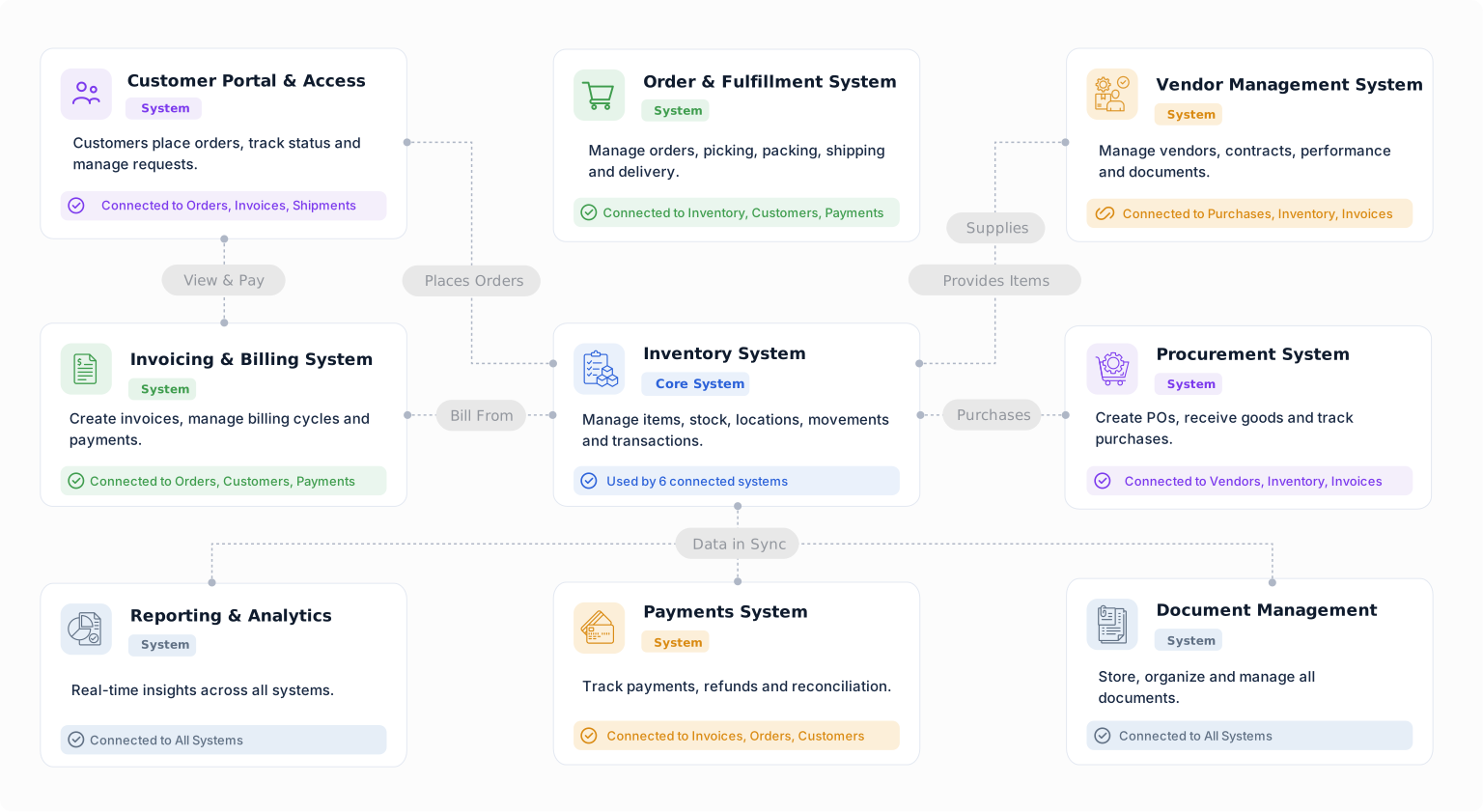
Connect demand, BOMs, inventory, purchasing, production schedules, consumption, and finished output in an MRP system built around your manufacturing process.


