Stay in Control of Every Change and Every Version

AnyDB preserves the history of your records, system structures, and controlled business revisions.
Review what changed, restore earlier information, and keep teams working from the right version.
Schedule Demo
Book a demo and let us set up AnyDB for you. Free of charge!
AnyDB versioning GIF

See How Each Record Evolves Over Time

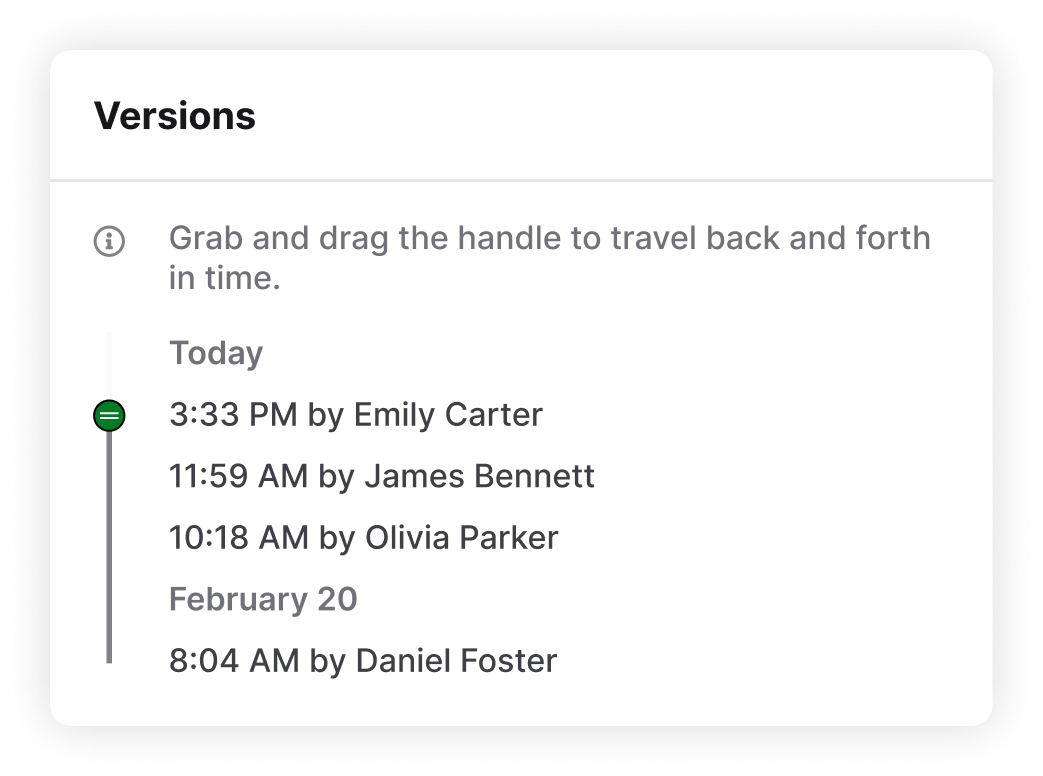
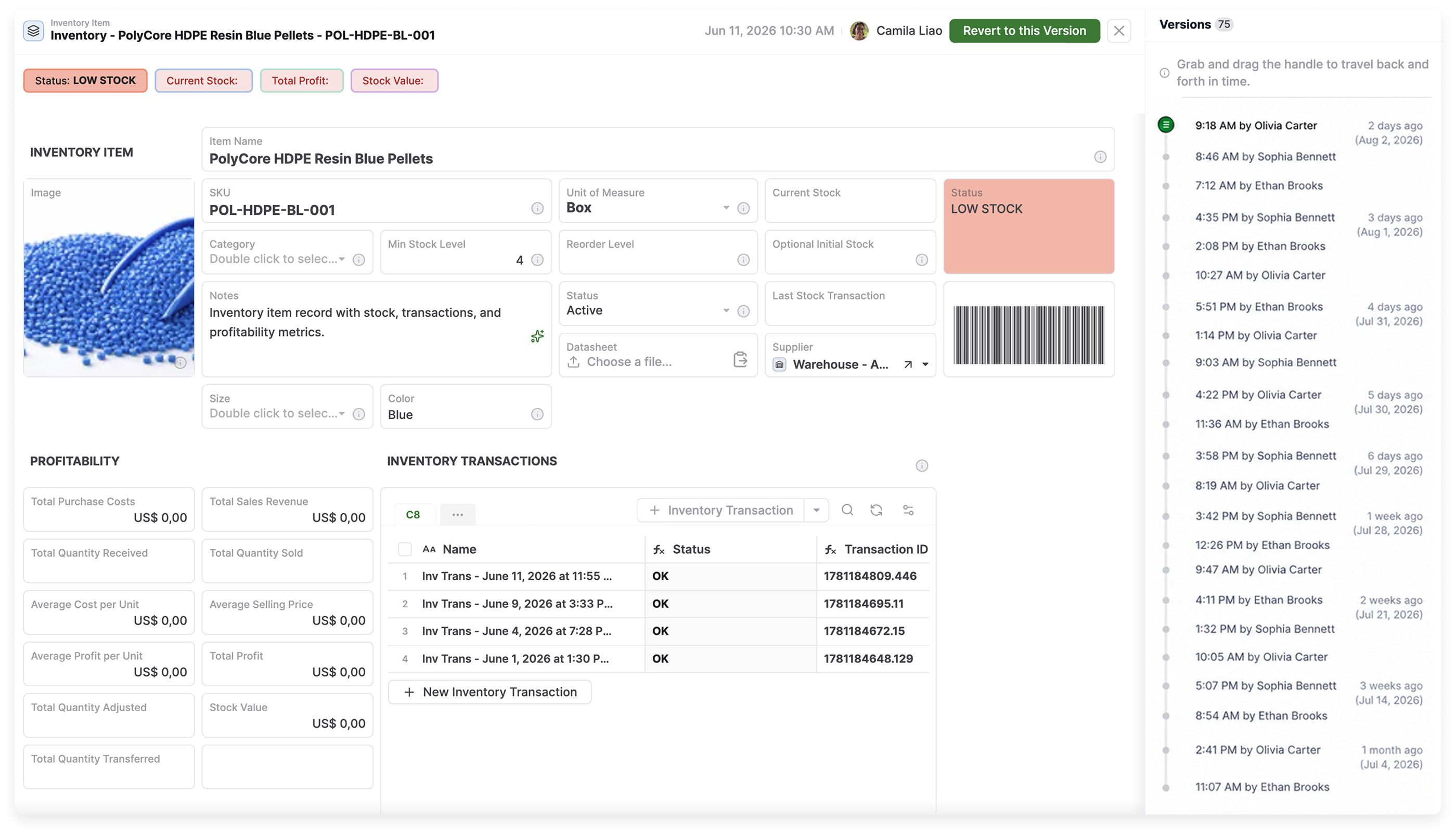
Every update remains part of the record’s history, giving teams a clear view of what changed and who changed it.

  • View earlier record versions
  • See when each update occurred
  • Identify who made each change
  • Follow progress without creating manual copies
AnyDB record version history
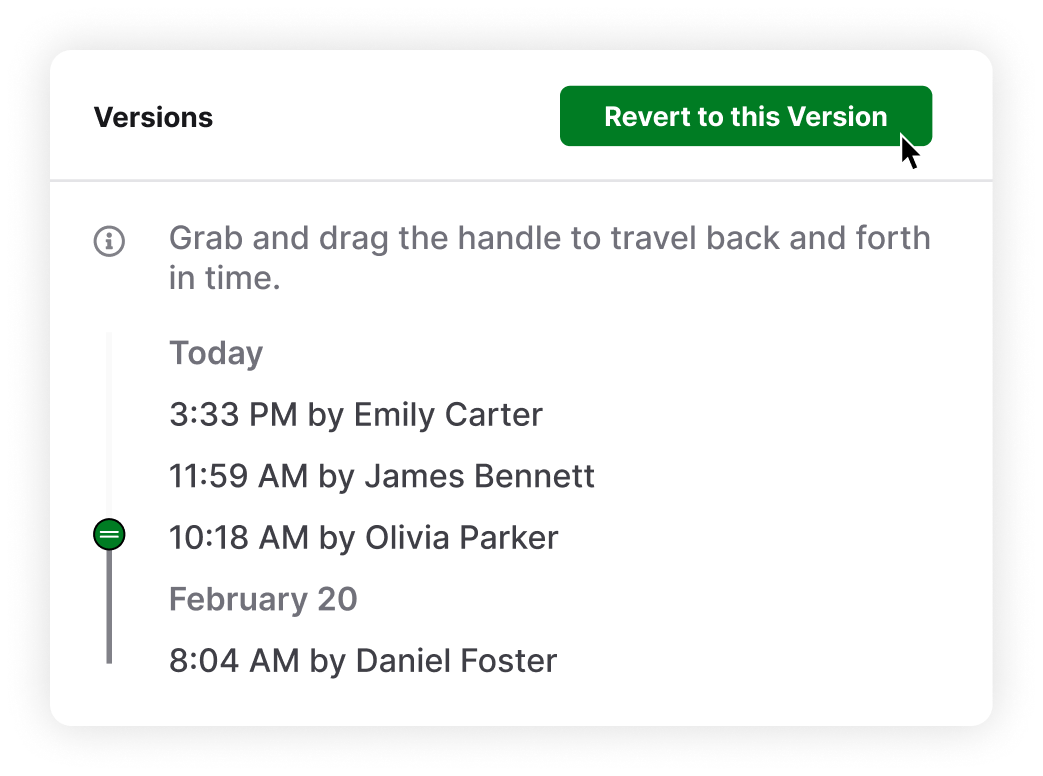
Restore an earlier record version in AnyDB

Recover Accurate Information After Unwanted Changes

Open the Versions panel, select an earlier state, and restore the record when information is changed incorrectly.

  • Inspect historical information before reverting
  • Return the complete record to an earlier state
  • Recover from incorrect or accidental edits
  • Avoid rebuilding details from memory

“Keep Work Moving With a History You Can Trust.”

Keep Important Activity Visible Across Your Workspace

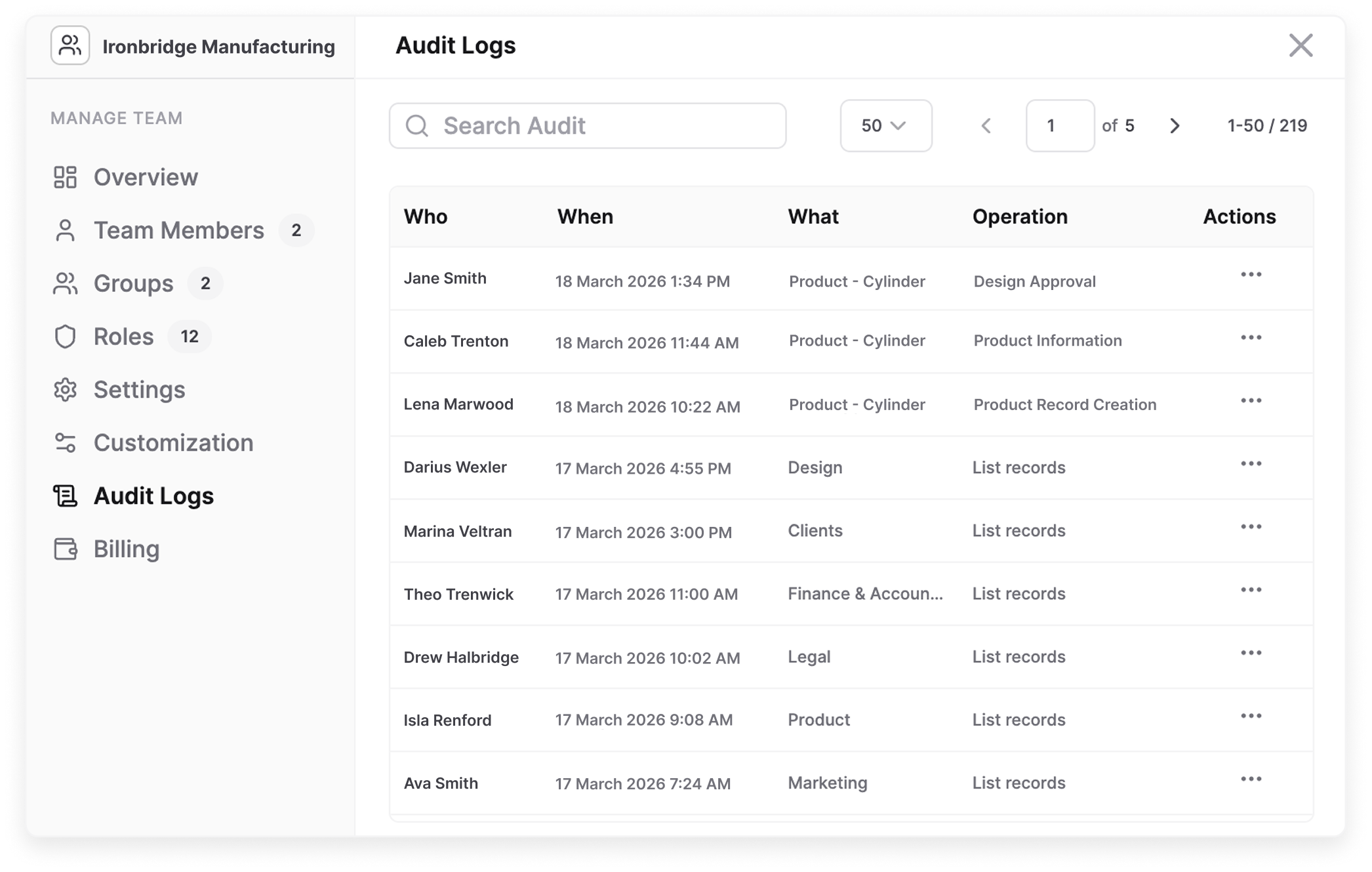
Record versions preserve earlier information. Audit logs capture the surrounding workspace activity, helping admins investigate issues and verify system usage.

  • Review actions performed by users and systems
  • See when each action occurred
  • Identify the affected record, object, or database
  • Search activity during investigations
  • Maintain reliable evidence for audits and compliance
AnyDB audit log

Build Version Control Around Your Operations

Keep record history, structural changes, approvals, and formal revisions clear in one connected system.