
Customer Information Spread Across Tools
Keep accounts, contacts, opportunities, interactions, documents, and invoices connected.
AnyDB for CRM
Manage accounts, contacts, opportunities, customer activity, follow-ups, and billing in one connected CRM.
Start with the ready-to-use CRM solution, then customize its records, pipeline, views, permissions, and workflows to fit how your team manages customers.
Need help getting started? We can set up your CRM at no cost.





Replace scattered contact lists, opportunity spreadsheets, activity notes, billing trackers, and follow-up emails with one structured CRM.
Keep accounts, contacts, opportunities, interactions, documents, and invoices connected.
Assign each opportunity while keeping value, stage, priority, and expected close date visible.
Set owners, dates, reminders, and next actions so conversations continue at the right time.
Use live views and dashboards to see open opportunities, expected revenue, and sales activity.
Connect opportunities and customers with invoices, payment status, balances, and billing history.
Start free, build the CRM yourself, or have our team build and manage it for you.
Explore the included CRM features or customize the system to fit your sales process, terminology, and reporting requirements.
Keep customer and contact information organized in connected records.
2Manage stages, values, owners, probability, and close dates.
3Keep calls, meetings, notes, emails, and follow-ups connected.
4Link invoices, payment status, and billing history.
5Adapt records, pipeline, permissions, and workflows.
Manage customer relationships in a system that can be customized to fit your sales, account management, and billing processes.
Keep company information, contacts, roles, files, and related activity together.
Track stage, value, probability, owner, priority, and expected close date.
Record interactions, assign next actions, and create reminders.
Connect invoices, balances, opportunity values, and customer revenue.
Organize CRM information, monitor activity, and automate follow-up.
Create structured account records for prospects, customers, partners, resellers, and other organizations. Connect each account with contacts, opportunities, interactions, documents, invoices, and operational records.
Keep company type, industry, website, location, size, owner, and other details together.
Store names, roles, departments, email, phone, profiles, and relationship details.
See opportunities, interactions, invoices, files, projects, and other related records.
Create opportunity records with value, stage, probability, priority, owner, expected close date, and related account. Give teams a clear view of active opportunities and upcoming work.
Track account, value, type, probability, priority, owner, close date, and context.
Define stages that fit your sales process and update each opportunity as it moves.
Use value, probability, and close date to understand potential revenue.
Record calls, meetings, notes, requests, decisions, and other interactions. Assign the next action, set a follow-up date, and keep the full activity history connected.
Record calls, meetings, notes, requests, decisions, and relationship activity.
Set next actions, assign owners, add due dates, and create reminders.
Connect interactions with the relevant account, contact, opportunity, project, or invoice.
Link invoices with the accounts, contacts, opportunities, orders, projects, or services behind them. Give sales, account management, and finance a clear view of customer value and outstanding balances.
Keep invoice numbers, dates, amounts, terms, line items, files, and customer information together.
Track drafts, sent, due, overdue, partially paid, paid, or cancelled invoices.
See totals, balances, payment history, and related opportunities from the account.
Adapt account, contact, opportunity, interaction, and invoice records to fit your terminology, pipeline, responsibilities, and sales process.
Connect the CRM with operational systems that support selling, delivery, service, and billing.
Capture account details, opportunities, classifications, and internal context.
Create stages, assignments, reminders, approvals, status changes, and follow-up rules.
Connect customer records with the operational work that follows the sale.
Manage the customer lifecycle without piecing information together across contact lists, pipeline boards, notes, folders, and billing trackers.
Add the customer, connect contacts, assign an owner, and capture the details your team needs.
Record value, priority, stage, probability, owner, and expected close date.
Keep interactions, files, meetings, next actions, and reminders connected.
Maintain the final value, close date, and won or lost status.
Connect won business with orders, projects, services, invoices, and payments.
Give each team a focused view of the customer information relevant to its work.
See contacts, opportunities, interactions, invoices, files, and operational records together.
Organize opportunities by stage and move them through a Kanban-style sales process.
Organize contacts by account, role, department, location, or relationship type.
See meetings, follow-up dates, expected close dates, and customer deadlines.
Monitor pipeline value, expected revenue, sales activity, close rates, and invoices.
Set automations to evaluate CRM conditions and trigger assignments, reminders, notifications, and follow-up work.
Assign opportunities based on territory, account type, deal size, product, or another condition.
Create reminders when an interaction requires a response or an opportunity is inactive.
Change stages when defined sales activities, approvals, or conditions are completed.
Send notifications when an opportunity moves forward or needs attention.
Generate a project, task, order, or work request at the appropriate stage.
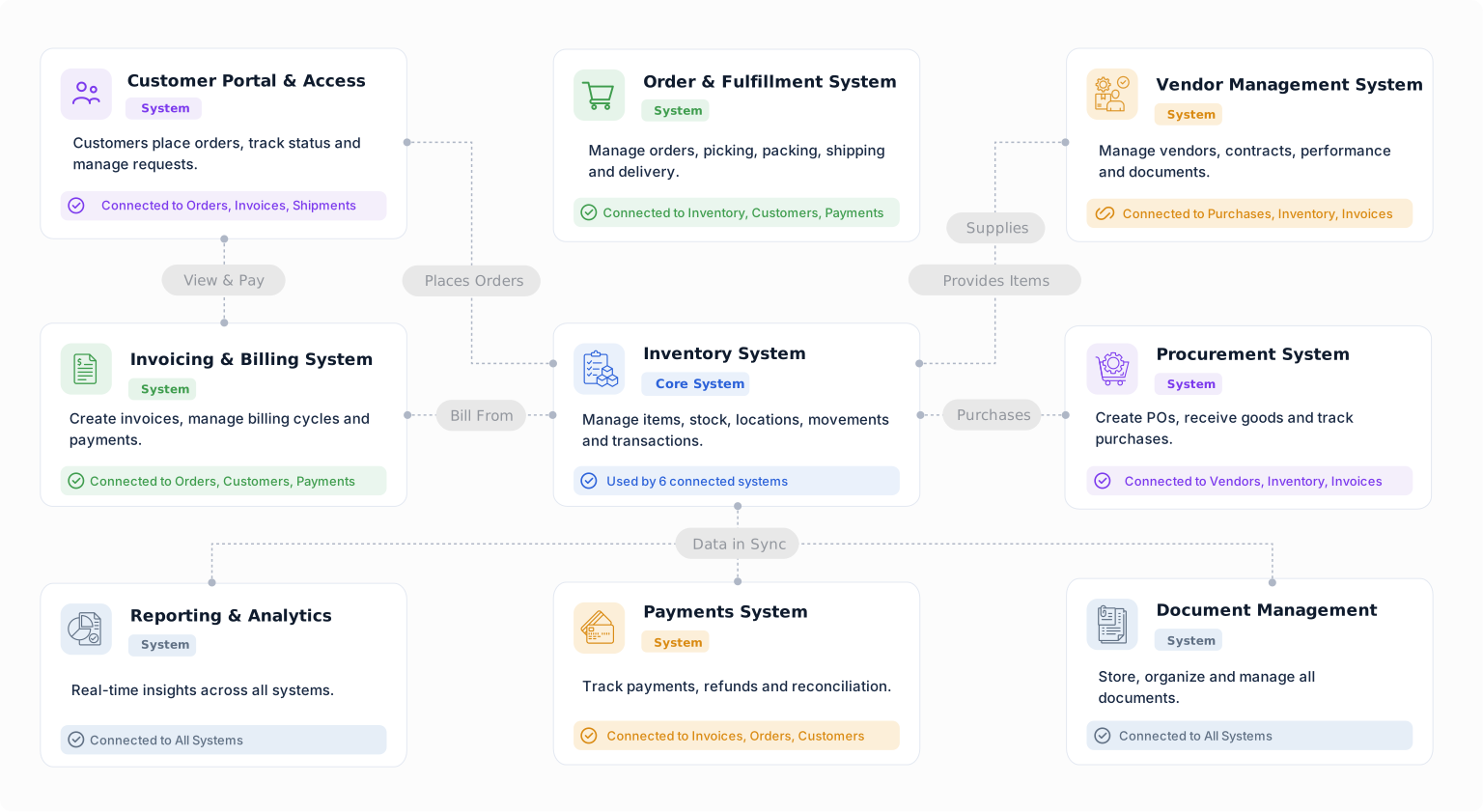
Give sales, operations, service, and finance teams a shared view of the work surrounding each customer.
Connect opportunities with products, services, pricing, approvals, and confirmed orders.
Link customers with projects, milestones, files, services, and assigned teams.
Connect orders with availability, picking, shipping, delivery, and fulfillment status.
Keep customer issues, requests, follow-up, and resolution tied to the account.
Connect billing, invoice documents, due dates, payment status, and balances.
Keep the working record of every customer relationship in one connected CRM.
Explore AnyDB for free, build your own CRM, or have our team build and manage it with you.
Load the ready-to-use CRM and see how it fits your accounts, contacts, and opportunities.
Start FreeCustomize and run your own CRM using the full AnyDB platform.
View PlansHave your CRM built and managed for you.
Talk to Us
Manage accounts, contacts, opportunities, activity, follow-ups, invoices, and post-sale operations in a CRM built around your business.


