AnyDB Workflow Automation
Turn Every Update Into Action

Design event-driven workflows on top of your data so tasks, updates, and decisions
happen automatically as work moves forward.

Workflow Automation in AnyDB

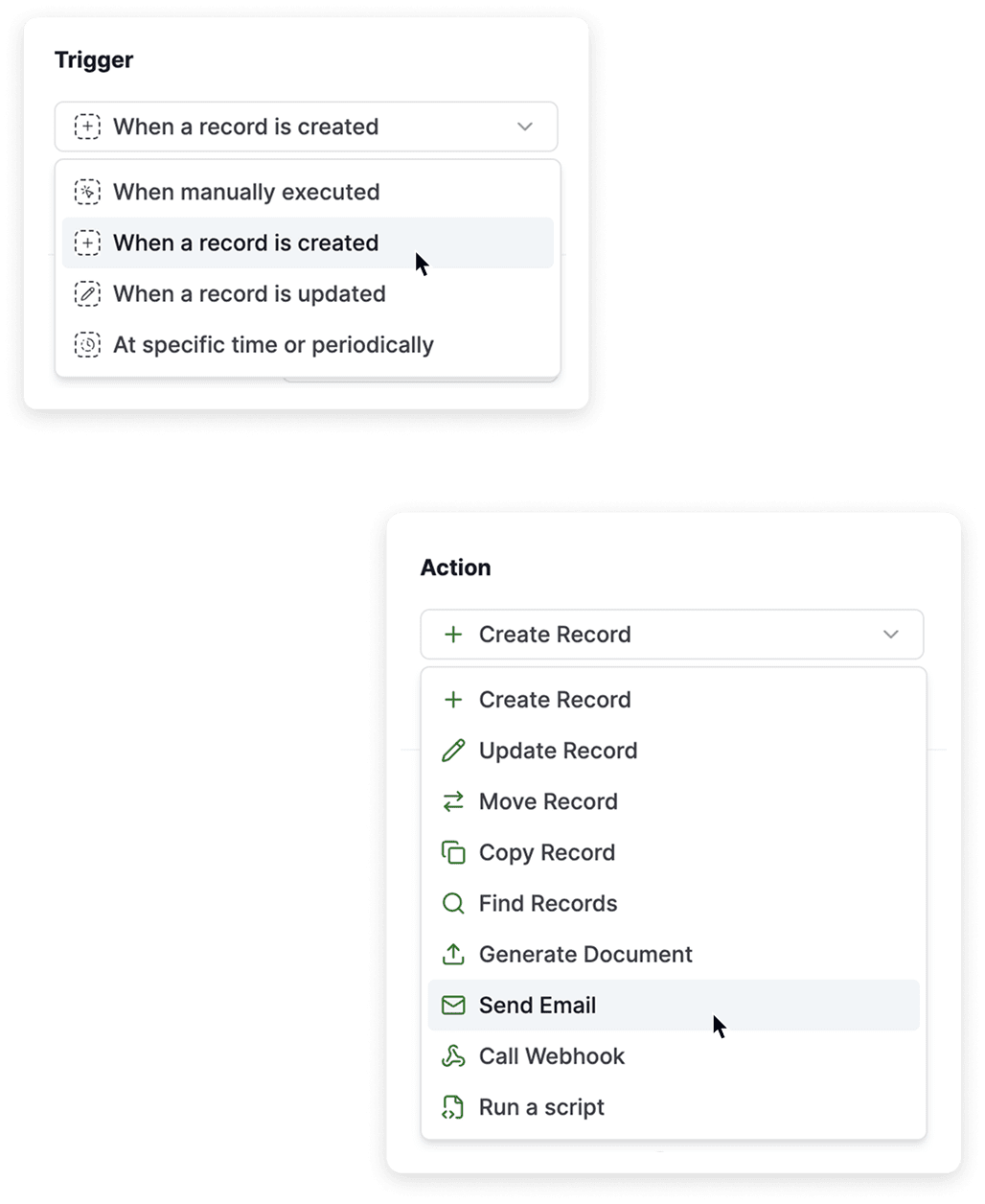
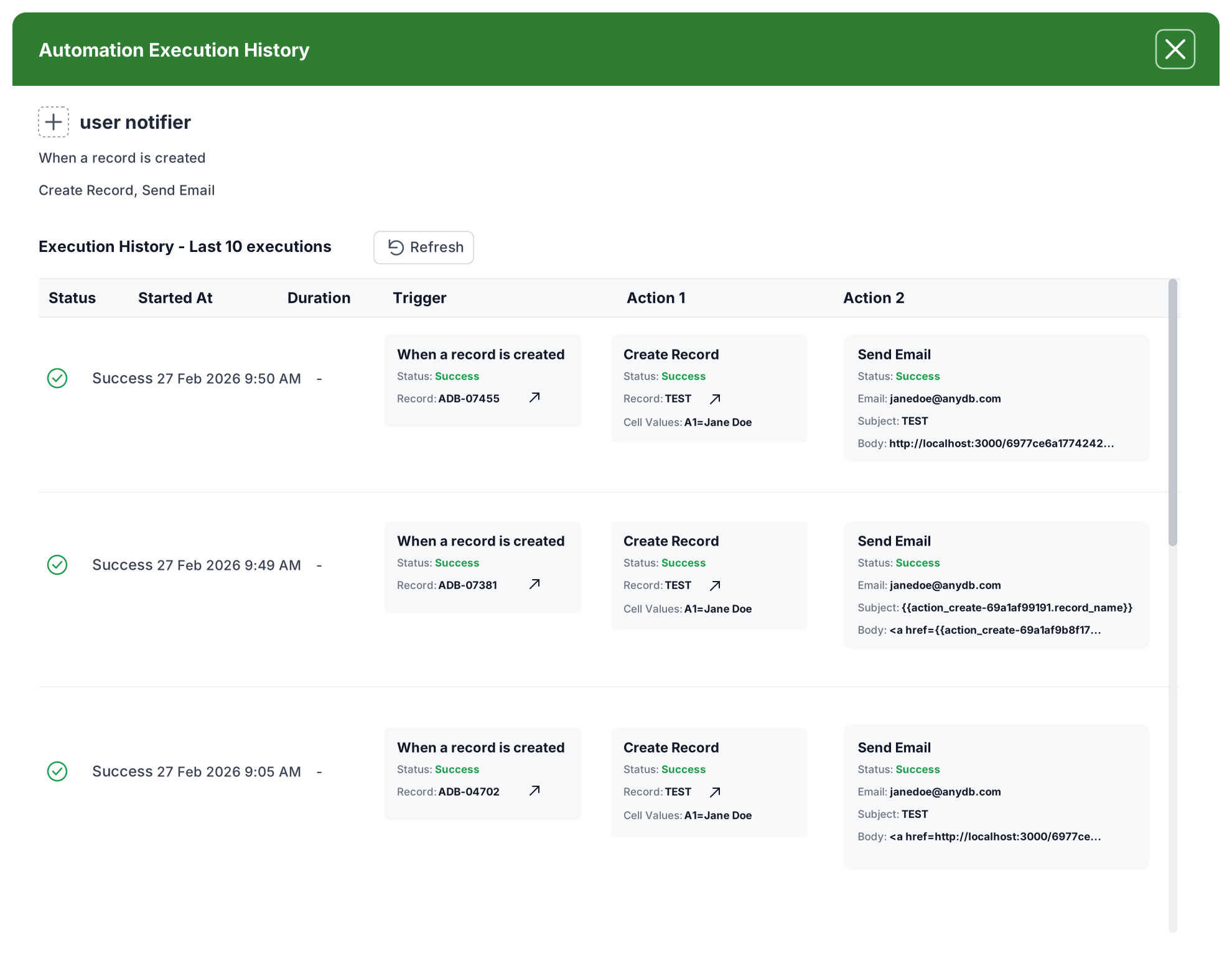
Workflow Automation turns your data into an active system that executes work as changes happen.

Every workflow is built using:

  • Triggers → define when something happens
  • Actions → define what happens next

This creates a direct connection between events and execution.

Examples of triggers:

  • A record is created
  • A record is updated
  • A scheduled time is reached
  • A workflow is run manually

Workflows run inside your data structure, respecting:

  • Permissions
  • Record relationships
  • Field-level logic

Examples of actions:

  • One click runs your automation instantly
  • Create or update records
  • Send emails or notifications
  • Move or copy records
  • Generate documents
  • Call external systems via webhook
  • Run custom logic with scripts

This keeps execution controlled, consistent, and secure.

AnyDB Workflow Automation — Triggers and Actions
AnyDB Workflow — Button Cell actions

Trigger actions directly from your records

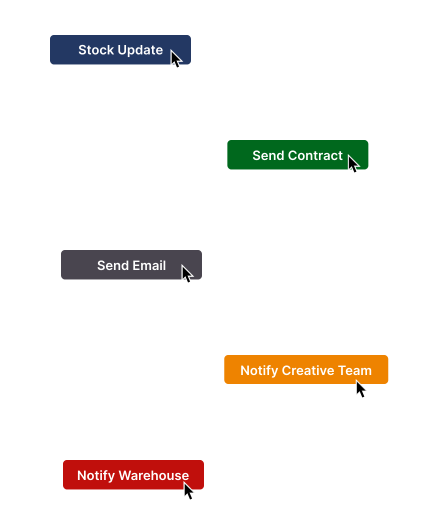
The Button Cell lets you run actions inside the context of a record. Each button connects to an automation, so actions run with one click. Teams can trigger updates, notifications, and workflows exactly when needed.

In practice, one button click means:

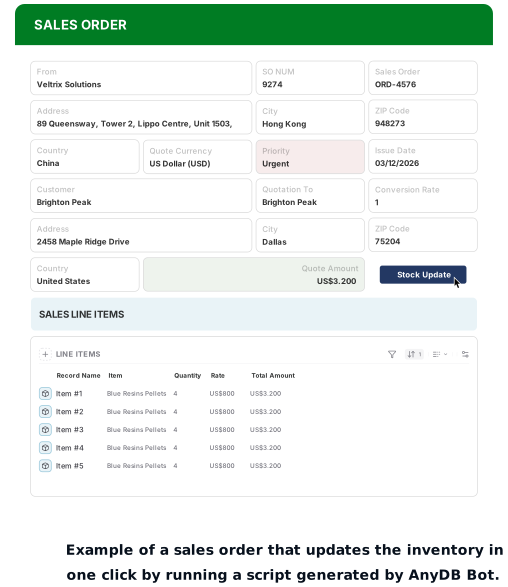
  • A completed sales order updates inventory
  • A closed deal sends the contract to legal
  • An update triggers an email or notification
  • A newly uploaded file notifies the team
  • A contract moves into approval

This keeps execution simple and consistent, while giving teams control over when processes run.

How Work Actually Moves With Automation

Each workflow replaces multiple manual steps with a single defined logic.

You can:

  • Run automation from a button or record
  • Assign work automatically when records are created
  • Trigger follow-ups when status changes
  • Keep related records in sync
  • Escalate based on priority conditions
  • Generate documents and reports
  • Run scheduled routines
  • Send data to external systems via webhooks
  • Apply custom logic with scripts
AnyDB Sales Order — workflow automation example
AnyDB Scripts and Custom Logic

Scripts and Custom Logic

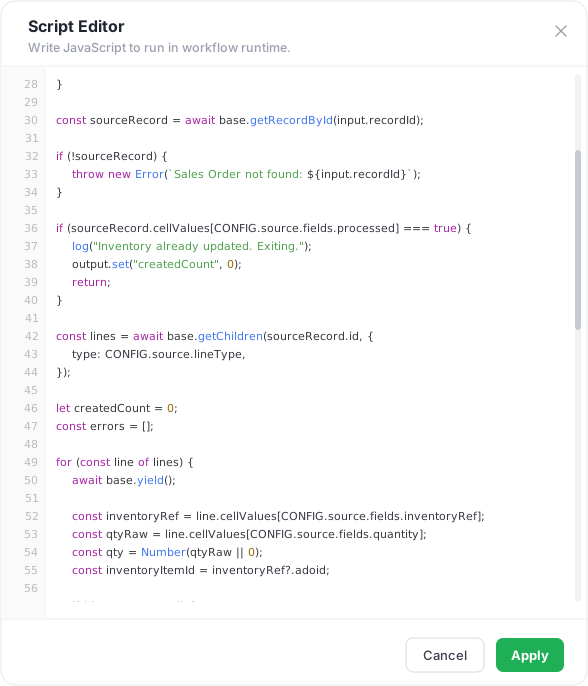
When standard actions are not enough, you can go beyond with AnyDB by running custom logic directly inside the workflow.

Scripts allow you to:

  • Apply complex calculations
  • Enforce business rules
  • Process multiple records
  • Integrate external APIs
  • Transform and structure data

For faster setup, use AnyDB Bot, an AI assistant that builds your logic inside the system. Describe what needs to happen, and it generates a ready-to-run script aligned with your data structure.

What Changes Once Automation Is in Place?

AnyDB Workflow Automation — What changes once automation is in place

Workflow Automation replaces manual execution with a structured, reliable flow.

  • Inventory updates, send emails, and more, can happen with one click
  • The same logic executes consistently every time
  • Related records stay aligned as changes happen
  • Missed steps and forgotten updates are eliminated
  • Teams react to the same real-time changes
  • Higher volume runs without added coordination effort
  • Work moves forward as soon as something changes

Workflow Automation removes the gap between data and execution.

Every update becomes a trigger, and every trigger moves work forward without delay.

Set up your first workflow and turn your operations into a system that runs on its own.