
Inconsistent Invoice Creation
Use a repeatable structure for customer information, line items, pricing, taxes, payment terms, and totals.
AnyDB for Invoice Management
Create customer invoices, use Document Generation to turn live invoice records into professional PDFs, track payment status, and manage follow-ups without relying on disconnected documents and spreadsheets.
Start with a ready-to-use Invoice object, then customize the system around your billing process.
Need help getting started? We can set up your invoicing system at no cost.





Replace scattered invoice documents, email threads, and manual payment trackers with a structured invoicing workflow your team can follow.
Use a repeatable structure for customer information, line items, pricing, taxes, payment terms, and totals.
Calculate line totals, subtotals, taxes, discounts, adjustments, and invoice totals using structured invoice data.
Keep invoices linked to the customers, orders, projects, services, and other records behind the charge.
See which invoices are drafts, sent, due, overdue, partially paid, or paid without checking separate trackers.
Use due dates, assignments, reminders, and notifications to keep unpaid invoices from slipping through the cracks.
Start free, build the system yourself, or have our team build and manage it for you.
Use the invoicing capabilities your business needs, then customize the structure and connect it with the rest of your operations.
Create consistent invoices with complete billing information.
2Turn live records into professional invoice documents.
3Monitor balances, deadlines, and payment activity.
4Shape invoicing around your billing process.
Manage daily invoicing in one system that can be customized to fit your customers, services, and billing process.
Start with a structured Invoice object from the Business Object Library, then customize it to fit your billing process.
Capture customer details, billing addresses, invoice numbers, dates, and payment terms.
Add products, services, descriptions, quantities, prices, taxes, discounts, and adjustments.
Calculate line totals, subtotals, taxes, discounts, adjustments, and the amount due.
Populate reusable Word or Excel templates with live invoice data, then download the generated document or export it directly to PDF.
Add your logo, contact details, terms, payment instructions, and other invoice information.
Organize invoices by draft, sent, due, overdue, partially paid, paid, or another status.
Create reminders and notifications based on deadlines, status, and other conditions.
Keep purchase orders, contracts, receipts, correspondence, and related files together.
Share invoices through controlled views or customer portals with tailored access.
Monitor invoiced totals, open balances, overdue invoices, payment activity, and trends.
Link invoices with customers, quotes, orders, projects, fulfillment, and payments.
Create invoices with customer and billing details, invoice dates, payment terms, line items, taxes, discounts, and totals. Keep every invoice structured so teams can create, review, and find billing information without searching through separate files.
Keep invoice numbers, dates, customer details, billing information, currency, and payment terms together.
Record the products, services, quantities, prices, taxes, discounts, and adjustments included.
Use formulas to calculate line totals, subtotals, taxes, discounts, and the final amount due.
Track invoice status, payment deadlines, outstanding amounts, and related follow-up work from one shared system. Give finance and operations a clearer view of open invoices without maintaining a separate payment spreadsheet.
Track whether an invoice is a draft, sent, due, overdue, partially paid, paid, or cancelled.
Connect payment dates, amounts, references, receipts, and remaining balances to each invoice.
Assign follow-ups and automate reminders based on status, due date, customer, amount, or another condition.
Start faster with the ready-to-use Invoice object from the AnyDB Business Object Library. Customize its fields, calculations, terminology, document layout, statuses, and workflow rules to fit your billing process.
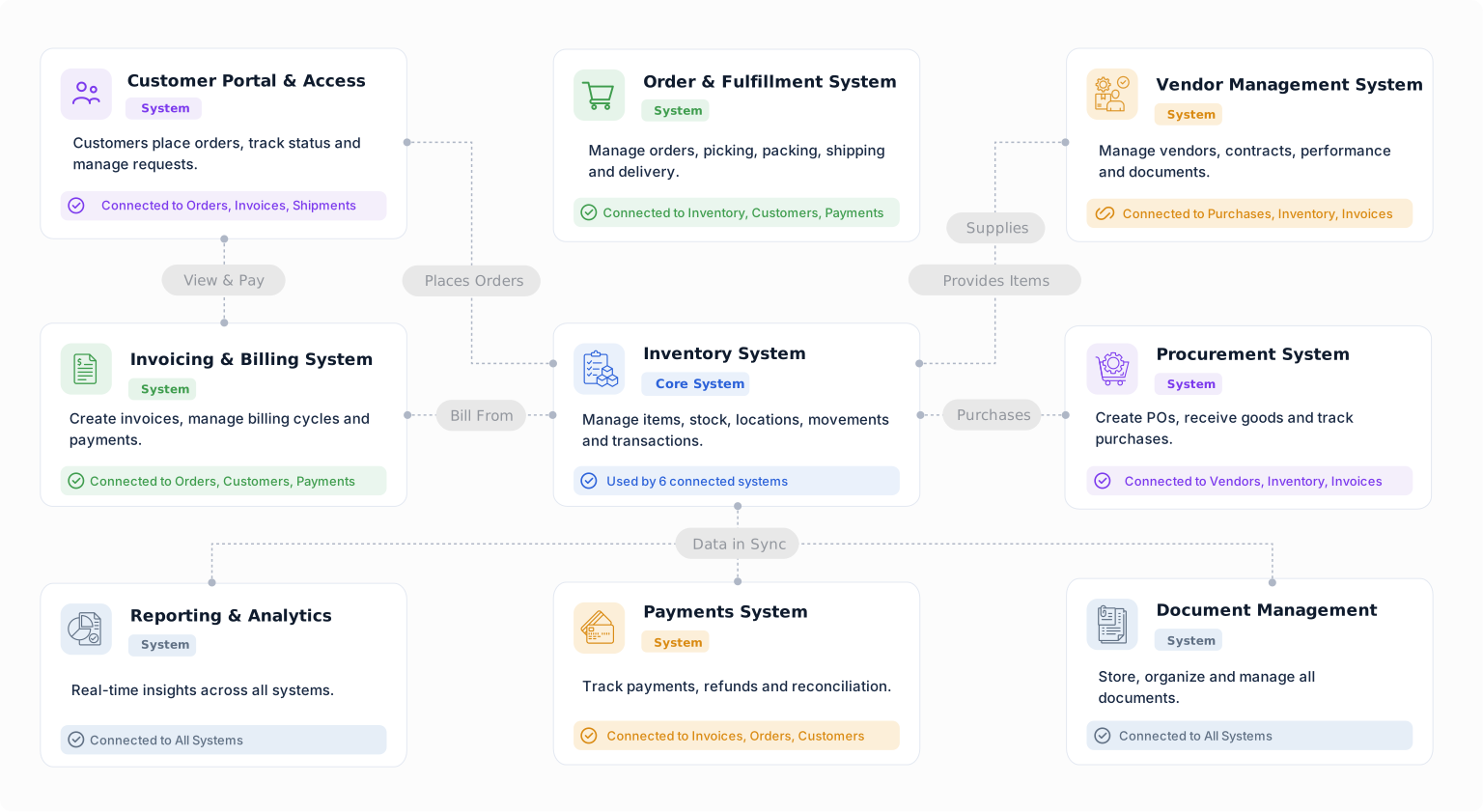
Connect invoices with customers, quotes, orders, projects, fulfillment, services, approvals, and payment records. Begin with invoice creation and expand into a broader connected system when needed.
Capture the billing details, references, classifications, and internal information that matter to your team.
Set conditions for reviews, approvals, document generation, reminders, and follow-up actions.
Link invoicing with customers, orders, projects, fulfillment, payments, and other processes.
An invoice is usually the result of work that happened elsewhere. AnyDB keeps it connected to the operational record that explains what is being billed.
Keep billing details, contacts, addresses, payment terms, and invoice history connected.
Carry approved products, services, quantities, and prices into invoicing.
Link each invoice to the project, milestone, completed service, billing period, or other work being billed.
Confirm what was fulfilled or delivered before preparing the invoice.
Connect payment amounts, dates, references, receipts, and remaining balances.
Keep what works and move the billing steps that need more structure, visibility, or flexibility into AnyDB.
Turn spreadsheet-based invoices and payment trackers into structured records with calculations, relationships, permissions, automations, and history.
Replace a Business Spreadsheet →Generate branded invoice documents from live records using reusable templates.
Explore Document Generation →Keep invoicing tied to the customer, order, project, fulfillment, or service instead of managing billing in isolation.
Connect Your Operations →Track due dates, payment status, balances, reminders, and customer follow-ups in the same system as the invoice.
Explore Workflow Automation →Explore AnyDB for free, build your own invoicing system, or have us build and manage it for you.
Explore AnyDB, create an invoicing system, and see how your billing process fits before moving to a paid plan.
Start FreeBuild and run your own operational system using the full AnyDB platform.
View PlansHave your AnyDB system built and managed for you so your team can focus on operating the business.
Talk to Us
Create consistent customer invoices, generate professional PDFs, track payments and follow-ups, and connect billing with the work behind it.
Start with a ready-to-use Invoice object and customize the system as your operation evolves.


