Google Sheets Alternative
Turn Shared Trackers Into Connected Operations

Replace shared order trackers, inventory sheets, vendor lists, project logs, inspection records, and approval spreadsheets with connected operational records, workflows, files, portals, and reports.

Keep the familiar spreadsheet experience while adding the structure and control needed to run business operations.

Free Demo / Setup
Book a demo and let us set up AnyDB for you. Free of charge!

Explore AnyDB Systems in Action

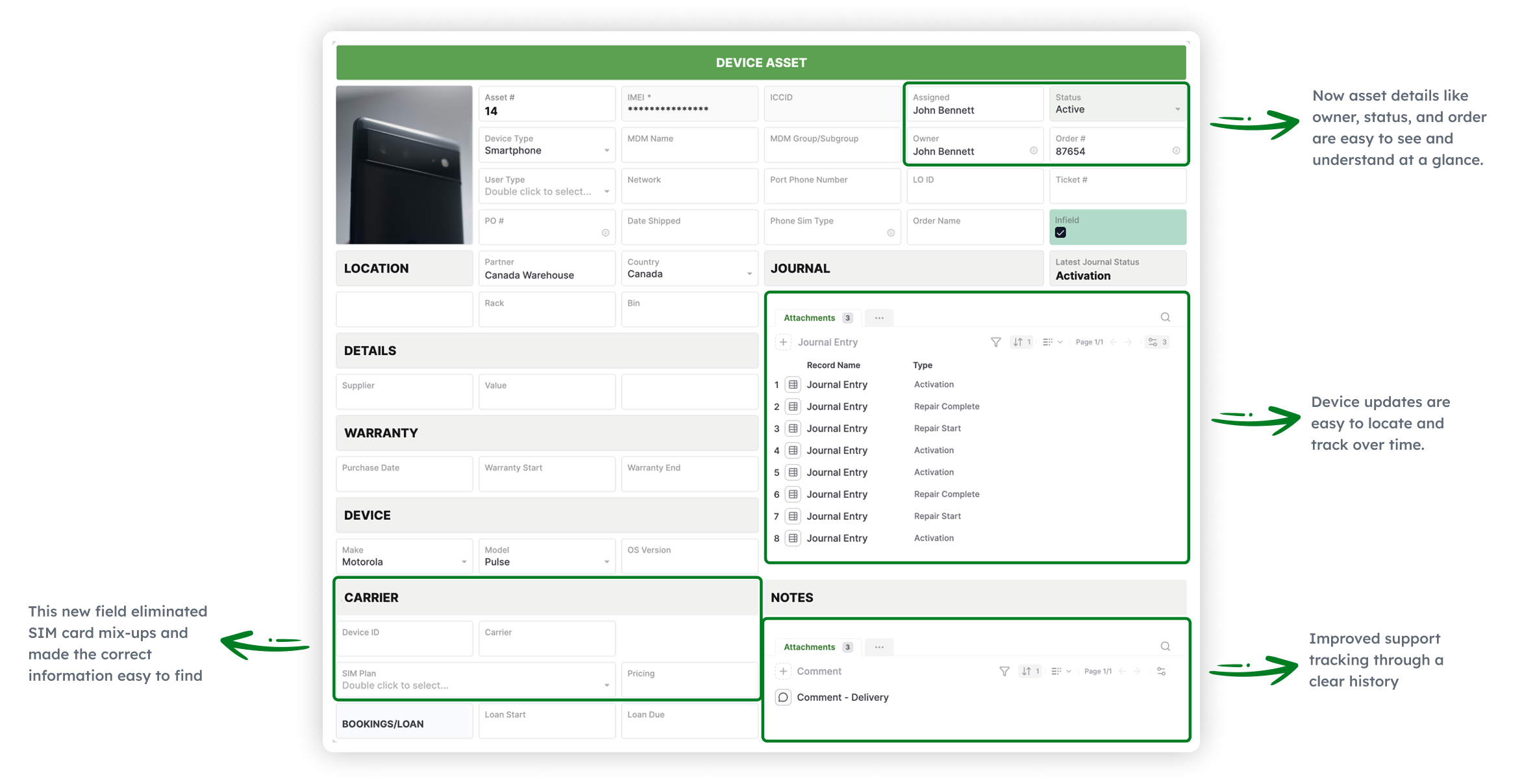
  • Asset Management
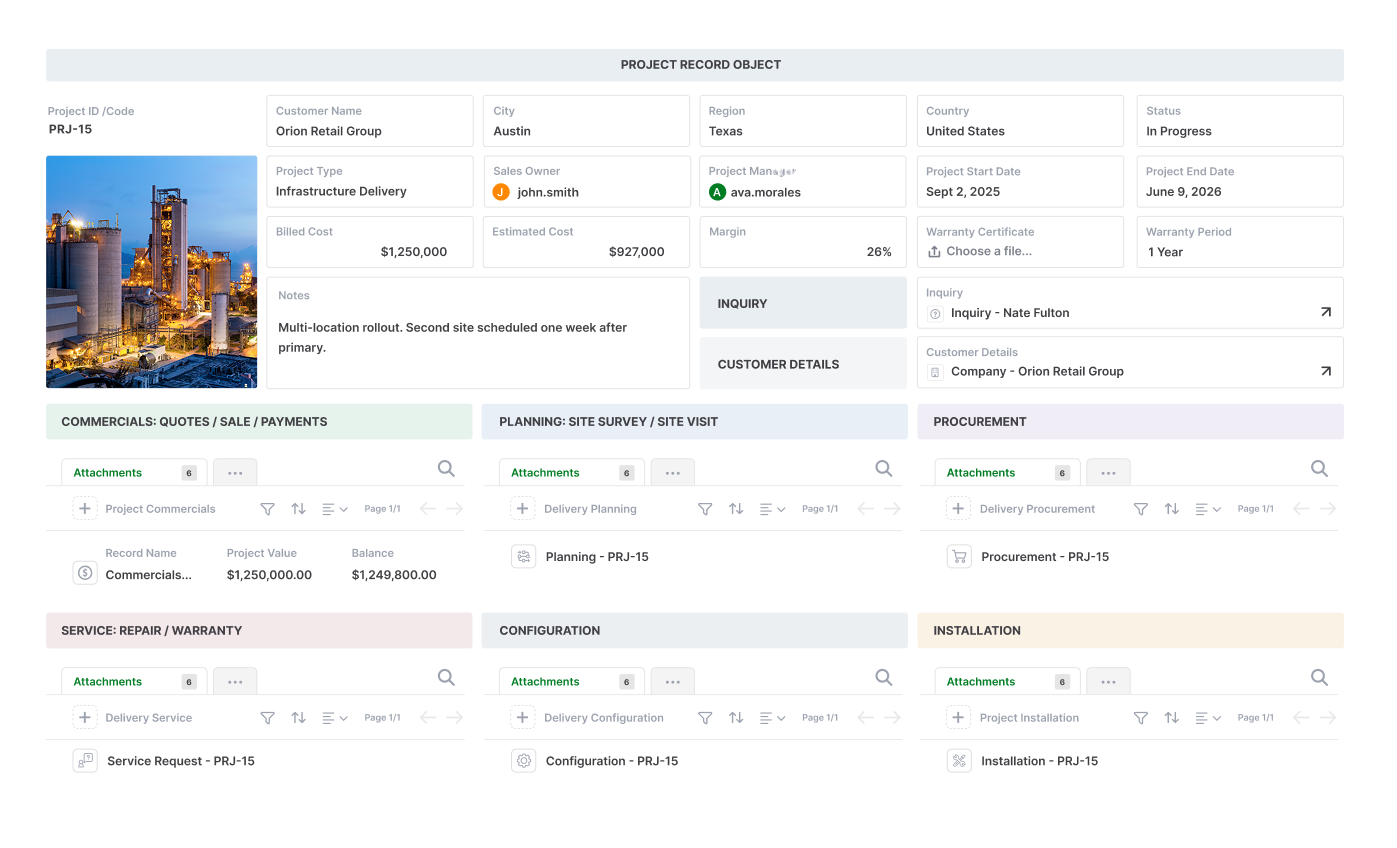
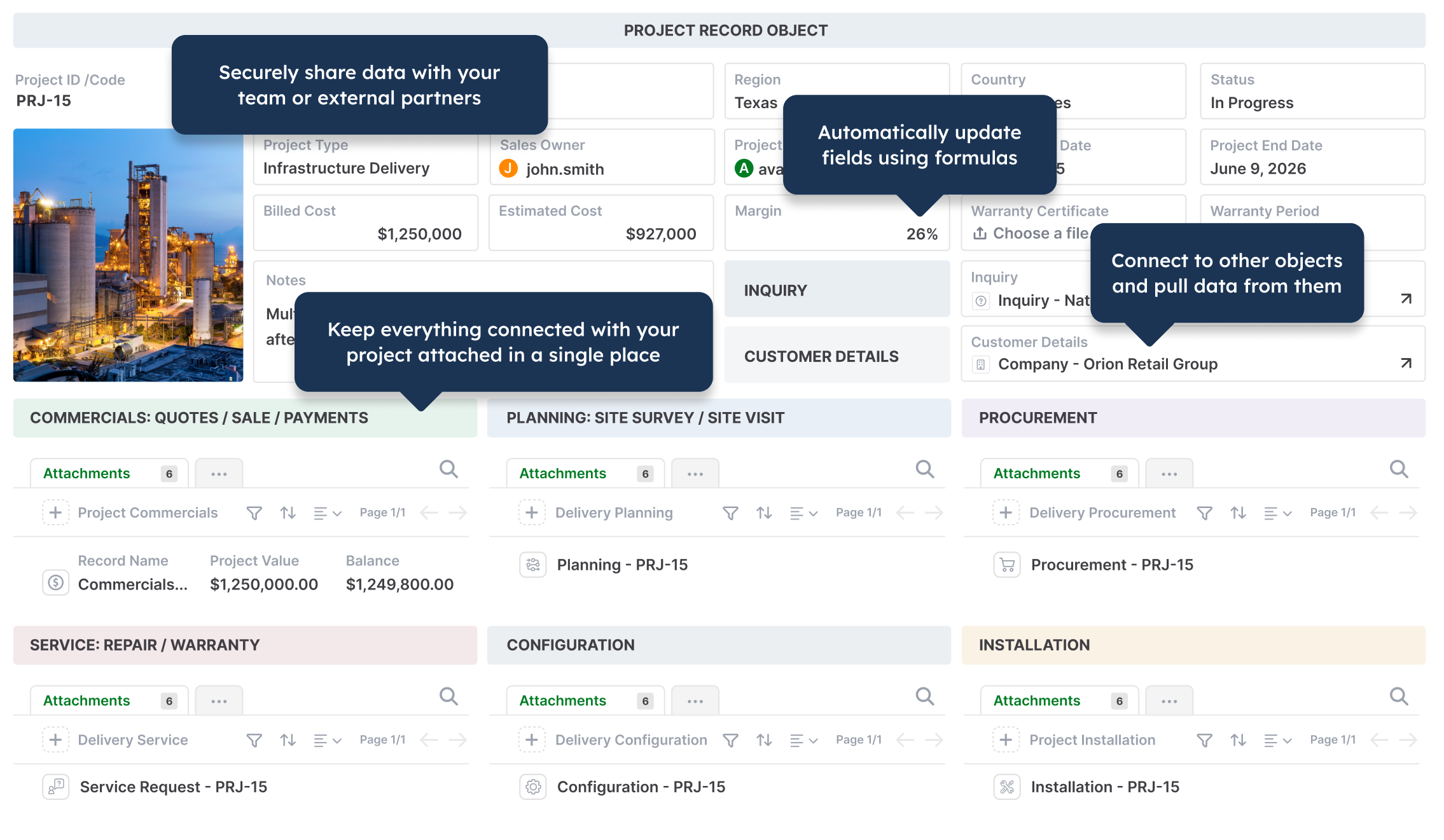
  • Projects
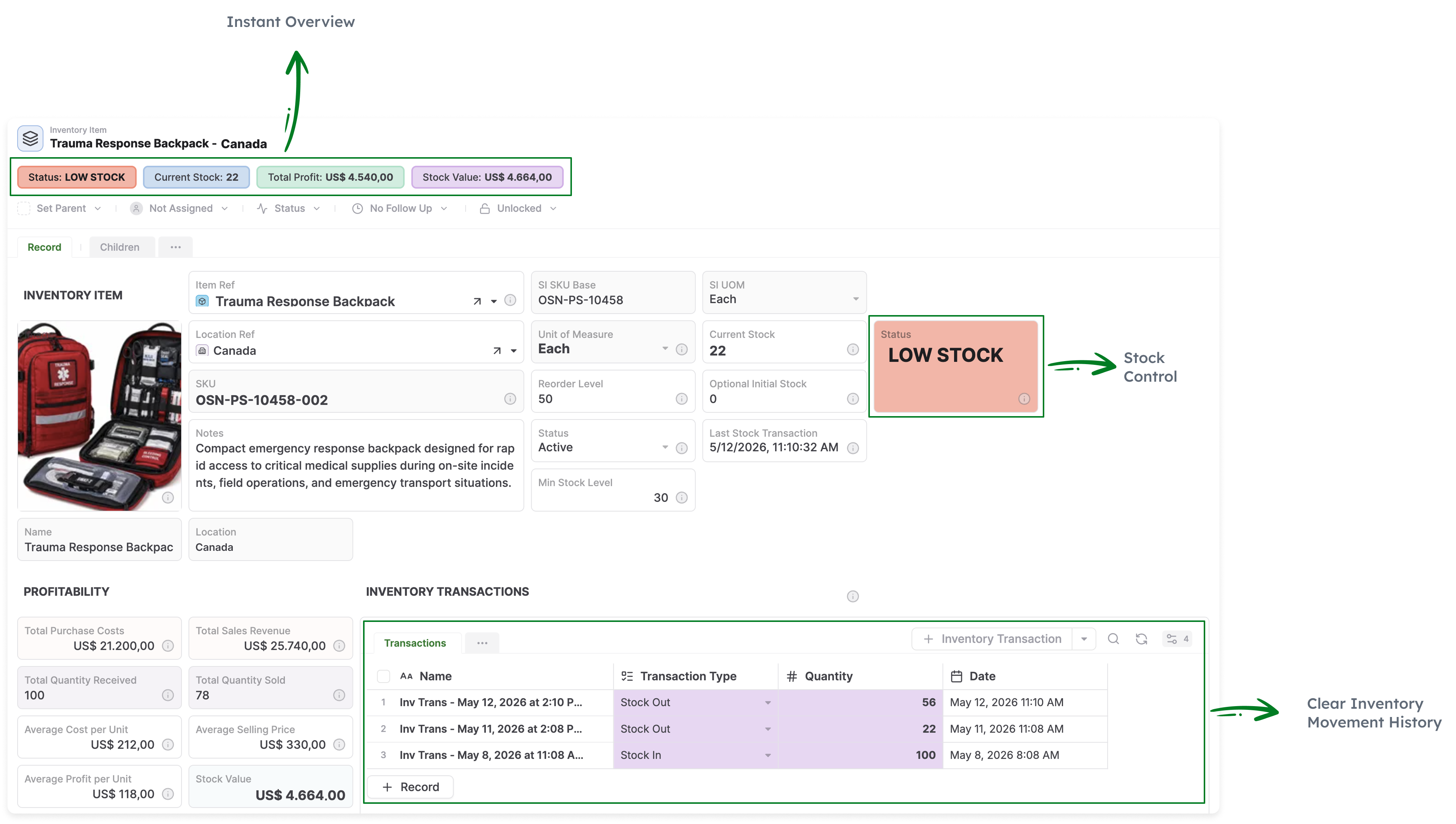
  • Inventory
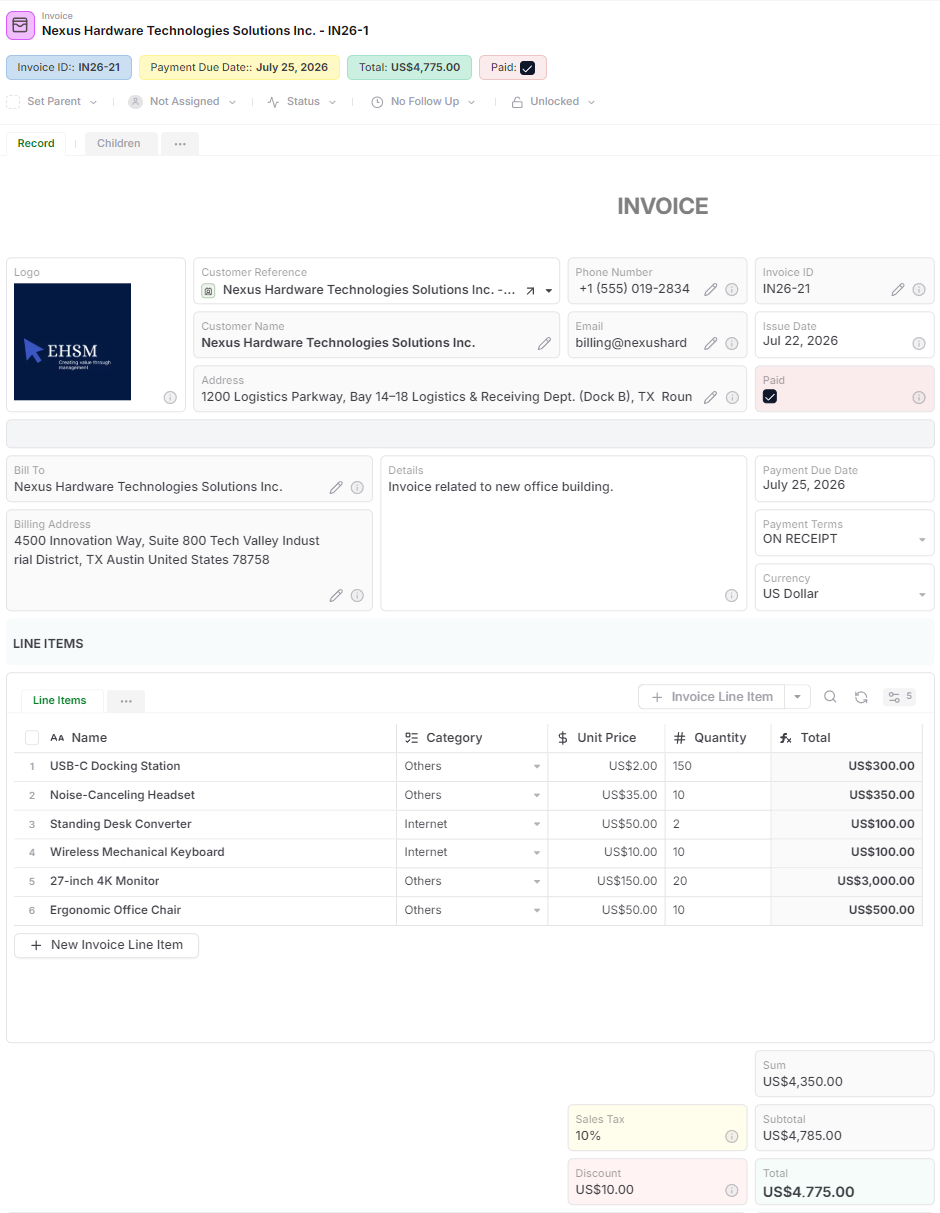
  • Invoices
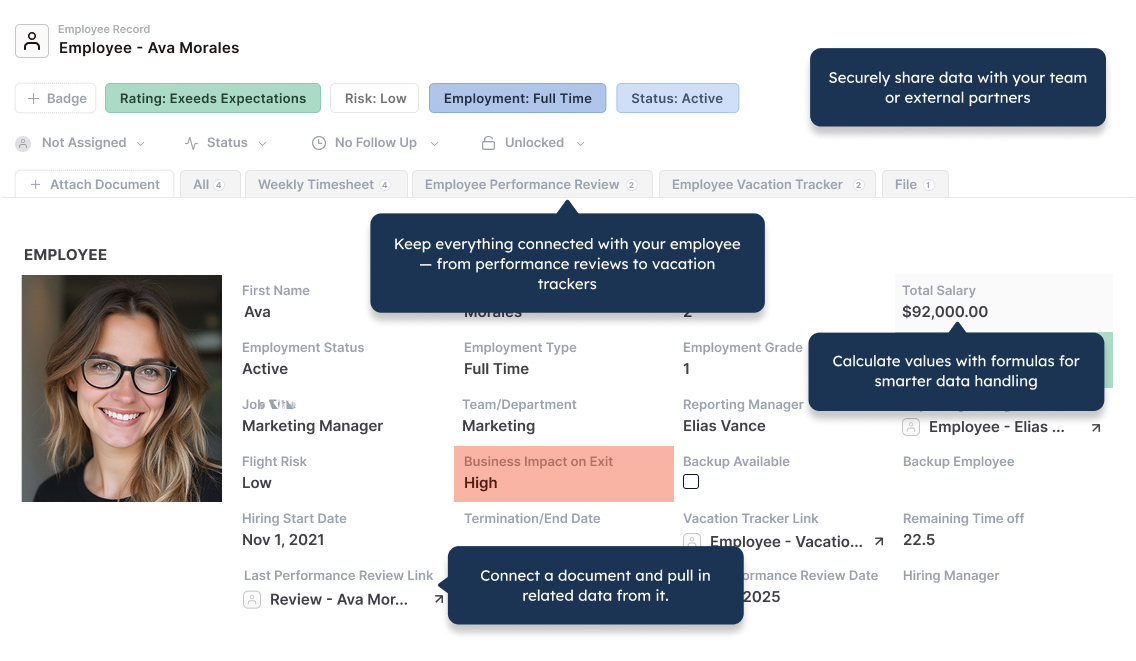
  • HR
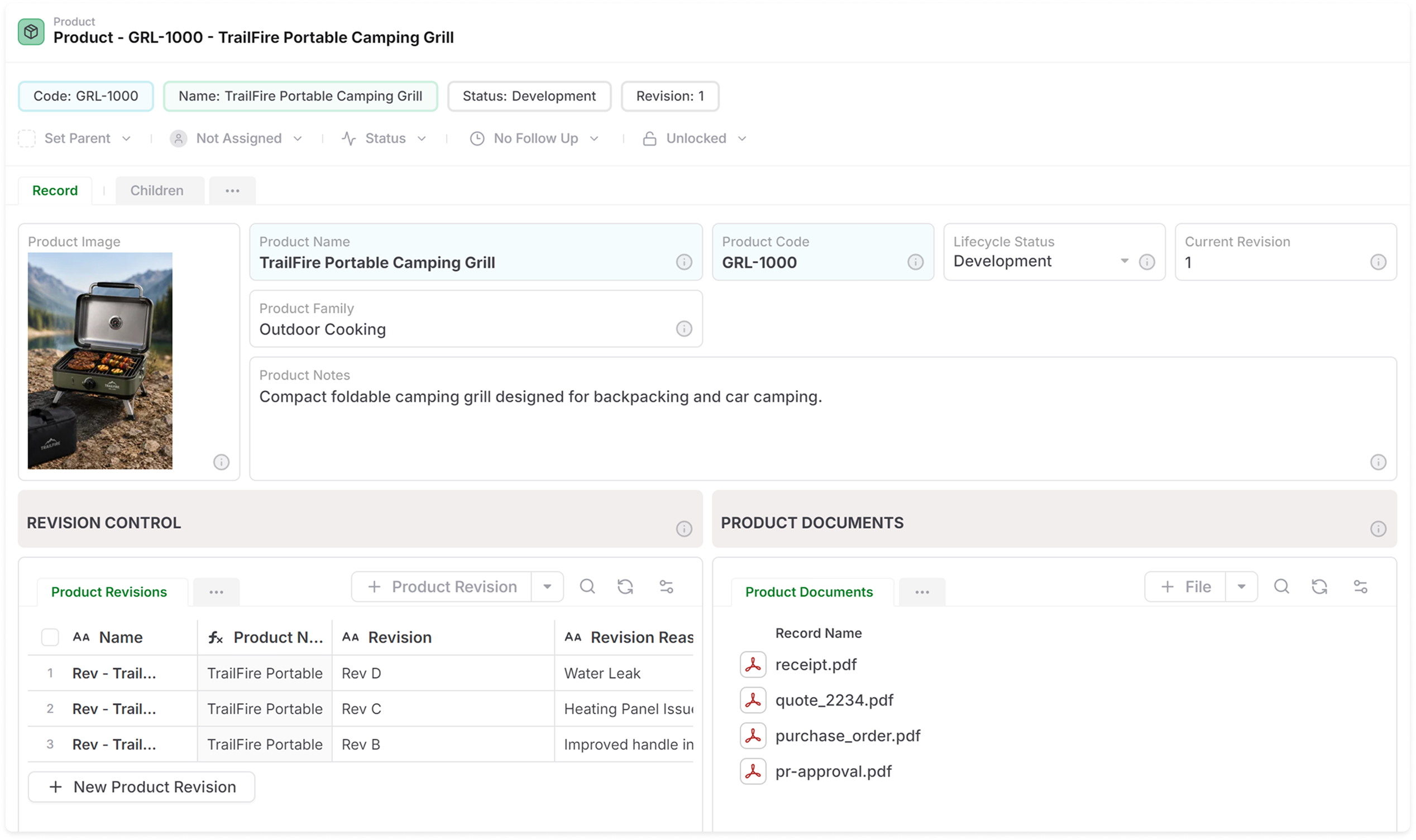
  • Product Lifecycle (PLM)
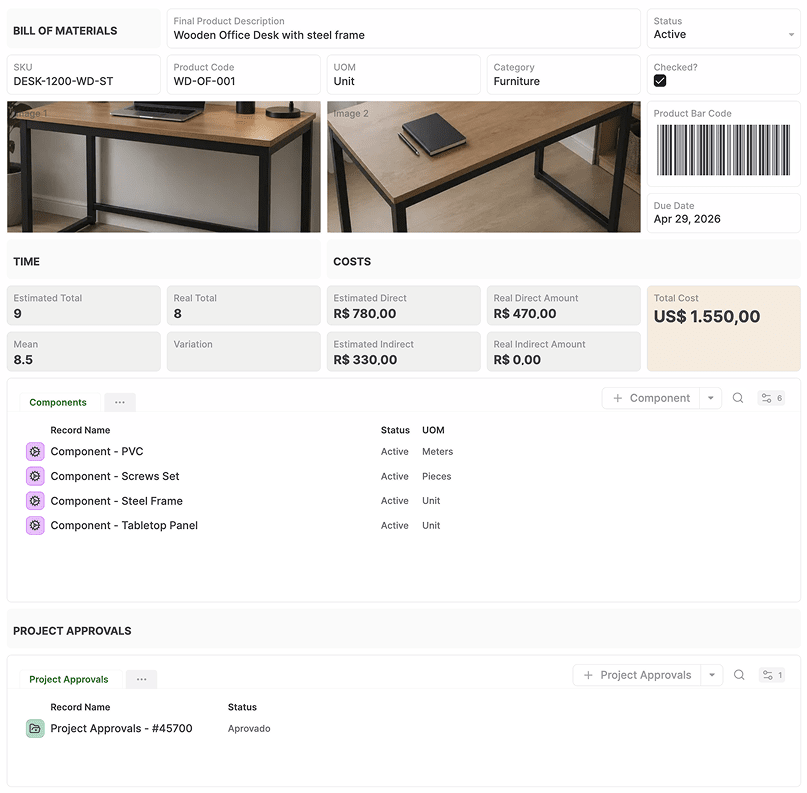
  • Bill of Materials
  • Dashboard
  • Purchase Orders
  • Timesheets
  • SOPs
  • Approvals
  • Surveys
  • Records to Documents
Asset Management
Operations project management in AnyDB
Inventory
Invoices
Employee records in AnyDB
Product LifeCycle Management PLM
Bill of materials in AnyDB
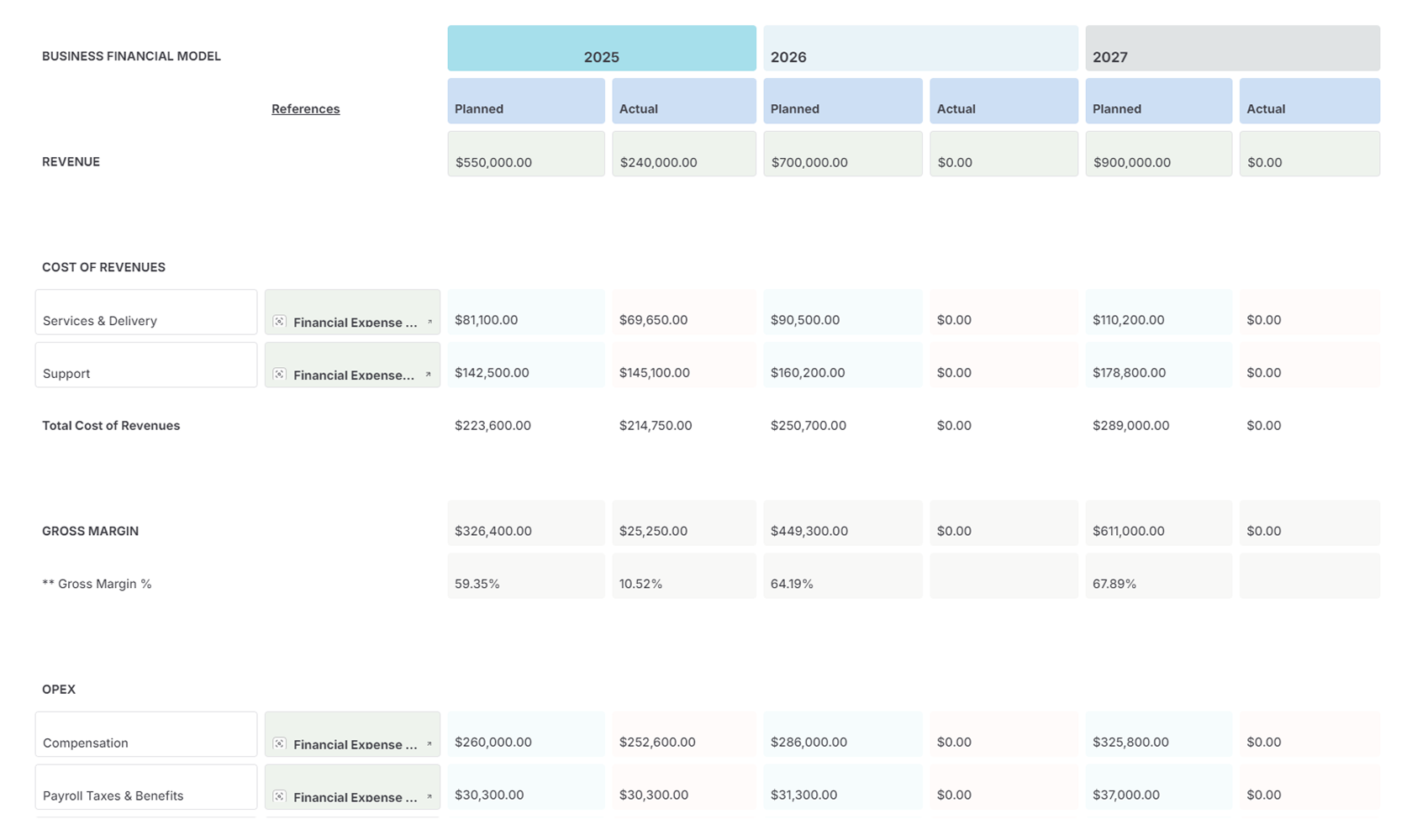
Reporting & Charts in AnyDB
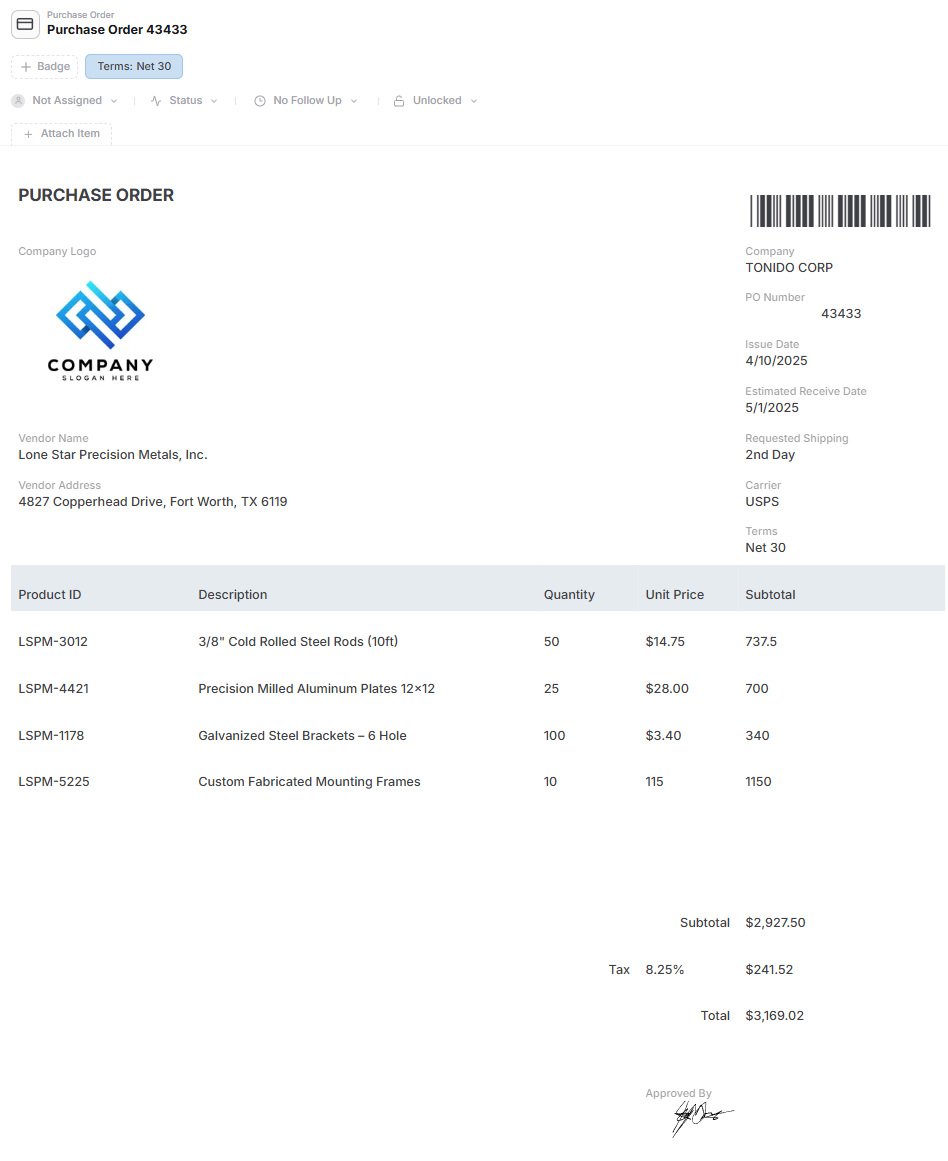
Purchase order management in AnyDB
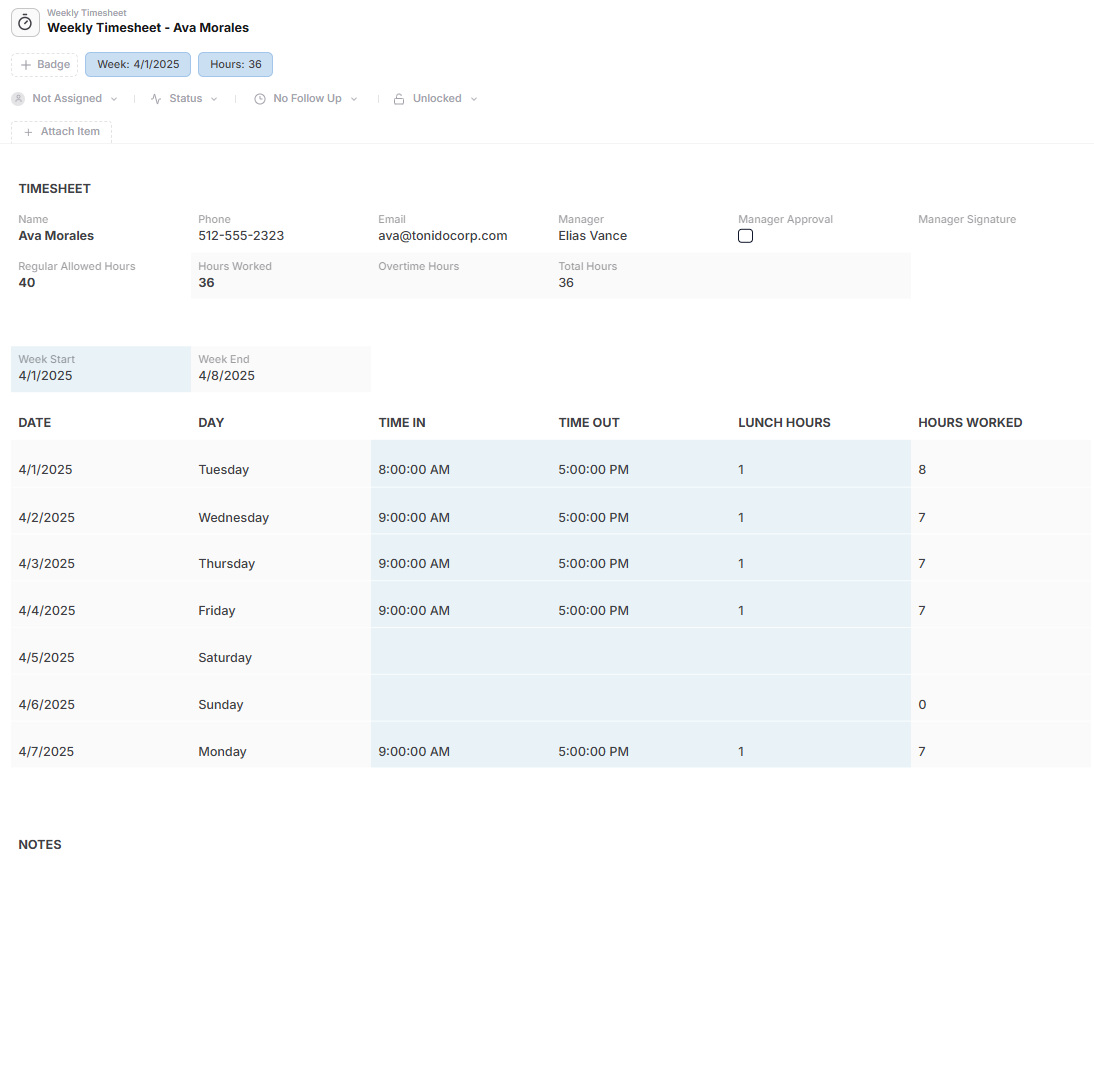
Timesheet management in AnyDB
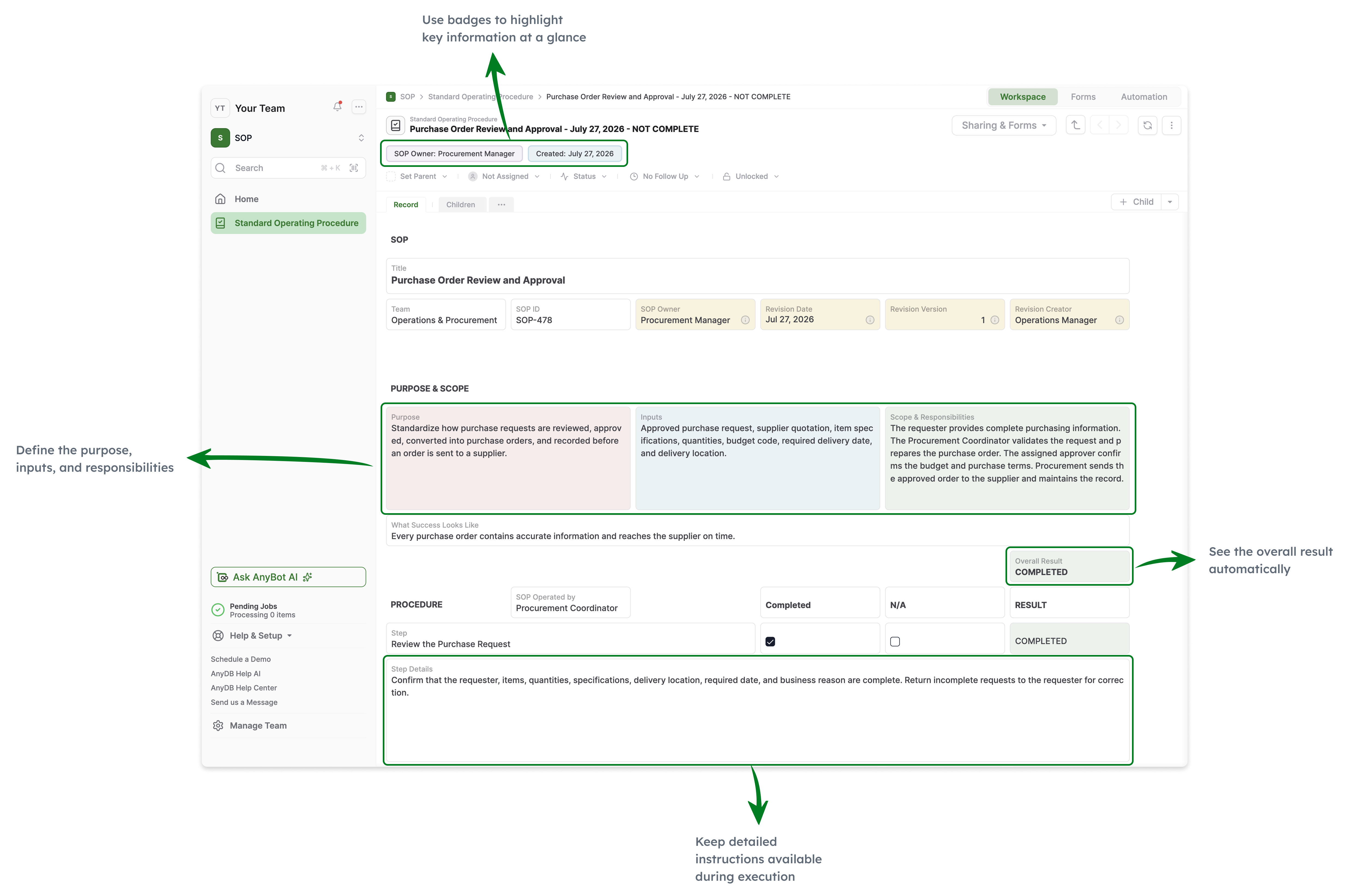
Standard Operating Procedures
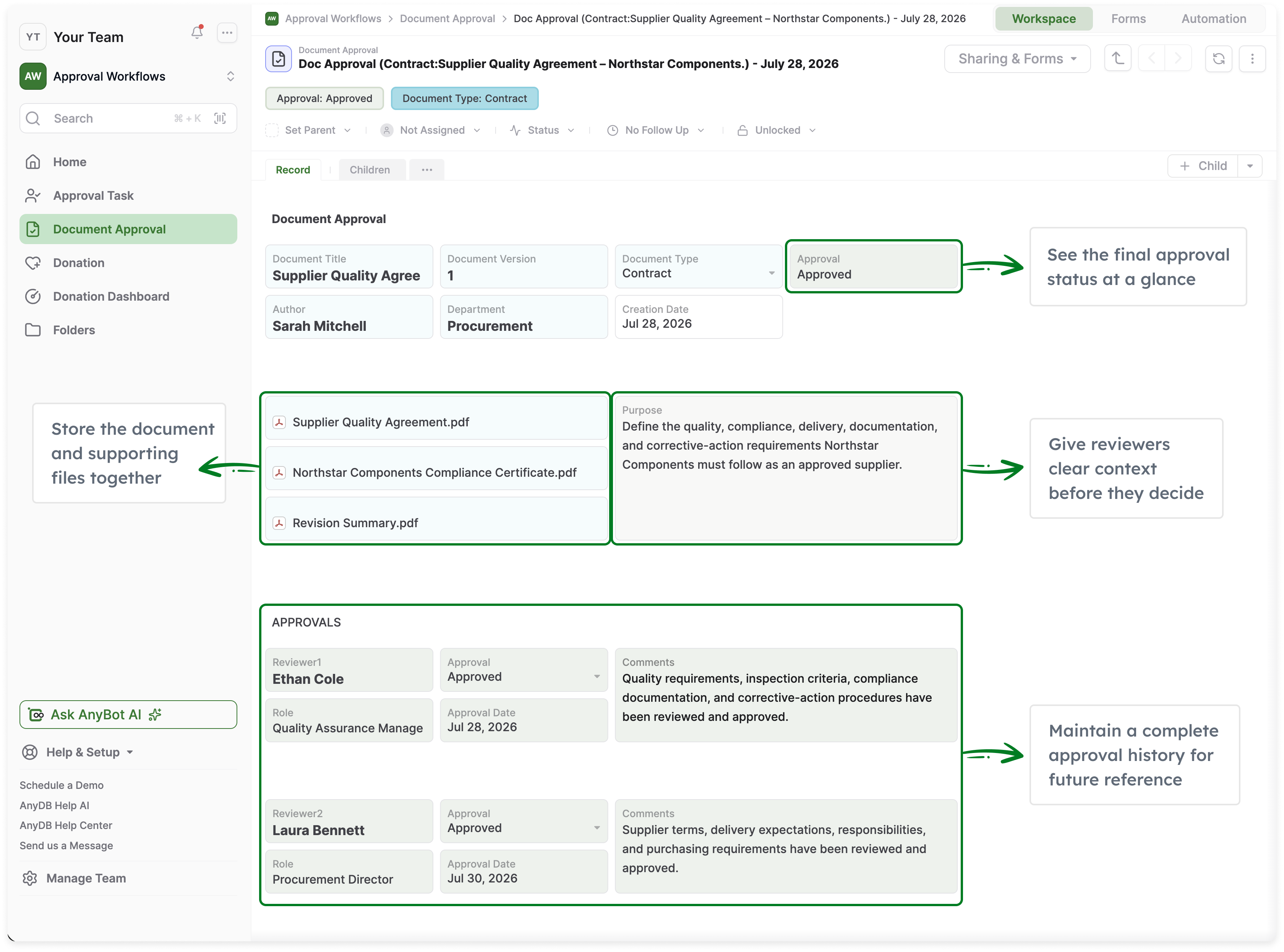
Approval workflows in AnyDB
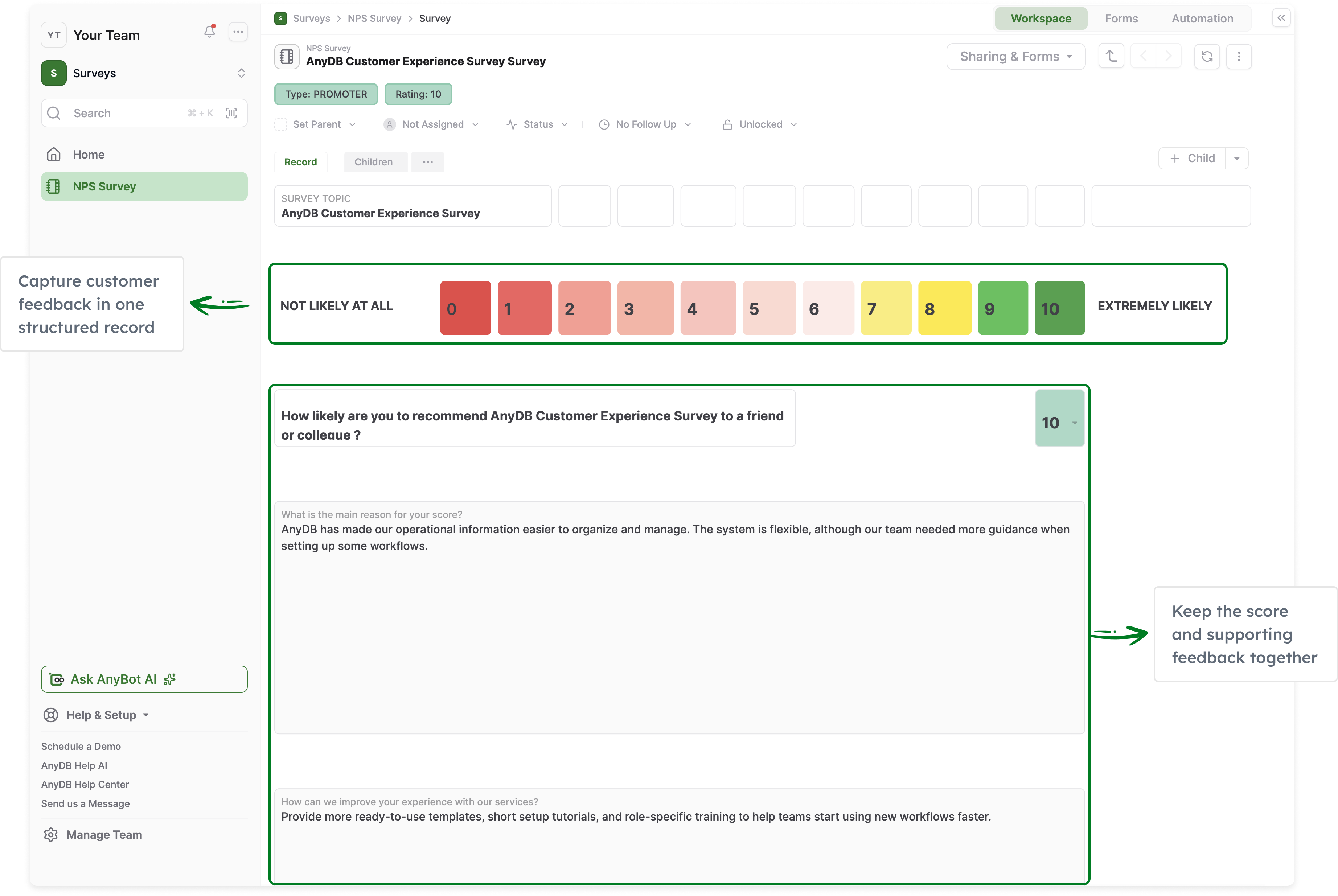
NPS survey management in AnyDB
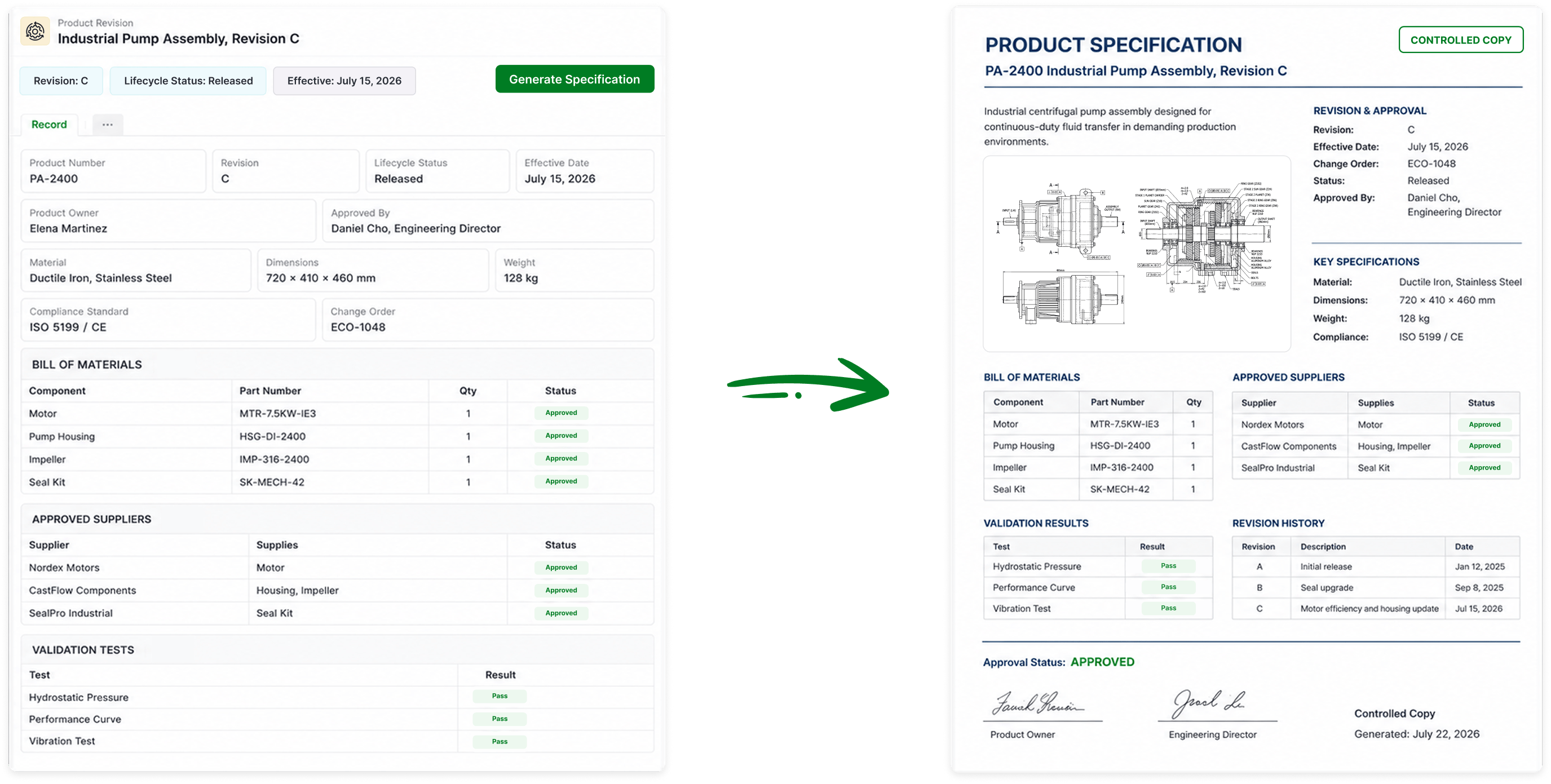
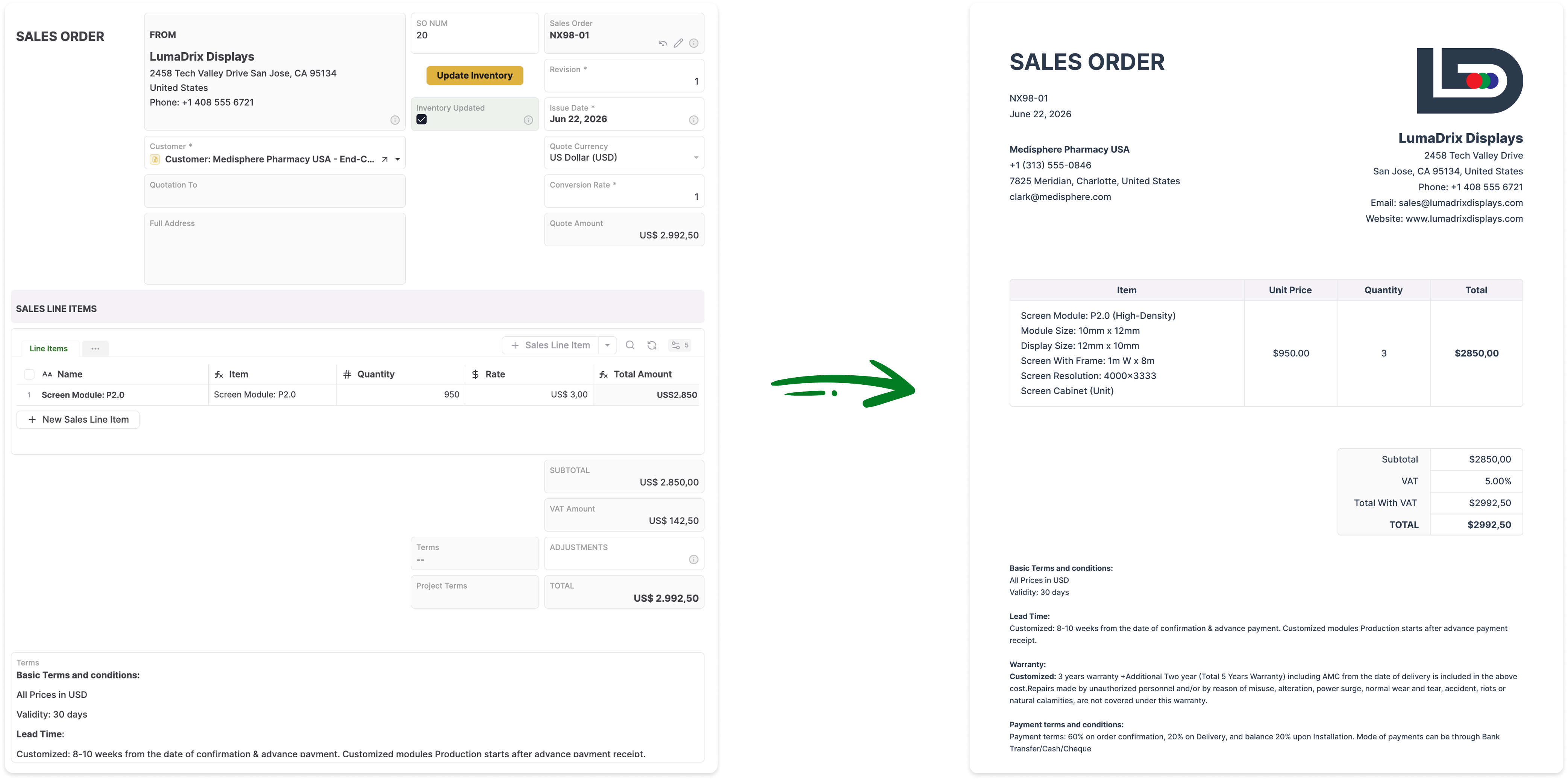
AnyDB Records to Documents

Run the Operation Around Complete Business Records,
Not Rows Scattered Across Shared Sheets

AnyDB keeps the data, related records, files, assignments, workflows, documents, and history of an operational record together in one place.

A Sales Order Is More Than a Sheet Row

An order can contain line items, customer details, files, assignments, reminders, approvals, fulfillment activity, and generated documents within one complete record.

No More Shared-Sheet Sprawl

Add tasks, inspections, files, approvals, documents, and related records without creating more tabs, duplicate columns, Apps Script logic, and linked spreadsheets.

The Record Remains the Unit of Work

Users work from the order, asset, customer, project, or claim itself instead of searching across tabs, linked sheets, Drive folders, emails, and supporting files.

Your System Evolves More Easily

Add new child records, workflows, files, forms, portals, and reports as requirements change without rebuilding a fragile network of shared sheets.

Built for Human Use

Organize complex records with hundreds of fields into clear sections, pages, child records, files, and related information so users can find what they need without endless scrolling.

Main Benefits

Start With Familiar Spreadsheet Skills

Create fields, records, formulas, and two-dimensional layouts using concepts your team already understands from Google Sheets.

Turn Rows Into Complete Business Records

Give every order, project, asset, vendor, inspection, claim, and work order its own structured workspace with related information and activity.

Connect Data Without IMPORTRANGE Chains

Link customers, orders, products, vendors, assets, projects, and locations directly instead of maintaining repeated values and fragile cross-sheet formulas.

Manage Record Hierarchies Naturally

Use child records for line items, tasks, components, inspections, maintenance events, and other structured details without flattening everything into one sheet.

Assignments and Reminders Built In

Assign work, set due dates, add reminders, and track responsibility directly on the business record where the work belongs.

Automate Repeatable Operations

Trigger approvals, notifications, status changes, documents, scripts, and integrations without relying on manual updates or spreadsheet-specific automation.

Control Access Precisely

Manage access by workspace, role, record, or field instead of sharing an entire spreadsheet or maintaining separate copies for different audiences.

Bring External Users Into the Process

Give customers, vendors, contractors, inspectors, and partners secure portal access without exposing internal spreadsheets or Drive folders.

Keep Files With the Record

Store contracts, invoices, photos, certificates, reports, and supporting documents with the customer, order, asset, project, or other record they belong to.

Generate Documents From Live Data

Create Word documents, PDFs, and Excel files directly from current operational records, child records, images, tables, barcodes, and QR codes.

Preserve History and Accountability

Track changes to records over time and see how information, responsibility, status, and workflow activity evolved.

Import Existing Sheet Data

Bring your current Google Sheets data into AnyDB and evolve one tracker or workflow at a time into a connected operational system.

Explore how AnyDB organizes business records, operations, files, and portals

Where Google Sheets Becomes Harder for Business Operations

  • Critical processes become spread across tabs, spreadsheets, Google Forms, Drive folders, email, and chat
  • Relationships are maintained through duplicated values, lookup formulas, filters, IMPORTRANGE, or manual reconciliation
  • Assignments, approvals, reminders, and status changes depend on conventions, comments, email, Apps Script, or additional tools
  • Spreadsheet sharing and protected ranges do not provide the same model as role, record, and field-level access
  • Customers, vendors, contractors, and partners are difficult to include without sharing files or building another interface
  • Attachments and supporting documents usually live in Drive rather than with the operational record
  • As the system grows, ownership and maintenance often become concentrated in one person who understands the formulas and scripts

AnyDB Is Built to Run Connected Operations

  • Create object-based systems for customers, orders, inventory, projects, assets, vendors, inspections, and work orders
  • Use child records for line items, tasks, components, findings, maintenance history, and other structured details
  • Keep records, files, assignments, reminders, approvals, workflows, documents, and history together
  • Control access by workspace, role, record, and field
  • Give customers, vendors, contractors, and partners secure access through built-in portals
  • Generate Word, PDF, and Excel documents directly from live operational records
  • Start with one shared tracker and expand into connected systems as the business grows

Google Sheets helps teams collaborate on shared data.
AnyDB helps teams run the operation around that data.

Turn shared order trackers, inventory sheets, project logs, vendor lists, inspection records, and approval spreadsheets into connected business systems.

Google Sheets is excellent for real-time collaboration, sharing, comments, formulas, lightweight tracking, version history, protected ranges, and integration with Google Workspace. Apps Script can also extend Sheets with custom functions, triggers, automation, menus, and integrations.

The challenge begins when a shared spreadsheet stops being a collaborative tracker and becomes the system used to run a business process. At that point, teams often need permissions, ownership, assignments, reminders, approvals, related records, files, portals, history, and controlled workflows.

AnyDB keeps the spreadsheet familiarity while adding an operational system around it.

Teams can still work with rows, columns, formulas, and grid-based layouts. But every row can become a complete business record connected to child records, linked objects, documents, actions, workflows, users, files, and history.

Google Sheets Is Excellent for Shared Trackers. AnyDB Is Built for Connected Operations.

Use Google Sheets for collaborative calculations, lightweight tracking, planning, reporting, and flexible data work. Use AnyDB when the shared tracker becomes a business-critical process requiring controlled workflows, relationships, responsibility, files, history, and external participation.

Best Fit Google Sheets AnyDB
Primary modelSpreadsheets, tabs, cells, formulas, filters, comments, and sharingConnected business objects, records, child records, workflows, and portals
Best forReal-time collaboration, lightweight tracking, calculations, planning, and reportingOperational systems of record and repeatable business processes
Typical use casesShared trackers, budgets, plans, analyses, lists, and temporary team processesInventory, orders, procurement, projects, assets, inspections, work orders, claims, and approvals
Unit of workSpreadsheet, tab, table, range, or rowCustomer, order, asset, project, vendor, claim, inspection, or other complete record
Related informationAdditional tabs, sheets, formulas, filters, lookups, and IMPORTRANGENative child records and linked business objects
Process executionUsually driven by formulas, comments, Apps Script, Google Forms, conventions, and manual updatesAssignments, reminders, approvals, actions, workflows, scripting, and automation built around records
External participationSpreadsheet sharing, forms, email, or another application layerBuilt-in secure portals and forms
Supporting filesLinks to Drive files or supporting foldersFiles stored with the operational record
PermissionsFile sharing, viewer/commenter/editor roles, and protected sheets or rangesWorkspace, role, record, and field-level controls
Operational documentsUsually assembled through Google Docs templates, add-ons, Apps Script, or other toolsNative Word, PDF, and Excel generation from live records
Starting pointBlank sheet, template, form-linked sheet, or existing trackerYour existing spreadsheet or workflow, modeled and built with you

Feature Comparison

Google Sheets remains the stronger tool for lightweight real-time spreadsheet collaboration and ad hoc calculations. AnyDB adds the structure needed when shared data becomes a live, multi-user operational process.

Capability Google Sheets AnyDB
Rows, columns, and tables
Formulas and calculationsCore strengthIncluded for operational calculations
Real-time collaborationCore strengthIncluded
Comments and mentions
Version historyBuilt into operational records and workflows
Protected sheets and rangesDifferent model through workspace, role, record, and field permissions
Google Forms integrationCore strengthForms included
Apps Script automationCore strength for custom spreadsheet automationWorkflow automation, scripting, webhooks, and actions included
Complete operational recordsModeled manually through sheet structureCore platform model
Native parent-child recordsRequires multiple tabs, sheets, formulas, or scriptsIncluded
Linked business objectsPossible through formulas, references, scripts, and manual structureIncluded
Assignments and responsibilityRequires comments, columns, email, or additional toolsBuilt into records
Reminders and due datesRequires formulas, Apps Script, calendar integration, or additional toolsIncluded
Approval workflowsRequires Apps Script, email, forms, add-ons, or custom implementationIncluded
Record-level permissionsNot the native spreadsheet operating modelIncluded
Field-level permissionsProtected ranges provide editing controls, not a full operational permission modelIncluded
External portalsRequires another application layer or custom implementationIncluded
Files around business recordsUsually stored separately in Drive or linkedIncluded
Native document generationRequires Docs, add-ons, Apps Script, or other setupWord, PDF, and Excel generation included
Deployment optionsGoogle-managed cloud serviceManaged cloud, private cloud, and self-hosted

When a Shared Sheet Becomes an Operational System

A sheet may begin as a useful tracker and gradually become the place where teams manage orders, inventory, projects, inspections, vendors, approvals, and customer commitments. These are common signals that the process needs a more structured operating system.

Operational Signal Google Sheets Approach AnyDB Approach
Multiple people update the processShare the sheet and establish editing conventionsAssign roles, records, actions, and responsibility
Information spans multiple tabs or filesUse formulas, filters, lookups, and IMPORTRANGEUse connected objects and native child records
Supporting documents are requiredStore files in Drive and add links to cellsKeep files with the relevant operational record
Approvals are requiredUse status columns, comments, email, forms, Apps Script, or add-onsRun structured approvals with history and notifications
External users need accessShare the spreadsheet, collect forms, or build another interfaceUse secure portals with controlled record access
Different users need different accessCreate separate files, hide tabs, protect ranges, or manage sharingUse workspace, role, record, and field-level permissions
The process must generate documentsUse Docs templates, add-ons, Apps Script, or manual copyingGenerate Word, PDF, and Excel documents from live records
The sheet owner becomes a bottleneckDepend on specialized knowledge of formulas, scripts, and structureKeep the system understandable through explicit records, relationships, layouts, and workflows

Google Sheets does not need to disappear. Teams can continue using it for calculations, exports, analysis, lightweight collaboration, and reporting while AnyDB becomes the controlled operational system of record.

Generate Documents Directly From Your Live Records

Turn AnyDB records into professional, ready-to-share PDFs / Docx / XLSX with fields, linked data, tables, terms, and other relevant information automatically included.

How it Works?

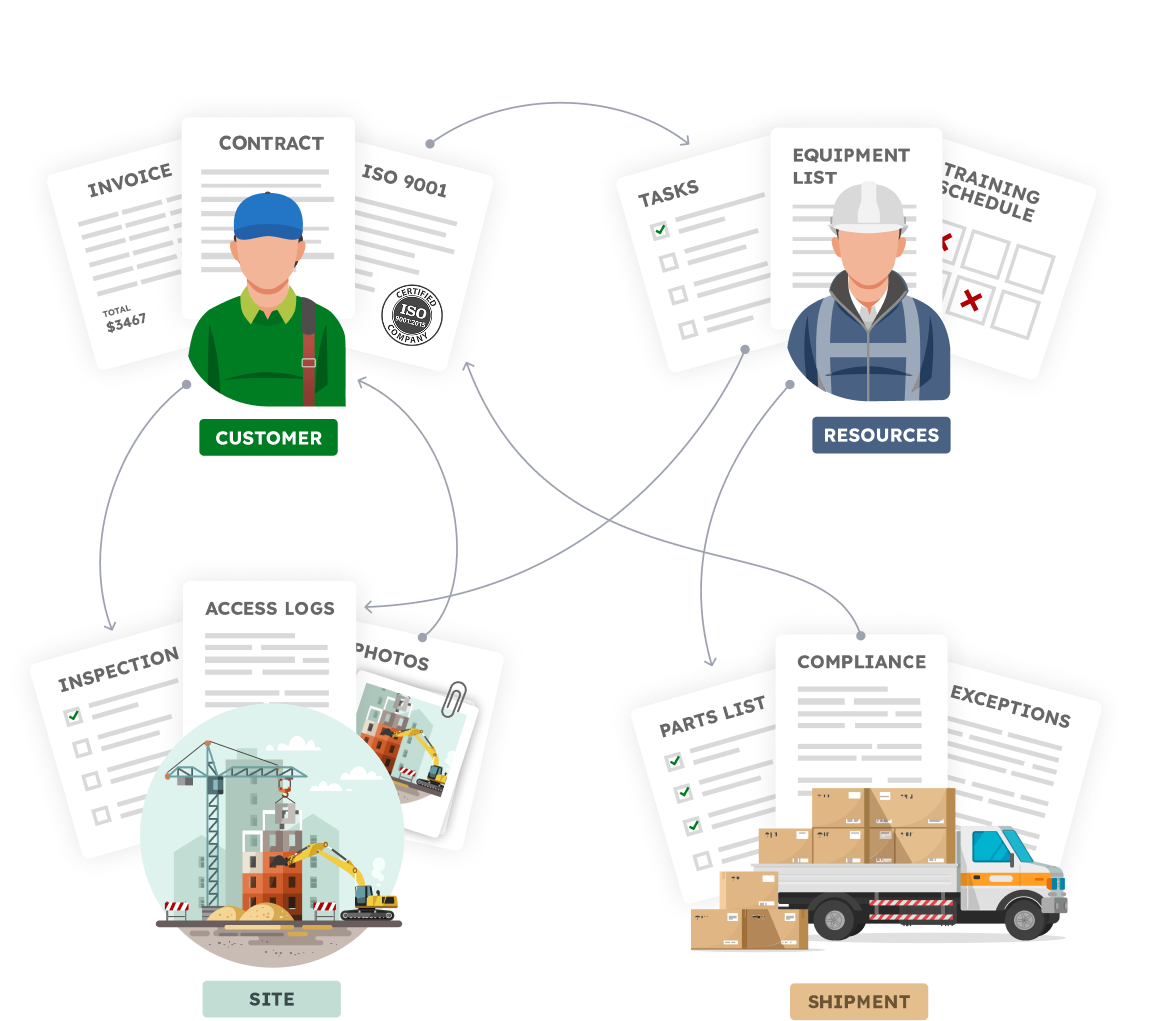
Your Business is made of Real Things

  • A vendor with certifications, contracts, invoices
  • A site with inspections, photos, access logs
  • An employee with tasks, training, equipment
  • A shipment with parts, compliance documents, exceptions

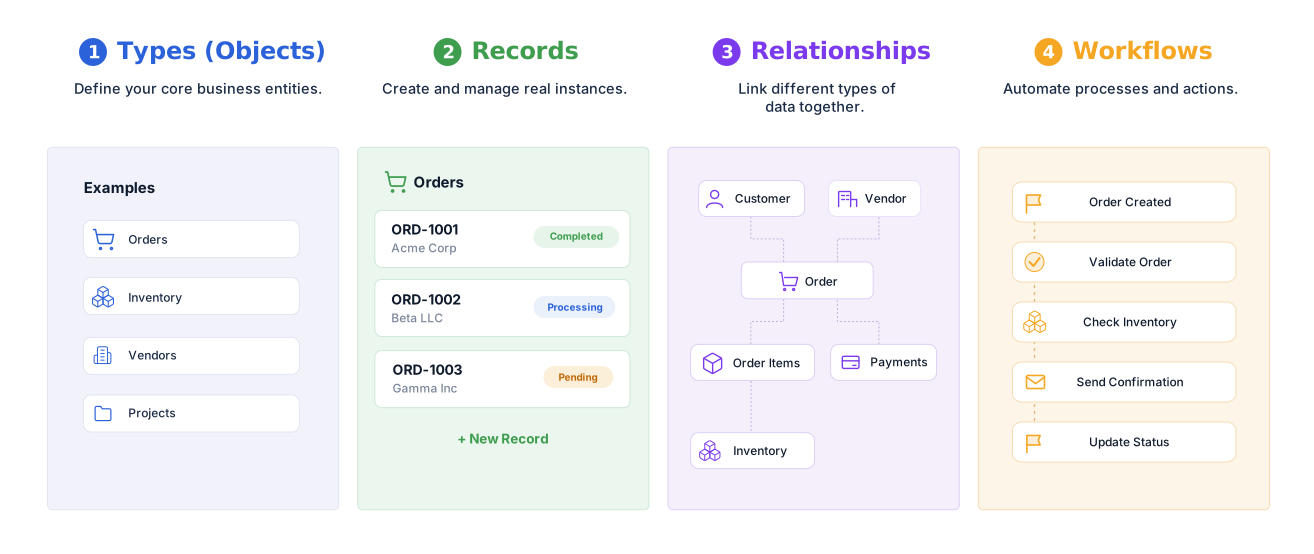
Define your structure, connect your data,
and automate how work flows.


Familiar to use.Built for real operations.


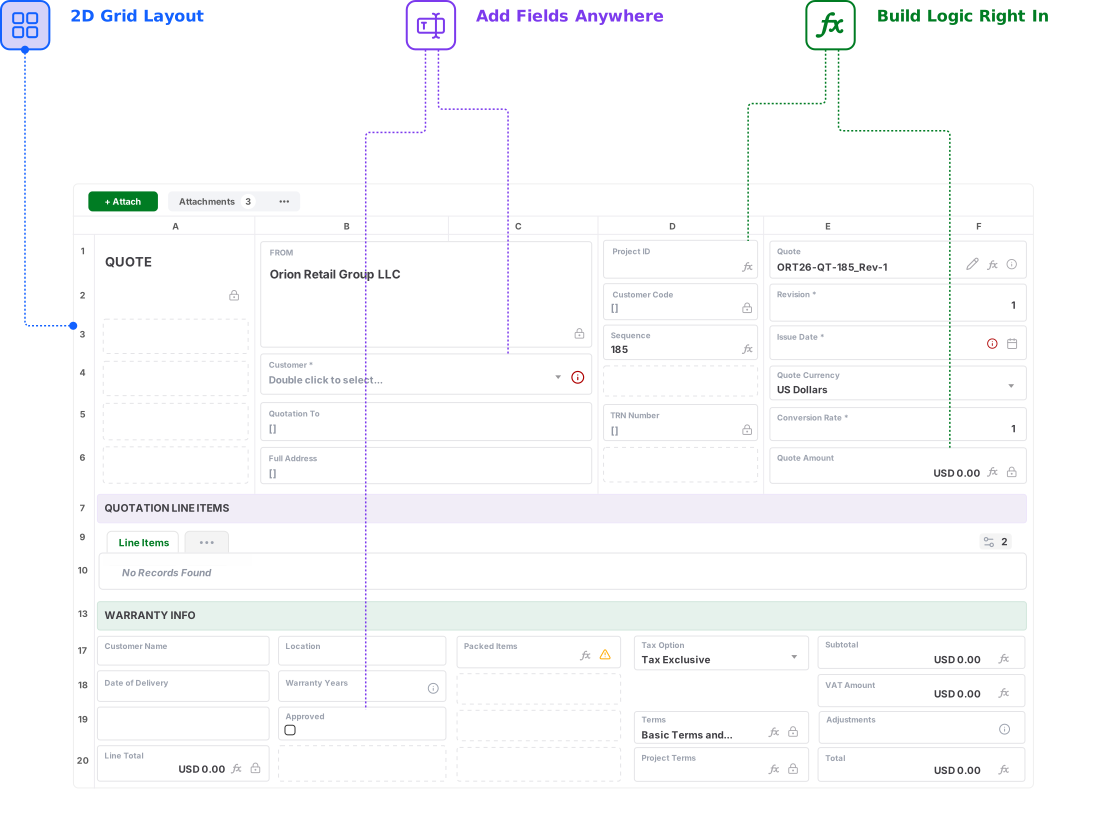
Reuse your Spreadsheet skills.
Design Record and Form Layouts in a 2D grid, just like a Spreadsheet

Move Beyond Business-Critical Shared Sheets

Turn your spreadsheet-based process into a connected operational system without giving up the familiar grid-based way of working.

Get for Free
No credit card needed!

Frequently Asked Questions

How is AnyDB different from Google Sheets?

Google Sheets is a collaborative spreadsheet application built for calculations, sharing, lightweight tracking, analysis, and reporting. AnyDB is an operational systems platform built around connected business records, relationships, files, assignments, reminders, workflows, permissions, portals, history, and document generation.

Is AnyDB intended to replace every Google Sheet?

No. Google Sheets remains an excellent tool for collaborative calculations, planning, lightweight lists, reporting, analysis, and temporary trackers. AnyDB is intended for shared sheets that have become business-critical operational systems.

Can AnyDB replace an existing Google Sheets process?

Yes. You can begin with one spreadsheet, tab, form-linked sheet, or workflow, import the related data, and rebuild the process around connected business records. Additional sheets and processes can be added over time.

Can I import data from Google Sheets?

Yes. Google Sheets data can be exported and imported into AnyDB. The AnyDB team can also help map tabs, columns, lookup relationships, formulas, linked files, and business rules into an operational structure.

Can users still work in a spreadsheet-style layout?

Yes. AnyDB supports familiar rows, columns, fields, formulas, tables, and two-dimensional layouts. The difference is that each row can represent a complete business record with connected child records, files, workflows, history, and permissions.

Does AnyDB support formulas?

Yes. AnyDB supports formulas for operational calculations. Google Sheets remains better suited to highly flexible ad hoc spreadsheet calculations and lightweight collaborative analysis.

Can AnyDB generate spreadsheet files?

Yes. AnyDB can generate and export Excel files from live operational records. It can also generate Word documents and PDFs using the same current record data.

Does AnyDB support workflows, approvals, and reminders?

Yes. AnyDB includes assignments, due dates, reminders, approvals, status changes, notifications, action buttons, webhooks, workflows, automation, and scripting.

Can customers, vendors, and contractors access the system?

Yes. AnyDB includes secure portals for external users. You can control which records, fields, files, forms, and actions each external user can access without sharing the internal system or an entire spreadsheet.

Can Google Sheets and AnyDB be used together?

Yes. AnyDB can serve as the controlled operational system of record while Google Sheets remains available for calculations, exports, analysis, lightweight collaboration, and reporting.

Can AnyDB help us redesign and migrate our shared tracker?

Yes. Share the current spreadsheet and process with the AnyDB team. We can help identify the business objects, child records, relationships, permissions, workflows, portals, files, documents, and reports needed for the first working system.