Softr Alternative
Model Your Business, Not Just an App

Model your business around the real customers, orders, projects, assets, vendors, files, workflows, and external users you manage, rather than starting with another standalone app.

Unlimited guest accounts, unlimited records, built-in portals, and document generation.

Schedule Demo
Book a demo and let us set up AnyDB for you. Free of charge!

Explore AnyDB Systems in Action

  • Asset Management
  • Projects
  • Inventory
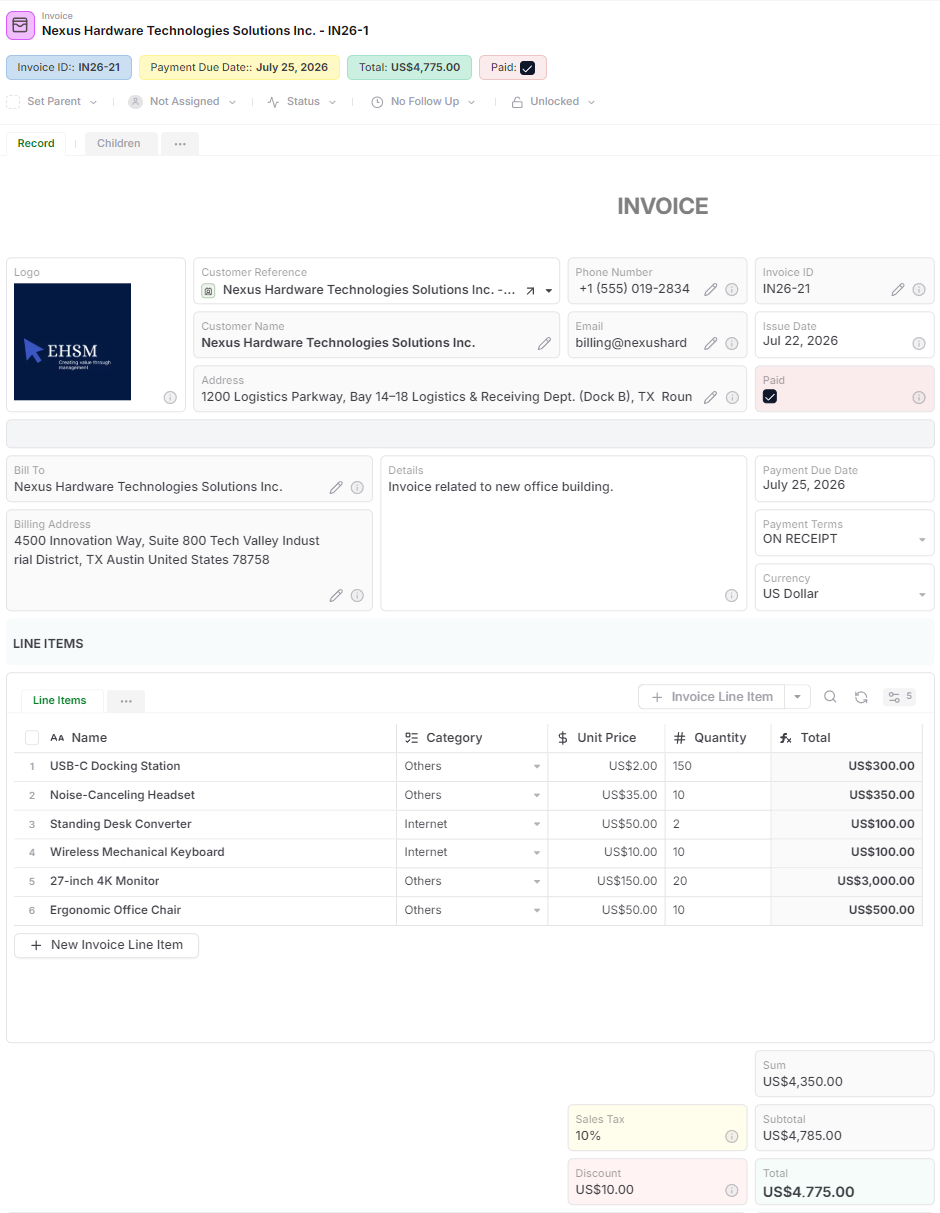
  • Invoices
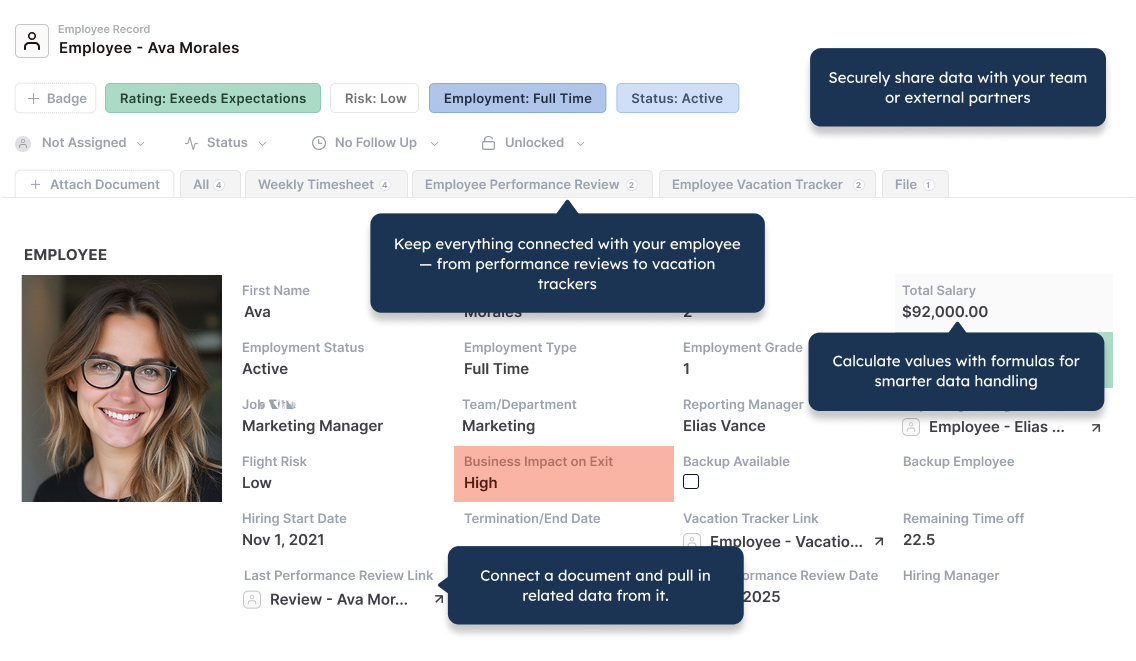
  • HR
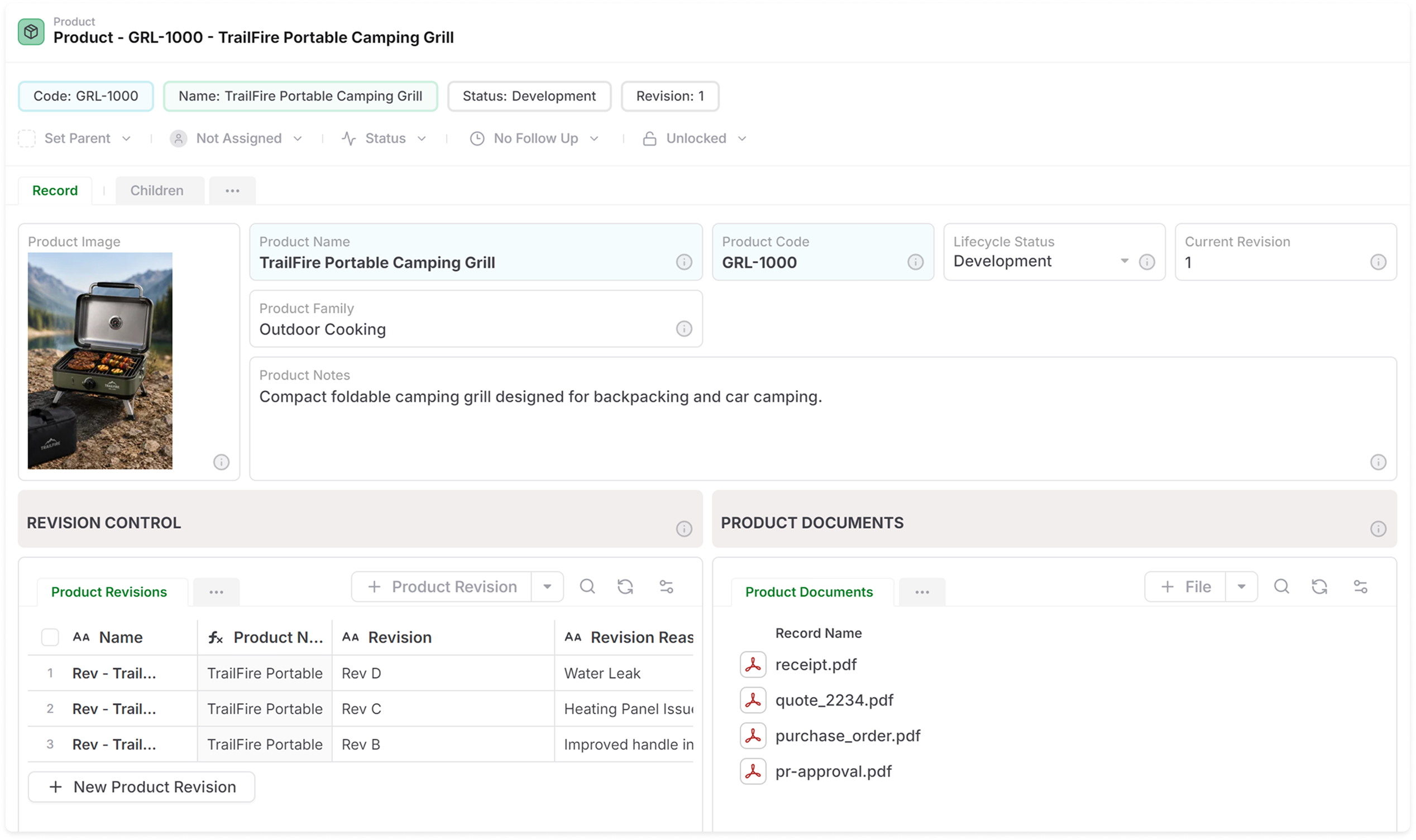
  • Product Lifecycle (PLM)
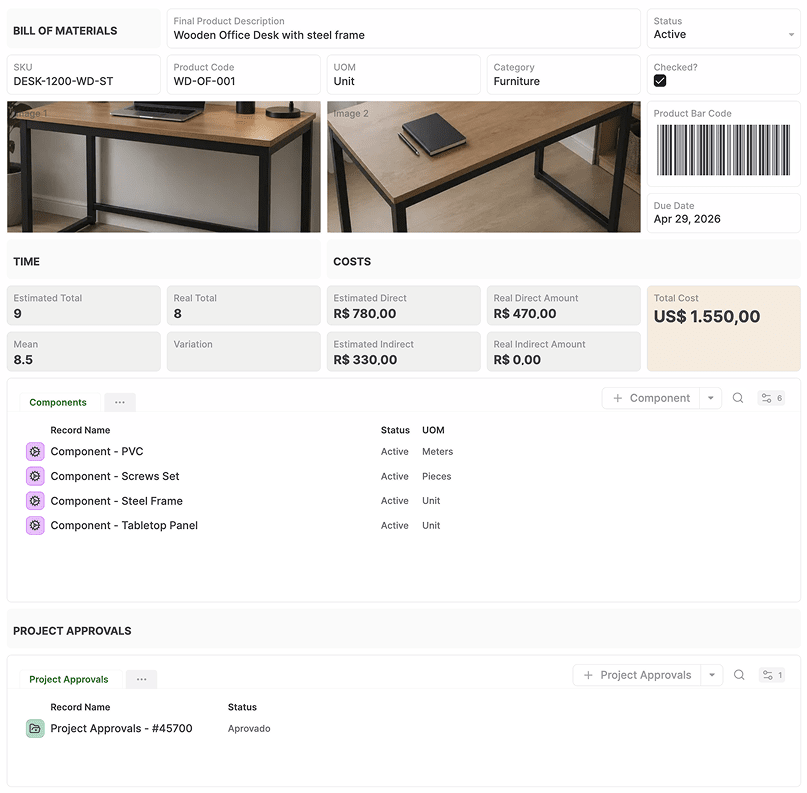
  • Bill of Materials
  • Dashboard
  • Purchase Orders
  • Timesheets
  • SOPs
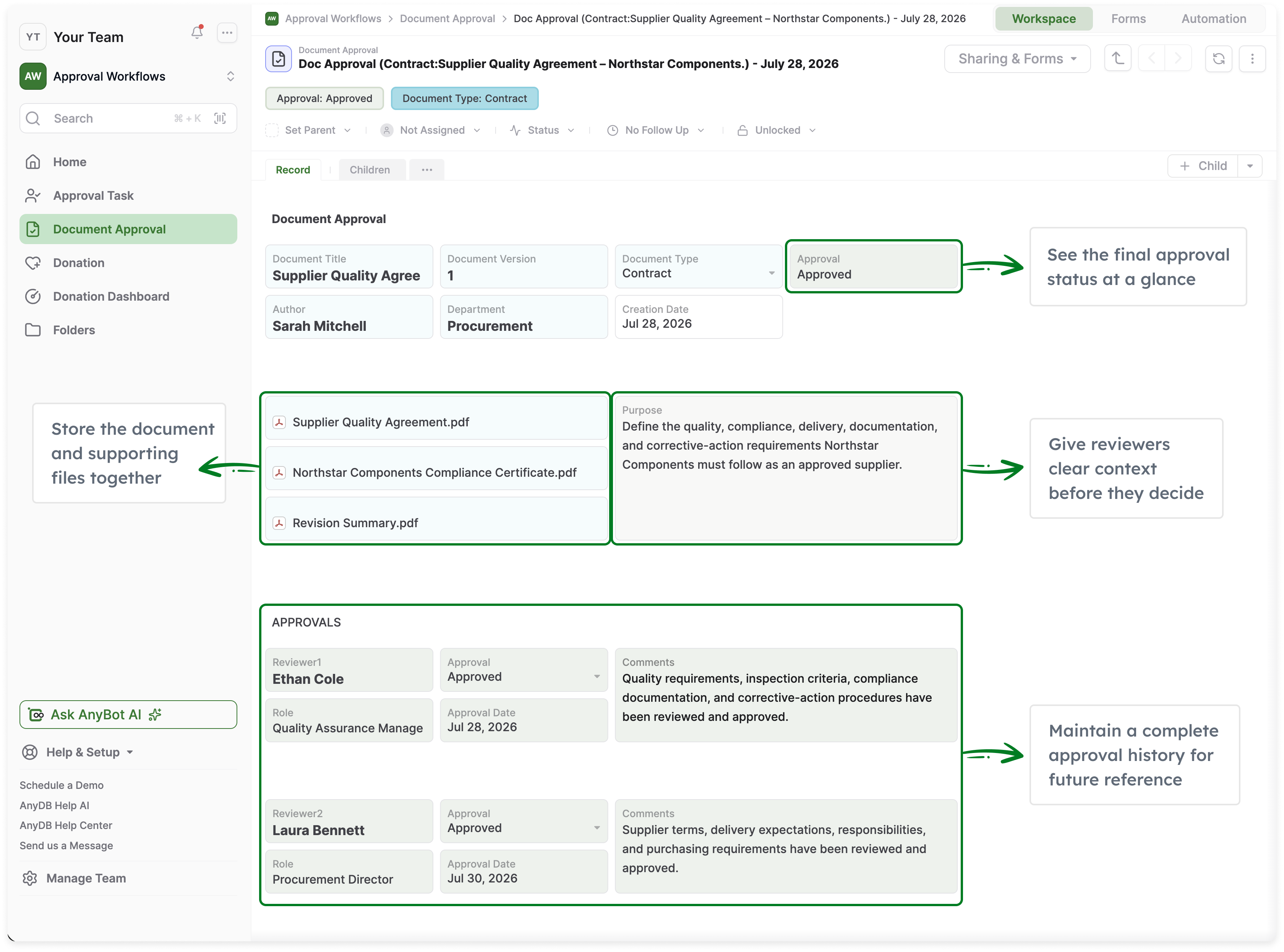
  • Approvals
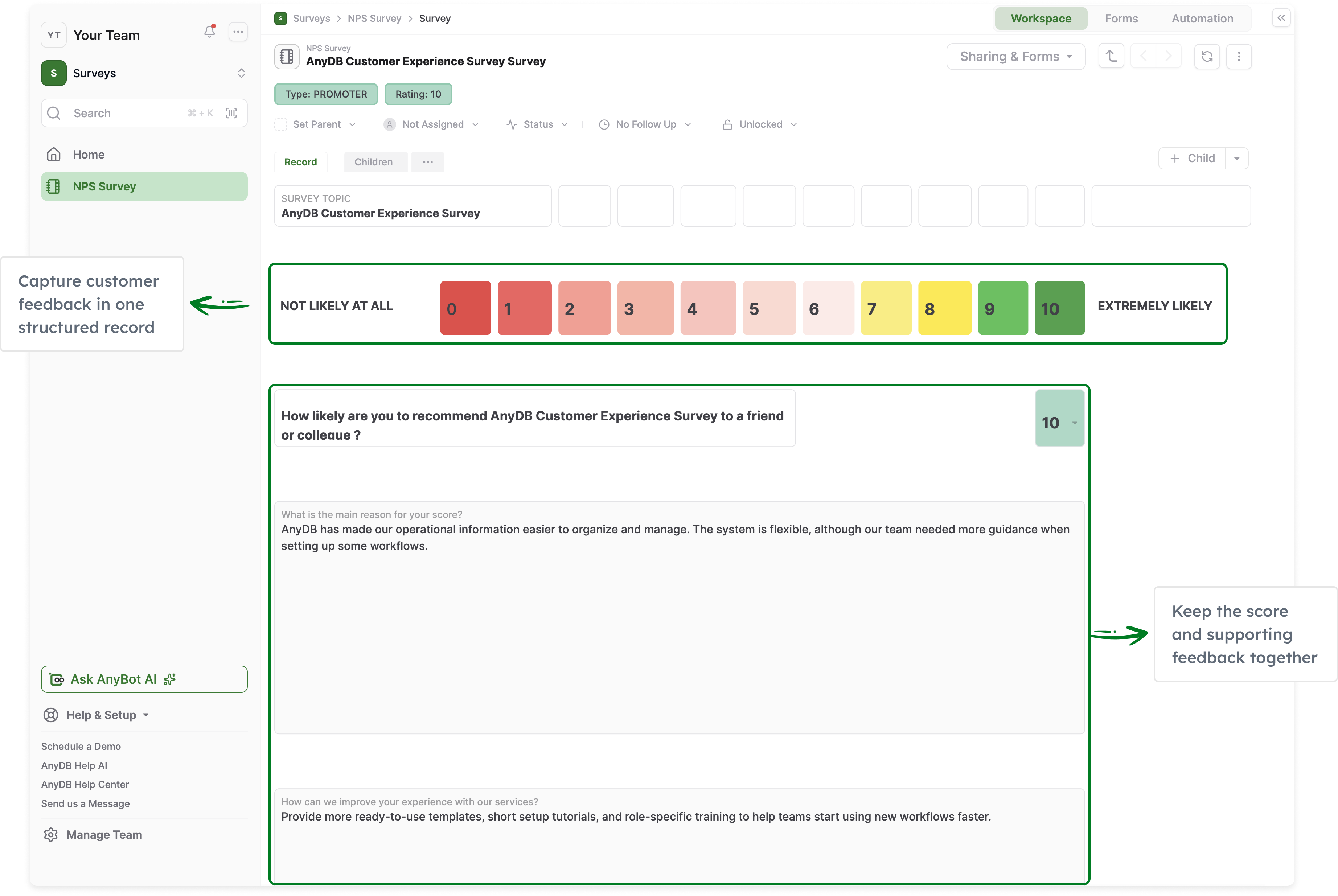
  • Surveys
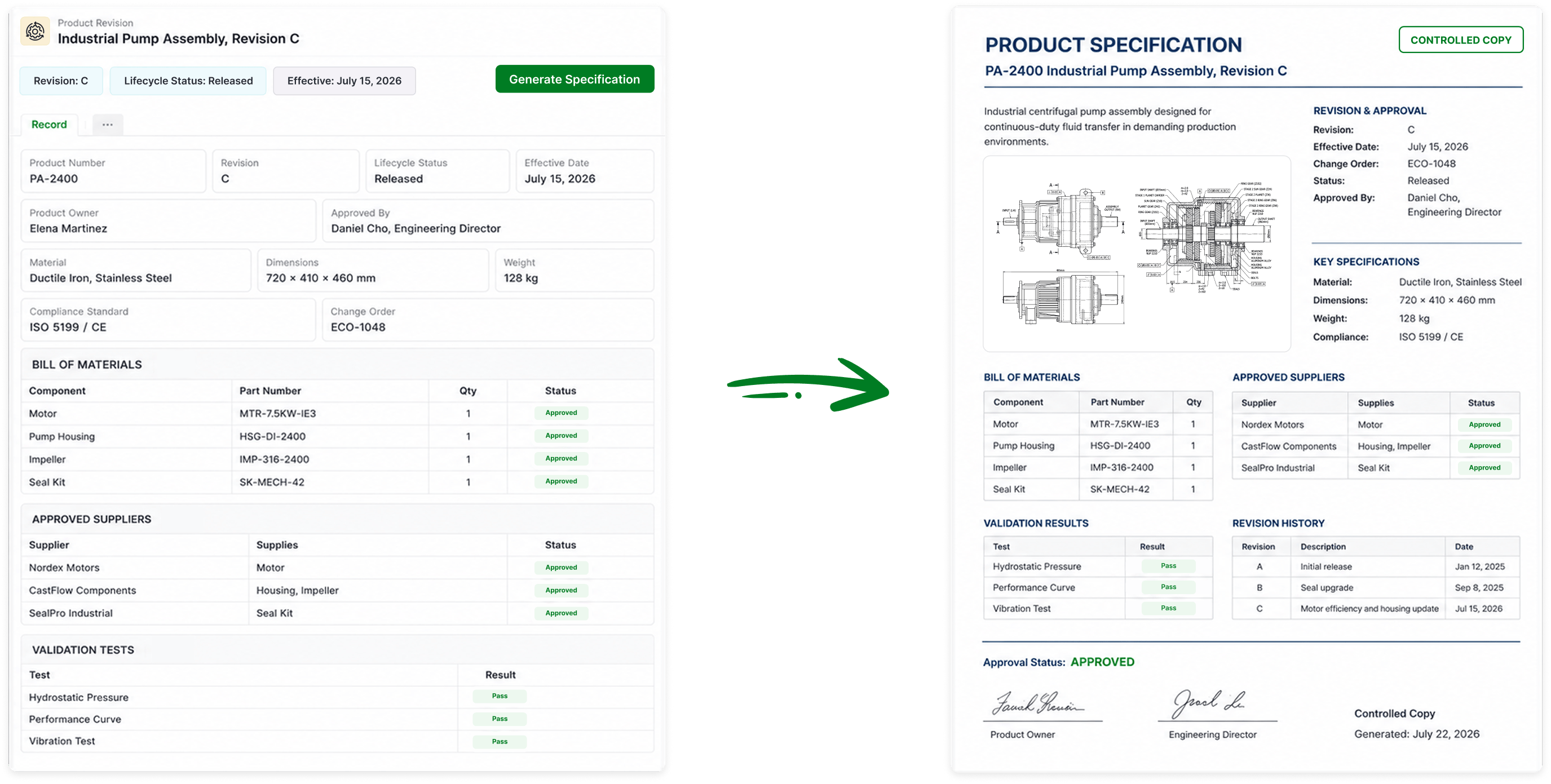
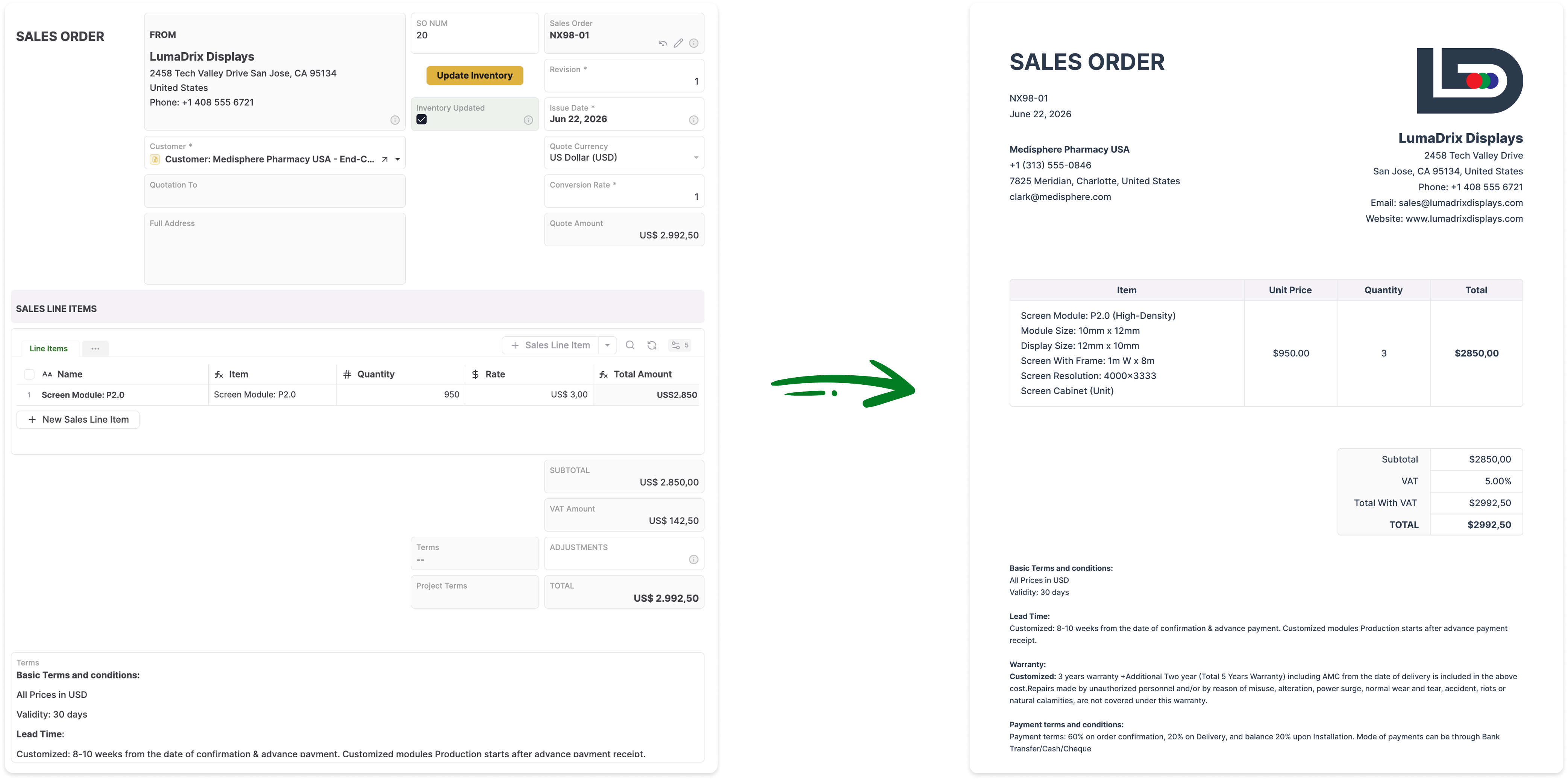
  • Records to Documents
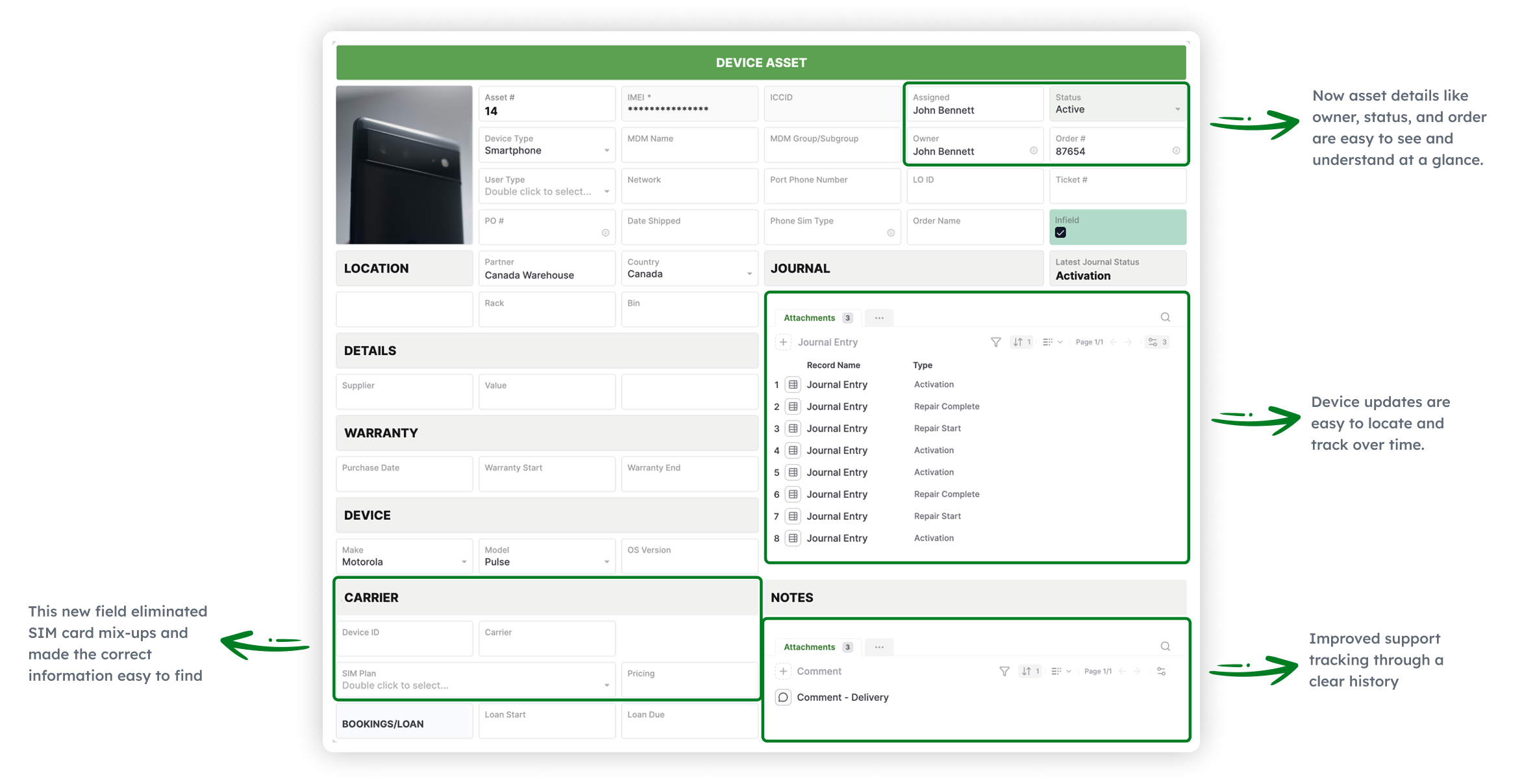
Asset Management
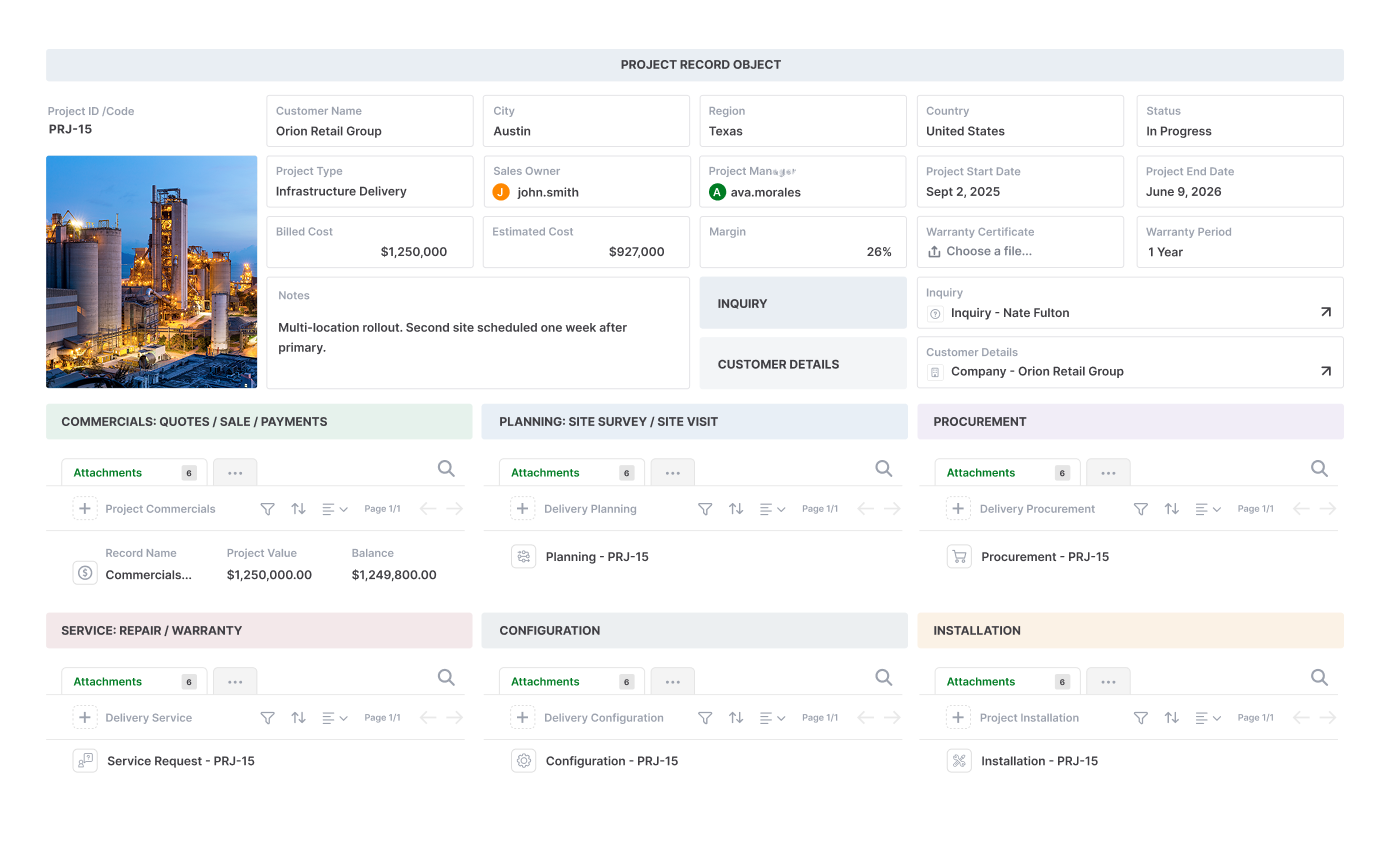
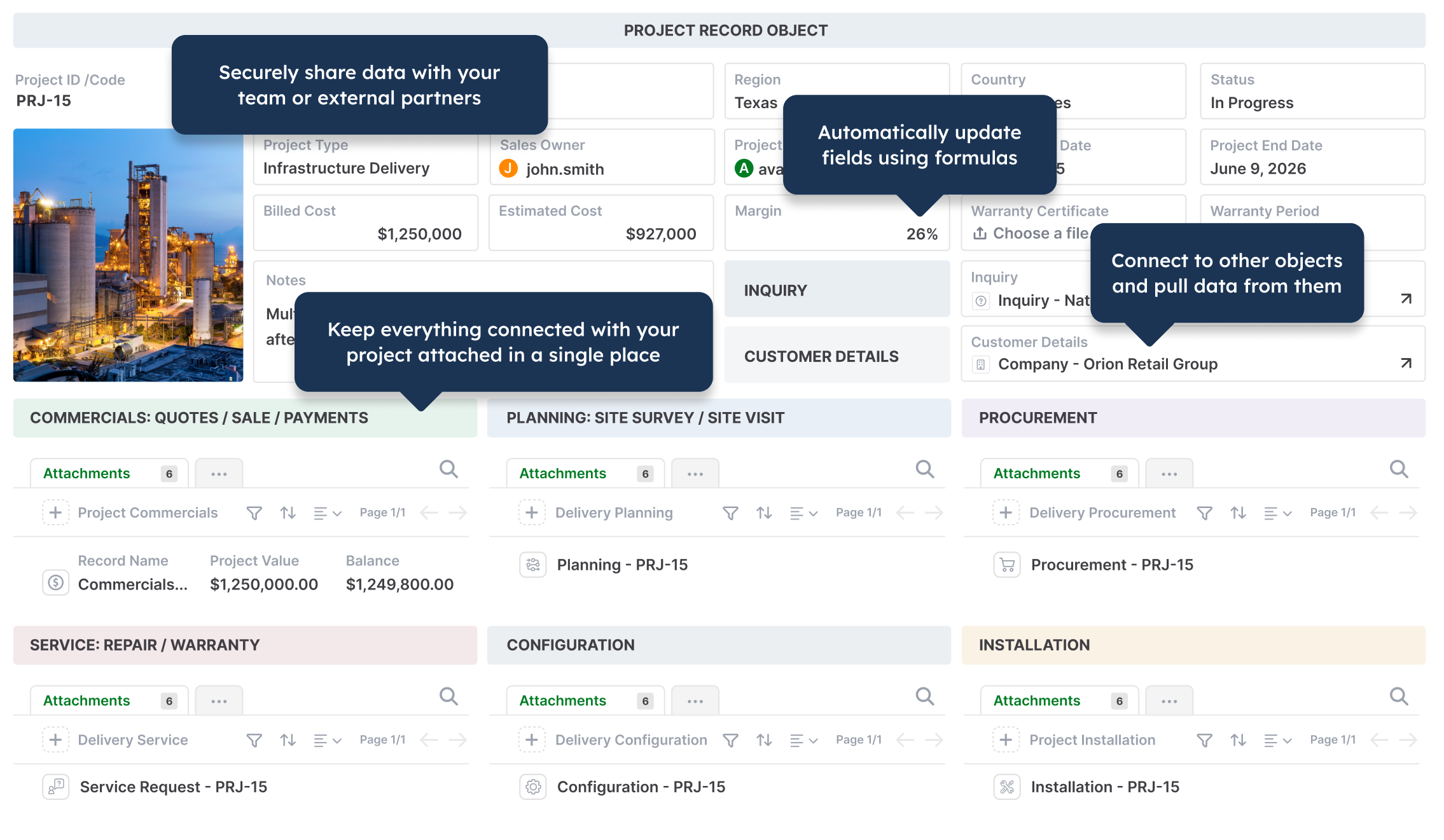
Operations project management in AnyDB
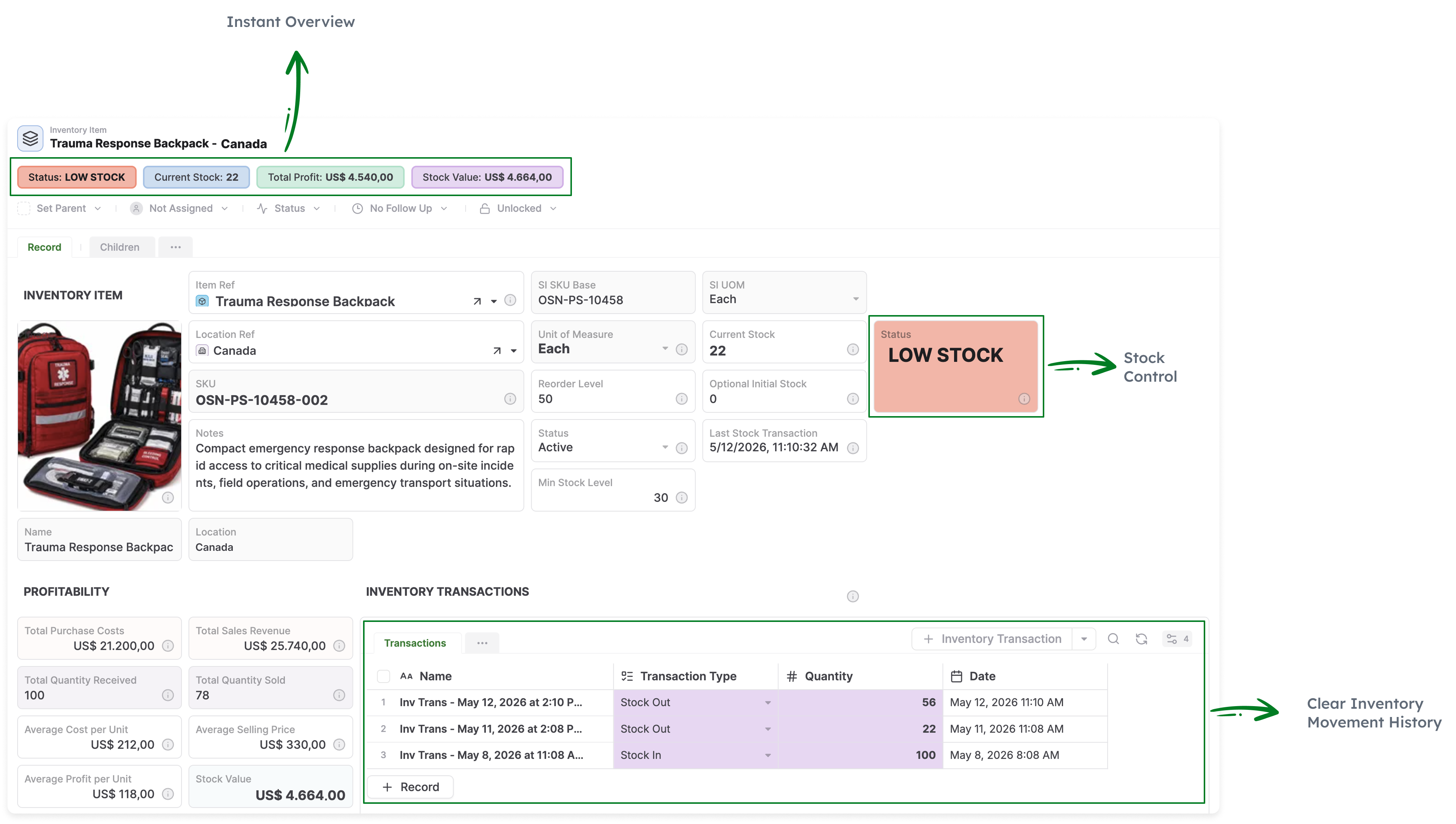
Inventory
Invoices
Employee records in AnyDB
Product LifeCycle Management PLM
Bill of materials in AnyDB
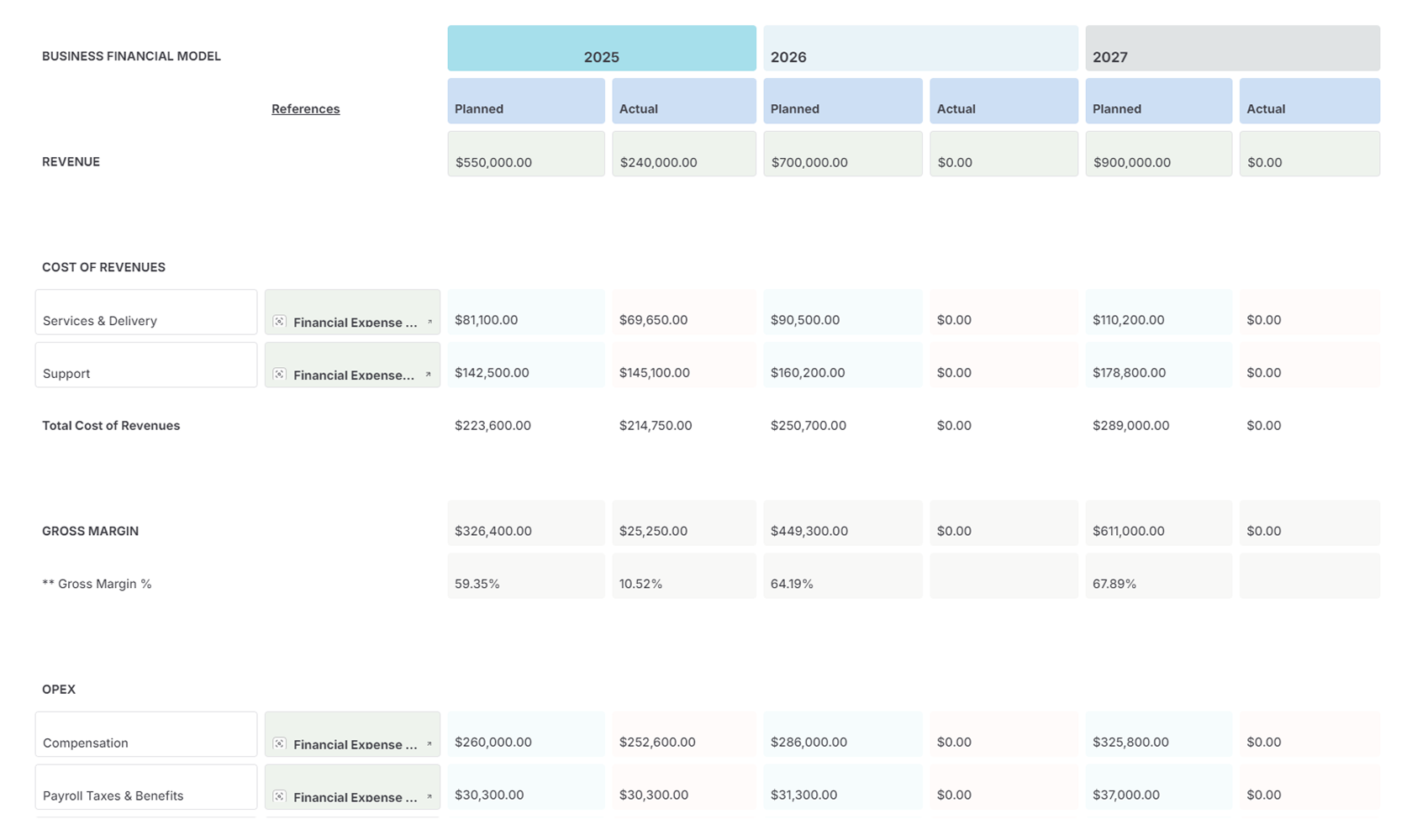
Reporting & Charts in AnyDB
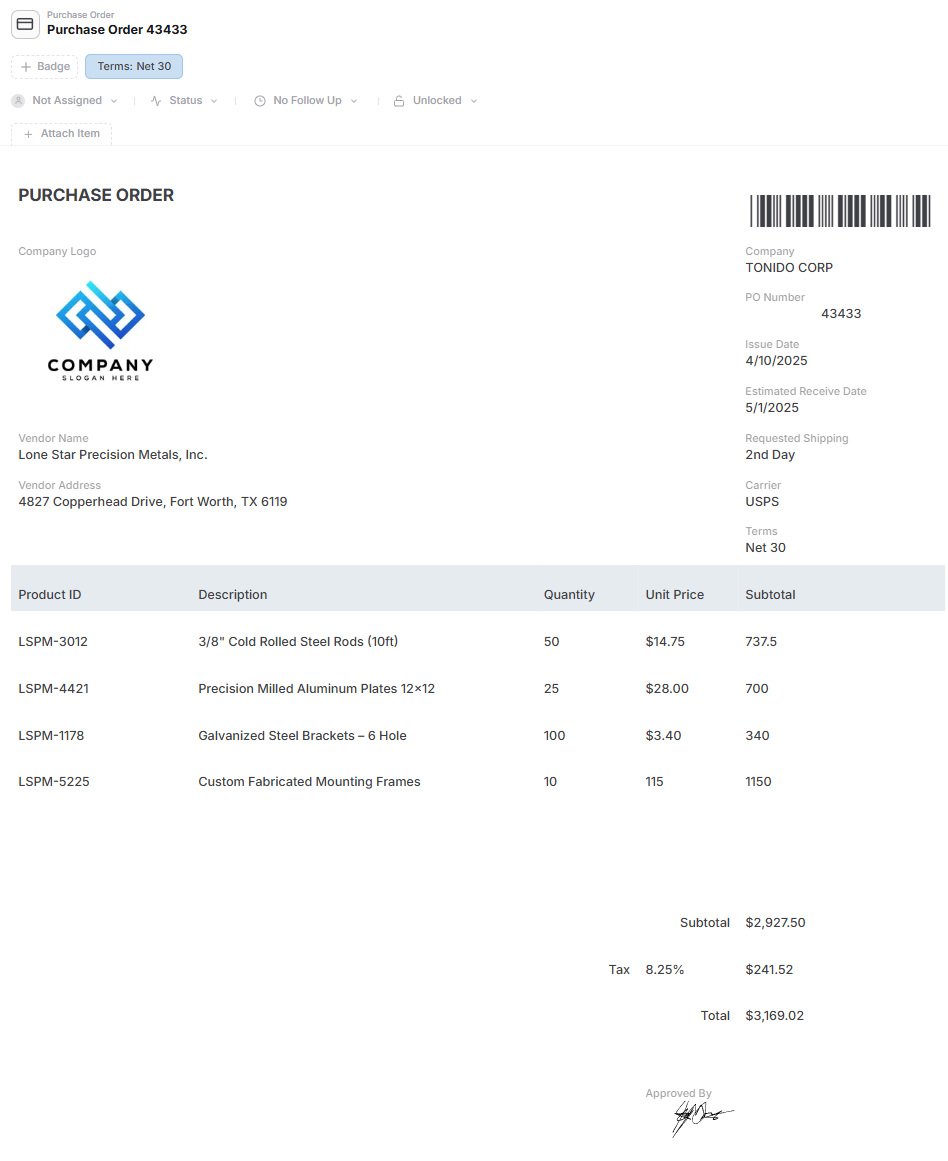
Purchase order management in AnyDB
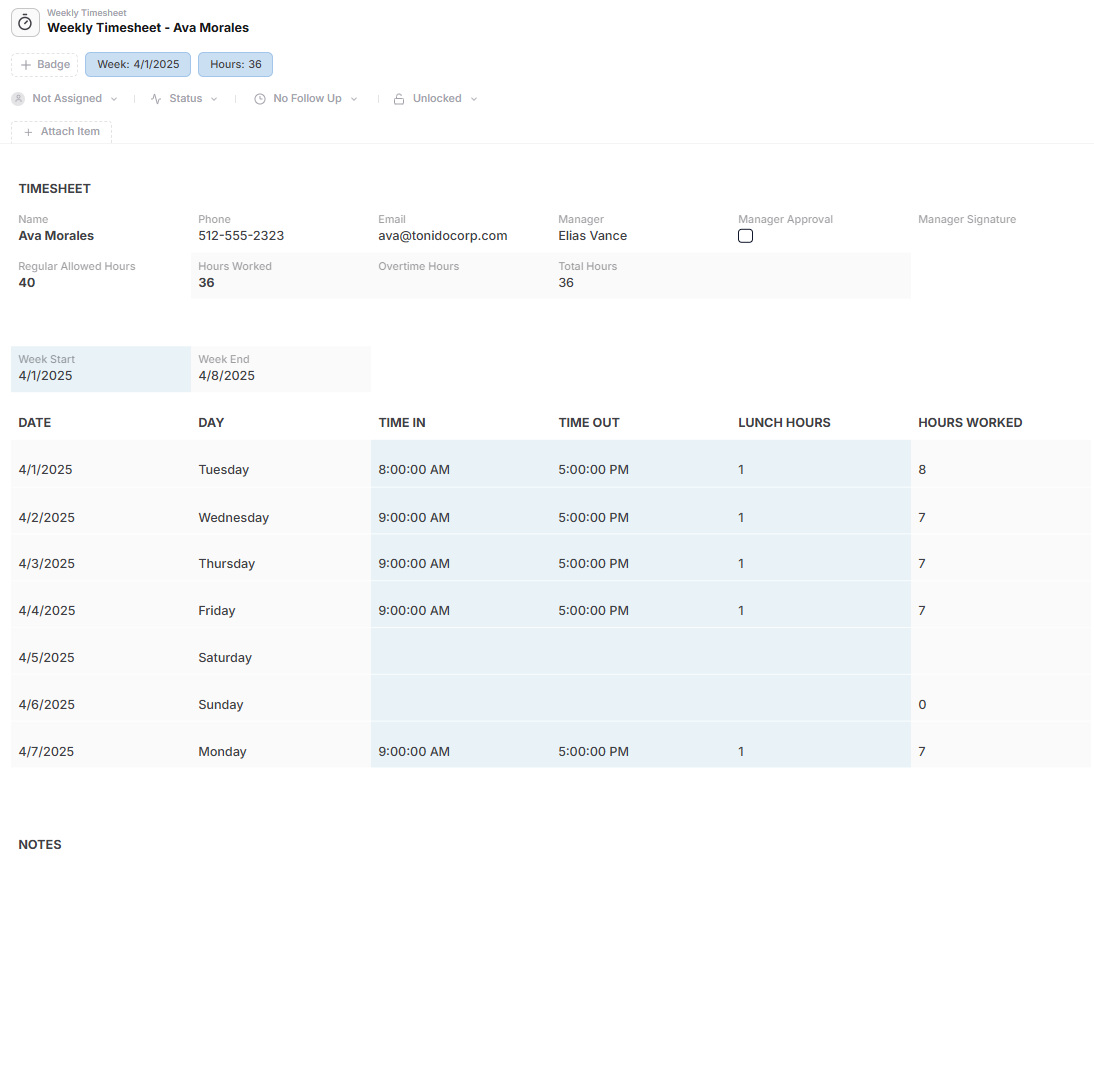
Timesheet management in AnyDB
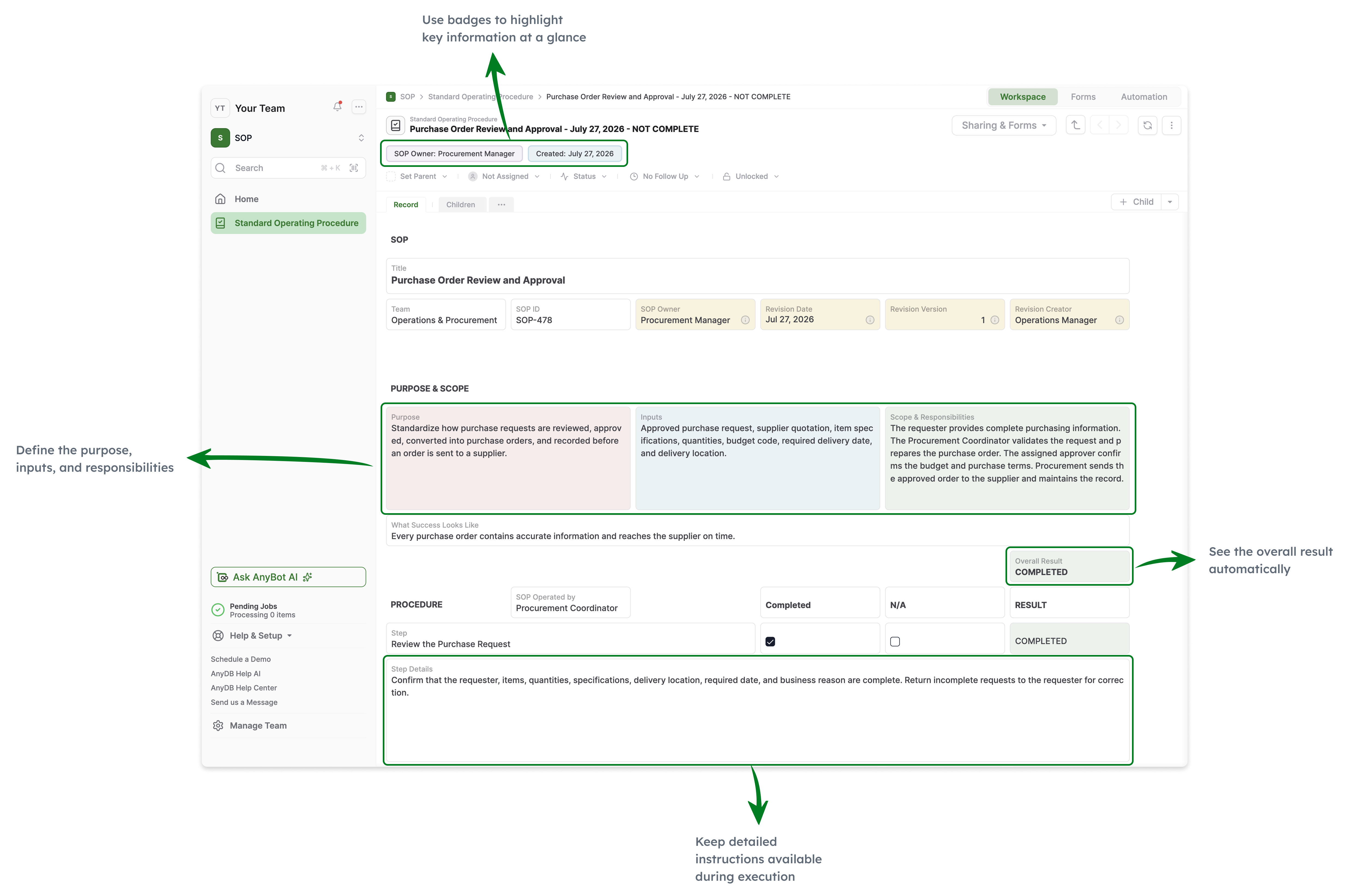
Standard Operating Procedures
Approval workflows in AnyDB
NPS survey management in AnyDB
AnyDB Records to Documents

Main Benefits

Start With the Business

Model customers, orders, projects, assets, vendors, claims, inspections, work orders, and other operational concepts before designing pages and screens.

Make the Record the Interface

Bring fields, child records, linked records, files, pages, actions, comments, history, assignments, reminders, and related information into one operational workspace.

Native Parent-Child Structures

Manage orders with line items, projects with tasks, assets with maintenance events, inspections with findings, and claims with supporting documents.

Connect Operations Across Teams

Share the same customers, vendors, assets, projects, and files across purchasing, inventory, field work, approvals, compliance, and customer-facing processes.

Portals Are Part of the System

Give customers, vendors, contractors, inspectors, and partners controlled access to the same operational records, files, forms, updates, and actions.

Files Stay With the Work

Keep contracts, invoices, inspection photos, certificates, reports, and supporting documents connected to the business objects and decisions they support.

Generate Business Documents

Create Word, PDF, and Excel documents from live operational records, including child records, tables, images, barcodes, and QR codes.

Built With You

Share your Softr application, spreadsheet, database, or workflow and let the AnyDB team help model and launch the first connected operational system.

Grow Beyond One App

Start with one workflow and expand into a broader connected system without rebuilding the business model for every new portal, tool, or department.

Softr Is Built Around Apps, Pages, and Blocks

  • Build polished portals, internal tools, directories, dashboards, and business applications
  • Compose each application from pages, navigation, and configurable visual blocks
  • Use Softr Databases or connect external data sources such as Airtable, Google Sheets, Notion, HubSpot, SQL, and APIs
  • Configure user groups, page visibility, block visibility, data restrictions, and record filters
  • Use native workflows triggered by app actions and database changes
  • Model related records through database relationships, lookups, and rollups
  • Best suited when the primary goal is a polished app or portal experience for a defined audience

AnyDB Is Built Around the Business Itself

  • Model complete business objects such as customers, orders, assets, projects, vendors, claims, inspections, and work orders
  • Use native child records for line items, tasks, documents, findings, components, approvals, and activity
  • Keep fields, files, pages, actions, comments, history, assignments, and reminders together
  • Connect multiple operational workflows through shared business objects
  • Give external users controlled access through built-in secure portals
  • Generate Word, PDF, and Excel documents directly from live operational data
  • Start with one workflow and expand into a connected operating system over time

Softr helps teams build polished business apps and portals.
AnyDB helps operations teams model and run the connected business underneath them.

Start with customers, orders, projects, assets, vendors, claims, files, workflows, and external users, not only pages and blocks.

Softr is a capable platform for building portals, internal tools, dashboards, and other business applications. It includes databases, related records, workflows, permissions, user groups, and integrations with external data sources.

The distinction is the starting point. Softr begins with the application experience. AnyDB begins with the real things the business manages and turns each one into a complete operational workspace.

The portal is one view into the system. It is not the system itself.

A vendor portal may show certifications, contracts, purchase orders, files, and open actions. Behind that portal, AnyDB can also connect the same vendor to onboarding, compliance reviews, invoices, performance history, approvals, reminders, and internal workflows.

The result is not only a polished app. It is a business system that remains connected, understandable, and adaptable as the operation evolves.

Model the Business Before You Design the App

Applications come and go. The customers, orders, assets, vendors, projects, files, decisions, and relationships behind them remain. AnyDB makes those business concepts the foundation of the system.

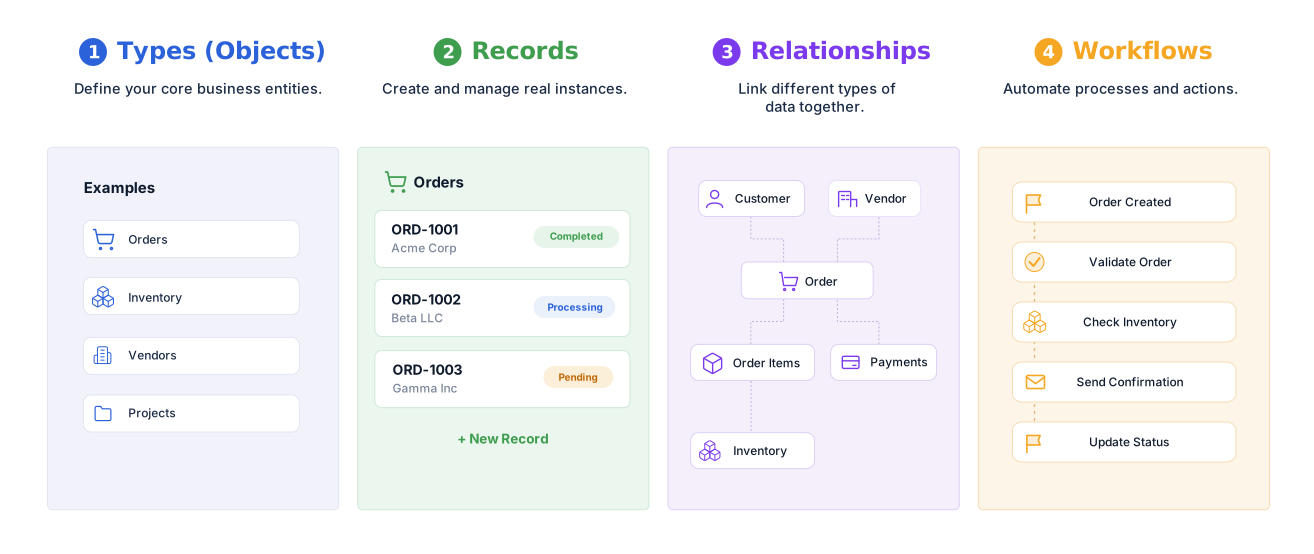
Business ObjectsCustomers, orders, assets, projects, vendors, claims, and work orders
RelationshipsLinks and native child records that preserve operational structure
Operational ContextFiles, pages, comments, assignments, reminders, and history
Actions and WorkflowsApprovals, status changes, notifications, documents, and automation
InterfacesRecord layouts, forms, views, portals, reports, and dashboards

Softr and AnyDB Use Different Starting Points

Both platforms can support portals, internal tools, databases, permissions, workflows, and business applications. The distinction is whether the app or the business model comes first.

Comparison AreaSoftrAnyDB
Core modelNo-code platform for portals, internal tools, and business applicationsObject-based operational systems platform
Primary starting pointAn app assembled from pages, navigation, blocks, data, permissions, and workflowsThe business objects, relationships, files, people, and processes involved
Interface modelPages and visual blocks connected to Softr Databases or external data sourcesThe operational record itself becomes the interface
Data modelSoftr Databases or connected external sources with related records, lookups, and rollupsConnected business objects with native child records and linked records
Record experienceDetails pages and dynamic blocks configured for a specific application experienceComplete operational workspaces with fields, children, links, files, actions, comments, and history
PortalsCore strength for client, employee, vendor, member, and other portal experiencesBuilt-in portal access into the same operational system used internally
PermissionsUser groups, page and block visibility, data restrictions, and record filtersWorkspace, role, record, and field-level access
WorkflowsNative workflows responding to app actions and database eventsAssignments, reminders, approvals, actions, workflows, webhooks, and scripting around operational records
DocumentsDepends on the application design, workflow actions, integrations, or custom blocksNative Word, PDF, and Excel generation from live operational records
Expansion modelAdd pages, blocks, data sources, workflows, and additional applicationsExpand shared business objects into connected operational systems
Best fitTeams prioritizing polished portals and standalone business applicationsOperations teams prioritizing the connected system underneath the interfaces

Choose the Platform That Matches the Goal

Softr and AnyDB overlap, but they emphasize different outcomes.

Choose Softr When

Your primary goal is a polished client portal, member portal, employee portal, directory, dashboard, or standalone internal tool over Softr Databases or an existing data source.

Choose AnyDB When

The underlying operational record is the main concern and you need deep record structures, connected workflows, files, documents, portals, history, and shared business objects across teams.

Use Both When

AnyDB manages the connected operational system while Softr provides a highly customized frontend or portal experience for a specific audience.

Feature Comparison

Softr capabilities vary by plan, data source, and application design. This table compares the general Softr app-building model with AnyDB’s operational-system approach.

CapabilitySoftrAnyDB
Built-in databaseIncluded through Softr DatabasesIncluded
External data sourcesCore strengthSupported through integrations and implementation
Pages and visual blocksCore strengthPages, record layouts, views, forms, and portals included
Related recordsIncludedIncluded
Native parent-child operational structuresModeled through related database recordsNative operational pattern
Complete operational record workspaceConfigured through pages and blocksCore platform model
PortalsCore strengthIncluded
User groups and permissionsIncludedIncluded
Record-level restrictionsIncluded through data restrictions and filtersIncluded
Native workflowsIncludedIncluded
Files and attachmentsIncluded through databases and connected sourcesBuilt around the operational record
Assignments, reminders, and due datesConfigured through fields, blocks, and workflowsBuilt into operational records
Activity and version historyDepends on the data source and application setupBuilt into operational records and workflows
Native document generationDepends on workflows, integrations, or custom implementationWord, PDF, and Excel generation included
Cross-department shared objectsPossible across apps and data sourcesDesigned around shared connected business objects
AI-assisted buildingIncluded through Softr AI Co-BuilderIncluded through AnyBot and AI-assisted building
Implementation modelSelf-service building, templates, documentation, community, and servicesBuilt with you directly by AnyDB
Best fitPolished apps, portals, and internal toolsConnected operational systems that evolve with the business

Generate Documents Directly From Your Live Records

Turn AnyDB records into professional, ready-to-share PDFs / Docx / XLSX with fields, linked data, tables, terms, and other relevant information automatically included.

How it Works?

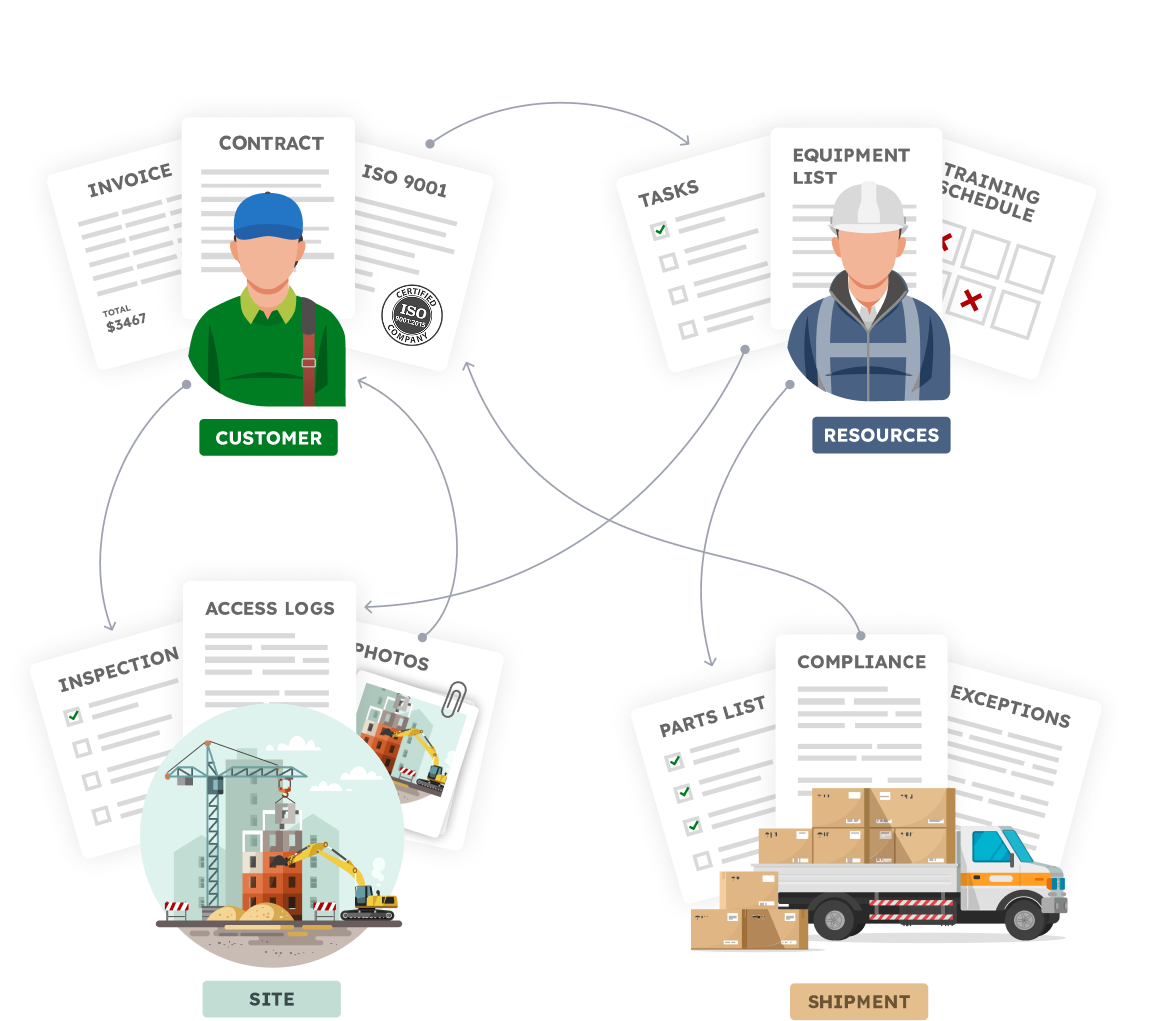
Your Business is made of Real Things

  • A vendor with certifications, contracts, invoices
  • A site with inspections, photos, access logs
  • An employee with tasks, training, equipment
  • A shipment with parts, compliance documents, exceptions

Define your structure, connect your data,
and automate how work flows.


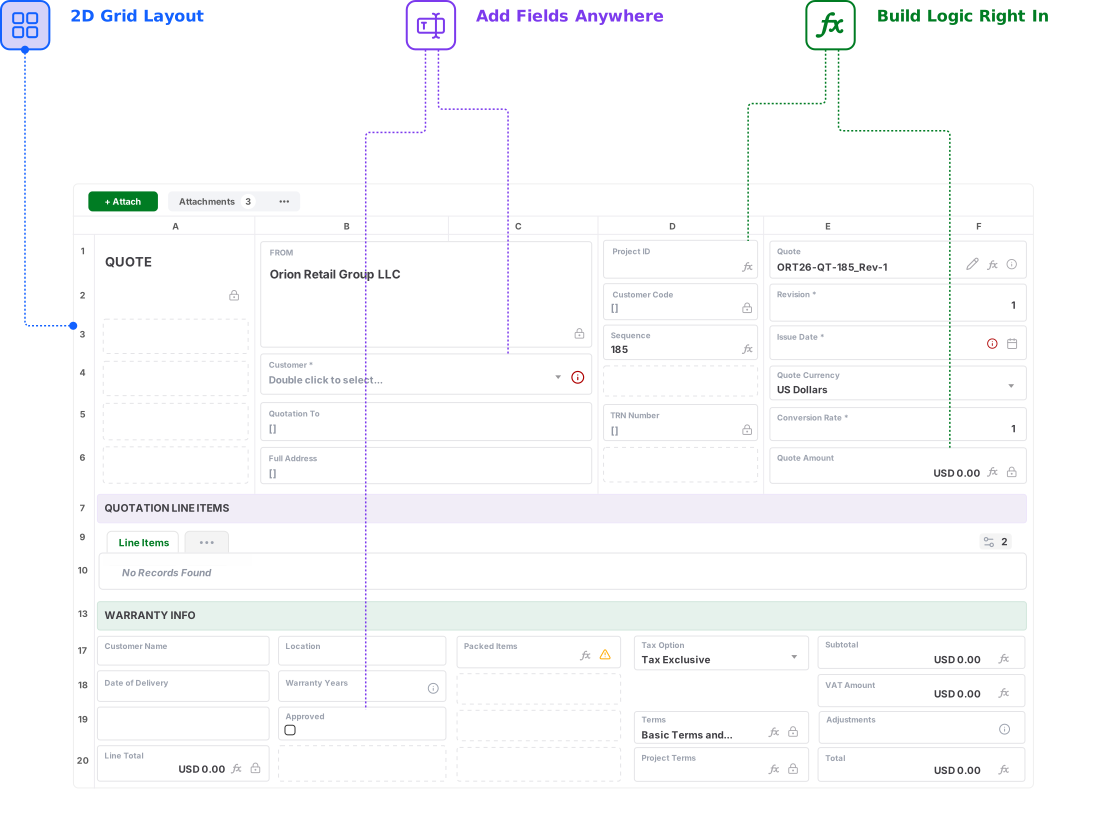
Familiar to use.Built for real operations.


Build complete operational record layouts.
Keep data, files, actions, and workflows together

See What Your Business Model Would Look Like in AnyDB

Send us your Softr application, spreadsheet, database, or workflow. We will show you how it can become a connected operational system.

Start Free
No credit card needed!

Frequently Asked Questions

How is AnyDB different from Softr?

Softr is a no-code platform for building portals, internal tools, dashboards, directories, and business applications from pages, blocks, databases, permissions, and workflows. AnyDB is an object-based operational systems platform that begins with complete business records, relationships, files, actions, history, portals, documents, and day-to-day execution.

Is Softr only a frontend for Airtable?

No. Softr includes its own databases and can also connect to multiple external data sources. It supports related records, permissions, workflows, and application logic. The distinction is that Softr is primarily app-oriented, while AnyDB is primarily operational-system-oriented.

Is Softr a good product?

Yes. Softr can be a strong fit when the primary goal is to launch a polished client portal, employee portal, member portal, directory, dashboard, or standalone internal tool quickly.

Can AnyDB replace an existing Softr application?

Yes. You can begin by rebuilding one Softr workflow or portal, importing the related records, and expanding from there. The AnyDB team can help map pages, blocks, data sources, related records, files, permissions, workflows, and portal requirements into an object-based operational system.

Can AnyDB work alongside Softr?

Yes. AnyDB can manage the connected operational system while Softr provides a highly customized portal or frontend for a specific audience. The two systems can be connected through integrations and APIs.

What does “model your business” mean?

It means organizing the system around the real things the business manages. An order can contain line items and fulfillment activity, a project can contain tasks and approvals, an asset can contain inspections and maintenance history, and a vendor can contain contracts, certificates, purchase orders, reviews, and files.

Does AnyDB support portals and external users?

Yes. AnyDB includes secure portals for customers, vendors, contractors, partners, inspectors, and other external users. You control which records, fields, files, forms, and actions each user can access.

Does AnyDB support workflows and permissions?

Yes. AnyDB includes assignments, reminders, approvals, status changes, notifications, action buttons, webhooks, workflows, automation, and granular access controls.

Can AnyDB generate documents from records?

Yes. AnyDB can generate Word documents, PDFs, Excel files, purchase orders, invoices, claim packages, certificates, inspection reports, work-order reports, and other outputs directly from live operational data.

Can AnyDB help redesign our Softr application as a connected operational system?

Yes. Share your current Softr application, database, spreadsheet, or process notes, and the AnyDB team can help design the business objects, relationships, permissions, portals, workflows, documents, and reports for the first working system.