FileMaker Alternative
Built for Business Operations

Run connected operations without maintaining a heavily database application.

Unlimited guest accounts, unlimited records, built-in portals, and document generation.

Free Demo / Setup
Book a demo and let us set up AnyDB for you. Free of charge!

Explore how AnyDB organizes business records, operations, files, and portals

Main Benefits

Build Around Real Business Objects

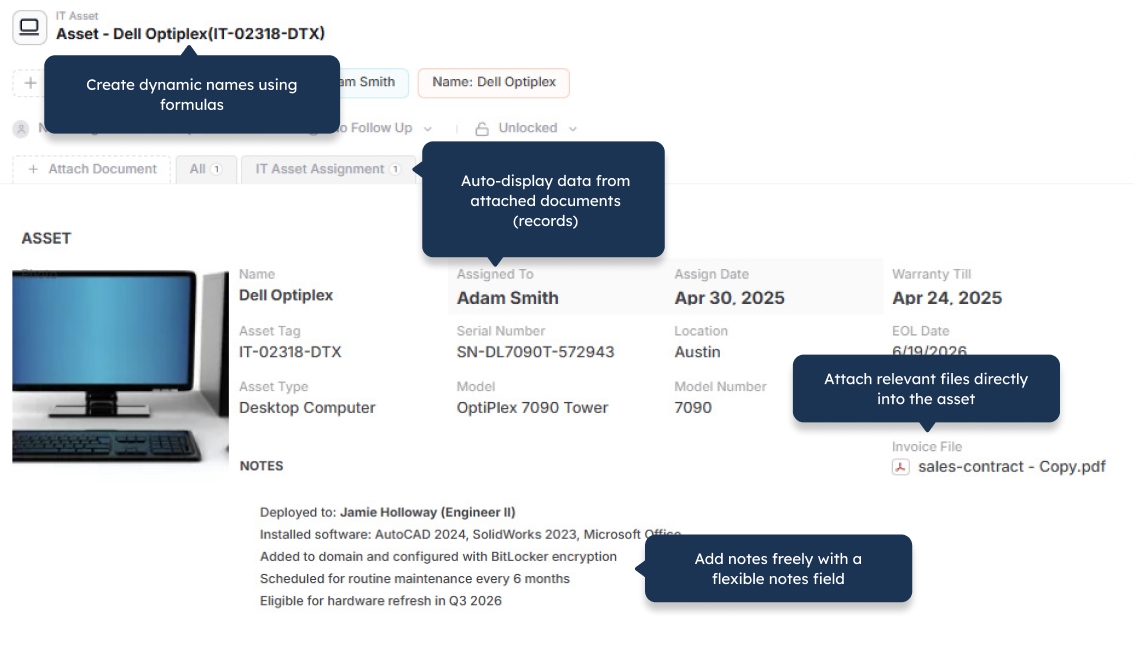
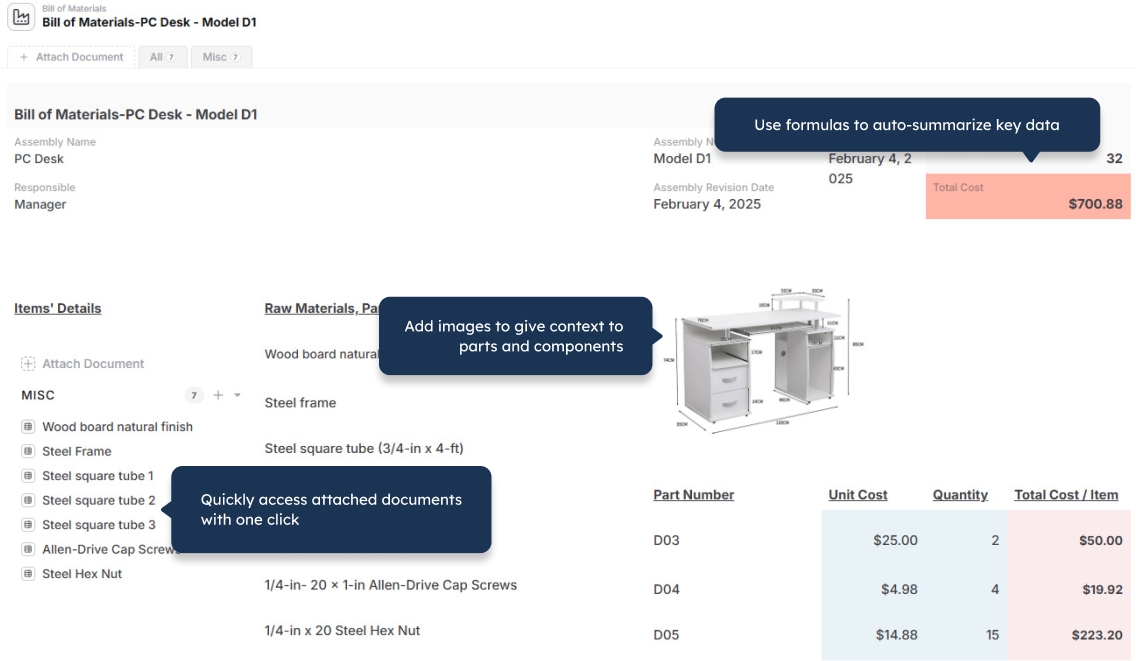
Model customers, orders, inventory, projects, assets, vendors, and other operational records in a structure that matches how your business works.

Manage Complex Record Hierarchies

Use child records for line items, tasks, components, inspections, maintenance history, and other structured details without flattening everything into one table.

Connect Operations Across Your Business

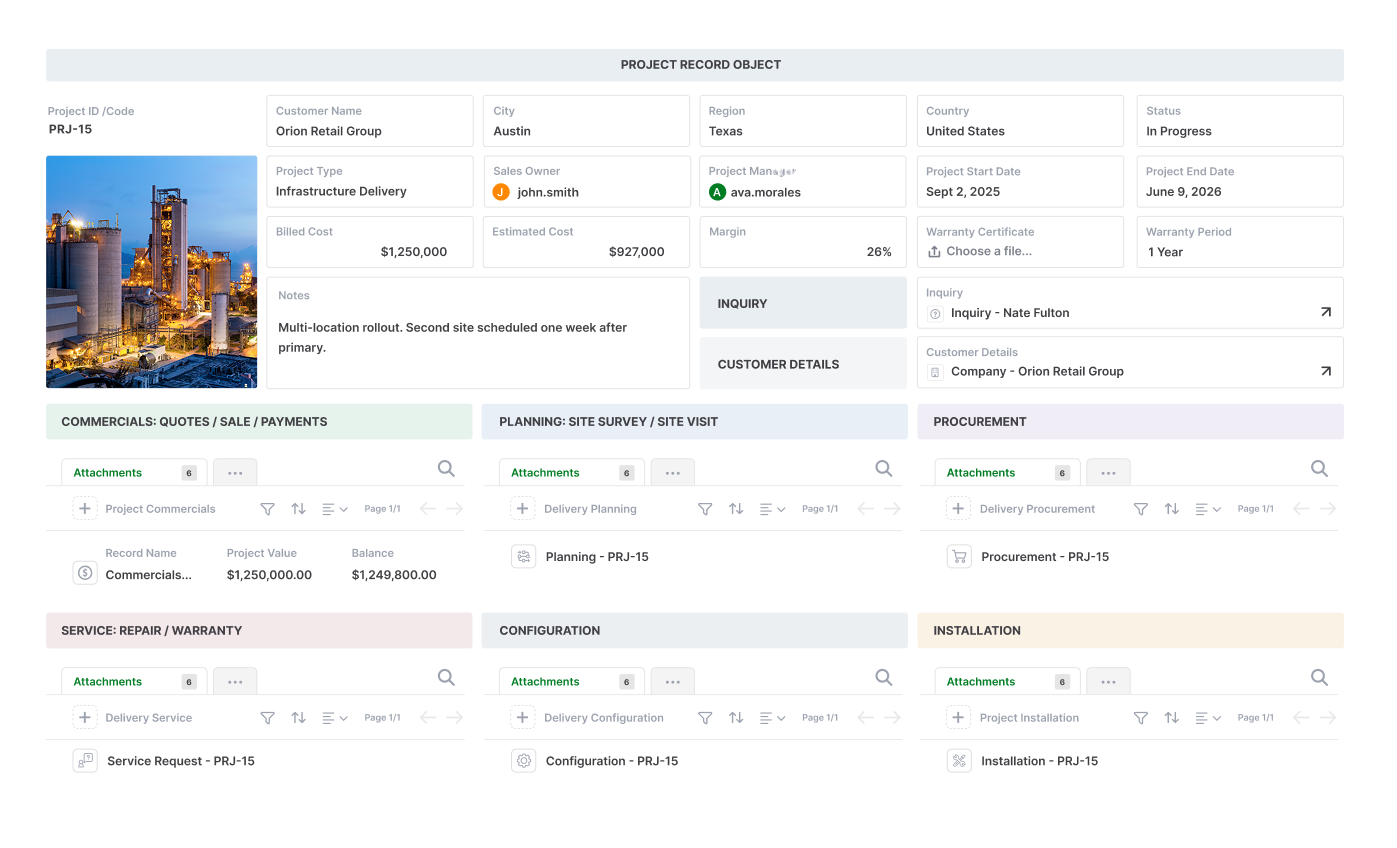
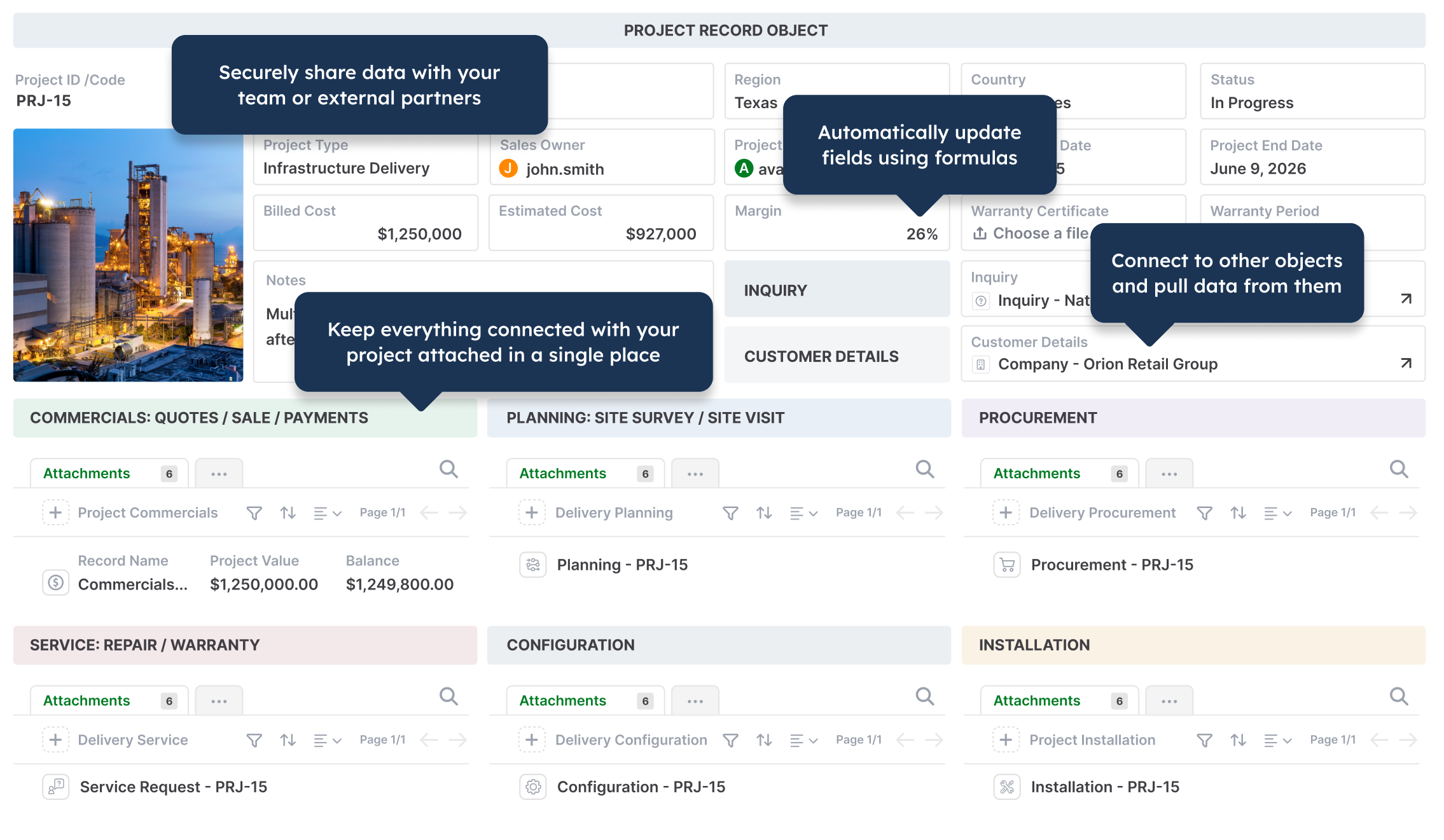
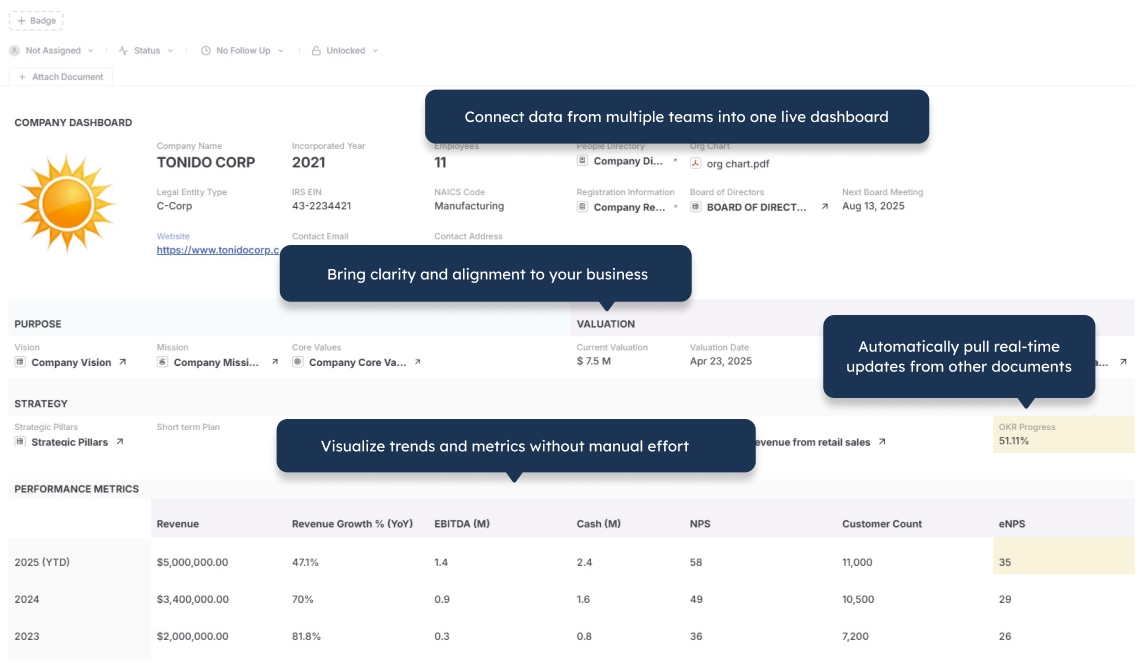
Link records and workspaces across teams so customers, orders, files, projects, vendors, and workflows stay connected in one operational system.

Control Access Precisely

Manage access by workspace, role, record, or field so employees and external users see only the information relevant to them.

Extend Operations Through Portals

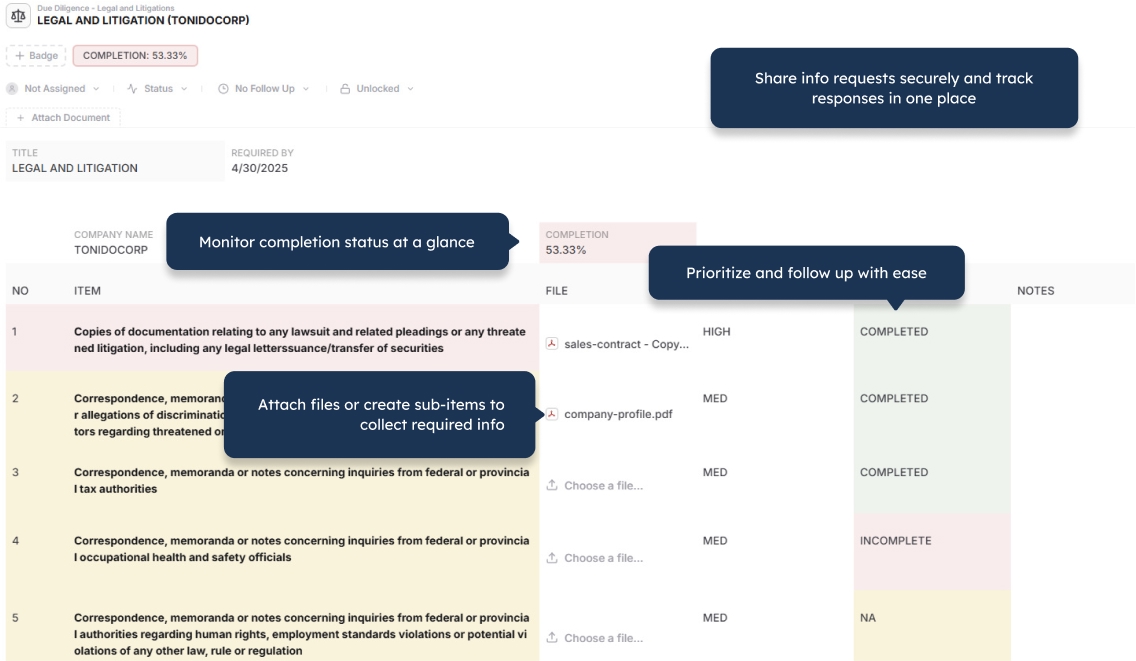
Give customers, vendors, and partners secure access to records, forms, files, and updates through built-in portals.

Generate Documents From Live Data

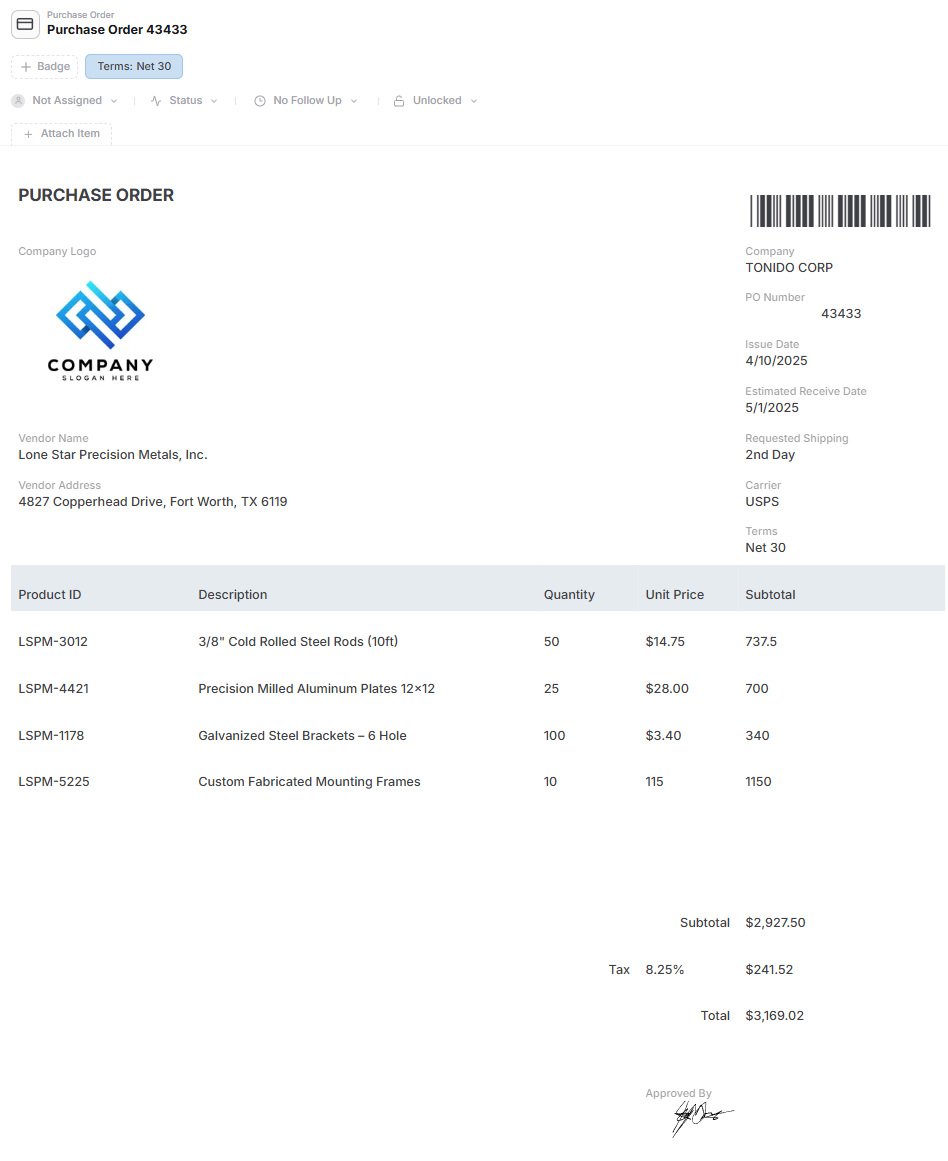
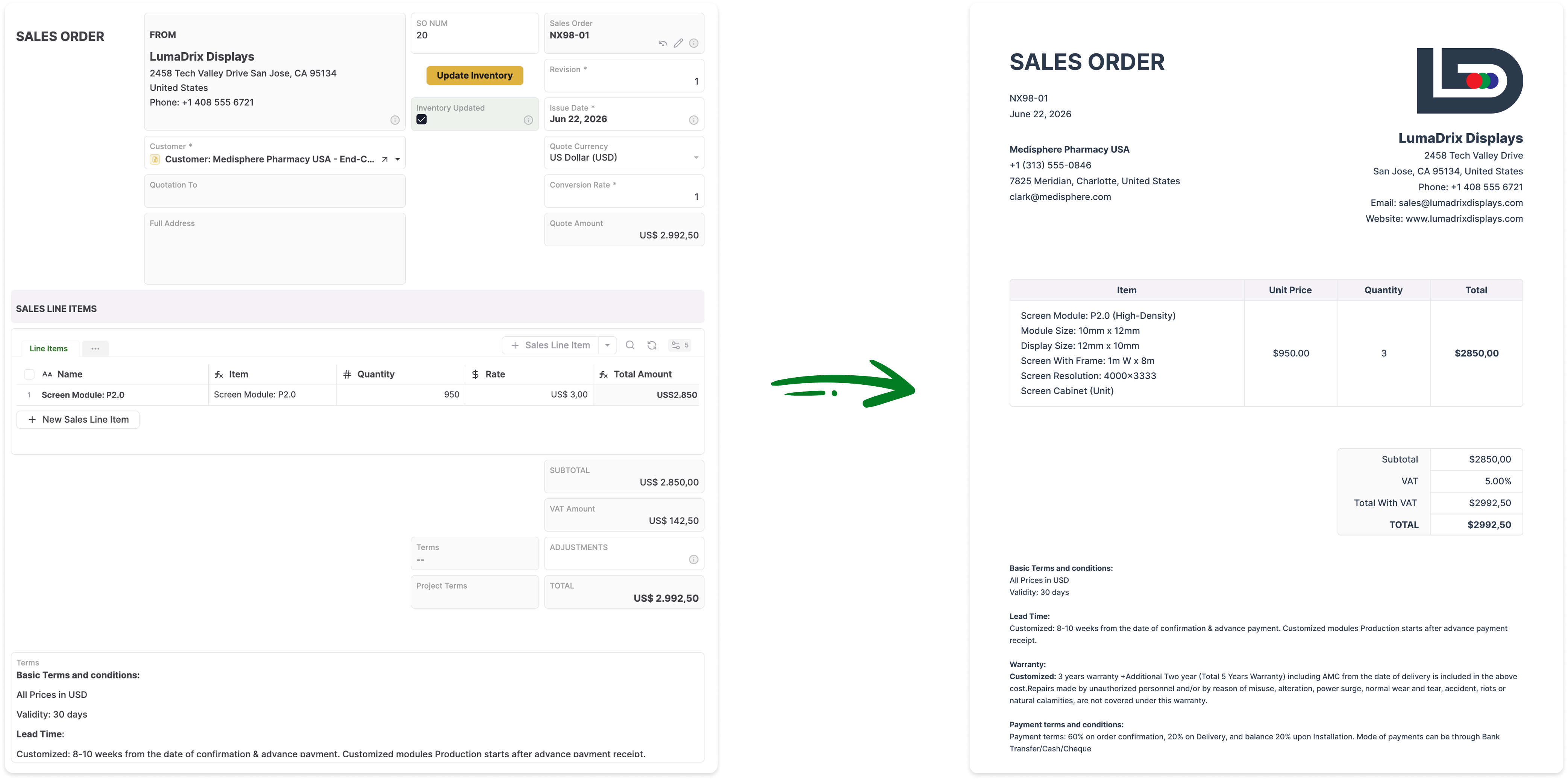
Create PDFs, Word documents, spreadsheets, reports, and operational forms directly from current records without rebuilding them manually.

Files, Workflows, and Data Stay Together

Keep documents, attachments, approvals, assignments, reminders, and automation connected to the records they belong to, so teams can work from one complete operational context.

The Record Layout Is the Interface

Design each record around how people actually work. Fields, child records, linked records, files, pages, actions, and related information appear together in one operational layout, without maintaining a separate interface over the underlying data.

Built-In Record History and Versioning

Track changes to operational records over time, see how information has evolved, and preserve accountability across users, workflows, and updates.

Where FileMaker Becomes Harder to Maintain

  • Operationally important systems usually require experienced FileMaker developers
  • Relationship graphs, layouts, calculations, and scripts become harder to modify as applications grow
  • Context-dependent scripts can rely on the current layout, record, found set, window, and mode
  • Audit histories, approvals, portals, notifications, and versioning generally need to be built
  • Desktop, mobile, and browser experiences require dedicated layout design and testing
  • Proprietary application files make standard version control and live deployment more complex
  • Total cost can include licensing, hosting, development, plug-ins, upgrades, and maintenance

AnyDB Is Built Around Business Operations

  • Configure systems around customers, orders, inventory, projects, assets, and vendors
  • Keep records, files, workflows, assignments, and history in one operational context
  • Use built-in permissions, notifications, automations, and record version history
  • Give customers, vendors, and partners access through built-in secure portals
  • Generate PDFs, Word documents, and spreadsheets directly from live records
  • Adapt workflows as operations change without maintaining a custom application
  • Choose cloud, private cloud, or self-hosted deployment

FileMaker gives developers tools to build custom applications.
AnyDB helps operational teams run connected business operations.

Run systems around customers, orders, inventory, projects, assets, vendors, and the work that connects them.

FileMaker can support deeply customized applications through relational tables, layouts, calculations, scripts, and integrations. As these applications expand, ongoing changes can require specialist knowledge of the relationship graph, layout context, script dependencies, permissions, deployment, and hosting.

AnyDB is built differently.

AnyDB provides a connected environment for configuring and running operational systems. Records, child records, linked data, files, permissions, workflows, portals, documents, history, and collaboration stay together, making the system easier for operational teams to use and evolve.

FileMaker Is Built for Custom Application Development. AnyDB Is Built for Operations.

Use FileMaker when you need developers to create a highly customized database application with detailed screen control and procedural logic. Use AnyDB when operational teams need a connected system they can configure, run, and evolve more easily.

Best Fit FileMaker AnyDB
Primary modelDeveloper-built custom database applicationsConnected operational systems
Best forHighly customized interfaces and procedural business logicBusiness operations that need structure, collaboration, and easier ongoing change
Typical use casesCustom inventory, CRM, manufacturing, quoting, and internal applicationsInventory, purchasing, orders, assets, work orders, claims, approvals, and portals
Starting pointApplication architecture, tables, relationship graph, layouts, and scriptsYour actual workflow, spreadsheet, or existing system, guided and built with you
Data structureRelational tables connected through contextual table occurrencesNested and linked business records organized in connected workspaces
Interface designPixel-level custom layouts created for specific workflows and devicesConfigurable operational record layouts, views, forms, and pages
Business logicCalculations, scripts, triggers, transactions, and plug-insBuilt-in workflows, automations, actions, formulas, and optional scripting
Ongoing changesOften requires FileMaker development and regression testingOperational structure and workflows can be updated as the business changes
External collaborationCustom WebDirect solutions, web integrations, or additional developmentBuilt-in portals with unlimited guest users
Document generationStrong reports and native PDF output; other formats may require additional developmentNative Word, PDF, and Excel generation from live records
DeploymentFileMaker Cloud or FileMaker Server on company-controlled infrastructureCloud, private cloud, or self-hosted deployment

Feature Comparison

Both platforms can support complex business systems. The difference becomes clearer in how capabilities are delivered, maintained, and adapted over time.

Capability FileMaker AnyDB
Relational data modeling
Custom record layoutsAdvanced pixel-level designConfigurable operational layouts
Procedural scriptingAdvanced and developer-orientedAvailable for custom logic
Workflow automationBuilt through scripts, triggers, and integrationsBuilt-in visual automation and actions
Files and attachmentsContainer fields and external storage optionsFiles organized around operational records
Parent-child recordsBuilt through related tables and portalsNative nested records
Browser accessWebDirect with platform-specific limitationsNative browser experience
Mobile accessFileMaker Go for iPhone and iPadAnyDB mobile app
Barcode and QR scanningAvailable through FileMaker Go and custom scriptsBuilt into mobile operational workflows
External portalsCustom solution and access configuration requiredIncluded
Record history and versioningCustom implementationBuilt in
Assignments and notificationsCustom implementationBuilt into operational records
Native PDF generation
Native Word and Excel generationRequires additional development or integrationsIncluded
AI capabilitiesDeveloper-facing script steps and model integrationsAI actions inside connected records and workflows
Self-hosted deployment
Ongoing operational configurationUsually developer-managedDesigned for easier team-led evolution

Cost, Maintenance, and External Access

The cost of an operational system extends beyond software licenses. Hosting, specialist development, deployment, upgrades, plug-ins, and ongoing maintenance all affect the total investment.

Consideration FileMaker AnyDB
Internal usersPer-user licensing, generally with a minimum starting user countPaid internal users
External usersMay require concurrent-connection licensing and a custom WebDirect or web experienceUnlimited guest portal users included
Initial system buildApplication architecture, layouts, scripts, permissions, and deploymentGuided configuration around your actual operation
Ongoing changesDeveloper work, testing, and controlled deployment may be requiredRecords, workflows, views, permissions, and automations can evolve in one environment
HostingFileMaker Cloud or self-managed FileMaker Server infrastructureCloud, private cloud, or self-hosted options
PortalsDesigned and developed as part of the applicationBuilt in
MaintenanceCan include developers, plug-ins, server administration, upgrades, and compatibility testingCore operational capabilities are maintained within the platform

With AnyDB, you license the internal team running the operation while customers, vendors, contractors, inspectors, and partners can use secure portals without additional guest-user charges.

Generate Documents Directly From Your Live Records

Turn AnyDB records into professional, ready-to-share PDFs / Docx / XLSX with fields, linked data, tables, terms, and other relevant information automatically included.

How it Works?

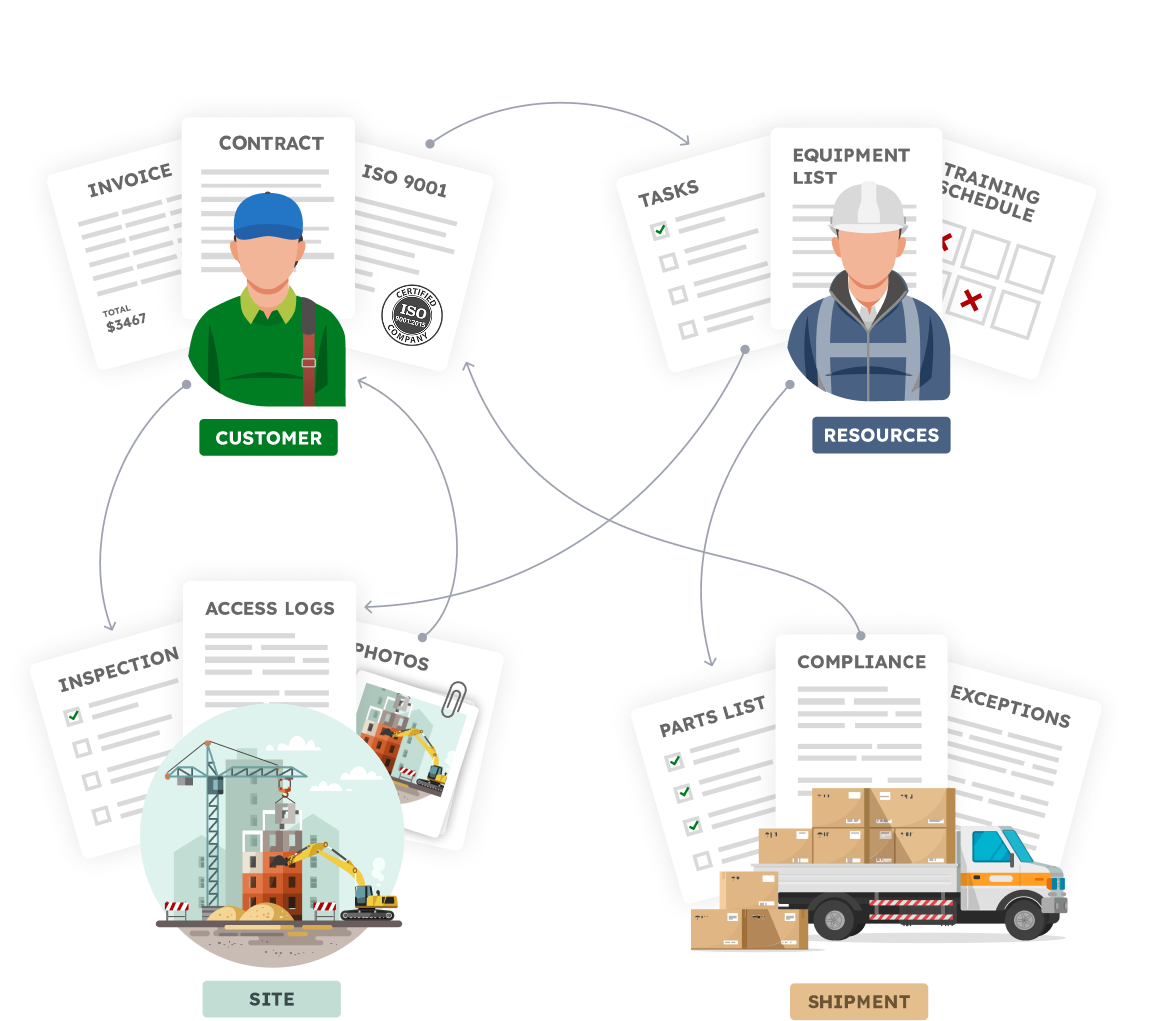
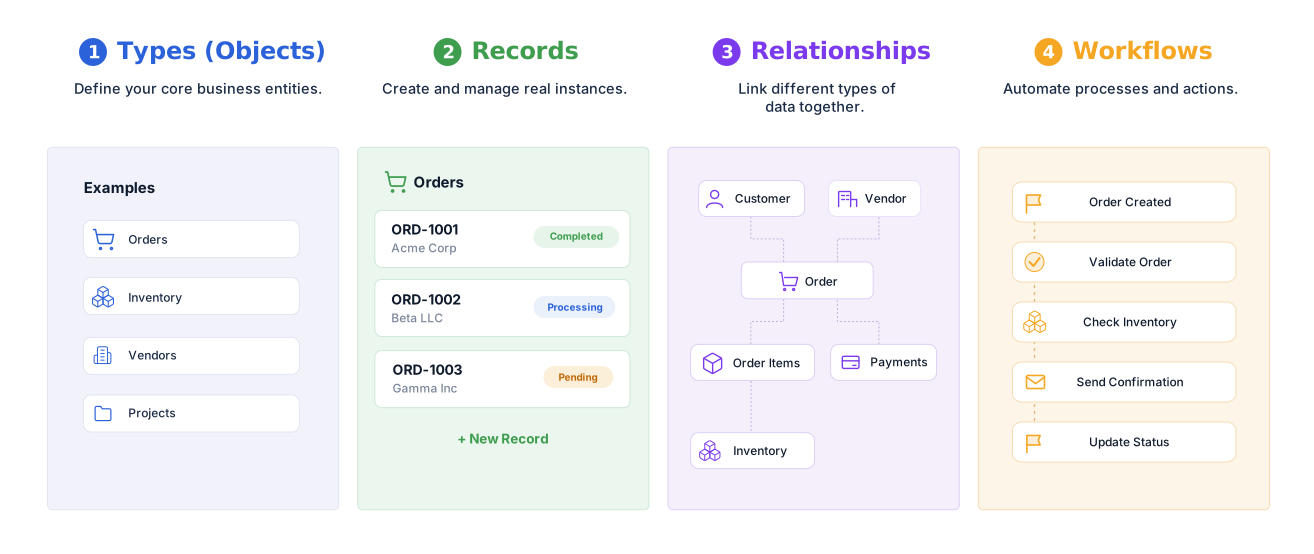
Your Business is made of Real Things

  • A vendor with certifications, contracts, invoices
  • A site with inspections, photos, access logs
  • An employee with tasks, training, equipment
  • A shipment with parts, compliance documents, exceptions

Define your structure, connect your data,
and automate how work flows.


Familiar to use.Built for real operations.


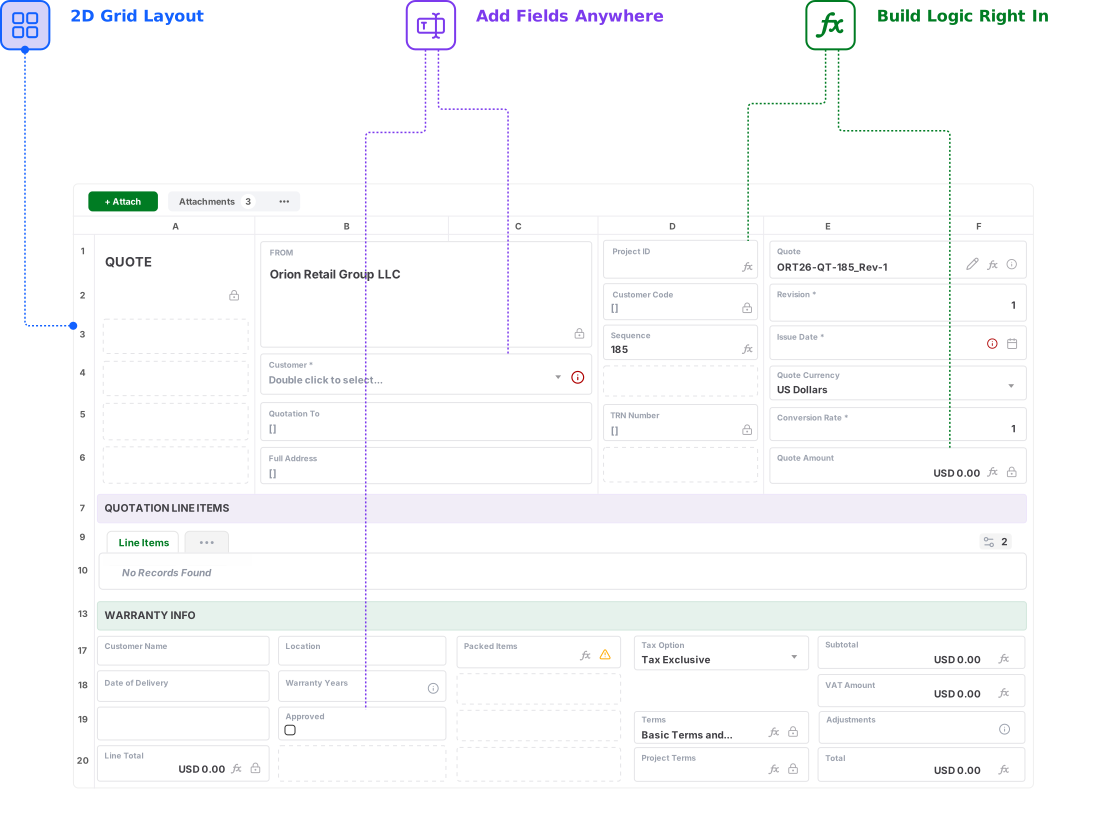
Reuse your Spreadsheet skills.
Design Record and Form Layouts in a 2D grid, just like a Spreadsheet

See how AnyDB powers your business operations

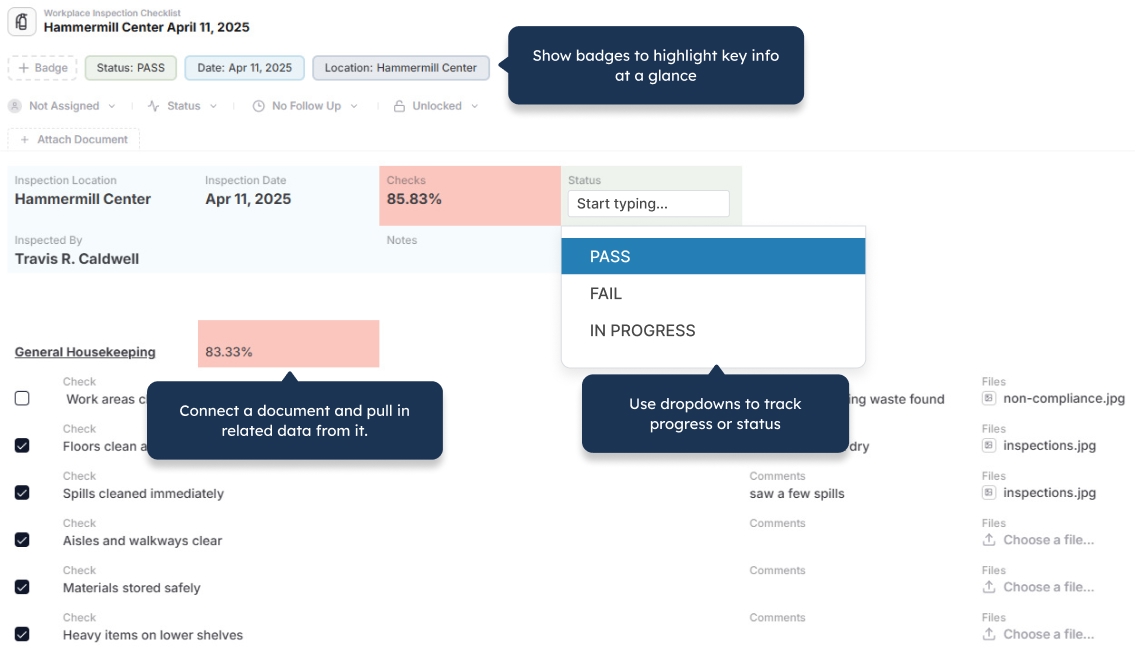
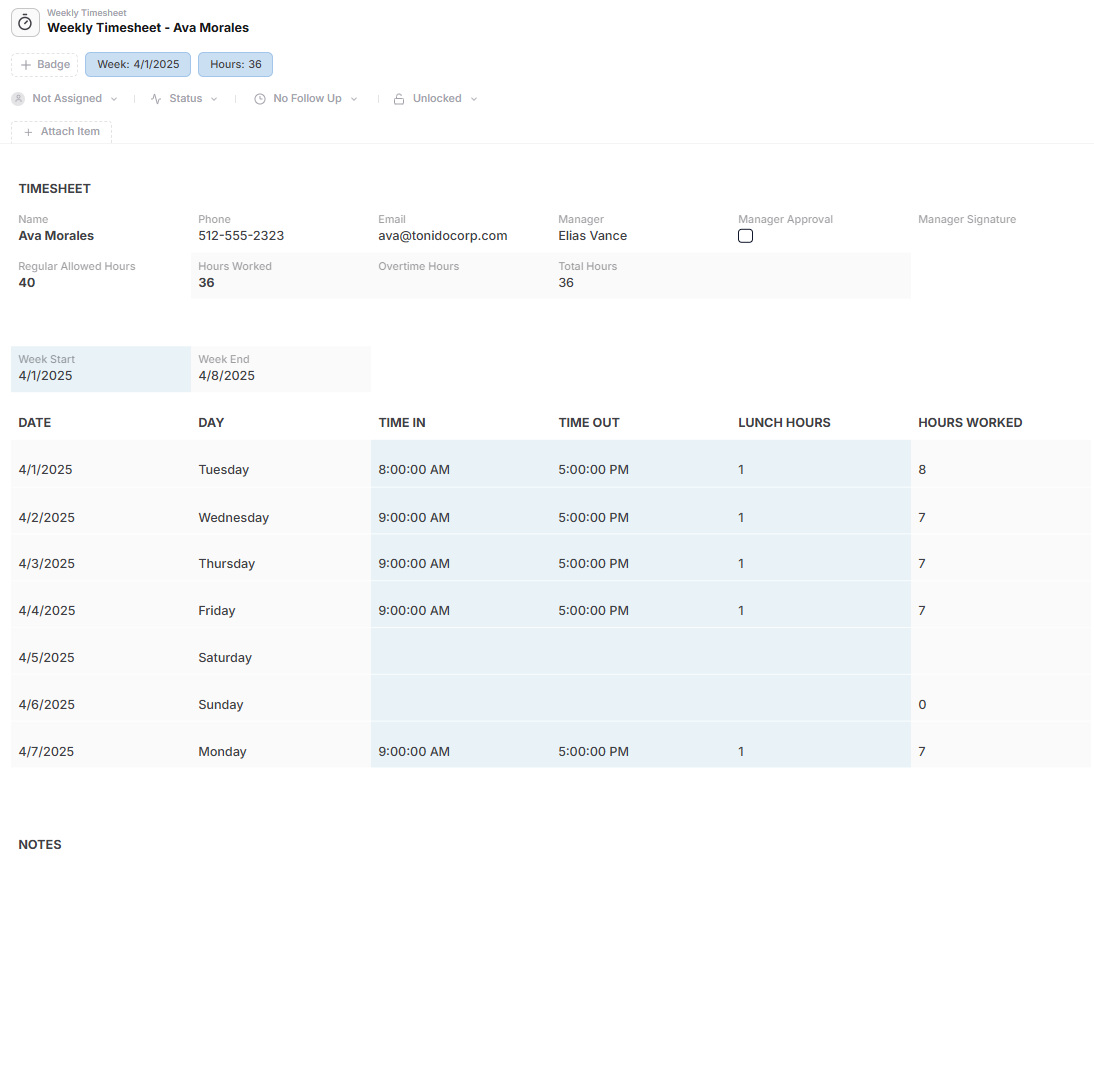
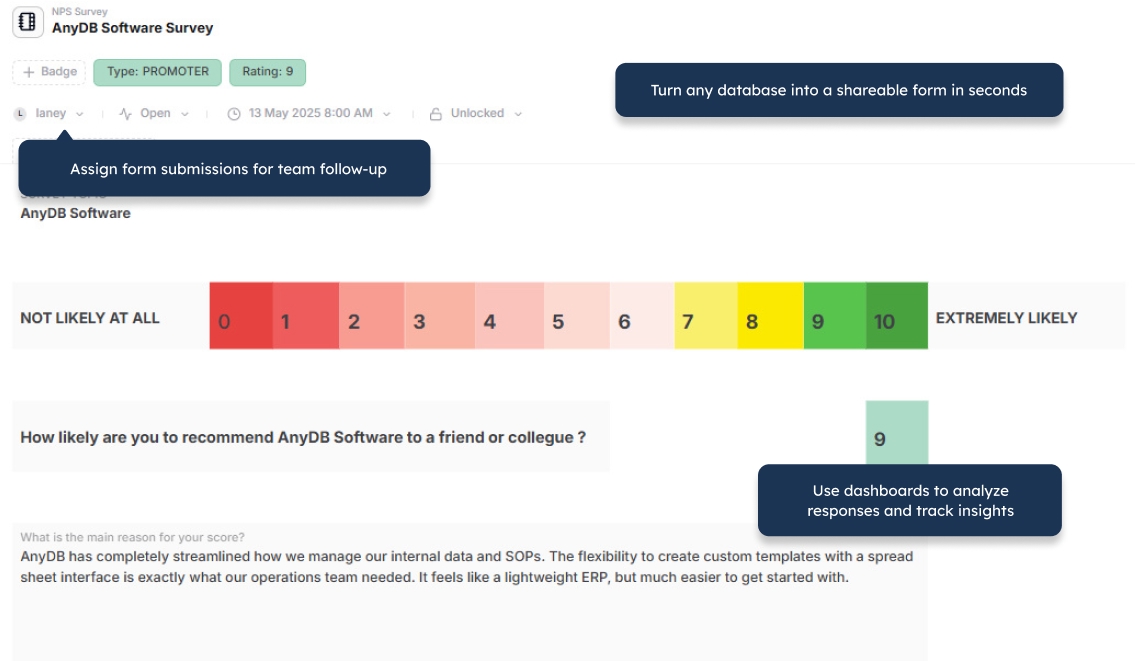
  • Flexible Views
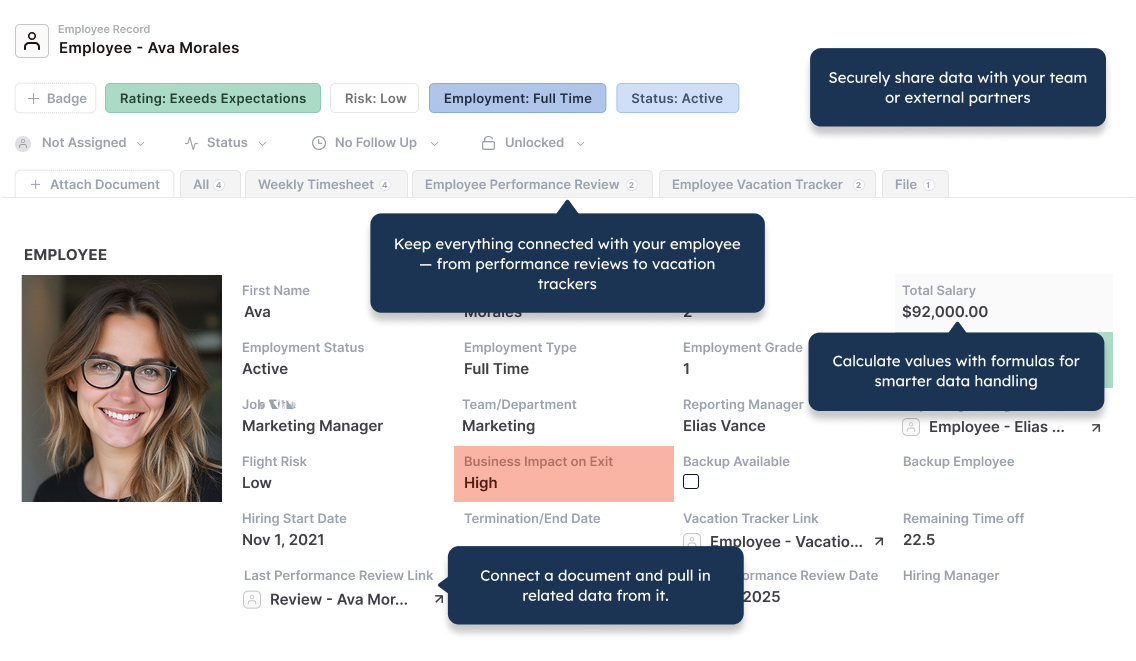
  • A Natural Record Layout
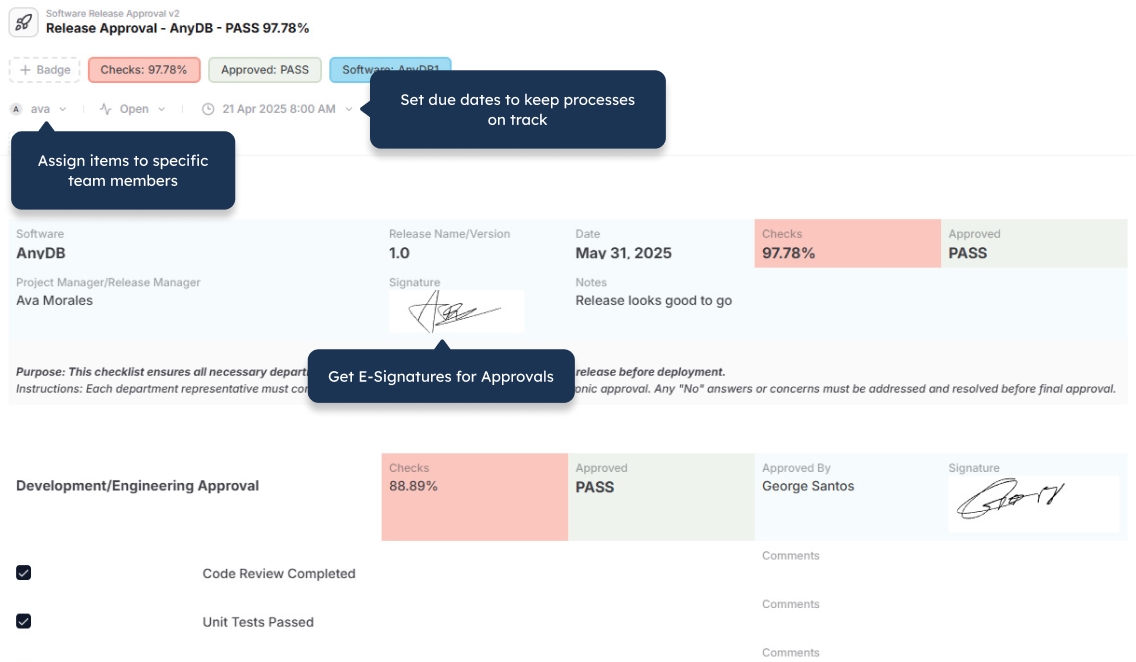
  • Portals
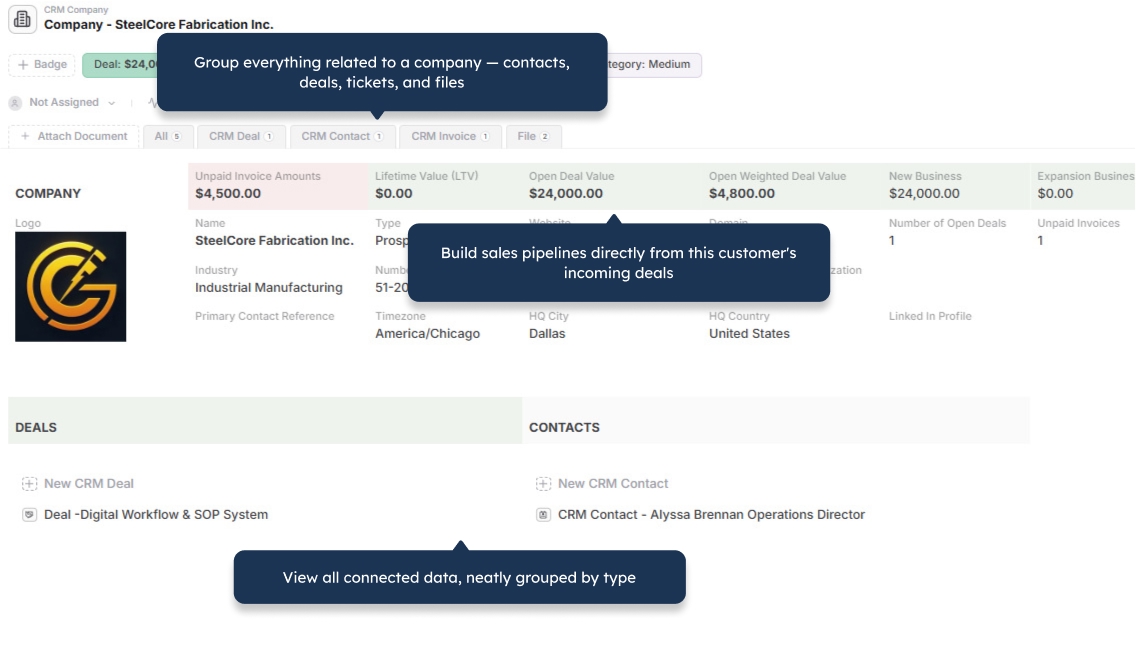
  • Combine Objects

Flexible Views

A Natural Record Layout

Portals

Combine Objects

Run Business Operations Without FileMaker Development Overhead

Create connected operational systems your team can use, manage, and evolve more easily.

Get for Free
No credit card needed!

Frequently Asked Questions

How is AnyDB different from FileMaker?

FileMaker is a low-code platform for developers to build custom database applications using relational tables, layouts, calculations, scripts, and integrations. AnyDB is a connected operational environment with records, workflows, permissions, portals, document generation, history, and collaboration available as part of the platform.

Can AnyDB replace an existing FileMaker solution?

Yes. The best approach is to map the records, relationships, workflows, permissions, documents, and integrations that the business currently depends on. You can migrate one operational area first, validate it with users, and expand into additional connected processes over time.

Can I import data from FileMaker?

Yes. FileMaker data can be exported and mapped into AnyDB records, child records, and linked workspaces. A migration plan can also cover attachments, users, permissions, record history, documents, and integrations where required.

Will FileMaker layouts and scripts transfer directly?

FileMaker layouts and scripts are application-specific and do not transfer directly. The underlying workflow is mapped into AnyDB using record layouts, relationships, views, forms, permissions, automations, actions, and documents. This also creates an opportunity to remove outdated logic and simplify the process before migration.

Do I need a developer to maintain AnyDB?

Most operational systems can be configured and updated without maintaining a custom application. Teams can manage record types, fields, relationships, views, forms, permissions, and automations through the interface. Advanced scripting remains available when a workflow needs specialized logic.

Can external users access AnyDB?

Yes. AnyDB includes secure portals for customers, vendors, partners, contractors, and other external users. You can control which records, files, forms, and actions each user can access without exposing the internal system. Guest portal users are unlimited.

Can AnyDB generate documents from records?

Yes. AnyDB can generate PDFs, Word documents, spreadsheets, reports, invoices, purchase orders, certificates, and other business documents directly from live record data.

Does AnyDB support record-level permissions and history?

Yes. AnyDB supports detailed permissions across teams, workspaces, records, and fields. Activity and version history preserve record changes, support accountability, and help teams work from the latest approved information.

Can AnyDB run in our own environment?

Yes. AnyDB is available through cloud, private cloud, and self-hosted deployment options. The appropriate model depends on your security, infrastructure, integration, and administration requirements.

Can AnyDB help us design and migrate our system?

Yes. You can share your current FileMaker solution, exports, documentation, and workflows. The AnyDB team can help map the records, relationships, permissions, automations, documents, and migration stages for your first working system.