Odoo Alternative
Built for Business Operations

Build a connected operational system around the way your business actually works, without forcing specialized processes into a collection of predefined ERP modules.

Unlimited guest accounts, unlimited records, built-in portals, and document generation.

Schedule Demo
Book a demo and let us set up AnyDB for you. Free of charge!

Explore how AnyDB organizes business records, operations, files, and portals

Main Benefits

Built Around Your Operation

Model inventory, purchasing, orders, projects, assets, vendors, installations, claims, inspections, approvals, and other workflows around how your business actually runs.

Do Not Force Work Into Standard Modules

Build the objects, stages, relationships, forms, views, permissions, and actions your process needs instead of adapting the process to a predefined application structure.

Native Parent-Child Structures

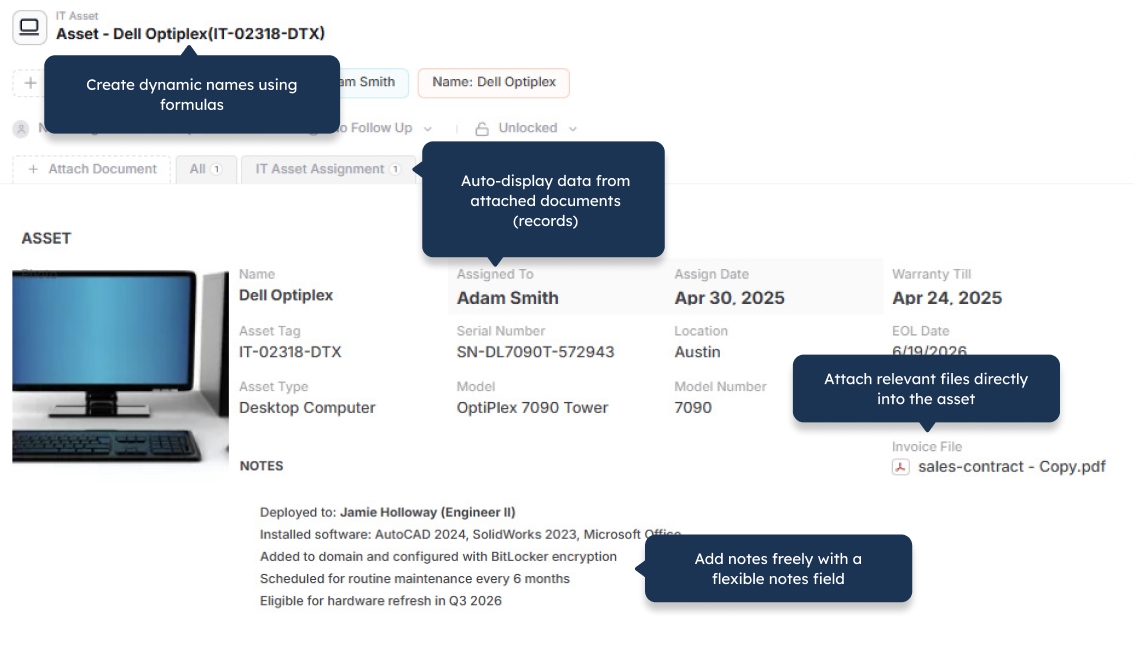
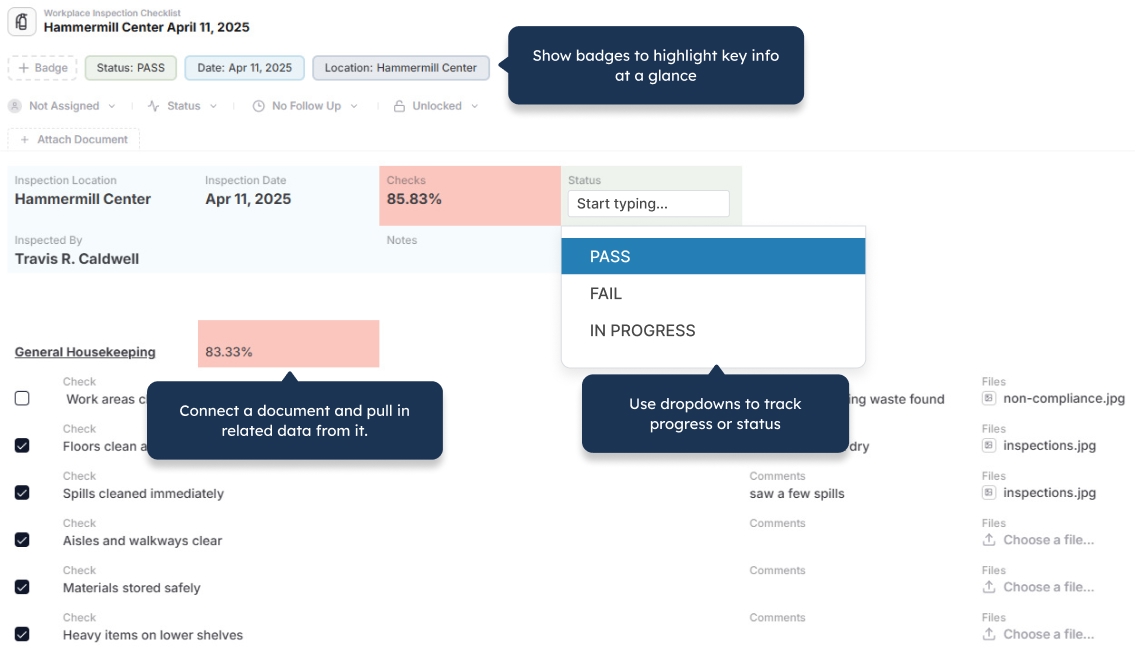
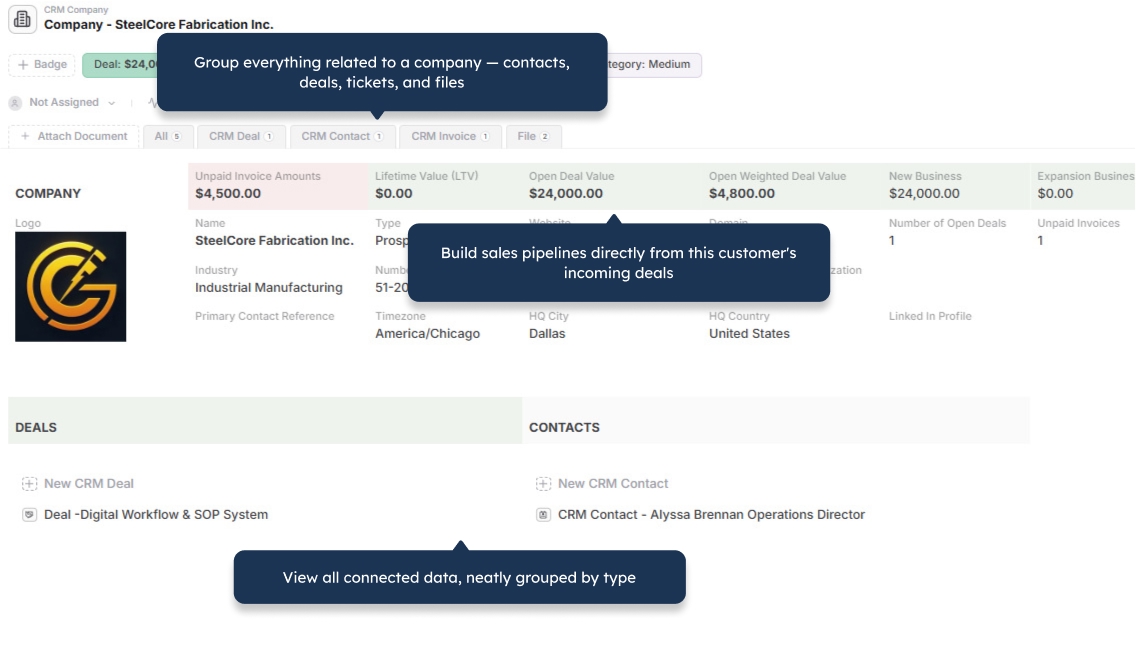
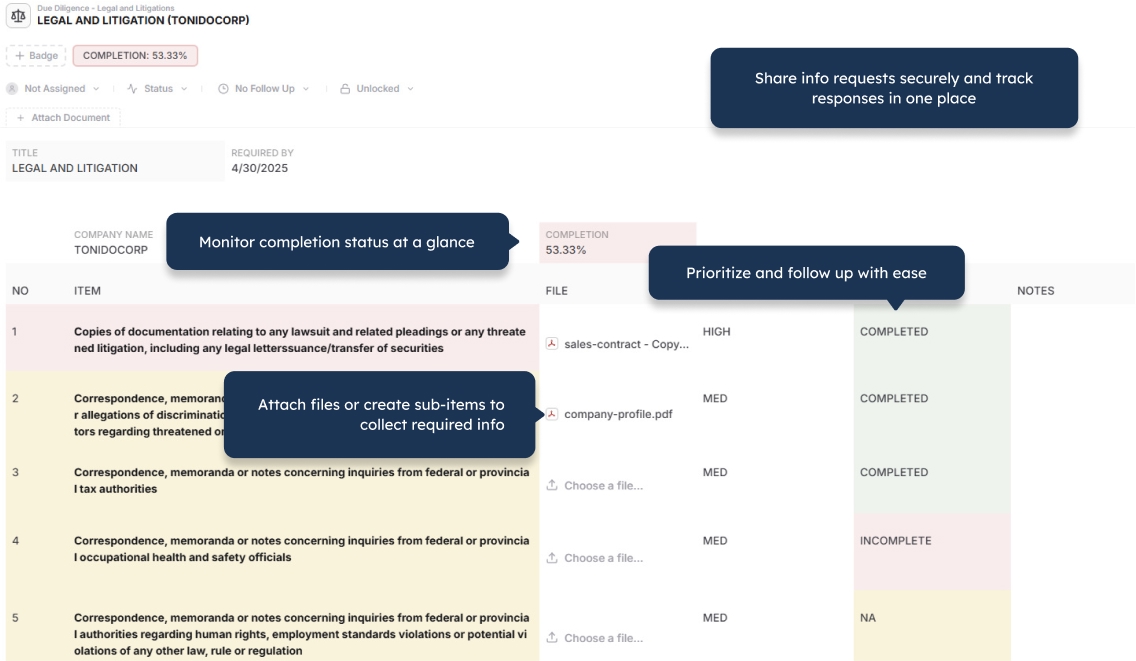
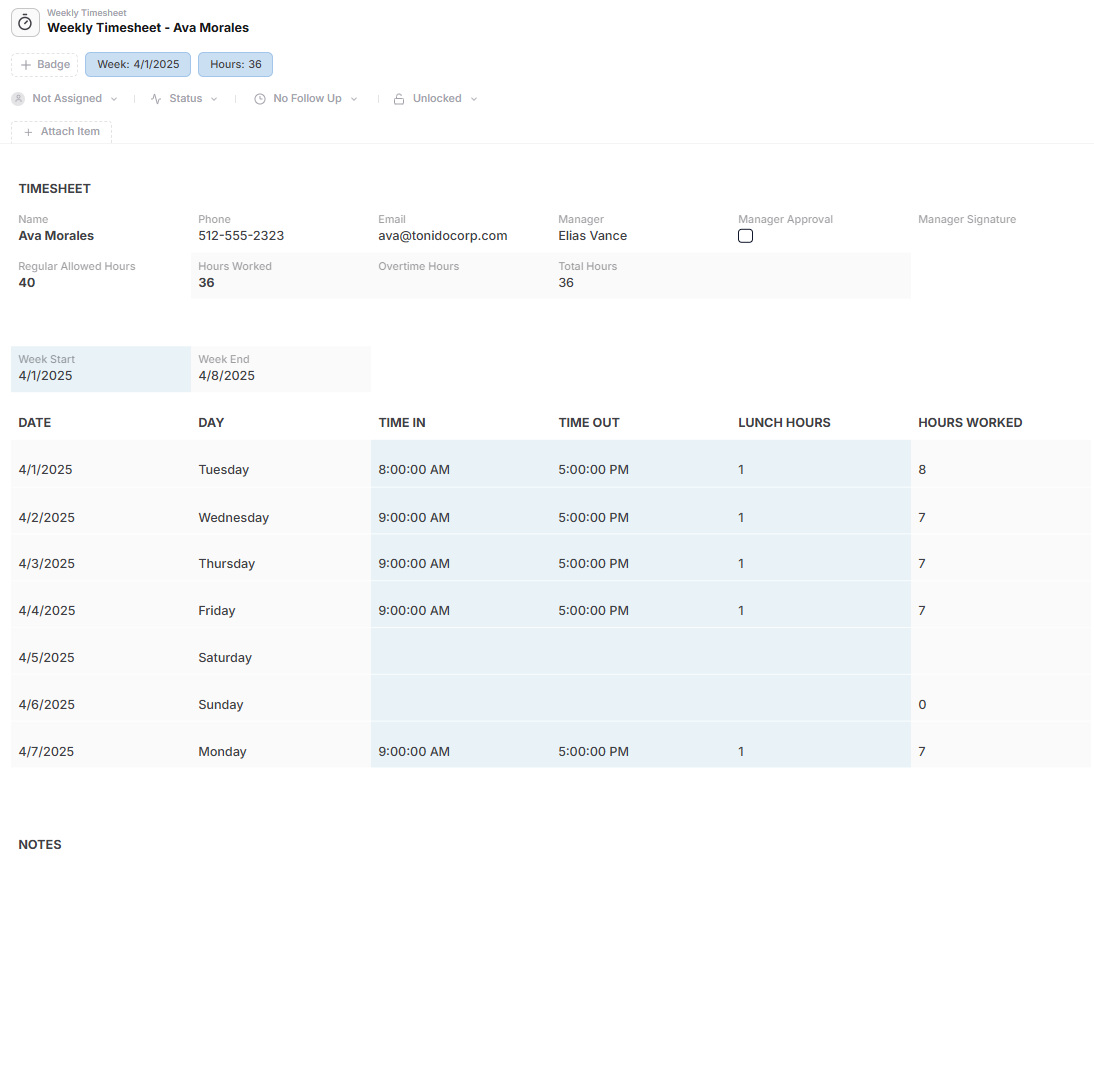
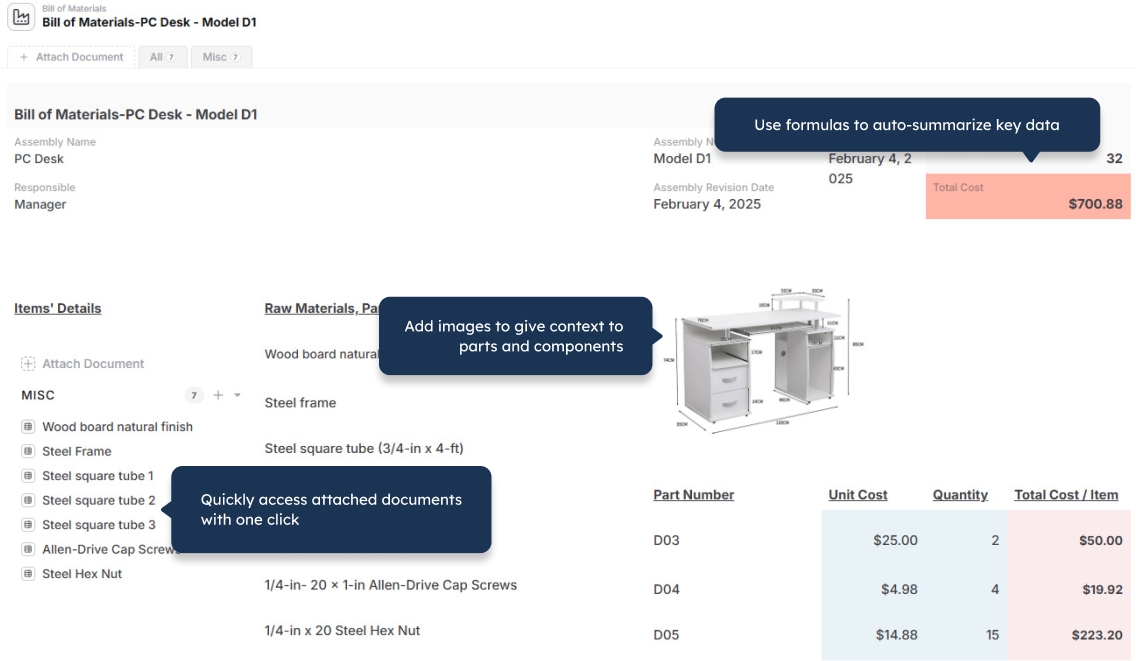
Manage orders with line items, products with components, projects with tasks, inspections with findings, and assets with maintenance history.

Complete Operational Records

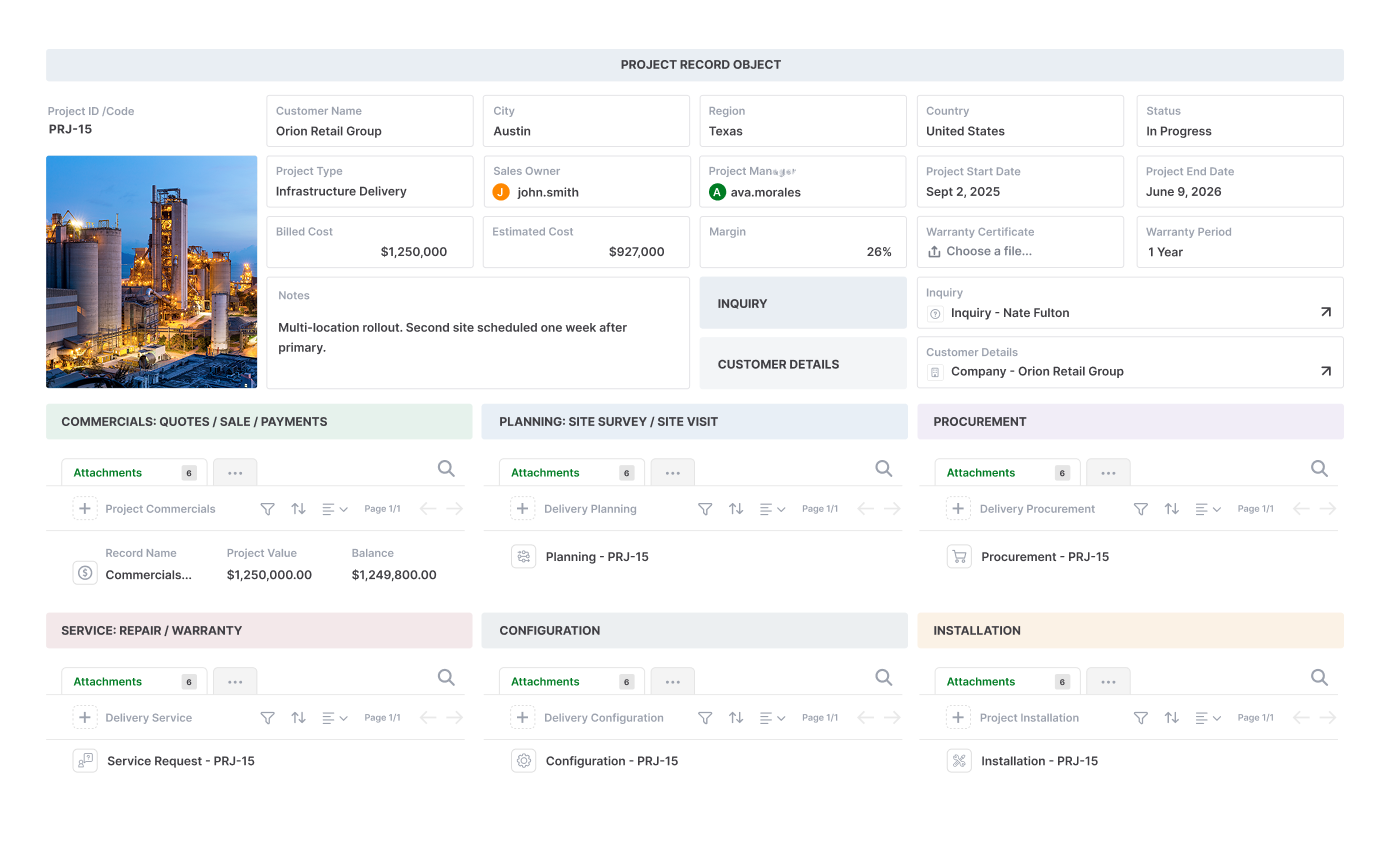
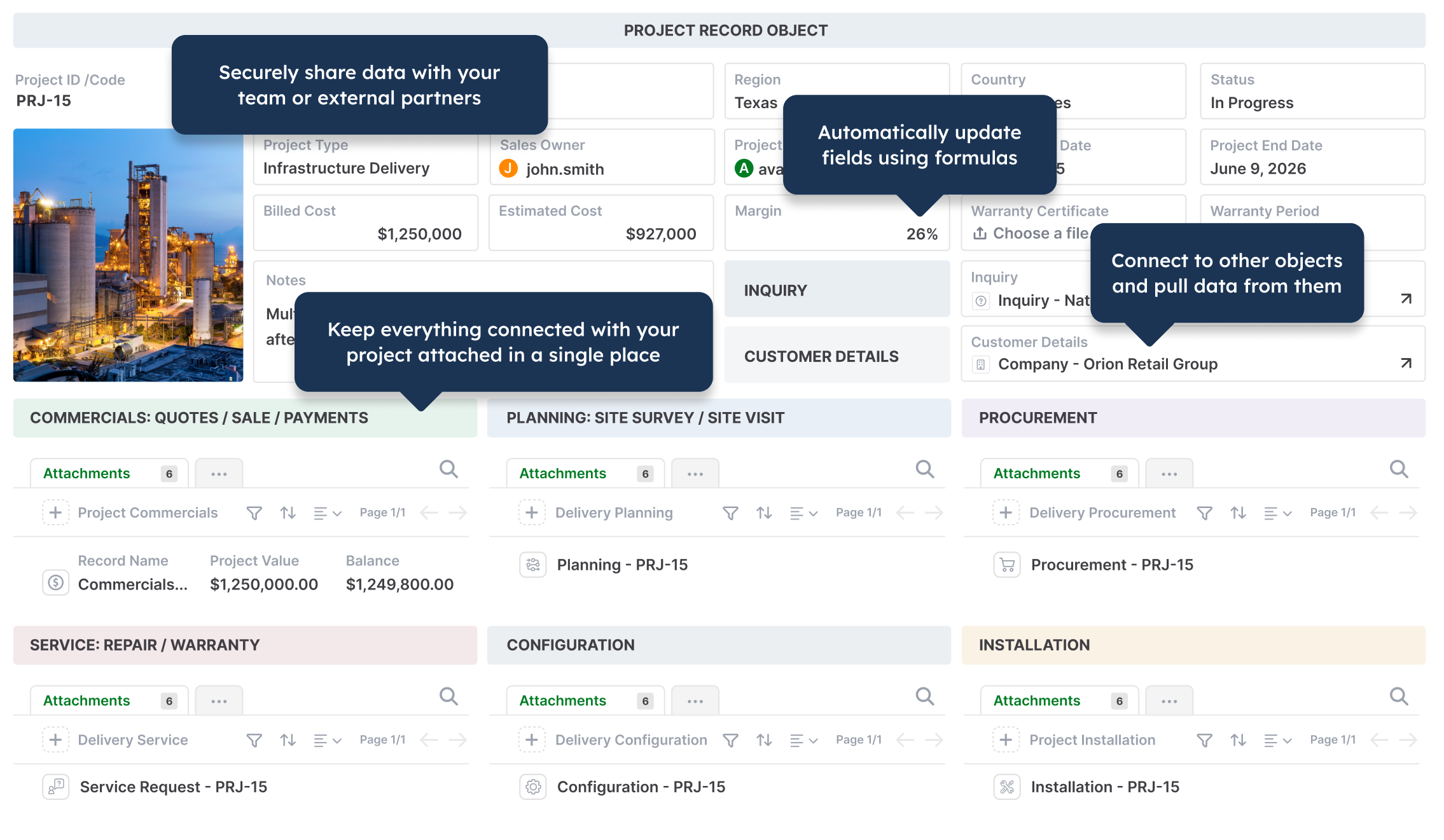
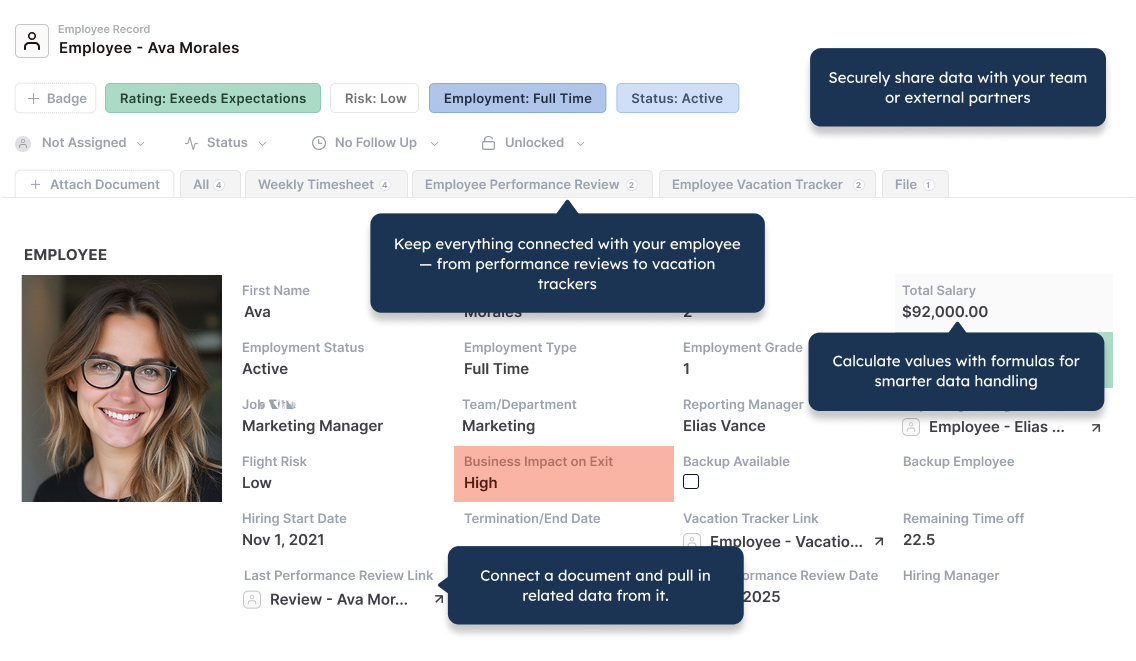
Bring fields, child records, linked records, files, pages, comments, history, assignments, reminders, approvals, and actions into one working record.

Files Stay With the Work

Keep quotes, contracts, invoices, photos, certificates, reports, and supporting documents connected to the records and decisions they belong to.

Built-In External Portals

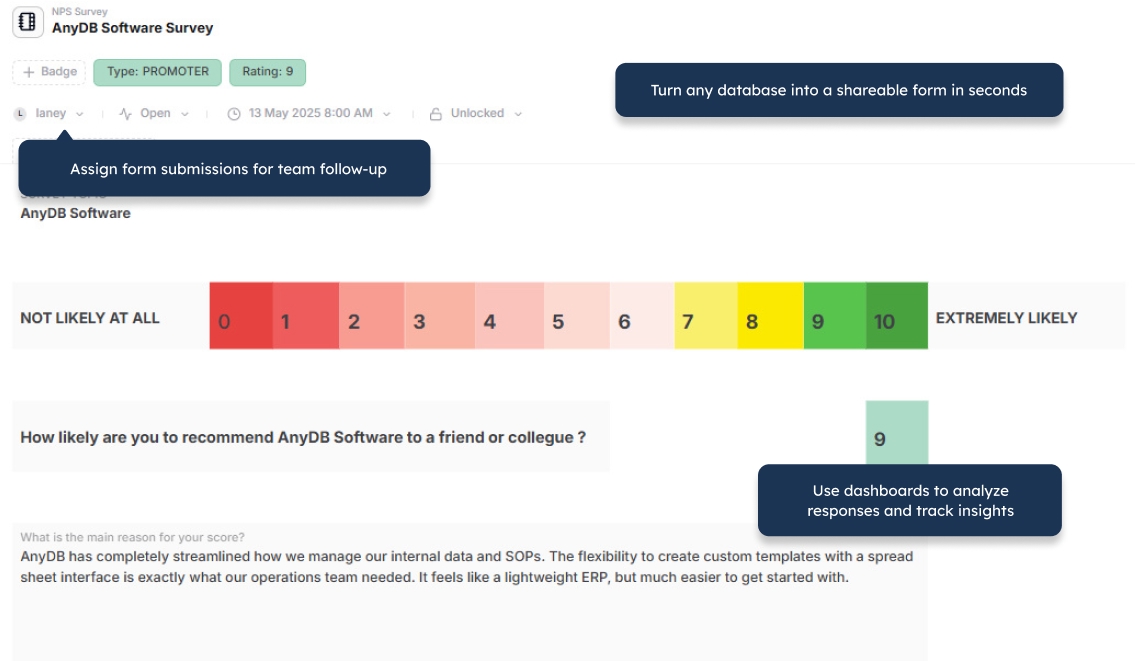
Give customers, vendors, contractors, inspectors, and partners controlled access to records, forms, files, updates, and actions.

Generate Business Documents

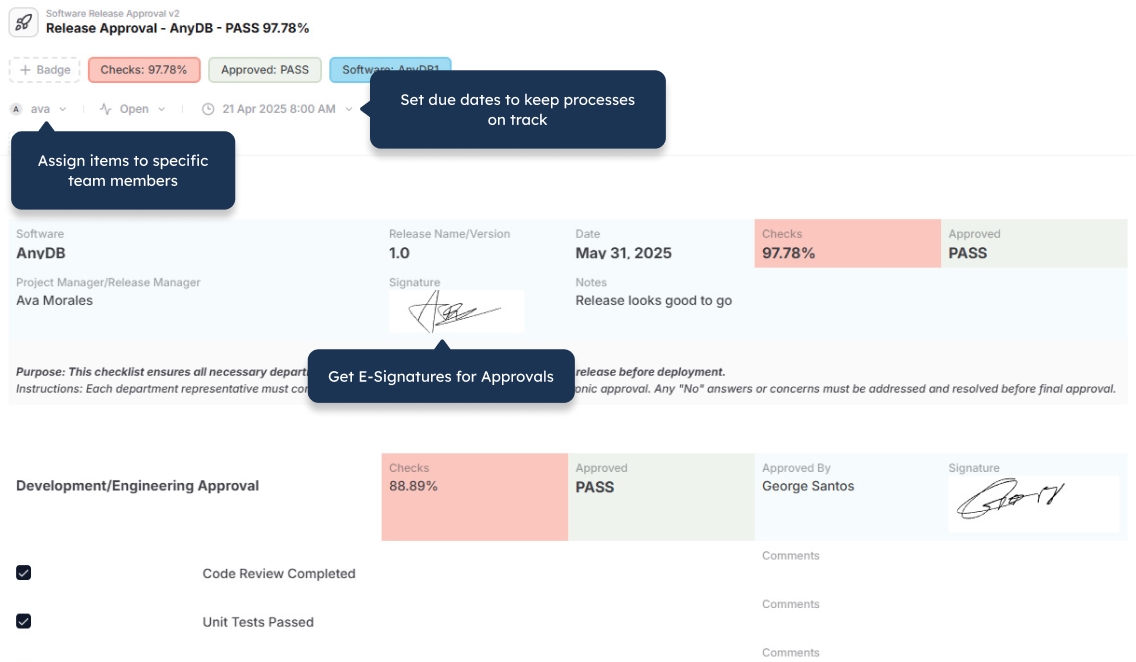
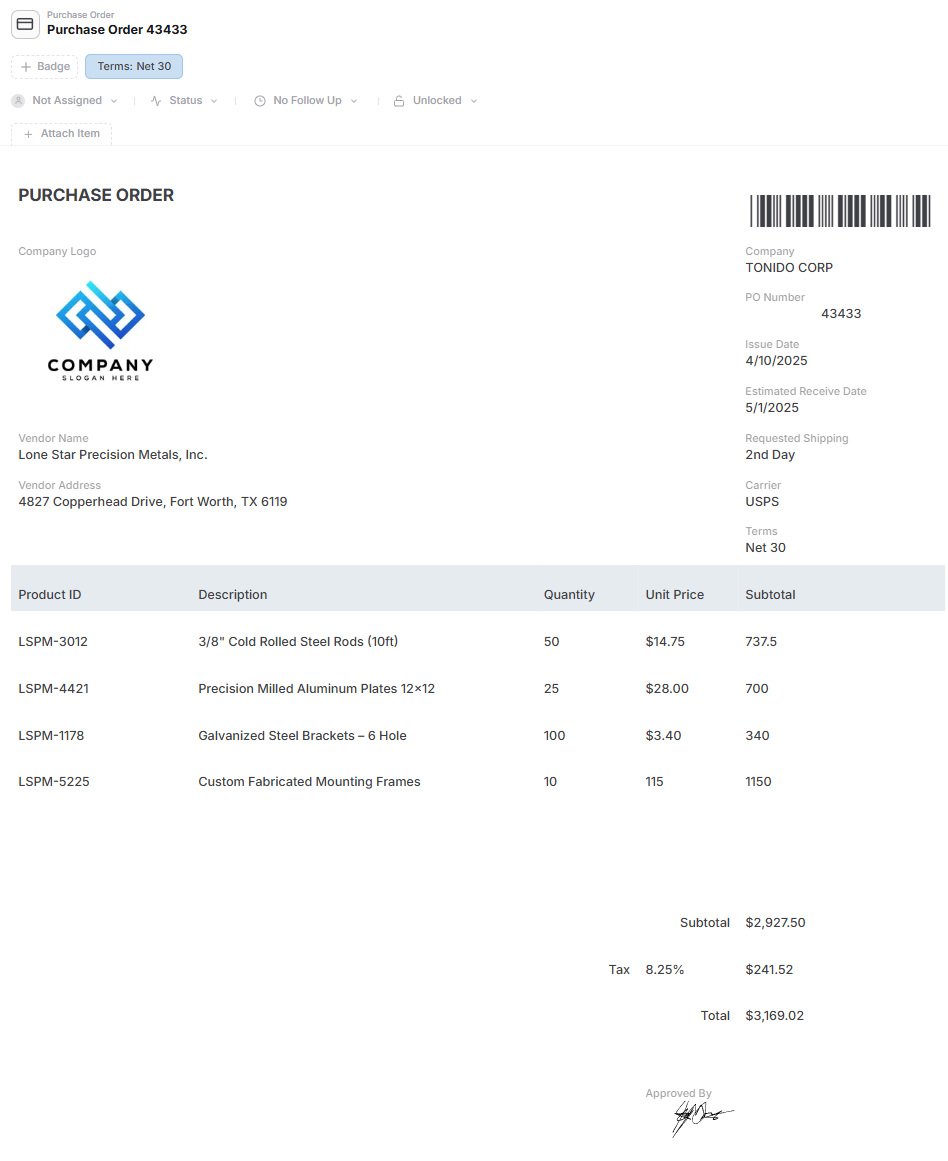
Create Word, PDF, and Excel documents from live records, including child records, tables, images, barcodes, and QR codes.

Direct Implementation Support

Share your Odoo process, spreadsheet, database, or workflow and let the AnyDB team help design and launch the first working system.
Start With One Specialized Workflow

Launch one operational process first and expand gradually without replacing every accounting, CRM, inventory, or ERP function at once.

Odoo Is Built Around Integrated Business Applications

  • Provides a broad suite of applications for CRM, accounting, inventory, manufacturing, purchasing, sales, projects, eCommerce, HR, and other business functions
  • Works well when the business process fits the structure and assumptions of the selected Odoo applications
  • Connects standard business functions through an integrated ERP-style platform
  • Odoo Studio can customize fields, views, models, reports, and automation without code
  • Deeper deviations from standard application behavior may require custom modules, development, testing, and maintenance
  • Cross-module workflows can become implementation projects involving consultants, partners, or internal technical resources
  • Best suited to businesses that want an integrated application suite and are comfortable adapting processes to that model

AnyDB Is Built Around the Operation Itself

  • Model complete business objects such as orders, assets, projects, vendors, claims, inspections, installations, and work orders
  • Use native child records for line items, tasks, components, documents, findings, approvals, and activity
  • Keep fields, files, pages, actions, comments, history, assignments, and reminders together
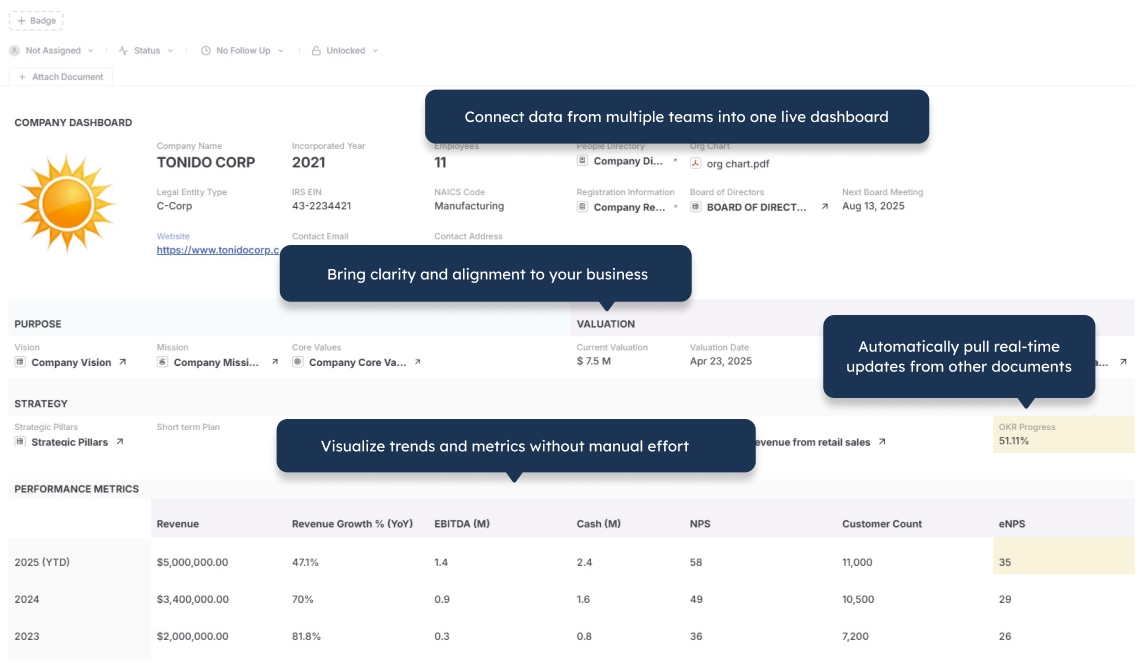
  • Build workflows that cross departments and do not fit neatly into standard ERP modules
  • Give external users controlled access through built-in secure portals
  • Generate Word, PDF, and Excel documents directly from live operational data
  • Start with one specialized process and expand without replacing the entire business software stack

Odoo gives businesses an integrated suite of applications.
AnyDB gives operations teams a system shaped around the operation itself.

Standard modules are useful until the work does not fit the module.

Odoo provides a broad and integrated set of business applications for accounting, CRM, sales, inventory, manufacturing, purchasing, projects, eCommerce, HR, and other common business functions. It can also be customized through Odoo Studio and custom development.

The challenge appears when a specialized operation crosses multiple applications, uses unusual object structures, requires custom documents and portals, or follows a process that does not match the standard module design.

AnyDB begins with the workflow, not the module catalog.

An installation can connect customers, sites, equipment, crews, tasks, inspections, photos, approvals, inventory, documents, and handoff records. A vendor process can connect onboarding, certificates, contracts, purchase requests, reviews, reminders, and compliance status. A claim can connect documents, reviewers, payment directions, collection activity, and history.

Each process becomes a connected operational system without requiring the business to reorganize the workflow around predefined ERP applications.

Your Operation May Not Fit Neatly Into Separate ERP Modules

Real operations often cross sales, purchasing, inventory, projects, assets, documents, approvals, compliance, and external participants. AnyDB lets the workflow remain connected even when it does not match the boundaries of standard applications.

Customer and Site Contacts, locations, requirements, files, and access information
Project and Work Tasks, crews, schedules, assignments, approvals, and status
Inventory and Equipment Materials, serialized assets, components, transfers, and condition
Inspections and Compliance Checklists, findings, photos, certificates, reviews, and exceptions
Documents and Handoff Quotes, reports, completion packages, signatures, and customer portals

Odoo and AnyDB Use Different Starting Points

Odoo starts with an integrated suite of business applications. AnyDB starts with the specific operational system the business needs.

Comparison Area Odoo AnyDB
Core model Integrated suite of ERP and business applications Object-based custom operational systems platform
Best for Businesses seeking connected standard applications across finance, CRM, sales, inventory, manufacturing, projects, and related areas Operations-heavy teams with specialized workflows that cross standard software categories
Starting point Select and configure the applications that match the business functions Start from the actual workflow, spreadsheet, database, or process notes
Process structure Business processes organized through application modules and their standard models Business processes organized around connected objects, child records, files, people, and actions
Customization Odoo Studio, configuration, third-party applications, and custom modules Record designer, objects, fields, relationships, views, workflows, automation, and scripting
Specialized workflows Possible through configuration and customization, with complexity increasing as the process departs from standard applications Primary design goal
External users Customer and vendor portal access is available for supported documents and information Unlimited guest portal users with configurable access to records, fields, files, forms, and actions
Documents Built-in reports and documents vary by application; custom reports can be configured or developed Native Word, PDF, and Excel generation from live records
Implementation model Configuration through internal teams, partners, consultants, Studio, and custom development Built with you directly by AnyDB, starting with one workflow
Best long-term fit Businesses that want an integrated ERP suite and can align operations with its application model Businesses that need the system to adapt closely to their operation

Choose the Platform That Matches the Work

Odoo is broader as an ERP suite. AnyDB is more focused on creating adaptable operational systems.

Choose Odoo When

You want an integrated suite for accounting, CRM, sales, purchasing, inventory, manufacturing, projects, eCommerce, HR, and other standard business functions, and your processes fit those applications reasonably well.

Choose AnyDB When

You need a specialized system for installations, claims, vendor compliance, unusual inventory structures, custom approvals, field operations, inspections, assets, fulfillment, or cross-department workflows.

Use Both When

Odoo remains the accounting or ERP backbone while AnyDB manages the specialized operational workflows, portals, files, approvals, and documents that do not fit cleanly inside standard modules.

Feature Comparison

Odoo capabilities vary by application, edition, hosting model, Studio usage, and custom modules. This table compares the general Odoo suite model with AnyDB’s focused operational approach.

Capability Odoo AnyDB
Integrated ERP applicationsCore strengthNot positioned as a full accounting or ERP suite
Custom models and fieldsSupported through Studio and developmentIncluded
Relationships between recordsIncludedIncluded
Parent-child operational structuresSupported through application models and customizationNative operational pattern
Forms and viewsIncluded and customizableIncluded
Workflow automationIncluded through applications, automation, Studio, and developmentIncluded
Files and attachmentsIncludedBuilt around the operational record
Customer and vendor portalsIncluded for supported portal use casesIncluded with configurable operational access
Portal-user chargesExternal portal users are not treated as paying internal usersUnlimited guest portal users included
Document and report generationBuilt-in reports plus Studio or custom development depending on the requirementWord, PDF, and Excel generation included
Accounting and financeCore suite capabilityCan manage operational finance records but is not a general ledger replacement
Manufacturing and MRPCore suite capabilityCustom manufacturing operations and workflows
App marketplaceLarge Odoo Apps ecosystemCohesive built-in operational capabilities
Self-hostingAvailableCloud, private cloud, and self-hosted options available
Implementation modelConfiguration, partners, consultants, Studio, and custom developmentBuilt with you directly by AnyDB
Best fitIntegrated standard business applicationsSpecialized connected operational systems

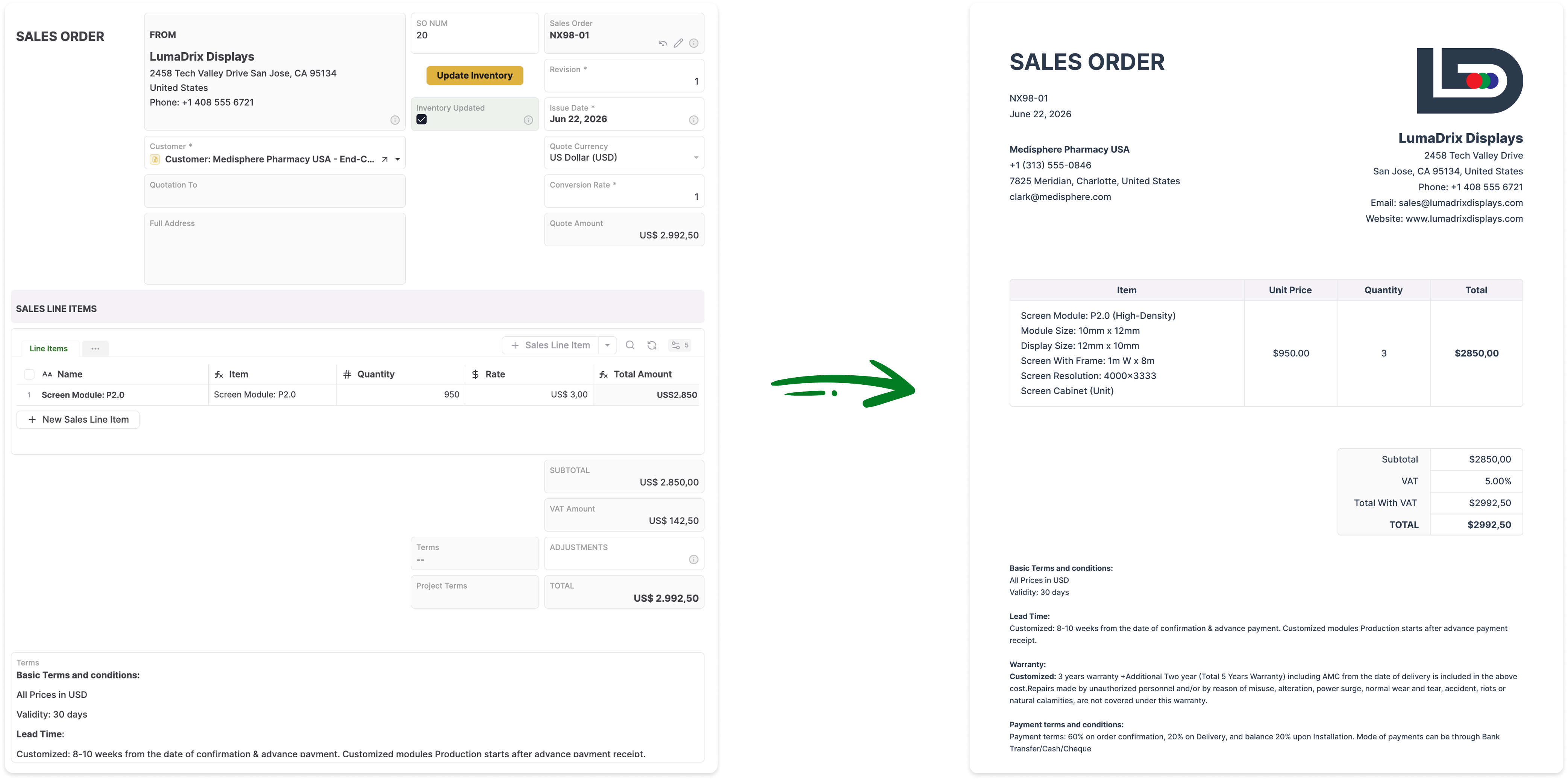
Generate Documents Directly From Your Live Records

Turn AnyDB records into professional, ready-to-share PDFs / Docx / XLSX with fields, linked data, tables, terms, and other relevant information automatically included.

How it Works?

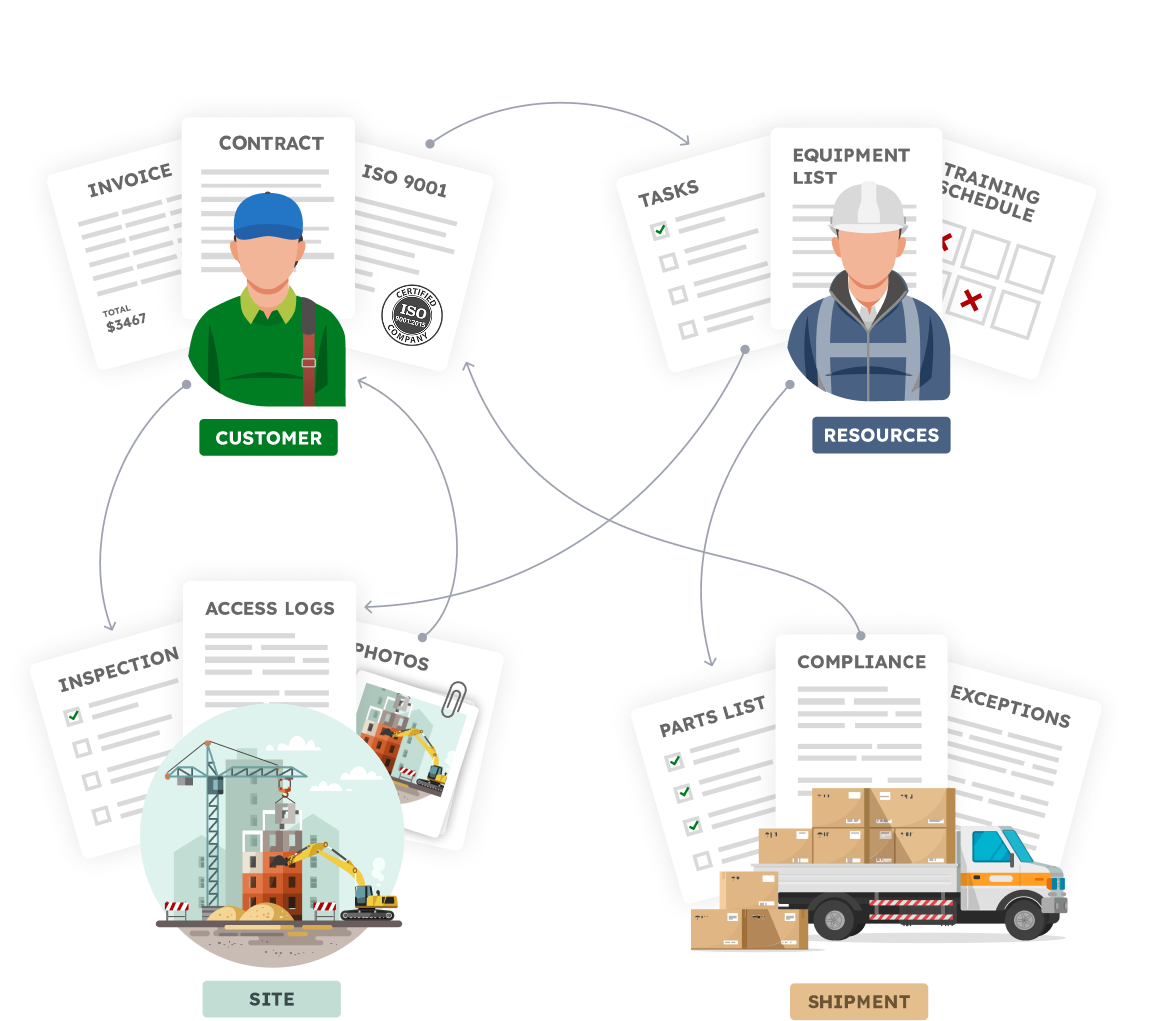
Your Business is made of Real Things

  • A vendor with certifications, contracts, invoices
  • A site with inspections, photos, access logs
  • An employee with tasks, training, equipment
  • A shipment with parts, compliance documents, exceptions

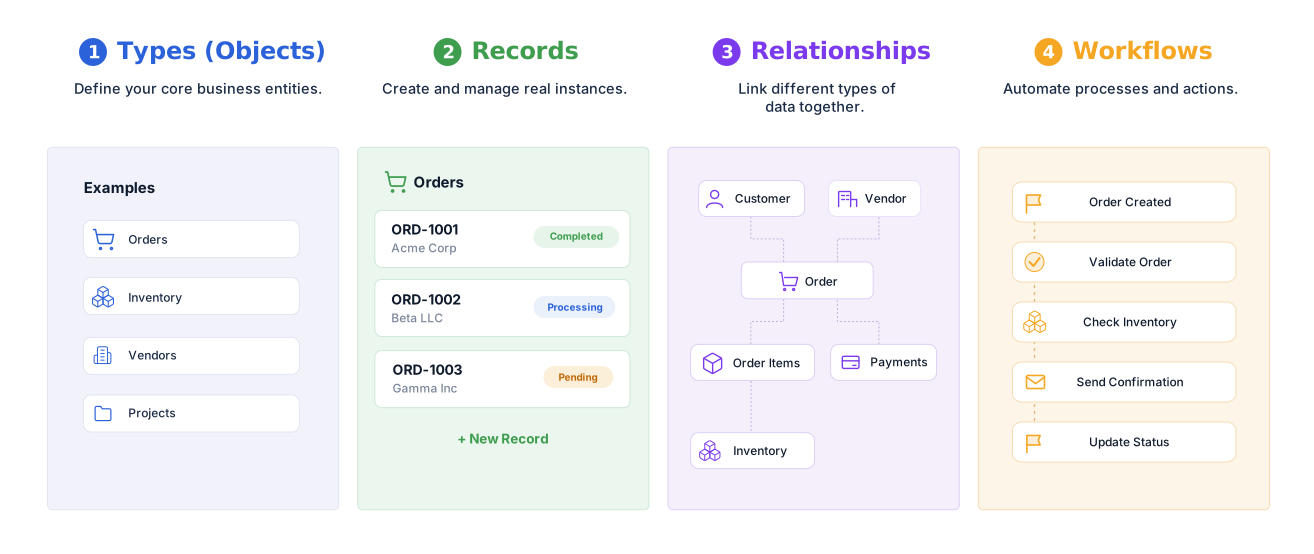
Define your structure, connect your data,
and automate how work flows.


Familiar to use.Built for real operations.


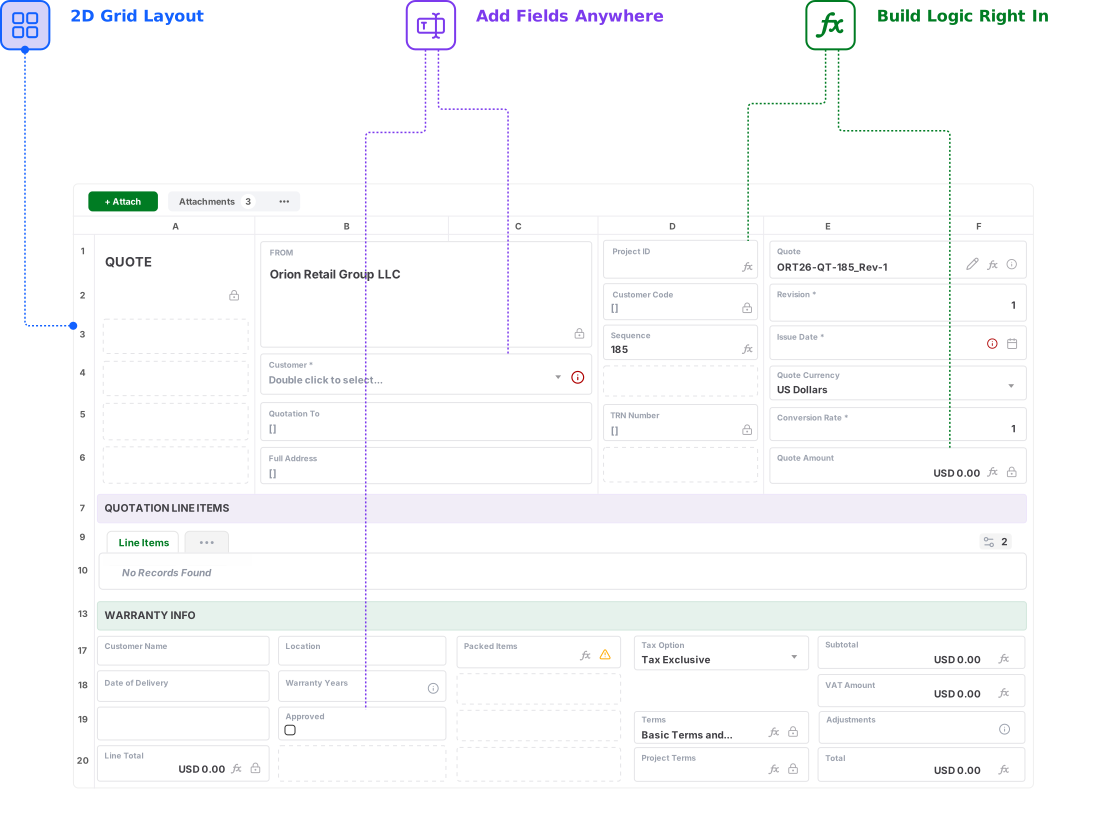
Build complete operational record layouts.
Keep data, files, actions, and workflows together

See how AnyDB powers your business operations

  • Flexible Views
  • A Natural Record Layout
  • Portals
  • Combine Objects

Flexible Views

A Natural Record Layout

Portals

Combine Objects

See What Your Odoo Workflow Would Look Like in AnyDB

Send us your Odoo process, spreadsheet, database, or workflow. We will show you how it can become a connected operational system.

Get for Free
No credit card needed!

Frequently Asked Questions

How is AnyDB different from Odoo?

Odoo is an integrated suite of business applications covering areas such as accounting, CRM, sales, purchasing, inventory, manufacturing, projects, eCommerce, HR, and more. AnyDB is an object-based operational systems platform for building specialized workflows around complete business records, child records, files, portals, documents, and automation.

Is Odoo inflexible?

No. Odoo is configurable and can be customized through settings, Odoo Studio, third-party applications, and custom development. The tradeoff is that complexity can increase when a process departs significantly from the assumptions and data models of the standard applications.

Is AnyDB a full replacement for Odoo?

Not in every situation. Odoo is broader as an ERP suite and includes accounting, manufacturing, CRM, eCommerce, HR, and other standard business applications. AnyDB is a stronger fit for specialized operations that need adaptable objects, workflows, portals, files, documents, and direct implementation support.

Can AnyDB work alongside Odoo?

Yes. Odoo can remain the accounting or ERP backbone while AnyDB manages specialized operational workflows such as installations, vendor compliance, claims, field operations, inspections, unusual inventory processes, approvals, portals, and documents.

Can AnyDB replace a customized Odoo workflow?

Yes. You can begin by rebuilding one Odoo workflow or custom application, importing the related records, and expanding from there. The AnyDB team can help map models, fields, relationships, files, permissions, automation, documents, and portal requirements into an object-based operational system.

Does AnyDB support custom objects and relationships?

Yes. AnyDB supports custom business objects, linked records, and native parent-child structures. An order can contain line items, a project can contain tasks, an inspection can contain findings, and an asset can contain maintenance history.

Can customers, vendors, and contractors access AnyDB?

Yes. AnyDB includes secure portals for customers, vendors, contractors, partners, inspectors, and other external users. You control which records, fields, files, forms, and actions each user can access.

Can AnyDB generate documents from records?

Yes. AnyDB can generate Word documents, PDFs, Excel files, purchase orders, invoices, certificates, inspection reports, claim packages, work-order reports, and other outputs directly from live record data.

Does AnyDB include accounting and a general ledger?

AnyDB can manage invoices, purchase requests, payment status, budgets, approvals, and other operational finance records, but it is not positioned as a full accounting or general-ledger replacement. It can work alongside Odoo or another accounting system.

Can AnyDB help redesign a process that no longer fits Odoo modules?

Yes. Share your current Odoo workflow, customizations, spreadsheet, database, or process notes, and the AnyDB team can help design the objects, relationships, permissions, portals, workflows, documents, and reports for the first working system.