
Published on August 26, 2026


Custom enterprise mobile app development starts with understanding the work happening outside the office. For field operations, the mobile screen is only one part of a much larger system.
A maintenance technician may need to scan an asset, review service history, complete an inspection, photograph damage, record parts used, capture a customer signature, trigger an approval, and update a work order before leaving the site.
Each action depends on the information behind it. The app needs to connect assets, customers, work orders, inventory, documents, permissions, approvals, and operational workflows so teams can make decisions with the right context.
Custom development can solve the challenges behind it, but it is not always the only path.
The key decision is choosing the right foundation: a fully custom application or a flexible operational platform that allows teams to build systems around their processes without starting every workflow from scratch.
What Is Custom Enterprise Mobile App Development?
Custom enterprise mobile app development is the process of designing and building mobile applications around an organization’s specific workflows, data structures, user roles, integrations, and security requirements.
In practice, the app must collect information, but also preserve the relationships behind the work.
That means supporting:
- Company-specific workflows
- Role-based access
- ERP, CRM, inventory, database, or enterprise system integrations
- Mobile access to operational records
- Security and governance requirements
- Online and offline execution
- Device capabilities such as cameras, GPS, barcode or QR scanning, and signatures
A work order may connect a technician, customer, asset, inspection, parts used, photos, signature, approval, and invoice.
If those pieces become separate submissions, the task may look complete, but the business loses operational context.
The goal is to let field teams complete work without breaking the chain between the job, the record, and the business system behind it.
Related links:
When Off-the-Shelf Mobile Apps Stop Being Enough
Off-the-shelf mobile apps fall short when the company’s operating model is more specific than the software’s predefined workflow.
Here are a few common warning signs:
- Employees maintain spreadsheets alongside the app because required information does not fit.
- Technicians switch between several apps to complete one job.
- Approvals happen through email or chat because the system cannot represent them.
- Mobile workers contact the office to access job, customer, or asset information.
- Assets, jobs, customers, inventory, and inspections exist in separate systems.
- Custom fields have multiplied into workarounds for deeper structural limitations.
- Field operations require offline access.
- Integrations require repeated manual exports or data re-entry.
The issue is whether the app can carry the full operational workflow.
In HVAC, that may mean scanning an installed unit, retrieving service history, recording parts, uploading photos, capturing a signature, and sending the completed job to finance.
In manufacturing, it may mean scanning a batch, recording a quality deviation, linking affected components, sending it for approval, and keeping the supplier record traceable.
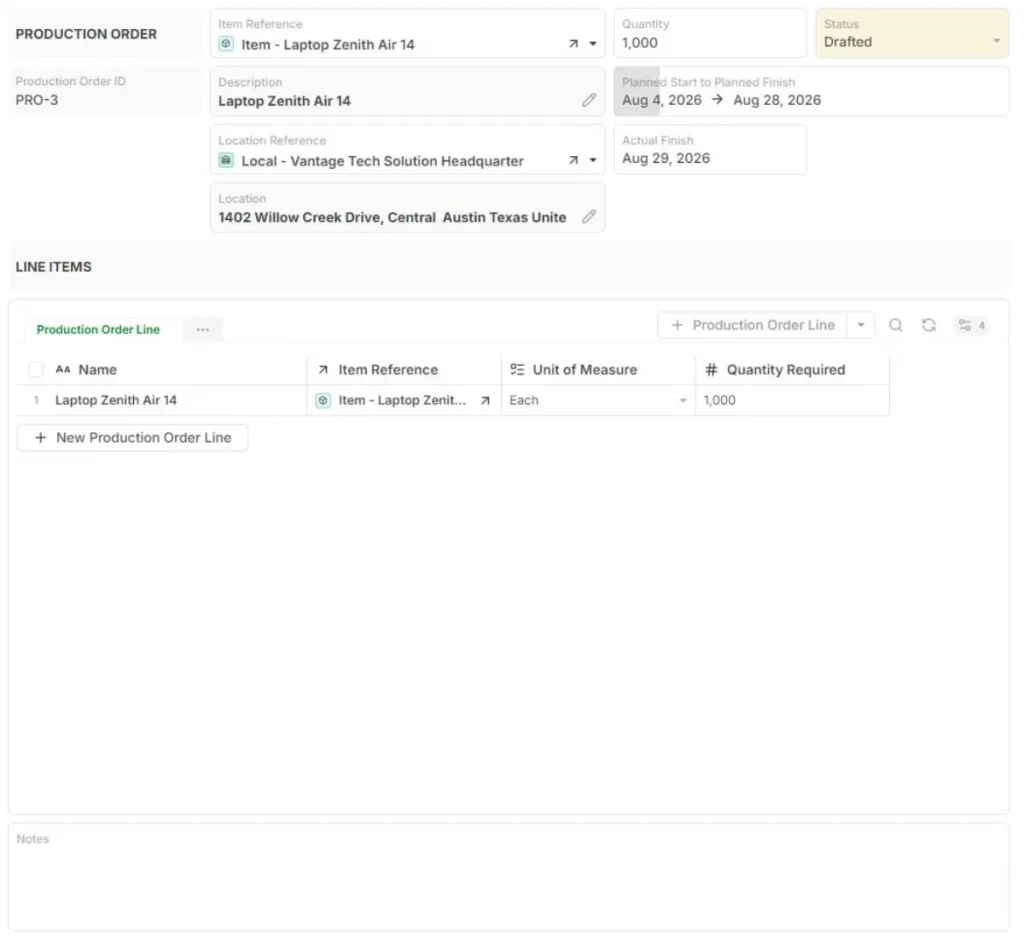
What a Custom Enterprise Mobile App Needs to Handle
A custom enterprise mobile app has to handle enterprise requirements.
Workflow and Data Structure
The first requirement is structure. The app must reflect how operational records relate:
Job ↔ Customer ↔ Technician ↔ Asset ↔ Inventory ↔ Inspection ↔ Invoice.
Custom development becomes more complex when the mobile interface updates connected records instead of simply capturing form responses.
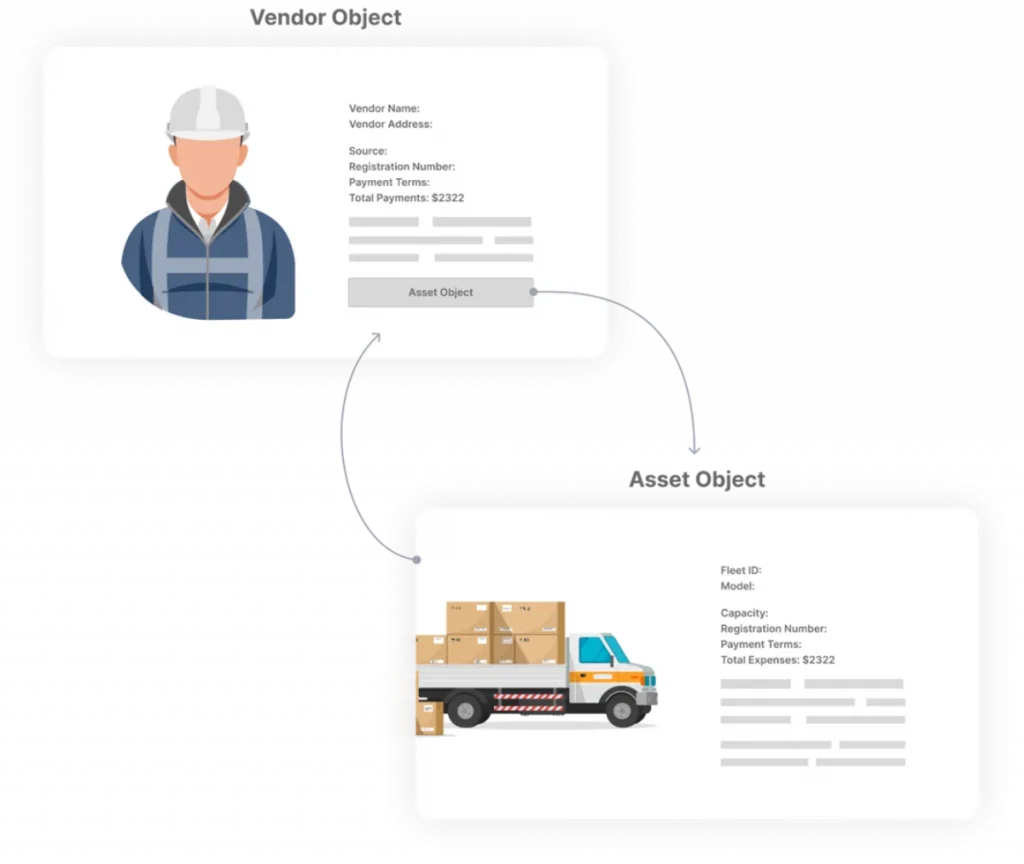
Enterprise Integrations
Field work rarely stays inside one system. A mobile app may need to connect with ERP, CRM, inventory management, accounting, asset management, cloud databases, APIs, and legacy systems.
For example, completing a field repair may update the work order, reduce spare-parts inventory, change the asset’s service history, and give finance the information needed to issue an invoice.
Mobile Field Execution
The app also needs to support how field work is performed. That may include:
- QR or barcode scanning;
- Photos;
- Signatures;
- Forms and checklists;
- Timestamps;
- Location data;
- Offline mode and synchronization.
Security and Access Control
Security cannot be added after the app is built. Enterprise buyers need role-based permissions, authentication, encryption, device management, audit trails, and controlled access to sensitive operational data.
This matters even more when companies allow bring your own device (BYOD) policies or field teams use unmanaged devices.
Verizon’s 2025 Mobile Security Index reported that 70% of mobile devices impacted by an attack were personal rather than corporate-issued. It also found that 45% of surveyed organizations had difficulty detecting shadow IT because of incomplete or missing data.
For that reason, access control, mobile device management (MDM), and governance need to be considered at the architecture stage, not after deployment.
Build Custom, Buy Off-the-Shelf, Or Use A Configurable Platform?
Custom should not automatically mean writing a mobile application from zero. For many mid-sized companies, the real need is a custom operating model: data structure, workflows, permissions, forms, automation, and integrations.
That is different from owning a custom codebase.
| Approach | Best Fit | Main Trade-Off |
| Off-the-shelf app | Standard, well-defined workflows | Fast to deploy, but limited customization |
| Custom-built mobile app | Highly proprietary requirements and specialized user experience | Maximum control, but full development and maintenance responsibility |
| Configurable operational platform | Custom workflows and connected data without building infrastructure from scratch | Less control over the codebase, but faster adaptation as operations change |
This middle path matters for the mid-market. Mordor Intelligence estimates that small and medium enterprises are the fastest-growing enterprise-size segment in enterprise mobile application development, with a projected 15.29% CAGR (Compound Annual Growth Rate).
It also projects field-service applications to grow at 15.02% CAGR through 2031. These are market estimates, but they point to a real shift: operational mobility is no longer only an enterprise IT problem.
How AnyDB Supports Custom Enterprise Mobile Workflows
AnyDB is the best alternative when the company needs a custom operational application, but does not necessarily need custom software development from scratch.
Connected Operational Records
With AnyDB, teams can model the records their operation actually requires:
Work Orders ↔ Assets ↔ Customers ↔ Technicians ↔ Inventory ↔ Vendors ↔ Inspections.
The emphasis is on relationships, not isolated objects. A field update stays connected to the asset, customer, job, inspection, inventory movement, and office workflow behind it.
Custom Workflows Without Building From Scratch
Teams can structure custom statuses, approvals, inspections, forms, recurring workflows, operational automations, and role-specific processes without building the backend from zero.
For a field operation, that may look like:
scan asset → open work order → complete inspection → upload photo → update status → office sees the change.
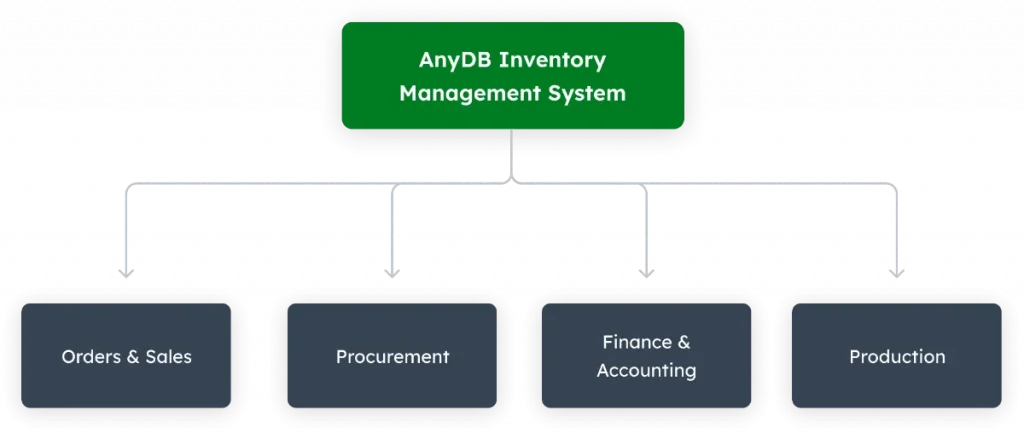
Native Mobile Execution
AnyDB supports mobile execution through iOS and Android access, QR and barcode scanning, photos, attachments, field updates, and connected records.
It can also sit within a larger operational stack, instead of forcing the company to replace every existing system.
Need a mobile workflow that does not fit off-the-shelf software? See how AnyDB can structure your field operation without building an enterprise app from scratch.
Frequently Asked Questions About Custom Enterprise Mobile App Development
What is custom enterprise mobile app development?
Custom enterprise mobile app development means building a mobile app around a company’s specific workflows, users, systems, security needs, and operational goals.
How much does it cost to develop a custom enterprise mobile app?
Costs vary by scope, platforms, integrations, security, offline access, user roles, and maintenance. Complex enterprise apps can become expensive quickly.
When should a company build a custom mobile app?
A company should consider custom development when off-the-shelf tools cannot support its workflows, data structure, integrations, permissions, or field operations.
What is the difference between custom and off-the-shelf enterprise apps?
Custom apps are built around specific workflows. Off-the-shelf apps follow predefined structures that may require process changes or workarounds.
Can enterprise mobile apps integrate with ERP systems?
Yes. Enterprise mobile apps can integrate with ERP systems through APIs, connectors, middleware, or custom integrations, depending on the stack.
What security features should an enterprise mobile app have?
It should include role-based access, encryption, authentication, audit history, permission controls, secure data storage, and compliance-ready logs.
Do enterprise mobile apps need offline functionality?
Often, yes. Field teams may work in warehouses, job sites, vehicles, or remote areas where reliable connectivity is not always available.
Can you build a custom enterprise app without coding it from scratch?
Yes. Platforms like AnyDB let teams build custom operational apps with records, workflows, portals, files, permissions, and mobile-ready access.

The End-to-End Operations System that Finally Fits Your Reality.
No more scattered spreadsheets or rigid, disconnected tools.
AnyDB is a modern, customizable platform for managing business records and operations across teams, clients, and partners.
Learn More


Phone: (512)-761-7979
© 2024 Humanly Inc. All rights reserved.
What is AnyDB?
AnyDB is a unified, customizable data store designed to streamline and empower your entire organization. Effortlessly store, organize, and share custom business data to drive both internal and external operations across teams. Think of it as spreadsheets on steroids.Perfect for Sales, Marketing, Operations, HR, and beyond. Discover AnyDB