Business External Process Guide
Use AnyDB to track and manage external-facing business processes such as customer requests, partner onboarding, third-party submissions, and vendor interactions. Start with one practical external workflow and expand it as volume and complexity grow.
External processes work best when submission, assignment, follow-up, and closure all live in one structured workflow.
Design the external request clearly
Make the submission structure clean enough for outside users while preserving the operational fields your team needs.
Use forms as the entry point
Turn templates into forms so requests come into the system in a structured way from the start.
Keep triage and follow-up visible
Use folders, views, assignments, and follow-up dates to stop requests from getting lost.
Set up an external process in six steps
Follow the steps below to set up the core structure for an external-facing workflow in AnyDB.
Select a repeatable external process you want to manage in AnyDB. Common examples include:
- +Customer support or service requests
- +Vendor onboarding
- +Partner registration or document intake
- +External audits or compliance submissions
- +Maintenance or service scheduling
- +Client feedback or NPS forms
Design a Data Document Template to capture the required external data. Include fields like:
- +Requester Name
- +Company / Contact Info
- +Request Type
- +Details / Description
- +Attachments or Supporting Docs
- +Assigned Handler
- +Status
- +Follow-Up Date
Keep the layout clean and user-friendly, especially if the form will be public.
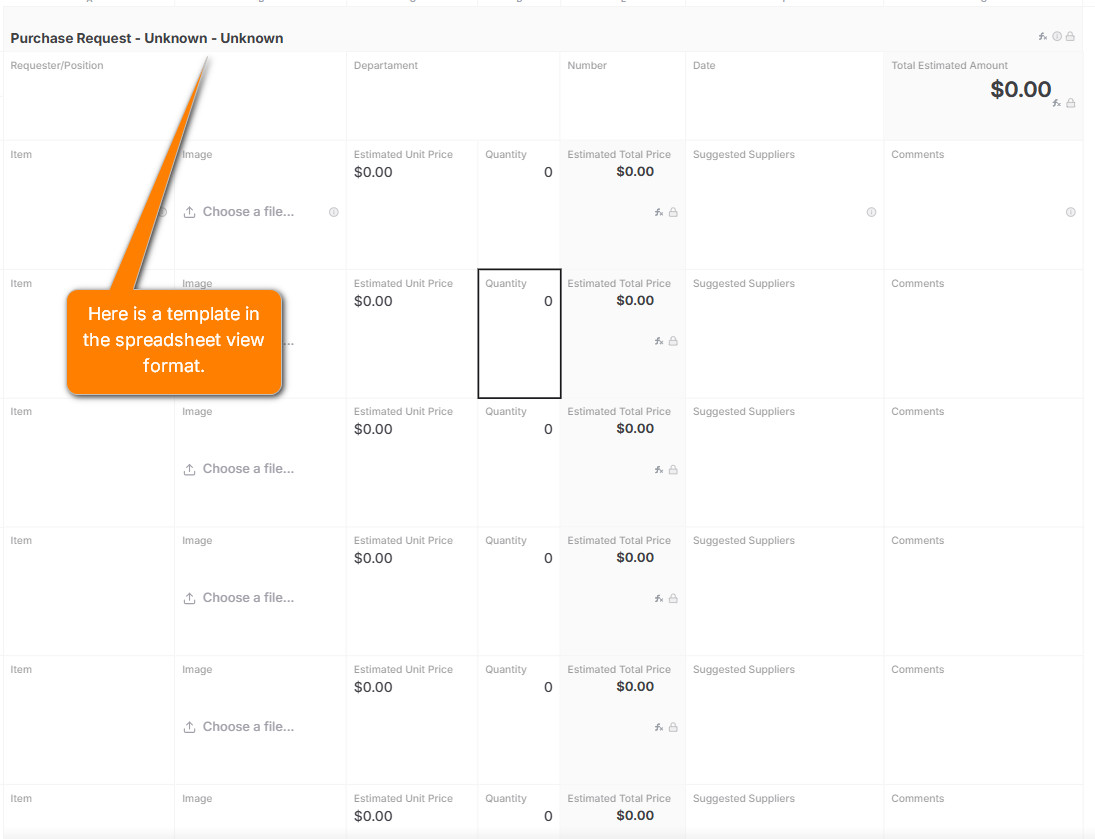
Convert your template into a form that external users can fill out without needing an account.
What happens when a form is submitted?
- +A new record is created in your designated folder or database.
- +A notification email is sent to the person specified in the Assigned Handler field.
- +The assignee can open the item, review the contents, and either assign it to themselves or reassign it.
- +The assignee will see the item in their inbox and can begin processing it.
- +Once the request is handled, the team member marks it as Closed and removes themselves from the assignment.
- +The triage team member can set a Follow-Up Date directly in the document to ensure timely follow-ups.
Group external submissions in folders by process or channel, and set up filtered views like:
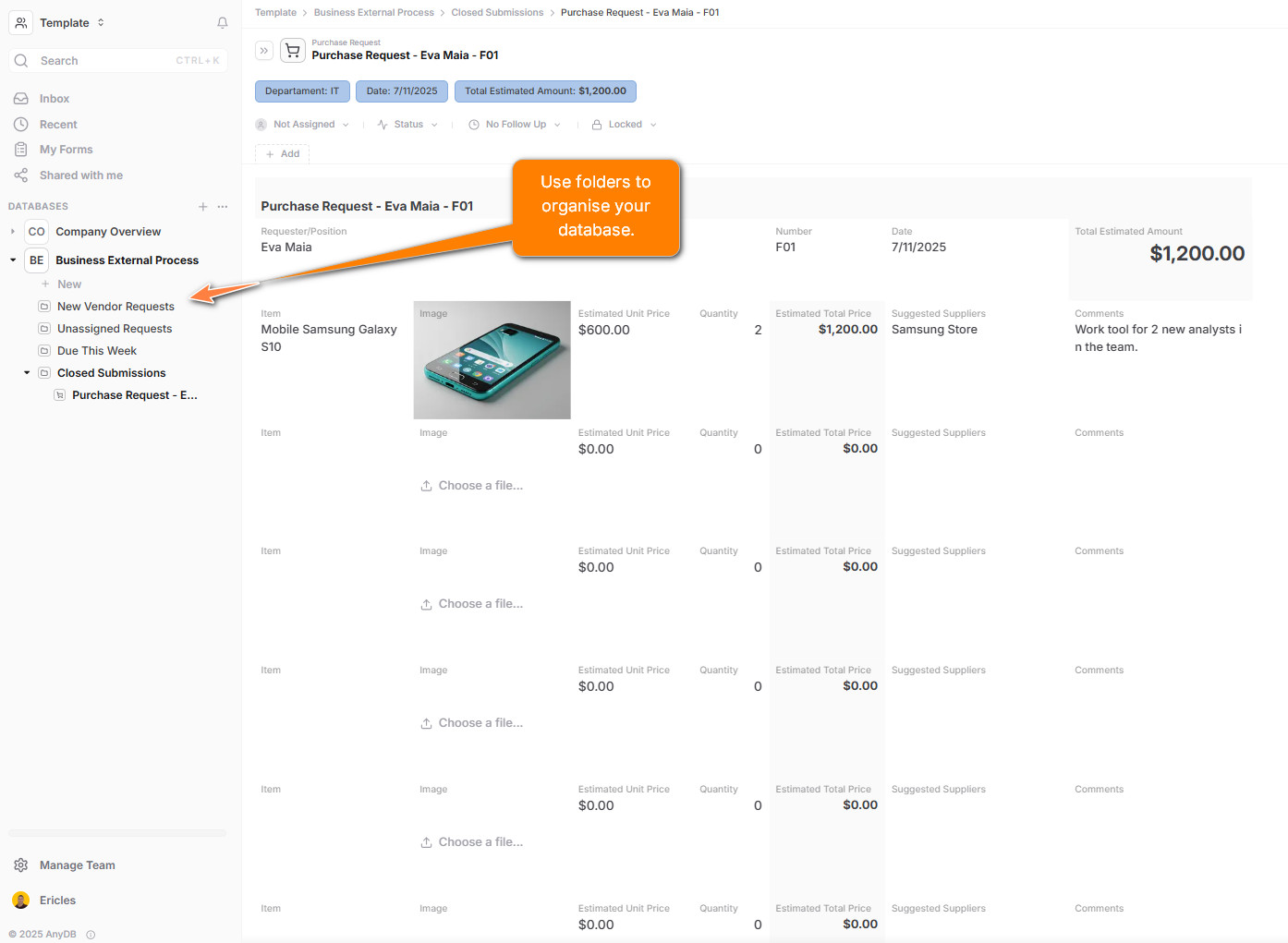
- +“New Vendor Requests”
- +“Unassigned Requests”
- +“Due This Week”
- +“Closed Submissions”
This helps teams manage incoming requests efficiently and transparently.
Instead of cramming everything into one form, use attached data documents to modularize the process:
- +Attach compliance forms
- +Attach legal agreements or contracts
- +Attach follow-up conversations or task logs
Attachments provide a powerful way to structure complex submissions while maintaining clarity.
As more external submissions come in, refine your process with:
- +Auto-assignment using rules.
- +Role-based permissions for handling sensitive submissions.
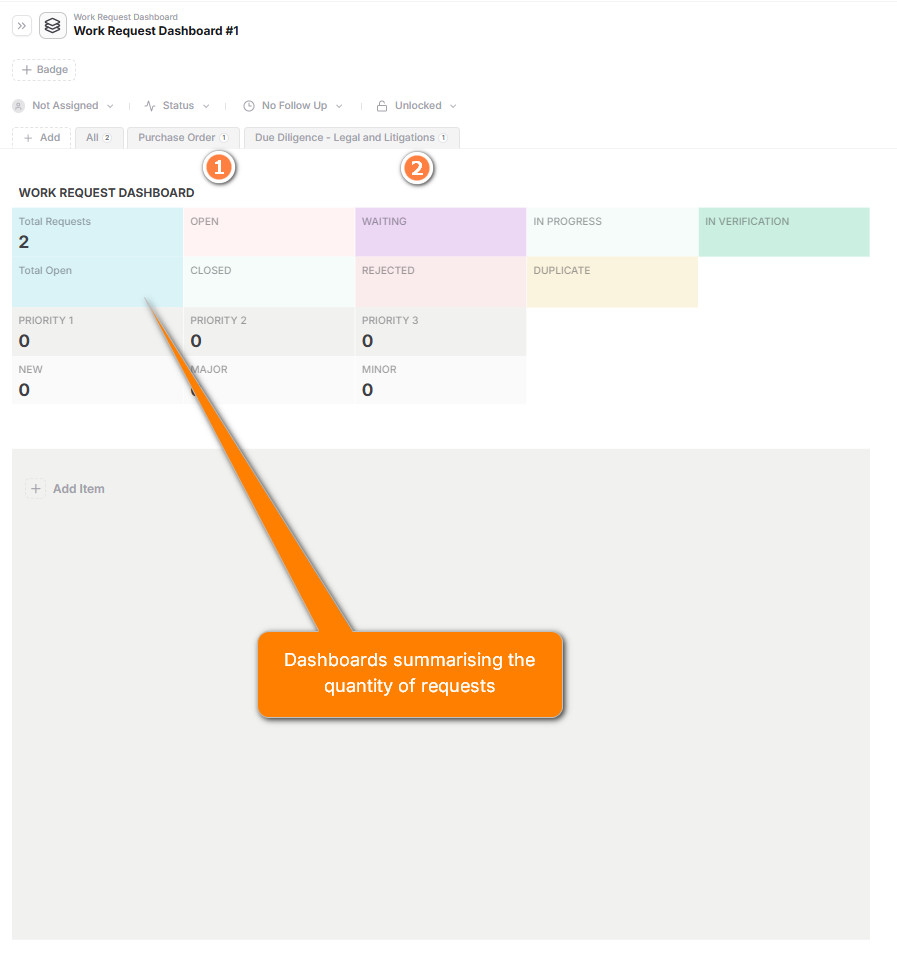
- +Dashboards summarizing open vs. closed requests.
- +Exported data for reports or audits.
Use case examples
- +Support: intake and manage service tickets from customers.
- +Legal: accept external document reviews or signoffs.
- +Finance: vendor or contractor payment submissions.
- +IT: hardware access or provisioning requests from third parties.
Need help?
Need help modeling an external process? Contact our solutions team and we’ll help you build the right flow in AnyDB.
Start organizing your business data and workflows today.