Business Standard Operating Procedure Guide
Use AnyDB to document, organize, share, and maintain Standard Operating Procedures across teams and departments. Start with a practical SOP system, then grow it into a broader operating knowledge base.
The goal is not just to store SOPs, but to make them easy to maintain, review, and share.
Start with a clean SOP template
Use one repeatable structure so procedures are easier to read, review, and maintain over time.
Keep procedures as records
Each SOP should have its own record with owner, scope, review date, status, and attached support material.
Attach the operational context
Use related approval logs, training records, and audit logs instead of crowding the main SOP document.
Set up SOP tracking in five steps
Follow the steps below to set up a usable SOP system.
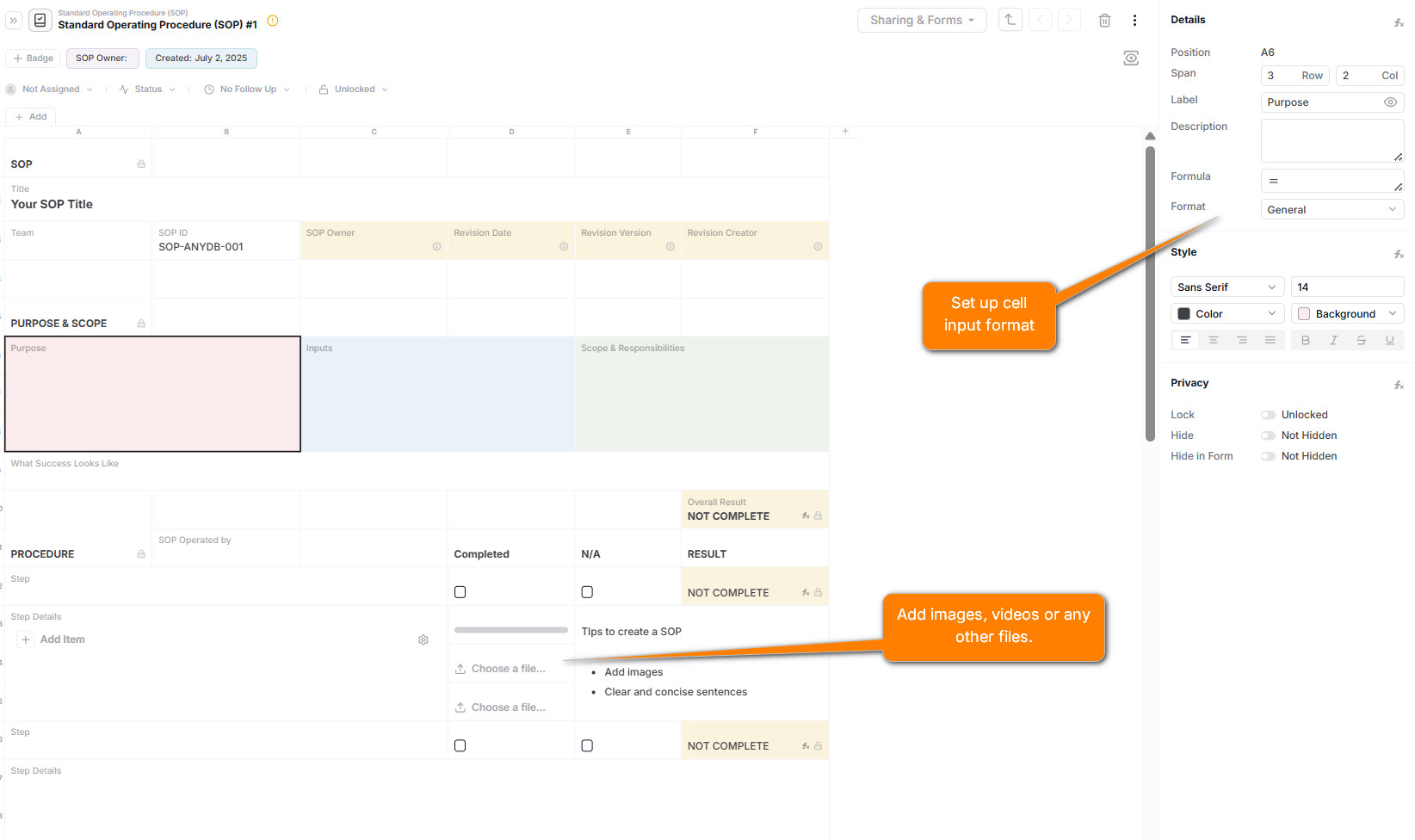
Start by creating a SOP Template that reflects how you want each procedure documented. Key fields you might include:
- +Procedure Title
- +Purpose
- +Scope
- +Steps / Instructions using Rich Text or Checklist fields
- +Owner / Department
- +Review Date
- +Version Number
- +Attachments such as reference documents, videos, or diagrams
- +Status such as Draft, Active, or Archived
Tip: You can also use cell spans and section headers to make the layout more readable.
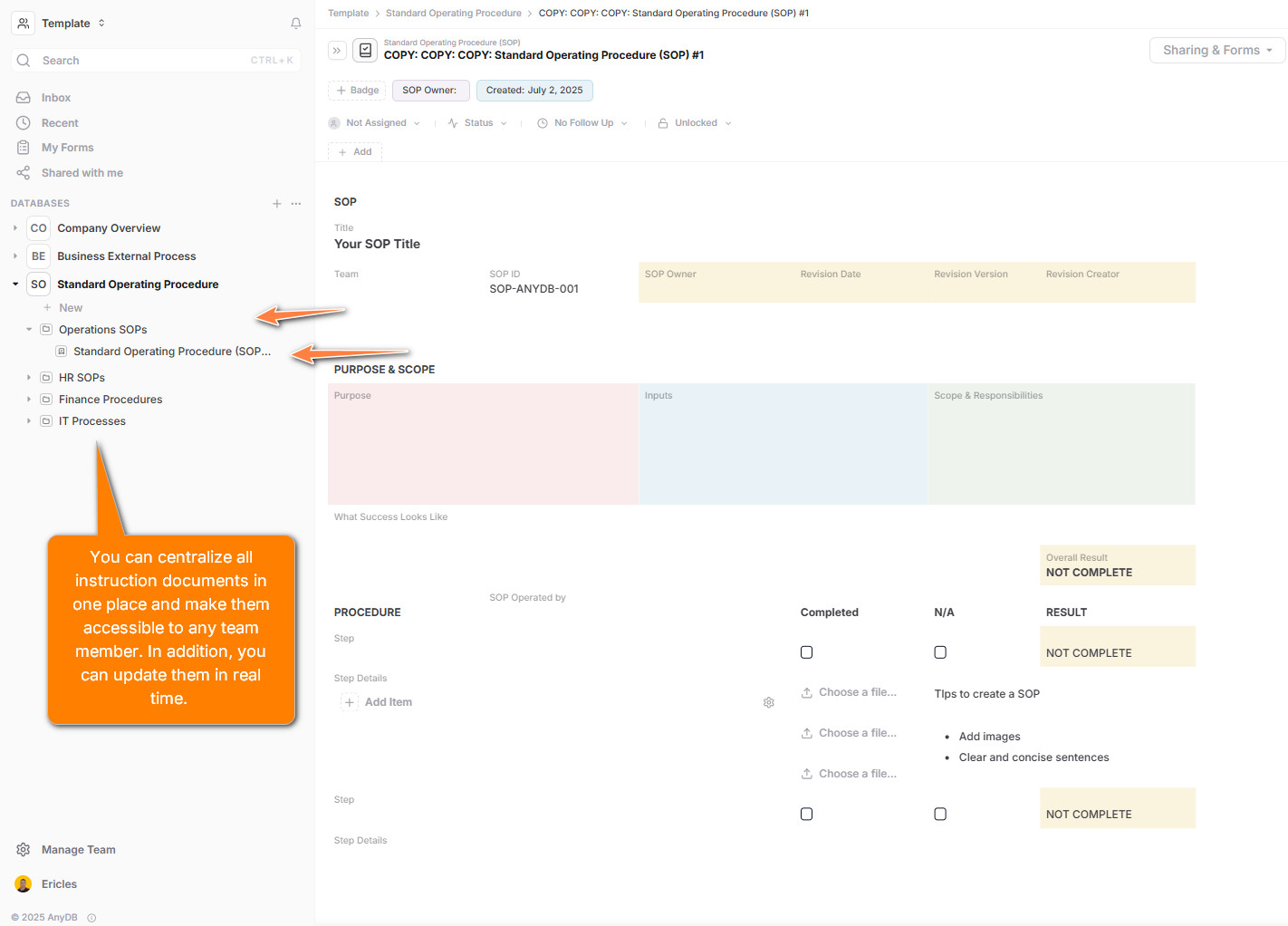
Organize your SOPs in a dedicated Database, such as:
- +
Operations SOPs - +
HR SOPs - +
Finance Procedures - +
IT Processes
You can segment procedures by team, department, or type using folders, tags, or views.
Each SOP is its own Record.
You can:
- +Create SOPs manually using the template.
- +Use a form to allow teams to submit proposed SOPs.
- +Import SOP data from Excel, CSV, or other tools.
Ensure your SOPs include versioning and status fields to track revisions and approval workflows.
Rather than cramming all SOP context into one document, attach related items as needed:
- +Approval Logs for sign-offs by department heads or compliance teams
- +Training Records showing team members completed training
- +Checklists or Audit Logs for SOP implementation usage logs
Use the “+ Attach” feature to link these sub-records to the main SOP. This keeps your SOP system modular, organized, and extensible.
With AnyDB, you can:
- +Share SOPs securely with internal teams or external auditors.
- +Use views to track SOPs by department, status, or upcoming review dates.
- +Get notified when SOPs need revision or review.
- +Export SOPs as PDF or Excel for compliance reporting.
- +Track all changes with full version history and cell-level audit logs.
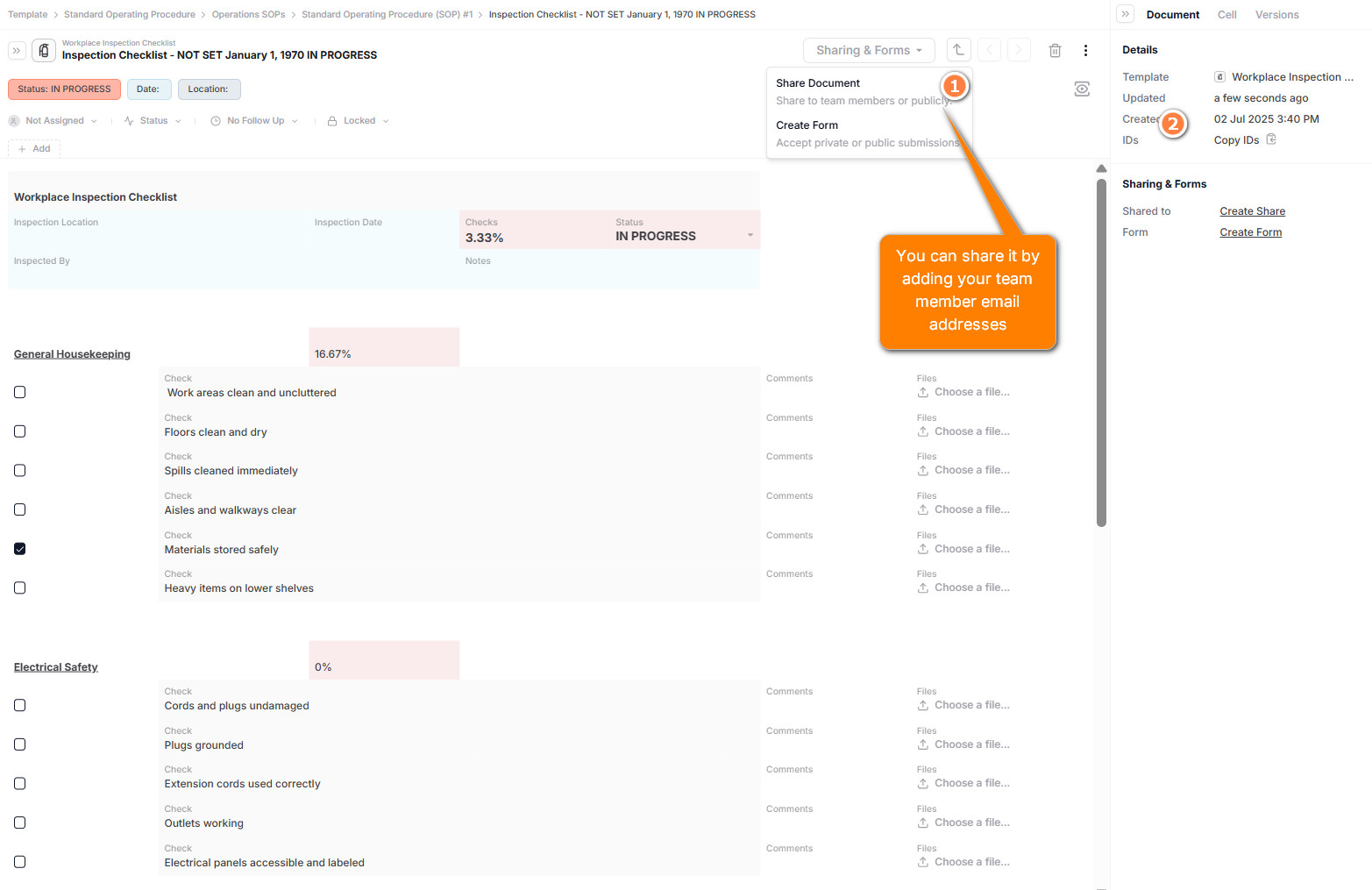
Use forms for SOP proposals
Create an internal Form for teams to propose new SOPs or suggest revisions. You can route these to department leads for approval and track their implementation.
Need help setting up your SOP management system? Contact our solutions team for help tailoring a structure that works for your team.
Start organizing your business data and workflows today.