Working with Connected Objects
How to use connected objects
Once objects are connected, data can flow between them.
- Children Records → let you group data and calculate totals
- Links → let you read data from other objects
Children Records: data flows both ways
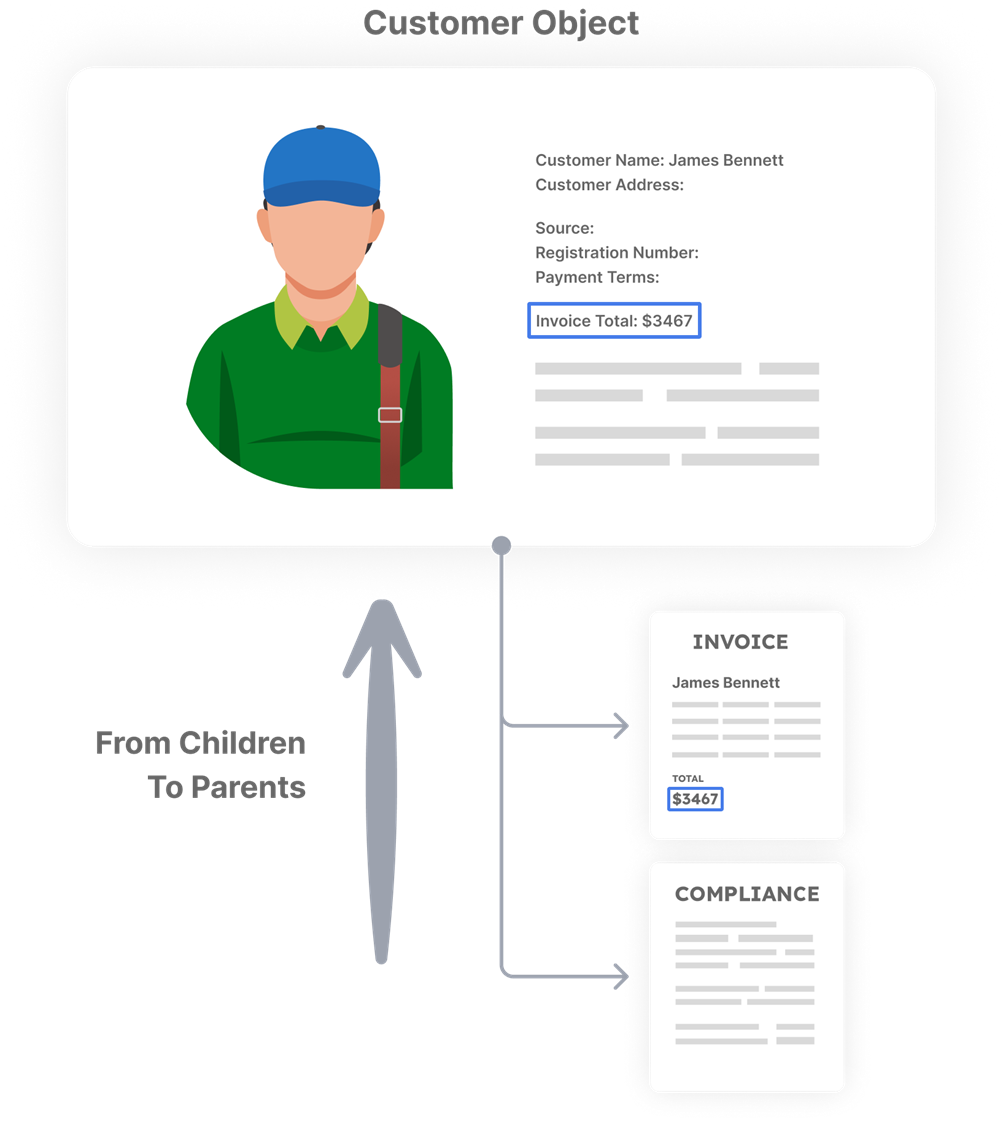
From child records to the parent object
The parent or main object can:
- add up values from what's attached
- count how many items there are
- show totals, progress, or status
Examples:
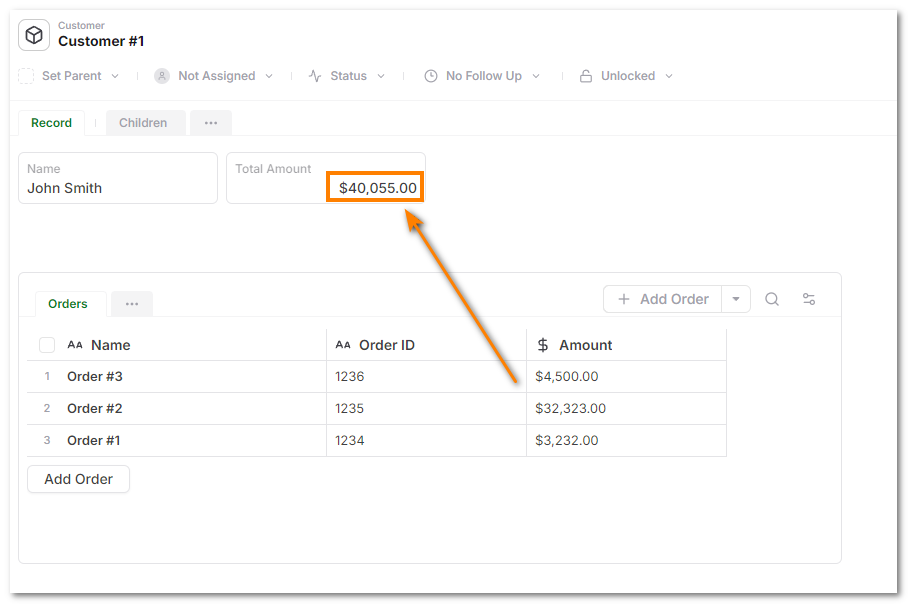
- an order showing its total from order lines
- a project showing progress from tasks
- a warehouse showing value from inventory
Here's an example of a field that sums the total from child orders.
From the parent object to attached child records
Child objects can also read values from their parent objects, for example:
- inheriting customer, project, or warehouse context
- using parent-level status, dates, settings, or policies
- computing values based on parent data

Linked objects: lookups without containing it
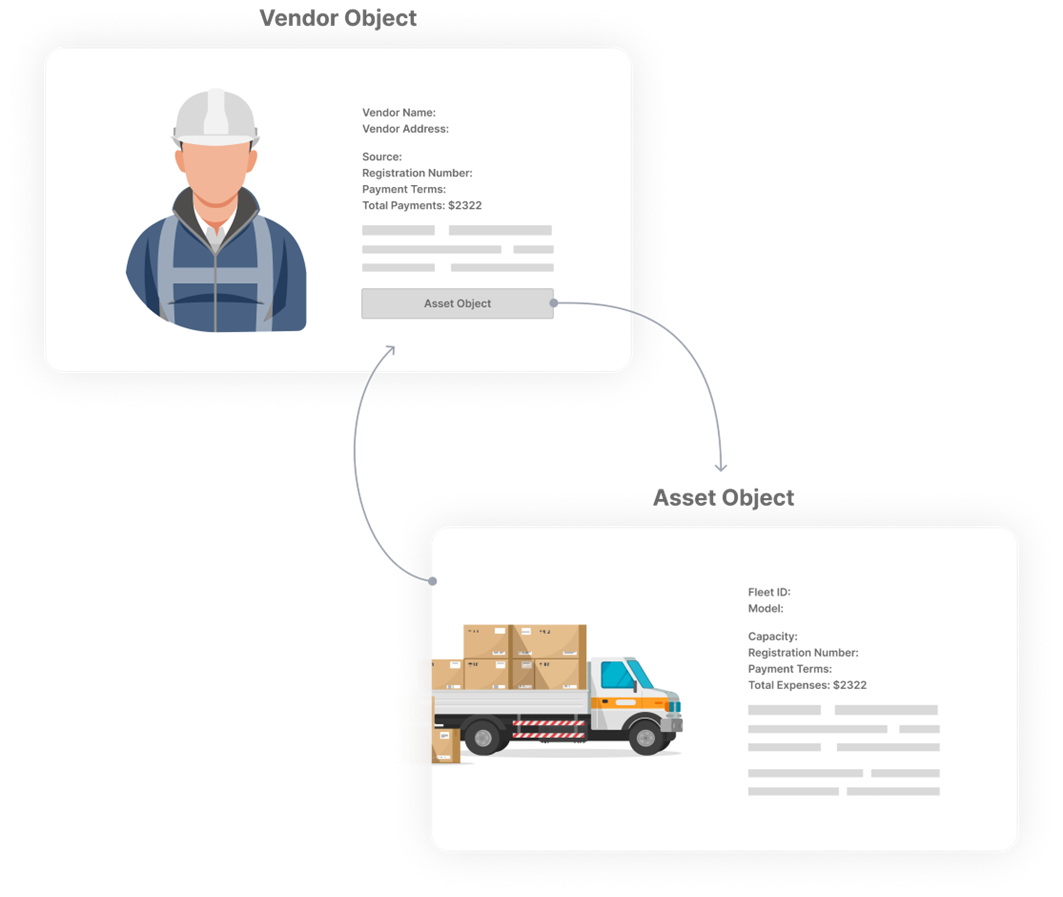
Links allow you to read data from another object.
- values are pulled from the linked object
- updates are reflected automatically
- no duplication is needed
Examples:
- an order links to a customer
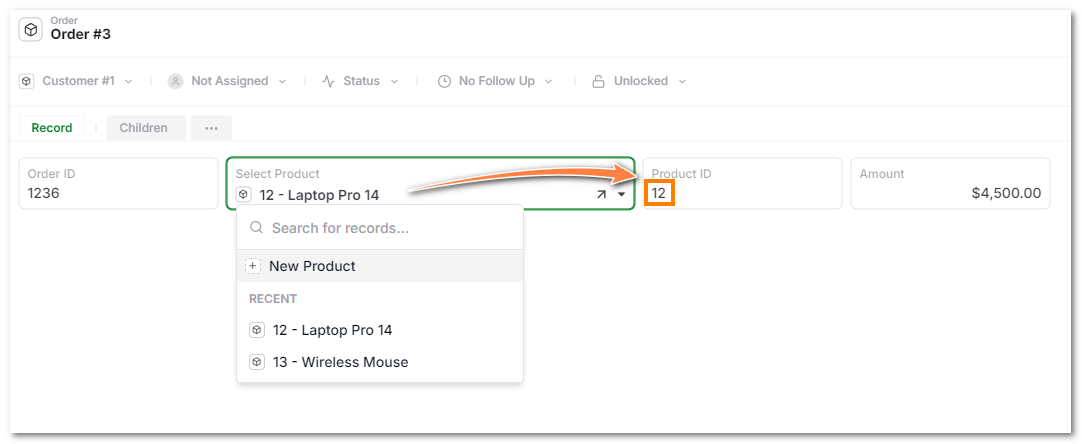
- an order line links to a product or SKU
- a purchase order links to a vendor
Here's an example where Product ID field is pulled on selecting a product.
Rollups vs lookups
| What you want to do | Use |
|---|---|
| Group things together | Child Record |
| Add things up or show totals | Child Record |
| Use the same object in many places | Link |
| Show a value from another object | Link + Lookup |
warning
Do not use links when things actually belong together.
For example:
- Order lines should be children records to an order so totals work
- Products should be linked so they can be reused
What to remember
- Use Children Records for things that belong together
- Use Links for things that are shared or reused
- How you connect objects determines how data behaves