
Published on October 25, 2026


An order for six components is confirmed, and the inventory screen shows plenty of stock. The warehouse begins preparing the shipment, only to find that another customer was promised two units an hour earlier. Purchasing calls a supplier, sales wonders whether the delivery date still holds, and customer service waits for something reliable to tell the customer. Through all of it, the order record cheerfully says ready to ship.
Nobody in this story made a careless mistake. Each person acted on the information in front of them, and that information was out of date.
Order fulfillment is effective when picking, packing, and shipping are based on shared, up-to-date information about stock, suppliers, approvals, and documents. It also needs a plan for handling orders that stall.
In this guide, you will learn:
- why order fulfillment is a chain of commitments
- how to plan for the orders that go off script
- six stages that keep an order moving from confirmation to completion
- how AnyDB and AI connect the work behind each order
Every Order Is a Chain of Promises
Look closely at any order and you will find a series of promises. Sales promises a price and a date. The warehouse promises to set stock aside. A supplier promises a delivery, and a carrier promises a pickup. Each promise rests on the one before it, so a late supplier confirmation can quietly bend three others downstream.
Trouble tends to surface at the handoffs. A supplier confirms a new date in an email that never reaches the fulfillment team. A stock count looks right until someone checks reservations. A manager’s report shows twelve orders in progress, and four of them are waiting on approvals nobody mentioned.
Records suffer too. Order details live in one tool, purchase orders in another, shipping documents in a third, and somebody keeps a personal tracking sheet to hold it all together. That sheet works beautifully until its owner goes on vacation.
A status field is a promise with a timestamp. “Ready to ship” was true when someone typed it. The quality of an order fulfillment process comes down to how quickly that promise gets corrected when reality shifts.
Plan for the Order That Goes Off Script
Most orders move from confirmation to delivery as expected. Then comes the one with damaged goods, a partial shipment, a late supplier, a missing certificate, or a customer who changes the quantity after picking has started. Each change touches stock allocation, delivery dates, billing, and work already assigned to other people.
A dependable process makes room for these moments from day one. When an exception appears, the team records what happened, names an owner for the next step, documents the decision, and keeps everything linked to the original order. If only part of an order ships, the record shows what has left, what remains, and who is coordinating the balance.
Your fulfillment model shapes who holds which promise. You might ship from your own warehouse, hand orders to a third-party logistics provider, use dropshipping, or mix all three. When a provider ships on your behalf, the box leaves your building, but the commitment to the customer stays with you, so the provider needs a way to update the same record you use.

Six Stages That Keep an Order Moving
Treat these stages as a starting point and adapt them to your products, your fulfillment model, and the decisions your teams actually make.
1. Confirm the Order Before Committing Resources
Confirm customer details, products, quantities, specifications, pricing, payment terms, and delivery expectations. Custom and wholesale orders may need technical checks or approvals first.
Pay special attention to inventory. The quantity on screen often includes stock already reserved elsewhere, so check what is genuinely available to promise. Log any open approval or missing detail before the order is released.
2. Reserve Inventory and Define the Fulfillment Plan
Decide where each item will come from and how it will reach the customer. Stock might sit in one location, be split across warehouses, or depend on a supplier.
Record allocated quantities, outstanding items, expected replenishment dates, and the person responsible for each pending action. If only part of the order can be fulfilled, make that visible before anyone promises a date.
3. Prepare the Order With Clear Responsibilities
Picking and packing go better with reliable instructions, especially for products with special handling or extra quality checks. Picking lists, task assignments, mobile forms, and barcode scans help staff verify quantities and packaging.
Log who completed each task and whether the checks passed. If a shipment later arrives with the wrong item, the team has something concrete to review.
4. Coordinate Dispatch and Keep Delivery Information Current
Before an order leaves, confirm shipment details, required documents, the carrier, and the tracking reference. Record the actual dispatch time so customer communication reflects what happened.
A missed collection should trigger follow-up with an owner who can resolve it. When one order travels in several packages, track each shipment separately and keep all of them linked to the order.
5. Close the Loop on Delivery, Returns, and Exceptions
Record delivery confirmation and check that every item arrived. Damage reports, returns, replacements, and refunds stay connected to the order until they are resolved.
For each exception, keep the reason, decision, owner, and outcome. That history separates a completed order from one that shipped but still needs attention.
6. Review Performance and Improve the Process
Follow a focused set of measures: order cycle time, on-time delivery, order accuracy, inventory discrepancies, exception resolution time, and orders waiting for action. Tie each measure to the underlying records so managers can see what caused a delay instead of just reporting it.
Before adding software or automation, map the current process. Note where work sits idle, where data gets typed twice, and where exceptions eat the most time. Those findings tell you which improvements deserve attention first.
How AnyDB Connects the Work Behind Order Fulfillment
Every business has its own rules for getting an order out the door. A manufacturer may need production approvals before allocating stock, while a distributor coordinates several suppliers to complete a single order. AnyDB is a custom operational system, which means teams model these differences instead of bending their process around software.
Instead of keeping each step in a separate spreadsheet or application, teams connect orders to customers, order lines, inventory items, warehouses, reservations, suppliers, purchase orders, tasks, shipments, invoices, returns, and documents.
Each record keeps its place in the wider operation, so people see the context they need to do their part.
| Operational Requirement | AnyDB Capability |
| Connected order information | Link orders to inventory, suppliers, customers, shipments, and related records. |
| Workflows that fit the business | Configure stages, statuses, assignments, approvals, and exception handling. |
| External collaboration | Give suppliers and partners controlled access through forms and secure portals. |
| Traceability | Keep files, activity, and record history attached to the relevant work. |
| Operational visibility | Build views and dashboards for progress, pending tasks, delays, and open issues. |
| Less repetitive administration | Configure workflows to create records, assign tasks, send notifications, and update information. |
Picture a distributor whose order needs more stock than it holds. The team reserves what is on hand and requests the balance from a supplier, and the warehouse prepares the available items for a partial shipment. The supplier submits delivery details through a secure portal, warehouse staff records what arrives, and the order and inventory records update under the rules the team configured. Outstanding lines stay visible, along with the next action needed to finish the job.
Which updates run automatically and which wait for a person is the business’s call. For a broader look at selection criteria, see our guide to Order Fulfillment Software.
Where AI Fits Into Order Fulfillment
When an order stalls, finding the latest update can take longer than fixing the problem. Someone checks the supplier’s message, another person opens the inventory record, and a third tries to work out which lines are still outstanding.
With connected data in AnyDB, AI shortens that hunt. Your team can query records in plain language, summarize activity, and surface delays or unusual changes. AI Cells generate summaries inside individual records, drawing on fields, linked records, and supported files.
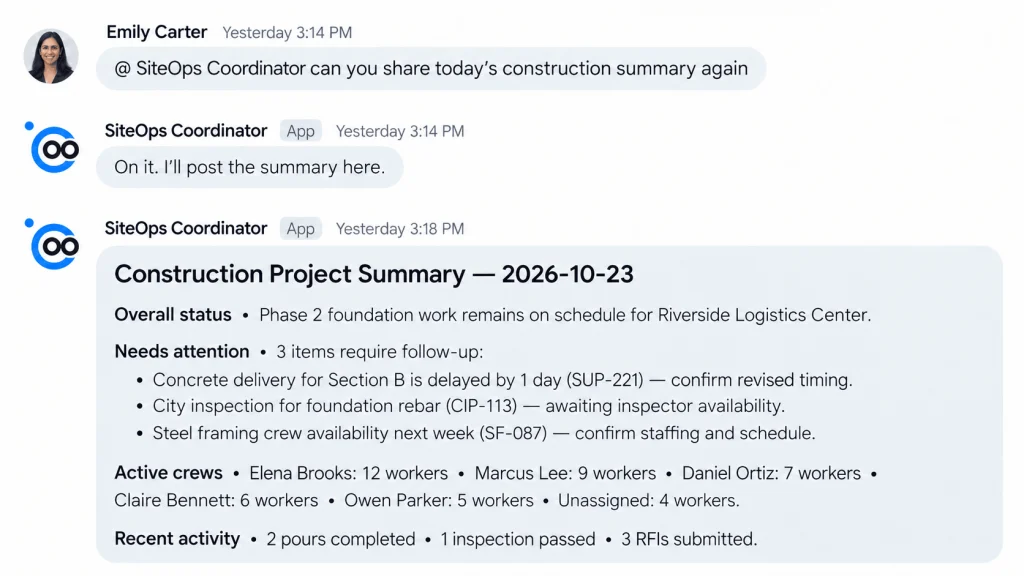
Back to our distributor. A team member asks AI to summarize the delayed order and list the open steps, while a query across other orders shows whether the same supplier has caused similar delays. Configured workflows then assign follow-up tasks or alert the right team. Decisions that need judgment, such as approving a substitute product or moving a delivery date, stay with a person.
Make Every Order Easier to Carry Through
A supplier delay, a stock change, or a split shipment should never erase the story of an order. With clear owners, connected records, and a reliable way to handle exceptions, teams keep fulfillment moving and always know what has shipped, what remains, and who holds the next step.
If your fulfillment process goes beyond standard warehouse and shipping workflows, explore how AnyDB can help you build an order fulfillment operation around the way your business works.
Frequently Asked Questions About Order Fulfillment
These answers cover the practical decisions behind a more reliable order fulfillment operation.
1. What are the main steps in order fulfillment?
Most processes begin with validating the order and allocating inventory, then move through picking, packing, dispatch, and delivery confirmation. Returns and exceptions add further steps. The exact sequence depends on the products, the fulfillment model, and whether suppliers, several warehouses, or third-party logistics providers are involved.
2. What are the most common order fulfillment problems?
Inaccurate counts, delayed handoffs, incomplete shipments, poor status visibility, and exceptions tracked outside the main process lead the list. When information is spread across spreadsheets, emails, and separate systems, teams spend more time verifying details than moving orders.
3. How can a business improve its order fulfillment process?
Start by mapping the current workflow and naming an owner for each step. Connect order and inventory records, define how exceptions are handled, and track a few meaningful measures such as on-time delivery, order accuracy, and exception resolution time.
4. What is the difference between order management and order fulfillment?
Order management coordinates an order across its full lifecycle, from capture and processing through customer communication. Order fulfillment covers the operational work of preparing and delivering the goods. The two overlap, so both enjoy shared information about inventory, status, and shipments.

The End-to-End Operations System that Finally Fits Your Reality.
No more scattered spreadsheets or rigid, disconnected tools.
AnyDB is a modern, customizable platform for managing business records and operations across teams, clients, and partners.
Learn More


Phone: (512)-761-7979
© 2024 Humanly Inc. All rights reserved.
What is AnyDB?
AnyDB is a unified, customizable data store designed to streamline and empower your entire organization. Effortlessly store, organize, and share custom business data to drive both internal and external operations across teams. Think of it as spreadsheets on steroids.Perfect for Sales, Marketing, Operations, HR, and beyond. Discover AnyDB