
Published on October 28, 2026


A customer needs an update on an installation, a supplier is waiting for approval of a compliance certificate, and a field technician has yet to upload the photos that would close the job. The information exists somewhere in the company, but someone still has to chase it down, forward emails, and update records before anyone can move on.
A self-service portal gives customers, suppliers, and partners a direct way to see what they need and finish what they owe, while your team keeps the work organized behind the scenes. Whether it saves time depends on the type you pick, what you put in it, and how closely it connects to the records your team already uses.
In this article, you’ll learn:
- the main types of self-service portals and who each one serves
- which features and access controls to look for
- how to tell when a portal does the work and when it just adds a new place to type
- how AnyDB connects portals to the operations behind them
The Main Types of Self-Service Portals and What They Do
A self-service portal gives authorized users a secure online space to find information and complete tasks without waiting on an employee for every step. A company website shows the same content to every visitor, a knowledge base answers common questions, and a file-sharing space stores documents.
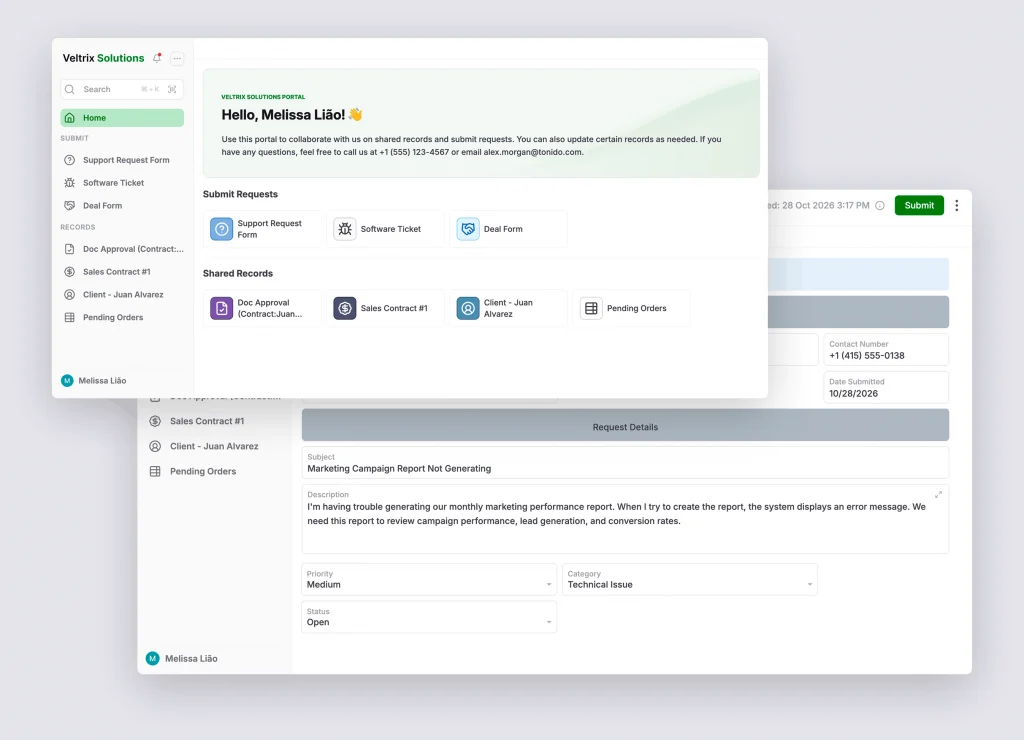
A self-service portal goes further by sitting on top of real records, so each signed-in user sees their own orders, purchase orders, or requests and can act on them.
Customer Self-Service Portals
Customers want a reliable place to follow what they bought. A customer portal lets them check order or project status, download invoices, update account details, and submit or track support requests.
Back to the installation: the customer opens one page, sees the scheduled date and the latest status, and the service team never has to write that email. Service teams also get a clearer view of what customers have already reported, and the portal should still make it easy to reach a person when an issue needs a personal response.
Vendor and Supplier Portals
Procurement runs on a steady exchange of paperwork, from onboarding documents and compliance certificates to purchase order confirmations, delivery updates, and invoices. A vendor portal gives suppliers a structured way to send those items and follow the steps that concern them.
When a certificate arrives, procurement should see it attached to that supplier’s record, next to the open purchase orders it affects. Nobody should have to play inbox detective to find out where an attachment belongs.
Partner and Reseller Portals
A partner portal gives resellers and other partners onboarding materials, product information, deal registration, approvals, and performance data. Permissions matter most here. A reseller should follow its own registered deals without ever seeing another partner’s pipeline.
Employee Self-Service Portals
An employee self-service portal handles IT requests, HR forms, and internal service requests in one place.
Many companies need only one or two of these types, while others run all four from the same operational system, each with its own view.
What Should a Self-Service Portal Include?
Evaluate a portal by what users need to finish and what your team must manage behind it. These five capabilities cover most of the ground:
Access That Fits Each Role
Decide who can view, submit, edit, and download, then give each audience only what belongs to it. A supplier sees its own purchase orders, a reseller sees its registered deals, and a customer sees its own project.
Field workers need simple views for uploading photos and checking tasks, not a tour of internal dashboards. Good permissions protect sensitive data and keep every screen free of clutter.
Structured Forms That Create Records
A form should list the details and files a task requires, so a technician’s inspection photos or a supplier’s certificate arrives complete. The submission should then land as a record linked to the right customer, supplier, or job and reach the person responsible through a defined approval path.
Status Tracking and Notifications
Let users follow requests, approvals, and deliveries without contacting your team. Send notifications only when something changes or someone needs to act, so messages stay worth opening.
Traceability
Keep a history of submissions, document updates, approvals, and owners. When a decision gets questioned months later, the trail answers it.
Room to Change
Operations evolve, so check whether you can add forms, workflows, or user groups later and how the portal connects to the systems you already run.
The Difference Between a Portal and Another Place to Enter Data
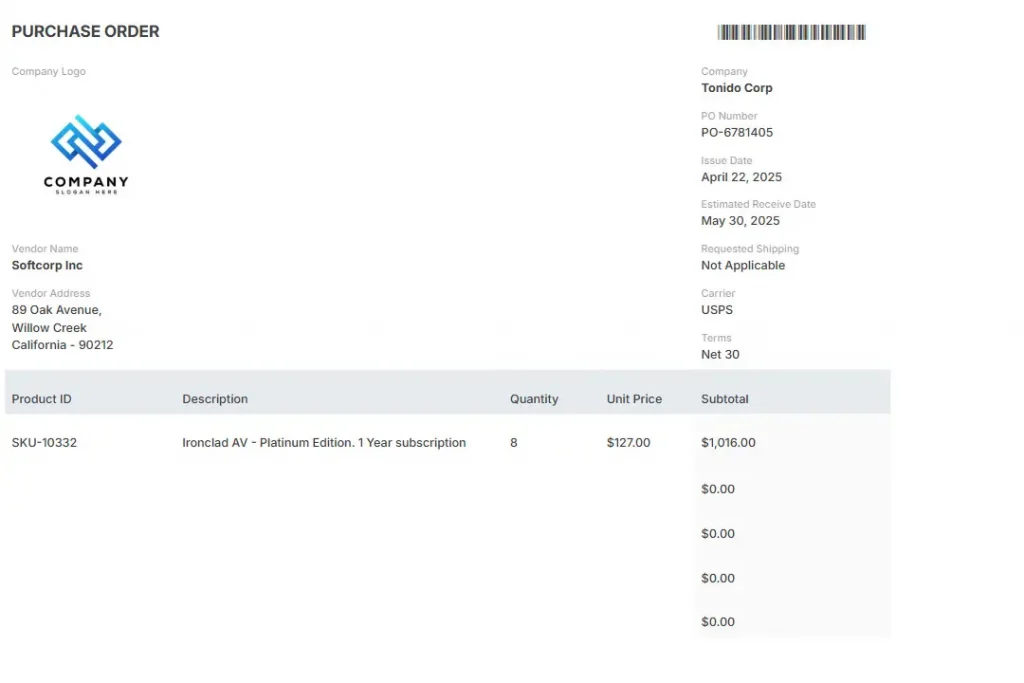
A portal can offer an excellent user experience and still create work for your employees if every submission must be copied into another application. A certificate arrives through the portal, someone downloads it, another person updates a spreadsheet, and procurement records the approval elsewhere. The supplier did its part, yet the internal process still runs on manual handoffs.
When portal activity feeds the operational records directly, a submission reaches the right team, its status reflects the real process, and authorized users follow progress without separate copies of the same information.
Pro Tip: Follow one submission from the moment someone clicks ‘Submit’ until a person acts on it, and count how many times it gets copied, forwarded, or retyped. Zero is the goal. Anything higher means your portal is a front door with no hallway behind it.
Build a Self-Service Portal Around Your Operations with AnyDB
AnyDB is a customizable operational system, so a portal starts from your own records, forms, and documents. Permissions and workflows then shape what each audience sees and does. External users get a focused experience, while internal teams keep managing the related work in the same system.
A few capabilities do most of the work:
| Portal Need | AnyDB Capability |
| Each user sees only their own records. | Dynamic views that match records to the signed-in user. |
| A focused slice of work for one customer or contractor. | Shared views with viewer or editor permissions. |
| Structured requests with supporting files. | Portal forms that create records in your system. |
| Progress updates without email. | Status changes on shared records that guests can follow. |
| Documents next to the work they belong to. | Shared folders and files tied to records. |
Start with one process, such as vendor onboarding or customer service requests, and add more as needs appear. AnyDB can run alongside the CRM, ERP, or support tool you already use through integrations, so the starting point is the operational problem you want to solve.
Get AI to Work Alongside Your Team
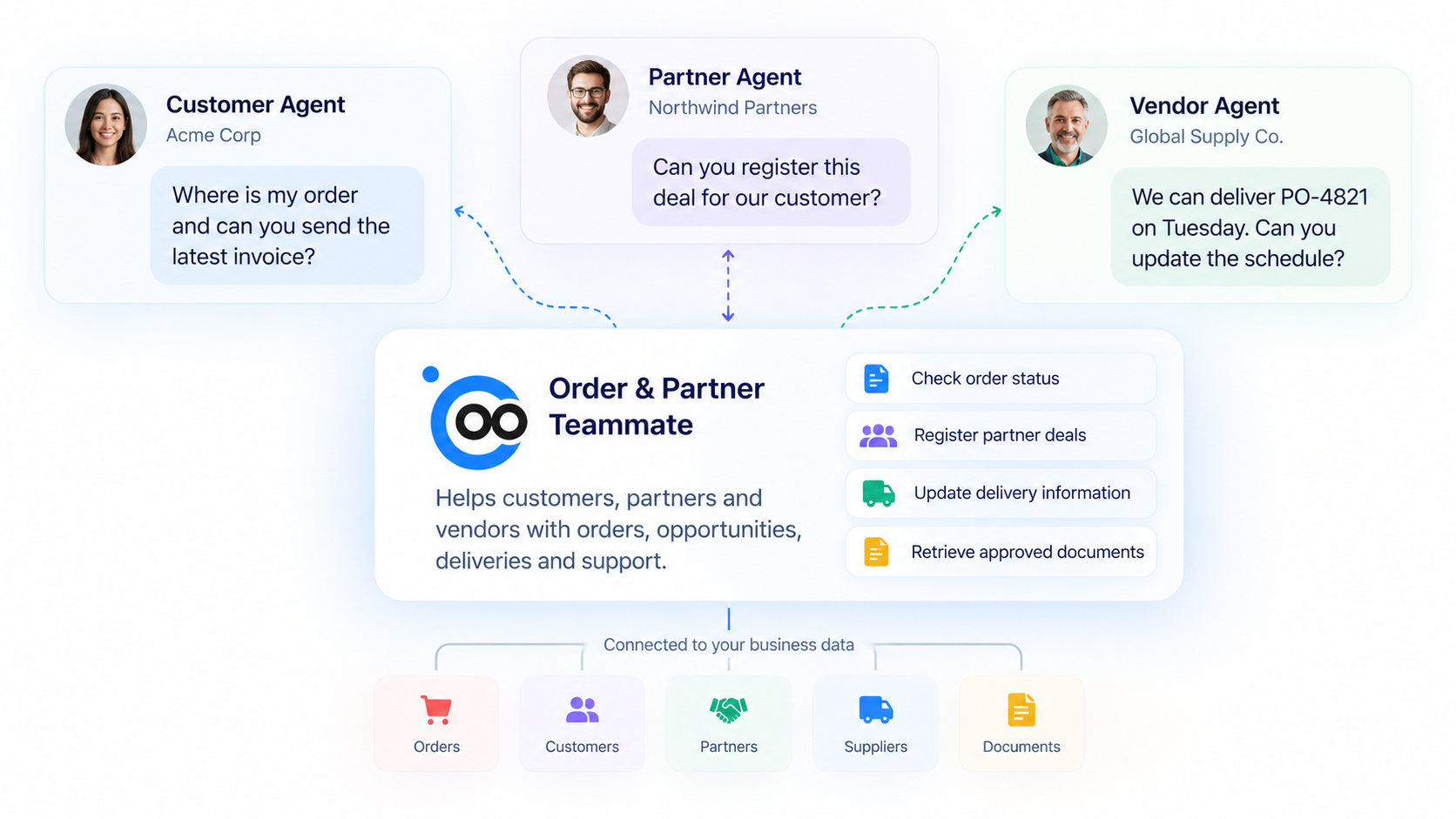
AI can also support the work around a portal. AnyDB AI Teammates can use authorized business context to review submissions, summarize requests, spot missing information, or flag exceptions.
A support Teammate could read a customer’s request next to their order and contract records, so an employee starts with the full picture.
Each Teammate has a defined role, instructions, skills, and access to only the context it needs, and people can review any decision or external message that calls for approval. Portal users can also reach their own forms, records, and files through an AI assistant using MCP, always within their account’s permissions.
Choose a Portal That Moves Work Forward
A good self-service portal gives customers, vendors, and partners more control over routine exchanges while keeping information accurate and internal work moving. The right choice matches the work it needs to support.
If your processes call for more than a standard template, you can see how AnyDB Portals bring customer, vendor, and partner collaboration into your operational system.
Frequently Asked Questions About Self-Service Portals
Self-service portals serve different audiences and operational needs. These answers cover the basics and the most common decision points.
What is a self-service portal?
A secure online interface where authorized users find information and complete routine tasks on their own, from tracking an order to submitting a compliance document.
How is a self-service portal different from a website, knowledge base, or file-sharing space?
Those tools publish content or store files. A self-service portal gives signed-in users access to their own records and actions, and its activity can feed internal workflows.
When is a standalone portal enough?
When one team owns the whole exchange and users mostly read documents or file tickets. A configurable system fits better when portal activity must update records across purchasing, projects, or inventory.
Can I add a portal without replacing my CRM or ERP?
Yes. Start with one process, such as vendor onboarding, and connect it to the tools you already use.

The End-to-End Operations System that Finally Fits Your Reality.
No more scattered spreadsheets or rigid, disconnected tools.
AnyDB is a modern, customizable platform for managing business records and operations across teams, clients, and partners.
Learn More


Phone: (512)-761-7979
© 2024 Humanly Inc. All rights reserved.
What is AnyDB?
AnyDB is a unified, customizable data store designed to streamline and empower your entire organization. Effortlessly store, organize, and share custom business data to drive both internal and external operations across teams. Think of it as spreadsheets on steroids.Perfect for Sales, Marketing, Operations, HR, and beyond. Discover AnyDB