
Published on August 31, 2026


E-commerce order management begins when a customer places an order, but the order itself immediately becomes part of several operational decisions. Payment must be verified, inventory allocated, warehouse work assigned, and shipping arranged.
Behind the single purchase customers see, teams may be coordinating inventory across multiple locations, preparing items for fulfillment, updating carriers, handling exceptions, and keeping customers informed about delivery.
That makes an order management system more than a place to track orders. It provides the operational layer connecting ecommerce operations, inventory management, order fulfillment, shipping, and returns throughout the order lifecycle.
For businesses selling through Shopify, Amazon, marketplaces, or multiple storefronts, keeping those records connected becomes essential to maintaining accurate information and coordinated execution.
What Is E-commerce Order Management?
Ecommerce order management is the process of tracking, coordinating, and managing customer orders from purchase through delivery and returns. It gives teams visibility into what needs to happen at each stage and how one action affects the next.
Also, an order is not only a transaction. It becomes a connected record involving:
- Customer information;
- Products;
- Inventory availability;
- Payment status;
- Warehouse activities;
- Shipping information;
- Customer communication;
- Return decisions.
A strong order management system keeps these elements connected throughout the order lifecycle, giving ecommerce operations teams a reliable view of what has happened, what is in progress, and what requires attention.
Common processes include:
- Order placement;
- Processing and verification;
- Inventory allocation;
- Fulfillment;
- Shipping and tracking;
- Returns.
How E-commerce Order Management Works
E-commerce order management follows a connected workflow from the initial purchase to delivery and, when necessary, a return.
1. Order Placement
A customer can purchase through an ecommerce store, marketplace, mobile app, or another sales channel. The order should capture customer details, products, quantities, payment information, and delivery requirements.
When each channel handles information differently, teams can end up with duplicate records or inconsistent order details.
2. Processing And Verification
The system validates payment, customer information, fraud checks, and product availability before the order moves forward. A structured payment workflow can help organize these checks.
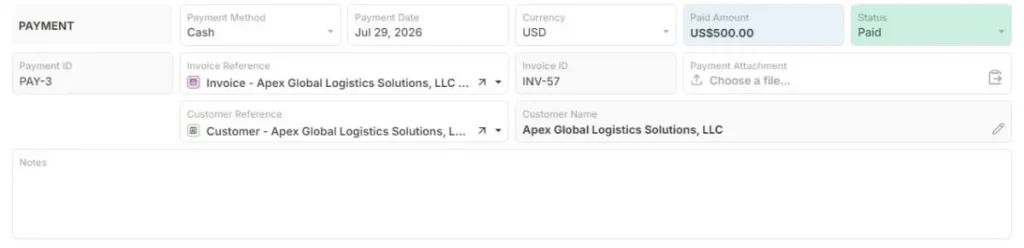
Payment template. Source: AnyDB
Manual verification can slow fulfillment and introduce avoidable errors, particularly when order volume increases.
3. Inventory Allocation
The system determines which stock location should fulfill the order based on available inventory, multiple warehouses, and stock reservations, helping prevent overselling.
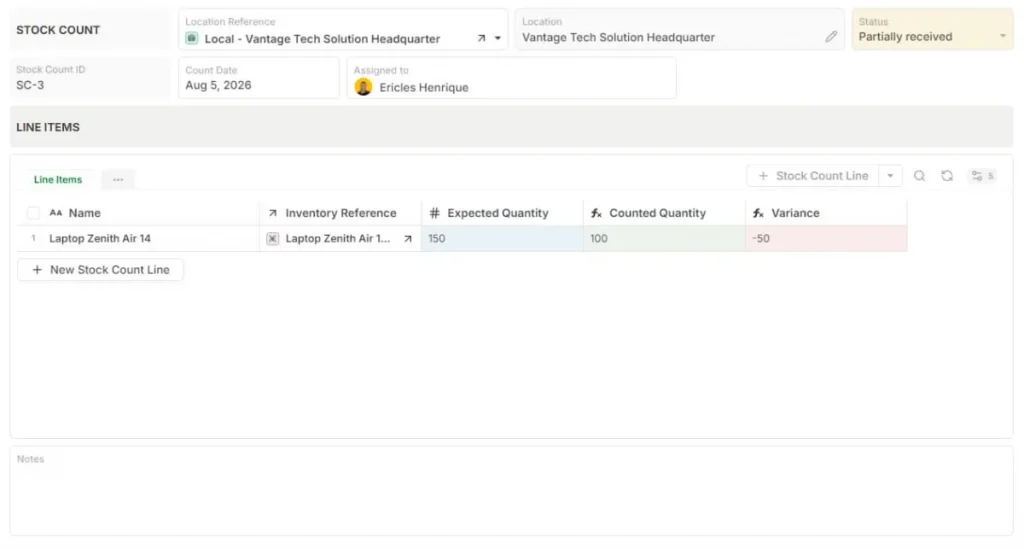
Stock Count template. Source: AnyDB
For example, a brand selling through Shopify and Amazon needs inventory synchronization to avoid selling the same product twice.
Read also: Stocky Shopify Alternative: How to Find a Flexible Inventory Management.
4. Fulfillment
Warehouse teams handle picking, packing, packaging, shipping labels, and order status updates.
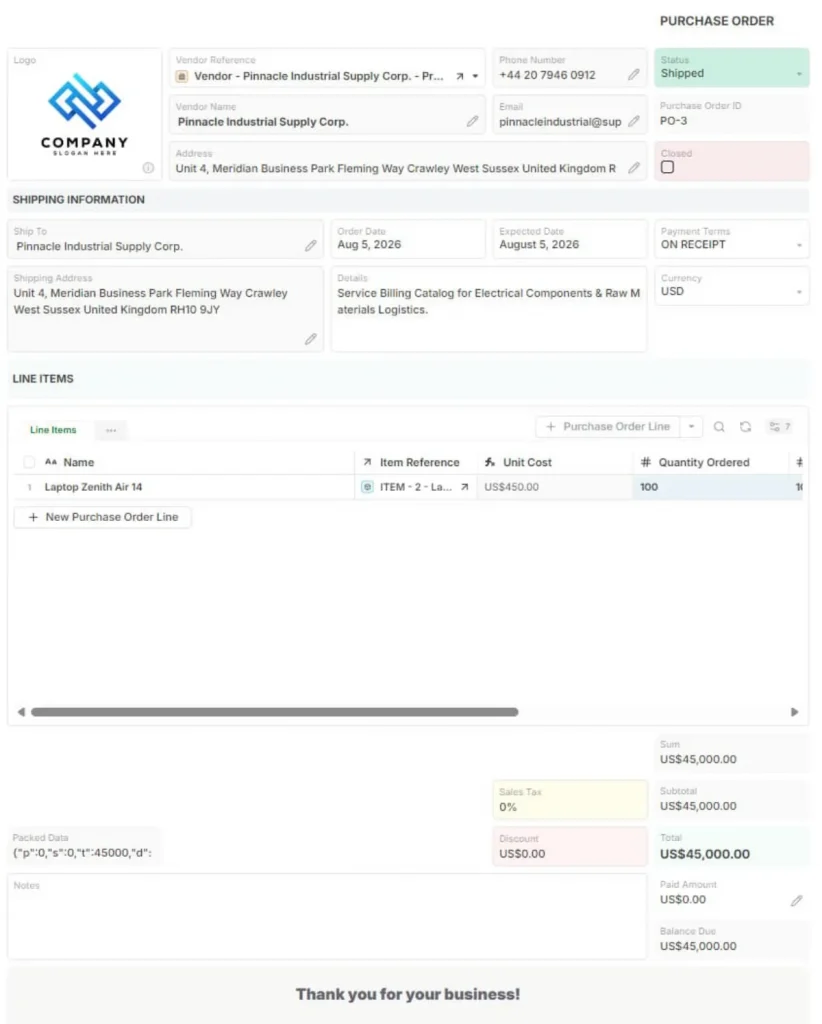
Purchase Order template. Source: AnyDB
Without connected systems, teams may miss priority orders, customer requirements, or inventory changes.
5. Shipping And Tracking
The order management workflow connects carriers, tracking numbers, delivery updates, and customer notifications, keeping shipment information visible throughout delivery.
6. Returns
Returns connect reverse logistics, inventory decisions, refunds, exchanges, and customer communication, completing the order lifecycle.
Key Features Of E-commerce Order Management Software
The right ecommerce order management software should give teams control over the operational chain behind every order, from sales channels and inventory to fulfillment, delivery, and returns.
Multichannel Order Management
Connect orders from Shopify, Amazon, marketplaces, wholesale channels, and internal sales teams in one operational view. When employees manually copy orders between systems, product quantities, addresses, or customer details can be entered incorrectly.
Inventory Synchronization
Track stock across warehouses, stores, fulfillment centers, and sales channels, with real-time inventory and availability information to help prevent overselling.
Order Routing And Fulfillment Rules
Routing rules can determine which warehouse fulfills an order, which carrier should be selected, and which orders receive priority. For example, a company can route West Coast orders to its closest warehouse to reduce shipping time.
Warehouse Workflow Management
Support picking lists, packing slips, barcode scanning, shipment preparation, and status updates so warehouse teams can execute orders with the information they need.
Customer Communication
Customers need visibility throughout the order lifecycle, including confirmation, shipping, delivery, delays, and returns. Connecting these updates to the underlying order record reduces communication gaps.
Reporting And Visibility
Operational dashboards should show order volume, fulfillment speed, delays, inventory issues, and return trends, helping teams identify where orders are getting stuck.
AnyDB connects order records with inventory, customers, shipments, vendors, documents, and workflows, giving teams a connected operational view rather than another isolated order management tool.
Building A Scalable Ecommerce Order Management Process
A scalable ecommerce order management system should give every team involved in an order a clear record of what was requested, where the inventory is, what has been fulfilled, and what still needs action.
A practical approach is to build the process around connected operational records:
Define your products and locations
Maintain structured item records with SKUs, pricing, units, and status, then connect them to each warehouse or fulfillment location.
Create the customer and sales order
Record the customer, ordered items and quantities, delivery date, shipping information, currency, and payment terms in one sales order.
Connect fulfillment to inventory
Select the fulfillment location, generate the goods issue, validate available stock, and record the resulting inventory movement. This prevents unavailable quantities from being deducted without sufficient stock.
Generate documents from the records
Create customer-facing sales orders and invoices directly from the underlying data, reducing manual copying between systems.
Automate the handoffs
Use workflows for fulfillment, inventory posting, invoicing, and document generation, while customizing the process as operational requirements evolve.
AnyDB’s Order Management & Fulfillment solution follows this connected structure, linking Customer → Sales Order → Goods Issue → Inventory Transaction → Invoice in a single operational flow. Teams can then add their own fields, views, forms, related records, and workflows around it.
See how your team can connect orders, inventory, fulfillment workflows, documents, and operational data in one flexible system.
Book a free demo call with AnyDB
Frequently Asked Questions About Ecommerce Order Management
These are some of the most common questions businesses have about ecommerce order management.
What Is Ecommerce Order Management?
Ecommerce order management coordinates the full order lifecycle from purchase to delivery and returns, connecting customers, inventory, fulfillment, shipping, and communication.
What Is An Order Management System (OMS)?
An OMS centralizes order processing, inventory allocation, fulfillment, shipping, and customer updates across different sales channels.
Why Is Ecommerce Order Management Important?
It helps reduce order errors, improve inventory accuracy, speed up fulfillment, and maintain operational visibility as order volume grows.
What Is The Difference Between Order Management And Order Fulfillment?
Order management coordinates the entire order lifecycle. Fulfillment focuses on executing the physical steps of picking, packing, shipping, and delivery.
Can Ecommerce Order Management Support Multiple Sales Channels?
Yes. Modern systems can connect ecommerce stores, marketplaces, wholesale channels, and other sales sources within a single operational workflow.

The End-to-End Operations System that Finally Fits Your Reality.
No more scattered spreadsheets or rigid, disconnected tools.
AnyDB is a modern, customizable platform for managing business records and operations across teams, clients, and partners.
Learn More


Phone: (512)-761-7979
© 2024 Humanly Inc. All rights reserved.
What is AnyDB?
AnyDB is a unified, customizable data store designed to streamline and empower your entire organization. Effortlessly store, organize, and share custom business data to drive both internal and external operations across teams. Think of it as spreadsheets on steroids.Perfect for Sales, Marketing, Operations, HR, and beyond. Discover AnyDB