Building a Connected Manufacturing Execution System with AnyDB
Industrial manufacturing and repair operation
1–10 employees
Manufacturing and industrial services
30 projects per month and more than 1,000 production items
Keywords: Manufacturing execution system, production control, repair workflows, operational costing, machine-hour tracking, production planning
Location: Brazil
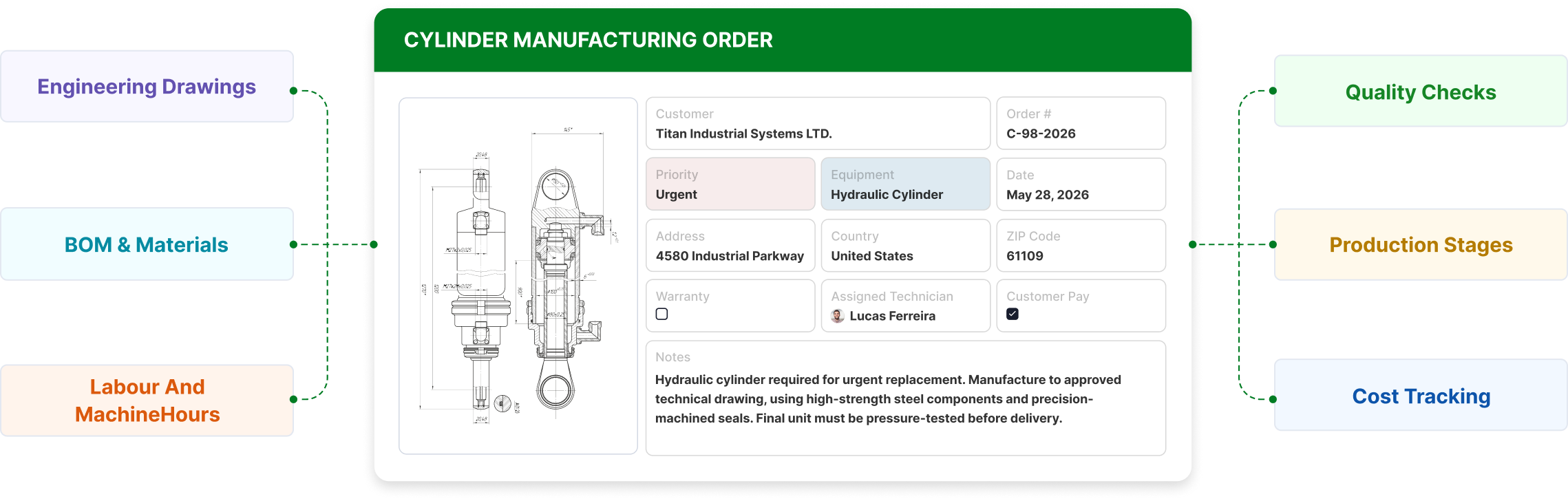
The company manages the manufacturing and repair of hydraulic cylinders and piston-type accumulators across multiple stages, including engineering approvals, material coordination, purchasing, machining, shop-floor execution, quality evidence, and delivery planning.
The company relied heavily on spreadsheets and a fiscal ERP that remained necessary for tax and accounting requirements. Factory control, task tracking, labor allocation, machine usage, and production dependencies were still managed through manual updates and disconnected files.
The team handles around 30 projects per month and more than 1,000 production items across engineering, purchasing, machining, and production. Delays in engineering approvals, material releases, or purchasing updates could quickly stall downstream work.
Management needed a system to track project status, pending tasks, responsible departments, deadlines, estimated dates, actual completion dates, and factory bottlenecks.
Result: A manufacturing execution system where projects, approvals, costing, dependencies, and department visibility stay aligned.
In practice, that meant:
The company relied on spreadsheets, manual controls, and its ERP system to manage manufacturing and repair operations.
The ERP handled fiscal and tax requirements. Production tracking, labor-hour visibility, costing, task ownership, technical releases, and dependency control remained outside the ERP.
Production data, drawings, material requirements, project dates, comments, and status updates were distributed across spreadsheets and internal communication channels.
As the number of projects increased, the team struggled to identify pending tasks, the department responsible for the next step, and projects at risk of delay.
The company had extensive production data and needed a system capable of turning it into daily factory control.
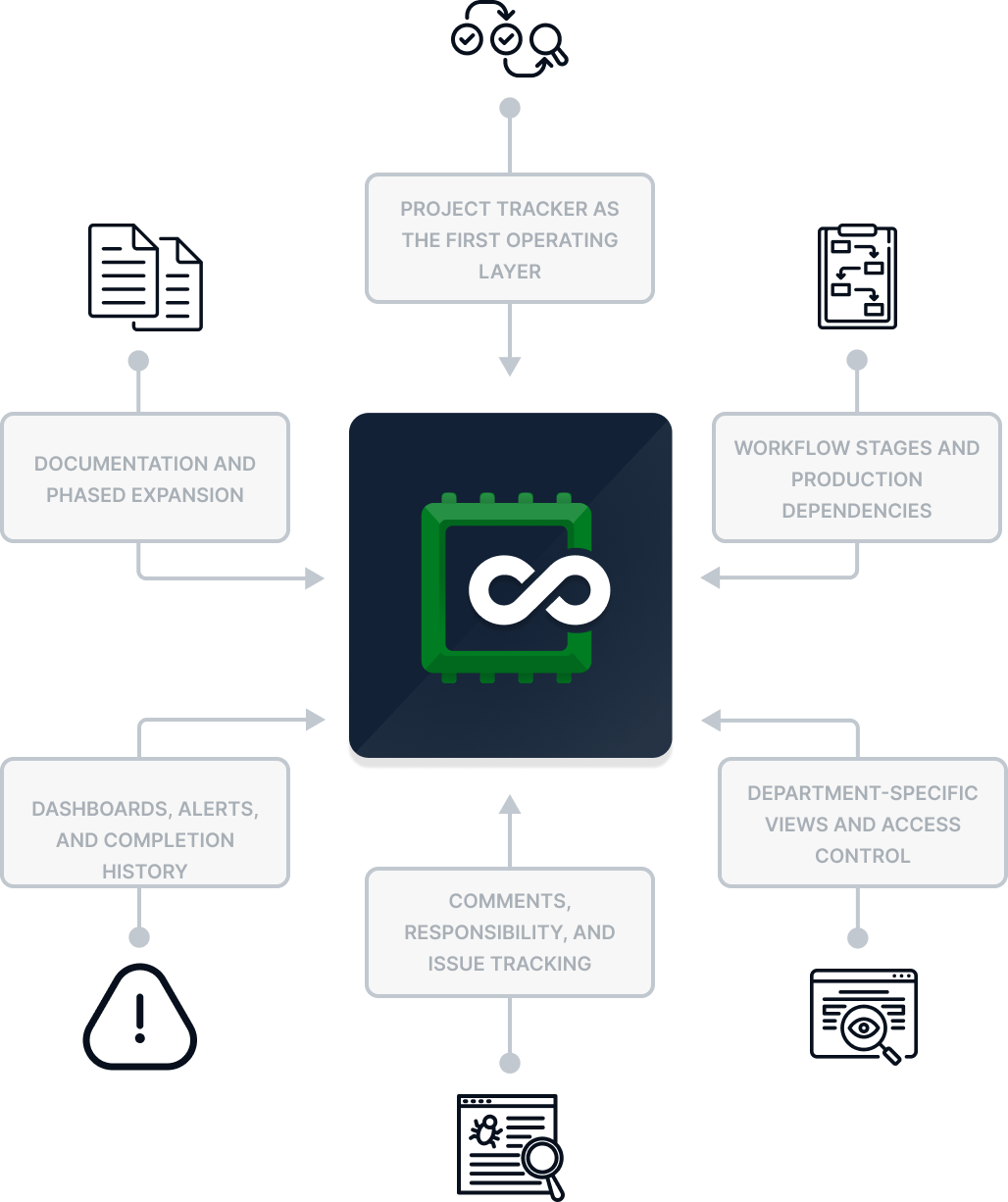
The first phase focused on turning the company’s production spreadsheet into a working management system.
Each project record includes key information such as the customer or order ID, description, dates, department status, comments, responsible users, workflow stages, and completion tracking.
This gives managers a single view of active projects and makes pending, delayed, or blocked work easier to identify.
Engineering, purchasing, machining, production, and approvals are managed with clear ownership, status, dates, and dependencies.
Statuses reflect the factory process, including pending, in progress, completed, and not applicable.
The system can control prerequisites between stages, such as requiring completed drawings before machining or technical releases before purchasing.
Each department works from filtered views showing the tasks relevant to its responsibilities.
Engineering can focus on drawings and approvals. Purchasing can track material releases. Production can manage execution stages. Management can review the full workflow.
AnyDB also supports custom views, permissions, and controlled editing access by team, department, or user.
This keeps the interface simple for daily users, protects sensitive information, and gives managers visibility across the full process.
Teams can add comments, tag responsible users, record observations, and mark items as resolved inside the project record.
This keeps production communication tied to the work and reduces informal follow-up.
Dashboards consolidate status, pending activities, priorities, delayed work, and bottlenecks across active projects.
Visual indicators help managers identify tasks that are behind schedule or outside the normal workflow.
Automations can register the actual completion date when a task is marked complete, creating a reliable history for future analysis.
Technical drawings, PDFs, specifications, images, instructions, photos, videos, inspection records, and quality evidence stay connected to the relevant project or stage.
The first version was built from existing spreadsheets and refined through testing with the team. Once the model matched the factory’s daily workflow, the company could expand into customer portals, inventory, purchasing, quality workflows, dashboards, and automation.
AnyDB works as the production layer alongside the existing ERP, improving factory control while preserving the fiscal and accounting processes required by the business.

Better visibility across active manufacturing and repair operations
Faster identification of production delays and blocked work
Clearer coordination between engineering, purchasing, machining, and production
Improved tracking of production time, labor hours, and machine hours
Stronger production data for planning, pricing, and forecasting
Projects, drawings, approvals, materials, dates, comments, documents, and production stages stay organized in one place. Each department gets the view it needs, while management maintains visibility across the full workflow.
The system starts with the most urgent bottleneck and expands in phases. This allows the company to validate the workflow with the factory team before adding more complex processes.
As requirements evolve, AnyDB can support dashboards, automation, inventory coordination, purchasing workflows, quality records, customer portals, and additional manufacturing processes from the same structure.
This gives the company ERP-level structure for production control with the flexibility to evolve around real factory operations.