
Published on June 3, 2026


Cloud based field service management software usually enters the conversation when the day starts getting too hard to coordinate from memory, messages, and spreadsheets.
A dispatcher updates the schedule, but the technician still has the old job details. A customer calls for an ETA, and the office has to check three different places before answering. A job gets completed in the field, but the invoice waits because the notes, photos, or signature never made it back to the admin team.
That is the real reason teams move to cloud-based FSM software. Not to “digitally transform” the business, but to keep field work and back-office work moving from the same source of truth.
A cloud-based FSM system helps bring that work into one live operational flow, where field teams, office staff, customer records, job status, invoices, and service history stay connected as the work happens.
What Is Cloud Based Field Service Management Software?
Cloud based field service management software is the operational system companies use to coordinate field work, technicians, service jobs, customer communication, and back-office processes from one shared environment.
In practice, it helps teams schedule jobs, dispatch technicians, track work status, manage service records, and keep customer updates connected to the actual work happening in the field.
The “cloud-based” part matters operationally because the system is not tied to a single office computer or local server.
Dispatchers, technicians, managers, and customer support teams can all access the same live information from different locations and devices.
That changes how field operations run day to day. A technician can update job status from the field, upload photos, collect signatures, or flag an issue immediately, while the office team sees those updates in real time.
Instead of work being spread across calls, spreadsheets, and disconnected apps, the operation starts running from one continuously updated system.
Why Field Service Operations Become Difficult to Scale
Field operations usually become difficult to scale long before the business feels “large.” Complexity increases quietly as more technicians, jobs, customers, locations, assets, and service rules are added to the operation.
A team that handled 10 jobs a day manually may struggle at 40, not because the technicians are less capable, but because coordination work grows faster than visibility.
Schedules change constantly. Different jobs require different approvals, parts, inspections, or SLA commitments. Asset history needs to stay connected to the right service record. Dispatch decisions affect inventory, invoicing, and customer communication at the same time.
That is where operational gaps start appearing:
- A technician arrives with an outdated work order;
- Two people dispatch the same job accidentally;
- Nobody is fully sure who owns a service request;
- Invoices remain pending because field notes or signatures were never submitted.
At scale, the challenge is no longer scheduling alone. It becomes maintaining operational consistency across the entire workflow.
Core Features of Cloud Based Field Service Management Software
The best cloud-based FSM platforms are not just scheduling tools. They help coordinate the entire operational flow between field teams, customers, assets, and back-office processes.
Scheduling and Dispatching
Coordinate calendars, balance technician workloads, assign jobs, and adjust schedules as priorities change throughout the day.
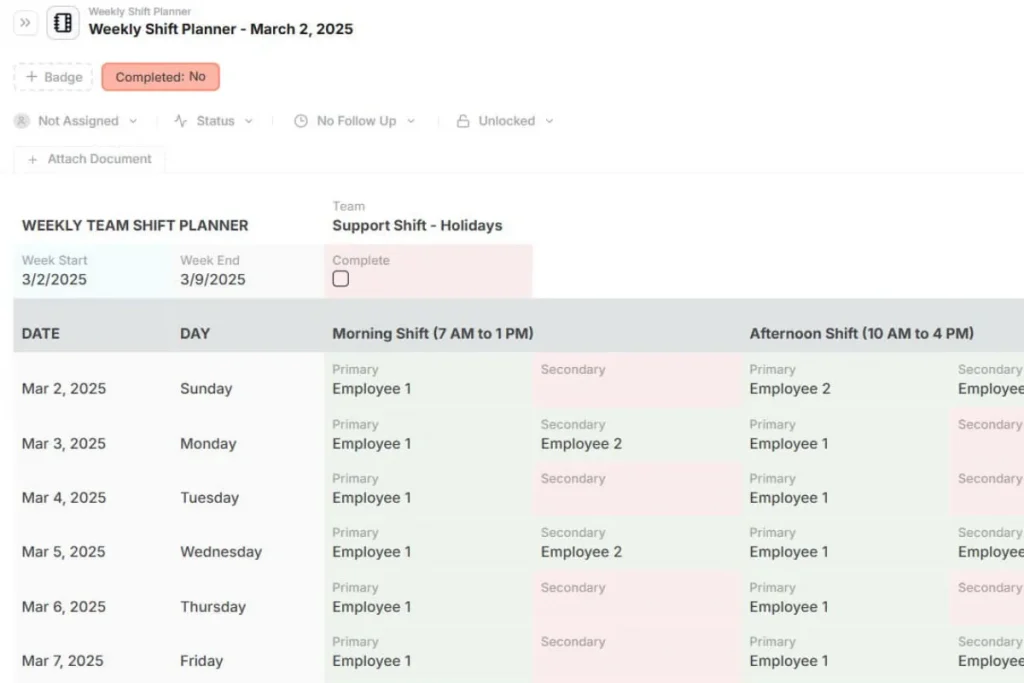
Mobile Access for Field Teams
Technicians can access work orders, upload photos, add notes, collect signatures, and update job status directly from the field.
Real-Time Operational Visibility
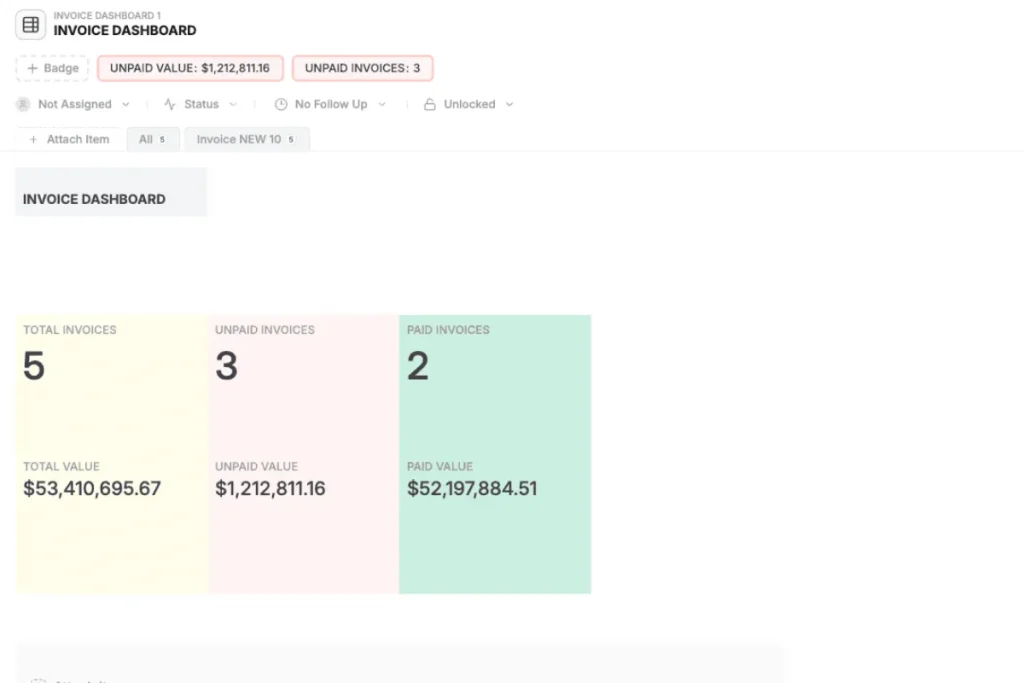
Office and field teams work from the same live operational data instead of relying on calls, spreadsheets, or delayed updates.
Customer and Service History
Keep previous visits, maintenance records, asset information, and customer communication connected to each service job.
Workflow Automation
Automate workflow steps such as notifications, approvals, escalations, reminders, and follow-up actions.
Invoicing and Operational Handoffs
Connect completed field work to invoicing, approvals, and finance workflows without manual re-entry or disconnected systems.
Cloud-Based FSM Software vs Traditional Systems
Many field service operations still run on a mix of spreadsheets, desktop software, emails, WhatsApp groups, and disconnected tools. That setup may work early on, but coordination becomes harder as job volume and operational complexity grow.
Spreadsheets are difficult to maintain in real time when multiple people update schedules, work orders, inventory, or service status simultaneously.
Desktop and on-premise systems often limit remote access and create delays between field updates and office visibility.
Point solutions may solve one problem well, like scheduling or invoicing, but leave the rest of the workflow disconnected.
Cloud-based FSM systems improve this by giving field and office teams shared access to the same live operational data. Scheduling, job status, customer records, technician updates, and service history stay visible across the operation in real time, regardless of location.
But being cloud-based does not automatically make a system flexible. Many FSM platforms still force teams into rigid workflows that only support standardized service models.
That becomes a problem when operations involve inspections, approvals, asset relationships, compliance processes, or custom service flows that do not fit a predefined structure.
How to Choose the Right Cloud Based Field Service Management Software
Choosing field service software becomes much easier once you stop comparing feature lists and start analyzing how work actually moves through your operation.
- Start with your real workflow
Map how jobs move from request to completion, including approvals, inspections, invoicing, follow-ups, and customer communication.
- Identify the operational records you manage
Most field operations revolve around connected objects such as jobs, technicians, assets, customers, invoices, forms, and maintenance history.
- Evaluate mobile usability carefully
If technicians cannot update work quickly from the field, the system will eventually fall apart operationally.
- Look beyond scheduling features
Scheduling matters, but field operations also depend on inspections, asset tracking, operational handoffs, service history, approvals, and coordination between teams.
- Choose software that can adapt over time
Workflows change as operations grow. The system should support new service models, operational steps, and process adjustments without forcing a rebuild later.
How AnyDB Supports Cloud-Based Field Service Operations
Many field service teams end up operating across disconnected tools: spreadsheets in the office, messaging apps in the field, separate systems for invoicing, scheduling, or asset tracking. Over time, that fragmentation creates coordination problems, duplicate work, and inconsistent operational visibility.
AnyDB centralizes those workflows into one connected operational system without forcing teams into the complexity of a traditional ERP.
Jobs as Structured Operational Records
In AnyDB, service jobs are treated as live operational records rather than static spreadsheet rows. Teams can access and update work orders directly from the field using the native iOS and Android apps, including QR and barcode scanning when needed.
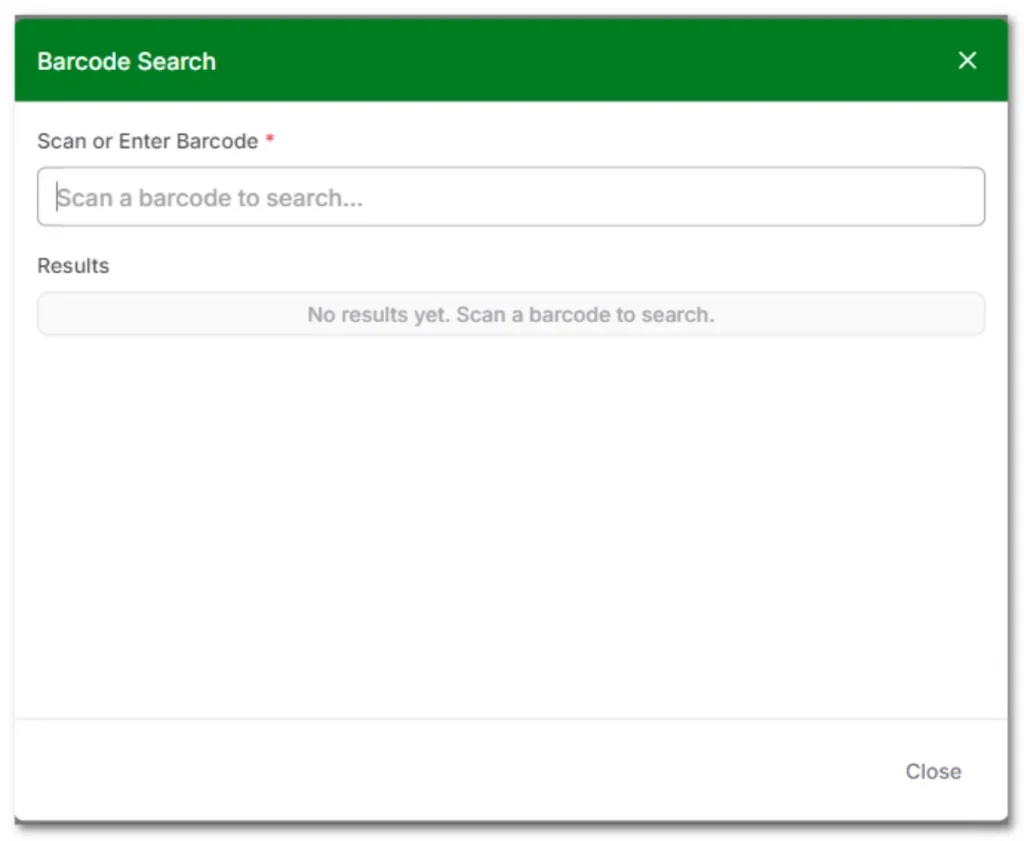
Technicians can upload site photos, capture signatures, complete checklists, log timestamps, and update job status directly inside the record while the work is happening.
That information becomes immediately available to dispatch, operations, finance, or customer support teams without manual handoffs later.
Connected Operational Relationships
AnyDB uses an object-based data model where operational records stay connected naturally across the workflow.
A work order can be linked directly to a technician, customer, asset, invoice, inspection, or vendor without relying on disconnected spreadsheets or complex integrations to maintain context.
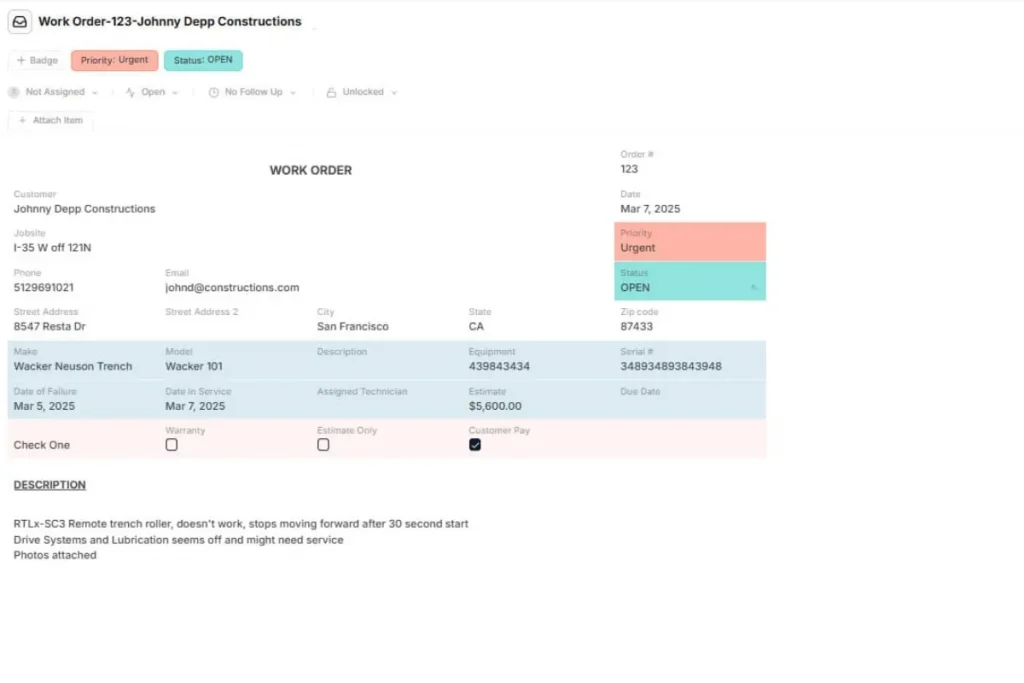
In practice, this means teams can open a single job record and immediately access previous service history, equipment information, inspection forms, customer notes, or attached operational documents from one place.
Flexible Workflow Design
Field operations rarely follow a perfectly standardized flow. Different jobs may require inspections, approvals, follow-ups, SLA tracking, internal reviews, or custom operational steps depending on the service model.
AnyDB allows teams to structure workflows around how the operation already works instead of adapting the operation to rigid software modules.
Teams can create custom templates, automate follow-up scheduling for recurring maintenance, define status-based workflows, and structure handoffs between field crews, operations, finance, and support teams more clearly.
Explore ready-to-use templates for field service operations!
Real-Time Coordination Without ERP Complexity
Traditional ERP implementations often introduce significant overhead for field teams that primarily need operational coordination and workflow visibility.
AnyDB provides real-time operational visibility without requiring months of implementation or highly rigid process structures.
When field technicians update job status, upload documentation, or complete work in the field, office teams see those updates immediately.
That reduces reconciliation work, status-check calls, and delays between field execution and administrative processing.
Vendor and Asset Connectivity
For maintenance-heavy operations, service history and asset relationships are often just as important as scheduling itself.
In AnyDB, assets such as HVAC units, machines, equipment, or customer-installed infrastructure can stay directly connected to service records, inspections, vendors, maintenance history, and operational workflows over time.
The platform also includes secure portals with granular permissions for external vendors or subcontractors. Vendors can upload compliance documents, update job information, or participate in workflows without gaining access to sensitive internal operational data.
Book a free demo to see how AnyDB helps field service teams coordinate jobs, technicians, assets, and workflows in one connected cloud-based system.
Frequently Asked Questions About Cloud Based Field Service Management Software
Here are the answers:
What is cloud based field service management software?
Cloud-based FSM software helps teams schedule jobs, dispatch technicians, track field work, and coordinate operations from one shared online system.
What are the benefits of cloud-based FSM software?
It improves coordination, real-time visibility, mobile access, scheduling, operational tracking, and communication between field and office teams.
What is the difference between FSM and CRM?
CRM manages customer relationships and sales. FSM manages field operations such as dispatching, work orders, technicians, and service execution.
What features should field service management software include?
Key features include scheduling, mobile access, job tracking, asset history, invoicing, workflow automation, and real-time operational visibility.
Can small businesses use cloud-based FSM software?
Yes. Small service businesses often benefit significantly from FSM software by reducing manual coordination and improving operational consistency.

The End-to-End Operations System that Finally Fits Your Reality.
No more scattered spreadsheets or rigid, disconnected tools.
AnyDB is a modern, customizable platform for managing business records and operations across teams, clients, and partners.
Learn More


Phone: (512)-761-7979
© 2024 Humanly Inc. All rights reserved.
What is AnyDB?
AnyDB is a unified, customizable data store designed to streamline and empower your entire organization. Effortlessly store, organize, and share custom business data to drive both internal and external operations across teams. Think of it as spreadsheets on steroids.Perfect for Sales, Marketing, Operations, HR, and beyond. Discover AnyDB