
Published on August 30, 2026


Before you print a single label, decide what the scan is supposed to accomplish. That decision shapes everything that follows. A barcode can identify a laptop, a tool, a machine, or any other asset your operation owns. But identification alone doesn’t say what changed. Barcode asset tracking software earns its value the moment a scan connects to a real event.
That might be an assignment, a transfer, an inspection, a maintenance request, or a return. A scan is an input. What happens after it is what makes the whole system worth having.
In this guide, you’ll learn how to structure barcode asset tracking software around real events. You’ll also see what to define before you label an asset, how to choose between barcode, QR, RFID, and GPS, and when tracking turns into something bigger than tracking.
Barcode Asset Tracking Starts With the Event, Not the Label
A barcode gives a resource an identity a system can recognize. Useful, but it’s only the first step.
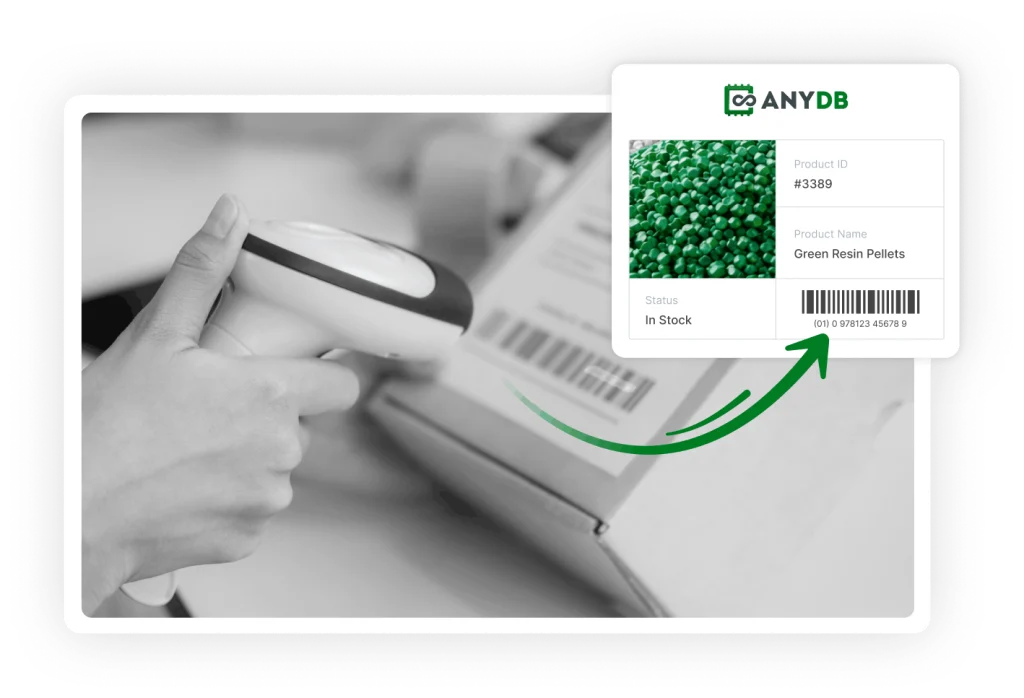
Picture the workflow as Asset, then Barcode, then Scan, then Event, then Updated Record. The asset is the physical object. The barcode gives it a unique, machine-readable identity. A scanner or mobile device captures that identity. The software then uses the scan’s context, where it happened and who did it, to record what actually took place.
That’s the moment barcode asset tracking software earns its place in the operation.
A scan during receiving can record when a resource arrived and where it landed. Scanning it with an employee logs custody. A transfer scan updates its location. A maintenance scan can open a service request or surface the asset’s existing service history. During an audit, the same scan confirms the asset is physically present. The reviewer can then update its condition on the spot.
A single barcode can support all of these workflows without ever changing. AnyDB’s own barcode inventory system works the same way behind the scenes. It connects scans to structured records, locations, movements, and transaction history rather than simply changing a field or a quantity.
Once the event is defined, the barcode stops being a sticker. It becomes a reliable entry point into the operational record.

A Practical Guide to Implementing Barcode Asset Tracking Software
The order of implementation matters more than most teams expect. It’s easy to start with labels, scanners, and a spreadsheet of assets. Months later, teams often discover that nobody actually decided what should happen when someone scans one. A better approach designs the operational flow first, then picks the technology that supports it.
1. Define What the Barcode Needs to Identify
Start with the asset itself. Every item needs a stable identifier that separates it from everything else in the operation. Depending on the business, that record might track an asset ID, category, and serial number. It can also include location, assigned person or team, status, condition, and ownership details.
Keep identity separate from everything that changes around it. A resource can move warehouses, change custodians, or enter maintenance. It can even return to service without becoming a different asset. Its identifier stays the same. Its operational record evolves around it.
That distinction is what gives tracking software something real to work with.
2. Decide Which Events Require a Scan
Once assets are defined, map the moments when the operation needs reliable information. Not every movement deserves a scan. Add a checkpoint to every minor action, and people will find a way around it before the month is out.
Focus on events where knowing an asset’s status, location, or custody has real operational value. That usually means receiving, assignment, and transfer. It can also include checkout and return, maintenance, and inspection. A physical check or a disposal counts too.
A field equipment company, for example, might scan a tool when it leaves the warehouse, when it’s assigned to a technician, and when it comes back. That gives the operation a clear history without asking anyone to document every stop the tool makes during the day.
3. Design the Record Behind the Barcode
A scan needs somewhere useful to lead. If all it does is display a resource number, the operation has gained identification without gaining much control.
Build the asset record around the information people actually need to make decisions. The record can also include location and custodian. It can also hold condition and repair history. Moreover, it can hold photos, warranty details, previous movements, and upcoming inspections.
Storing an asset and tracking its lifecycle are not the same job.
4. Choose the Right Barcode and Scanning Method
Let the physical environment drive the technical choice. A barcode that survives perfectly well on an office laptop may have a much shorter career on equipment exposed to dust, moisture, heat, or constant handling.
Simpler applications can run on 1D formats like Code 39 or Code 128. Two-dimensional formats such as QR codes and Data Matrix carry more information in a smaller space. They also work well with mobile devices. Employees might scan with smartphones, handheld scanners, or rugged devices built for industrial floors, depending on the environment.
Label material and placement deserve just as much attention as the barcode format itself. A code that peels off a piece of equipment by week three was never really implemented at all, no matter how well the software behind it was designed.
5. Pilot the Workflow Before Scaling
Before printing thousands of labels, test the complete process with one location, one asset category, or one team. A pilot surfaces the details that are easy to miss on paper and easy to regret later.
Test how quickly people can scan assets and whether labels stay readable. Check whether the resulting records contain what managers need. Include the less glamorous cases too. Duplicate records, missing assets, damaged labels, and unexpected transfers tend to show up the moment real people start using the system. The pilot should plan for them, not just for the ideal case.
Most importantly, check what happens after the scan. Does the location update? Does the assignment get recorded? A successful pilot proves the workflow, not just that the scanner beeps.
Barcode, QR, RFID, or GPS? Match the Technology to the Operation
The technology decision gets much clearer once you start with the operation instead of the label.
A barcode works well when someone can deliberately scan a resource at a defined checkpoint. QR codes follow the same logic, with the added convenience of smartphone scanning and more data capacity. RFID becomes useful when the process involves high volumes or needs reads without direct line of sight. GPS fits assets whose location needs continuous or near real-time monitoring.
| Technology | Best fit | Main advantage | Main limitation |
| Barcode | Controlled scan points | Low cost and simple deployment. | Requires deliberate scanning. |
| QR code | Mobile scanning and compact labels | Easy smartphone use and higher data density. | Still requires deliberate scanning. |
| RFID | High volume or automated reads | Multiple assets detected without direct line of sight. | Higher infrastructure and implementation effort. |
| GPS | Outdoor mobile assets | Continuous or near real-time location. | Requires powered hardware and connectivity. |
For many operations, barcode asset tracking software is the sensible starting point. Assets are easy to reach, scan points are predictable, and constant location tracking isn’t needed. There’s little reason to build elaborate infrastructure. A quick scan at receiving, checkout, or inspection often tells the operation everything it needs to know.
The technologies can also work side by side.
A company might run barcodes across its entire asset register. It can then add GPS just to the vehicles or mobile equipment that need continuous location data. The setup should follow the workflow, never the other way around.
When Barcode Tracking Becomes an Operational Systems Problem
Barcode tracking can grow from a useful tool into something far more operational, and the barcode itself isn’t what changes. The process around it simply picks up more moving parts.
A scan that once just updated a location may now need to set off a whole chain of actions. It might update the location, notify the responsible person, and trigger an inspection. It might also attach a document, open a maintenance request, or connect the resource to a project and an external partner. Once those relationships start to matter, the operation needs more than an asset ID and a scan history to keep up.
AnyDB steps into that exact layer as a custom operational system:
| AnyDB capability | Operational use |
| Connected asset records | Connections between assets, people, locations, customers, vendors, and projects. |
| Barcode fields | Scannable identification built into every record. |
| Journals and history | A preserved record of movements, assignments, maintenance, and other events. |
| Workflows | Automatic actions triggered by asset events. |
| Forms and portals | A way for employees, vendors, inspectors, or field teams to submit information. |
| Documents | Certificates, photos, warranties, and other evidence kept alongside the record. |
| Dashboards | Real-time visibility into resource status, availability, and exceptions. |
AnyDB lets barcode asset tracking software become part of a broader operational process. The barcode keeps doing what it’s always done best. It gives the operation a simple, reliable way to identify the physical asset in front of it.
Make Every Scan Count
A barcode is a practical starting point for knowing where an asset is, who has it, and what condition it’s in. Barcode asset tracking software makes that information worth having. Each scan becomes a reliable operational event instead of a simple lookup.
As those events start connecting people, maintenance, documents, projects, and follow-up actions, the operation needs more than the scan itself to keep up.
Schedule a free demo call with us and see what that could look like for your team.
Frequently Asked Questions About Barcode Asset Tracking Software
Barcode asset tracking software raises a few of the same questions in almost every implementation. Here are the ones operations teams ask most.
How does barcode asset tracking software work?
Each asset receives a unique barcode connected to a digital record. When someone scans it, the software identifies the asset. It then uses the workflow to retrieve or update information. That can include location, assignment, and condition. It might also include status, repairs, or the last check.
What information should an asset barcode link to?
The record should hold whatever the operation needs to manage the asset throughout its lifecycle. That commonly includes the asset ID, location, custodian, and condition. It can also include status and ownership details. Maintenance history, movement history, and related documents round out the record. The right fields depend on how the business actually uses its assets, not on a generic template.
Are barcodes better than RFID for asset tracking?
Neither technology wins outright. Barcodes work particularly well when assets can be scanned individually at defined checkpoints. They also fit operations that want a simple, affordable setup. RFID becomes more useful when teams need bulk reads, less manual intervention, or identification without direct line of sight.

The End-to-End Operations System that Finally Fits Your Reality.
No more scattered spreadsheets or rigid, disconnected tools.
AnyDB is a modern, customizable platform for managing business records and operations across teams, clients, and partners.
Learn More


Phone: (512)-761-7979
© 2024 Humanly Inc. All rights reserved.
What is AnyDB?
AnyDB is a unified, customizable data store designed to streamline and empower your entire organization. Effortlessly store, organize, and share custom business data to drive both internal and external operations across teams. Think of it as spreadsheets on steroids.Perfect for Sales, Marketing, Operations, HR, and beyond. Discover AnyDB