Assigning Records
Records can be assigned to different users who have access to this database in your team. Assigned records now show up in the Inbox section in AnyDB. AnyDB Inbox is a dedicated view that helps them track their work and assigned records.
tip
Assigning records is useful for distributing incoming work to other members of your team or organization.
How to assign a record
- Open the record that you want to assign.
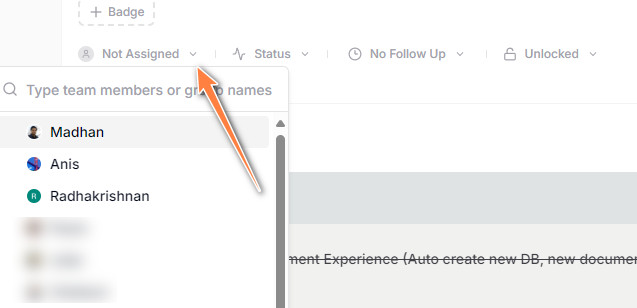
- Click the assignment dropdown near the top left below the badges
- Select one or more users or groups to assign the record to