Connecting Objects
Objects become useful when they are connected.
AnyDB has exactly two ways to connect objects:
- Attach – place one object inside another as a child (structural, one-to-many)
- Link – reference one object to another (associative, one-to-one)
These two concepts cover all real-world relationships.
Attachment: placing objects inside other objects
An attachment places one object inside another object as a child record.
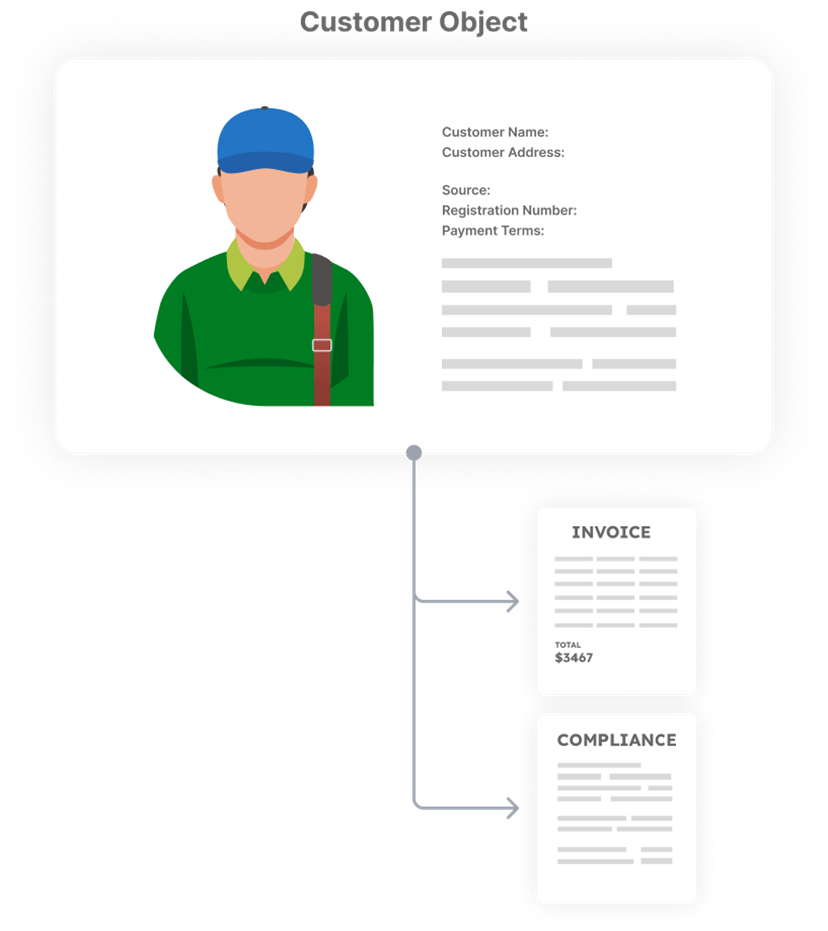
This creates one thing with many parts:
- one main object
- many attached objects inside it
Think of it as:
- something that lives inside something else
- something that is part of the main object
- something that is created and removed with it
An attached object:
- is still its own record
- has its own fields, files, and history
- shows up inside the parent’s attachments list
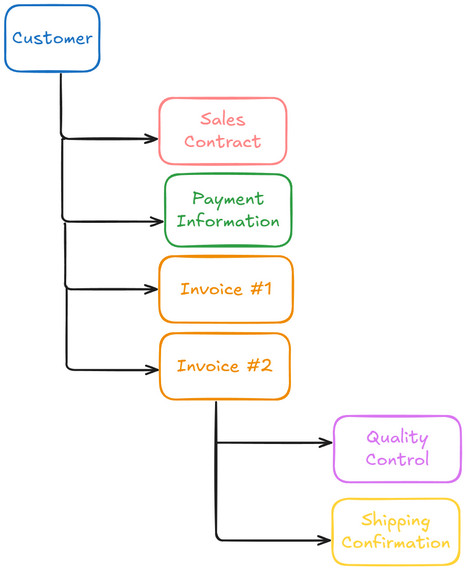
- can also have things attached to it
Attachments support rollups (aggregation)
Attachments are how you add things up in AnyDB (aggregation).
Because attached objects live inside a parent, the parent can:
- add up values from its attachments
- count how many there are
- show totals, status, or progress
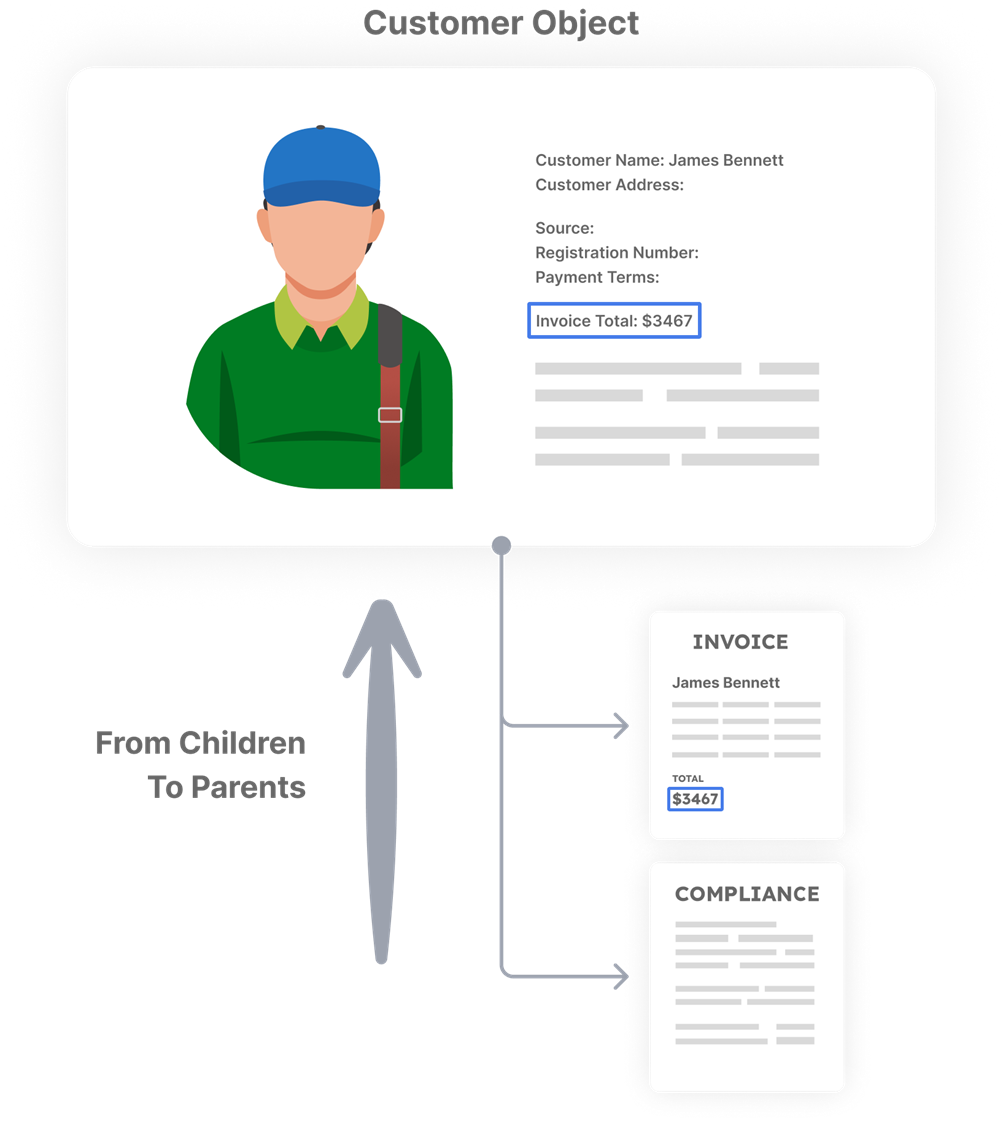
Examples:
- Order totals from order lines
- Project progress from tasks
- Warehouse value from inventory items
If you need totals or summaries, use attachments
Once records are attached, you can also have data flow from parents to child objects.

The attachment rule (most important)
If an object should not exist on its own, it should be attached.
Attachments define lifecycle.
- Deleting a parent removes its attached objects
- If an attached object has no other parents, it is deleted
- If it is attached to multiple parents, it remains where still attached
This behavior is intentional and predictable.
Examples of attachments
Attachments are appropriate for objects like:
- order lines
- inspection records
- tasks inside a project
- quality checks
- maintenance logs
These objects do not make sense without their parent context.
Here's a full hierarchy of business objects.
Multiple parents are allowed
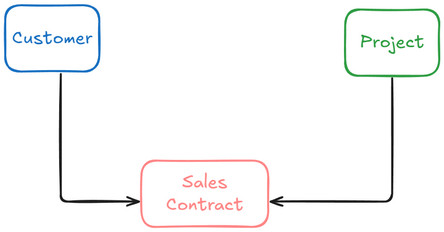
An attached object can be attached to more than one parent.
This does not duplicate the object.
It means:
- the same object appears in multiple contexts
- it keeps a single identity
- deleting one parent removes it only from that parent
For example, a single Sales Contract record can be attached to Customer record and also to a Project record.
Link: connecting independent objects
A link connects one object to another without putting it inside.
Think of it as:
- one object pointing to another
- something being used, not owned
- association
- reference
A link is a one-to-one connection:
- one object points to another object
Linked objects:
- exist independently
- are not deleted when other objects are deleted
- appear in the object's Connected Records list
- can be referenced in formulas to pull data using lookups (DYNREF)
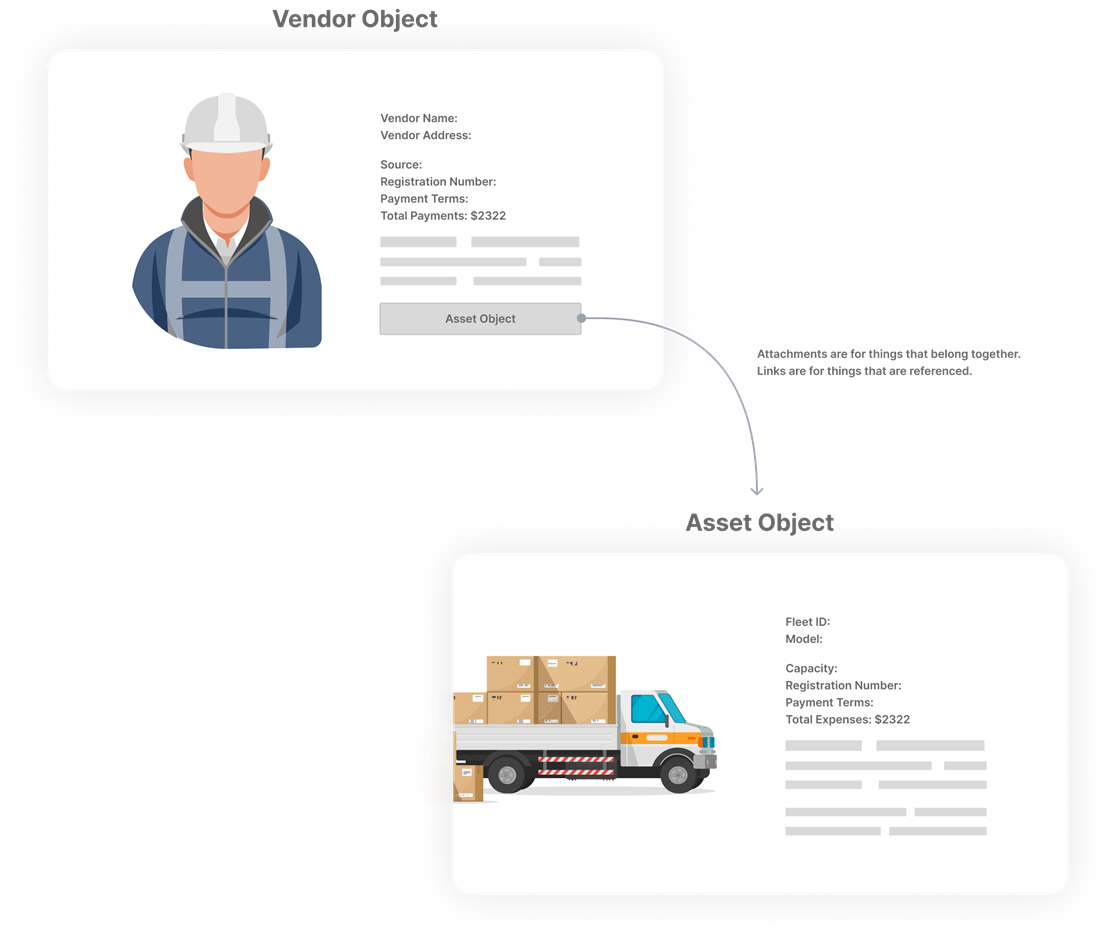
To create link, in a cell inside the record, select the type as Reference.
Then select the record you want to link to. Once linked, you can click the link to navigate to the related record.
Only records in the same database can be linked directly.
Links support lookups (data access)
Links allow you to read data from another object.
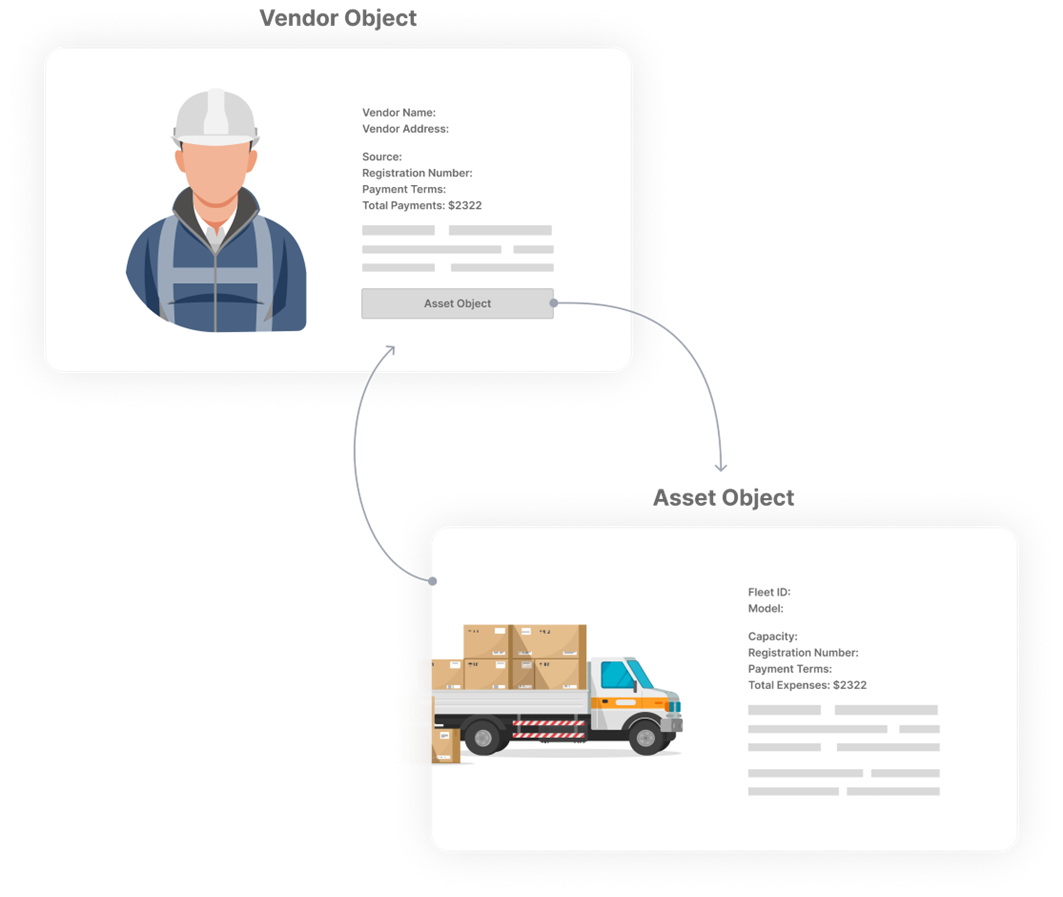
Using lookups:
- values are pulled dynamically from the linked object
- changes in the linked object are reflected automatically
- no duplication of data is required
Links do not support rollups or aggregation.
The link rule
If an object should exist independently, it should be linked.
Links do not control lifecycle and do not imply ownership.
Examples of links
Links are appropriate for objects like:
- customers
- vendors
- employees
- products / SKUs
- warehouses (when used as locations)
- categories
These objects are reused across many contexts.
One decision rule to remember
When deciding between attach and link, ask:
Should this object still exist if everything else is deleted?
- If no → Attach
- If yes → Link
This single rule aligns with:
- lifecycle and deletion behavior
- rollups vs lookups
- reuse vs instance modeling
- real-world expectations