
Published on May 12, 2026


Order management software usually enters the conversation after the operation starts showing strain. Orders ship late, stock levels drift away from reality, and sales and logistics end up working from different versions of the same order. The search tends to begin with a practical goal, which is to stop the rework.
Behind every one of those symptoms sits a single job: keeping one reliable record as each order moves through the business. A good system centralizes order data and also keeps each order connected to the inventory, fulfillment, payment, and shipment records that decide whether the day runs cleanly.
In this guide, you will learn what order management software does, which features matter most, how to compare your options with a practical checklist, and what it costs.
What Is Order Management Software?
Order management software is the system a business uses to keep orders moving without losing control along the way. A good OMS helps the team capture, process, track, fulfill, and update orders from the moment they enter the business until they are delivered, and often beyond that.
In practice, that means matching the right order to the right stock, sending it to the right warehouse, shipping it with the right status, and updating it correctly if something changes. It sounds simple until the operation gets more real. Orders arrive from different channels, inventory is split across locations, some shipments go out in parts, and exceptions become part of daily work.
Order management software gives the team one place to see what is happening with each order, instead of piecing it together across systems. Speed is a welcome result, but the bigger payoff is an order process the team can actually trust.
What Problems Does Order Management Software Solve?
Most teams do not buy order management software because they want “more software.” They buy it because the operation starts creating friction faster than people can absorb it manually.
Overselling is often the first sign. The system says an item is available, sales confirms the order, and only later does the team find out the stock was already committed elsewhere. Closely related are inventory mismatches, where stock looks correct in one system but not in the warehouse or fulfillment flow.
Order duplication comes next. The same order gets imported twice, re-entered by hand, or recreated after a sync error, which leaves both operations and finance untangling the result.
Then fulfillment slows down. Orders sit waiting because nobody is sure whether they were approved, allocated, packed, or already shipped, and a clean workflow turns into a chain of internal follow-ups.
Poor visibility sits underneath all of it. Sales sees one status, operations sees another, and customer support has to ask around just to learn what happened.
Solving these problems removes the uncertainty that keeps teams double-checking, reconciling, and fixing what should already be under control.
Core Features of Order Management Software
The best order management software earns its place by keeping orders accurate, visible, and moving without constant manual intervention, no matter how many tabs or dashboards it offers.
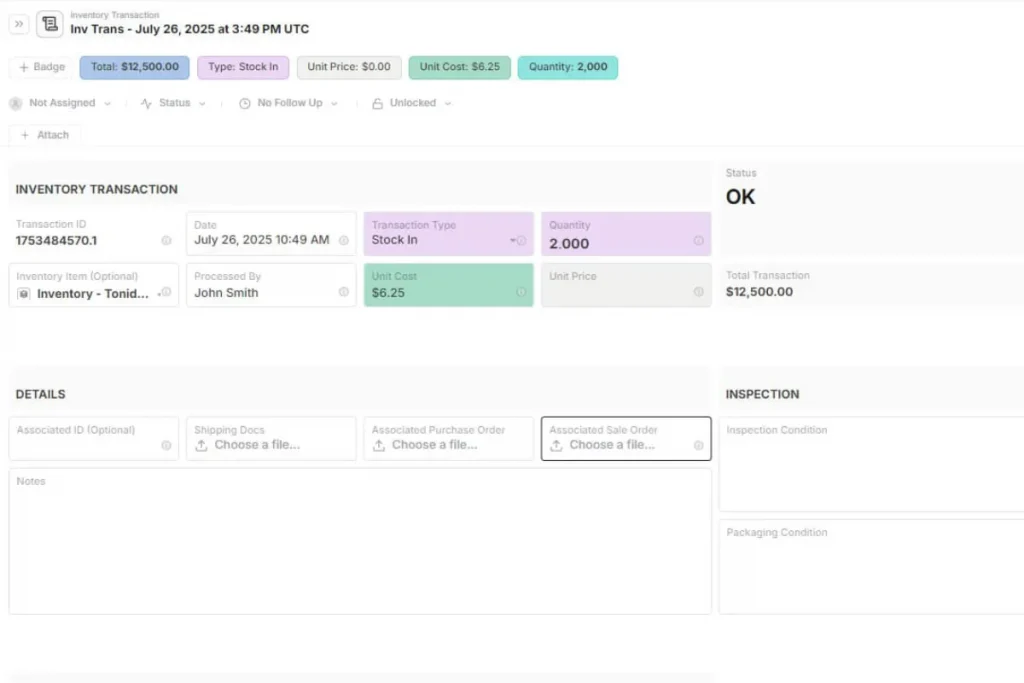
The core features include:
- Centralized order tracking: a single operational view of all active orders, so nobody checks multiple systems to understand what is happening.
- Inventory synchronization: real-time stock updates across channels, warehouses, or fulfillment points to reduce overselling and allocation errors.
- Multi-channel order capture: orders from Shopify, Amazon, direct sales, B2B requests, or manual entry, handled without a separate workflow for each source.
- Fulfillment and shipping coordination: support for picking, packing, shipping, and carrier actions, so an order moves cleanly from confirmation to dispatch.
- Status management and workflow visibility: clear stages such as pending, processing, shipped, delivered, or returned, so every team sees the same status.
- Automation and notifications: workflow rules that route orders, assign next steps, trigger updates, and alert the right people when something needs attention.
These features reduce operational friction in daily work, which is a different test from looking complete on a feature page.
How to Choose the Right Order Management Software
Start by mapping how orders move today. Where do they come from, who validates them, and how are stock, fulfillment, shipping, and exceptions handled? Skip this step and you end up buying features instead of solving operational problems. With that map in hand, use the criteria below to compare vendors on equal terms.
| Criterion | What to Look For | Question to Ask Vendors |
|---|---|---|
| Workflow fit | Order stages, approvals, and exceptions that match how your team works. | Can you show a partial shipment and a B2B approval in your system? |
| Connected records | Orders linked to inventory, customers, shipments, and payments. | When stock changes, does the order update without a manual sync? |
| Channel coverage | Shopify, marketplaces, direct sales, and manual entry in one flow. | How do you prevent duplicate imports? |
| Flexibility | Fields, statuses, and workflows your own team can edit. | Who changes a workflow, and how long does it take? |
| Beyond ecommerce | Support for multiple teams, warehouses, and internal handoffs. | Does the system cover the full operation after checkout? |
| External collaboration | Customers, vendors, and carriers see only what they need. | Do outside users add to the price? |
| Visibility and audit | Real-time status plus a history of every change. | Can I see who changed an order and when? |
| Total cost | Pricing tied to a clear unit, with few add-ons. | What happens to the bill when orders or partners double? |
Pro Tip: ask each vendor to demo a partial shipment live. Almost every platform handles the happy path, and the partial shipment is where rigid systems start sweating.
One last point on evaluation. A polished interface helps, but structure carries the operation. If orders are not properly connected to inventory, shipments, payments, and workflow states, people will still reconcile by hand, whatever the screens look like.
How Much Does Order Management Software Cost?
Pricing models vary widely. Some vendors charge per user, others scale with order volume, and many add fees for implementation, integrations, or extra sales channels. Two quotes that look similar can behave differently once your business grows.
The most useful way to compare is to price one real scenario. Count the people who will work in the system, your monthly order volume, and the outside partners who need access, then ask each vendor for the total at that size and at double that size.
That exercise surfaces a useful insight. The cost of an order management system depends less on how many orders you process than on how many people must touch each order. Customers, vendors, and carriers all touch orders, so how a vendor prices outside access can change the total more than the headline rate.
How AnyDB Supports Order Management Software Workflows
Standard order management systems often force fulfillment processes into rigid modules. AnyDB acts as a lightweight ERP alternative, adapting to your operational reality without the bloat.
In AnyDB, an order is a living, object-based record instead of a static spreadsheet row. Each Sales Order works as a self-contained hub that tracks demand, line items, and statuses in real time.
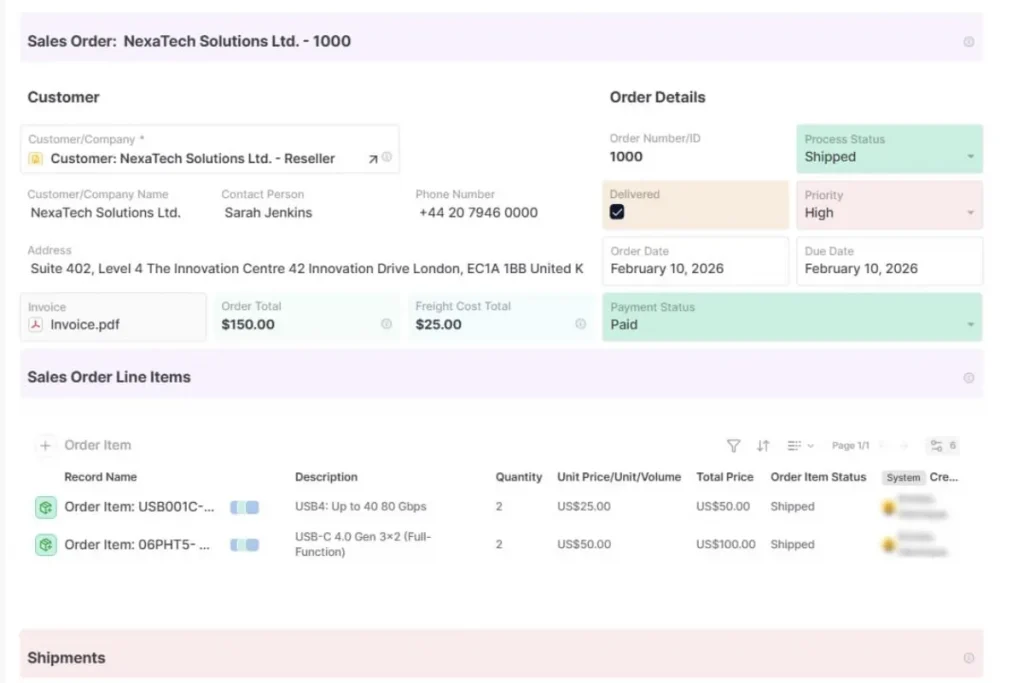
You do not need complex IT integrations to bridge data silos. AnyDB links the Order object directly to Customer profiles, Inventory items, Shipment tracking, and Payment invoices, so when an order moves forward, the rest of the supply chain stays aligned automatically.
Whether you manage multi-step B2B approvals, internal quality control, or custom fulfillment steps, we can help you build the workflow and assign tasks directly inside the order record. For businesses with complex fulfillment, such as custom manufacturing or field installations, AnyDB brings the structured control of an ERP with the flexibility to shape it your way.
AnyDB Pricing at a Glance
AnyDB charges for your team and keeps outside access free, with unlimited portal guests on every plan.
| Plan | Price | Best For | What You Get |
|---|---|---|---|
| Free | $0, up to 5 users | Small teams testing a first order workflow | 25 business object types, 3 workflows, 50 executions per month, 1 GB storage |
| Business | $10 per user per month billed yearly ($12 billed monthly) | Teams of 5 to 100 users running live orders | Unlimited object types, 50 workflows, 10,000 executions per month, version history, audit trail, and record recovery |
| Enterprise | Contact sales | Organizations with 50 or more users that need private or regional hosting | Managed or self-hosted deployment, Microsoft and Okta SSO, dedicated support and SLAs |
A ten-person team running live orders on the Business plan pays $100 per month on yearly billing. The customers, vendors, and carriers who join through portals do not change that number.
We’ll set up your first AnyDB workflow. Schedule a setup call.
Frequently Asked Questions About Order Management Software
These are the questions teams ask most often when they start comparing options..
What does an order management system do?
An order management system captures, tracks, and coordinates orders across inventory, fulfillment, shipping, and status updates.
Who needs order management software?
Any business with growing order volume, multiple channels, inventory complexity, or manual fulfillment steps can benefit from it.
How do I choose order management software?
Start with your actual workflow, map system dependencies, and choose software that fits your process. The criteria table above gives you a side-by-side way to compare vendors.
How much does order management software cost?
Costs depend on the pricing model, which may be per user, per order volume, or tiered, plus any implementation or integration fees. AnyDB starts free for up to 5 users, and the Business plan costs $10 per user per month billed yearly.
Can order management software connect to my existing systems?
Yes. The right system links orders to inventory, finance, shipping, CRM, and support, so the order stays whole instead of fragmenting across tools.

The End-to-End Operations System that Finally Fits Your Reality.
No more scattered spreadsheets or rigid, disconnected tools.
AnyDB is a modern, customizable platform for managing business records and operations across teams, clients, and partners.
Learn More


Phone: (512)-761-7979
© 2024 Humanly Inc. All rights reserved.
What is AnyDB?
AnyDB is a unified, customizable data store designed to streamline and empower your entire organization. Effortlessly store, organize, and share custom business data to drive both internal and external operations across teams. Think of it as spreadsheets on steroids.Perfect for Sales, Marketing, Operations, HR, and beyond. Discover AnyDB