AnyDB AI Cell
The AI cell type allows you to run AI prompts directly inside AnyDB records and provide localized insights based on your actual operational data.
Unlike external AI tools, the AI Cell works on your actual operational data. It can reference other cells, linked records, child records, and supported files, then generate structured insights or summaries directly inside the record.
AI Cells are commonly used for:
- Inspection summaries
- Analysis
- Explanations
- Review Summaries
- Executive brief generation
- Image and document analysis
AI Cell Type
An AI cell evaluates a prompt and generates output based on referenced data.
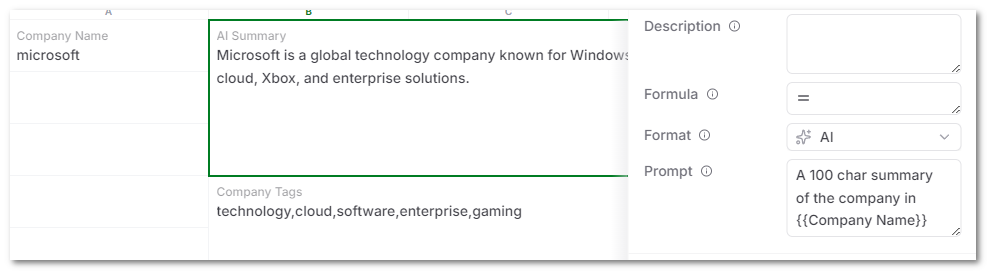
You can specify the prompt to use by using the prompt field in the settings.
Referencing Data in Prompts
The AI Cell can reference:
1. Cells in the Same Record
You can refer to other cells using their cell reference either by Labels (Recommended e.g. {{Company Name}}) or by Column Letter and Row Number (e.g. A1).
Example:
Create a short company profile for {{Company Name}} in less than 100 characters.
If the referenced cell changes, the AI Cell automatically reruns the prompt with the updated value. This allows you to have dynamic AI-generated insights that stay up to date with your data.
3. Attached Child Records
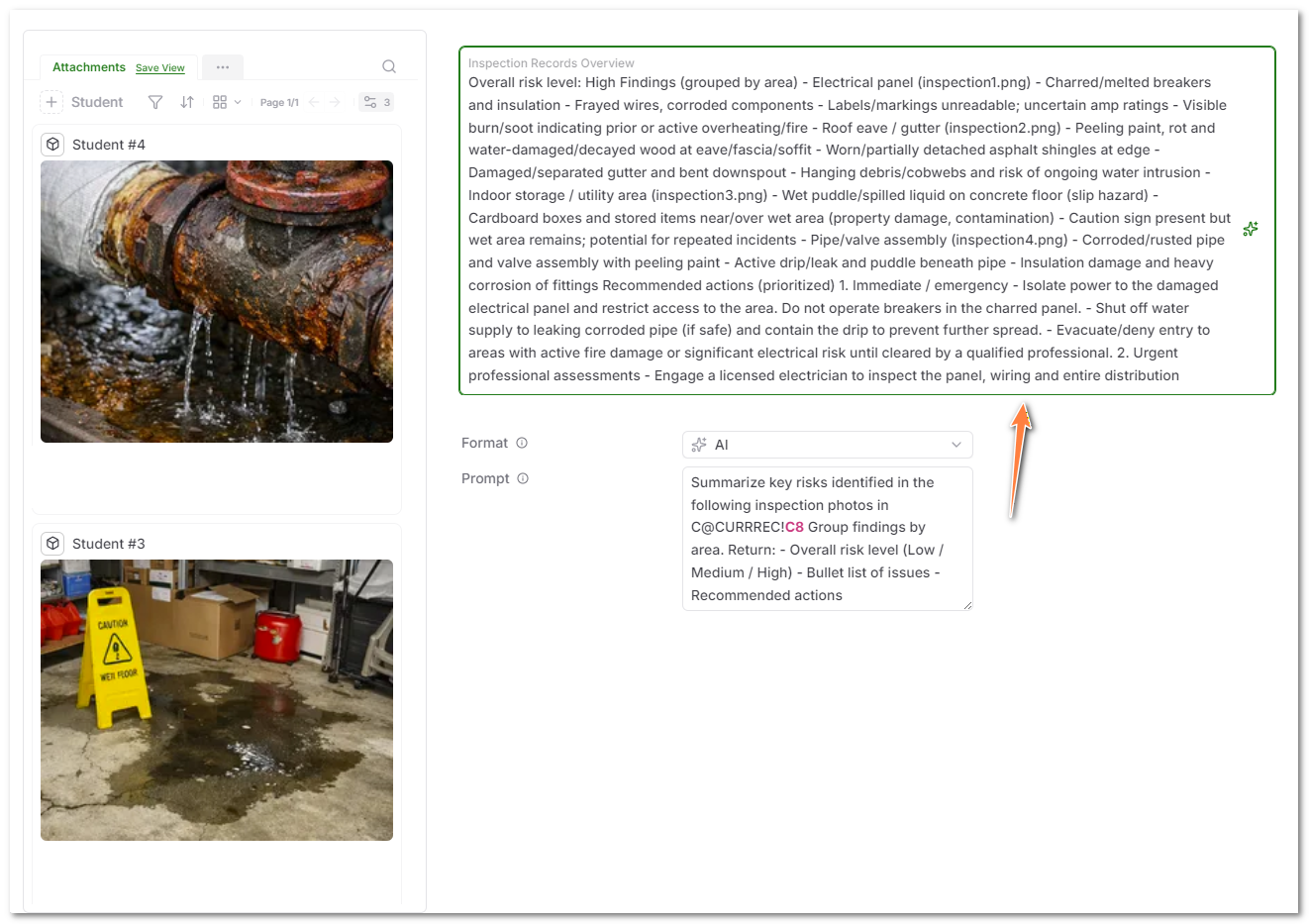
The AI Cell can analyze multiple child records and generate summaries.
Example:
Summarize inspection findings from all child record photos C@CURRREC!{{Photo}} and flag risks.
This is useful for:
- Inspection logs
- Line items
- Compliance entries
- Order details
4. File Content Extraction
The AI Cell can extract and analyze content from:
- Text files (.txt)
- Markdown files (.md)
- Supported image files (jpeg and pngs)
For images, the AI model can analyze visual content and describe findings. Note that there are limits to file sizes that are sent for AI analysis.
Example: Review attached inspection image from {{Inspection Image}} and identify visible damage.
Automatic Recalculation
AI Cells are reactive.
When any referenced cell changes:
- The AI Cell automatically recomputes.
- The output stays aligned with current data.
- No manual refresh is required.
This allows AI to behave like a dynamic operational component, not a static assistant.
Operational Best Practices
- Use AI Cells alongside automation to trigger workflows based on AI-generated results.
- Avoid overly broad prompts, use AI cells for local record analysis. Clear instructions produce better outputs.
- Use AI Cells for analysis, summarization, and explanation, not as a replacement for structured fields.
- Keep prompts specific and outcome-focused.
- AI cells can take time to compute especially when data changes
When to Use AI Cells
AI Cells are most effective when:
- You need contextual summaries from structured data.
- You want risk scoring or qualitative analysis.
- You need automated explanations for operational decisions.
- You want insights generated from multiple related records.