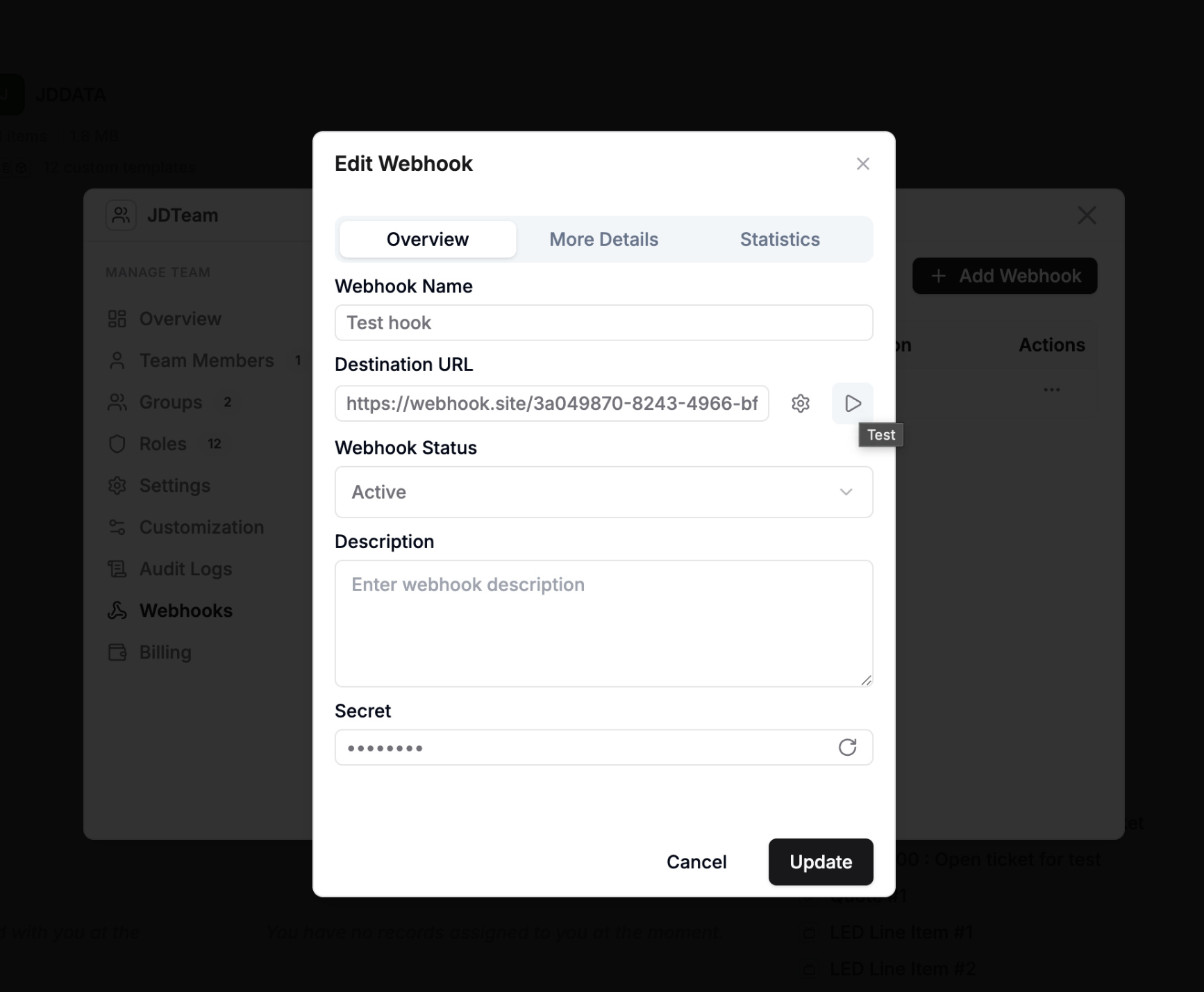
Webhooks
Webhooks in AnyDB allow you to register external callback URLs and use them inside Workflow Automation.
Important: Webhook registration and usage are available only for teams on Business or Enterprise plans. Teams on lower plans cannot register webhooks.
Once a webhook is registered, it can be selected in the Call Webhook automation action or AnyDB SDK to send workflow context payloads to your external systems.
What gets sent to your endpoint
When AnyDB calls your webhook URL, it sends:
- JSON body (
Content-Type: application/json) X-Webhook-Signature: HMAC SHA-256 signature of the payloadUser-Agent: AnyDB-Webhook/1.0- Any custom headers you configured for that webhook
If a Call Webhook action passes extra headers, those values override same-name stored headers.
Add a Webhook
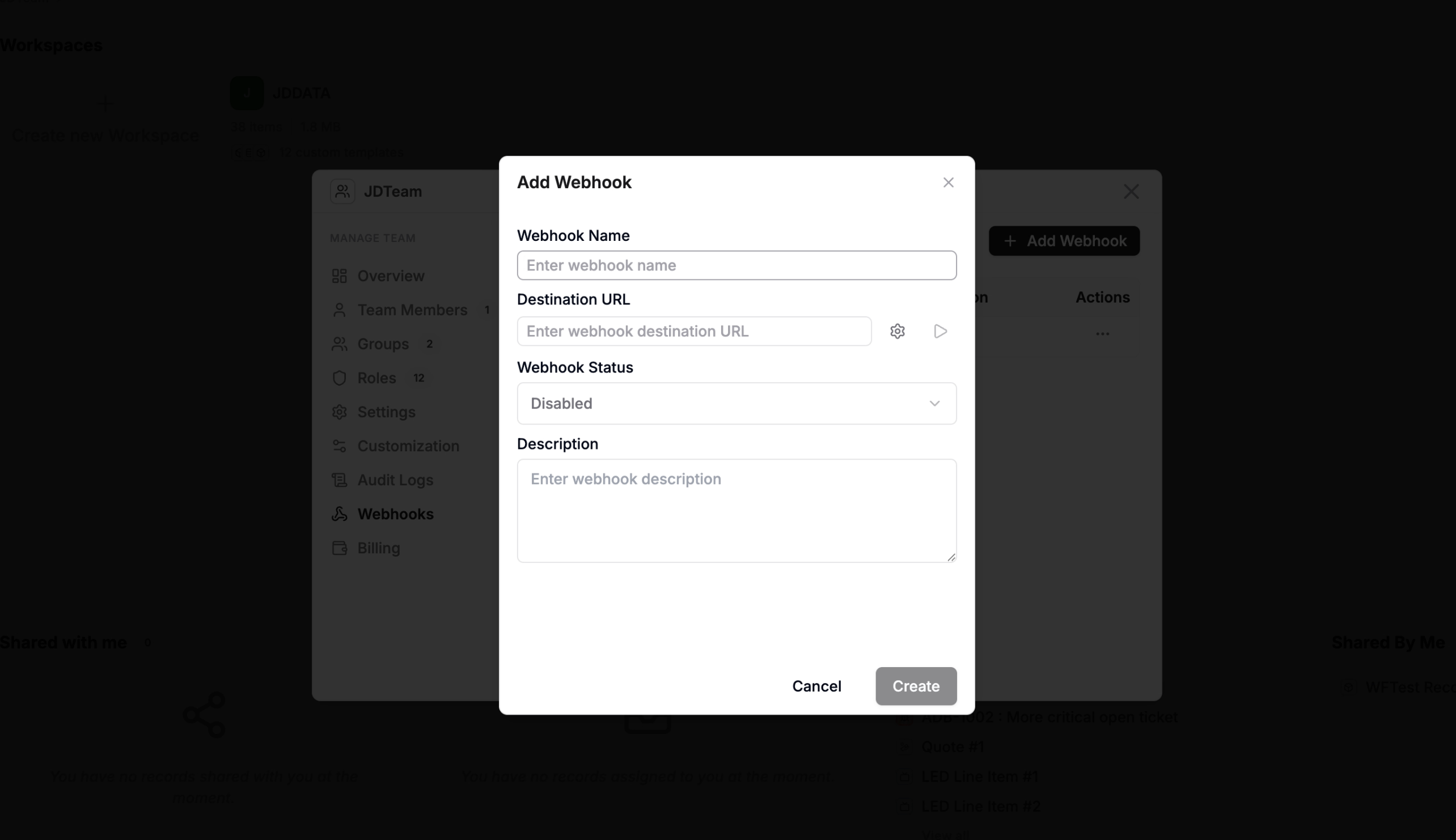
To add a webhook in AnyDB:
- Open your team/workspace settings.
- Go to the webhook management area.
- Add a webhook name and endpoint URL.
- Save the webhook.
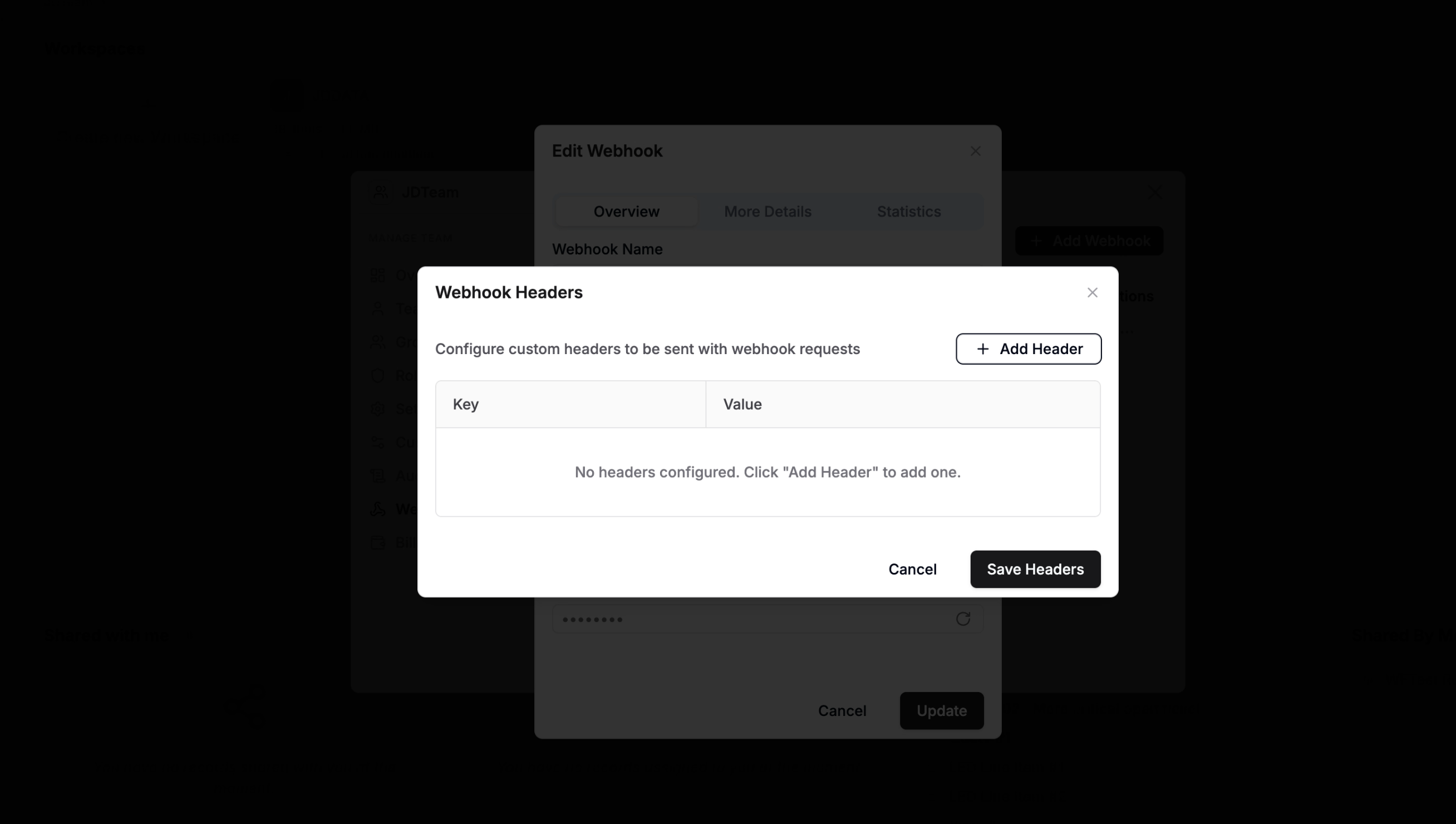
Add webhook headers (customHeaders)
Use custom headers when your endpoint expects API keys, bearer tokens, tenant identifiers, or other fixed auth metadata.
Header format
- Headers are stored as a JSON object of string key/value pairs.
- Example:
{
  "Authorization": "Bearer <token>",
  "x-api-key": "<api-key>",
  "x-tenant-id": "acme"
}
Via UI
In Team Properties → Webhooks:
- Add or edit a webhook.
- Open the custom headers section.
- Add each header key and value.
- Save.
Via API (register webhook)
Endpoint: POST /api/wbhook/register
{
  "teamid": "<team-id>",
  "name": "Billing Hook",
  "url": "https://example.com/hooks/anydb",
  "description": "Billing sync webhook",
  "timeout": 30000,
  "maxRetries": 3,
  "backoffMs": 1000,
  "customHeaders": {
    "Authorization": "Bearer <token>",
    "x-api-key": "<api-key>"
  }
}
Header security and behavior notes
- Webhook secret is generated automatically and returned only once at registration or secret rotation.
- Secret is not returned in normal webhook list/get responses.
- Signature header (
X-Webhook-Signature) is generated from payload + webhook secret. - In production, webhook URL validation enforces stricter rules (HTTPS and no private/localhost targets).
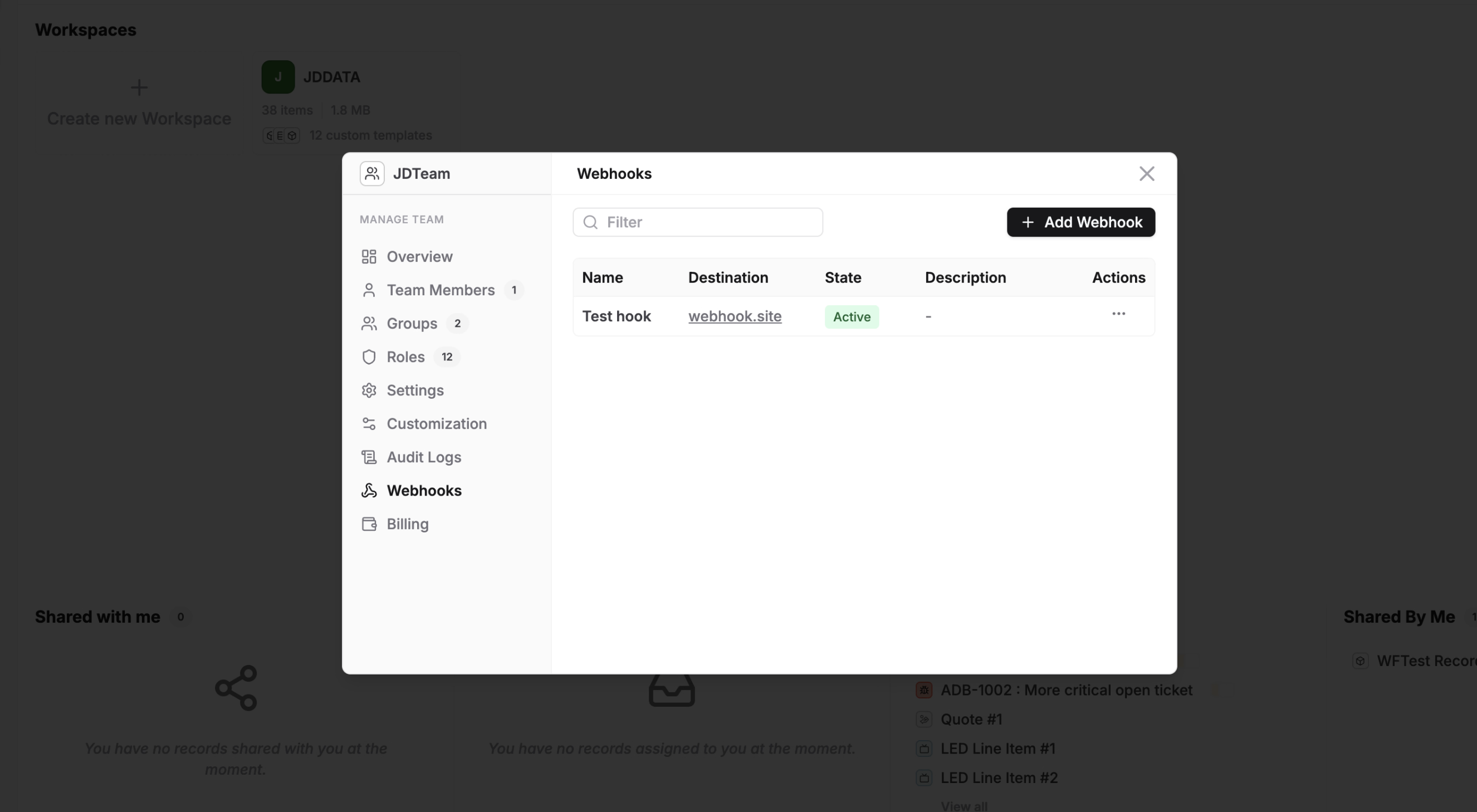
View Registered Webhooks
You can view all registered webhooks from Team Properties.
This list helps you manage available endpoints that workflows can call.
Use Webhooks in Automation
After a webhook is registered:
- Open or create an automation workflow.
- Add the Call Webhook action.
- Select a registered webhook.
- Configure payload/context as needed.
- Save and run/test the workflow.
Webhooks are commonly used to notify external systems, trigger downstream jobs, or integrate with custom services.
Test your webhook
You can send a test payload to verify endpoint + headers are accepted.