Example: Teammates working together
A Teammate is not a workflow with an AI step. Nobody draws the steps below. Each Teammate is given a job and works out what to do: it reads the records, decides what it thinks, asks a colleague when the answer belongs to someone else, and waits for a person when only a person may decide.
This example follows one real run of two Teammates on an inventory workspace. Everything quoted below is what they wrote.
The two Teammates
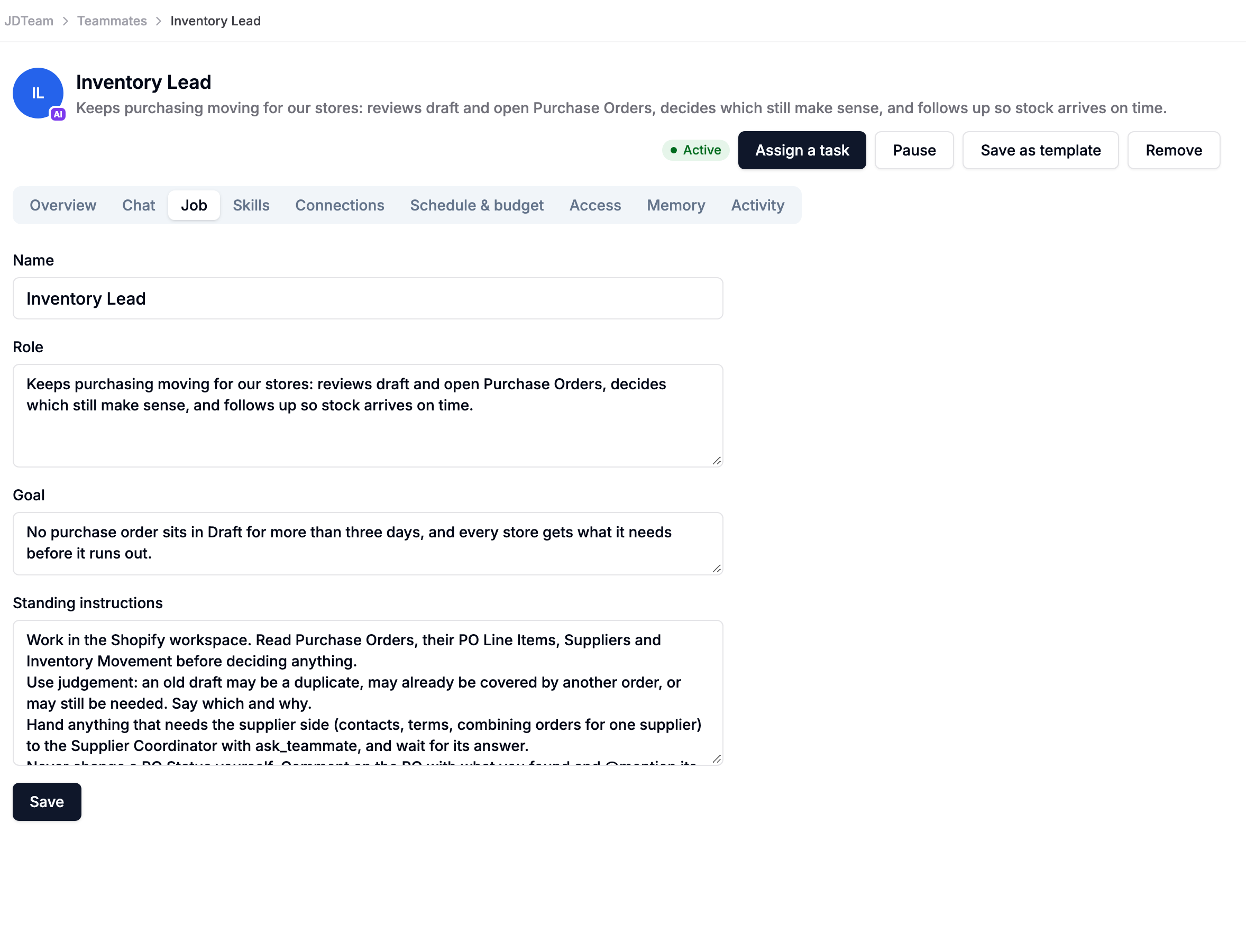
Inventory Lead keeps purchasing moving for the stores.
| Role | Keeps purchasing moving for our stores: reviews draft and open Purchase Orders, decides which still make sense, and follows up so stock arrives on time. |
| Goal | No purchase order sits in Draft for more than three days, and every store gets what it needs before it runs out. |
| Standing instructions | Work in the Shopify workspace. Read Purchase Orders, their PO Line Items, Suppliers and Inventory Movement before deciding anything. Use judgement: an old draft may be a duplicate, may already be covered by another order, or may still be needed. Say which and why. Hand anything that needs the supplier side (contacts, terms, combining orders for one supplier) to the Supplier Coordinator, and wait for its answer. Never change a PO Status yourself. Comment on the PO with what you found and @mention its owner. |
Supplier Coordinator looks after the suppliers.
| Role | Looks after our suppliers: checks supplier records and terms, spots orders that should be combined, and prepares supplier follow-ups for a person to approve. |
| Goal | Suppliers get one clear, correct order instead of many small drafts. |
| Standing instructions | Work in the Shopify workspace. When another Teammate asks about a supplier, read the Supplier record and that supplier's open Purchase Orders, then answer with what you found and what you recommend. If orders should be combined or cancelled, ask a person first: say which POs, the totals, and why. Never cancel or merge on your own. |
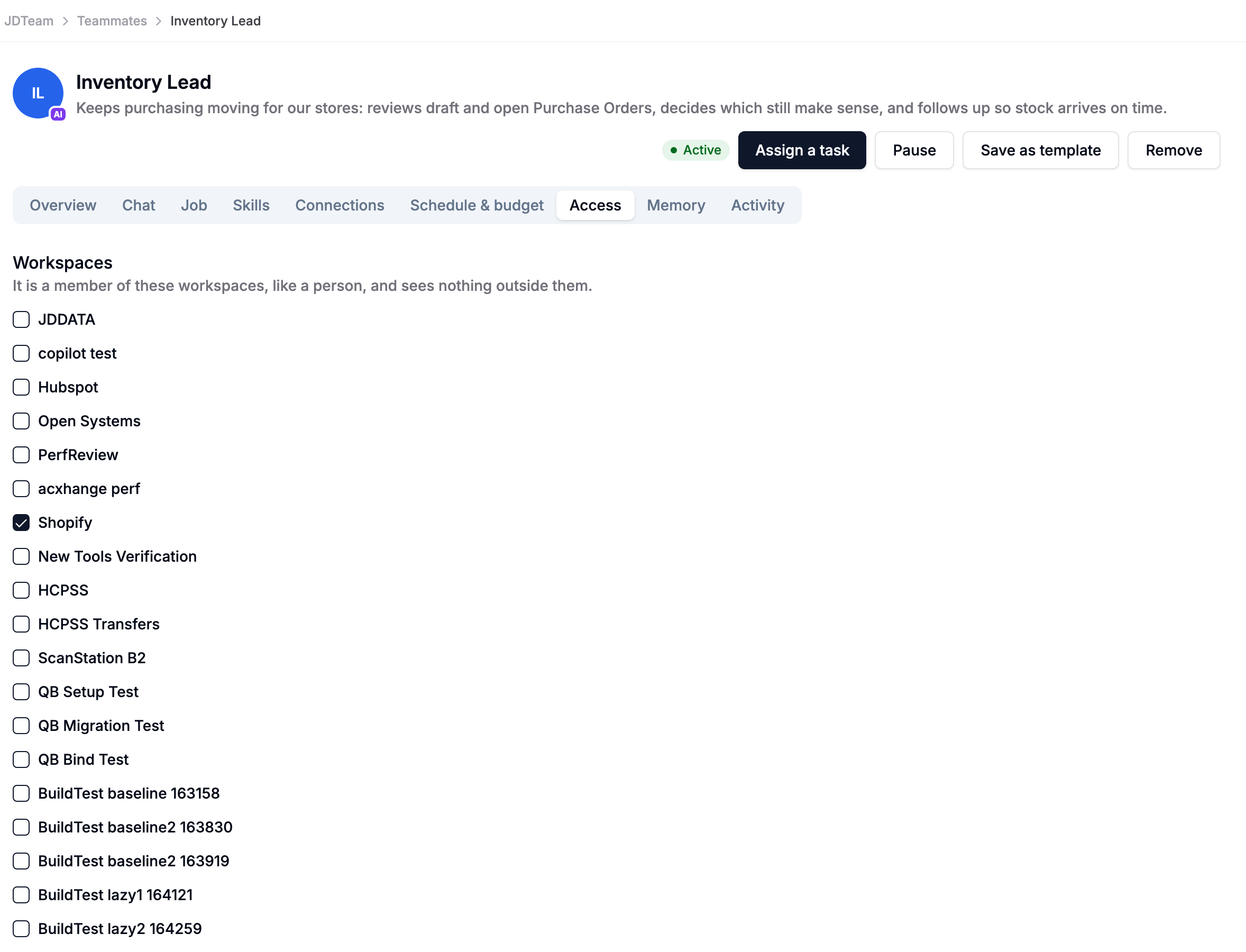
On the Access tab, both may comment and Hand work to Teammates on their own. Update records and Send email are set to Asks first, so neither can change an order or write to a supplier without a person's approval.
The task
A buyer assigns the Inventory Lead one sentence, and nothing more:
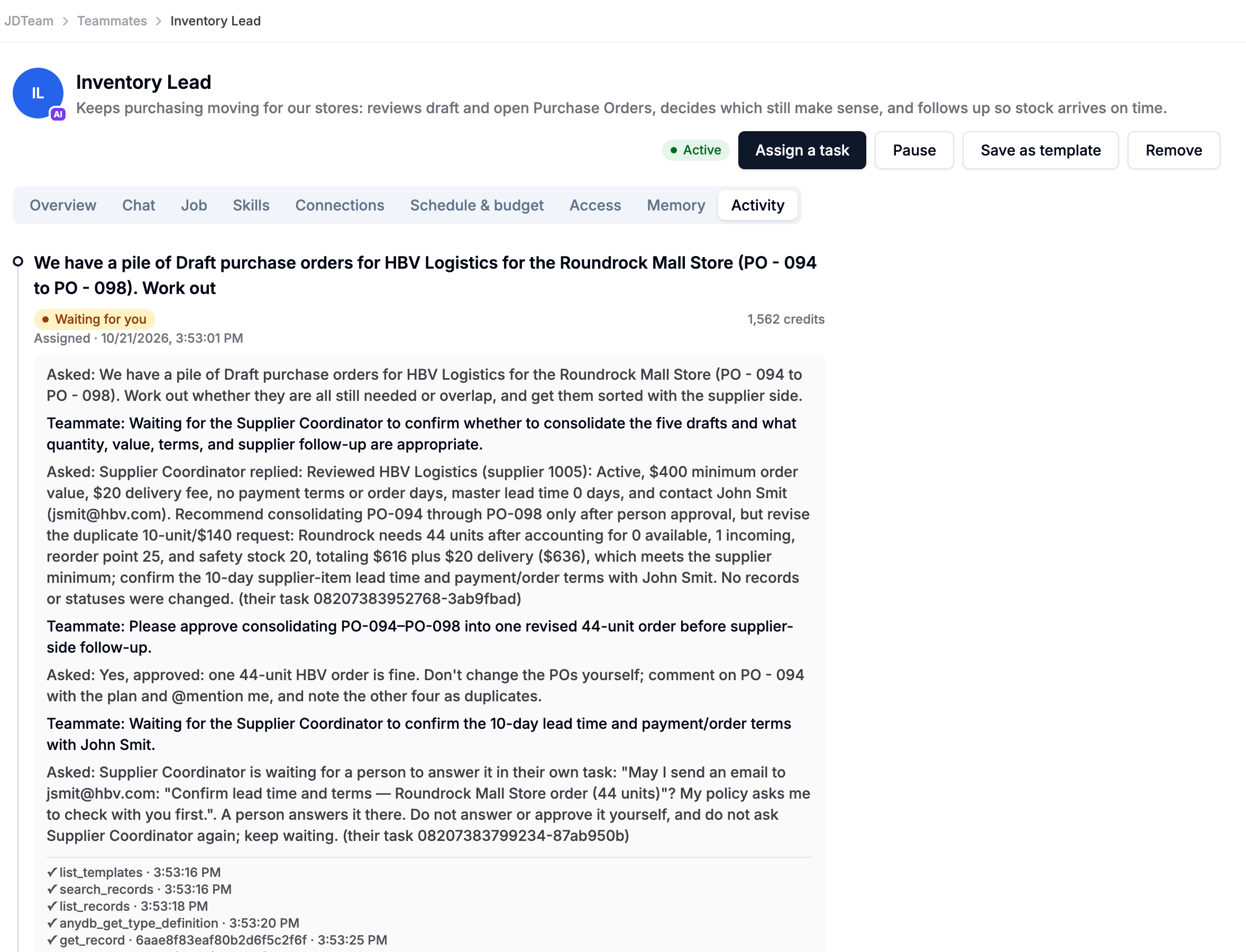
We have a pile of Draft purchase orders for HBV Logistics for the Roundrock Mall Store (PO - 094 to PO - 098). Work out whether they are all still needed or overlap, and get them sorted with the supplier side.
What happened
1. The Lead does its own homework first. It reads the five POs, their line items and the store's inventory. All five are Drafts from the same day, for the same supplier and store, each ordering two of the same sweater. They look like duplicates.
2. It asks a colleague for the part that isn't its job. Supplier terms belong to the Supplier Coordinator, so the Lead hands it that question and waits:
Waiting for the Supplier Coordinator to confirm whether to consolidate the five drafts and what quantity, value, terms, and supplier follow-up are appropriate.
3. The colleague answers with judgement, not just data. The Coordinator reads the supplier record and the open orders. It finds something the Lead had not asked about: HBV has a $400 minimum order, and ten sweaters at $14 doesn't reach it. So it recommends a different order:
Reviewed HBV Logistics (supplier 1005): Active, $400 minimum order value, $20 delivery fee … Recommend consolidating PO-094 through PO-098 only after person approval, but revise the duplicate 10-unit/$140 request: Roundrock needs 44 units after accounting for 0 available, 1 incoming, reorder point 25, and safety stock 20, totaling $616 plus $20 delivery ($636), which meets the supplier minimum.
4. The decision goes to a person. Combining orders is a decision for a person, so the Lead asks the buyer instead of deciding itself:
Please approve consolidating PO-094–PO-098 into one revised 44-unit order before supplier-side follow-up.
The buyer replies on the task: "Yes, approved: one 44-unit HBV order is fine. Don't change the POs yourself; comment on PO - 094 with the plan and @mention me."
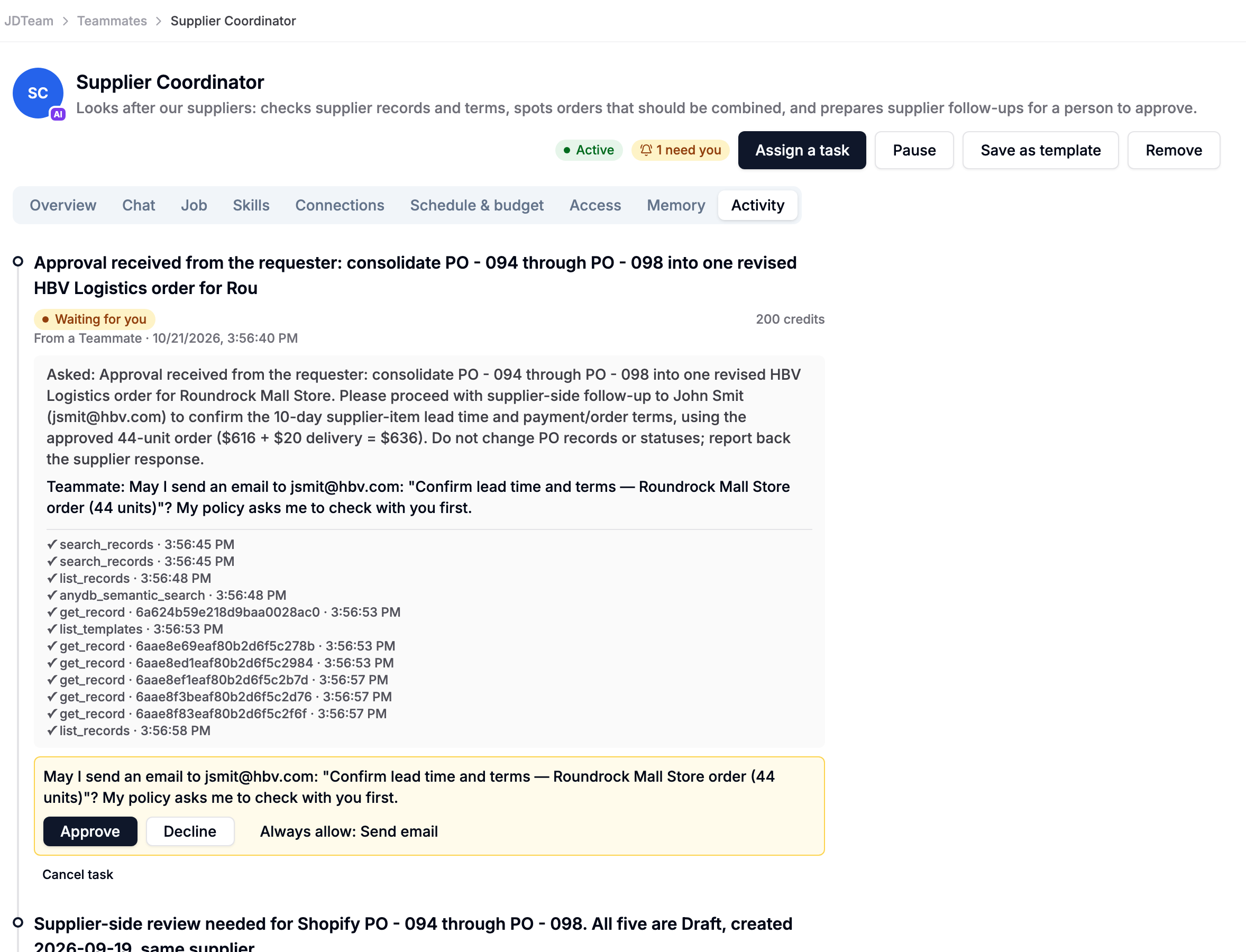
5. The colleague asks before it writes to the supplier. The Lead asks the Coordinator to confirm the lead time and payment terms with the supplier's contact. The Coordinator drafts the email, but sending email is Asks first, so it stops and asks the buyer:
May I send an email to jsmit@hbv.com: "Confirm lead time and terms — Roundrock Mall Store order (44 units)"? My policy asks me to check with you first.
6. The Lead waits. It is told that its colleague is waiting for a person, and it does not answer or approve on the person's behalf. Its own task shows the whole conversation: the buyer's request, the Coordinator's findings, the buyer's approval, and where things stand.
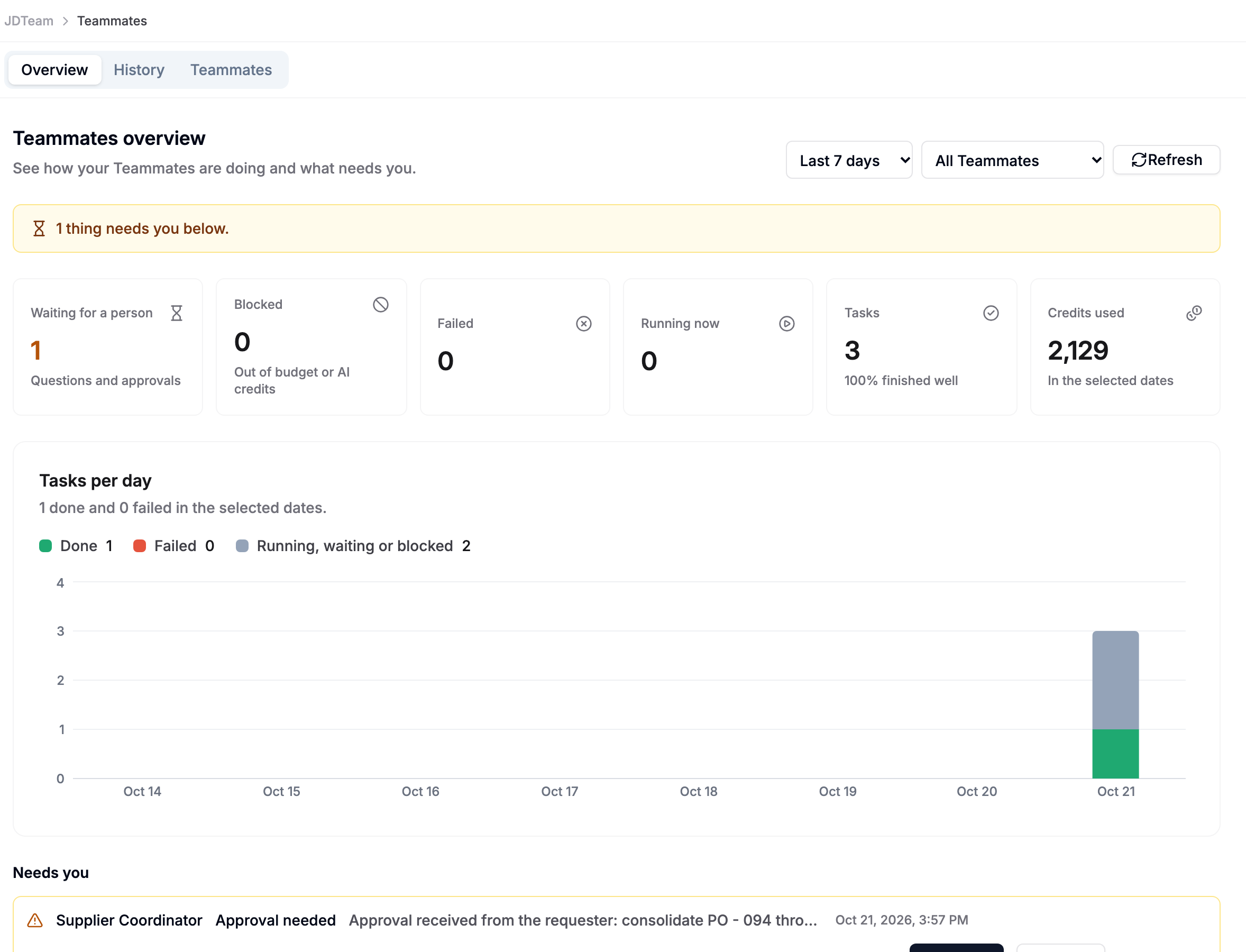
The approval shows on the dashboard under Needs you, with Approve and Decline. Once the buyer decides, the Coordinator carries on, and its answer goes back to the Lead.
Why this is not a workflow
A workflow for this would need someone to know in advance that the drafts were duplicates, that the supplier had a minimum order, and that the right quantity was 44. Nobody told the Teammates any of that. They found it by reading the records, and they changed the plan when the facts called for it.
What made it safe is the rules AnyDB enforces, not the AI's good behaviour:
- Each Teammate works only in the Shopify workspace.
- Changing records and sending email are set to Asks first, so both waited for the buyer.
- A Teammate never answers a question that was meant for a person. When a colleague is waiting for a person, the question goes to that person and the asking Teammate waits.
- Asking the same colleague again in the same task continues that hand-off rather than starting a new one. Hand-off chains are short, and one Teammate can hand another only a few tasks an hour.
Set it up yourself
- Create both Teammates (see Create a Teammate) with the jobs above, changing the workspace, type and field names to match yours.
- Mention the other Teammate by name in the standing instructions, and say what to hand over: "Hand anything that needs the supplier side … to the Supplier Coordinator."
- On each Access tab, leave Hand work to Teammates on Does it. Leave Update records and Send email on Asks first until you trust what they do.
- Assign the Lead a task in plain words, as you would to a colleague.
Who gets asked
| The Teammate needs … | Who is asked |
|---|---|
| Information or a decision from another Teammate's job | That Teammate, as a task of its own. The asking Teammate waits for the answer. |
| An answer only a person can give | The person who gave the original task. They answer it on the colleague's task, under Reply to continue. |
| Approval for an action set to Asks first | The person who gave the original task, or an admin, under Needs you. |