Compliance
AnyDB helps team admins show that the team follows the rules it has signed up to, such as SOC 2, GDPR, HIPAA, ITAR or an internal policy. It does this in two ways:
- Compliance profiles list the rules your team must follow. AnyDB checks each rule against the team as it is now (shares, sign-ins, members, settings and credentials) and reports what does not comply.
- Find a person's data searches every workspace for one person, so you can answer a data access request, and erase what the team holds about them when you receive an erasure request.
Both are in Manage Team → Compliance.
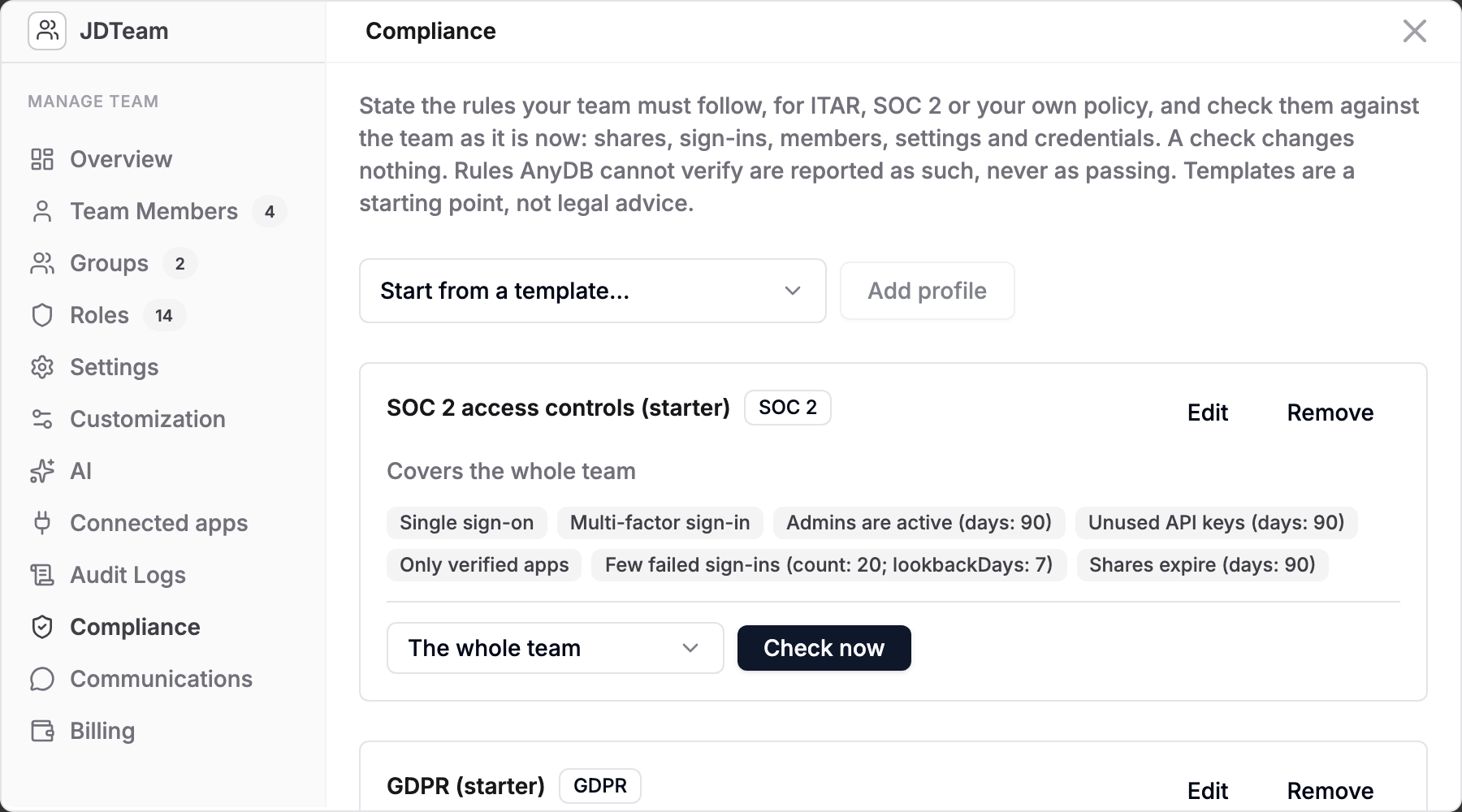
How compliance checks work
- A check is read-only. It looks at shares, sign-ins, members, settings and credentials, and changes nothing.
- Every rule gets a clear answer: Pass, Fail with the records, people or settings at fault, or Cannot check with the reason. A rule AnyDB cannot verify is never reported as passing.
- Rules are typed, not free text. The same profile gives the same answer every time, whether a person runs it, an AI assistant runs it through MCP, or an AI Teammate runs it on a schedule.
- Every check is kept, so you can show an auditor what a check found on a given date, and download it as CSV.
caution
Starter templates are a starting point, not legal advice or a certification. A regime's full requirements go beyond what AnyDB can see. Review every rule with whoever owns compliance in your organization.
Who can use it
| Feature | Who | Plan |
|---|---|---|
| Compliance profiles and checks | Team admins | Business and Enterprise |
| Find a person's data, erase, show as Former member | Team admins (people, not AI Teammates) | All plans |
On a lower plan, Manage Team → Compliance shows Upgrade in place of the profiles. Find a person's data is still available below it.
In this section
| Page | What it covers |
|---|---|
| Compliance profiles | Add a profile from a template, edit its rules, and choose which workspaces it covers. |
| Starter templates | What the SOC 2, GDPR, ITAR and personal data templates check, and what to add to them. |
| Rules reference | Every rule you can use, its values, and what AnyDB counts as personal data. |
| Running checks | Check a profile, read the results, open past checks, download CSV, and fix what fails. |
| Data access and erasure requests | Find everything the team holds about one person, erase it, or show a former member as "Former member". |
| AI Teammates and MCP | Let a Teammate run checks for you, and manage compliance from an AI assistant. |
Related
- Audit log: every check, search and erasure is recorded there.
- Cell privacy and locking: mark a cell as personal data so checks count it.
- Single sign-on: several rules need team SSO.