Import Data and create a new Record Type
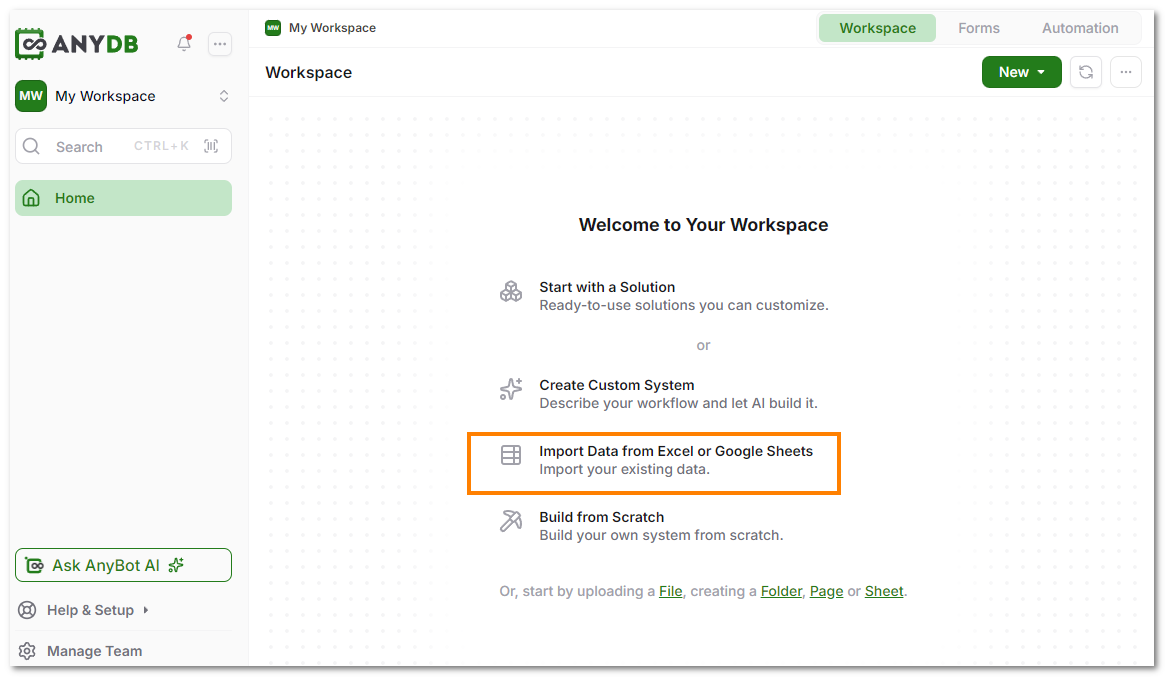
- Create a new Workspace and select the "Import from Excel or Google Sheets" option.
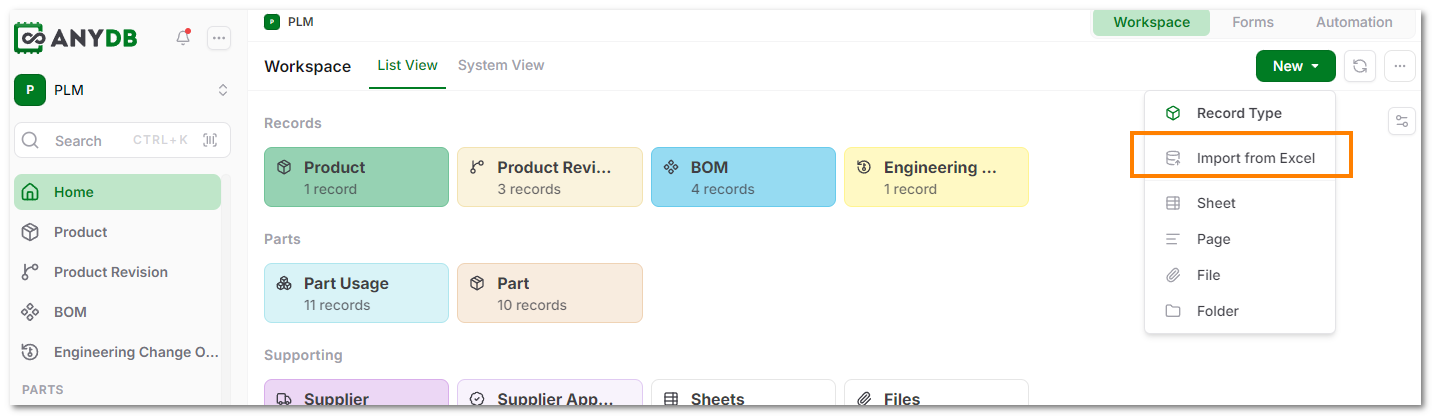
Alternatively, in your Workspace Home screen, click on the 'New' button and select 'Import from Excel' option.
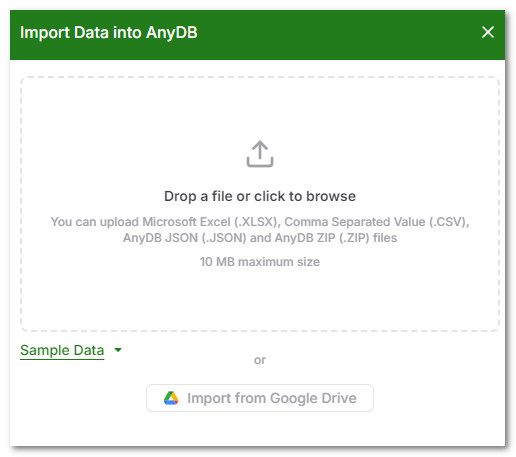
- Upload your XLSX, CSV file or select your existing google sheets.
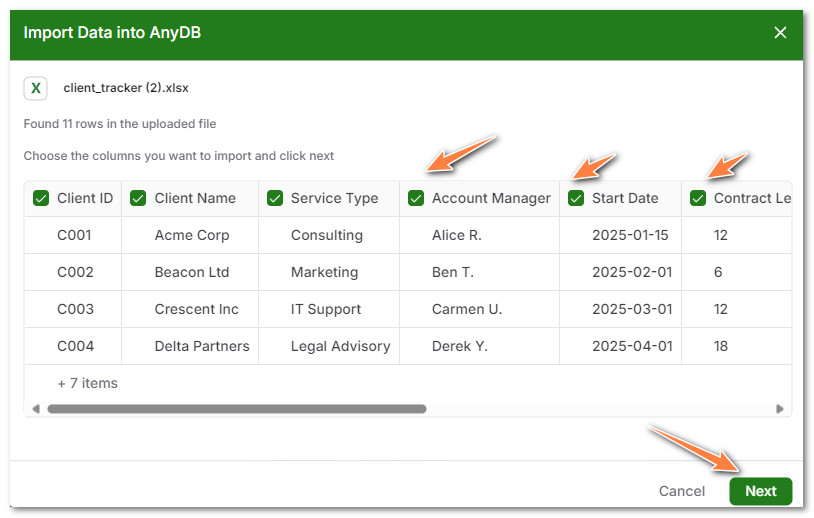
- On upload, your file is analyzed and some of the rows are shown for you to review. You can select which columns you want to import. By default, all columns are selected for import.
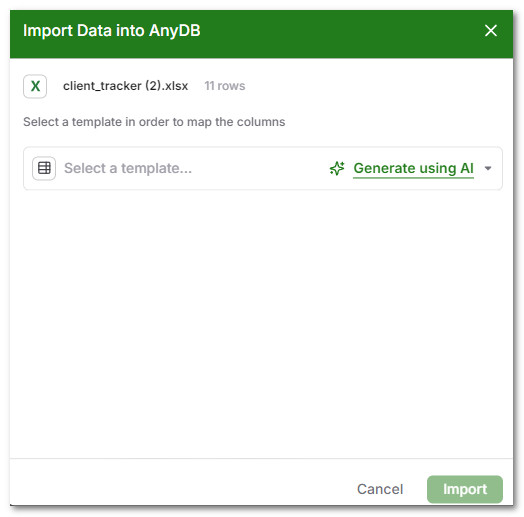
- Select the type you want to import into. You can either create a new type or select Generate using AI. If you have already created a type for this data, choose that instead of making a new one.
-
If you choose to generate via AI, the type is created and you can save it and continue.
-
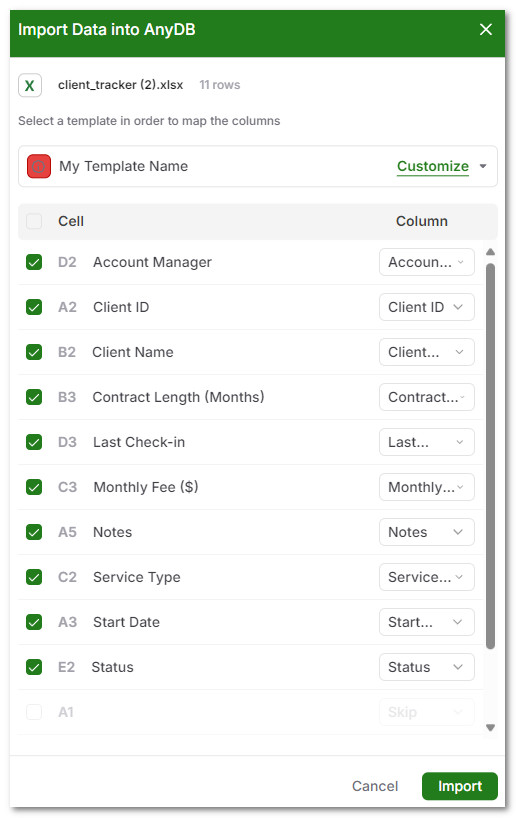
Next, choose which XLSX columns map to which type fields. This is selected automatically in most cases, but you can adjust it before clicking Import.
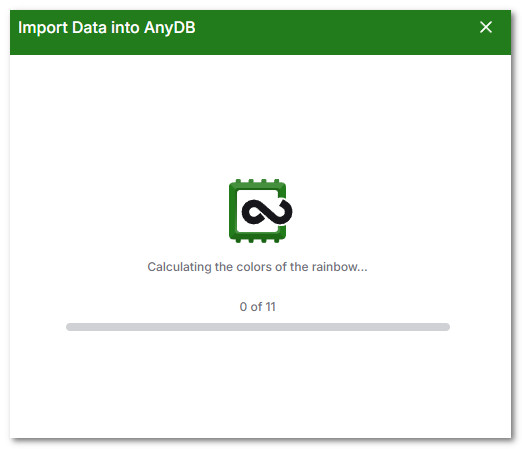
- The import starts and all the records are imported into AnyDB.
- You can manually create additional records from the same type created during import.