AnyDB Timeline Cell
Timeline Cell Type
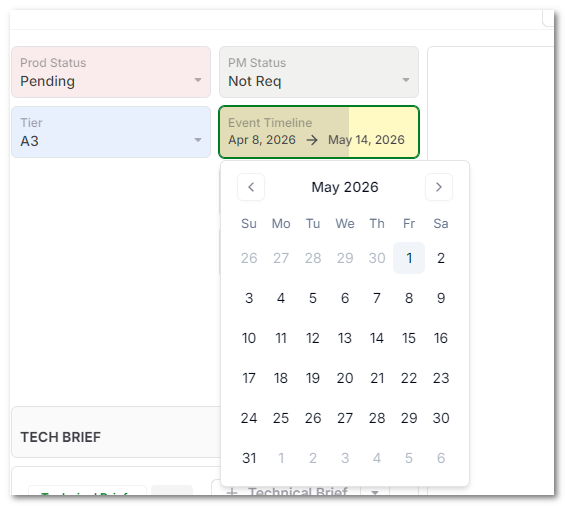
Timeline cells are designed to store a date range. They use a start date and an end date to represent work, events, bookings, tasks, or other records that span time.
Use a Timeline cell when a single Date cell is not enough because the record has duration.
Common Uses
- Track project phases with start and end dates.
- Schedule events that run across multiple days.
- Show bookings, assignments, or availability windows.
- Place records on Calendar View as multi-day entries.
How Timeline Values Work
A Timeline cell stores two date values:
- Start date: When the time span begins.
- End date: When the time span ends.
Both dates can be used for filtering, sorting, formulas, reports, and calendar-based views.
Calendar View
Calendar View can use a Timeline cell to show records across multiple days. When a record is moved on the calendar, the underlying timeline dates can be updated based on the change.