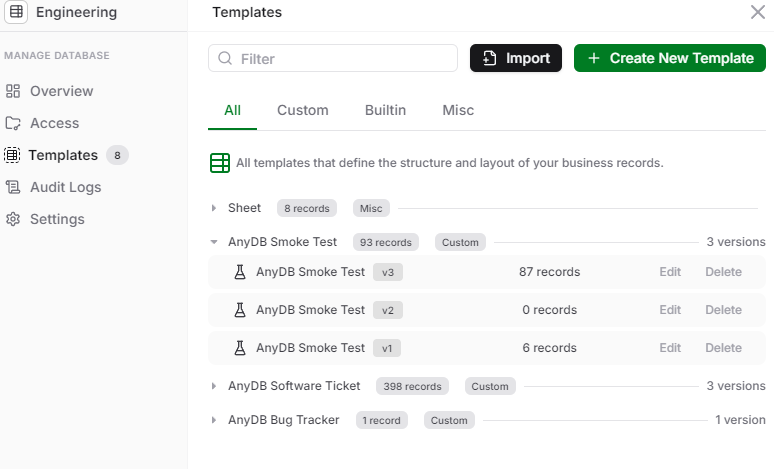
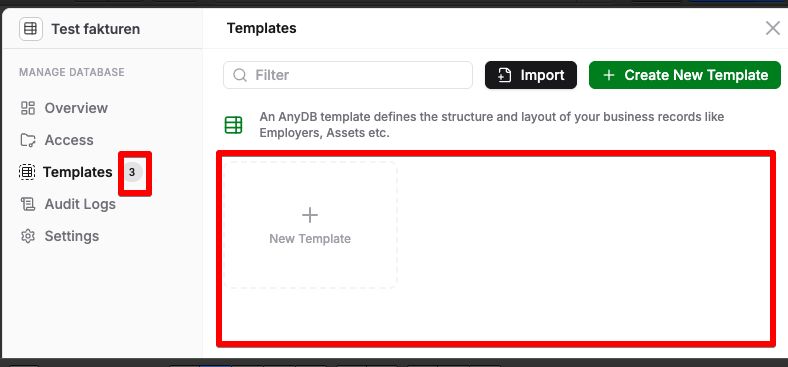
How come the sidebar shows 3 templates yet there is no one there to edit?
3 Likes
Hello,
Looked into the issue. Your data seems to be get without any permission issues.
Can you please try a ctrl + f5 to clear and reload the UI code?
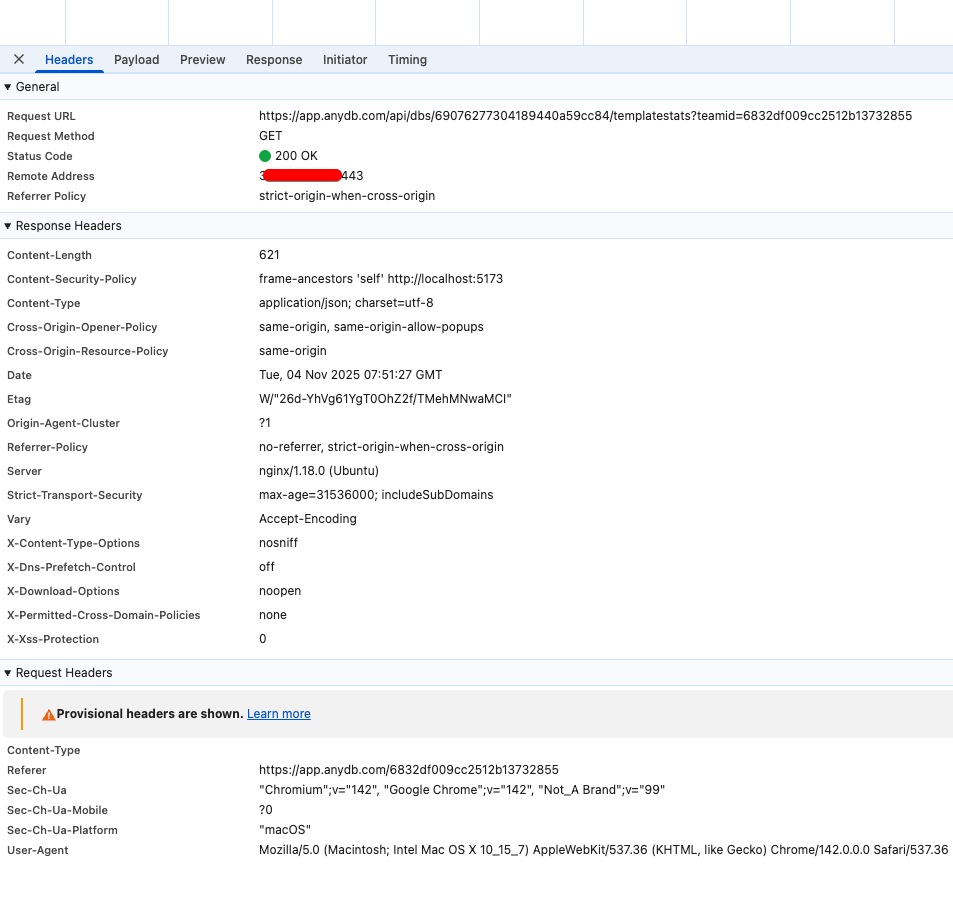
If that doesn’t help, please find an API call with the following format from the browser dev console when the “Manage Templates” dialog is clicked.
https:// app.anydb.com/api/dbs/[adbid]/templatestats?teamid=[teamid]
Once you find this call, could you please share the headers and response tab contents privately.
This might give some insight into this issue.
1 Like
hi Rad,
thanks for checking out this bug.
all in all I find the Templates part of AnyDB very confusing and sometimes annoying. Templates and actual Records (instances of templates) interfere to much with each other. Sometimes I delete a Record and then the whole Template is also gone.
I often delete the old versions of templates from the "Manage templates”, but looking at this API response they are still there.
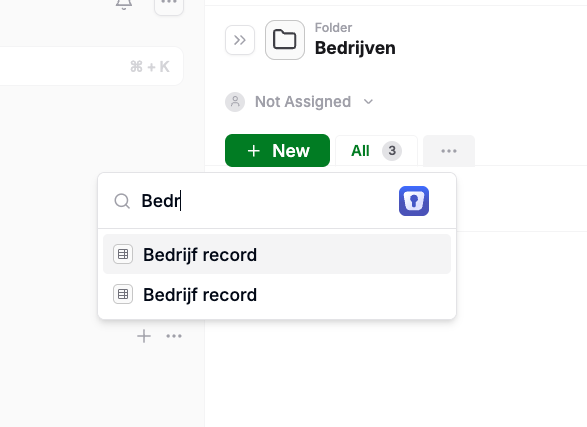
When I want to create a new Record, then 2 Templates of Bedrijf are also shown in the selection list and I need to guess and select which one is the latest version. While the API-response mentions 6. But I only want to see the latest version here.
{
“status”: “success”,
“data”: {
“context”: “database”,
“id”: “69076277304189440a59cc84”,
“templategrps”: {
“690876da52af58cacdbd9a4b”: {
“templateName”: “Bedrijf record”,
“used”: 0,
“builtin”: false
},
“69086ebb52af58cacdbd9a45”: {
“templateName”: “Bedrijf record”,
“used”: 0,
“builtin”: false
},
“690871245bbc1b4a7aa5cb71”: {
“templateName”: “Bedrijf record”,
“used”: 0
},
“6908719e5bbc1b4a7aa5cb73”: {
“templateName”: “Bedrijf record”,
“used”: 1
},
“690762e51117b8e1e8e006db”: {
“templateName”: “Company record”,
“used”: 0
},
“6908726b5bbc1b4a7aa5cb75”: {
“templateName”: “Bedrijf record”,
“used”: 0
},
“690764d51117b8e1e8e006e2”: {
“templateName”: “Bedrijf record”,
“used”: 0
}
}
}
}
Kind regards
Folkert
1 Like
Hello,
Thank you for your valid feedback again on the templates section. We will try to do some improvements in this area.
Your concerns:
- Deleting old version of templates not clearing them in the api response. -
We will look into why this is happening. It seems like the template delete is not clearing all the data structures. - On creating a new record, search on a template name shows multiple versions of the template and it is not clear on which template to use -
Agreed. We will fix this to show only the latest version of the searched template. Not the old versions. - When you delete something it is not clear whether you are operating in the object or template context. -
Deleting template option should be available only under ‘Manage Templates’ option. Are you running into a situation where a template is getting deleted on any other UI interaction path? We will try to address this when we get more information from you. We are also planning some improvements to the template management section UI. We will keep you posted on this.
Thank you.
Hello,
We have some fixes pushed today.
- Search on a template name should show only the latest template version. Please check.
- Manage template tab has been refactored. Please let us know if this gives better clarity than before. Also, this is work in progress. We are looking into ways of improving this more.
Thank you.