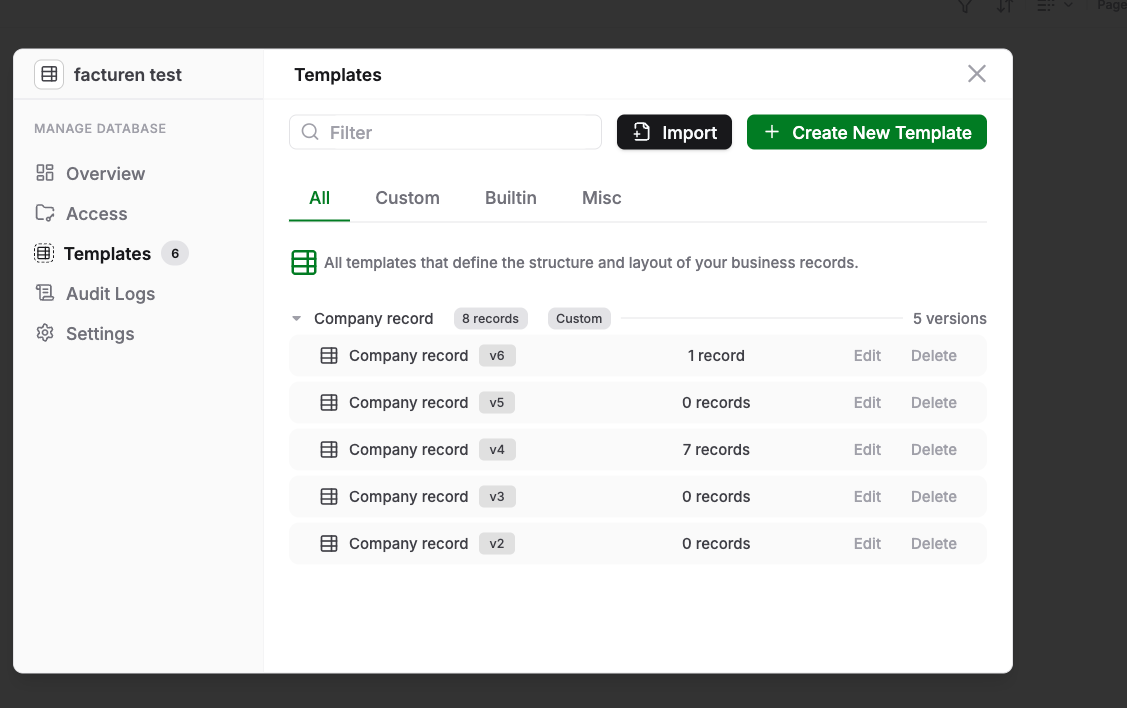
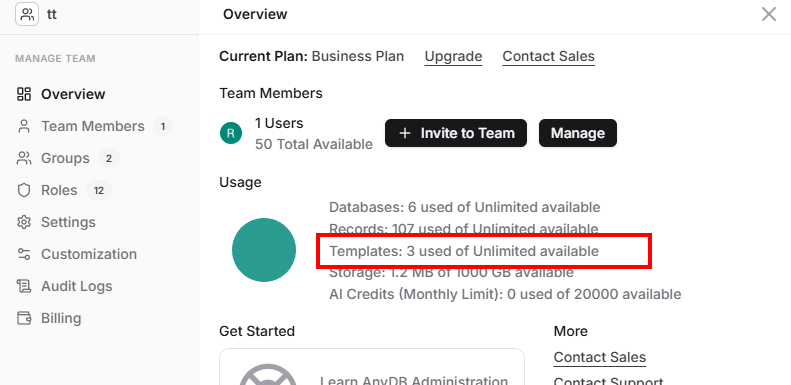
It does show that there should be 6 templates but I only see 5 versions of 1 template. Do all 5 count for my quota of 25 free templates? If versions also count for templates then I miss a template (it mentions 6 but I see only 5).
While writing this post I now see the Article template. The articles template takes about a minute or so to show up in this templates overview. That much latency? Other new (company-)records show up immediately in a folder
If I delete the oldest version of the Company template (v2) then this popup refreshes and it shows that it has deleted all the other old versions also. It says “1 version” in the right-top corner.
But if I click on settings and then back to templates, then all the old versions show up again, except the v2 version.
v4 is also strange. I did not get a message that the migration of records belonging to v4 to the v5 version failed. Yet it shows that 7 records are left behind in the v4.
So I created a new Article record template and next i go to the foilder and try to add a new article.
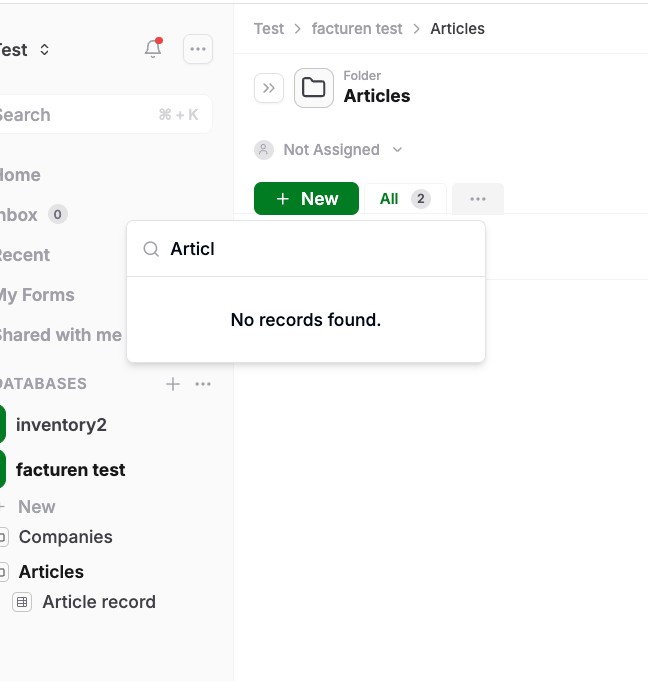
But the article record (or should it say template) could not be found after I clicked “+ New”. It should be there.
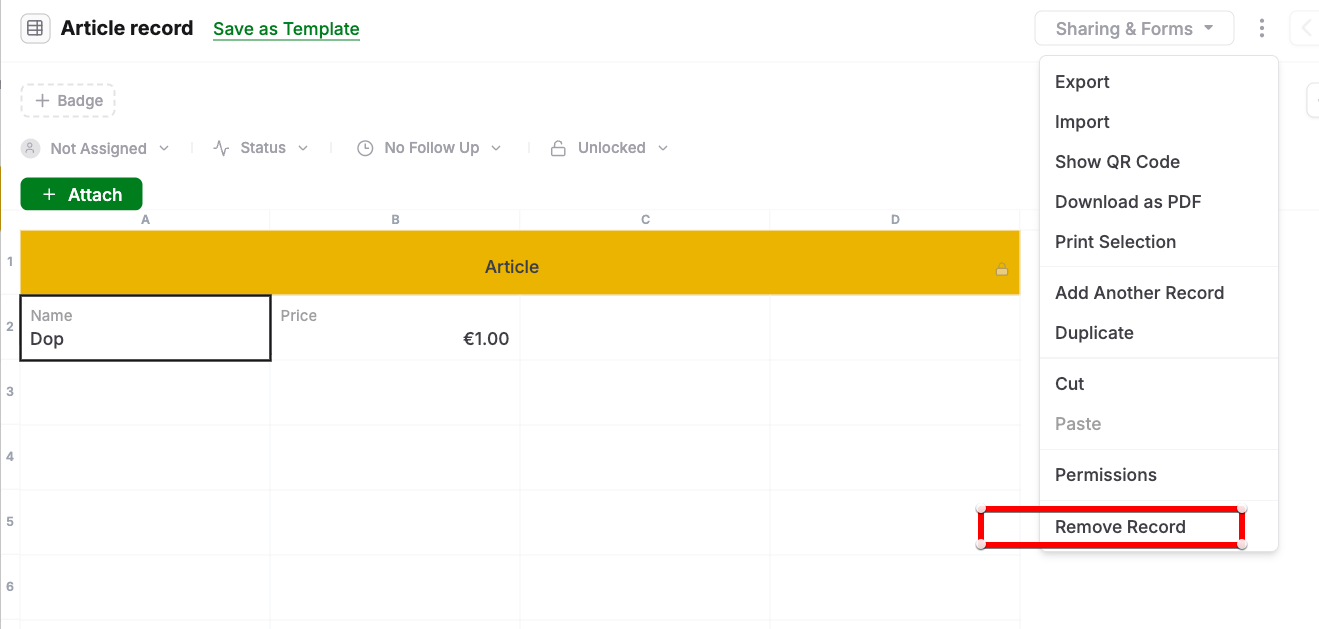
When I go to my articles folder a select an existing article record, then I expect a normal form where I can edit my Article. But when I delete that record then also the Article Template is deleted. Some record editing and template editing got mixed up. Why does it say “save as Template”?
Hello,
Thank you for taking time to provide this feedback on templates. I will be very Please find the answers below:
It does show that there should be 6 templates but I only see 5 versions of 1 template. Do all 5 count for my quota of 25 free templates? If versions also count for templates then I miss a template (it mentions 6 but I see only 5). - No, the versions of the template doesn’t count towards your limit. This count shows all the templates in the system including versions. For the quota details, you can check the overview tab. That should give the templates count against quota.
While writing this post I now see the Article template. The articles template takes about a minute or so to show up in this templates overview. That much latency? Other new (company-)records show up immediately in a folder. - Even though search happens from a different indexing subsystem, a minute latency is not normal. We did have an issue with background workers that got resolved. These workers are responsible for the indexing. It could related to that. But if you keep seeing this, please let us know.
If I delete the oldest version of the Company template (v2) then this popup refreshes and it shows that it has deleted all the other old versions also. It says “1 version” in the right-top corner.
But if I click on settings and then back to templates, then all the old versions show up again, except the v2 version. - This seems like a bug. We will try to recreate this problem on our side.
v4 is also strange. I did not get a message that the migration of records belonging to v4 to the v5 version failed. Yet it shows that 7 records are left behind in the v4.
Seems like a migration issue related to permissions. Wondering if some records were skipped because of that. If you still have these records in the system, we can get that checked. Please let me know. Meanwhile, we will also add an option to migrate records from one template version to another. If we have that support, then even if some records were missed, it gives an option to redo the migration.
So I created a new Article record template and next i go to the foilder and try to add a new article.
But the article record (or should it say template) could not be found after I clicked “+ New”. It should be there.
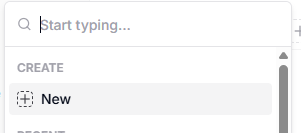
In this case, you are going to create an record under the articles folder. So you can either search for an existing record or create new. When you click on “Create → New”, you will get to the template selection screen. There you can search “Article”.
Also, we were going to change the “Start typing…” placeholder to “Search record..:”. So here u can search existing records and attach them to the folder. Hope this makes sense.
When I go to my articles folder a select an existing article record, then I expect a normal form where I can edit my Article. But when I delete that record then also the Article Template is deleted.
From your explanation, it seems like you haven’t created an Article template. You created a sheet (named Article) and working on it. That will offer “Save as Template” option for sure. That also explains, deleting a record is deleting the template. But if you think this is not the case, please let us know.
Some record editing and template editing got mixed up. Why does it say “save as Template”?
So when you make changes to a record of certain template type, the implication is that the record is not of that template type anymore. So the option is to create a new template with your changes.