We just realized it has been almost 2 months since our last release announcement. We have been busy building solutions for our customers so it has taken away time to make release announcements. Rest assured, we have pushed plenty of quality of life improvements that should make AnyDB easier to use overall.
Table View is the Default View
When you view any list of records for a type or view the attached child records, the default record view is the Table view.
The table view is a powerful view that allows quick editing of records without having to open the full record view.
Resize Table View Columns and Save the Layout
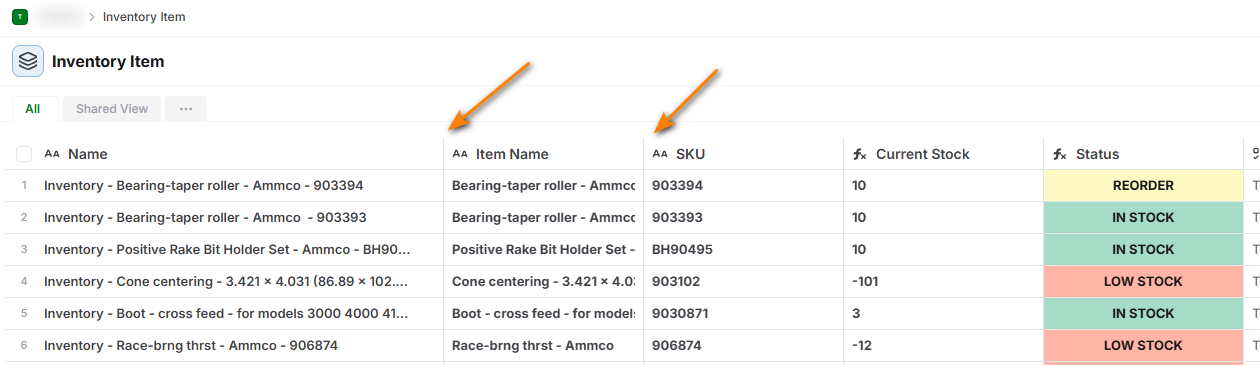
You can click and drag the columns to resize the horizontal size of each column. Once you change the size, click on Save Changes to save the view.
Add a new Record in the Table View directly

You can click on the button to create a new record and change the values directly in the table view without again opening the full record view. This is especially handy when working with child records or attachments and you quickly want to add a new line item.
Duplicate the All View
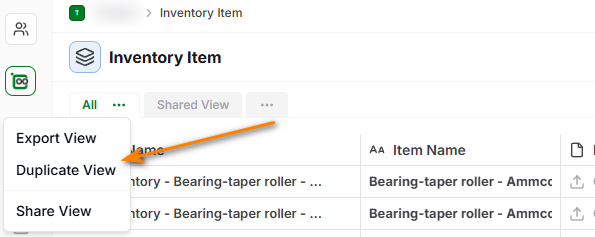
We found that most customers start by customizing their All View and then can’t duplicate that and make one change to create a new custom view. Now it is possible to duplicate the all view.
Hope you like the new Table View interface to AnyDB. Let us know what other features or enhancements you would like to see!