You can count the number of cells or attached records that meet a specified condition. 

As in the following example, the Support Issues Dashboard (parent) counts attached records based on their status in three ways: Open Issues, Issues in Analysis, and Closed Issues.
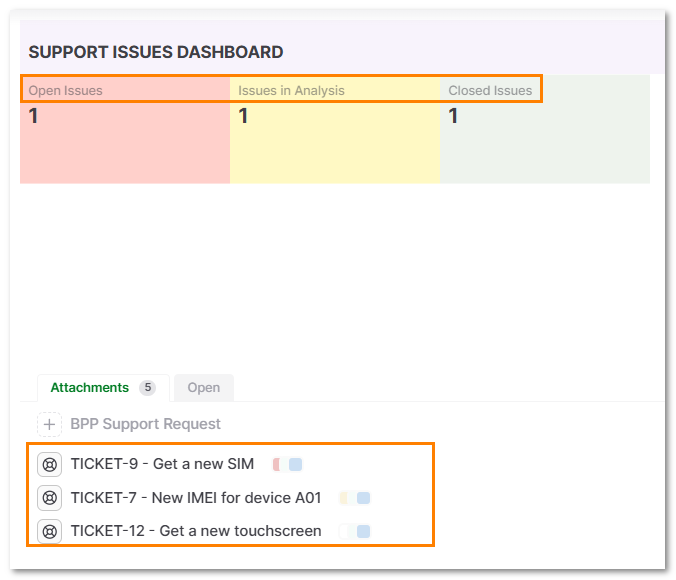
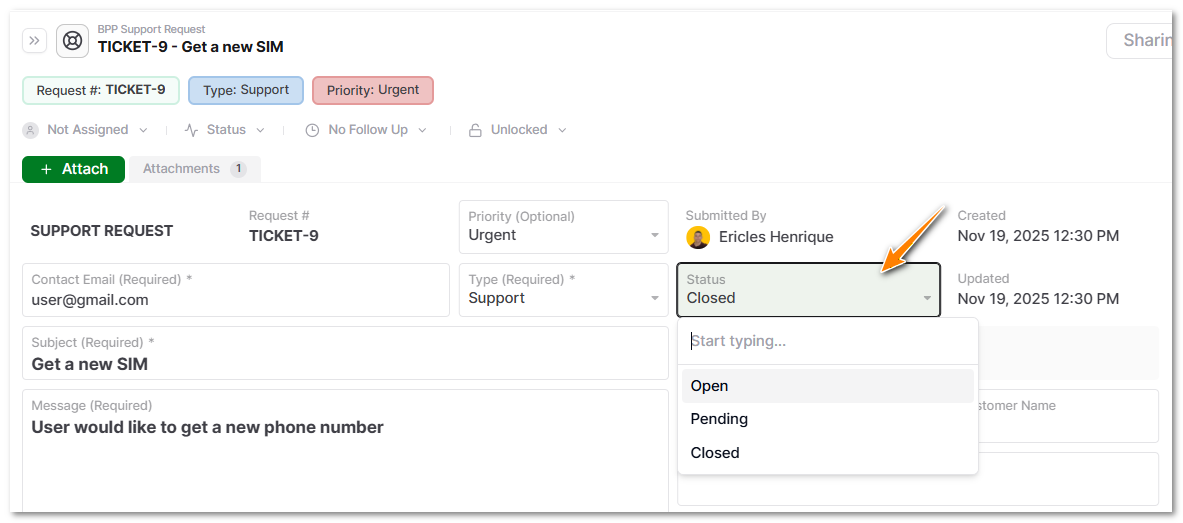
To do that:
-
Click on the cell that will display the quantity.
-
Go to the formula field.
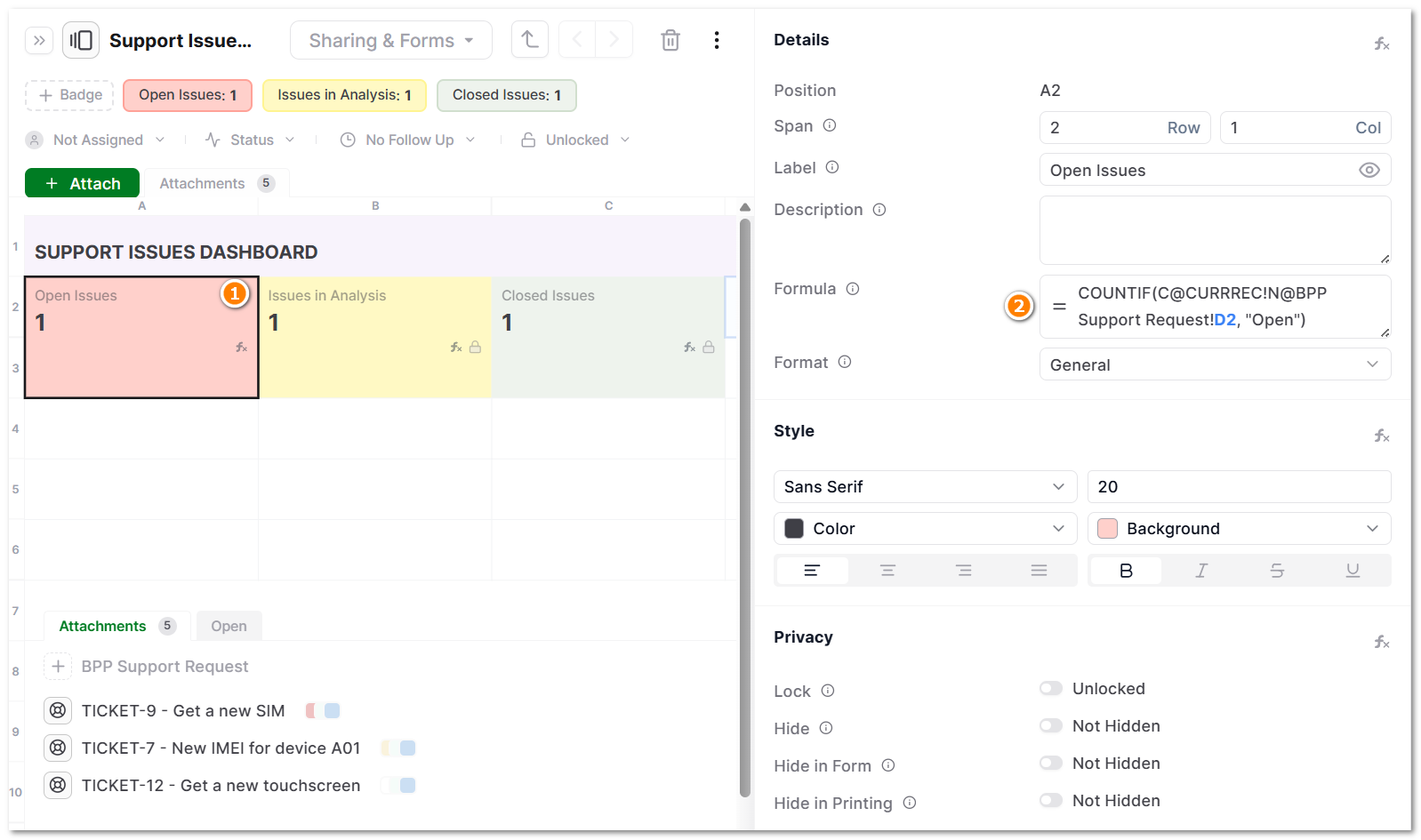
- Add the formula:
COUNTIF(range, criteria)
- In this case,
COUNTIF(C@CURRREC!N@BPP Support Request!D2, "Open")
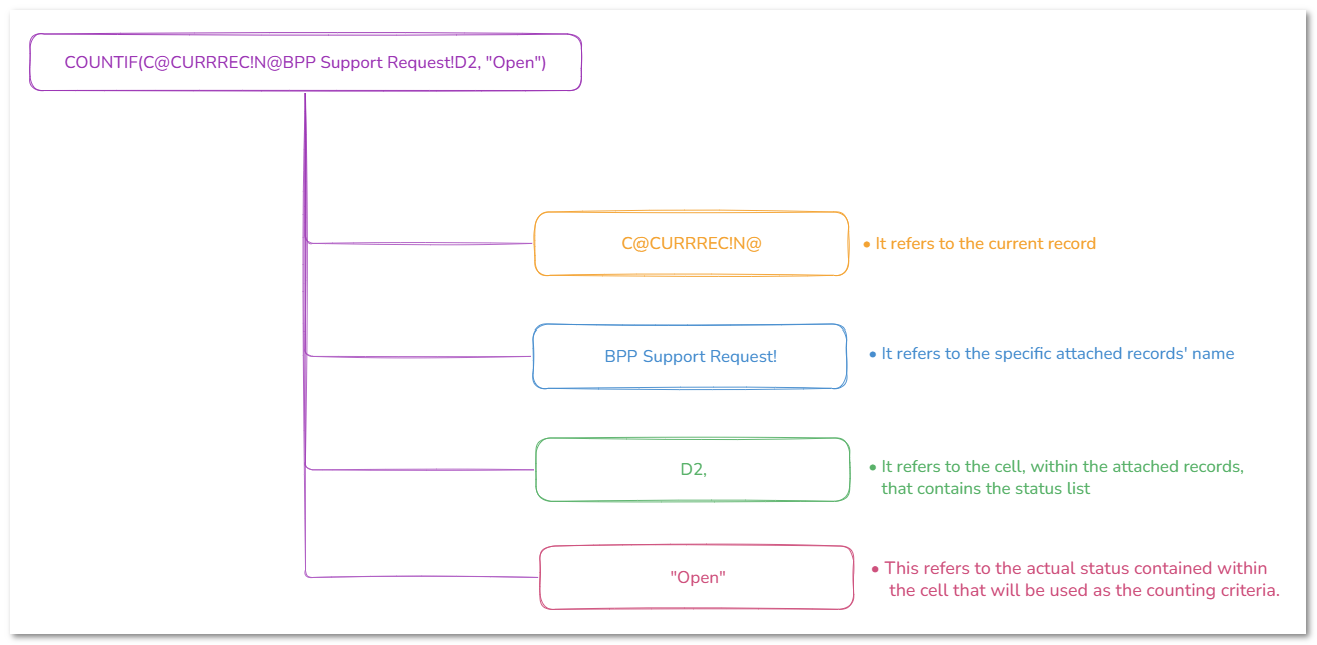
- Press Enter.
-
Any change to the attached records’ status or their deletion will update the dashboard.
-
You can also block the cell from editing.
Benefits
Using the COUNTIF(range, criteria) formula, you can automate advanced calculations in dashboards in many ways, saving time and energy in the long term.
To see how to do more with the COUNTIF formula in AnyDB, check out our documentation.